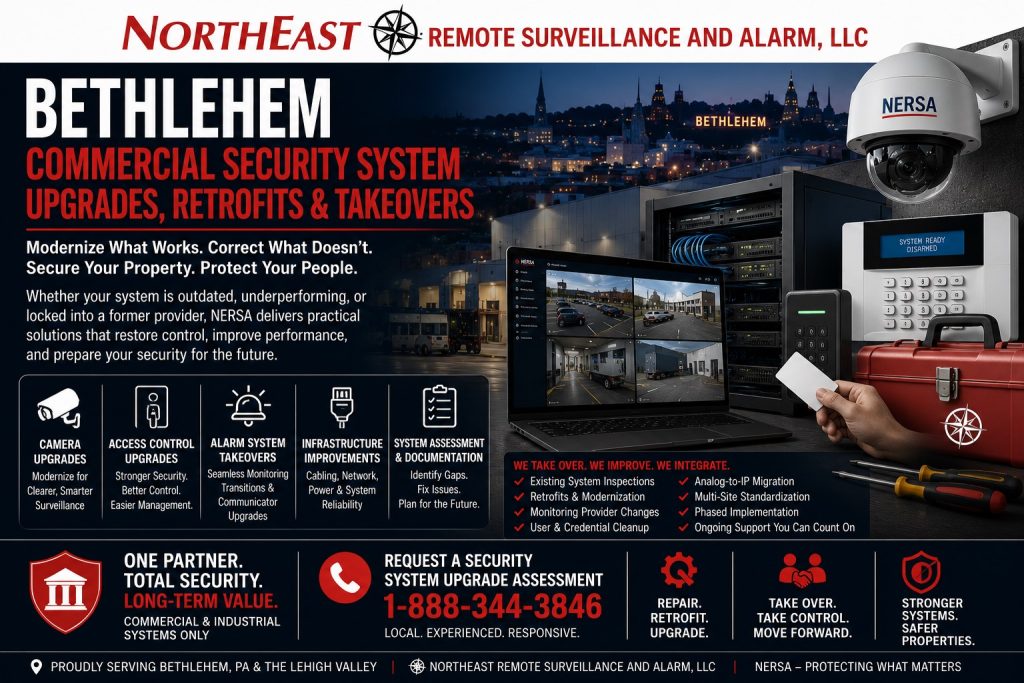
Camera Modernization, Access-Control Upgrades, Alarm Takeovers, Monitoring Changes, Infrastructure Corrections, and Phased Security Improvements in Bethlehem, PA
An aging, inherited, unsupported, or poorly documented commercial security system does not always need to be removed completely.
Existing cameras, cabling, door hardware, readers, control panels, alarm devices, power supplies, network switches, fiber connections, equipment enclosures, and communication pathways may still provide value when they are compatible, serviceable, properly installed, securely configured, and appropriate for the property’s current requirements.
Northeast Remote Surveillance and Alarm, LLC evaluates, upgrades, retrofits, integrates, takes over, monitors, and supports existing security systems for Bethlehem warehouses, manufacturing plants, offices, healthcare properties, schools, municipal facilities, contractor operations, industrial parks, commercial campuses, multi-tenant buildings, and multi-site organizations. (Northeast Remote Surveillance)
The objective is not to replace usable equipment unnecessarily. The objective is to determine what the property already has, correct the most important deficiencies, recover administrative control, improve system performance, and create a dependable path for future expansion.
For complete citywide planning, begin with Commercial and Industrial Security Systems in Bethlehem, PA.
Request a Bethlehem Security System Upgrade Assessment
Call 1-888-344-3846
Commercial and institutional systems only • Existing-system inspections • Camera upgrades • Access-control retrofits • Alarm and monitoring takeovers • Infrastructure corrections • Phased modernization

A Structured Upgrade Path for Existing Bethlehem Security Systems
Commercial security systems often change gradually.
A camera may be added after an incident. A new tenant may install a separate access-control panel. An alarm communicator may be replaced when telephone service changes. A recorder may be upgraded without correcting old camera views. A building renovation may move doors and walls while older alarm zones remain unchanged.
Over time, the property may inherit:
- Several unrelated security platforms
- Unsupported cameras or recorders
- Unreliable remote viewing
- Inconsistent camera names
- Insufficient video storage
- Former employees with active access
- Shared alarm codes
- Poorly documented door permissions
- Failing electrified door hardware
- Old telephone-line alarm communication
- Confusing alarm-zone descriptions
- Unlabeled cabling and network equipment
- Missing administrator credentials
- Outdated monitoring contacts
- Multiple service providers
- No dependable system drawings
- Limited expansion capacity
- Equipment that no longer matches the building
Scattered repairs may keep individual devices operating without correcting the complete security environment.
A stronger approach begins with inspection, inventory, testing, documentation, and priority planning.
What This Bethlehem Upgrade, Retrofit, and Takeover Page Covers
This page is the Bethlehem-specific implementation path for commercial properties with existing security equipment.
It is not a general Bethlehem security page, a new-construction page, a camera-only page, or a residential alarm resource. It focuses on existing non-residential properties that need one or more of the following:
- Camera-system modernization
- Analog-to-IP video migration
- Recorder or video-management replacement
- Cloud or hybrid video migration
- Camera-view corrections
- Video-storage expansion
- Secure remote-access improvements
- Access-control controller upgrades
- Reader and credential migration
- Door-hardware corrections
- User and permission cleanup
- Intrusion-alarm panel upgrades
- Alarm-system takeovers
- Cellular or dual-path communicator upgrades
- Monitoring-company changes
- Alarm-zone and partition cleanup
- Intercom modernization
- Gate-system integration
- Low-voltage cabling corrections
- Network and power improvements
- Documentation recovery
- Multi-building standardization
- Multi-site platform consolidation
- Phased integration
- Complete replacement when the existing system cannot be supported
For the broader non-geographic service, review Commercial Security System Upgrades, Retrofits & Takeovers.
Begin with a Commercial Security System Inspection
Equipment should not be selected until the existing system has been evaluated.
A commercial security system inspection helps determine:
- What equipment is installed
- Which devices are operating
- Which devices have failed
- Which systems are supported
- Which components are proprietary or locked
- Whether administrator access is available
- Whether cameras provide useful footage
- Whether video is recording consistently
- Whether remote access is secure
- Whether controlled doors operate correctly
- Whether former users remain active
- Whether alarm signals reach the monitoring center
- Whether monitoring contacts are current
- Whether cabling and network equipment are labeled
- Whether backup power is functioning
- Whether documentation exists
- What can be retained
- What should be corrected first
- What requires replacement
- What can be completed in later phases
NERSA’s existing-system assessment process reviews cameras, access control, intrusion alarms, monitoring paths, users, networks, power, cabling, documentation, and upgrade priorities before unnecessary replacement or disconnected repairs are recommended. (Northeast Remote Surveillance)
Before beginning a Bethlehem retrofit or takeover, review Commercial Security System Inspection and Assessment.
Repair, Retrofit, Upgrade, Replace, or Take Over?
These terms describe different project paths.
Security-System Repair
A repair corrects a defined failure without substantially changing the system.
Examples may include:
- Replacing a failed camera
- Repairing a damaged cable
- Replacing an alarm battery
- Correcting one reader
- Repairing a door contact
- Replacing a failed power supply
- Restoring a network connection
- Correcting a programming issue
Repair may be appropriate when the platform remains supportable and the failure is isolated.
Security-System Retrofit
A retrofit modernizes the system while reusing suitable portions of the existing installation.
Examples may include:
- Reusing existing cabling
- Installing IP cameras over approved legacy pathways
- Replacing controllers while retaining readers
- Updating readers while retaining suitable door hardware
- Replacing an alarm panel while retaining compatible sensors
- Adding a cellular communicator to an existing alarm
- Reusing fiber between buildings
- Adding new equipment to an existing enclosure
- Modernizing one section of a larger system
A retrofit should be based on verified compatibility and condition—not on the assumption that every installed component remains usable.
Security-System Upgrade
An upgrade improves performance, capacity, administration, reliability, security, or functionality.
Examples may include:
- Higher-quality camera views
- Longer video retention
- Faster footage retrieval
- Improved nighttime imaging
- Mobile credentials
- Better user reporting
- Additional alarm partitions
- More dependable communication
- Centralized administration
- System-health notifications
- Integration with compatible platforms
Security-System Replacement
Replacement may be necessary when the existing platform is unsupported, unreliable, insecure, undocumented, damaged, proprietary, or incapable of meeting current requirements.
Replacement can involve one component, one system, one building, or the entire security environment.
Security-System Takeover
A takeover occurs when a new provider assumes responsibility for a system previously installed, monitored, administered, or supported by another organization.
A takeover may include:
- Equipment inspection
- Administrator-access review
- Monitoring-account transition
- Alarm communicator replacement
- User and credential cleanup
- New system documentation
- Device testing
- Priority repairs
- Software or license review
- Remote-access reconfiguration
- Ongoing service planning
A takeover does not guarantee that every existing device can remain in service. Proprietary equipment, unavailable credentials, expired licensing, locked programming, obsolete hardware, unsupported software, or unreliable infrastructure may require corrective work or replacement.
For a practical decision framework, review Upgrade vs. Replace a Commercial Security System.
Existing-System Inventory and Condition Review
A Bethlehem upgrade assessment may begin with a complete inventory of the installed security environment.
The inventory may include:
Video Surveillance
- Interior cameras
- Exterior cameras
- Analog cameras
- IP cameras
- Multi-sensor cameras
- Pan-tilt-zoom cameras
- Dedicated vehicle cameras
- Network video recorders
- Digital video recorders
- Video-management servers
- Cloud-managed cameras
- Storage devices
- Workstations
- Mobile applications
- Camera licenses
Access Control
- Controlled doors
- Readers
- Credentials
- Controllers
- Interface boards
- Door contacts
- Request-to-exit devices
- Electric strikes
- Electrified locks
- Panic hardware
- Door operators
- Power supplies
- Backup batteries
- Management software
Intrusion Detection
- Alarm panels
- Keypads
- Door contacts
- Overhead-door contacts
- Motion detectors
- Glass-break detectors
- Roof-hatch protection
- Sirens
- Sounders
- Panic or duress devices
- Communicators
- Alarm partitions
- User codes
Infrastructure
- Category cabling
- Coaxial cabling
- Reader wiring
- Alarm wiring
- Fiber-optic cabling
- Network switches
- PoE switches
- Wireless bridges
- Equipment racks
- Enclosures
- Power supplies
- UPS systems
- Surge protection
- Grounding
- Internet connections
- Cellular communication
Administration and Documentation
- User accounts
- Administrator accounts
- Credentials
- Alarm codes
- Monitoring contacts
- Camera names
- Door names
- Alarm zones
- Network records
- Device labels
- Drawings
- License information
- Service history
- Warranty information
- Backup files
A system cannot be modernized efficiently when no one knows what is installed or how the components are connected.
What Existing Equipment May Be Reused?
Reuse should be determined through inspection and testing.
Potentially reusable components may include:
- Properly installed category cabling
- Serviceable coaxial cabling
- Fiber-optic connections
- Reader wiring
- Alarm wiring
- Compatible cameras
- Compatible readers
- Door contacts
- Request-to-exit devices
- Suitable electric strikes
- Electrified panic hardware
- Properly sized power supplies
- Alarm sensors
- Equipment racks
- Lockable enclosures
- Network switches with adequate capacity
- Wireless links
- Camera poles
- Conduit
- Pathways
- Backup-power equipment
- Existing licenses that remain transferable and supported
Reuse should consider:
- Physical condition
- Manufacturer support
- Platform compatibility
- Cybersecurity
- Available documentation
- Installation quality
- Required performance
- Power requirements
- Network capacity
- Environmental exposure
- Remaining service life
- Expansion requirements
- Long-term replacement availability
A component that powers on is not automatically suitable for continued service.
Conditions That May Require Replacement
Replacement may be recommended when equipment is:
- Failed or intermittent
- Unsupported by the manufacturer
- Locked to an unavailable provider
- Dependent on discontinued software
- Missing required licenses
- Unable to receive security updates
- Physically damaged
- Incorrectly installed
- Undersized for the current system
- Incompatible with the intended platform
- Unreliable during testing
- Producing unusable video
- Unable to support required storage
- Unable to provide secure remote access
- Missing administrator control
- Dependent on obsolete communication
- Improperly documented
- Incapable of future expansion
A good upgrade plan distinguishes between equipment that is old but serviceable and equipment that creates ongoing risk, administration problems, or maintenance expense.
Bethlehem Commercial Camera-System Upgrades
Commercial video systems should be evaluated by the usefulness of the recorded evidence—not by the number of cameras installed.
A Bethlehem camera upgrade may address:
- Unclear entrance footage
- Weak facial detail
- Poor nighttime images
- Missing parking-lot views
- Loading-dock blind spots
- Inadequate warehouse coverage
- Limited production-area visibility
- Unreliable recording
- Offline cameras
- Short retention
- Slow playback
- Difficult footage export
- Incorrect time stamps
- Unsecured remote access
- Shared passwords
- Unsupported recorders
- Inconsistent camera names
- Limited system-health reporting
- No expansion capacity
Camera modernization should begin with the view the organization needs.
One camera may need to show general movement. Another may need to identify a person at an entrance. A vehicle lane may require focused plate capture. A loading dock may need both an overview and a detailed door view.
Replacing cameras without correcting placement, field of view, lighting, network capacity, or recording settings may produce only a more expensive version of the same weak system.
Analog-to-IP Video Retrofits
Older analog camera systems may sometimes be modernized without immediately replacing every cable pathway.
An analog-to-IP retrofit may involve:
- Reusing suitable coaxial cabling
- Installing compatible transmission equipment
- Replacing selected cameras
- Replacing the recorder
- Adding IP cameras in priority areas
- Creating a hybrid recording environment
- Migrating sections of the property in phases
- Reusing existing camera poles or pathways
- Upgrading power supplies
- Correcting grounding and surge protection
- Improving remote access
- Increasing storage capacity
The decision should consider:
- Cable condition
- Distance
- Existing connectors
- Electrical interference
- Grounding
- Required resolution
- Future expansion
- Network architecture
- Recorder compatibility
- Serviceability
- Total long-term cost
Legacy cabling may remain useful in some conditions. In others, new category or fiber infrastructure may provide better long-term value.
Recorder and Video-Management Upgrades
A camera system can appear functional while the recording platform creates serious limitations.
Recorder or video-management upgrades may improve:
- Recording reliability
- Video retention
- Search speed
- User permissions
- Camera organization
- Incident export
- Remote access
- Multi-building management
- System-health notifications
- Cybersecurity
- Audit history
- Analytics
- Evidence handling
- Storage expansion
- Platform support
The storage design should be calculated around:
- Camera count
- Camera resolution
- Frame rate
- Compression
- Motion activity
- Continuous recording
- Event recording
- Required retention
- Redundancy
- Future cameras
A stated retention period should be verified under actual recording conditions rather than assumed from the recorder’s advertised storage capacity.
Local, Cloud, and Hybrid Video Migration
An existing system may be migrated to a local, cloud-managed, or hybrid architecture.
Local Video Systems
Local systems may be appropriate when the property requires:
- High camera counts
- Extended retention
- Local recording during internet outages
- Existing server infrastructure
- Large video exports
- Specific network policies
Cloud-Managed Video
Cloud-managed systems may simplify:
- Remote administration
- User creation
- Software updates
- System-health review
- Multi-location access
- Mobile viewing
- Account removal
The organization should still evaluate subscription costs, bandwidth, retention, cybersecurity, export procedures, ownership of recordings, and long-term platform support.
Hybrid Video Systems
A hybrid platform may maintain local recording while using cloud-based administration, health monitoring, alerts, or remote access.
The correct architecture should follow the organization’s operational and technical requirements rather than a one-platform preference.
Remote-Viewing and Cybersecurity Corrections
Remote viewing is one of the most common reasons businesses request an upgrade.
Typical problems include:
- Shared administrator passwords
- Former employees with remote access
- Unsupported mobile applications
- Unsecured port forwarding
- Unknown vendor accounts
- No multi-factor authentication
- Weak password practices
- Internet-dependent recording
- Unreliable applications
- Excessive user permissions
- No record of who exported video
- Devices running outdated firmware
Upgrade planning may include:
- Individual user accounts
- Role-based camera permissions
- Strong authentication
- Multi-factor authentication where supported
- Secure remote connectivity
- Vendor-access restrictions
- Account-removal procedures
- Software and firmware updates
- Audit logging
- Network segmentation
- Documented administrator ownership
Ownership should know who can view cameras, retrieve recordings, change settings, export footage, and add other users.
Bethlehem Access-Control System Upgrades
An older access-control system may continue unlocking doors while remaining difficult to administer, expand, or support.
Common access-control upgrade needs include:
- Unsupported controllers
- Failing readers
- Lost administrator credentials
- Former users remaining active
- Disorganized access levels
- Shared credentials
- Obsolete card technology
- No mobile-credential support
- Weak event reporting
- Inconsistent door names
- Limited remote administration
- Unmonitored door positions
- Missing held-open alerts
- Missing forced-door alerts
- Failing locking hardware
- Inadequate backup power
- No capacity for additional doors
- Separate systems across several buildings
An upgrade may involve:
- Controller replacement
- Reader replacement
- Credential migration
- Mobile-credential deployment
- Database cleanup
- Access-level reorganization
- Door-schedule corrections
- Administrator-role cleanup
- Additional door monitoring
- New backup power
- Door-hardware correction
- Camera integration
- Multi-building administration
- Cloud or hybrid platform migration
Credential and User Cleanup
User cleanup is one of the most important parts of an existing-system takeover.
The organization may have:
- Former employees
- Former tenants
- Previous contractors
- Cleaning personnel
- Vendors
- Temporary workers
- Old management accounts
- Duplicate credentials
- Credentials assigned to the wrong person
- Unused administrator accounts
- Access levels that are too broad
- Credentials without expiration dates
A credential review may determine:
- Who currently has access
- Which doors each user can open
- When access is allowed
- Which credentials should be disabled
- Which temporary credentials should expire
- Which managers may issue access
- Which users can view reports
- Which administrators can change the system
Access should reflect current responsibilities rather than historical convenience.
The NERSA assessment resource identifies old users, former vendors, previous tenants, and legacy provider accounts as common concerns across camera, access-control, alarm, mobile, and multi-site systems. (Northeast Remote Surveillance)
Controlled-Door and Hardware Retrofits
Software cannot correct a physical door that does not close, latch, release, or report consistently.
A controlled-opening retrofit may review:
- Door alignment
- Frame condition
- Latch operation
- Door closers
- Electric strikes
- Electrified locksets
- Electrified panic hardware
- Door-position switches
- Request-to-exit devices
- Accessible operators
- Power-transfer hardware
- Lock power supplies
- Backup batteries
- Mechanical override
- Fire alarm interfaces
- Emergency release
- Forced-door reporting
- Held-open reporting
A reader beside a damaged or unreliable opening does not provide dependable access control.
Access-control upgrades should be coordinated with emergency egress, accessibility, fire alarm operation, and applicable approval requirements.
Bethlehem Intrusion-Alarm Upgrades and Takeovers
Commercial intrusion systems should match the building as it operates today.
An older system may have been designed before:
- Walls were moved
- A warehouse was expanded
- New overhead doors were installed
- Tenants changed
- Offices were added
- Storage areas were relocated
- Operating hours changed
- New departments were created
- Exterior equipment was added
- Technology rooms were moved
An intrusion-alarm upgrade or takeover may address:
- Unsupported alarm panels
- Aging keypads
- Unreliable door contacts
- Missing overhead-door protection
- Incorrect motion-detector placement
- Confusing alarm zones
- Shared user codes
- Former users
- Inadequate alarm partitions
- Old telephone-line communication
- Weak backup batteries
- Trouble conditions
- Unclear monitoring instructions
- Missing system documentation
- No video verification
- Inconsistent opening and closing procedures
The system may be repaired, reprogrammed, expanded, retrofitted, taken over, or replaced depending on its condition and supportability.
Alarm Partitions and Operating Schedules
Commercial buildings often contain areas that operate independently.
Alarm partitions may allow:
- An office to close while a warehouse remains active
- A production area to operate overnight
- A shipping department to open before the rest of the building
- A community room to remain accessible
- A tenant to control its own space
- A detached building to be armed separately
- A maintenance team to enter one approved area
- A public section to close while staff remain inside
Upgrade planning may reorganize:
- Area assignments
- User permissions
- Arming schedules
- Late-to-close notifications
- Early-opening notifications
- Individual user codes
- Contractor access
- Holiday schedules
- Alarm-zone descriptions
- Monitoring instructions
The alarm system should reflect actual operations rather than force the entire property into one arming condition.
Cellular and Dual-Path Communicator Upgrades
Commercial alarm systems may still depend on communication methods that no longer match the property’s telecommunications environment.
A communicator upgrade may involve:
- Cellular communication
- IP communication
- Dual-path communication
- Supervised communication
- Replacement of obsolete telephone-line equipment
- Updated account programming
- Signal testing
- Trouble-signal verification
- New backup power
- Updated monitoring instructions
The upgrade should confirm:
- Where signals are transmitted
- Which account receives them
- Whether the correct property name is displayed
- Whether zone descriptions are accurate
- Whether communication failures are reported
- Whether backup communication operates
- Whether the monitoring center receives test events
Changing a communicator without validating the complete signal path leaves important questions unanswered.
Monitoring-Company Changes and Account Takeovers
A Bethlehem business may request a monitoring takeover because:
- The current provider is unresponsive
- Contact information is outdated
- Signal handling is unclear
- The property changed ownership
- The tenant changed
- The system was inherited
- Telephone service is being removed
- The organization wants consolidated monitoring
- Multiple locations use different providers
- Alarm events are difficult to interpret
- Service and monitoring are disconnected
A monitoring takeover may require:
- Existing contract review by the customer
- Alarm-panel inspection
- Programming access
- Communicator replacement
- Account creation
- Property-name verification
- Address verification
- Zone-description cleanup
- Contact-list updates
- Call-order confirmation
- Dispatch-instruction review
- User-code cleanup
- Signal testing
- Communication-failure testing
- Documentation
- Training
Monitoring should not be considered transferred until authorized signals have been tested and confirmed.
Monitoring Contact and Response Cleanup
Even dependable alarm equipment can produce a weak response when account information is outdated.
Monitoring cleanup may address:
- Former employees on the call list
- Incorrect property addresses
- Informal building names
- Unknown alarm-zone descriptions
- Disconnected phone numbers
- Missing secondary contacts
- Unclear dispatch instructions
- Wrong opening schedules
- Outdated holiday schedules
- Multiple departments using one contact list
- No escalation procedure
- No testing records
The property should know:
- Who receives notifications
- In what order contacts are called
- Which signals require dispatch
- Which signals require verification
- How communication failures are handled
- Who updates the account
- How changes are documented
Monitoring-account information should be reviewed when ownership, management, tenants, schedules, departments, or service providers change.
Fire Alarm and Life-Safety Coordination
A security-system upgrade may interact with access-controlled doors, fire alarm release functions, notification systems, communicator pathways, sprinkler supervision, elevators, emergency power, or other life-safety equipment.
Fire alarm systems should be treated as separate, code-driven systems.
Coordination may involve:
- Release of designated locking equipment
- Emergency egress
- Accessible entrance operation
- Fire alarm communicator replacement
- Alarm monitoring
- Door-holder release
- Elevator-related interfaces
- Sprinkler supervisory signals
- Emergency notification
- Backup power
- Inspection access
- Interface testing
- Documentation
A security takeover does not automatically transfer responsibility for every fire alarm or life-safety component.
Work may require coordination with the property owner, architect, engineer, fire official, code official, information-technology department, door-hardware professional, existing provider, monitoring center, and Authority Having Jurisdiction.
Video Intercom Upgrades
An older entrance intercom may have:
- Poor audio
- An unclear camera view
- No recording
- An unattended answering station
- Unreliable door release
- No mobile answering option
- No integration with access control
- No secondary answering point
- Outdated wiring
- Unsupported software
An intercom retrofit may add:
- Improved video
- Clearer audio
- Desktop answering
- Mobile answering
- Recorded call events
- Remote door release
- Gate communication
- Access-control coordination
- Additional entrance stations
- Better visitor workflows
The intercom should be designed around who answers, which entrance is released, what happens outside normal hours, and how visitors are directed.
Gate and Vehicle-Entrance Retrofits
Vehicle gates may have separate operators, readers, keypads, intercoms, cameras, loops, safety devices, and access-control systems installed at different times.
A gate-system retrofit may address:
- Obsolete keypads
- Shared entry codes
- Unsupported readers
- Unreliable intercoms
- Weak vehicle documentation
- Missing gate-position monitoring
- Limited access schedules
- No contractor credentialing
- Poor network connectivity
- Inadequate surge protection
- Unclear emergency access
- Disconnected cameras
- Limited reporting
Gate upgrades should consider traffic flow, safety equipment, visitor procedures, emergency access, vehicle credentials, communication, environmental conditions, and the way vehicles actually move through the property.
Adding Remote Video Monitoring to Existing Cameras
Some existing camera systems may support remote video monitoring after appropriate evaluation and modification.
A monitoring retrofit may require:
- Improved camera placement
- Better nighttime image quality
- AI-supported analytics
- Defined detection zones
- Reliable event transmission
- Secure connectivity
- Monitoring schedules
- Operator instructions
- Audio speakers
- Responsible-party contacts
- Escalation procedures
- System-health reporting
Existing cameras that are adequate for recording may not provide the image quality, analytics, reliability, or field of view required for live monitored response.
A phased project may add monitored protection first at:
- Loading docks
- Truck courts
- Gates
- Parking areas
- Fence lines
- Exterior storage
- Employee entrances
- Rear building approaches
Low-Voltage Cabling and Pathway Corrections
Existing-system problems are often caused by the infrastructure rather than by the visible security device.
A cabling assessment may identify:
- Damaged category cabling
- Poor coaxial terminations
- Undocumented splices
- Excessive cable distance
- Unsupported cable types
- Unprotected exterior wiring
- Improper pathways
- Water intrusion
- Unlabeled cables
- Overfilled conduit
- Missing service loops
- Reader wiring problems
- Alarm-wire damage
- Inadequate fiber connections
- Shared pathways that complicate service
Infrastructure corrections may include:
- New category cabling
- Fiber-optic backbone installation
- Cable retermination
- Pathway improvements
- Conduit
- Cable labeling
- Patch-panel organization
- Weather-rated enclosures
- Surge protection
- Documentation
- Capacity for future expansion
The most visible device may not be the component causing the failure.
Network and PoE Infrastructure Upgrades
Modern cameras, access-control panels, intercoms, cloud platforms, and monitoring systems depend on reliable networks.
A security-network upgrade may address:
- Overloaded PoE switches
- Insufficient power budgets
- Unmanaged switches
- Shared office and security traffic
- Unsupported firmware
- Poor switch locations
- No UPS protection
- Weak internet upload capacity
- Unreliable wireless links
- Missing network diagrams
- Unknown device addresses
- No spare capacity
- Insecure remote access
Network planning may include:
- Managed PoE switching
- Network segmentation
- Fiber between buildings
- Secure remote connectivity
- Bandwidth calculations
- UPS backup
- Equipment racks
- Lockable enclosures
- Device naming
- IP documentation
- System-health monitoring
- Future capacity
NERSA’s inspection process specifically includes network switches, PoE capacity, cable pathways, power, backup systems, connectivity, labeling, and future expansion because weak infrastructure can create camera, access-control, alarm, and remote-viewing failures. (Northeast Remote Surveillance)
Power Supplies, Batteries, and Backup Power
Security devices may fail intermittently when power infrastructure is aging, overloaded, undocumented, or improperly protected.
An upgrade may review:
- Camera power
- PoE switch capacity
- Lock power supplies
- Access-control panel power
- Alarm-panel transformers
- Backup batteries
- UPS equipment
- Surge protection
- Grounding
- Exterior power
- Wireless-link power
- Equipment-cabinet ventilation
- Generator interaction where applicable
Backup power should be sized around the connected equipment and expected operating period.
Replacing one failed battery without reviewing the condition and load of the complete power system may not resolve recurring failures.
Documentation Recovery and Cleanup
A commercial security system becomes difficult to manage when documentation exists only in old emails, handwritten notes, previous-provider records, unlabeled enclosures, or the memory of one employee.
Documentation cleanup may organize:
- Camera lists
- Camera names
- Camera-view descriptions
- Recorder locations
- Controlled doors
- Reader locations
- Door-hardware schedules
- Access levels
- Credential groups
- Alarm zones
- Alarm partitions
- Keypad locations
- Communicators
- Monitoring accounts
- Contact lists
- Network equipment
- IP addresses
- Cable labels
- Panel locations
- Power supplies
- Software licenses
- User roles
- Backup files
- Service history
- Future upgrade notes
Clear documentation helps managers, information-technology personnel, monitoring operators, and service technicians understand the system.
For a dedicated documentation path, review Commercial Security System Documentation Cleanup.
Administrator Access and Ownership Control
A business should maintain appropriate administrative control of its security environment.
An inherited system may contain:
- Unknown administrator accounts
- Previous-provider accounts
- Former employee accounts
- Shared usernames
- Unavailable passwords
- Unrecoverable email addresses
- Software registered to another entity
- Expired licenses
- Remote applications owned by a former tenant
- Cloud subscriptions controlled by another company
A takeover may require:
- Account recovery
- Manufacturer support
- License transfer
- New subscription setup
- Password reset
- Platform migration
- User recreation
- Equipment defaulting
- Partial replacement
Not every account or license can be transferred.
The takeover assessment should identify these limitations before the business relies on the existing system or approves a modernization budget.
Unified Security-System Integration
Existing properties often operate cameras, access control, intrusion alarms, intercoms, gates, and monitoring through separate systems.
Compatible upgrades may allow the organization to coordinate:
- Door events with nearby camera views
- Forced doors with alerts
- Held-open doors with video
- Denied credentials with incident review
- Intrusion alarms with camera verification
- Gate events with vehicle video
- Intercom calls with door release
- Exterior analytics with monitoring
- Restricted-room access with recorded events
- Several buildings with centralized administration
Integration should make the system easier to use and investigate.
It should not add unnecessary complexity, licensing, failure points, or administrative burden merely because two platforms can technically connect.
Multi-Building and Multi-Site Standardization
Organizations operating several Bethlehem properties may inherit different:
- Camera platforms
- Access-control panels
- Credentials
- Alarm systems
- Monitoring providers
- Device names
- Retention periods
- Network standards
- User roles
- Documentation formats
- Service procedures
A multi-site upgrade may establish:
- Approved equipment standards
- Centralized credentials
- Site-specific access permissions
- Consistent camera naming
- Standard alarm descriptions
- Common monitoring procedures
- Role-based user access
- Defined retention levels
- System-health reporting
- Common documentation
- Repeatable new-location procedures
- A phased replacement plan
Standardization does not mean every property must use an identical device layout. It means the organization has a consistent method for selecting, administering, documenting, servicing, and expanding its systems.
For organizations managing several properties, review Multi-Site Security System Standardization.
Upgrades for Occupied Commercial Buildings
Many Bethlehem system upgrades must be completed while the property remains active.
Planning may need to account for:
- Employees
- Visitors
- Patients
- Students
- Residents receiving public services
- Warehouse activity
- Production schedules
- Shipping and receiving
- Contractor work
- Public meetings
- Tenant operations
- Restricted work areas
- Network-change windows
- Alarm downtime
- Door-access interruptions
An occupied-building plan may include:
- Phased work
- After-hours installation
- Temporary protection
- Advance notification
- Work-area control
- Door-by-door migration
- Camera-by-camera replacement
- Scheduled alarm testing
- Network coordination
- Monitoring-center coordination
- Final user training
The transition should protect ongoing operations and avoid leaving critical areas unintentionally unmonitored or uncontrolled.
Phased Security-System Modernization
Not every property needs—or can accommodate—a complete replacement in one project.
A phased plan may prioritize:
Phase One: Immediate Failures and Administrative Risks
- Offline cameras
- Failed recording
- Alarm communication problems
- Broken controlled doors
- Former-user removal
- Outdated monitoring contacts
- Unsupported remote access
- Critical entrance gaps
Phase Two: High-Priority Security Improvements
- Entrance camera upgrades
- Parking-lot coverage
- Alarm-zone corrections
- Controller replacement
- Credential migration
- Communicator modernization
- Network stabilization
- Backup-power improvements
Phase Three: Integration and Standardization
- Video and access-control coordination
- Multi-building administration
- Consistent naming
- User-role organization
- System-health monitoring
- Documentation cleanup
Phase Four: Expansion and Long-Term Improvements
- Additional doors
- Additional cameras
- Analytics
- Remote video monitoring
- Gate integration
- Additional buildings
- Cloud or hybrid migration
- Long-term equipment replacement
Each phase should move the property toward one defined architecture rather than introduce another temporary system with no planned future.
Budgeting Around Condition and Operational Risk
Upgrade budgets should be based on verified conditions and business priorities.
Higher-priority items may include:
- Failed recording
- Critical blind spots
- Unsecured entrances
- Uncontrolled former-user access
- Alarm communication failure
- Broken door hardware
- Unsupported internet-facing systems
- Missing monitoring contacts
- Unsafe or unreliable controlled openings
- Unprotected high-value areas
Lower-priority items may include:
- Cosmetic equipment inconsistencies
- Noncritical camera replacements
- Optional analytics
- User-interface improvements
- Lower-risk expansion areas
A structured assessment helps prevent two common budgeting mistakes:
- Replacing equipment that could have been retained.
- Retaining equipment that creates recurring failures, security problems, or excessive service costs.
Security Upgrades by Bethlehem Facility Type
Warehouses and Distribution Centers
Upgrade priorities may include:
- Loading-dock cameras
- Truck-court coverage
- Overhead-door alarms
- Employee entrances
- Shipping-office access
- Trailer areas
- Gate systems
- Video retention
- After-hours monitoring
Manufacturing and Industrial Facilities
Planning may involve:
- Production cameras
- Tool-room access
- Contractor permissions
- Shift-based credentials
- Alarm partitions
- Loading areas
- Exterior storage
- Industrial network infrastructure
Office Buildings
Upgrade work may address:
- Public and employee entrances
- Visitor intercoms
- Lobby cameras
- Tenant permissions
- Parking areas
- Information-technology rooms
- After-hours intrusion protection
Healthcare Properties
Modernization may involve:
- Staff access
- Patient and visitor entry
- Records areas
- Medication rooms
- Panic devices
- Parking visibility
- Privacy-aware camera placement
- User-permission control
Schools and Educational Facilities
Upgrade planning may include:
- Controlled visitor entry
- Exterior doors
- Staff credentials
- Parking and arrival areas
- Intercoms
- Panic alerts
- Intrusion protection
- Life-safety coordination
Municipal Buildings
Projects may address:
- Public entrances
- Employee-only areas
- Service counters
- Records rooms
- Meeting spaces
- Parking areas
- Public works facilities
- Fleet yards
- Panic or duress devices
Contractor and Service Properties
Priorities may include:
- Equipment yards
- Vehicle gates
- Tool storage
- Office entrances
- Exterior cameras
- After-hours alarms
- Remote viewing
- Monitoring communication
Multi-Tenant and Multi-Site Properties
Modernization may require:
- Tenant-specific permissions
- Central administration
- Shared-camera policies
- Credential separation
- Standardized platforms
- Role-based users
- Consistent documentation
Takeover Due Diligence
A takeover should begin with clear expectations.
The customer may need to provide:
- Permission to inspect the system
- Existing account information
- Available administrator credentials
- Equipment ownership records
- Monitoring contracts
- Software-license information
- Existing drawings
- Previous service records
- Network access through authorized personnel
- A current employee and credential list
- Emergency contacts
- Known system problems
The assessment may identify:
- Equipment that can be supported
- Equipment requiring manufacturer assistance
- Proprietary or locked components
- Missing licenses
- Inaccessible accounts
- Monitoring obligations
- Required communicator changes
- Immediate repairs
- Recommended replacements
- Documentation gaps
A takeover should not be represented as complete until access, communication, user control, monitoring, and critical device operation have been verified.
Testing and Commissioning
An upgrade is not complete when the new equipment is mounted.
Commissioning may include:
- Camera-view verification
- Daytime and nighttime image review
- Recording confirmation
- Video-retention review
- Remote-access testing
- User-permission testing
- Credential testing
- Door-position testing
- Request-to-exit testing
- Forced-door testing
- Held-open testing
- Alarm-zone testing
- Partition testing
- Communicator testing
- Monitoring-center confirmation
- Battery and power review
- Intercom communication testing
- Gate-event testing
- System-health review
- Documentation updates
Testing should reflect real operating conditions rather than only confirming that devices power on.
Training and System Turnover
The organization should understand how to operate and administer the upgraded system.
Training may cover:
- Live camera viewing
- Recorded-video search
- Video export
- User creation
- Credential removal
- Access-level management
- Door schedules
- Alarm arming and disarming
- User-code changes
- Monitoring contacts
- Temporary schedule changes
- Intercom answering
- System-health notifications
- Basic troubleshooting
- Service-request procedures
Turnover documentation may include:
- Device lists
- Camera names
- Door schedules
- Alarm-zone descriptions
- User-role summaries
- Monitoring information
- Network records
- Equipment locations
- Warranty information
- Service contacts
- Recommended maintenance
The system should not depend entirely on undocumented knowledge held by one employee or one technician.
Why Bethlehem Businesses Choose NERSA
Northeast Remote Surveillance and Alarm, LLC is based in Bethlehem and focuses on commercial, industrial, institutional, municipal, healthcare, warehouse, manufacturing, logistics, contractor, and multi-site security environments rather than residential alarm packages. (Northeast Remote Surveillance)
NERSA approaches upgrades, retrofits, and takeovers as complete operational projects involving:
- Existing-system inspection
- Equipment inventory
- Camera performance
- Controlled doors
- Door hardware
- Intrusion detection
- Alarm communication
- Monitoring procedures
- User permissions
- Cybersecurity
- Cabling and networks
- Power and backup
- Documentation
- Life-safety coordination
- Phased planning
- Testing
- Training
- Long-term serviceability
The recommended path may involve a focused repair, partial retrofit, monitoring takeover, phased modernization, or complete replacement.
The objective is to give the Bethlehem organization a system it can trust, understand, administer, document, maintain, and expand.
Request a Bethlehem Security System Upgrade Assessment
A Bethlehem security-system upgrade should begin with a review of the existing property and installed equipment.
NERSA can evaluate:
- Cameras and recording
- Camera views
- Video retention
- Remote access
- Access-controlled doors
- Readers and credentials
- Door hardware
- User permissions
- Intrusion-alarm equipment
- Alarm zones and partitions
- Communicators
- Monitoring accounts
- Emergency contacts
- Intercoms
- Gate systems
- Cabling
- Networks
- Fiber
- Power supplies
- Backup power
- Documentation
- Software and licenses
- Existing provider conditions
- Upgrade priorities
- Phased implementation
- Future expansion
Request a Commercial Security Assessment or call 1-888-344-3846 to discuss an existing security system at a Bethlehem commercial, industrial, institutional, municipal, healthcare, educational, warehouse, manufacturing, contractor, or multi-site property. NERSA’s assessment page confirms that these reviews can address system gaps, infrastructure limitations, monitoring, documentation, and practical next steps without obligating the property to proceed with installation. (Northeast Remote Surveillance)
Commercial and institutional systems only • Existing-system inspections • Camera upgrades • Access-control retrofits • Alarm and monitoring takeovers • Infrastructure corrections • Phased modernization
Frequently Asked Questions About Bethlehem Commercial Security System Upgrades, Retrofits, and Takeovers
Can NERSA upgrade a security system installed by another company?
Yes. NERSA can inspect a commercial system installed by another provider and determine whether it can be supported, repaired, cleaned up, retrofitted, upgraded, integrated, taken over, or replaced. Available administrator access, equipment ownership, platform support, licensing, and system condition may affect the available options.
Does every outdated security system need complete replacement?
No. Cameras, cabling, readers, door hardware, alarm devices, power supplies, fiber, network equipment, and pathways may sometimes be retained when they remain compatible, supportable, secure, and appropriate for the project.
What is the difference between an upgrade and a retrofit?
An upgrade improves performance or capability. A retrofit modernizes an existing system while reusing suitable components or infrastructure. A project may involve both.
What does a security-system takeover include?
A takeover may include inspection, account review, administrator-access recovery, monitoring transfer, communicator replacement, user cleanup, programming, testing, documentation, repairs, and ongoing support. The exact scope depends on the existing system.
Can NERSA take over commercial alarm monitoring?
Potentially. The existing alarm panel, communicator, programming access, monitoring account, customer obligations, equipment condition, and available documentation must be reviewed before the monitoring transition is completed.
Can an old telephone-line alarm system be upgraded?
Many commercial alarm systems can be migrated to cellular, IP, or dual-path communication when the panel and proposed communicator are compatible. The complete signal path should be programmed, tested, and documented.
Can analog cameras be upgraded without replacing every cable?
Possibly. Existing coaxial cabling and pathways may sometimes be reused through an analog-to-IP, hybrid, or staged retrofit. Cable condition, distance, interference, grounding, performance requirements, and long-term serviceability must be evaluated.
Can existing IP cameras be connected to a new recorder?
Possibly. Compatibility depends on camera manufacturer, protocols, firmware, licensing, credentials, image settings, analytics, and the proposed recording platform.
Can NERSA increase video-storage retention?
Yes. Retention may be improved through additional storage, recording-setting changes, recorder replacement, cloud or hybrid migration, or a redesigned recording architecture. The required capacity should be calculated around the actual camera system.
Can old access-control cards be retained?
Possibly. Existing credentials may remain usable when the readers, controllers, card format, security level, and new platform support them. A migration may be recommended when the credential technology is obsolete, insecure, proprietary, or difficult to administer.
Can former employees and vendors be removed during an upgrade?
Yes. User and credential cleanup can address former employees, previous tenants, contractors, vendors, cleaning crews, duplicate accounts, shared credentials, alarm codes, remote-viewing users, and old administrator accounts.
Can access control be upgraded without replacing door hardware?
Sometimes. Door hardware should be inspected for condition, compatibility, operation, egress requirements, and monitoring capability. Suitable strikes, locks, contacts, and request-to-exit devices may be retained.
Can an existing alarm system be separated into partitions?
Possibly. The existing or replacement panel must support the required number of partitions, users, zones, schedules, and communication rules.
Can cameras, access control, alarms, and intercoms be integrated during an upgrade?
Yes, when compatible systems and project requirements support integration. Coordination may connect video with door events, intrusion alarms, intercom calls, gate activity, monitoring workflows, and centralized reporting.
Can network problems affect security cameras and access control?
Yes. Insufficient PoE capacity, unreliable switches, weak wireless links, damaged cabling, poor power protection, internet limitations, and undocumented networks can cause intermittent camera, access-control, intercom, and remote-access failures.
Can NERSA recover missing system documentation?
NERSA can inspect the installed system and help rebuild device lists, camera names, door schedules, alarm-zone descriptions, monitoring records, user information, network documentation, equipment locations, and upgrade notes. Some information may remain unavailable when accounts or proprietary records cannot be recovered.
Can a Bethlehem upgrade be completed in phases?
Yes. A phased plan can address immediate failures and administrative risks first, followed by high-priority coverage, infrastructure, integration, standardization, and future expansion.
Can upgrades be performed in an occupied building?
Many upgrades can be completed in occupied commercial properties with appropriate phasing, scheduling, temporary protection, network coordination, work-area controls, monitoring-center communication, and customer notification.
Can NERSA take over proprietary or locked equipment?
The equipment must be evaluated. Some proprietary platforms may require cooperation from the manufacturer or previous provider, active licensing, administrator credentials, equipment defaulting, or partial replacement. Takeover cannot be guaranteed before inspection.
Does a security takeover automatically include the fire alarm system?
No. Fire alarm and life-safety systems are separate, code-driven systems. Any fire alarm monitoring, communicator, door-release, or system work must be specifically evaluated, coordinated, approved, and included in the project scope.
What is the first step in upgrading an existing Bethlehem security system?
Begin with a commercial security system inspection and assessment. The assessment should document the existing equipment, system condition, users, monitoring, infrastructure, documentation, immediate risks, reusable components, and long-term requirements before equipment is selected.