
Multi-site security system standardization in Reading, PA helps organizations bring cameras, access control, intrusion alarms, monitoring, credentials, user permissions, retention settings, documentation, and service procedures under a more consistent operating model.
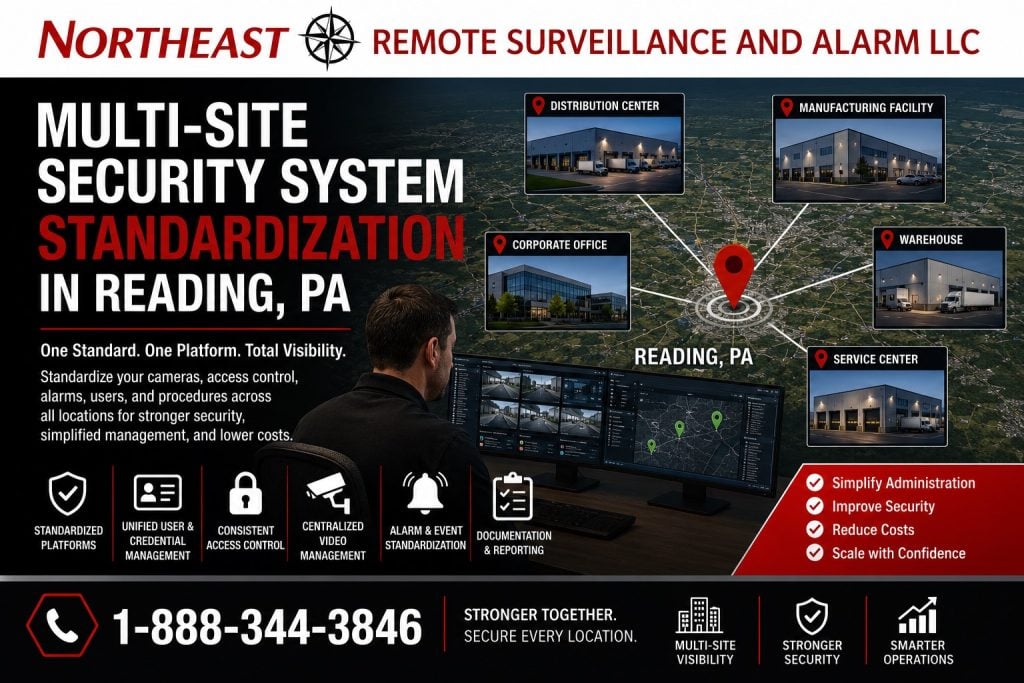
Northeast Remote Surveillance and Alarm, LLC evaluates, upgrades, integrates, and standardizes commercial security systems for organizations operating multiple warehouses, manufacturing plants, distribution centers, offices, healthcare properties, municipal facilities, institutional buildings, retail locations, commercial campuses, and industrial properties throughout Reading and Berks County.
A multi-site standardization project does not automatically require every camera, reader, alarm panel, recorder, or network switch to be replaced. The process begins by identifying what is installed at each facility, which components remain dependable, where systems are incompatible, who controls the accounts, how users are managed, and which standards should guide future repairs and expansion.
The goal is to create a manageable security environment in which each location can meet its operational needs without forcing corporate administrators, information technology personnel, facilities teams, and local managers to work through unrelated platforms and inconsistent procedures.
For complete Reading modernization planning, begin with Reading commercial security system upgrades, retrofits, and takeovers.
Call 1-888-344-3846 to schedule a multi-site security standardization assessment in Reading, PA.
When Multiple Locations Become Difficult to Manage
Organizations often acquire security systems one facility at a time.
One building may use an older analog recorder. Another may have an IP video platform. A third may rely on cloud-managed cameras. Employee credentials may work at one location but require a separate card at another. Intrusion alarms may report to different monitoring companies, and each facility may have its own passwords, user names, naming conventions, retention settings, and service contacts.
The result can be a collection of individually functioning systems that are difficult to manage as a group.
Common multi-site problems include:
- Different camera platforms at every facility
- Separate mobile applications
- Multiple access-control credential types
- Employees carrying several cards or key fobs
- Inconsistent door schedules
- Former employees remaining active at one location
- Different alarm monitoring providers
- Conflicting opening and closing procedures
- Cameras named only by numbers
- Different video-retention periods
- Missing administrator passwords
- Cloud accounts controlled by former vendors
- Incomplete equipment inventories
- Unsupported recorders or controllers
- Different methods for exporting evidence
- No consistent incident-review procedure
- Different network and cybersecurity practices
- Uncoordinated repair and replacement decisions
- No approved equipment standard for new facilities
Standardization provides a structured way to correct those inconsistencies without treating every location as an isolated project.
What Security System Standardization Means
Security system standardization creates defined technical, administrative, and operational standards that can be applied across the organization.
The standards may address:
- Approved camera platforms
- Minimum camera performance
- Recorder and server architecture
- Video-retention requirements
- Camera naming conventions
- Access-control credentials
- Reader and controller standards
- Door schedules
- Employee access groups
- Alarm panel and communicator requirements
- Monitoring procedures
- User and administrator permissions
- Network addressing
- Remote-access rules
- Password and account ownership
- System-health notifications
- Event-response procedures
- Documentation requirements
- Testing and turnover
- Replacement and lifecycle planning
The objective is consistency where consistency improves administration, serviceability, training, cybersecurity, reporting, and future expansion.
Standardization should not remove necessary differences between facilities. A small office, large warehouse, manufacturing plant, medical property, and vehicle yard may require different cameras, alarm zones, access permissions, retention periods, and monitoring procedures.
Standardization Does Not Always Mean One Manufacturer
A successful standardization program is based on defined operational and technical requirements—not an automatic requirement that every location contain identical equipment.
Some organizations benefit from moving toward one manufacturer or management platform. Others may need a controlled multi-platform environment because of existing investments, specialized applications, acquisition history, equipment availability, contractual requirements, or differences between facilities.
The planning process may establish:
- One preferred platform
- A primary platform with approved exceptions
- Separate standards for cameras, access control, and intrusion alarms
- A migration platform for new projects
- A legacy-support category
- A replacement schedule for unsupported equipment
- Interoperability requirements
- Required software and licensing
- Approved network and cybersecurity settings
- Minimum documentation standards
Configuration management is most effective when an organization controls how systems are initialized, changed, documented, and monitored throughout their lifecycle rather than allowing every facility to develop independently. (NIST Computer Security Resource Center)
Multi-Site Security System Inventory
Standardization begins with an accurate inventory.
NERSA can document the systems installed at each location, including:
- Cameras
- Encoders
- DVRs and NVRs
- Video-management servers
- Cloud video accounts
- Access-control panels
- Credential readers
- Keypads
- Electrified door hardware
- Door-position contacts
- Request-to-exit devices
- Alarm panels
- Keypads and expanders
- Intrusion sensors
- Panic and duress devices
- Cellular and IP communicators
- Intercom stations
- Gate-access equipment
- Monitoring accounts
- Network switches
- Fiber links
- Wireless bridges
- Power supplies
- Battery backup
- Software licenses
- Administrator accounts
- Mobile applications
- Service agreements
- Available system drawings
The inventory should identify the manufacturer, model, age, condition, support status, software version, location, system owner, administrative access, and expected replacement priority where that information is available.
An equipment list alone is not enough. The assessment should also document how the system is used and whether it still meets the location’s operational requirements.
Establishing a Multi-Site Security Baseline
The baseline defines the current condition of each property before decisions are made.
A multi-site baseline may review:
- Which areas are covered by cameras
- Whether video is usable during the day and at night
- How long footage is retained
- Whether camera and system times are accurate
- Which doors are controlled
- Whether doors close and latch reliably
- Which employees have access
- How credentials are issued and removed
- How intrusion alarms are divided into partitions
- Who arms and disarms each building
- Which monitoring company receives signals
- How alarm calls are handled
- Whether remote access is secure
- Who owns cloud and administrator accounts
- Whether system documentation is complete
- Which components are failing or unsupported
- Whether each facility has enough expansion capacity
The baseline allows the organization to separate urgent deficiencies from long-term standardization goals.
Standardizing Video Surveillance
Multi-site video standardization should make camera systems easier to manage, review, maintain, and expand.
Standards may address:
- Minimum camera resolution
- Required low-light performance
- Supported video compression
- Camera lens and field-of-view expectations
- Exterior camera construction
- Recording frame rates
- Video-retention periods
- Motion or continuous recording
- Time synchronization
- Camera naming
- User permissions
- Export formats
- System-health alerts
- Remote viewing
- Cybersecurity settings
- Software support
- Cloud, local, or hybrid recording
- Storage and redundancy
- Analytics licensing
- Replacement procedures
A corporate camera standard should not be based solely on megapixels.
A loading-dock camera, employee entrance camera, parking-lot overview, license-plate camera, office corridor camera, and perimeter-detection camera perform different jobs. The standard should define the required outcome for each camera type rather than treating every location as identical.
Consistent Camera Naming and Site Maps
Camera names should allow an authorized user to locate the correct view without knowing the original installation sequence.
Names such as “Camera 17,” “IPC-003,” or “Channel 9” provide little operational value across several facilities.
A standardized naming structure may identify:
- Property
- Building
- Floor or area
- Direction
- Entrance or door
- Camera purpose
- Entry or exit lane
Examples may include:
- Reading Warehouse – North Employee Entrance
- Wyomissing Office – Main Lobby Overview
- Muhlenberg Plant – Dock 12 Exterior
- Exeter Facility – East Truck Gate Plate
- Building Two – Southwest Parking Lot
- Fleet Yard – Fuel Area Overview
System drawings or camera maps can further help management, information technology personnel, investigators, and service technicians locate equipment.
Standardizing Video Retention and Evidence Export
Different locations may retain video for different periods without a documented reason.
One building may store seven days while another stores sixty days. A high-activity property may overwrite important footage before the event is discovered, while a low-activity property may retain unnecessary video indefinitely.
Standardization should consider:
- Typical incident-discovery time
- Camera count
- Resolution
- Frame rate
- Recording schedule
- Storage capacity
- Business requirements
- Contractual requirements
- Privacy considerations
- Legal guidance
- Cloud-storage costs
- Local-storage capacity
- Export and evidence procedures
The organization should also establish who may export footage, where exported files are stored, how they are named, and how access is controlled.
Retention may still vary by property or camera type when there is a documented operational reason.
Camera Platform Interoperability
Existing cameras may support industry interfaces that allow them to operate with compatible recording or management platforms.
Interoperability should be confirmed by exact manufacturer, model, firmware, supported profile, required feature, and management platform. A claim that a product supports an industry standard does not guarantee that every feature, analytic, event, audio function, or configuration option will work on every platform.
ONVIF profiles provide defined compatibility sets for IP-based physical-security products, but each product’s official conformance and supported profiles should be verified before it is selected for reuse. (ONVIF)
NERSA can evaluate which cameras may be retained and which specialized features may be lost when equipment is moved to another platform.
Standardizing Access Control
Access-control standardization can reduce credential duplication and improve consistency when employees, supervisors, contractors, and administrators work across several facilities.
The standard may address:
- Credential technology
- Card and key-fob formats
- Mobile credentials
- Reader types
- Controller architecture
- Employee access groups
- Department permissions
- Shift schedules
- Holiday schedules
- Temporary access
- Contractor access
- Credential expiration
- Lost-credential procedures
- Door-forced-open alerts
- Door-held-open alerts
- Administrator permissions
- Emergency door behavior
- Multi-site reporting
An organization may choose one credential that works at approved doors across several locations while maintaining different permissions for each employee.
A manager may be authorized at three facilities. A warehouse employee may be limited to one building and one shift. An information technology employee may have access to selected network rooms without receiving unrestricted access to production or inventory areas.
Role-Based Access Permissions
Access decisions should be based on approved responsibilities rather than convenience.
A standardized role structure may include:
- Corporate administrators
- Regional administrators
- Local facility managers
- Human-resources personnel
- Information technology administrators
- Facilities personnel
- Security personnel
- Department supervisors
- Employees
- Temporary workers
- Contractors
- Vendors
- Cleaning personnel
- Emergency access groups
Each role can receive the doors, schedules, reports, and administrative functions required for its responsibilities.
Role-based access control associates permissions with defined roles and assigns users to the appropriate roles, reducing the need to build every user’s permissions individually. (NIST Computer Security Resource Center)
The organization should still review exceptions carefully. Giving one employee a temporary permission should not unintentionally modify the standard role for everyone in the same department.
Employee Credential Lifecycle Management
Multi-site access control becomes difficult when no consistent process exists for employee changes.
A standardized credential lifecycle should define:
- Who requests access
- Who approves it
- Which role is assigned
- Which properties are included
- Which schedules apply
- How identity is verified
- How the credential is issued
- How lost credentials are replaced
- How transfers are handled
- How temporary permissions expire
- How access is removed after separation
- How inactive records are audited
Human resources, security, facilities, and information technology responsibilities should be clearly divided.
An advanced multi-site platform can still contain former employees, excessive permissions, and unidentified credentials when the internal approval process is incomplete.
Door and Hardware Standards
Access-control standardization must include the physical door opening.
Using the same card reader at every property does not create a dependable system when the doors, frames, closers, locks, panic hardware, power supplies, and request-to-exit devices are inconsistent or failing.
A door standard may address:
- Reader location
- Credential technology
- Door-position monitoring
- Request-to-exit devices
- Electric strikes
- Electrified panic hardware
- Magnetic locks
- Power supplies
- Battery backup
- Accessible operation
- Emergency release
- Fire alarm interaction
- Door-held-open timing
- Door naming
- Service access
- Documentation
Each opening still requires individual evaluation for construction, required egress, accessibility, life-safety coordination, and approved operating procedure.
Standardizing Intrusion Alarm Systems
Multi-site intrusion alarm systems may use different panels, communicators, user codes, partition structures, zone names, monitoring providers, and response instructions.
Standardization may address:
- Approved alarm panel architecture
- Cellular and IP communication
- Dual-path communication where required
- User-code assignment
- Partition naming
- Zone naming
- Opening and closing reports
- After-hours schedules
- Supervisory notifications
- Alarm verification
- Video verification
- Monitoring account structure
- Call-list management
- Password ownership
- Testing
- Service responsibilities
- Replacement planning
A warehouse operating three shifts should not automatically use the same alarm schedule as a weekday office.
The system standard should allow each property to operate according to its schedule while maintaining consistent naming, reporting, administration, and monitoring expectations.
Standardized Alarm Zone and Partition Names
Generic alarm descriptions can make monitoring and response more difficult.
Descriptions such as “Zone 7,” “Motion 14,” or “Partition 2” may not tell an operator or manager which area requires attention.
Standardized names may identify:
- Property
- Building
- Floor
- Room
- Door
- Department
- Exterior area
- Detection type
Examples include:
- Reading Distribution – West Shipping Door
- Wyomissing Office – Second-Floor Motion
- Muhlenberg Plant – Tool Crib Door
- Exeter Warehouse – East Roof Hatch
- Fleet Facility – North Overhead Door
Accurate descriptions help customer contacts, monitoring personnel, service technicians, and responders understand the event.
Monitoring and Escalation Standards
Organizations with multiple properties should not rely on unrelated call lists and inconsistent response instructions.
A monitoring standard may define:
- Primary and secondary contacts
- Location-specific contacts
- Opening and closing schedules
- Employee verification procedures
- Alarm cancellation authority
- Video-verification procedures
- Remote video monitoring schedules
- Live talk-down instructions
- Guard or patrol notification
- Conditions for requesting public-safety response
- Utility and maintenance escalation
- Holiday schedules
- Temporary shutdown procedures
- Communication-failure handling
- Contact-list review frequency
Each site may require different details, but the format and approval process should remain consistent.
When contacts change, the update should be completed across the necessary alarm, monitoring, access-control, video, and emergency-notification systems.
Central Management and Local Control
A multi-site system should provide centralized visibility without removing necessary control from local managers.
Corporate administrators may need to:
- Create and remove users
- Review multiple properties
- establish system standards
- Approve equipment
- Manage licensing
- Review health alerts
- Conduct audits
- Search incidents
- Coordinate service
Local managers may need to:
- Review their own cameras
- Manage approved local employees
- respond to door alerts
- Update temporary schedules
- Export incident video
- Review alarms
- Assist vendors
- Request repairs
The system should prevent a local administrator at one property from accessing unrelated facilities unless that access is specifically approved.
Cloud, On-Premises, and Hybrid Multi-Site Platforms
Multi-site security can be managed through cloud platforms, locally hosted systems, centralized servers, or hybrid architectures.
Cloud-managed systems may provide:
- Browser-based administration
- Central user management
- Mobile access
- Multi-location dashboards
- Remote software updates
- Health notifications
- Subscription-based licensing
On-premises systems may provide:
- Local data control
- Direct integration with existing enterprise systems
- Reduced dependence on continuous internet connectivity
- Customer-managed servers and storage
- Site-specific architecture
Hybrid systems may combine local recording or control with centralized cloud management.
The decision should consider:
- Internet reliability
- Cybersecurity policy
- Video-retention requirements
- Bandwidth
- Existing infrastructure
- Licensing
- Number of facilities
- Number of administrators
- Integration requirements
- Remote-support needs
- Long-term operating cost
- System ownership
The correct model may differ between video surveillance, access control, alarms, and monitoring.
Network and Cybersecurity Standardization
Modern physical-security devices frequently operate on the organization’s network.
Multi-site standards may address:
- Security network segmentation
- IP-address conventions
- Managed switches
- Virtual local area networks
- Firewall rules
- Approved remote access
- Multi-factor authentication
- Password standards
- Administrator account ownership
- Firmware maintenance
- Software versions
- Encryption where supported
- Time synchronization
- Cellular backup
- Network monitoring
- Device documentation
- Removal of unused accounts
- Vendor-access procedures
- Backup and recovery
The organization’s information technology personnel should remain involved in decisions affecting the corporate network.
NERSA can coordinate device, bandwidth, addressing, switch, fiber, wireless, remote-access, and account requirements with authorized information technology representatives.
Administrator and Cloud Account Ownership
A recurring takeover problem occurs when an organization does not control the accounts required to administer its own systems.
Cloud accounts, licensing portals, mobile applications, recorders, access-control servers, alarm platforms, and remote-management tools may remain registered to:
- A former employee
- An individual technician
- A previous contractor
- An unknown email address
- A discontinued domain
- A vendor-controlled account
- A shared personal phone number
The standardization process should establish approved ownership for:
- Primary administrator accounts
- Recovery email addresses
- Multi-factor authentication
- Cloud subscriptions
- Software licenses
- Mobile applications
- Monitoring portals
- Manufacturer support accounts
- Backup records
- Service documentation
The customer should retain sufficient administrative control to manage users, recover accounts, change service providers where permitted, and maintain continuity after staffing changes.
Multi-Site System Documentation
A standardized system should include documentation that can be updated as facilities change.
Documentation may include:
- Equipment inventory
- Device model numbers
- Camera lists
- Door lists
- Alarm zone lists
- System maps
- Network information
- Credential standards
- User-role definitions
- Monitoring accounts
- Contact lists
- Software and licenses
- Warranty information
- Administrator ownership
- Approved settings
- Maintenance records
- Testing records
- Open deficiencies
- Planned replacements
- Vendor responsibilities
Sensitive passwords should be handled through an approved secure process rather than placed in general drawings or shared documents.
Good documentation reduces dependence on one employee, installer, or local manager’s memory.
Standardizing New Locations and Acquisitions
Organizations frequently add locations through expansion, leasing, acquisition, or construction.
A new site should not automatically be allowed to introduce another unrelated platform.
The organization should have a repeatable process for:
- Inspecting the inherited system
- Identifying account and licensing ownership
- Reviewing cameras, doors, alarms, and infrastructure
- Comparing equipment with approved standards
- Identifying immediate security deficiencies
- Retaining compatible equipment where reasonable
- Replacing unsupported or unsuitable components
- Migrating users and credentials
- Applying naming and retention standards
- Updating monitoring instructions
- Delivering documentation
- Adding the property to lifecycle planning
This process helps the organization integrate new facilities without requiring an unplanned complete replacement on the first day.
Existing-System Takeovers
NERSA can evaluate systems originally installed or managed by another provider.
A takeover assessment may examine:
- Equipment condition
- Manufacturer support
- Software ownership
- Administrator passwords
- Cloud accounts
- Licensing
- Existing monitoring contracts
- Network access
- Camera compatibility
- Credential formats
- Alarm programming
- Door hardware
- System documentation
- Service history
- Open deficiencies
- Expansion capacity
Existing equipment may be retained when it remains dependable, supportable, secure, accessible, and compatible with the organization’s standard.
Replacement may be necessary when equipment is proprietary, locked, unsupported, unstable, damaged, incorrectly installed, insecure, or unable to meet the required operational result.
Phased Standardization
Most organizations cannot standardize every facility in one project.
A phased plan may prioritize:
- Account and administrator recovery
- Critical security deficiencies
- Unsupported recording equipment
- Insecure remote access
- Former employee and user cleanup
- Monitoring and contact-list corrections
- Credential standardization
- Camera and door naming
- High-priority facility migrations
- Network and infrastructure corrections
- Remaining buildings
- Long-term lifecycle replacement
Each phase should move the organization toward the approved standard.
Installing another isolated system because it is temporarily convenient can increase future migration costs and extend the period of inconsistent administration.
Repair and Replacement Standards
A multi-site organization should define how repair and replacement decisions are made.
The standard may answer:
- Which camera models are approved?
- What replaces a failed recorder?
- Which credential technology is used?
- What access-control panel is preferred?
- Which alarm communicator is approved?
- How much spare capacity is required?
- Which software licenses must be included?
- What documentation must be delivered?
- How are emergency replacements approved?
- When is legacy equipment retired?
- Who verifies compatibility?
- How are configuration changes recorded?
Approved alternates may be necessary when equipment is unavailable or a facility has a specialized requirement.
The standard should define performance and compatibility requirements rather than relying only on one part number.
Testing and Acceptance Across Multiple Sites
Standardization requires consistent testing.
A completed project may verify:
- Camera views
- Day and night image quality
- Video retention
- Accurate date and time
- Remote access
- User permissions
- Video export
- Door locking and release
- Door-position reporting
- Credential schedules
- Forced and held-open events
- Alarm zones
- Monitoring signals
- Intercom communication
- Gate operation
- Network connectivity
- System-health alerts
- Account ownership
- Documentation delivery
Acceptance procedures should identify who approves the work and how incomplete items are recorded and corrected.
Role-Specific Training
Different users require different training.
A corporate administrator may need training on:
- Multi-site user management
- Global permissions
- Licensing
- System-health review
- Audit reports
- Account recovery
A local manager may need training on:
- Camera review
- Video export
- Temporary schedules
- Door events
- Alarm reports
- Service requests
Human-resources personnel may need training on credential enrollment and termination. Information technology personnel may need network and administrator documentation.
Training should reflect the employee’s responsibilities rather than giving every user unrestricted administrative instruction.
Lifecycle and Budget Planning
Security systems should be treated as managed infrastructure rather than emergency purchases made only after equipment fails.
A lifecycle plan may track:
- Equipment age
- Manufacturer support
- Software versions
- License renewals
- Storage capacity
- Battery condition
- Failure history
- Camera image quality
- Network capacity
- Credential technology
- Available expansion
- Planned renovations
- New locations
- Expected replacement year
- Estimated project priority
The organization can then budget for predictable modernization rather than reacting to unrelated failures at several sites.
Multi-Site Standardization Assessment
NERSA begins with the organization’s current systems, operations, and business requirements.
The assessment may include:
- Identifying every property included in the project
- Reviewing current system platforms
- Inventorying major equipment
- Verifying administrator and account ownership
- Evaluating cameras, access control, alarms, monitoring, and infrastructure
- Reviewing employee and contractor workflows
- Comparing user and credential procedures
- Reviewing monitoring and response instructions
- Evaluating network and cybersecurity requirements
- Identifying unsupported and failing equipment
- Establishing the target standard
- Separating immediate deficiencies from long-term migration
- Developing phased priorities
- Testing completed changes
- Training approved administrators
- Delivering standardized documentation
The result should explain what can remain, what should change, which standards apply, and how future facilities, repairs, and expansions will be handled.
Commercial Organizations NERSA Supports
NERSA provides multi-site standardization planning for:
- Warehouses
- Distribution centers
- Manufacturing companies
- Food-processing operations
- Cold-storage facilities
- Corporate offices
- Healthcare organizations
- Municipal authorities
- Institutional properties
- Retail and service businesses
- Industrial parks
- Fleet operations
- Contractor and equipment yards
- Commercial campuses
- Multi-tenant property operators
- Property-management organizations
- Regional businesses
- Enterprise organizations
NERSA focuses on commercial, industrial, municipal, institutional, and other nonresidential systems.
Why Reading Organizations Choose NERSA
Northeast Remote Surveillance and Alarm, LLC has provided commercial security and low-voltage services since 2008.
Our multi-site capabilities include:
- Existing-system inventories
- Camera platform modernization
- Access-control standardization
- Credential consolidation
- Intrusion-alarm takeovers
- Monitoring coordination
- User-role planning
- Account and licensing recovery
- Network and fiber coordination
- Cloud, local, and hybrid architectures
- Multi-site dashboards
- Naming and documentation standards
- Phased migration
- Existing-equipment reuse
- New-location planning
- System training
- Lifecycle planning
- Long-term commercial support
NERSA supports organizations with two nearby facilities as well as regional and enterprise operations with multiple buildings, departments, sites, user groups, and security platforms.
For broader companywide and regional planning, visit multi-site security system standardization.
Reading and Berks County Service Area
NERSA provides multi-site security standardization services throughout Reading, West Reading, Wyomissing, Shillington, Sinking Spring, Muhlenberg Township, Exeter Township, Spring Township, Cumru Township, Laureldale, Temple, Fleetwood, Kutztown, Hamburg, Birdsboro, and surrounding Berks County commercial and industrial markets. (Northeast Remote Surveillance)
Projects may include several Reading-area properties, facilities distributed throughout Berks County, or Reading locations that are part of a larger Pennsylvania or Mid-Atlantic organization.
Frequently Asked Questions About Multi-Site Security Standardization
What is multi-site security system standardization?
It is the process of establishing consistent standards for cameras, access control, alarms, monitoring, users, accounts, documentation, cybersecurity, service, and future replacements across multiple facilities.
Does every location need identical equipment?
No. Facilities may require different equipment because of their size, use, infrastructure, risk, or existing investments. The objective is manageable consistency and compatibility—not unnecessary uniformity.
Can NERSA reuse our existing security equipment?
Often, yes. Existing cameras, readers, controllers, alarm panels, cabling, fiber, switches, and other components may remain when they are dependable, supported, accessible, secure, and compatible with the approved standard.
Can one employee credential work at several buildings?
Yes, when compatible access-control platforms and credential technologies are used. Each employee can still receive different permissions for each facility, door, and schedule.
Can corporate management review every property from one platform?
Compatible video, access-control, alarm, or unified platforms can provide centralized management. User permissions should limit each administrator to the properties and functions required for that person’s role.
Can local managers retain control of their own locations?
Yes. Local managers can receive location-specific permissions while corporate administrators retain broader oversight.
Can different facilities have different video-retention periods?
Yes. Standardization can provide a default retention requirement while allowing documented exceptions for particular properties, cameras, or operational needs.
Can different alarm systems report to one monitoring provider?
Often, yes. Compatibility, contracts, panel condition, communicator technology, account ownership, and monitoring requirements must be evaluated first.
Can NERSA take over systems installed by several contractors?
Yes. NERSA can assess the equipment, software, licensing, passwords, cloud accounts, documentation, infrastructure, and support status at each location before recommending what can be retained.
Can we standardize systems without replacing everything at once?
Yes. Most multi-site programs are completed in phases. Immediate security, account, cybersecurity, monitoring, and equipment deficiencies can be corrected first while other systems migrate according to an approved lifecycle plan.
How should cameras and doors be named across several locations?
Names should identify the property, building, area, direction, entrance, or function. The format should be consistent enough that authorized users can locate a device without knowing its channel number.
Who should control administrator accounts?
The customer should retain appropriate control of primary administrator accounts, recovery information, software licensing, cloud services, and system documentation. Individual user access should be limited according to responsibility.
Can new acquisitions be added to the standard?
Yes. An acquired property can be inventoried, assessed, documented, and migrated according to the organization’s approved equipment, user, monitoring, cybersecurity, and lifecycle standards.
Does standardization include cybersecurity planning?
It can include account ownership, strong credentials, role-based permissions, network segmentation, secure remote access, firmware planning, system documentation, and coordination with authorized information technology personnel.
Can NERSA support a company with only two locations?
Yes. Standardization can benefit a smaller organization with two commercial properties as well as an enterprise with many buildings, regions, platforms, and administrators.
Schedule a Multi-Site Security Standardization Assessment
A dependable multi-site security program should give the organization consistent administration, controlled user access, usable video, clear alarm information, documented account ownership, manageable service procedures, and a practical plan for future facilities and equipment replacement.
Northeast Remote Surveillance and Alarm, LLC can evaluate your cameras, access-control platforms, alarms, monitoring accounts, credentials, cloud services, user permissions, networks, documentation, and lifecycle priorities before recommending a standardization plan.