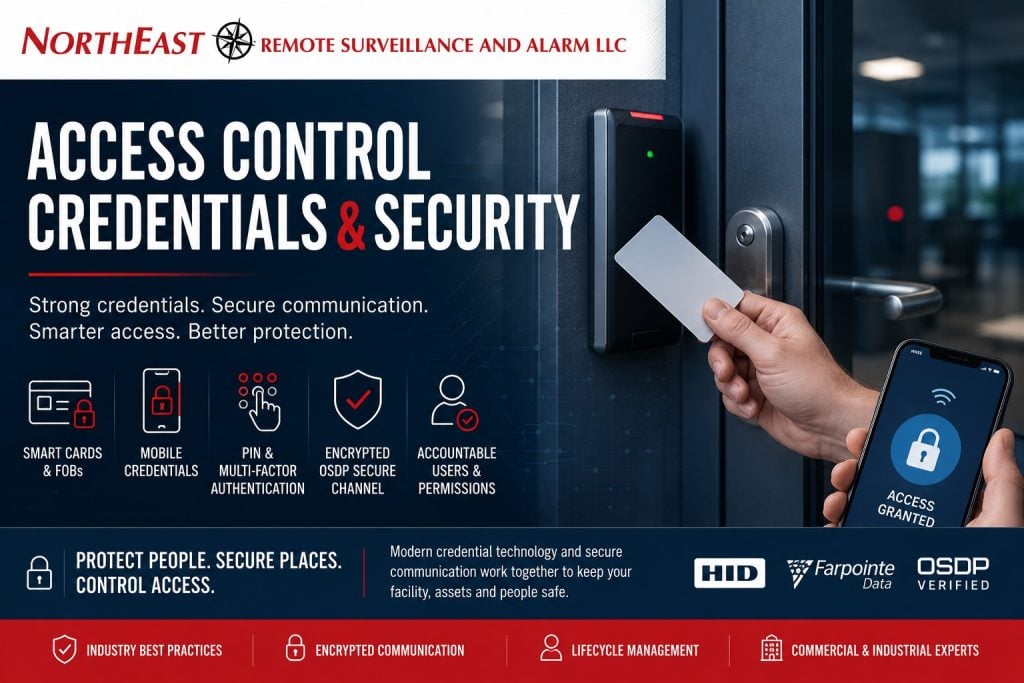
Cards, key fobs, mobile credentials, PINs, smart-card applications, reader communication and administrative procedures all affect the real security of a commercial access-control system.
This guide is part of NERSA’s Access Control Knowledge Center, which helps commercial and industrial decision-makers understand credentials, readers, controllers, door hardware, software, permissions, audit records, cybersecurity and long-term access-control management.
An access-control credential is more than a plastic card or electronic key. It is the physical or digital means used to connect an approved identity with specific access rights. NIST defines a credential as information or a structure that binds an identity to an authenticator controlled by the user. In practical terms, the credential tells the access-control system whose access request is being evaluated. (NIST Computer Security Resource Center)
The security of that credential depends on more than the card or phone presented at the door. Identity verification, credential issuance, card-to-reader authentication, reader wiring, controller communication, administrative accounts, access schedules, lost-card reporting and employee offboarding all contribute to the final result.
A business ready to install, expand or modernize controlled entry can also review Commercial and Industrial Access Control Systems. NERSA’s commercial access-control planning addresses who may enter, when access is permitted, which areas each person may use and what event history is available afterward.

Why Access-Control Credential Security Matters
A locked door does not automatically create a secure entrance.
The system must determine:
- Who is requesting entry
- Whether the credential is authentic
- Whether the user is still active
- Which door the person may use
- Whether access is permitted at that time
- Whether an additional factor is required
- What event record should be created
- What happens when the credential is lost, copied, shared or misused
The strongest available card technology can be weakened by poor administration. A modern encrypted credential may still create risk when employees share it, former contractors remain active, administrator passwords are uncontrolled or reader communication is left on an older unencrypted interface.
Conversely, even a phased migration can improve security when the organization establishes individual credentials, role-based permissions, prompt revocation, secure reader communication and documented account ownership.
The Security Industry Association’s Corporate Credential Design Guide treats identity proofing, credential production, electronic security, counterfeit resistance, privacy and lifecycle management as parts of one complete credential program rather than unrelated decisions. (Security Industry Association)
Credential Security Is an End-to-End Process
A dependable credential program should protect every stage of the access request.
1. Verify the Person
Before a credential is issued, the organization should confirm who the person is, who authorized the access and which company, department, tenant or contractor sponsors the user.
2. Issue the Correct Credential
The card, fob, PIN or mobile credential should be assigned to one identifiable user whenever practical.
3. Authenticate the Credential at the Reader
The reader should evaluate the credential using the intended card application, mobile protocol or authentication method—not merely retrieve whatever identifier is easiest to read.
4. Protect Communication to the Controller
Credential information should move from the reader to the access-control controller through a secure, supervised communication method where supported.
5. Protect the Controller, Server and Cloud Platform
Controllers, servers, cloud accounts and networks should use controlled administrator access, supported software and appropriate network security.
6. Limit the User’s Permissions
The user should receive only the doors, gates, buildings and schedules required for the approved role.
7. Revoke Access Promptly
Lost, stolen, expired or no-longer-needed credentials should be disabled without waiting for a routine system cleanup.
8. Maintain the Physical Opening
The reader, controller and credential cannot compensate for a door that does not close, a lock that does not secure or emergency hardware that does not operate properly.
SIA’s credential guidance and NIST credentialing standards both emphasize issuance governance, identity binding and lifecycle controls, including revocation when eligibility ends or a credential is lost, stolen or compromised. (NIST Pages)
Common Access-Control Credential Technologies
Legacy 125 kHz Proximity Cards and Key Fobs
Low-frequency proximity cards and key fobs remain common in installed access-control systems. They are familiar, inexpensive and supported by many older readers.
However, many legacy proximity deployments do not provide the cryptographic authentication available in modern smart-card and mobile-credential systems. The system commonly relies on an identifier transmitted by the credential rather than a protected application that proves possession of an appropriate cryptographic key.
A custom card format or longer card number may reduce numbering conflicts, but it does not automatically encrypt the credential or prove that it is genuine.
HID and Farpointe both offer migration paths that combine legacy proximity compatibility with newer smart-card or mobile technologies. These products can support a staged transition, but legacy compatibility should have a planned retirement date rather than remaining enabled indefinitely. (Farpointe Data)
What the end user should ask: Is the reader authenticating a protected credential application, or is it simply reading a fixed card identifier?
High-Frequency Smart Cards
Modern 13.56 MHz smart credentials can support protected applications, cryptographic authentication, secure messaging and multiple separately managed uses on one credential.
Examples include HID Seos and deployments based on NXP MIFARE DESFire EV3. HID describes Seos as a modern credential platform designed around security, privacy and multiple applications. NXP states that DESFire EV3 supports AES and other cryptographic options, secure messaging, message authentication and a transaction timer intended to mitigate certain interception attacks. (HID Global)
The important distinction is that 13.56 MHz is a radio frequency, not a security rating.
A credential could use:
- A protected smart-card application
- Site-specific cryptographic keys
- Manufacturer-standard keys
- Diversified keys
- A card serial number only
- A compatibility mode intended for migration
Those configurations do not provide the same level of protection.
Farpointe’s smart-card product materials, for example, distinguish between secure smart-card capabilities and serial-number reading options. NXP’s documentation similarly shows that DESFire applications can use different cryptographic settings and secure-messaging configurations. (NXP)
What the end user should ask: Which application is the reader using, how is the credential authenticated and who controls the cryptographic keys?
HID Seos Credentials
HID Seos is a credential platform designed for physical access and other identity applications. HID positions Seos around secure identity data, privacy and support for physical cards and mobile use. (HID Global)
A Seos deployment should still be evaluated as a complete system. The organization should understand:
- Which readers support the credential
- Whether custom or site-specific keys are being used
- Whether legacy proximity remains active
- How mobile credentials are issued
- How users are revoked
- How readers communicate with the controller
- Who owns the credential and administrator environment
The product name alone does not confirm that every part of the access-control path is securely configured.
MIFARE DESFire EV3 Credentials
MIFARE DESFire EV3 is a secure contactless integrated-circuit platform developed by NXP and used by multiple credential and reader manufacturers.
NXP states that DESFire EV3 supports DES, 2K3DES, 3K3DES and AES cryptography, secure messaging, message authentication and additional transaction protections. Each application on the credential can have its own cryptographic settings. (NXP)
That capability does not mean every DESFire deployment is configured the same way.
End users should ask whether the system uses:
- An authenticated DESFire application
- AES-based secure messaging
- Site-specific keys
- Diversified credential keys
- Appropriate key custody
- Secure reader-to-controller communication
A reader using only the credential’s serial number is not taking advantage of the complete cryptographic capability available in the smart card.
Mobile Credentials
A mobile credential allows a supported smartphone or wearable device to function as an access credential. Communication may use Bluetooth Low Energy, NFC or a supported digital-wallet environment.
HID provides mobile-access platforms designed to issue, manage and revoke digital credentials. Farpointe’s Conekt platform uses BLE communication between compatible smartphones and readers while supporting both mobile and physical credentials. (Farpointe Data)
Mobile credentials may offer several practical advantages:
- Remote issuance
- Faster revocation
- Reduced plastic-card administration
- Integration with a phone’s passcode or biometric lock
- Easier support for distributed workforces
- Fewer forgotten cards
- Potential use through supported digital wallets
Mobile does not automatically mean secure. The organization should determine:
- How the user’s identity is verified
- Whether the credential is bound to one device
- Whether the phone must be unlocked
- What happens when the phone is lost
- How a replacement phone is enrolled
- Who owns the cloud tenant
- Whether a subscription is required
- How former users are removed
- Whether the system can be moved to another provider
- What access method is available when the phone is unavailable
SIA’s mobile-credential guidance recommends looking at the entire system, including provisioning, credential management, readers, locks and authentication—not the phone application alone. (Security Industry Association)
PIN Codes
A PIN is something the user knows.
A shared keypad code provides limited accountability because several people may use it and the code can continue circulating after one user no longer requires access.
Individual PINs provide better control, but they should still be protected from:
- Sharing
- Shoulder surfing
- Simple or predictable number choices
- Reuse across unrelated systems
- Failure to remove former users
- Unrestricted use at every entrance
At higher-risk doors, a credential and PIN can provide two separate factors:
- Something the user has: a card, fob or mobile credential
- Something the user knows: a PIN
The benefit depends on whether the factors are individually assigned, properly administered and required by the access-control system.
Biometric Credentials
Biometric readers evaluate a physical characteristic such as a fingerprint, face or iris.
Biometrics may be used as:
- The primary access method
- A second factor with a card
- A second factor with a mobile credential
- A verification step at a high-security opening
Biometric deployment requires additional review of enrollment quality, user consent, privacy, data storage, false acceptance, false rejection, accessibility, retention and fallback procedures. SIA’s credential guidance specifically includes biometrics and privacy within the broader credential-design process. (Security Industry Association)
A lost card can be replaced. A person cannot replace a fingerprint. That difference should influence how biometric templates are stored and administered.
The Hidden Security Link Between the Reader and Controller
A secure credential can still be exposed after it reaches the reader.
There are three separate communication stages:
- Credential to reader
- Reader to access-control controller
- Controller to server, network or cloud platform
A smart credential may protect the first stage through cryptographic authentication. OSDP Secure Channel may protect the second. Network segmentation, secure remote access and supported cloud controls may help protect the third.
Improving only one stage does not automatically protect the complete access-control path.
Wiegand and OSDP Are Not Credential Types
Wiegand and OSDP describe communication between a reader and the access-control controller.
They do not identify whether the user presented:
- A proximity card
- A DESFire credential
- An HID Seos credential
- A mobile credential
- A PIN
- A biometric
- Another supported identifier
A property can therefore have:
- A legacy credential connected through Wiegand
- A modern smart credential connected through Wiegand
- A legacy credential connected through OSDP
- A modern smart credential connected through OSDP Secure Channel
The complete architecture matters.
For a deeper comparison, review NERSA’s Wiegand vs. OSDP access-control guide. It explains reader wiring, bidirectional communication, supervision, encryption, controller compatibility and migration planning. (Northeast Remote Surveillance)
The Limitation of Legacy Wiegand Communication
Wiegand remains widely installed, but it does not provide the encrypted, supervised reader connection available through OSDP Secure Channel.
A modern credential connected to the panel through legacy Wiegand may protect the card-to-reader exchange while leaving the reader-to-controller portion without OSDP’s encrypted and supervised communication.
That does not mean every Wiegand-connected door must be replaced immediately. It means the organization should understand which part of the access-control chain remains dependent on the older communication method.
What OSDP Provides
The Open Supervised Device Protocol is maintained by the Security Industry Association as an access-control communication standard.
OSDP can provide:
- Bidirectional reader communication
- Reader supervision
- Device-status information
- Tamper awareness
- Central reader configuration
- Support for richer credential data
- More flexible wiring
- Secure Channel encryption
SIA states that OSDP Secure Channel supports AES-128 encryption and continually monitors reader wiring. HID and Axis likewise describe OSDP as supporting secure bidirectional reader communication and centralized device management. (Security Industry Association)
“OSDP Capable” Does Not Mean Secure Channel Is Active
A reader data sheet may state that the device supports OSDP. That does not necessarily prove that the installed reader is:
- Communicating through OSDP
- Using Secure Channel
- Using a changed encryption key
- Being supervised by the controller
- Correctly commissioned
- Tested after installation
Axis documentation provides separate steps for entering an encryption key and turning on OSDP Secure Channel, illustrating that encrypted communication may require deliberate configuration rather than being active merely because the devices support the protocol. (Axis Help)
Ask the installer to confirm in writing:
- Reader-to-controller protocol
- Secure Channel status
- Key-management responsibility
- Reader supervision
- Controller compatibility
- Commissioning results
- How replacement readers will be added later
OSDP Verified Equipment
SIA’s OSDP Verified program tests products against the OSDP standard and applicable performance profiles. Manufacturers including HID and Farpointe publish OSDP Verified readers or controllers. (Farpointe Data)
Verification is a valuable purchasing consideration, but the system still needs:
- Compatible readers and controllers
- The correct supported profiles
- Secure Channel configuration
- Appropriate keys
- Correct wiring
- Proper commissioning
- Documentation
A verified device cannot correct an incompatible controller or an installation left in a legacy communication mode.
Credential Issuance Is a Security Control
Credential security begins before the employee reaches the reader.
A managed issuance process should establish:
- Who requested the credential
- Who approved it
- How the person’s identity was verified
- Which company or department sponsors the person
- Which doors and gates are required
- Which schedule applies
- When the access expires
- Who produced the credential
- Who activated it
- Which credential was issued
SIA’s credential guide recommends governance over identity proofing, issuance, production and lifecycle management. NIST also treats credentials as an authoritative binding between identity and an authenticator, not simply a card number entered into a database. (NIST Computer Security Resource Center)
Issue One Credential Per User
One credential should be assigned to one identifiable person whenever practical.
Avoid routine use of:
- Shared employee cards
- Department-wide key fobs
- Common alarm codes
- Permanent visitor badges
- One code used by an entire contractor crew
- Generic mobile credentials
- Shared administrator accounts
Individual credentials make it easier to:
- Revoke one person
- Review event history
- Apply role-based permissions
- Investigate misuse
- Remove former employees
- Limit temporary access
- Document who was authorized
Exceptions may be necessary for emergency use, equipment or narrowly controlled operational procedures, but they should be documented.
Limit Access by Role, Location and Schedule
Issuing a credential does not mean granting access to every controlled opening.
Permissions should reflect the user’s actual responsibilities:
- Property
- Building
- Department
- Door or gate
- Shift
- Day of week
- Time of day
- Temporary assignment
- Contract period
- Training or authorization status
Higher-risk entrances may justify:
- Card plus PIN
- Mobile credential plus device unlock
- Two-person authorization
- Narrower access schedules
- Manager approval
- Additional video association
- More frequent access reviews
The objective is to give users enough access to perform approved responsibilities without leaving unnecessary permissions active.
Disable Lost or Stolen Credentials Immediately
A missing credential should be treated as a security event.
NIST credentialing requirements call for a process to invalidate, revoke or destroy credentials when they are lost, stolen, compromised or no longer associated with an eligible user. (NIST Pages)
The business should establish:
- How the loss is reported
- Who can suspend the credential
- Whether access activity is reviewed
- How a replacement is authorized
- Whether the old credential may be reactivated
- How mobile and parking access are affected
- Whether connected alarm or cloud accounts also need review
The response should not depend on waiting for the one administrator who normally manages cards to return to the office.
Offboarding Must Remove Every Form of Access
Removing an employee from payroll does not necessarily remove that person from every security platform.
Offboarding may need to address:
- Cards and fobs
- Mobile credentials
- PINs
- Alarm codes
- Gate permissions
- Parking access
- Visitor-entry applications
- Cloud accounts
- Video permissions
- Administrator rights
- Remote-support tools
- Contractor accounts
SIA’s credential guidance emphasizes active lifecycle management for departures, role changes and temporary workers. (Security Industry Association)
A documented offboarding checklist should identify the person responsible for confirming that all physical and digital access has been removed.
Temporary Credentials Should Expire Automatically
Visitor, contractor and temporary-worker access should be limited to the required:
- Property
- Door
- Gate
- Date
- Time
- Duration
- Sponsor
- Operational purpose
Automatic expiration is safer than relying on someone to remember to remove the user weeks or months later.
Temporary credentials should not quietly become permanent credentials merely because the contractor returns regularly.
Badge Appearance Also Affects Security
An access badge may serve two purposes:
- Electronic access at the reader
- Visual identification by employees or security personnel
A badge that does not work electronically may still be useful for impersonation, social engineering or tailgating if it appears convincing.
Depending on the organization’s risk, visual credential controls may include:
- Consistent employee photographs
- Clearly visible expiration dates
- Different designs for employees, visitors and contractors
- Holographic or tamper-resistant features
- Controlled card stock
- Restricted printer access
- Secure handling of rejected badges
- Limited visible personal information
SIA’s credential guidance treats badge design, production, counterfeit resistance, accessibility and physical destruction as parts of the security program. (Security Industry Association)
Deactivated Credentials Should Still Be Destroyed
Disabling a card prevents normal electronic use, but the physical badge may still display:
- Company branding
- Employee photographs
- Facility information
- Badge format
- Barcodes
- Department information
- Visual security features
Returned, expired, damaged and revoked badges should be destroyed through a documented process.
For smart cards, destruction should damage the internal antenna and embedded chip rather than merely clipping one visible corner.
Cryptographic Key Ownership Matters
Modern smart credentials depend on cryptographic keys.
Strong algorithms provide limited benefit when keys are:
- Left at default values
- Shared across unrelated customers
- Controlled only by a former provider
- Poorly documented
- Stored without protection
- Impossible for the customer to recover
- Never rotated
- Reused across applications unnecessarily
HID and NXP materials describe credential platforms that use protected applications, authentication, secure messaging and key-management features. The end user still needs to know how those capabilities are configured in the installed system. (HID Global)
Ask:
- Are the keys site-specific?
- Are credential keys diversified?
- Who generated them?
- Who owns them?
- Where are backups stored?
- Can another authorized provider issue replacement credentials?
- What happens if the existing integrator changes?
- How would compromised keys be replaced?
Administrator Accounts Are Credentials Too
An access-control administrator may be able to:
- Create credentials
- Change permissions
- Unlock doors
- Modify schedules
- View access history
- Add other administrators
- Change system integrations
- Export reports
- Remove users
Administrator accounts should therefore receive at least as much attention as physical cards.
Good administrative controls include:
- Individual administrator accounts
- Role-based permissions
- Multifactor authentication where supported
- Strong, unique passwords
- Removal of former administrators
- Limited provider access
- Activity logging
- Recovery procedures
- Documented customer ownership
- Periodic account reviews
NERSA’s Cybersecurity and Data Protection Standards addresses connected security devices, credentials, cloud accounts, remote administration and customer account control. (Northeast Remote Surveillance)
Access-Control Networks Also Require Protection
Networked readers, controllers, servers and cloud gateways should not be placed on an unrestricted business network simply because an available switch port exists.
Security-network planning may include:
- Dedicated security VLANs
- Managed switches
- Controlled routing
- Firewall coordination
- Secure remote access
- Supported firmware
- Network documentation
- Limited vendor access
- Backup and recovery procedures
- Individual administrator accounts
Businesses evaluating connected access-control equipment should review Network Segmentation for Commercial Security Systems. NERSA’s guidance addresses separation of cameras, access control, recorders, alarm communicators, intercoms and monitoring equipment. (Northeast Remote Surveillance)
Migrating From Legacy Credentials
A credential migration does not always require replacing every card and reader in one project.
Multi-technology readers and combination credentials may allow a business to support the existing population while introducing a more secure smart or mobile credential. HID and Farpointe both offer readers and credentials intended to support staged transitions across physical, mobile, proximity and smart-card technologies. (Farpointe Data)
A practical migration can follow these steps.
1. Inventory the Existing System
Document:
- Existing card and fob technologies
- Reader models
- Reader-to-controller protocol
- Access-control controllers
- Card formats
- Wiring
- Administrator accounts
- Active users
- Mobile credentials
- Cloud accounts
- Software licensing
- High-risk doors
Before selecting replacement equipment, consider a Commercial Security System Inspection and Assessment to establish what is installed, what is supported and what can be retained. (Northeast Remote Surveillance)
2. Select the Target Credential Architecture
The target may include:
- HID Seos
- An authenticated MIFARE DESFire EV3 application
- A supported mobile credential
- Card plus PIN
- Another modern cryptographic credential
- A combination of physical and mobile credentials
Selection should be based on security, compatibility, account ownership, lifecycle management, user experience and long-term support—not brand recognition alone.
3. Prioritize Higher-Risk Entrances
Consider starting with:
- Server and communication rooms
- Controlled inventory
- Laboratories
- Pharmaceutical or production areas
- Records rooms
- Data-center entrances
- Vehicle gates
- Executive areas
- Other restricted spaces
4. Install Readers That Support the Target Design
Readers should support the selected credential, intended mobile options and OSDP Secure Channel where compatible with the controller.
5. Issue New Credentials in Controlled Phases
Dual-technology cards may help users transition without carrying two credentials.
The organization should still establish a retirement date for the older technology.
6. Enable and Test OSDP Secure Channel
Do not stop after installing OSDP-capable readers.
Confirm:
- OSDP communication
- Secure Channel
- Reader supervision
- Encryption-key management
- Controller compatibility
- Completed testing
- Installation documentation
7. Disable Legacy Reading
After migration is complete, disable legacy proximity or compatibility modes where they are no longer required.
Leaving the weaker technology enabled indefinitely may allow users to continue relying on the interface the project was intended to replace.
Facilities requiring phased modernization can review Commercial Security System Upgrades, Retrofits and Takeovers. (Northeast Remote Surveillance)
What HID, Farpointe, NXP and SIA Guidance Has in Common
The following manufacturers and organizations are referenced as useful sources of technical information, not as a universal product ranking or endorsement.
HID
HID provides proximity, Seos, DESFire, mobile and multi-technology credential options, along with Signo readers that support OSDP. HID’s materials emphasize modern credential authentication, mobile access, secure reader communication and migration from older technologies. (HID Global)
Farpointe Data
Farpointe provides proximity, smart-card, mobile and long-range credential systems. Its product materials distinguish among legacy proximity, DESFire-capable smart-card readers, Conekt mobile credentials and OSDP communication. (Farpointe Data)
NXP
NXP develops the MIFARE credential-chip families used in cards and devices supplied by multiple manufacturers. Its DESFire EV3 documentation describes supported cryptography, secure messaging and transaction-protection capabilities. (NXP)
Security Industry Association
SIA maintains OSDP, operates the OSDP Verified program and publishes vendor-neutral credential-design guidance addressing identity proofing, lifecycle management, badge design, mobile credentials, interoperability and privacy. (Security Industry Association)
The shared message is clear: credential security depends on the complete chain—from identity and issuance through reader communication, administration, revocation and eventual replacement.
Questions to Ask Before Approving an Access-Control Project
Ask the provider:
- What exact credential technology will be issued?
- Is the reader authenticating a protected application or only reading a serial number?
- Are cryptographic keys site-specific?
- Are credential keys diversified?
- Who owns and controls the keys?
- Who owns the access-control database and cloud account?
- Does the reader communicate through Wiegand or OSDP?
- Is OSDP Secure Channel enabled?
- Was the Secure Channel key changed and documented?
- Are the reader and controller compatible with the required OSDP functions?
- Which legacy credential technologies will remain active?
- When will those technologies be disabled?
- How are lost or stolen credentials suspended?
- How are former employees and contractors removed?
- Can visitor credentials expire automatically?
- How are mobile credentials removed from lost phones?
- Are administrator accounts individual?
- Is multifactor authentication available for administrators?
- What happens during an internet or cloud outage?
- Can another authorized provider support the system later?
- How are badges, blank cards and printers secured?
- How are expired credentials destroyed?
- How will firmware and software be maintained?
- What documentation will the customer receive?
A qualified provider should be able to answer these questions in understandable language and document the selected architecture.
Common Credential-Security Myths
“It Is a Smart Card, So It Must Be Secure”
A smart-card chip may support strong cryptography, but the installed reader could still be configured to read only a static identifier.
“It Uses 13.56 MHz, So It Is High Security”
The frequency identifies the communication band. It does not identify the application, key structure or authentication method.
“The Reader Supports OSDP, So the Connection Is Encrypted”
OSDP support does not confirm that the installed reader is using OSDP or that Secure Channel is enabled.
“OSDP Prevents Credential Cloning”
OSDP protects communication between the reader and controller. It does not convert a weak credential into a cryptographically authenticated credential.
“Mobile Credentials Are Always More Secure”
Mobile credentials can offer strong encryption, device protection and rapid revocation, but they still require controlled enrollment, cloud-account ownership, offboarding and device-replacement procedures.
“A Disabled Badge No Longer Matters”
A deactivated badge may still provide useful information for impersonation or counterfeiting. Returned credentials should be collected and destroyed.
“A Longer Card Number Means Better Security”
A longer identifier can increase numbering capacity, but it is not the same as cryptographic authentication.
Frequently Asked Questions About Access-Control Credentials
Are 125 kHz proximity cards still usable?
They may remain operational in existing or lower-risk environments, but they generally do not provide the modern cryptographic protections available through authenticated smart-card and mobile-credential platforms. A documented migration plan should be considered for higher-risk applications.
Is MIFARE DESFire EV3 automatically secure?
DESFire EV3 provides advanced cryptographic capabilities, but the installed system must use an authenticated application, appropriate keys and secure reader configuration. A serial-number-only implementation does not use the credential’s complete security capabilities.
Is HID Seos the same as DESFire EV3?
No. They are different credential technologies and ecosystems. Both can support modern physical access control, but readers, key management, mobile options, compatibility and migration requirements differ.
What is OSDP?
OSDP is the Security Industry Association’s communication standard for readers and access-control controllers. OSDP Secure Channel supports encrypted, bidirectional and supervised communication. (Security Industry Association)
Does OSDP replace the credential?
No. OSDP protects reader-to-controller communication. The card, fob or mobile credential still requires an appropriate credential-to-reader authentication method.
Can a system use both a card and PIN?
Yes, when the reader, controller and software support that identification profile. Card-plus-PIN may be appropriate for entrances requiring stronger assurance.
Are mobile credentials safer than cards?
They can be, particularly when credentials are securely issued, bound to managed devices and promptly revoked. The result still depends on the mobile platform, reader, cloud account, OSDP connection and administrative procedures.
Can a business migrate without replacing every reader at once?
Often, yes. Multi-technology readers and dual-technology credentials can support a phased transition. The migration should include a firm plan for disabling the weaker legacy technology.
How quickly should a lost credential be disabled?
As soon as the loss is reported and authorization can be confirmed. The organization should have an established emergency revocation process.
Who should own the credential keys and cloud account?
The customer should have documented ownership and recovery control. Provider access may be necessary for service, but the organization should not lose control when an employee or integrator relationship changes.
Related NERSA Access-Control Resources
Access Control Knowledge Center
Use the educational hub to understand credentials, readers, controllers, door hardware, permissions, software, cybersecurity and lifecycle planning.
Commercial and Industrial Access Control Systems
Use the primary service resource for controlled-door planning, system installation, credential administration, visitor access and multi-site management.
Wiegand vs. OSDP
Use the protocol guide to compare legacy Wiegand communication with supervised, bidirectional OSDP and Secure Channel.
Network Segmentation for Commercial Security Systems
Use this resource when readers, controllers, servers, cameras and cloud gateways require dedicated networks, VLANs or controlled remote connectivity.
Cybersecurity and Data Protection Standards
Review NERSA’s broader approach to administrator accounts, connected equipment, remote access, credentials and customer account control.
Commercial Security System Inspection and Assessment
Use this resource to document an inherited or aging access-control system before selecting a migration path.
Commercial Security System Upgrades, Retrofits and Takeovers
Use this resource when legacy cards, readers, controllers, wiring or provider arrangements require phased modernization.
Request a Commercial Access-Control Assessment
A commercial access-control assessment can help determine whether the existing credential environment provides appropriate authentication, secure reader communication, accountable user administration and a practical long-term migration path.
NERSA can evaluate:
- Cards and key fobs
- Mobile credentials
- PIN workflows
- Smart-card technologies
- Reader compatibility
- Credential applications
- Wiegand wiring
- OSDP communication
- OSDP Secure Channel
- Controllers and panels
- Administrator accounts
- User permissions
- Door schedules
- Lost-card procedures
- Employee offboarding
- Temporary credentials
- Cloud-account ownership
- Reader and controller networks
- Existing-system migration
- Multi-site credential standards
Request a Commercial Access-Control Assessment or call 1-888-344-3846 to discuss the facility, existing credentials, readers, controllers and security requirements. (Northeast Remote Surveillance)