
Plan AI-assisted video detection, event filtering, searches, and notifications around the activity your commercial or industrial property needs to review.

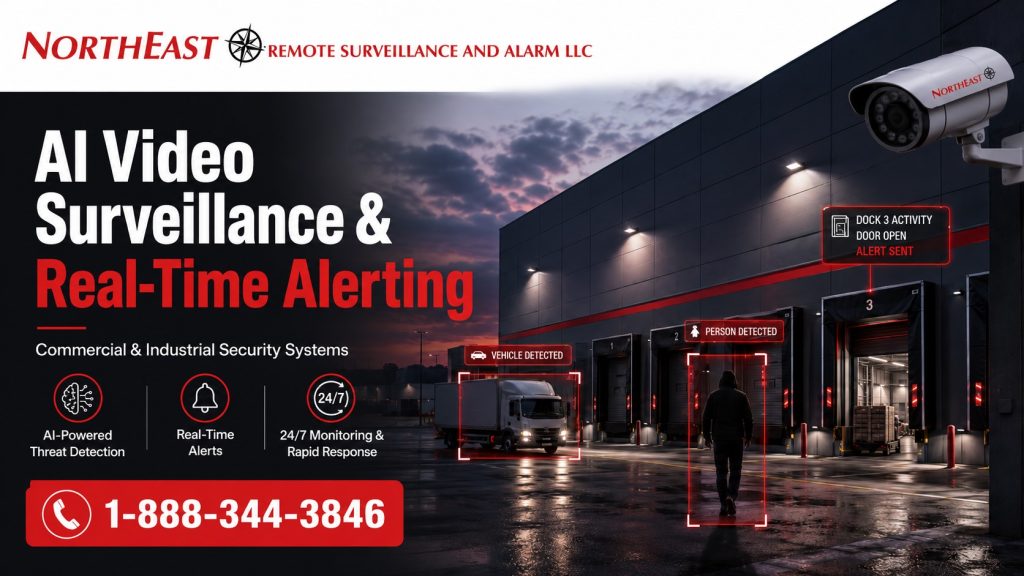
Northeast Remote Surveillance and Alarm, LLC designs and installs AI video systems for commercial and industrial properties. These tools can help staff find important activity, reduce unwanted motion alerts, and review incidents. Supported systems can also notify approved users when a defined event occurs.
AI detection and real-time alerts add another layer to commercial video surveillance; the sections below explain where they can help and what still needs careful planning.
For complete camera-system planning, including camera selection, placement, recording, retention, infrastructure, remote access, and overall system design, visit Commercial and Industrial Video Surveillance Systems.
Call 1-888-344-3846 to request a commercial AI video surveillance assessment.
Commercial & Industrial Systems Only • New Installations • Upgrades • Expansions • Existing-System Evaluation
AI Video Surveillance Should Identify Activity That Matters
Traditional motion detection reacts when pixels within a camera image change.
That can create alerts from shadows, headlights, weather, vegetation, reflections, animals, equipment movement, or other activity that may have little security value.
AI-assisted video analytics can provide another layer of event classification.
Supported AI tools can distinguish some types of activity and apply rules to selected parts of a camera view. Available features depend on the camera, video software, analytics package, and settings.
Common applications include:
- Person detection
- Vehicle detection
- Line-crossing events
- Restricted-area entry
- Directional movement
- Loitering or dwell events
- After-hours activity
- Perimeter activity
- Loading-area activity
- Vehicle approach events
- Activity around exterior assets
- Defined-zone intrusion
- Faster recorded-video event search
The objective is not to have the camera generate as many alerts as possible.
Focus on the activity your team needs to see. Send useful alerts to the people who are responsible for reviewing them.
Real-Time Video Alerts
Recording an incident and detecting an incident are two different functions.
A conventional camera system may record useful evidence. Staff still need to know when and where to look for an event.
Real-time alerting can bring selected activity to the attention of authorized users while it is occurring.
Depending on the approved system configuration, alerts may be delivered through:
- Video management software
- Desktop applications
- Mobile applications
- Push notifications
- Email notifications
- Security workstations
- Event dashboards
- Integrated security platforms
- Approved monitoring workflows
An alert may identify the camera, event type, time, location, or associated video depending on the capabilities of the selected platform.
For platform-specific camera event notifications, compare Alarm.com commercial video alerts.
The design question is not simply whether a camera can send an alert.
The more important questions are:
- What activity should generate an alert?
- During what hours should the rule operate?
- Who should receive the event?
- What should that person do after receiving it?
- Which camera provides enough information to understand what happened?
- How should routine employee, vendor, or vehicle activity be handled?
- Which events should be recorded but not immediately reported?
Defining these requirements before deployment produces a more useful system than enabling every available analytic rule.
Person and Vehicle Detection
Person and vehicle classification are among the most practical applications of modern video analytics.
A commercial property may have continuous visual movement from headlights, weather, loading activity, machinery, landscaping, or changing lighting conditions.
Supported AI tools can help focus alerts on people or vehicles. This can reduce alerts from other changes in the camera image.
Possible applications include:
- A person entering a fenced yard after closing
- A vehicle entering a restricted drive lane
- A person approaching a rear warehouse entrance
- Vehicle activity near trailers after hours
- Movement around exterior equipment
- Activity near a loading dock during a closed period
- A person entering a defined restricted zone
- Vehicle movement near an unattended gate
AI classification does not eliminate the need for good camera design.
Detection depends on the camera position, angle, lighting, and image quality. The target’s size and distance also matter. Site conditions and the chosen analytics tool can limit what the system detects.
Line-Crossing and Restricted-Area Alerts
Some areas of a property require greater attention than others.
Some AI systems let you set detection lines or zones. This focuses analysis on selected areas of the camera view.
A defined rule might be used around:
- Fence lines
- Gates
- Rear building approaches
- Exterior storage
- Equipment yards
- Trailer areas
- Restricted parking areas
- Utility areas
- Roof-access points
- Shipping entrances
- Employee-only approaches
- Loading-dock perimeters
The camera view should be designed around the detection objective.
A camera that provides a useful general overview is not automatically positioned correctly for reliable analytic detection.
Before setting detection zones, NERSA checks the camera view, height, and lighting. We also review scene depth, expected movement, weather, and normal traffic.
After-Hours AI Alerting
AI video surveillance can be particularly useful when a property operates differently after normal business hours.
During the day, a warehouse entrance might experience constant employee and vendor traffic.
At 2:00 a.m., activity at the same location may deserve immediate attention.
Event schedules can help distinguish between normal operating periods and times when activity is less expected.
After-hours AI alerting may be useful around:
- Building entrances
- Loading docks
- Trailer parking
- Contractor yards
- Outdoor material storage
- Employee parking
- Truck courts
- Vehicle gates
- Fence lines
- Rear service areas
- Equipment storage
- Detached buildings
- Low-staff areas
The schedule should match actual business operations.
Set alert rules around your working hours. A site with night shifts, weekend work, or late deliveries needs different rules from a building that closes each evening.
Reducing False Alerts and Alert Fatigue
An AI system that produces excessive notifications eventually becomes less useful.
Users may begin ignoring alerts when routine activity repeatedly triggers the system.
NERSA approaches AI alerting by identifying which events are important before configuring the detection rules.
Potential sources of unwanted alerts may include:
- Normal employee activity
- Delivery vehicles
- Vendors
- Public roads
- Public sidewalks
- Nearby properties
- Trees and vegetation
- Headlights
- Reflections
- Changing lighting
- Weather
- Animals
- Moving equipment
- Forklifts
- Regular overnight operations
Camera positioning and detection-zone design can be as important as the analytic itself.
Keep detection zones focused. Nearby roads, sidewalks, trees, or neighboring land may add alerts that do not help protect your site.
Good AI design is therefore partly about what the system ignores.
AI Video for Warehouses and Distribution Centers
People, trucks, freight, and equipment move through warehouses at different times. AI detection can help staff focus on selected activity in those areas.
Potential applications include:
- Loading-dock approaches
- Trailer parking
- Truck courts
- Employee entrances
- Shipping doors
- Receiving areas
- Exterior storage
- Vehicle entrances
- Restricted inventory areas
- Building perimeters
The system should account for legitimate driver, employee, carrier, vendor, and forklift activity before alerts are configured.
A busy logistics facility requires much more precise rules than an unoccupied property.
AI Video for Manufacturing and Industrial Facilities
A plant may need camera views of production rooms, storage, and shipping areas. Other priorities can include outside equipment, staff entrances, utility areas, and separate buildings.
AI detection may support additional awareness around:
- Restricted exterior areas
- Material storage
- Equipment yards
- Plant entrances
- Loading areas
- Perimeter zones
- Employee parking
- Utility areas
- Remote buildings
- After-hours approaches
Industrial sites can make video detection harder. Dust, steam, vibration, headlights, and moving machines may affect the view. Changes in light and weather also need review.
Analytics should therefore be tested against the real operating environment rather than assumed to perform identically at every property.
AI Video for Contractor and Equipment Yards
Exterior contractor properties often contain high-value vehicles, trailers, tools, machinery, fuel, materials, and equipment stored outside the building.
AI surveillance may help identify selected after-hours activity around:
- Yard entrances
- Fence lines
- Equipment rows
- Trailers
- Storage containers
- Exterior materials
- Vehicle parking
- Building approaches
Camera placement should provide enough detail for both detection and subsequent event review.
A camera that detects movement without producing useful visual information may not provide the operational value the business expects.
AI Video for Commercial Buildings and Campuses
Office buildings, multi-tenant properties, institutional campuses, and other commercial facilities may use AI video differently from industrial sites.
Potential applications include:
- Parking areas
- Building entrances
- Rear doors
- Service entrances
- Common exterior areas
- Delivery approaches
- Restricted areas
- Low-traffic locations
- After-hours exterior activity
Alert rules should account for tenants, employees, maintenance personnel, cleaning contractors, deliveries, visitors, and other legitimate activity.
Searchable Video and Faster Incident Review
AI analytics can also improve the way recorded video is reviewed.
Traditional incident investigation may require searching through long periods of recorded footage.
Some systems label recorded events or store searchable details. Approved users can use those tools to narrow a search to the activity they need to review.
Examples may include searching for:
- Person activity
- Vehicle activity
- Events within a defined area
- Activity during a selected time range
- Line-crossing events
- Defined analytic alarms
The exact capabilities vary by camera and video-management platform.
NERSA evaluates these functions as part of the overall system rather than assuming every AI camera provides the same search capabilities.
AI Does Not Correct Poor Camera Placement
AI analytics are still dependent on the image produced by the camera.
A poorly positioned camera does not become a well-designed camera simply because analytics are enabled.
AI performance may be affected by:
- Camera height
- Camera angle
- Lens selection
- Target distance
- Image resolution
- Lighting
- Low-light performance
- Backlighting
- Weather
- Obstructions
- Scene depth
- Target size
- Network reliability
- Camera processing capability
- Analytic configuration
NERSA begins with the surveillance objective and viewing condition before determining whether AI analytics are appropriate for that location.
Edge Analytics, Recorder Analytics, and Video Management Platforms
AI processing may occur in different parts of a surveillance system.
Depending on the platform, analytic functions may operate:
- Inside the camera
- At the network video recorder
- Through a video management server
- Through a cloud-managed platform
- Through a combination of these methods
Choose the design around your existing system and camera count. Check network capacity, storage, software needs, and the AI features you want. Include security, remote access, and plans for growth.
NERSA does not force every AI surveillance project into one architecture.
Existing infrastructure and operational requirements should determine the design.
Upgrading Existing Camera Systems With AI Capabilities
Adding AI capability does not always require replacing an entire surveillance system.
Some existing commercial systems may support:
- Camera replacement at selected locations
- Recorder upgrades
- Video management software upgrades
- Additional analytic licenses
- New AI-capable cameras
- Additional processing hardware
- Revised alert configuration
- Expanded network infrastructure
Other legacy systems may not provide a practical path to modern analytics.
NERSA can review the cameras, recorder, wiring, and network you already have. We also check storage, software, remote access, and staff needs before suggesting upgrades.
The goal is to determine what can reasonably be retained and what needs to change.
AI Alerting and Remote Video Monitoring Are Different Services
AI real-time alerting should not be confused with professional remote video monitoring.
An AI system may automatically detect activity and send a notification to an employee, manager, security department, or other authorized recipient.
Remote video monitoring adds a separate human response layer in which selected events may be reviewed according to an established monitoring procedure.
Properties requiring professional event review, video verification, live operator response, or audio intervention should continue to Remote Video Monitoring.
Keeping these functions separate is important.
AI analytics detect and classify selected activity. Remote monitoring defines how monitored events are reviewed and handled.
Designing the Alert Response Before Installing the System
AI technology is most useful when there is a clear response process.
Before final configuration, the organization should identify:
- Which activity matters.
- Where it matters.
- When the rule should be active.
- Who should receive the alert.
- What information that person needs.
- What action should follow.
- How the event should be documented.
A warehouse manager may need different notifications than a security department.
A regional operator responsible for multiple facilities may need centralized event management instead of individual camera notifications.
A contractor yard may primarily need after-hours exterior alerts.
The technology should match the response model.
NERSA AI Video Surveillance Design Process
Northeast Remote Surveillance and Alarm, LLC approaches AI video surveillance as a site-specific commercial security project.
Property Review
NERSA reviews:
- Facility layout
- Existing cameras
- Important entrances
- Exterior exposure
- Parking areas
- Loading areas
- Fence lines
- Gates
- Vehicle movement
- Employee movement
- Operating schedules
- Lighting
- Network infrastructure
- Existing recording equipment
Detection Objectives
The next step is defining what the organization wants the system to identify.
Examples may include:
- People after hours
- Vehicles in restricted areas
- Line crossing
- Perimeter entry
- Activity around equipment
- Loading-area movement
- Restricted-zone activity
Camera and Platform Evaluation
NERSA evaluates whether the proposed or existing cameras can provide the field of view and image quality required for the intended detection objective.
The selected platform must also support the required analytics, event rules, recording, notification, user permissions, and system administration.
Configuration
Approved systems can then be configured around:
- Detection zones
- Event schedules
- Alert rules
- Recording
- User permissions
- Notification recipients
- Event naming
- Search functions
Testing and Commissioning
Analytics should be tested under actual operating conditions.
Testing may include:
- Person detection
- Vehicle detection
- Detection-zone operation
- Alert delivery
- Recording
- Playback
- Event search
- Remote access
- User permissions
Rules can then be adjusted where unnecessary notifications or missed detection conditions become apparent.
Commercial and Industrial AI Video Surveillance From NERSA
Northeast Remote Surveillance and Alarm, LLC has provided commercial and industrial security systems since 2008.
NERSA works exclusively in business and professionally managed environments and supports AI video surveillance projects involving:
- Warehouses
- Distribution centers
- Manufacturing facilities
- Logistics properties
- Contractor yards
- Office buildings
- Multi-tenant properties
- Commercial campuses
- Healthcare properties
- Institutional facilities
- Municipal properties
- Parking areas
- Industrial sites
- Multi-location organizations
A project may add new cameras or upgrade an existing system. Work can include more coverage, a new recorder, software updates, or network improvements. Selected AI tools may also fit into your current setup.
Request an AI Video Surveillance Assessment
AI video surveillance should make a commercial camera system easier to use—not create another stream of meaningless notifications.
Start with a clear goal for what the system should detect. Place cameras to give the AI tool a useful view. Set realistic schedules and alert rules, keep reliable recordings, and give staff a clear response process.
Northeast Remote Surveillance and Alarm, LLC can evaluate an existing or planned commercial camera system and determine where AI-assisted detection and real-time alerting can provide practical value.
Request an AI Video Surveillance Assessment
Call 1-888-344-3846.
For broader camera-system planning, visit Commercial and Industrial Video Surveillance Systems.
Frequently Asked Questions About AI Video Surveillance
What is AI video surveillance?
AI video surveillance uses video analytics to help classify or identify defined activity within a camera image. Depending on the equipment and platform, this may include person detection, vehicle detection, line crossing, restricted-zone activity, event filtering, and searchable recorded video.
Can AI cameras send real-time alerts?
Yes. Supported systems can generate notifications when configured analytic conditions occur. Alert methods depend on the camera and video-management platform and may include mobile, desktop, email, software, or integrated security-platform notifications.
Can AI video surveillance reduce false motion alerts?
AI classification and carefully configured detection zones can help reduce notifications generated by irrelevant movement. Results still depend on camera positioning, lighting, environment, analytic capabilities, and proper configuration.
Can AI video surveillance work with an existing camera system?
Sometimes. Existing cameras, recorders, video-management software, network infrastructure, firmware, licensing, and platform compatibility must be evaluated before determining whether AI capabilities can be added without replacing the complete system.
Is AI video surveillance the same as remote video monitoring?
No. AI video analytics detect or classify selected activity. Remote video monitoring adds a separate monitoring and response process in which selected video events may be reviewed by authorized personnel or monitoring operators.
Does every camera need AI analytics?
No. Analytics should be deployed where they support a defined operational or security objective. Some cameras may be needed primarily for recording, overview coverage, identification, or incident investigation.
Where is AI video surveillance most useful?
Common applications include warehouses, distribution centers, manufacturing facilities, contractor yards, truck areas, loading docks, parking areas, fence lines, gates, exterior storage, building approaches, and other locations where defined activity needs to be identified quickly.
Does AI replace proper camera design?
No. Analytics depend on usable video. Camera placement, lens selection, viewing angle, lighting, target distance, network reliability, recording, and overall system design remain critical.
Plan Your Next Security Improvement
Tell NERSA about your commercial facility, existing systems, and project priorities. We can help you plan an installation, evaluate an upgrade, or coordinate security across multiple locations.
Compliance, Codes & Project Standards
NERSA plans commercial and industrial security work with applicable code, documentation, inspection and authority-having-jurisdiction requirements in mind. Requirements vary by system, property and jurisdiction. These resources support project planning; they do not establish legal compliance, certification or AHJ approval.
Related guidance: Regulatory compliance & inspection readiness · Video surveillance compliance · NERSA project standards