
Plan which spaces need temperature checks and where sensors should go.

Request a Commercial Security Assessment
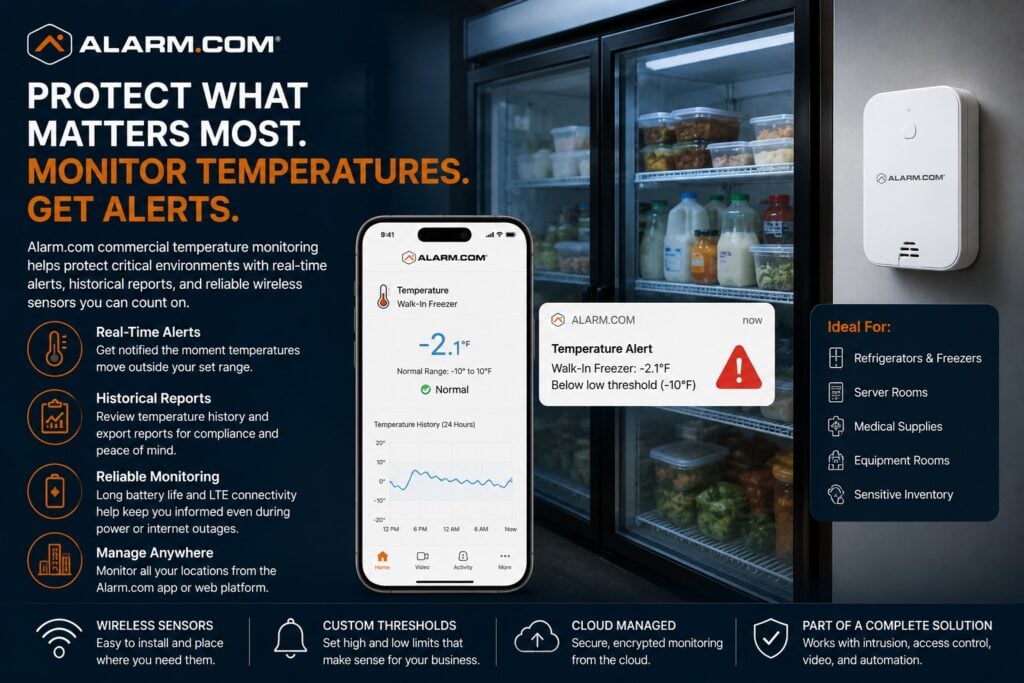
Set the alert limits and name the staff who will respond.
For the complete Alarm.com commercial platform, visit Alarm.com for Business Security Systems.
This is an independent reference to Alarm.com Commercial Temperature Monitoring. Product information does not establish a NERSA partnership, certification, authorization or brand-specific service capability. Confirm those details with the proposed provider.
Alarm.com for Business lets staff set temperature limits and receive alerts when readings fall outside them.
Reports show past readings.
Supported long-range wireless devices can continue monitoring during certain power or internet interruptions; confirm the limits for the proposed equipment. (Alarm.com)
Temperature Monitoring for Critical Business Areas
Commercial temperature monitoring should be designed around the assets or environments the business actually needs to protect.
Potential applications may include:
- Walk-in refrigerators
- Commercial freezers
- Server rooms
- Data closets
- Medical supply storage
- Temperature-sensitive inventory
- Equipment rooms
- Specialty storage
- Other critical spaces
Alarm.com specifically identifies freezers, refrigerators, server rooms, and medical supplies as commercial temperature-monitoring use cases. (Alarm.com)
The goal is to flag an unusual temperature early enough for staff to investigate before it becomes a larger problem.
Configurable Temperature Ranges
Different spaces require different acceptable temperature ranges.
A refrigerator should not be monitored using the same threshold as a server room or general storage area.
The monitoring plan should define:
- Normal operating range
- High-temperature threshold
- Low-temperature threshold
- Alert recipients
- Response procedures
- Escalation expectations
Alarm.com allows businesses to receive alerts when monitored temperatures exceed the configured range. (Alarm.com)
Thresholds should reflect the actual operating requirements of the equipment, environment, and stored materials.
High-Temperature Alerts
Temperatures can rise after equipment fails, power is lost, or a door is left open. Cooling faults and changes in surrounding conditions can also cause problems.
A commercial temperature-monitoring system can help identify when a monitored area rises above the approved range.
Potential examples include:
- Refrigeration failure
- Freezer temperature increase
- Server-room overheating
- HVAC loss in a sensitive room
- Excessive heat around equipment
The value of the alert depends on having a defined response plan.
A notification should reach someone who understands what the monitored space contains and what action may be required.
Low-Temperature Alerts
Some commercial environments also need protection against temperatures falling too low.
Low-temperature alerts may be appropriate where freezing conditions could affect:
- Stored products
- Equipment
- Pipes
- Sensitive materials
- Specialty inventory
The correct low-temperature threshold depends on the application.
Temperature monitoring should be configured around real operating limits rather than a generic number.
Refrigeration and Freezer Monitoring
Commercial refrigeration is one of the clearest applications for temperature monitoring.
Alarm.com specifically supports monitoring of refrigerators and freezers and can send alerts if temperatures move outside the defined range. (Alarm.com)
This may be useful for:
- Restaurants
- Food-service businesses
- Retail food environments
- Commercial kitchens
- Cold-storage areas
- Other businesses with temperature-sensitive inventory
Temperature monitoring does not replace refrigeration maintenance.
Its purpose is to provide another layer of awareness when conditions become abnormal.
Server Room and Data Closet Monitoring
Heat can affect servers, switches, recorders, and other network equipment. Temperature checks can help staff watch conditions in server rooms and network closets.
Alarm.com specifically includes server rooms among its supported commercial temperature-monitoring applications. (Alarm.com)
Monitoring may be useful around:
- Server racks
- Network closets
- Security equipment rooms
- Communications rooms
- Recorder locations
- Other electronics-heavy spaces
The sensor should be placed where it represents the environment that actually matters.
Medical Supply Temperature Monitoring
Some healthcare and medical environments need awareness around temperature-sensitive supplies.
Alarm.com identifies medical supplies as a commercial temperature-monitoring use case and supports historical reports that can summarize monitored conditions. (Alarm.com)
Design the system for the space and assets being monitored. It does not replace any separate rules for calibration, records, storage, or regulatory compliance.
Historical Temperature Reports
A useful temperature-monitoring system should provide more than an immediate alert.
Alarm.com can provide historical temperature reports summarizing monitored conditions over time. (Alarm.com)
Historical data may help businesses review:
- Temperature trends
- Repeated out-of-range conditions
- Equipment performance patterns
- Overnight conditions
- Weekend conditions
- Previous incidents
Past readings can help managers see what happened before an alert. Keep the reports needed for that review.
Wireless Temperature Monitoring
Some monitored areas may not have convenient existing wiring.
Alarm.com supports long-range wireless temperature-monitoring technology designed to simplify installation in compatible commercial environments. (Alarm.com)
Wireless monitoring can be useful in:
- Refrigeration areas
- Warehouses
- Server rooms
- Equipment spaces
- Existing buildings where new cabling is difficult
Wireless sensors still need correct placement, battery care, signal checks, and regular testing.
Monitoring During Power or Internet Loss
Alarm.com states that its commercial temperature-monitoring devices use long battery life and LTE communication so critical temperatures can continue to be monitored even when the property loses power and internet connectivity. (Alarm.com)
That can be particularly important because a power outage may be the same event that causes the temperature problem.
The complete system should still be evaluated around:
- Device battery condition
- Communication coverage
- Service configuration
- Monitoring procedures
- Equipment being protected
Remote Temperature Awareness
Managers responsible for a temperature-sensitive environment may not always be on site.
Alarm.com provides remote awareness through its business platform, allowing authorized users to review current temperature information and receive alerts when defined conditions occur. (Alarm.com)
This can be useful for:
- Owners
- Facility managers
- Operations personnel
- IT managers
- Food-service managers
- Multi-location administrators
User permissions should be limited to the people who actually need access to the information.
Temperature Monitoring Across Multiple Locations
Organizations with several facilities may need a consistent way to review temperature conditions across all sites.
Alarm.com’s Enterprise Dashboard is designed to provide centralized visibility across multiple business locations, including temperature information. (Alarm.com)
This may help organizations standardize:
- Sensor naming
- Thresholds
- Alert recipients
- Location groups
- Reporting
- Response procedures
For broader centralized administration, visit Alarm.com Multi-Location Business Security Management.
Temperature Monitoring Is Different From Energy Management
Temperature monitoring and commercial energy management are related, but they do not own the same purpose.
Temperature monitoring flags readings outside the approved range. Alerts and past readings help staff review conditions around sensitive assets and spaces.
Energy management focuses on thermostat control, HVAC scheduling, Smart Away, local set-point restrictions, and reducing unnecessary heating and cooling.
Alarm.com places both capabilities within its commercial energy and temperature offering, but they solve different business problems. (Alarm.com)
For HVAC and thermostat control, visit Alarm.com Commercial Energy Management.
Sensor Placement Matters
A temperature sensor should be installed where it measures the condition that actually matters.
Placement should consider:
- Airflow
- Doors
- Cooling vents
- Heating sources
- Equipment
- Refrigeration layout
- Rack placement
- Direct sunlight
- Localized hot or cold spots
- Wireless signal strength
A sensor can give an accurate reading for the wrong spot. Place it where the reading represents the asset or space you need to monitor.
Alert Response Procedures
A temperature alert is only useful if the business knows what happens next.
A response plan should identify:
- Who receives alerts
- Who checks the equipment
- Who has after-hours responsibility
- When escalation occurs
- How conditions are documented
- Who can authorize corrective action
The system should support an operational process rather than simply generate notifications.
Existing Alarm.com Systems
A business already using Alarm.com may be able to add compatible temperature sensors. This can let staff use the existing management platform. Check support for the proposed setup.
An evaluation should consider:
- Existing Alarm.com service
- Available account capabilities
- Sensor requirements
- Communication coverage
- Battery maintenance
- Location naming
- User permissions
- Alert rules
- Historical reporting needs
The broader Alarm.com platform can provide centralized visibility across multiple security and operational functions. (Alarm.com)
Professional Configuration Matters
Reliable temperature monitoring depends on proper:
- Sensor selection
- Sensor placement
- Threshold configuration
- Communication
- Battery management
- User permissions
- Alert recipients
- Escalation procedures
- Reporting
- Testing
- Documentation
Define acceptable temperature limits, sensor locations, alert delays and escalation contacts. Confirm how monitoring continues during power or network loss.
Frequently Asked Questions
What is Alarm.com commercial temperature monitoring?
Alarm.com commercial temperature monitoring uses compatible sensors and cloud-managed services to monitor critical environments, alert users when temperatures exceed defined ranges, and provide historical temperature reporting. (Alarm.com)
Can Alarm.com monitor commercial refrigerators and freezers?
Yes.
Alarm.com specifically identifies refrigerators and freezers as supported commercial temperature-monitoring applications. (Alarm.com)
Can Alarm.com monitor server rooms?
Yes.
Alarm.com lists server rooms among its commercial temperature-monitoring use cases. (Alarm.com)
Can Alarm.com monitor medical supplies?
Yes.
Alarm.com identifies medical supplies as a temperature-sensitive commercial application. (Alarm.com)
Can the system alert me when the temperature gets too high or too low?
Yes.
Compatible Alarm.com systems can send alerts when temperatures move outside a configured range. (Alarm.com)
Can I review historical temperature information?
Yes.
Alarm.com supports historical reports summarizing monitored temperature conditions. (Alarm.com)
Will temperature monitoring still work if internet service fails?
Alarm.com states that supported wireless devices use battery power and LTE communication to help maintain monitoring during certain power and internet outages. (Alarm.com)
Is this the same as Alarm.com energy management?
No. Temperature monitoring protects critical environments and assets, while energy management primarily controls thermostats, schedules, and HVAC operation.
Prepare for a Commercial Security Assessment
For an assessment, list monitored spaces or equipment, acceptable temperature limits and the people responsible for responding to alerts.
Request a Commercial Security Assessment.
Compliance, Codes & Project Standards
NERSA plans commercial and industrial security work with applicable code, documentation, inspection and authority-having-jurisdiction requirements in mind. Requirements vary by system, property and jurisdiction. These resources support project planning; they do not establish legal compliance, certification or AHJ approval.
Related guidance: Regulatory compliance & inspection readiness · NERSA project standards · Documentation, testing & inspection readiness