
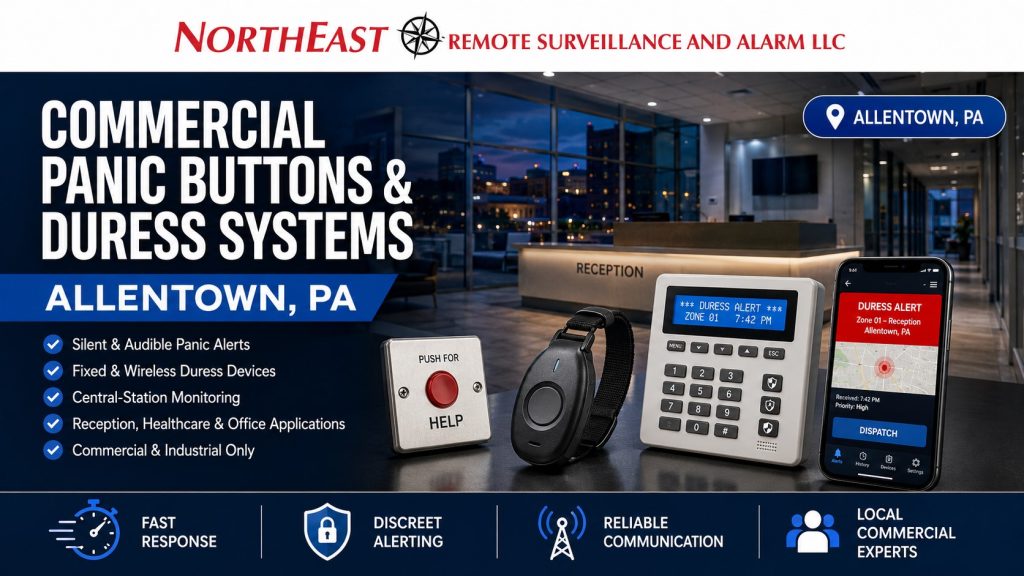
Allentown panic buttons and duress systems let designated staff initiate a security alert.

Fit this work into the wider alarm and response plan with Allentown commercial alarm systems.
NERSA plans the devices and signal path around the location, staff workflow, and the organization’s agreed response procedures.
Define the Staff-Initiated Alert
Identify the workstations or staff roles that need a way to request assistance. Describe who receives the signal and what information must accompany it. The organization should establish the response policy before device selection.
A fixed workstation and a mobile employee present different location and communication needs. Review the actual work areas and the information a receiving team would need to identify the source of an alert.
Choose Devices for the Operating Conditions
Assess fixed or portable devices against the staff workflow, equipment compatibility, and site conditions. For wireless equipment, test the intended coverage rather than relying on a general range claim. Document how device faults or battery needs are reported.
Decide how to reduce accidental activation while keeping the device usable by the intended staff. The selected arrangement should be evaluated in the actual work area with the people who will use it.
Plan Allentown Panic Buttons and Duress Systems
Use clear location names and current contacts. Define the handling of an activation, the included monitoring service, and any supported visual context. A device installation alone does not establish the response procedure or guarantee a particular outcome.
For broader monitoring arrangements, use the intrusion-alarm service guidance. Keep the duress scope focused on staff-initiated alerts, device location, and the information needed to act on them.
Coordinate Testing and Staff Handover
Bring a layout, staff roles, current alarm details, and the organization’s response instructions. NERSA can review the proposed devices, communication, and service responsibilities.
Coordinate tests with the responsible parties before activation, then confirm signal receipt and location information. Staff need instructions for use, accidental activation, and reporting faults. Retain the device list and agreed testing process with the system records.
Choose duress locations from the actual staff workflow
Potential uses include a reception desk, pharmacy counter, management office, cash-handling station or isolated staff area where an employee needs to request help discreetly. Review who may activate the device, whether a wall-mounted, wearable or fixed under-counter control is practical and whether accidental activation is likely. A device should be reachable during the situation it is designed for without interfering with ordinary work.
Define the response before installation
Document whether activation reaches a local panel, monitoring center, designated manager or another authorized responder, and who verifies the location. Give every activation point a meaningful name. Test communications failure, secondary communication paths where supported and reset procedures. Video association can offer context but cannot guarantee the response or replace trained personnel and a workplace safety program.
Acceptance and recurring tests
- Coordinate test signals with the monitoring or receiving party so a test is not mistaken for an incident.
- Confirm the exact location information and priority shown at the receiving end.
- Demonstrate silent or audible behavior as specified and train staff on false or accidental activations.
- Check battery status, radio coverage and supervision where applicable.
- Update response contacts when staffing, reception layout or tenant occupancy changes.
Differentiate duress notification from ordinary intrusion detection
A panic or duress device is intended to request help during a threat, confrontation or urgent workplace event. It should have a defined recipient and response procedure, not simply appear as another generic alarm zone. Identify the operational reason for each device—reception, a cash office, public counter, staff interview room or isolated work area—and decide whether the trigger is discreet or deliberately visible. Document what signal is sent, whether it is silent or audible, and how staff can recognize that their request was received without creating additional risk.
Placement and accessibility under real working conditions
Check whether a device can be activated while seated, standing or moving in the normal work area, without being accidentally triggered by cleaning or daily tasks. Wireless panic buttons need radio coverage, battery supervision, device identification and a loss-of-signal policy. Fixed buttons need protected cabling and a location documented for maintenance personnel. Mobile duress options may depend on phone batteries, Wi-Fi or cellular coverage. Never represent one transmission method as dependable everywhere without testing the installed environment.
Define monitoring and escalation in advance
Document which person or monitoring center receives an activation, what location information is available, when law enforcement or internal responders are contacted, and how tests are distinguished from real incidents. Decide whether nearby video should be made available for an authorized review and who may access that footage. A duress trigger should not automatically command unrelated door locking or emergency release without a separately approved design; egress and life-safety functions remain independent.
Witness the incident and reset sequence
During commissioning, simulate an activation from each device with the recipient and responsible facility representative aware of the test. Check annunciation, accurate location labels, signal delivery during a communication issue, battery/trouble conditions and the reset process. Train authorized employees on when to use the button and what to do after activation. Keep written contact lists and conduct periodic supervised tests so the procedure remains usable as personnel change.
Related Allentown Services
Commercial intrusion alarm systems in Allentown, PA
Commercial security systems in Allentown, PA
Request an Assessment
Discuss your property, existing equipment, and intended operating process with NERSA.
Request a security assessment.
Compliance, Codes & Project Standards
NERSA plans commercial and industrial security work with applicable code, documentation, inspection and authority-having-jurisdiction requirements in mind. Requirements vary by system, property and jurisdiction. These resources support project planning; they do not establish legal compliance, certification or AHJ approval.
Related guidance: Regulatory compliance & inspection readiness · NERSA project standards · Documentation, testing & inspection readiness