
Commercial paging systems in Allentown, PA deliver clear staff calls and operational announcements to selected zones or an entire business facility.

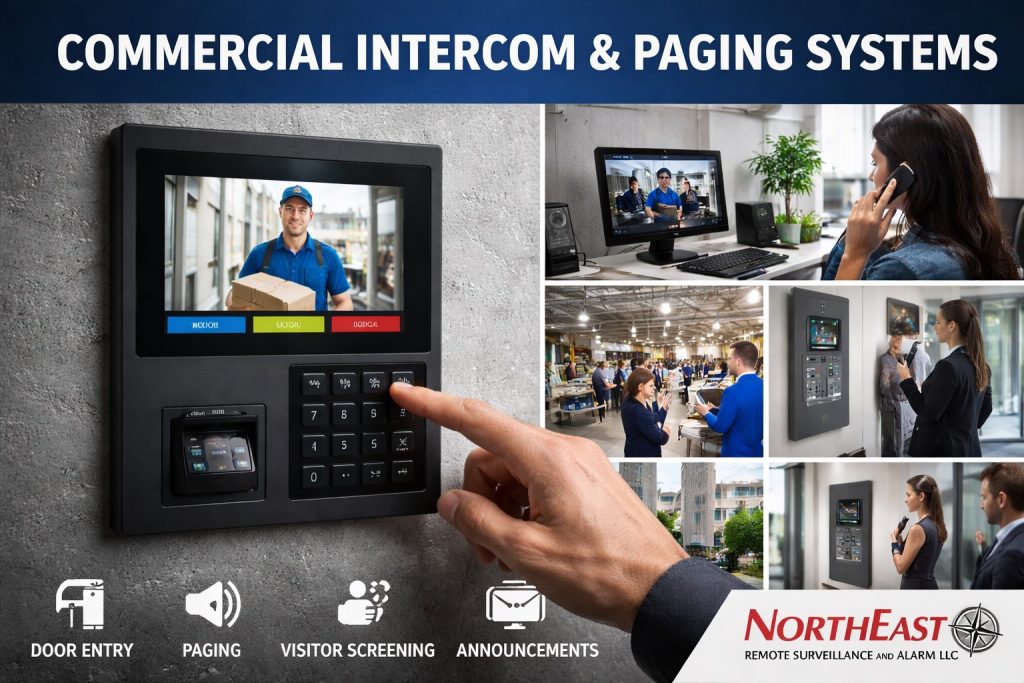
Compare entry communication and facility announcements in Allentown intercom and paging systems.
Announcements That Reach the Right Work Area
A paging system gives authorized staff a dependable way to call employees, announce deliveries, and coordinate activity across a commercial building. The design starts with who sends messages, who needs to hear them, and where those people work.
Northeast Remote Surveillance and Alarm, LLC plans paging for offices, warehouses, production areas, and other commercial spaces around their normal operating conditions. Speaker coverage and message routing should follow the work areas rather than treating every room as one listening zone.
Define Paging Zones
Separate zones let staff reach shipping, receiving, offices, or selected work areas without interrupting the entire property. An all-call option can deliver an operational announcement across the configured system when that is appropriate.
Review which users may select zones, how they initiate a page, and whether schedules or building changes affect message destinations. Clear zone names help staff choose the intended area.
Plan Speakers Around the Building
Background noise, ceiling height, room surfaces, shelving, and equipment affect how well people understand announcements. Speaker type, placement, and coverage need to suit those conditions.
Test intelligibility in occupied work areas under representative operating conditions. Adding volume alone may not solve poor coverage or echoes, so placement and zone boundaries deserve attention before equipment is finalized.
Connect the Paging Workflow
A paging installation may use dedicated microphones, approved telephone interfaces, or compatible network equipment. The choice depends on how staff place calls and which existing equipment can be retained.
Review cable routes, power, network requirements where applicable, equipment access, and responsibility for user changes. Document the zone map and controls so staff and service personnel can maintain a consistent arrangement.
Verify and Hand Over the System
During handover, check each zone, the intended all-call function, user permissions, and audibility at representative listening positions. Train designated staff on selecting destinations and using the microphone or calling interface.
Operational paging does not by itself establish an approved fire-alarm voice-evacuation function. Any life-safety use needs its own coordinated design and approval process.
Choose intelligibility over maximum volume
At a manufacturing or warehouse facility, an announcement that is loud but distorted may be less useful than a well-zoned system with appropriate speaker placement. Inventory background sound levels, ceiling height, reverberation, noisy processes and employee work locations before choosing horns, ceiling speakers or other devices. Coverage should be tested when normal equipment is operating, not only in a quiet, empty building.
Define authorized announcements and operational zones
Separate office, production, storage, receiving, outdoor yard and break-area messages where necessary. Specify who may make routine and urgent announcements, how zone selection works and whether staff need a two-way response. Where paging interacts with emergency notification, coordinate the applicable life-safety system and code authority rather than treating an ordinary commercial paging platform as a listed emergency communications system.
Commissioning evidence
- Measure or demonstrate intelligibility at representative work positions and environmental conditions.
- Verify priority, mute, schedules and any integration that can interrupt routine audio.
- Test network or amplifier faults and required standby behavior as designed.
- Label cable, speakers, amplifiers, zones and microphone inputs for service.
- Provide staff instructions for announcements, faults and maintenance.
Specify intelligibility, not just speakers
Commercial paging design begins with who must hear an announcement, where they stand, and what background noise is present. A warehouse shipping floor, mechanical room, office corridor and loading platform require different speaker placement and sound levels. Document ambient noise during normal operating periods, not only when the building is empty. Coverage should account for machinery, doors, racking and reverberant concrete surfaces. A page that is loud but unintelligible has not met the operating requirement.
Define zones and authorized sources
Create a zone map showing which offices or production areas receive routine announcements, which need separate local messages and which personnel may originate a page. A staff announcement should not automatically override a neighboring tenant’s system. Evaluate microphone stations, IP or analog interfaces, group paging, schedule-based functions and any connection to phone or intercom platforms. Record how priority paging behaves when two people try to speak at once and whether a failed station can prevent others from making a routine announcement.
Network and power requirements
For IP paging equipment, confirm PoE budget, VLAN, multicast or other stream design, firewall rules, device discovery, clock and network resiliency. For analog systems, document amplifier capacity, line loss, cable route, speaker taps and circuit protection. Identify which paging functions continue under internet, LAN or utility-power loss. An ordinary business paging platform must not be represented as a listed emergency voice or fire-alarm notification system unless specifically designed and approved for that purpose.
Accept with representative listening tests
Have site personnel assess intelligibility at the farthest occupied work positions while usual machinery and ventilation operate. Check each zone, normal priority, no-audio fault, overlapping calls, microphone gain and maximum permitted volume. Record speaker IDs, zone names, amplifier or switch locations, administrative accounts and maintenance responsibilities. If the organization expects emergency communications, address those requirements separately with the life-safety team rather than relying on a general-purpose announcement system.
Project Scope and Related Resources
Compare Allentown intercom and paging services, or use the visitor-entry guide for two-way entrance calls and door release.
For broader property planning, return to commercial security systems in Allentown.
Request a Commercial Paging Assessment
Request an assessment to review announcement zones, speaker coverage, and staff paging controls at your Allentown property.
Compliance, Codes & Project Standards
NERSA plans commercial and industrial security work with applicable code, documentation, inspection and authority-having-jurisdiction requirements in mind. Requirements vary by system, property and jurisdiction. These resources support project planning; they do not establish legal compliance, certification or AHJ approval.
Related guidance: Regulatory compliance & inspection readiness · NERSA project standards · Documentation, testing & inspection readiness