
NERSA designs and installs commercial intercom and paging systems in Allentown, PA for business and industrial properties.

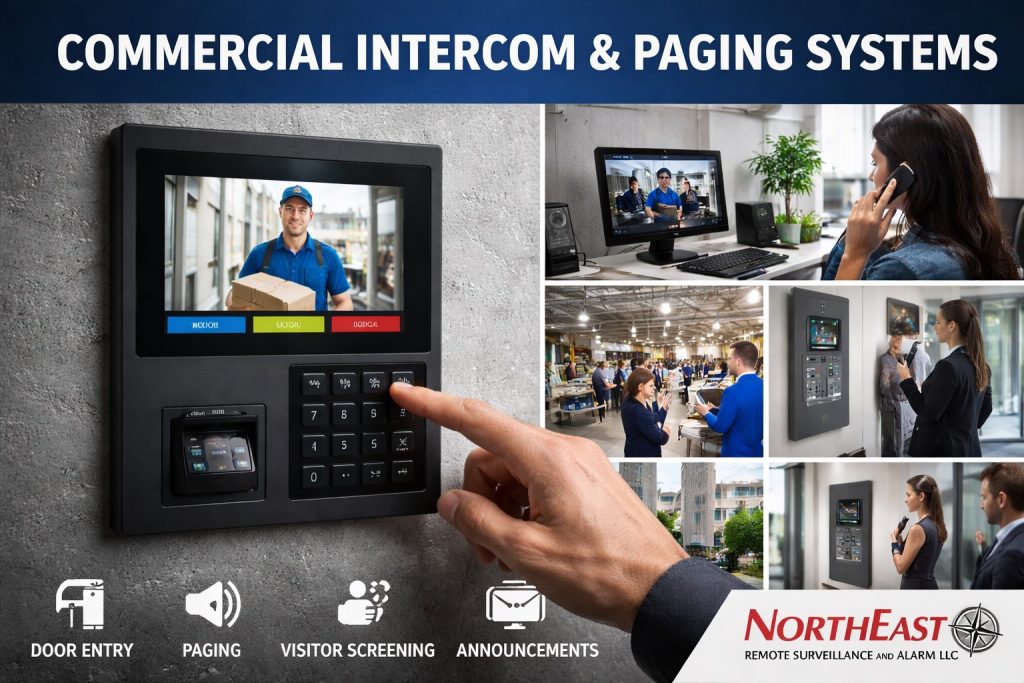
Plan visitor calls and authorized door or gate release separately from announcements to staff areas. Choose the entry or paging guide below according to who needs to communicate, who answers, and where the message must be heard.
Coordinate cameras, doors, alarms and monitoring through Allentown commercial security planning.
Use this page to choose the service that matches your facility workflow.
Choose Entry Communication or Facility Paging
Use the visitor-entry guide when staff need to speak with a caller, verify the visit, and release a controlled entrance. Use the paging guide when a message needs to reach employees across rooms or work areas. A property may need both, but the receiving staff, equipment locations, and expected result differ.
Map the People Who Send and Receive Messages
For entry calls, identify who answers during business hours and what happens when that person is unavailable. At an Allentown warehouse, drivers may need a receiving contact; an office visitor may need a receptionist or tenant. Document the destination for each call before deciding on stations and routing.
For paging, list the areas that must hear each announcement and the people allowed to send it. Note noisy work areas, closed doors, and locations where announcements should remain separate. The plan should make routine messages understandable without broadcasting every call to the whole building.
Plan Allentown Intercom And Paging
Bring a floor plan, entrance list, operating hours, and any existing intercom or paging equipment details. Describe missed calls, unclear audio, or areas where staff cannot hear announcements. Include network and power availability at proposed locations.
NERSA can then define the communication paths and test the intended workflow with your team. Confirm call routing, audio clarity, user responsibilities, and the handover instructions for daily operation.
Choose Your Communication Service
Choose intercoms for entrance conversations or paging for announcements to selected work areas.
- Visitor Entry and Intercom Access Control in Allentown, PA — Plan two-way visitor communication, verification, and controlled door release.
- Commercial Paging Systems in Allentown, PA — Plan staff announcements, speaker coverage, and paging zones within your facility.
Keep door intercom and building-wide paging requirements distinct
An intercom supports a conversation and sometimes an authorized door-release sequence. A paging system distributes announcements to selected zones. They may share network or audio hardware on some platforms, but each needs its own operating requirements, power and failure expectations. Start with the person sending the message, the intended recipients and the action they must take.
Practical Allentown applications
An office may prioritize a visitor entry station and multiple reception endpoints, while a plant may need paging audible over production noise with separate warehouse and shipping zones. At loading operations, confirm whether the intercom is intended for driver check-in or two-way communication with a gate. Specify what should happen if the network, SIP service, internet or control room is unavailable.
Commission communications with the staff who use them
- Test intelligibility from normal standing and working positions, including during machinery operation where applicable.
- Verify who can originate zone announcements and which devices receive them.
- Check entry release, call forwarding and missed-call behavior independently.
- Record amplifier, speaker, station and network addresses and label zones.
- Train a named administrator to update users and diagnose basic faults.
Separate intercom conversations from general paging
A commercial intercom is used for a specific entry or communication decision, while paging broadcasts to a defined group of listeners. A site may need both, but the design, permission and failure requirements are different. Identify visitor entrance stations, reception answer points, staff communication locations and which controller performs a permitted door release. Document what the person answering can see or hear before unlocking a door. A visitor call should not be treated as proof of identity without a suitable procedure.
Choose call routes that survive staffing changes
Consider reception hours, shared tenant desks, after-hours escalation, voicemail or unanswered call behavior, permitted mobile answering and the effect of an unavailable internet service. A phone or app in the hands of a former employee should not retain door-release privileges. Set station names that describe the physical entrance and assign primary/backup recipients by job role. If staff are expected to answer from a mobile device, test actual cellular, Wi-Fi, audio and notification behavior instead of assuming a vendor app always rings.
Document audio, network and electrical design
Outdoor entry stations need a mounting location, weather protection, suitable microphone and camera orientation, lighting, protected cabling and the specified power source. IP intercoms may use PoE, SIP or proprietary signaling with different licensing and firewall requirements. In a loud warehouse, confirm that a person at the gate can understand the receiving operator over idling truck noise. Keep intercom and paging power calculations, network segmentation and access privileges in the equipment record.
Accept the visitor journey end to end
Test a normal visitor, a driver calling outside office hours, an unanswered call, failed network communications, an incorrect release attempt and a returned call after recovery. Verify the release command operates only the intended door and that required mechanical egress is independent of the intercom application. Record contact routing, door output labels, account ownership, call logs where supported and update instructions for reception personnel. Treat emergency voice and fire notification requirements as separate approved systems.
Project Scope and Related Resources
Coordinate communication with the wider Allentown security, access-control, warehouse, and camera requirements.
- Commercial Security Systems in Allentown, PA — Coordinate visitor communication with the wider property plan.
- Commercial Access Control Systems in Allentown, PA — Review permissions and controlled-door operation.
- Warehouse Security Systems in Allentown, PA — Plan communication around deliveries, loading areas and warehouse access.
- Commercial Video Surveillance Systems in Allentown, PA — Review camera views that help staff assess entrance activity.
Request a Communication Assessment
Request a security assessment to discuss visitor entry or operational paging at your Allentown property.
Compliance, Codes & Project Standards
NERSA plans commercial and industrial security work with applicable code, documentation, inspection and authority-having-jurisdiction requirements in mind. Requirements vary by system, property and jurisdiction. These resources support project planning; they do not establish legal compliance, certification or AHJ approval.
Related guidance: Regulatory compliance & inspection readiness · Access control & door hardware standards · NFPA 101 & egress planning · ADA access-control planning