
A commercial security site walkthrough checklist helps business owners, facility managers, operations teams, and security decision-makers review the conditions that affect cameras, access control, alarms, monitoring, documentation, and long-term support.

request a commercial security assessment
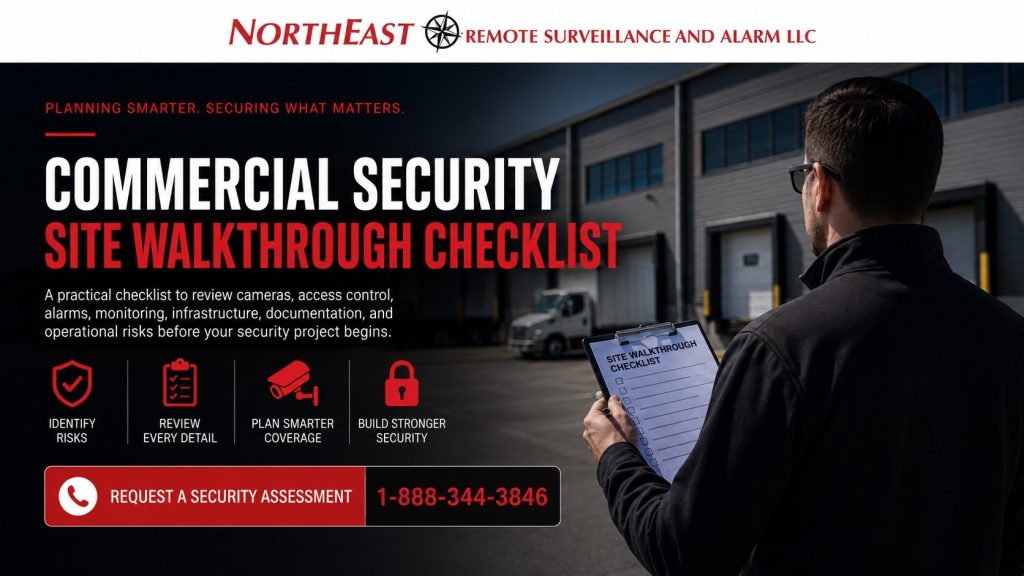
Northeast Remote Surveillance and Alarm, LLC uses walkthrough planning to understand how people, vehicles, vendors, deliveries, employees, and after-hours activity move through real commercial and industrial properties before equipment is recommended.
For the parent project framework, start with Commercial Security Trust & Project Standards.
Why a Commercial Security Site Walkthrough Matters Before Security Equipment Is Recommended
A commercial security system should not be planned from a quick guess, a generic camera count, or a one-size-fits-all equipment package. Every building has different entrances, blind spots, traffic patterns, lighting conditions, employee workflows, network limitations, door hardware, alarm risks, and after-hours concerns.
A site walkthrough helps separate actual security priorities from assumptions. It allows the client and security provider to review how the facility operates before choosing cameras, access control, intrusion detection, remote video monitoring, fire alarm coordination, or infrastructure upgrades.
The walkthrough also helps avoid common mistakes such as poor camera placement, missed doors, weak alarm zoning, unsupported network equipment, undocumented system conditions, and security devices installed in areas that do not solve the real problem.
Before the Commercial Security Site Walkthrough Checklist
Before walking the property, gather basic information about the business, facility, operating schedule, and known concerns. This helps the walkthrough stay focused on real operational risk instead of becoming a general tour.
Review these items before the site visit:
- Property type and business use
- Main operating hours
- After-hours activity
- Employee entrance points
- Visitor entrance points
- Vendor and contractor access points
- Delivery and shipping areas
- Loading docks and overhead doors
- Parking lots and vehicle areas
- Existing cameras, alarms, and access control
- Known theft, trespassing, vandalism, or safety concerns
- Areas where management wants better accountability
- Existing system problems or service issues
- Network room, equipment room, or IT contact availability
- Long-term expansion plans
For projects that need a formal review before design, continue with Our Security Assessment Process as the next planning step.
Exterior Property Review
The exterior walkthrough should focus on how people, vehicles, deliveries, and unauthorized activity may approach the property. Exterior security planning often determines whether cameras, lighting, access control, gates, alarms, or remote monitoring will be effective.
Review these exterior areas:
- Main vehicle entrances
- Employee parking areas
- Visitor parking areas
- Truck entrances
- Loading dock approaches
- Trailer yards
- Fleet parking areas
- Dumpster areas
- Side doors and rear doors
- Fence lines and gates
- Dark corners and low-light areas
- Areas hidden from public view
- Roof access points
- Utility rooms or exterior mechanical areas
- Outdoor storage areas
- Contractor or vendor staging areas
Look for blind spots, weak lighting, blocked views, unsecured doors, poor camera angles, damaged hardware, missing signage, and areas where activity is not clearly documented.
Building Entrances and Access Points
Every door should be reviewed during the walkthrough. Doors are often the most important part of commercial security planning because they affect employee movement, visitor control, deliveries, vendor access, emergency egress, intrusion detection, and access control design.
Review each door for:
- Door type and condition
- Lock type
- Existing access control hardware
- Door contact status
- Request-to-exit device needs
- Keypad, card reader, or mobile credential use
- Employee access needs
- Visitor access needs
- Vendor or contractor access needs
- Delivery access
- After-hours use
- Emergency exit function
- Door prop risks
- Camera coverage at the door
- Alarm zone requirements
Access control should be planned around how the door is actually used. A door that works for employees may not work for deliveries, visitors, vendors, emergency egress, or after-hours operations without the right design.
Video Surveillance Coverage
Camera planning should focus on what the client needs to see, identify, document, and review. A camera should not be placed only because the location looks convenient; it should support a real operational purpose.
Review possible camera locations for:
- Main entrances
- Reception areas
- Employee entrances
- Parking lots
- Loading docks
- Shipping and receiving areas
- Warehouse aisles
- Production areas
- Cash handling areas
- Tool rooms
- Inventory areas
- Server rooms
- Exterior perimeter areas
- Vehicle gates
- Trailer yards
- Public-facing counters
- Hallways and common areas
- Restricted rooms
- Incident-prone areas
During the walkthrough, consider lighting, mounting height, distance, field of view, weather exposure, lens selection, night visibility, storage racks, vehicle headlights, dock activity, glare, and whether the camera needs identification detail or general overview coverage.
Intrusion Alarm Review
Intrusion alarm planning should match how the business closes, opens, arms, disarms, and responds to alarm events. A commercial alarm system must account for doors, interior motion, glass, restricted rooms, partitions, user codes, monitoring paths, and after-hours activity.
Review these alarm planning items:
- Main entry doors
- Rear doors
- Overhead doors
- Dock doors
- Glass entrances
- Interior motion areas
- Restricted rooms
- Office areas
- Warehouse zones
- Panic or duress needs
- Siren locations
- Keypad locations
- Alarm partitions
- User code management
- Cellular communicator needs
- Backup battery needs
- Monitoring center communication
- False alarm history
- Response procedures
The alarm system should be easy for authorized users to operate while still protecting the areas that matter after the building is closed.
Loading Docks, Warehouses, and Industrial Areas
Warehouses, logistics facilities, manufacturing buildings, contractor yards, and industrial properties need extra attention during a site walkthrough. These environments often include larger spaces, more vehicle activity, more doors, more employee movement, more vendor access, and more after-hours risk than a standard office.
Review these operational areas:
- Dock doors
- Shipping lanes
- Receiving lanes
- Trailer parking
- Forklift routes
- Employee shift-change areas
- Inventory storage
- High-value material areas
- Tool rooms
- Production lines
- Machine areas
- Maintenance areas
- Contractor entrances
- Exterior yards
- Fence lines
- Gate access points
- Blind corners
- Low-light zones
Security planning in these environments should support accountability, safety, incident review, access control, intrusion detection, and practical operations without interfering with daily work.
Network, Power, and Low-Voltage Infrastructure
Security systems depend on reliable infrastructure. Cameras, access control panels, alarm communicators, intercoms, wireless bridges, remote monitoring equipment, and cloud-connected systems may all depend on cabling, switching, power, internet service, backup power, and network conditions.
Review these infrastructure items:
- Network room location
- Available rack space
- Existing switches
- Power availability
- UPS backup
- Cable pathways
- Conduit availability
- Ceiling access
- Fiber needs
- Wireless bridge needs
- Internet reliability
- Cellular signal
- VLAN or network separation needs
- Recorder or server location
- Cloud system requirements
- Environmental conditions around equipment
For infrastructure-heavy projects, the supporting resource is Low-Voltage Cabling and Security System Infrastructure.
Remote Monitoring and Response Planning
Remote video monitoring, live talk-down, alarm monitoring, and video verification should be planned around real response expectations. A walkthrough should identify what needs to happen when suspicious activity, trespassing, alarm events, unauthorized access, or after-hours vehicle movement occurs.
Review these response planning items:
- After-hours activity patterns
- Areas where remote monitoring may help
- Talk-down speaker locations
- Alarm verification needs
- Monitoring center communication paths
- Contact list accuracy
- Escalation procedures
- Police response expectations
- False alarm concerns
- Gates, yards, and perimeter areas
- Camera views needed for verification
- Lighting conditions for monitored areas
Monitoring works best when the system design, camera views, lighting, contacts, procedures, and client expectations are coordinated before installation.
Documentation During the Commercial Security Site Walkthrough
The walkthrough should produce useful information for project planning, quoting, installation, and future service. A commercial security project becomes easier to support when the details are documented clearly from the beginning.
Document these items when possible:
- Door list
- Camera location list
- Alarm zone notes
- Existing equipment locations
- Network room location
- Power locations
- Cable pathway concerns
- Monitoring requirements
- Access control requirements
- User management concerns
- Client priorities
- Photos of key areas
- Existing system problems
- Expansion needs
- Service access limitations
For deeper handoff and recordkeeping guidance, use Security System Documentation Standards as the supporting documentation resource.
Code-Aware and Cybersecurity-Aware Review
A commercial security walkthrough should recognize when access control, fire alarm coordination, emergency egress, panic hardware, alarm communication, backup power, remote access, or network-connected devices may require extra planning. The walkthrough does not replace an authority having jurisdiction, engineer, architect, fire marshal, or code official, but it can identify issues that should not be ignored.
Review these planning concerns:
- Access-controlled egress doors
- Fire alarm coordination
- Panic hardware locations
- Maglock or electric strike conditions
- Door release requirements
- Emergency exit paths
- Backup power requirements
- Alarm communication reliability
- Remote access permissions
- Cloud platform access
- Password and user management
- Camera network exposure
- Mobile app access
- Data retention expectations
For connected systems, remote access, and data protection planning, continue with Cybersecurity and Data Protection Standards.
What a Good Walkthrough Should Produce
A good commercial security site walkthrough should produce a clearer picture of the facility’s real needs. It should help the client understand what areas are vulnerable, what equipment may be reused, what infrastructure limitations exist, what documentation is missing, and what upgrades should be prioritized.
The walkthrough should also help prevent overbuilding. Not every area needs the most expensive camera, not every door needs access control, and not every issue requires a major system replacement.
The best result is a practical security plan that supports the way the business operates.
Who Should Use This Checklist
This checklist is useful for business owners, facility managers, property managers, operations directors, warehouse managers, manufacturing leaders, school administrators, municipal teams, healthcare property managers, contractor yard operators, and multi-site commercial organizations.
It is especially helpful before requesting a quote, replacing old equipment, expanding a facility, improving after-hours security, reviewing theft concerns, planning access control, upgrading camera coverage, or preparing for a larger commercial security project.
A walkthrough is not just about finding places to install equipment. It is about understanding the property well enough to build a system that supports safety, accountability, reliability, documentation, and long-term service.
Frequently Asked Questions about Commercial Security Site Walkthrough Checklist
What is a commercial security site walkthrough checklist?
A commercial security site walkthrough checklist is a planning tool used to review doors, cameras, alarms, access points, parking areas, loading areas, infrastructure, monitoring needs, and documentation before a security system is recommended or upgraded.
Why should a site walkthrough happen before a security quote?
A walkthrough helps prevent inaccurate quotes, poor camera placement, missed alarm zones, weak access control planning, and unsupported infrastructure assumptions. It gives the security provider a better understanding of the property before recommending equipment.
Who should be present during a Commercial Security Site Walkthrough Checklist?
The best walkthrough usually includes someone who understands the building operations, such as a business owner, facility manager, property manager, operations manager, warehouse manager, IT contact, or maintenance supervisor. For larger projects, multiple stakeholders may be helpful.
What areas should be reviewed during the Commercial Security Site Walkthrough Checklist?
The walkthrough should review entrances, employee doors, visitor doors, parking lots, loading docks, warehouse areas, production areas, restricted rooms, gates, fence lines, network rooms, alarm panels, existing cameras, and areas with known security concerns.
Does the walkthrough include existing security equipment?
Yes. Existing cameras, access control panels, alarm equipment, cabling, network devices, recording systems, cellular communicators, and monitoring paths should be reviewed when possible to determine whether they can be reused, upgraded, repaired, or replaced.
Should cybersecurity be discussed during a site walkthrough?
Yes. If the security system will connect to the network, cloud software, mobile apps, remote video access, monitoring platforms, or user management tools, cybersecurity should be part of the planning discussion.
Does a walkthrough replace code review or engineering?
No. A walkthrough does not replace code review, engineering, architectural review, fire marshal review, or authority having jurisdiction approval. It helps identify where code-aware coordination may be needed, especially around access-controlled doors, egress, fire alarm coordination, and alarm communication.
What happens after the walkthrough?
After the walkthrough, Northeast Remote Surveillance and Alarm, LLC can help organize the findings into a practical commercial security plan. That plan may include cameras, access control, intrusion alarms, remote monitoring, documentation improvements, infrastructure upgrades, or phased project recommendations.
Request a Commercial Security Assessment
Northeast Remote Surveillance and Alarm, LLC helps commercial and industrial clients review their properties before security systems are designed, quoted, installed, or upgraded.
To begin with a structured site review, request a commercial security assessment.