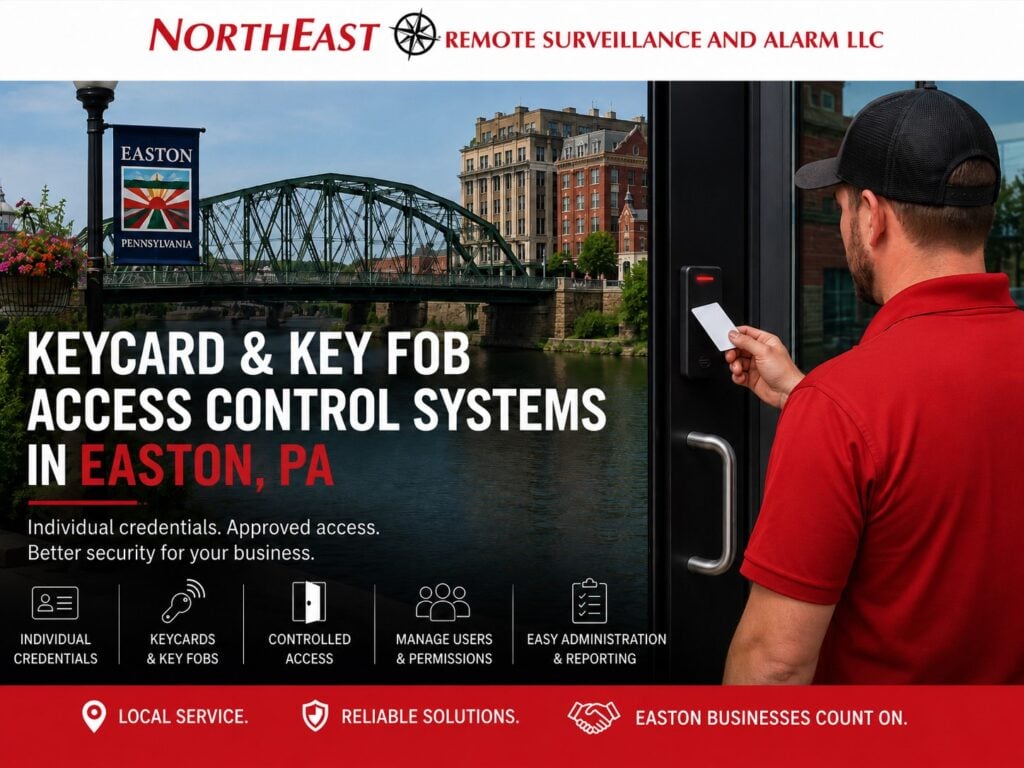
Keycard & Key Fob Access Control Systems in Easton, PA

Keycard and key fob access control systems in Easton, PA should be designed around individual credentials, employee entrances, controlled doors, lost-card management, user permissions, access schedules, credential replacement, and dependable day-to-day administration.

Northeast Remote Surveillance and Alarm, LLC designs and installs commercial keycard and key fob access control systems in Easton, Pennsylvania for qualifying offices, warehouses, manufacturing facilities, healthcare properties, contractor operations, industrial buildings, multi-tenant properties, and other non-residential environments.

This page focuses specifically on physical electronic credentials used for commercial access control in Easton, including cards, key fobs, compatible readers, individual user assignment, credential replacement, and ongoing credential administration.

For broader Easton access-control planning, visit Commercial Access Control Systems in Easton, PA.

Keycard and key fob access control systems in Easton Pennsylvania with employee credential reader controlled commercial door card access and key fob entry

Keycard and Key Fob Access Built Around Individual Users

Keycards and key fobs provide a more manageable alternative to shared mechanical keys and common door codes.

Each credential can typically be assigned to an individual user and associated with:

  • Approved doors
  • Specific buildings
  • Work schedules
  • Departments
  • Restricted areas
  • Management roles
  • Temporary assignments

This allows the business to control access according to actual job responsibility rather than distributing broad building access to every employee.

Employee Keycards

Commercial businesses may issue keycards to:

  • Employees
  • Managers
  • Supervisors
  • Maintenance personnel
  • Contractors
  • Temporary staff
  • Property managers
  • Approved vendors

Each card should be associated with a specific user where accountability is important.

When an employee changes roles or leaves the organization, that individual credential can be changed or disabled without affecting everyone else.

Key Fobs

Key fobs can provide the same basic access-control function as cards in a smaller physical format.

They may be appropriate for:

  • Employee entrances
  • Warehouse doors
  • Office buildings
  • Industrial properties
  • Multi-tenant properties
  • Contractor facilities
  • Selected restricted areas

The decision between a card and a fob should be based on how the organization expects employees to carry, use, replace, and administer credentials.

Cards vs. Key Fobs

Both cards and key fobs can provide individual electronic access.

The practical difference is often the physical form of the credential.

Cards may be useful when:

  • Employees already use ID badges
  • Photo identification is required
  • Credentials are worn on lanyards
  • Visual identification is important

Key fobs may be useful when:

  • A smaller credential is preferred
  • Employees carry keys
  • Photo identification is not required
  • The organization wants a durable everyday credential

The access-control system should support the credential format that best fits the workforce.

Credential Readers

Keycards and key fobs require compatible readers at controlled openings.

Reader selection may depend on:

  • Credential technology
  • Existing system
  • Door location
  • Interior or exterior use
  • Environmental conditions
  • Mobile-credential compatibility
  • Future credential plans
  • Reader mounting location

The reader should be compatible with the access-control platform and credential technology selected for the property.

Individual Credential Assignment

Each credential should be assigned to the correct person.

A properly administered system may identify:

  • Employee name
  • Credential number
  • Department
  • Access level
  • Approved doors
  • Work schedule
  • Employment status

Individual assignment makes it easier to understand who has access and remove permissions when circumstances change.

Door Permissions

Not every card or fob should open every door.

Permissions may be assigned according to:

  • Employee
  • Department
  • Job responsibility
  • Door
  • Building
  • Restricted area
  • Shift
  • Management role

An office employee may need the main staff entrance but not a warehouse tool room.

A warehouse employee may need access to operational doors without entering administrative spaces.

The credential should provide only the access that user actually requires.

Access Schedules

Cards and key fobs can also be restricted according to schedule.

Compatible systems may support:

  • Daytime access
  • Evening shifts
  • Overnight shifts
  • Weekend access
  • Holiday schedules
  • Contractor periods
  • Temporary assignments
  • After-hours authorization

A credential should not automatically remain active around the clock when the user only needs access during defined work periods.

Lost Cards and Key Fobs

Lost credentials should be handled individually.

When a card or fob is reported lost, an authorized administrator can typically disable that credential without changing every controlled door or reissuing credentials to the rest of the workforce.

A replacement credential can then be assigned to the user with the appropriate permissions.

This is one of the primary operational advantages of electronic credentials over mechanical keys.

Stolen Credentials

A stolen credential should be disabled as soon as practical after it is reported.

The organization should have a clear process for:

  • Reporting the credential
  • Disabling access
  • Issuing a replacement
  • Confirming the old credential remains inactive
  • Reviewing any relevant access activity

The replacement credential should receive only the permissions appropriate for the user.

Credential Replacement

Cards and key fobs may need replacement because of:

  • Loss
  • Physical damage
  • Wear
  • Employee role changes
  • Credential-technology changes
  • System migration
  • Security concerns

Replacement should be handled without unnecessarily affecting other users.

New Employee Credential Enrollment

A consistent enrollment process may include:

  • Creating the employee
  • Assigning the credential
  • Applying the correct access level
  • Applying the correct schedule
  • Confirming approved doors
  • Testing credential operation

Credentials should not be issued without clear user ownership and permissions.

Employee Role Changes

When an employee changes:

  • Department
  • Job responsibility
  • Shift
  • Work location
  • Management status

existing permissions should be reviewed.

The credential may remain the same while the user’s access permissions are changed.

This helps prevent employees from accumulating access that is no longer required.

Employee Offboarding

When employment ends, the person’s keycard or key fob should be disabled promptly.

Offboarding may include:

  • Credential disablement
  • Access-level removal
  • Schedule removal
  • Administrator review
  • Recovery of physical cards or fobs where practical

The electronic credential should not remain active simply because the physical credential was never returned.

Temporary Credentials

Temporary credentials may be useful for:

  • Contractors
  • Temporary employees
  • Service technicians
  • Cleaning personnel
  • Short-term projects

Compatible systems may allow temporary users to receive:

  • Limited doors
  • Limited schedules
  • Expiration dates
  • Temporary access levels

Temporary credentials should be reviewed and removed when the assignment ends.

Shared Credentials

Shared cards and fobs reduce accountability.

Where practical, each regular user should have an individually assigned credential.

Shared credentials can make it difficult to determine:

  • Who used the door
  • Who still possesses the credential
  • Whether access should remain active
  • Who is responsible for the credential

Individual credentials provide cleaner administration.

Credential Activity Records

Compatible systems may record credential activity at controlled doors.

Authorized administrators may be able to review:

  • Access granted
  • Access denied
  • Credential use
  • Door
  • Time
  • Schedule-related events

These records can help management understand how individual credentials are being used.

They do not show everything that physically occurred at a door and do not replace broader incident investigation.

Credential Technology

Commercial access credentials may use different underlying technologies depending on the selected system.

A property may have:

  • Legacy credential technology
  • Modern secure credentials
  • Multi-technology readers
  • Mixed existing and new credentials
  • Credentials intended to support future modernization

Credential selection should consider compatibility, long-term support, administration, and the existing access-control platform.

Existing Keycard and Key Fob Systems

Some Easton businesses already have cards, fobs, readers, and access-control equipment in place.

Common concerns may include:

  • Outdated credential technology
  • Former employees still active
  • Shared cards
  • Lost credentials
  • Poor user records
  • Unsupported readers
  • Inconsistent permissions
  • Old schedules
  • Limited credential availability

When the primary requirement is a broader modernization, migration, takeover, or system-wide credential change, visit Easton Access Control System Upgrades.

Keycards and Key Fobs vs. Mobile Credentials

Physical credentials and mobile credentials are separate access methods.

Keycard and Key Fob Access Control focuses on:

  • Physical cards
  • Physical fobs
  • Credential readers
  • Individual credential assignment
  • Lost-card and lost-fob management
  • Physical credential replacement

Mobile credentials use compatible smartphones or mobile devices instead of a physical card or fob.

Businesses considering phone-based entry should use the dedicated Easton Mobile Credential Access Control resource.

Keycards and Key Fobs vs. Mechanical Keys

Mechanical keys can remain appropriate for some openings, but they become more difficult to manage when:

  • Employees leave
  • Keys are copied
  • Keys are lost
  • Departments change
  • Multiple doors require different permissions

Electronic cards and fobs allow individual access to be changed without rekeying every controlled opening.

Commercial Keycard and Key Fob Access in Easton and Northampton County

NERSA supports qualifying commercial and industrial properties throughout Easton, Palmer Township, Forks Township, Wilson, West Easton, Williams Township, the Route 33 corridor, I-78, and surrounding Northampton County business and industrial areas.

Properties may include:

  • Offices
  • Warehouses
  • Manufacturing facilities
  • Healthcare properties
  • Industrial buildings
  • Contractor facilities
  • Multi-tenant properties
  • Commercial campuses

The credential system should reflect the actual workforce, doors, schedules, permissions, and administrative requirements of the property.

Frequently Asked Questions

What is a keycard access control system?

A keycard access control system uses an individually assigned electronic card and compatible reader to manage access to selected commercial doors.

What is a key fob access control system?

A key fob access-control system uses a small electronic credential that can be assigned to an individual user and presented to a compatible reader.

Are cards and key fobs the same type of access control?

They serve the same basic function but use different physical credential formats.

Can every employee have a separate card or fob?

Yes. Compatible commercial systems can assign individual credentials to each authorized user.

Can a lost card be disabled?

Yes. Individual credentials can generally be disabled without affecting every other employee.

Can a lost key fob be replaced?

Yes. The lost fob can generally be disabled and a replacement credential assigned to the user.

Can different employees have different doors?

Yes. Compatible systems can assign different permissions according to employee, department, door, building, schedule, or responsibility.

Can cards and key fobs be limited by schedule?

Yes. Compatible systems can restrict credentials to approved periods.

Can temporary employees receive cards or fobs?

Yes. Temporary credentials may be issued with limited doors, schedules, or expiration dates where supported.

Can existing card readers be reused?

Sometimes. Existing readers, credentials, controllers, wiring, and software should be evaluated for compatibility, condition, supportability, and future usefulness.

Is this the same as mobile credential access?

No. This page focuses on physical cards and key fobs. Mobile credentials use compatible smartphones or other supported mobile devices.

Request an Easton Keycard & Key Fob Access Control Assessment

If your Easton commercial or industrial property needs individual employee cards, key fobs, replacement credentials, better permission control, improved credential administration, lost-card management, or a move away from shared keys and common door codes, Northeast Remote Surveillance and Alarm, LLC can evaluate the property and discuss an appropriate credential-based access-control approach.

Request a Security Assessment or call 1-888-344-3846.

Scroll to Top
1-888-344-3846