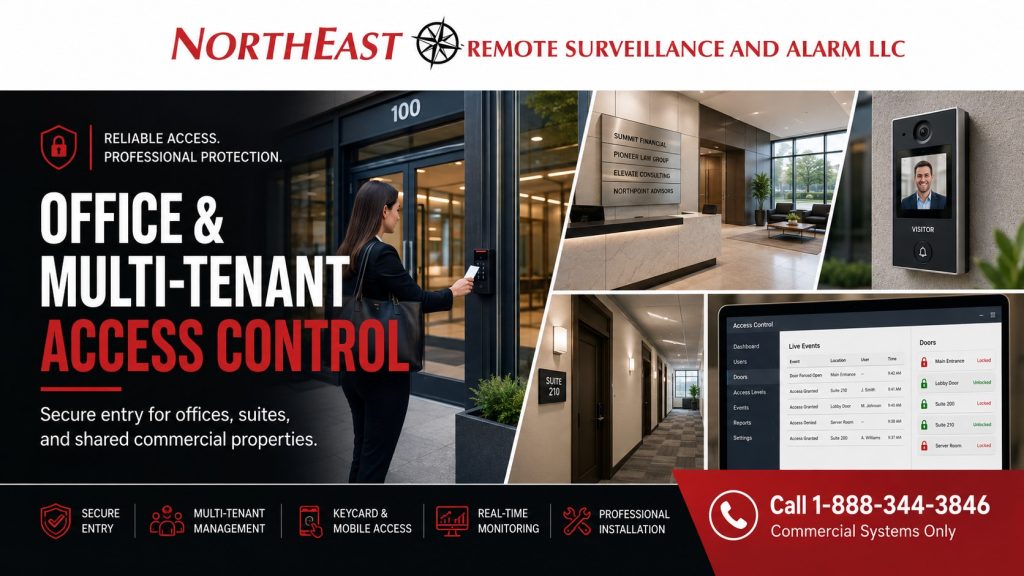
Office & Multi-Tenant Access Control Systems in Easton, PA

Northeast Remote Surveillance and Alarm, LLC designs, installs, upgrades, expands, repairs, and takes over office and multi-tenant access control systems in Easton, Pennsylvania for professional offices, corporate facilities, administrative buildings, medical and business offices, shared commercial properties, and buildings occupied by multiple tenants.

Office access control should allow employees, tenants, property managers, contractors, and approved visitors to enter the areas they need without giving every credential holder unrestricted access throughout the building.

A properly designed system can help manage:

  • Main employee entrances
  • Shared building entrances
  • Individual tenant suites
  • Rear and side doors
  • Server and IT rooms
  • Records rooms
  • Management offices
  • Storage areas
  • Utility and mechanical spaces
  • Shared corridors
  • Common areas
  • After-hours entrances
  • Parking or garage entrances
  • Restricted administrative areas

For broader commercial access-control planning throughout Easton, visit Commercial Access Control Systems Easton, PA.

Office and multi-tenant access control systems in Easton, PA with keycard entry, visitor intercom, tenant suite access, access management software, and NERSA commercial security CTA.

Request an Office & Multi-Tenant Access Control Assessment

If your Easton office or multi-tenant property has shared entrances, tenant suites, restricted rooms, after-hours access concerns, outdated credentials, poorly managed permissions, or controlled doors that need better administration, Northeast Remote Surveillance and Alarm can evaluate the property and discuss the available options.

Call 1-888-344-3846 or request an office and multi-tenant access control assessment.


Access Control Designed Around the Way an Office Building Operates

Office and multi-tenant properties often have several groups of people using the same building.

These may include:

  • Employees
  • Managers
  • Executives
  • Tenants
  • Property managers
  • Cleaning personnel
  • Maintenance contractors
  • Vendors
  • Delivery personnel
  • Temporary employees
  • Visitors

Each group may require different access.

An employee may need the main entrance and the company’s office suite. A manager may require access to additional restricted rooms. Property management may need access to common entrances, mechanical spaces, and shared building areas. A cleaning contractor may require entry only during a limited evening schedule.

In a multi-tenant building, one tenant should not automatically receive access to another tenant’s suite or administrative controls.

Electronic access control allows these differences to be managed through individual credentials, door permissions, and schedules instead of relying entirely on shared keys or common door codes.


Employee Entrances and After-Hours Access

Employee entrances are one of the most common applications for office access control.

A controlled entrance can allow authorized employees to enter during approved periods while limiting access during nights, weekends, holidays, and other restricted times.

Permissions may be organized according to:

  • Individual employee
  • Department
  • Work schedule
  • Building
  • Floor
  • Office suite
  • Management responsibility
  • After-hours authorization

This can be especially useful for businesses where employees work different schedules or where selected personnel require access outside normal public hours.

The system should support normal employee movement without making routine entry unnecessarily complicated.


Multi-Tenant Building Access Control

Multi-tenant properties require clear separation between building-level access and tenant-level access.

A property may include:

  • Shared exterior entrances
  • Common corridors
  • Individual tenant suites
  • Shared conference areas
  • Mechanical rooms
  • Electrical rooms
  • Telecommunications spaces
  • Management offices
  • Parking entrances
  • After-hours doors

Property management may need control over common entrances and shared areas while each tenant maintains access to its own suite.

These responsibilities should be clearly established when the system is designed.

A tenant administrator should not automatically receive control over unrelated tenant spaces or building-wide settings. Likewise, property ownership should understand which doors remain under tenant administration and which are managed at the property level.


Separating Employee, Tenant, and Management Permissions

A properly configured access-control system can organize permissions so users receive access only to appropriate areas.

Employees

Employees may receive access to:

  • Main employee entrances
  • Assigned office suites
  • Shared break areas
  • Approved common spaces

Managers

Managers may also require access to:

  • Records rooms
  • IT rooms
  • Storage areas
  • Management offices
  • After-hours entrances

Property Management

Property managers may need access to:

  • Common entrances
  • Mechanical rooms
  • Electrical or utility areas
  • Shared corridors
  • Building-management spaces

Contractors

Contractors may receive temporary access to selected doors during defined service periods.

This provides more controlled administration than distributing master keys throughout a commercial building.


Cards, Key Fobs, Mobile Credentials, and PINs

Office and multi-tenant access-control systems may use several credential methods depending on the building, selected platform, customer preferences, and operating requirements.

Common options include:

  • Access cards
  • Key fobs
  • Mobile credentials
  • Individual PINs
  • Compatible multi-technology credentials

Individual credentials are generally easier to manage than shared door codes because a lost or discontinued credential can typically be disabled without changing access for every other user.

Mobile credentials may be useful for organizations seeking remote enrollment, centralized administration, or reduced dependence on physical badge distribution.

Credential selection should consider usability, administration, existing equipment, security requirements, licensing, and future expansion.


Visitor Entry and Controlled Building Access

Not everyone entering an office building is an employee or tenant.

Visitors may include:

  • Customers
  • Clients
  • Vendors
  • Delivery personnel
  • Contractors
  • Interview candidates
  • Service technicians
  • Temporary workers

Visitor entry should be planned separately from permanent employee access.

Depending on the property, visitor entry may involve:

  • Reception
  • Intercom communication
  • Video entry
  • Remote answering
  • Temporary credentials
  • Scheduled access
  • Remote door release
  • Escorted access

For visitor communication, gate entry, remote answering, and controlled door release, visit Commercial Intercom and Paging Systems in Easton, PA.


Server Rooms, Records Areas, and Restricted Office Spaces

Not every room inside an office should necessarily be accessible to every employee.

Controlled entry may be appropriate for:

  • Server rooms
  • Network closets
  • Records rooms
  • File storage
  • Human resources areas
  • Executive offices
  • Accounting rooms
  • Equipment rooms
  • Sensitive storage
  • Administrative spaces

Individual permissions can help limit entry while also creating a record of access activity at selected controlled openings.

The goal is not to restrict employees unnecessarily. It is to separate sensitive spaces from general office areas when the organization has a legitimate operational or security reason to do so.


Employee Onboarding and Offboarding

Employee turnover can create significant key-management problems in office environments.

Electronic access control provides a more structured way to manage employee changes.

Organizations should define responsibility for:

  • Creating users
  • Issuing credentials
  • Assigning permissions
  • Changing permissions
  • Handling lost credentials
  • Removing former employees
  • Reviewing inactive users
  • Protecting administrator accounts

When an employee changes departments, locations, or responsibilities, existing permissions should be reviewed rather than simply adding more access.

When employment ends, credentials should be disabled promptly.

For multi-tenant buildings, tenant move-ins and move-outs should also include a review of:

  • Active credentials
  • Tenant administrators
  • Door permissions
  • Schedules
  • Shared-area access
  • Primary account ownership

Contractor, Cleaning, and Maintenance Access

Office buildings frequently rely on outside service providers.

These may include:

  • Cleaning companies
  • HVAC contractors
  • Electricians
  • Plumbers
  • IT contractors
  • Security technicians
  • Property maintenance personnel
  • Fire-alarm contractors
  • Building-management vendors

These users often do not need unrestricted access at all times.

Compatible access-control systems may allow temporary or scheduled permissions.

A cleaning company, for example, may receive access to selected common areas during evening hours without receiving unrestricted 24-hour entry.

A mechanical contractor may need one building entrance and one utility room for a specific project.

Permissions should be removed or changed when the work is completed.


Commercial Door Hardware for Office Access Control

Reliable access control depends on the physical door as well as the electronics.

Office and multi-tenant properties may include:

  • Aluminum storefront doors
  • Hollow-metal doors
  • Wood office doors
  • Fire-rated openings
  • Exit-device doors
  • Interior suite doors
  • Exterior employee entrances
  • Shared lobby doors

Controlled openings may use equipment such as:

  • Electric strikes
  • Electrified locks
  • Electrified trim
  • Exit-device-compatible hardware
  • Door-position contacts
  • Request-to-exit devices
  • Power-transfer hardware
  • Power supplies
  • Battery backup

Hardware should be selected according to the actual door, frame, existing lock, traffic level, required operation, and surrounding conditions.

A credential reader cannot compensate for a door that fails to close and latch properly.

For existing controlled openings that need repair or modernization, visit Easton Door Hardware and Access Control Retrofits.


Cloud, On-Premises, and Remote Administration

Office properties may use cloud-managed, locally hosted, or hybrid access-control systems.

The appropriate approach depends on factors such as:

  • Number of doors
  • Number of users
  • Number of tenants
  • Number of buildings
  • Remote-management requirements
  • IT resources
  • Network availability
  • Administrator responsibilities
  • Reporting requirements
  • Future expansion

Multi-tenant and multi-location organizations should pay particular attention to administrator permissions.

A property may require:

  • One primary administrator
  • Property-management administrators
  • Tenant-specific administrators
  • Regional administrators
  • Limited administrative roles

The customer should understand who owns the primary account, who can modify users, how administrator access is recovered, and how system control can be transferred if service providers change.


Office Access Control and Video Surveillance

Access-control records can identify activity associated with a controlled opening, while video surveillance can provide additional visual context.

Cameras may be useful around:

  • Main entrances
  • Employee entrances
  • Rear doors
  • Shared lobbies
  • Parking entrances
  • Tenant corridors
  • Restricted rooms
  • Delivery entrances

Compatible systems may help authorized users review selected door activity alongside recorded video.

For broader office security planning involving access control, video surveillance, intrusion protection, monitoring, and related systems, visit Office Building Security Systems in Easton, PA.


New Office and Multi-Tenant Access Control Systems

A new access-control project should begin with an understanding of how the building is actually used.

Planning may include:

  1. Identifying controlled entrances
  2. Reviewing tenant and employee movement
  3. Reviewing doors and frames
  4. Reviewing existing locking hardware
  5. Defining user groups
  6. Defining tenant responsibilities
  7. Establishing access schedules
  8. Selecting credential technology
  9. Planning controller locations
  10. Reviewing power requirements
  11. Reviewing network communication
  12. Establishing administrator roles
  13. Planning future expansion
  14. Documenting the completed system

The completed system should be understandable to the people responsible for operating it.


Existing Office Access Control Upgrades and Takeovers

Many office buildings already have electronic access control but may be dealing with:

  • Aging readers
  • Unsupported controllers
  • Lost administrator access
  • Shared credentials
  • Outdated software
  • Poor documentation
  • Failed power supplies
  • Weak batteries
  • Door hardware problems
  • Limited expansion capacity
  • Tenant changes
  • Former users remaining active

An existing-system assessment may review:

  • Readers
  • Credentials
  • Controllers
  • Software
  • Licensing
  • Field wiring
  • Door hardware
  • Power supplies
  • Batteries
  • Door contacts
  • Request-to-exit devices
  • Network communication
  • Administrator accounts
  • Existing users
  • Available documentation

Existing equipment does not automatically need to be replaced.

Components may remain when they are compatible, serviceable, supported, appropriately secure, and practical within the completed system.

For broader modernization of an existing Easton access-control system, visit Easton Access Control System Upgrades.


From One Office Entrance to Multi-Building Organizations

NERSA supports office and multi-tenant access-control projects ranging from one controlled commercial entrance to multi-building and multi-location systems.

A smaller office may require:

  • One employee entrance
  • Individual credentials
  • Basic schedules
  • One restricted room

A growing office may later add:

  • Additional entrances
  • Server-room access
  • Mobile credentials
  • Multiple departments
  • Another floor
  • Another building
  • Remote administration

Larger organizations may require:

  • Multiple buildings
  • Centralized credential management
  • Tenant or department separation
  • Regional administrators
  • Standardized hardware
  • Coordinated employee offboarding
  • Multi-location reporting
  • Common documentation

The system should solve the current requirement while providing a practical path for future growth.


Office and Multi-Tenant Access Control in Easton and Northampton County

NERSA supports office and multi-tenant commercial properties throughout Easton, Palmer Township, Forks Township, Wilson, West Easton, Williams Township, Route 33, I-78, and surrounding Northampton County business areas.

Properties may include:

  • Professional offices
  • Medical office buildings
  • Corporate offices
  • Multi-tenant commercial buildings
  • Administrative facilities
  • Mixed office-warehouse properties
  • Commercial campuses
  • Multi-building organizations

Each property should be evaluated according to its doors, tenants, employees, operating schedules, visitor patterns, restricted areas, existing systems, and future requirements.


Frequently Asked Questions About Office and Multi-Tenant Access Control in Easton

Can different tenants have different access permissions?

Yes. Compatible systems can separate tenant permissions so each tenant receives access only to approved entrances, suites, common areas, and other authorized spaces.

Can property management control common entrances?

Yes. A properly designed system can allow property management to administer shared building entrances while maintaining separate permissions for individual tenant spaces.

Can employees have different access schedules?

Yes. Permissions can generally be organized according to user, department, door, building, schedule, job responsibility, or after-hours authorization.

Can cleaning contractors receive evening-only access?

Yes. Compatible systems may allow contractors to receive access to selected doors during defined schedules.

Can lost access cards or key fobs be disabled?

Yes. Individual credentials can generally be disabled without rekeying every controlled opening.

Can office access control use mobile credentials?

Compatible systems may allow approved mobile devices to function as access credentials.

Can access control work with an intercom system?

Yes. Depending on the selected equipment, visitor communication and remote entry can be coordinated with controlled building entrances.

Can existing office access-control equipment be reused?

Sometimes. Existing readers, controllers, locks, wiring, credentials, power supplies, and software should be evaluated for compatibility, condition, supportability, and future usefulness.

Can one system manage multiple offices or buildings?

Compatible commercial platforms can manage users, credentials, doors, schedules, administrator roles, and access activity across multiple buildings or locations.

Does NERSA support both smaller offices and larger multi-tenant properties?

Yes. Projects can range from one controlled office entrance to multi-building and multi-location commercial systems.


Request an Easton Office or Multi-Tenant Access Control Assessment

A dependable office access-control system begins with the building, the people using it, the tenants occupying it, and the openings that actually need to be controlled.

Northeast Remote Surveillance and Alarm can evaluate:

  • Employee entrances
  • Tenant suite access
  • Shared building entrances
  • After-hours access
  • Server and IT rooms
  • Records areas
  • Contractor access
  • Cleaning staff schedules
  • Visitor entry
  • Commercial door hardware
  • Existing-system upgrades
  • Access-control takeovers
  • Multi-tenant administration
  • Multiple buildings
  • Multi-location organizations

Commercial systems only.

Call 1-888-344-3846 or request an Easton office and multi-tenant access control assessment.

Scroll to Top
1-888-344-3846