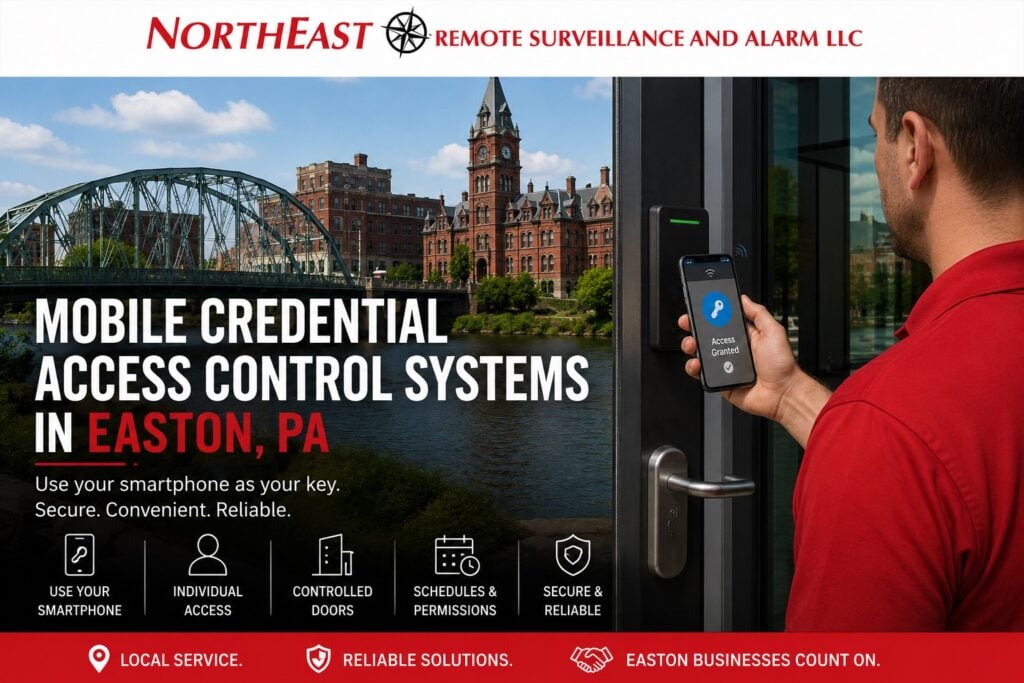
Mobile credential access control systems in Easton, PA should be designed around authorized smartphone entry, individual user enrollment, secure mobile credential assignment, door permissions, schedules, lost-device response, employee changes, and dependable day-to-day administration.
Northeast Remote Surveillance and Alarm, LLC designs and installs commercial mobile credential access control systems in Easton, Pennsylvania for qualifying offices, warehouses, manufacturing facilities, healthcare properties, contractor operations, industrial buildings, multi-tenant properties, and other non-residential environments.
This page focuses specifically on mobile-device credentials used for commercial access control in Easton, including smartphone enrollment, user assignment, supported readers, mobile credential removal, permission management, and ongoing administration.
For broader Easton access-control planning, visit Commercial Access Control Systems in Easton, PA.

Mobile Access Built Around Individual Users
Mobile credentials allow a compatible smartphone or other supported mobile device to function as an electronic access credential.
Each mobile credential can typically be assigned to an individual user and associated with:
- Approved doors
- Specific buildings
- Work schedules
- Departments
- Restricted areas
- Management roles
- Temporary assignments
This allows businesses to manage access around individual users rather than relying entirely on shared keys, common codes, or physical credentials.
Employee Mobile Credentials
Commercial organizations may issue mobile credentials to:
- Employees
- Managers
- Supervisors
- Maintenance personnel
- Contractors
- Temporary staff
- Property managers
- Approved vendors
Each credential should be associated with the correct user.
When an employee changes roles or leaves the organization, access can be changed or removed without affecting other users.
Smartphone Enrollment
Mobile credential enrollment should follow a clear administrative process.
This may include:
- Creating the user
- Sending or assigning the mobile credential
- Registering the approved device
- Assigning door permissions
- Applying access schedules
- Confirming credential operation
The credential should be issued only after the user’s identity, role, and required access are understood.
Compatible Readers
Mobile credentials require readers and access-control platforms that support the selected mobile technology.
Reader planning may need to consider:
- Existing access-control platform
- Existing readers
- Mobile credential compatibility
- Interior or exterior use
- Reader location
- Environmental conditions
- Future credential plans
- Existing physical cards or fobs
The reader and credential platform should be selected to work together reliably.
Mobile Credential Permissions
Not every mobile credential should open every controlled door.
Permissions may be organized according to:
- Individual employee
- Department
- Job responsibility
- Door
- Building
- Restricted area
- Shift
- Management role
A manager may require broader access than a regular employee.
A contractor may need one entrance and one work area for a limited period.
The user’s mobile credential should provide only the access actually required.
Access Schedules
Mobile credentials can also be limited by time when supported by the selected platform.
Schedules may reflect:
- Normal employee shifts
- Evening work
- Overnight shifts
- Weekend access
- Holiday schedules
- Contractor periods
- Temporary projects
- After-hours authorization
A mobile credential should not automatically provide unrestricted 24-hour access when the user only requires entry during defined periods.
Lost or Stolen Phones
A lost or stolen smartphone should not automatically remain an active building credential.
The organization should have a clear process for:
- Reporting the lost device
- Removing or disabling the credential
- Confirming the old device no longer has access
- Enrolling a replacement device when appropriate
- Reviewing relevant access activity if needed
Mobile credential administration should be treated with the same seriousness as physical badge administration.
New Phone Replacement
Employees may replace their phones because of:
- Device failure
- Upgrade
- Loss
- Damage
- Carrier change
- Company device replacement
The organization should understand how the selected access-control platform handles credential transfer or re-enrollment.
Old device access should be removed when the replacement credential is established.
Employee Role Changes
When an employee changes:
- Department
- Job responsibility
- Shift
- Work location
- Management status
the mobile credential may remain associated with that person while the access permissions are changed.
Existing permissions should be reviewed rather than simply adding new access.
Employee Offboarding
When employment ends, mobile access should be removed promptly.
Offboarding may include:
- Credential disablement
- Device removal
- Access-level removal
- Schedule removal
- Administrator review
- Review of inactive users
The user should not retain building access simply because the organization no longer has possession of the employee’s personal phone.
Temporary Mobile Credentials
Mobile credentials may be useful for approved temporary users such as:
- Contractors
- Temporary employees
- Service technicians
- Cleaning personnel
- Short-term project personnel
Compatible systems may support:
- Limited doors
- Defined schedules
- Temporary permissions
- Expiration dates where supported
Temporary access should be reviewed and removed when the assignment ends.
Employee-Owned vs. Company-Owned Devices
Organizations may use mobile credentials on:
- Employee-owned smartphones
- Company-issued smartphones
- A combination of both
Planning should establish:
- Who is responsible for enrollment
- What happens when a phone changes
- How lost devices are handled
- How credentials are removed
- Which users are eligible for mobile access
- Whether physical credentials remain available
The mobile credential process should match the organization’s administrative practices.
Mobile Credentials and Physical Cards
Some organizations may use mobile credentials alongside physical cards or key fobs.
This may be useful when:
- Some employees prefer physical credentials
- Certain users do not carry compatible phones
- A transition to mobile access is being phased in
- Backup physical credentials are required
- Different user groups have different needs
When the primary requirement is physical cards and key fobs, visit Keycard & Key Fob Access Control Systems in Easton, PA.
User Administration
Mobile credential systems should make it clear who is responsible for:
- Adding users
- Removing users
- Sending credentials
- Assigning permissions
- Changing schedules
- Replacing devices
- Reviewing inactive users
- Protecting administrator accounts
Clear administration becomes especially important as the number of users grows.
Mobile Credential Activity Records
Compatible systems may record activity associated with mobile credential use.
Authorized administrators may be able to review:
- Access granted
- Access denied
- User identity
- Controlled door
- Time of access
- Schedule-related events
These records can help management understand how individual mobile credentials are being used.
They do not establish everything that physically occurred at the opening and do not replace broader incident investigation.
Existing Mobile Credential Systems
Some Easton businesses already use mobile access but may be dealing with:
- Employees who cannot enroll
- Lost phones
- Old devices still associated with users
- Incorrect permissions
- Reader compatibility problems
- Poor user records
- Former employees remaining active
- Unsupported readers
- Platform limitations
When the primary requirement becomes broader modernization, migration, takeover, or system-wide access-control changes, visit Easton Access Control System Upgrades.
Mobile Credential Troubleshooting
A mobile credential may fail because of:
- Enrollment issues
- User permissions
- Access schedules
- Reader compatibility
- Device replacement
- Communication problems
- Account configuration
- Reader or controller faults
When the existing system is fundamentally appropriate but a specific mobile-access fault needs diagnosis and repair, visit Access Control Maintenance & Repair in Easton, PA.
Mobile Credentials vs. Shared Door Codes
Shared door codes can become difficult to manage when:
- Employees leave
- Codes are shared
- Contractors retain access
- Too many users know the same PIN
- After-hours access changes
Individual mobile credentials provide cleaner administration because one person’s access can be changed without affecting every other user.
Mobile Credentials vs. Keycards and Key Fobs
These are separate credential approaches.
Mobile Credential Access Control focuses on:
- Smartphone-based entry
- Mobile credential enrollment
- Device replacement
- Lost-phone response
- Mobile-user permissions
- Mobile credential removal
Keycard & Key Fob Access Control focuses on:
- Physical cards
- Physical fobs
- Credential readers
- Lost-card management
- Physical credential replacement
Both may be used within the same commercial access-control environment when supported by the selected system.
Mobile Credential Access Control in Easton and Northampton County
NERSA supports qualifying commercial and industrial properties throughout Easton, Palmer Township, Forks Township, Wilson, West Easton, Williams Township, the Route 33 corridor, I-78, and surrounding Northampton County business and industrial areas.
Properties may include:
- Offices
- Warehouses
- Manufacturing facilities
- Healthcare properties
- Industrial buildings
- Contractor facilities
- Multi-tenant properties
- Commercial campuses
The credential approach should reflect the actual workforce, controlled doors, schedules, mobile-device policies, and administrative requirements of the property.
Frequently Asked Questions
What is a mobile access credential?
A mobile access credential allows a compatible smartphone or other supported mobile device to function as an electronic credential at approved access-control readers.
Can employees use their phones instead of cards?
Yes, when the selected access-control platform and readers support mobile credentials.
Can different employees have different mobile access permissions?
Yes. Compatible systems can assign permissions according to user, department, door, building, schedule, or job responsibility.
Can mobile access be limited by schedule?
Yes. Compatible systems can restrict mobile credentials to approved access periods.
What happens if an employee loses a phone?
The mobile credential should be removed or disabled through the access-control administration process, and a replacement credential can be enrolled when appropriate.
Can a credential be moved to a new phone?
Often, yes, but the exact process depends on the selected platform and credential technology.
Can contractors receive temporary mobile credentials?
Yes. Compatible systems may allow temporary users to receive limited permissions and schedules.
Can mobile credentials work alongside keycards and key fobs?
Yes. Many compatible systems can support both physical and mobile credentials.
Can existing readers support mobile credentials?
Sometimes. Existing readers should be evaluated for technology, compatibility, condition, and platform support.
Is this page for repairing mobile credential problems?
No. This page focuses on mobile credential access as a service and credential method. Specific faults in an existing system belong to the dedicated maintenance and repair service.
Is this page for full access-control system upgrades?
No. Broader modernization, migration, takeover, and system-wide changes belong to the dedicated Easton Access Control System Upgrades service.
Request an Easton Mobile Credential Access Control Assessment
If your Easton commercial or industrial property needs smartphone-based employee access, mobile credential enrollment, individual user permissions, better lost-device management, temporary mobile access, or a transition away from shared keys and common door codes, Northeast Remote Surveillance and Alarm, LLC can evaluate the property and discuss an appropriate mobile credential approach.
Request a Security Assessment or call 1-888-344-3846.