
Remote video monitoring upgrades in Reading, PA can transform an existing camera system from a passive recording platform into a more active after-hours security tool.

Request a remote video monitoring upgrade assessment
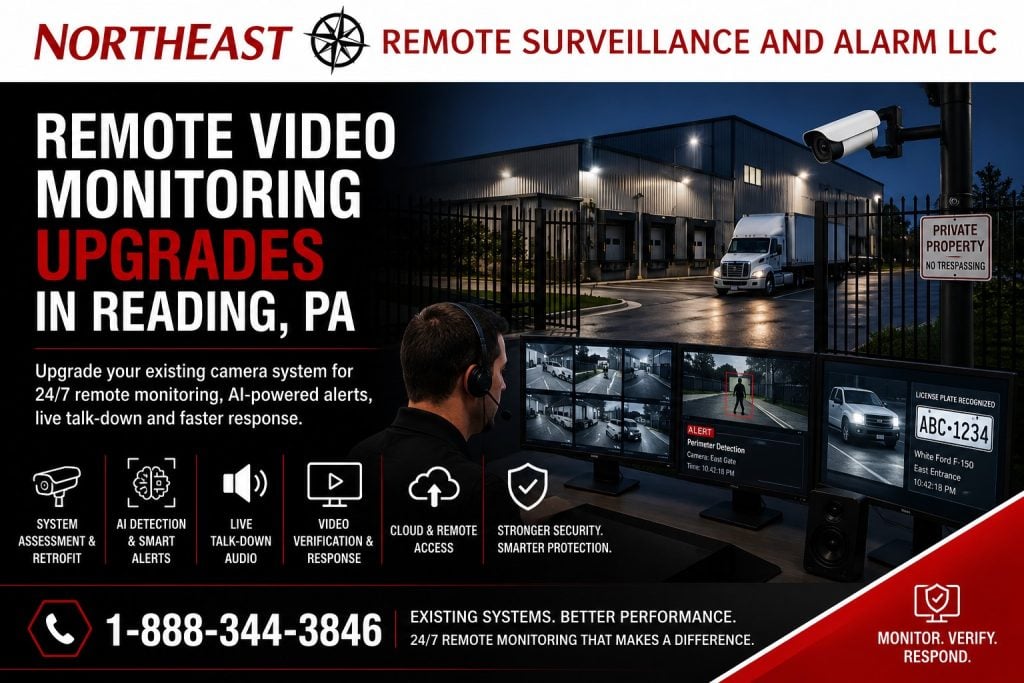
NERSA evaluates, upgrades, integrates and supports commercial video systems throughout Reading and Berks County. We serve warehouses, manufacturers, distribution centers, contractor yards and truck or trailer properties. Other sites include parking lots, campuses, municipal and industrial facilities, vacant buildings and managed business properties.
An upgrade may reposition cameras, improve exterior views or improve nighttime images. It may add supported AI event detection, correct network faults or update the recorder or video-management platform. Outdoor speakers and site-specific monitoring and escalation procedures may also be included.
The objective is not to monitor every camera or react to every movement. It is to identify the areas, schedules, and event conditions where trained review and a defined response can provide practical value.
For complete Reading modernization planning, begin with Reading commercial security system upgrades, retrofits, and takeovers.
Call 1-888-344-3846 to schedule a remote video monitoring upgrade assessment in Reading, PA.
For the parent camera-system planning and installation scope, use the Reading commercial video surveillance guide.
The information below remains focused on this page’s specific application.
Upgrading From Passive Recording to Active Event Response
Many commercial camera systems were designed primarily to record video for later review.
When an incident occurs, management logs into the system, searches the recording, exports the footage, and determines what happened after the property has already been entered, damaged, or disturbed.
Remote video monitoring adds an active review process.
Depending on the selected equipment, service, property, and approved response plan, a monitored event may involve:
- A person, vehicle, perimeter, line-crossing, loitering, or other defined event is detected.
- The event is sent for review during the approved monitoring schedule.
- An operator reviews the available camera views.
- The activity is classified according to the property’s instructions.
- A live audio warning may be issued where talk-down equipment is installed and appropriate.
- A responsible contact, guard service, patrol provider, or public-safety agency may be notified according to the approved escalation procedure.
- The event and actions taken may be documented.
Remote monitoring does not guarantee that every incident will be detected, prevented, or resolved. Performance depends on the camera views, lighting, detection configuration, network reliability, monitoring schedule, response instructions, environmental conditions, and the activity visible to the system.
Remote Viewing and Remote Video Monitoring Are Different
Remote viewing allows an owner, manager, or other authorized user to open an application and look at live or recorded cameras.
The user must decide when to log in and which camera to watch.
Remote video monitoring adds a structured alert, review, and response process for selected events. Cameras, analytics, alarm inputs, schedules, and site instructions are configured so qualifying activity can be reviewed without requiring the property owner to watch the system continuously.
A business may have dependable mobile camera access and still have no active monitoring service.
A remote video monitoring upgrade should therefore establish:
- Which cameras are monitored
- When monitoring is active
- What activity generates an event
- Which events require operator review
- Whether live audio intervention is permitted
- Who should be contacted
- When escalation is appropriate
- How routine employees, contractors, deliveries, and authorized vehicles are handled
- How events are documented
- Who is responsible for maintaining instructions and contact lists
NERSA does not treat remote viewing, recorded video, alarm monitoring, and remote video monitoring as interchangeable services.
Signs an Existing Camera System May Need an Upgrade
An existing camera system may record video successfully while remaining unsuitable for active monitoring.
Common problems include:
- Important exterior areas are not visible
- Cameras are mounted too high or too far away
- Nighttime images lack usable detail
- Headlights or building lights overwhelm the image
- Trees, trailers, equipment, or stored materials block the view
- Cameras regularly disconnect
- The network is unstable
- The recorder frequently requires restarting
- Remote access is unreliable
- The system cannot distinguish people from ordinary environmental motion
- Rain, insects, shadows, headlights, or vegetation generate excessive alerts
- Camera names do not identify the actual location
- The date and time are inaccurate
- Administrator passwords are missing
- The existing provider controls the cloud account
- Software or firmware is no longer supported
- The recorder has insufficient capacity
- There is no speaker coverage for live talk-down
- The business has no documented monitoring response procedure
- Existing cameras cannot integrate with the required monitoring platform
The correct upgrade depends on the cause of the problem. The solution may be reconfiguration, camera repositioning, selective replacement, improved lighting, infrastructure repair, new analytics, recorder modernization, monitoring integration, or a phased combination of improvements.
Existing Camera and Recorder Assessment
NERSA begins by evaluating what the property already has.
The assessment may include:
- Camera manufacturer and model
- Camera resolution and lens
- Image quality during the day and at night
- Camera mounting position
- Field of view
- Available analytics
- Recording platform
- Software version
- Manufacturer support
- Existing licenses
- Video retention
- Remote-access method
- Administrator ownership
- Network addressing
- PoE switching
- Fiber or wireless links
- Internet reliability
- Power and battery backup
- Camera names
- System time
- Existing speakers
- Alarm and access-control integrations
- Monitoring account information
- Available system documentation
Existing equipment is not automatically discarded.
Cameras, recorders, servers, switches, fiber, cabling, poles, enclosures, speakers, and network pathways may remain when they are reliable, secure, compatible, supportable, properly installed, and suitable for the required monitoring result.
Equipment may require replacement when it is proprietary, locked, unsupported, unstable, damaged, insecure, poorly positioned, unable to produce useful nighttime images, or incompatible with the selected monitoring workflow.
Selecting the Areas That Need Active Monitoring
Not every camera should automatically be connected to active monitoring.
Interior cameras covering normal employee activity may produce little monitoring value during operating hours. An exterior camera covering a fenced equipment yard after closing may be a much stronger candidate.
Reading-area applications may include:
- Loading docks
- Shipping and receiving entrances
- Truck courts
- Trailer parking areas
- Employee parking lots
- Visitor parking
- Contractor and equipment yards
- Vehicle gates
- Fence lines
- Exterior storage
- Fuel areas
- Rear entrances
- Side doors
- Roof-access points
- Detached buildings
- Remote areas of larger properties
- Vacant or partially occupied buildings
- Construction or renovation areas
- Properties experiencing repeated trespassing
- Areas containing vehicles, tools, materials, or outdoor inventory
The monitored scope should be built around a defined risk and response objective.
A camera should not be included merely because it exists.
Improving Camera Placement for Monitoring
Camera placement becomes especially important when analytics and operators must interpret an event.
A camera may be suitable for general recorded surveillance while remaining poorly positioned for monitored detection.
Upgrade planning should consider:
- The location where a person or vehicle first becomes visible
- The direction of travel
- Expected identification distance
- Camera height
- Camera angle
- Lens selection
- Fence lines and perimeter boundaries
- Trees and vegetation
- Parked trailers and vehicles
- Outdoor storage
- Seasonal obstructions
- Exterior lighting
- Headlight glare
- Shadows
- Rain, fog, and snow
- Insects near infrared illumination
- Areas where employees legitimately work after hours
A camera mounted too high may show general activity without providing useful detail. A camera positioned behind a tree or frequently parked trailer may lose the event before an operator can understand what is happening.
NERSA evaluates the complete view rather than relying on the camera’s resolution alone.
Nighttime Imaging and Exterior Lighting
Remote video monitoring frequently operates when exterior lighting is limited.
An existing daytime camera view may become ineffective after dark because of:
- Insufficient illumination
- Strong backlighting
- Bright wall-mounted fixtures
- Vehicle headlights
- Infrared reflection
- Wet pavement
- Deep shadows
- Excessive distance
- Motion blur
- Poor exposure settings
- Dirty or damaged camera covers
The upgrade may require a different camera, improved positioning, supplemental lighting, corrected exposure settings, additional views, or a combination of changes.
Lighting should support the security objective without creating unnecessary glare or leaving important activity hidden in shadow.
The completed system should be tested during the hours when monitoring will actually occur.
AI Analytics and Event Detection
AI-supported analytics can help identify people, vehicles, line crossings, loitering, perimeter activity, and other defined conditions.
Analytics are used to narrow the amount of activity sent for review. They do not eliminate the need for proper camera placement, lighting, monitoring instructions, or operator judgment.
An upgrade may involve:
- Adding cameras with supported onboard analytics
- Updating camera firmware
- Replacing selected legacy cameras
- Adding compatible server-based analytics
- Creating detection zones
- Establishing line-crossing rules
- Separating person and vehicle events
- Applying after-hours schedules
- Excluding public roads or neighboring properties
- Adjusting object size and dwell time
- Testing detection under actual site conditions
The system should focus on meaningful events without creating constant alerts for normal environmental movement.
Reducing Nuisance and Unnecessary Alerts
A poorly configured monitoring system can generate excessive events from rain, snow, insects, headlights, animals, trees, shadows, deliveries, employees, or passing traffic.
Excessive alert volume can increase cost, delay meaningful review, and make the system difficult to manage.
Alert reduction may involve:
- Repositioning cameras
- Tightening detection zones
- Excluding public sidewalks or roadways
- Adjusting object-size thresholds
- Modifying dwell times
- Separating people from vehicles
- Applying entrance-specific schedules
- Coordinating employee and contractor activity
- Improving lighting
- Cleaning or servicing cameras
- Eliminating unstable video
- Correcting time schedules
- Creating different rules for weekdays, weekends, and holidays
The goal is not to eliminate every alert. It is to send events that have enough context and importance to justify review.
Monitoring Schedules Built Around the Property
A warehouse, manufacturing plant, office, contractor yard, and multi-tenant building do not follow the same operating schedule.
Monitoring may be required:
- After the facility closes
- Overnight
- On weekends
- During holidays
- Around specific exterior areas
- During low-staffed shifts
- When selected alarm partitions are armed
- When a building is vacant
- During temporary construction
- During seasonal shutdowns
- Around high-value deliveries or stored equipment
The monitoring schedule must account for legitimate employees, cleaners, drivers, contractors, maintenance personnel, snow removal, landscaping, and other authorized activity.
If a site has frequent legitimate after-hours movement, the system may require separate zones, schedules, verification methods, or call procedures.
Live Talk-Down Speaker Upgrades
Live talk-down allows an authorized monitoring operator to issue an audio warning through speakers installed at the property.
A warning may notify a person that the property is closed, the area is restricted, the activity has been observed, or further response may follow according to the site’s approved procedure.
A talk-down upgrade may require:
- Outdoor-rated speakers
- Amplification
- Network audio equipment
- Power and cabling
- Weather-resistant enclosures
- Appropriate speaker placement
- Audio-zone planning
- Monitoring-platform integration
- Network configuration
- Volume testing
- Message and response procedures
The speaker must be understandable within the intended area without creating unnecessary disturbance beyond the property.
A speaker installed beside one loading dock may not provide adequate coverage across a large trailer yard. Audio planning should consider distance, buildings, traffic noise, machinery, weather, and neighboring properties.
Live talk-down is one response option. It is not appropriate for every property or every event.
Alarm Verification and Security-System Integration
Remote video monitoring may be coordinated with compatible intrusion alarms, access control, gate systems, perimeter detection, intercoms, and other approved security events.
Useful integrations may include:
- Video associated with an intrusion alarm
- Camera views connected with a forced-door event
- Video review following a gate alarm
- Monitoring triggered by perimeter detection
- Cameras associated with access-denied activity
- Video review of a door-held-open condition
- Intercom and gate activity connected with recorded video
- Exterior events linked with live talk-down
- Centralized review across several buildings
Integration should solve a defined operational problem.
Connecting every possible event can create unnecessary complexity and alert volume. The design should identify which signals require video, which cameras provide useful context, and what action should follow.
Network and Communication Upgrades
Active monitoring depends on reliable communication.
A system may require corrections to:
- Internet connectivity
- Network switches
- PoE capacity
- Fiber links
- Point-to-point wireless bridges
- Cellular backup
- Router or firewall configuration
- Network segmentation
- Remote-access permissions
- Bandwidth allocation
- Device addressing
- Domain name or cloud connectivity
- Time synchronization
- UPS and battery support
- Surge protection
- Equipment racks and enclosures
A camera that repeatedly disconnects cannot provide dependable event review.
A large exterior system connected through an unstable wireless path may lose footage or alerts during the incident the business needs monitored.
NERSA coordinates security equipment with the customer’s authorized information technology personnel where network approval or configuration is required.
Recorder and Video-Management Modernization
An older recorder may continue displaying cameras while lacking the features, capacity, cybersecurity, licensing, or integration required for remote monitoring.
Modernization may involve:
- Replacing an unsupported DVR or NVR
- Migrating selected analog cameras to IP
- Adding a compatible monitoring gateway
- Moving to a server-based platform
- Adding cloud-managed functionality
- Creating a hybrid local-and-cloud system
- Expanding video storage
- Improving event search
- Adding role-based user permissions
- Correcting insecure remote access
- Standardizing cameras across several buildings
- Adding system-health notifications
- Rebuilding administrator ownership
The correct architecture depends on the cameras, retention, network, available bandwidth, monitoring provider, cybersecurity requirements, number of users, and future expansion plans.
Remote Video Monitoring Takeovers
NERSA can evaluate a monitored video system installed or managed by another provider.
A takeover review may require:
- Camera and recorder access
- Administrator credentials
- Cloud-account ownership
- Existing monitoring agreements
- Monitoring-platform compatibility
- Camera licenses
- Analytics configuration
- Speaker and audio equipment
- Network permissions
- Event schedules
- Contact lists
- Escalation instructions
- Available documentation
- Current service responsibilities
Some existing equipment may be reusable.
Proprietary, locked, unsupported, undocumented, or inaccessible platforms may require partial or complete replacement. Monitoring service cannot be transferred reliably when the customer does not control the equipment, passwords, licensing, or cloud accounts needed to operate the system.
Site-Specific Monitoring and Escalation Instructions
Technology alone does not determine the correct response.
The customer and monitoring provider must establish instructions describing what should happen when an event is reviewed.
The plan may define:
- Authorized activity
- Restricted areas
- Monitoring hours
- Employee and contractor schedules
- Vehicle and delivery procedures
- Events requiring live talk-down
- Events requiring customer notification
- Events requiring guard or patrol response
- Conditions for requesting public-safety response
- Emergency contacts
- Secondary contacts
- Temporary schedule changes
- Holiday procedures
- Documentation requirements
- Procedures during a system or communication failure
Instructions should be clear enough that an operator can understand the property without relying on assumptions.
Contact names, phone numbers, access procedures, and escalation instructions should be reviewed whenever staffing, operations, tenants, schedules, or site conditions change.
Privacy and Authorized Monitoring
Remote video monitoring should be focused on legitimate commercial security needs.
The property owner should define:
- Which areas may be monitored
- Which hours apply
- Who may view live and recorded video
- Who may receive reports
- Who may export footage
- Whether audio warnings are used
- Whether audio is recorded
- How long video and event records are retained
- How employee and contractor activity is handled
- How administrator access is reviewed
- How exported evidence is protected
Cameras should not be placed in areas where surveillance would be inappropriate.
NERSA configures the technical system according to the approved scope. The customer remains responsible for its employment, privacy, audio-use, signage, records-retention, and legal policies.
Cybersecurity and Administrative Control
A remote monitoring upgrade may connect cameras, recorders, analytics, cloud platforms, speakers, mobile applications, monitoring services, and user accounts.
Security planning may include:
- Strong administrator passwords
- Multi-factor authentication where supported
- Role-based permissions
- Removal of default accounts
- Removal of former users
- Controlled remote access
- Network segmentation
- Approved firmware and software maintenance
- Encrypted communication where supported
- Device and license documentation
- Account ownership
- Backup procedures
- Accurate system time
- Monitoring of offline devices
The customer should retain its administrator credentials, cloud ownership, licensing records, device information, monitoring account details, and final documentation.
Phased Remote Video Monitoring Upgrades
A property may not need to modernize every camera at one time.
A phased project may begin with:
- The highest-risk exterior area
- Critical nighttime camera corrections
- One loading dock, gate, or yard
- Analytics and event detection
- Monitoring integration
- Live talk-down speakers
- Additional exterior zones
- Recorder or server modernization
- Network and fiber corrections
- Multi-building or multi-site expansion
The first phase should provide a reliable foundation for future additions.
Equipment should be selected with the expected number of cameras, alert volume, monitoring hours, network capacity, licensing, storage, user permissions, and future properties in mind.
Remote Video Monitoring Upgrade Assessment
NERSA begins with the existing property and system rather than a predetermined monitoring package.
The assessment may include:
- Reviewing the business’s after-hours concerns
- Identifying areas where active review may provide value
- Inspecting existing cameras and recording equipment
- Reviewing daytime and nighttime image quality
- Checking analytics and integration capabilities
- Inspecting speakers and audio coverage
- Evaluating network, power, fiber, and wireless infrastructure
- Reviewing remote access and administrator ownership
- Establishing monitoring schedules
- Identifying routine authorized activity
- Defining event and escalation requirements
- Separating reusable equipment from required replacements
- Developing immediate and future upgrade phases
- Testing the completed monitoring workflow
- Training authorized customer administrators
The result should identify what can remain, what must change, which cameras will be monitored, how events will be generated, and what response process will apply.
Commercial Properties NERSA Supports
NERSA provides remote video monitoring upgrades for:
- Warehouses
- Distribution centers
- Manufacturing plants
- Food-processing facilities
- Cold-storage properties
- Truck and trailer yards
- Contractor yards
- Fleet facilities
- Loading-dock operations
- Industrial parks
- Equipment-storage properties
- Employee and visitor parking areas
- Municipal facilities
- Utility properties
- Commercial campuses
- Vacant commercial buildings
- Multi-building properties
- Multi-site organizations
NERSA focuses on commercial, industrial, municipal, institutional, and other business and professionally managed properties.
Why Reading Businesses Choose NERSA
Northeast Remote Surveillance and Alarm, LLC has provided commercial security and low-voltage services since 2008.
Our remote video monitoring upgrade capabilities include:
- Existing-system assessments
- Camera repositioning
- Selective camera replacement
- Recorder and video-management upgrades
- AI-supported video analytics
- Monitoring integration
- Live talk-down speakers
- Alarm verification
- Exterior lighting coordination
- Network and fiber upgrades
- Wireless-bridge corrections
- Multi-building monitoring
- Provider takeovers
- Phased modernization
- User training
- System documentation
- Long-term commercial support
NERSA supports smaller commercial properties with several monitored cameras as well as warehouses, industrial facilities, campuses, yards, and enterprise organizations with multiple buildings, zones, and locations.
Reading and Berks County Service Area
NERSA upgrades remote video monitoring systems for commercial and industrial properties in Reading and surrounding Berks County communities.
Project availability depends on the property, existing equipment, monitoring requirements, network condition, upgrade scope, service schedule, and required response process.
Frequently Asked Questions About Remote Video Monitoring Upgrades
What is a remote video monitoring upgrade?
A remote video monitoring upgrade modifies an existing camera system so selected cameras and events can support active monitoring, operator review, video verification, escalation, and optional live audio intervention.
Is remote video monitoring different from watching cameras on a phone?
Yes. Watching cameras on a phone is remote viewing. Remote video monitoring adds event detection, an approved monitoring schedule, operator review, and a defined response procedure.
Can NERSA use our existing cameras?
Sometimes. Existing cameras may remain when they provide suitable views, dependable nighttime imaging, stable communication, supported software, secure access, and compatibility with the required monitoring platform.
Does every camera need to be monitored?
No. Monitoring should focus on the cameras, schedules, and event conditions where operator review provides practical value. Other cameras may continue recording for incident review.
Can remote video monitoring work with an older analog camera system?
Possibly. The cameras, DVR, image quality, remote connectivity, integration options, and available monitoring technology must be evaluated. A phased analog-to-IP upgrade may be more practical in some facilities.
Can monitored video reduce unnecessary alarm dispatches?
Video can provide additional information about an alarm or detected event before escalation. Actual handling depends on the system, available camera views, monitoring procedure, event type, and approved instructions.
Can an operator speak to someone at the property?
Yes, when compatible live talk-down speakers, communication equipment, monitoring service, and approved procedures are included.
Does live talk-down require special speakers?
Usually. The site may require outdoor-rated speakers, amplification, network audio equipment, power, cabling, monitoring integration, and coverage testing.
Can remote monitoring cover loading docks and trailer yards?
Yes. Loading docks, truck courts, trailer areas, gates, yards, fence lines, and exterior storage are common candidates when camera views, lighting, analytics, network communication, and response procedures are suitable.
Can the system monitor only after business hours?
Yes. Monitoring schedules can be configured around nights, weekends, holidays, shutdowns, or other approved periods.
How are employees or authorized contractors prevented from generating alerts?
Schedules, detection zones, access-control integration, site procedures, employee activity windows, temporary instructions, and operator information can help distinguish routine authorized activity. The correct method depends on the facility.
Can NERSA take over monitoring installed by another company?
Often, yes. NERSA must first evaluate the cameras, recorder, licenses, cloud ownership, passwords, analytics, speakers, network, monitoring agreement, and system condition.
What happens if the internet connection fails?
Operation depends on the system architecture. Local recording may continue while remote monitoring or alerts are interrupted. Backup communication, outage notifications, cellular connectivity, or other options may be considered according to the property’s requirements.
Is remote video monitoring guaranteed to prevent theft or trespassing?
No. Remote monitoring can improve detection, verification, deterrence, response information, and incident documentation, but no security system can guarantee prevention of every event.
Can a small business use remote video monitoring?
Yes. A smaller commercial property may monitor several high-priority exterior cameras, while a larger warehouse or industrial site may require multiple zones, speakers, integrations, and monitoring schedules.
Schedule a Remote Video Monitoring Upgrade Assessment in Reading, PA
An effective monitored-video upgrade should provide useful camera views, dependable event detection, stable communication, practical operator instructions, and a clear response when meaningful after-hours activity occurs.
Northeast Remote Surveillance and Alarm, LLC can evaluate your existing cameras, recorder, analytics, lighting, speakers, network, remote access, monitoring procedures, contact lists, and exterior risk areas before recommending an upgrade.
For broader installation and upgrade planning, return to the Greater Reading commercial security guide.
This page focuses on upgrading existing remote video monitoring.
Request a remote video monitoring upgrade assessment.
For complete active-video planning, visit remote video monitoring and live talk-down.
Compliance, Codes & Project Standards
NERSA plans commercial and industrial security work with applicable code, documentation, inspection and authority-having-jurisdiction requirements in mind. Requirements vary by system, property and jurisdiction. These resources support project planning; they do not establish legal compliance, certification or AHJ approval.
Related guidance: Regulatory compliance & inspection readiness · NERSA project standards · Documentation, testing & inspection readiness