
Reading security camera system upgrades and retrofits help commercial properties improve an aging, inherited, unsupported, poorly documented, or underperforming surveillance system without automatically replacing every camera, cable, switch, recorder, and workstation.

Request a commercial camera-system assessment
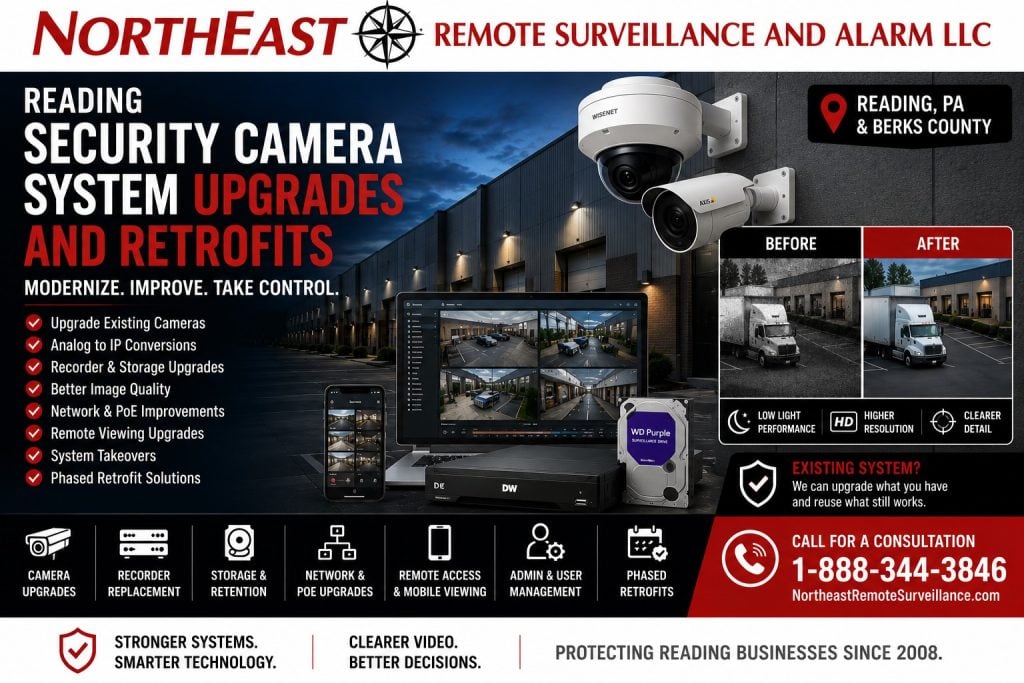
NERSA evaluates and modernizes existing video systems throughout Reading and Berks County. We serve warehouses, manufacturers, distribution facilities, offices, schools and healthcare properties. Other sites include municipal and industrial buildings, contractor yards and multi-building commercial properties.
A retrofit may replace cameras, move analog video to IP or update the recorder and storage. It may also improve remote access and cybersecurity, reuse sound infrastructure or restore administrative control. The work can proceed in planned phases.
For complete local security planning involving cameras, access control, alarms, monitoring, intercoms, gates, and infrastructure, visit our commercial security system installation page for Reading, PA.
If the project involves installing or replacing commercial cameras, review Reading commercial video surveillance installation.
Call 1-888-344-3846 to schedule a commercial camera-system retrofit assessment.
Modernize the Existing Camera System Without Starting Over Automatically
A properly planned retrofit separates equipment that still provides value from components that limit image quality, recording reliability, cybersecurity, administration, or future expansion.
An existing surveillance system may contain a mixture of:
- Serviceable camera cabling
- Functional camera housings and mounts
- Aging analog cameras
- Newer IP cameras
- Unsupported DVRs or NVRs
- Insufficient recording storage
- Overloaded PoE switches
- Unstable remote access
- Missing administrator credentials
- Unlabeled network connections
- Cameras with unusable nighttime images
- Different manufacturers installed over several years
- Obsolete software
- Unsupported mobile applications
- Poorly aimed cameras
- Weak password and user-management practices
- Damaged outdoor connections
- Cameras recording at the wrong resolution or frame rate
The correct solution may be a focused upgrade, hybrid retrofit, recorder migration, phased conversion, or complete replacement depending on the existing equipment and the property’s current objectives.
When a Commercial Camera System Needs an Upgrade
A commercial surveillance system should be evaluated when it no longer produces dependable, searchable, secure, or operationally useful video.
Common signs include:
- Recorded faces cannot be distinguished at important entrances.
- Vehicle details are unreadable at required observation points.
- Nighttime images are dark, washed out, or overwhelmed by infrared reflection.
- The recorder regularly loses cameras or stops recording.
- Video cannot be exported efficiently after an incident.
- Storage duration is shorter than the organization expects.
- Cameras use unsupported software or firmware.
- Remote viewing depends on an obsolete application.
- The business cannot recover administrator access.
- Former employees or vendors retain system accounts.
- The existing DVR depends on failing hard drives.
- Cameras are aimed at areas that no longer match current operations.
- New shelving, equipment, walls, or landscaping block existing views.
- The network lacks sufficient PoE capacity.
- Time and date information differs among cameras and recorders.
- Existing cameras cannot support required integrations or analytics.
- The system contains undocumented equipment from multiple providers.
- Replacement parts are unavailable or impractical to obtain.
- Video retrieval requires a service call for routine incidents.
A camera-system assessment should identify the cause of each limitation rather than assuming that higher-resolution cameras alone will solve every problem.
Upgrade, Repair, Expansion, or Complete Replacement?
The first step is to determine whether the system needs a focused repair, an expansion, a phased upgrade, or complete replacement.
Camera-System Repair
A repair restores a failed function within an otherwise suitable system, such as correcting a damaged connector, failed power supply, bad hard drive, offline camera, or broken network connection.
Routine troubleshooting and failed-device service belong under commercial security-system maintenance and repair rather than this upgrade page.
Camera-System Expansion
An expansion adds surveillance coverage to an otherwise current and supportable system.
Adding cameras for a new loading dock, parking area, production line, office addition, or gate is a different service need from modernizing the existing installed system.
Camera-System Upgrade or Retrofit
An upgrade improves the technology, performance, management, recording, security, or serviceability of an existing system while preserving equipment and infrastructure that remain useful.
Camera upgrades should address the installed system’s limitations and the property’s current video requirements.
Complete Camera-System Replacement
Complete replacement may be appropriate when the existing platform is unsupported, unreliable, insecure, undocumented, incompatible with current requirements, or too limited to provide a practical upgrade path.
For a completely new system design, use our commercial and industrial video-surveillance systems resource.
Existing Video-Surveillance System Assessment
A dependable retrofit begins with an inventory of the cameras, recording equipment, software, network, storage, cabling, users, and operating requirements already in place.
The assessment may review:
- Camera manufacturer and model
- Camera resolution and lens
- Camera age and condition
- Indoor and outdoor ratings
- Camera mounting and field of view
- Daytime and nighttime image quality
- Analog, HD-over-coax, or IP architecture
- DVR, NVR, server, or cloud platform
- Video-management software
- Recorder channel capacity
- Storage capacity and health
- Actual recording duration
- Recording resolution and frame rate
- Motion and event settings
- PoE switches and injectors
- Network uplinks
- Fiber connections
- Wireless bridges
- Existing cabling
- Surge exposure
- Remote-viewing methods
- User accounts and permissions
- Software and firmware support
- System time synchronization
- Export procedures
- Available documentation
- Future expansion requirements
The assessment should produce a clear reuse, replacement, and migration plan rather than a proposal based only on camera quantity.
Analog-to-IP Camera-System Migration
Many commercial properties still operate analog or HD-over-coax cameras that can be modernized through a complete or phased transition to network video.
A migration may involve:
- Replacing analog cameras with IP cameras
- Replacing the DVR with an NVR or video server
- Reusing suitable coax through compatible conversion equipment
- Reusing existing category cabling
- Installing new Cat6 cabling where required
- Adding PoE switches
- Creating fiber links to remote areas
- Operating analog and IP cameras during a transition
- Converting high-priority areas before secondary locations
- Preserving recording while the new platform is commissioned
- Rebuilding remote access and user permissions
- Retiring obsolete equipment after final acceptance
An analog camera system does not always need to be removed in one step.
A hybrid migration may allow the property to address entrances, loading docks, cash-handling areas, parking lots, and other priority locations first while retaining serviceable equipment elsewhere until the next approved phase.
Existing Cabling and Infrastructure Reuse
Existing cabling may be retained when it is identified, tested, correctly routed, appropriately protected, and capable of supporting the selected equipment.
Potentially reusable infrastructure may include:
- Coaxial cable
- Cat5e, Cat6, or Cat6A cabling
- Fiber-optic backbones
- Conduit
- Junction boxes
- Camera poles
- Mounting brackets
- Equipment cabinets
- Patch panels
- Network racks
- Wireless bridge links
- Existing power pathways
- Surge-protection equipment
A cable should not be reused merely because it reaches the camera.
The assessment should consider termination quality, distance, environmental exposure, physical damage, water intrusion, available bandwidth, PoE requirements, grounding, surge exposure, and whether the pathway remains accessible for future service.
Infrastructure that creates intermittent video, voltage loss, packet loss, unstable links, or difficult maintenance should be corrected as part of the retrofit.
Commercial Camera Replacement
Replacing cameras should begin with the purpose of each view rather than selecting one resolution and installing it throughout the property.
A replacement plan may distinguish cameras intended for:
- General activity awareness
- Employee entrances
- Visitor entrances
- Loading docks
- Shipping and receiving
- Production areas
- Warehouse aisles
- Inventory rooms
- Cash-handling locations
- Parking lots
- Vehicle gates
- Trailer yards
- Perimeter areas
- Restricted rooms
- Evidence-quality incident review
Camera selection should consider:
- Required field of view
- Subject distance
- Lighting conditions
- Mounting height
- Lens requirements
- Wide dynamic range
- Low-light performance
- Infrared performance
- Environmental rating
- Vandal resistance
- Frame rate
- Bandwidth
- Storage impact
- Audio capability where appropriate
- Analytic support
- Platform compatibility
A higher megapixel count does not correct a poor viewing angle, excessive mounting height, unsuitable lens, blocked field of view, or insufficient lighting.
Low-Light and Nighttime Camera Upgrades
Nighttime performance should be tested under the conditions that actually exist after the facility closes.
A low-light retrofit may correct problems involving:
- Dark parking areas
- Headlight glare
- Reflective license plates
- Bright building entrances
- Interior lights visible through glass
- Infrared reflection from walls or soffits
- Dirty camera covers
- Insects around infrared illuminators
- Mixed indoor and outdoor lighting
- Uneven warehouse lighting
- Long exterior distances
- Moving vehicles
- Fast-moving personnel
- Poorly positioned supplemental lighting
The correct improvement may involve a different sensor, lens, camera position, infrared configuration, white-light illumination, exposure setting, frame rate, or field of view rather than simply selecting a camera with a larger resolution number.
Recorder and Video-Management-System Upgrades
The recorder or video-management platform determines how cameras are configured, recorded, searched, exported, monitored, and administered.
A recorder upgrade may address:
- Unsupported DVR or NVR hardware
- Insufficient channel capacity
- Failing storage drives
- Slow playback
- Difficult video export
- Limited user permissions
- Inadequate event search
- Unsupported mobile applications
- Weak remote-access methods
- Poor camera-health reporting
- Limited analytic support
- Missing audit records
- Inconsistent time settings
- Lack of multi-building support
- Insufficient integration options
- Operating-system or server obsolescence
The new platform should be sized around current camera requirements, storage objectives, user count, remote access, future expansion, supported integrations, and long-term serviceability.
Video Storage and Retention Improvements
Storage planning should be based on the video the organization needs to retain rather than an assumed number of days copied from another facility.
Storage requirements are influenced by:
- Camera quantity
- Resolution
- Frame rate
- Compression
- Scene activity
- Continuous or event recording
- Analytic metadata
- Audio recording
- Retention period
- Redundant storage
- Export requirements
- Future camera additions
- Cloud-upload requirements
- Evidence preservation procedures
A retrofit assessment should compare the requested retention period with the system’s actual recording behavior.
A recorder may appear to contain sufficient drive capacity while still falling short because cameras are recording at different resolutions, frame rates, compression settings, or activity levels than originally expected.
PoE Switch and Network Upgrades
An IP camera retrofit depends on switches, uplinks, fiber, wireless links, and power capacity that can support the selected cameras.
Network planning may review:
- Available switch ports
- Total PoE power budget
- Power available per port
- Camera startup requirements
- Uplink bandwidth
- Network congestion
- Fiber capacity
- Wireless-link throughput
- Switch temperature
- Rack ventilation
- Backup power
- Network segmentation
- Port labeling
- Remote-building connections
- Expansion reserve
An open switch port does not guarantee that enough PoE capacity or uplink bandwidth remains for another camera.
Security-network improvements should be coordinated with the customer’s approved information-technology provider when the surveillance equipment shares or connects with the business network.
Remote Access and Mobile Viewing Upgrades
Remote access should provide authorized personnel with practical visibility without exposing the camera system through obsolete applications, shared accounts, or poorly controlled network settings.
A remote-access upgrade may include:
- Replacing unsupported mobile applications
- Creating individual user accounts
- Removing former users
- Applying role-based permissions
- Improving authentication
- Eliminating shared administrator credentials
- Correcting remote connection settings
- Moving to a supported hosted connection
- Coordinating VPN access where required
- Restricting exported video permissions
- Documenting account recovery
- Testing remote playback
- Confirming mobile notification settings
- Removing undocumented port-forwarding arrangements
Camera systems are networked information systems and should be managed through controlled accounts, maintained firmware, protected communications, asset records, and documented access rather than being treated as isolated appliances.
NIST and CISA both emphasize inventory, access management, secure configuration, updates, and risk-based protection for connected systems. (CISA)
Camera and Recorder Compatibility
Compatibility must be verified by exact manufacturer, model, firmware, software version, supported profile, feature, codec, and licensing requirement.
A camera may provide basic video to a third-party recorder while advanced functions such as analytics, audio, edge recording, device health, motion events, configuration, dewarping, or metadata remain unavailable.
ONVIF profiles help identify defined interoperability between conformant cameras and clients, but ONVIF compatibility does not mean that every feature from every manufacturer will operate universally. (ONVIF)
ONVIF will stop accepting new Profile S product conformance submissions after March 31, 2027.
It recommends Profile T for newer video systems.
Existing Profile S systems will not stop operating because of this change.
When planning an upgrade, review login security, firmware support, and long-term compatibility.
See ONVIF’s announcement.
Video Analytics Readiness
A retrofit can prepare an existing surveillance system for compatible video analytics.
Potential capabilities may include:
- Person detection
- Vehicle detection
- Line crossing
- Intrusion-area detection
- Object appearance or disappearance
- Loitering alerts
- Directional movement
- Camera tamper alerts
- Occupancy information
- Event-based searching
- Perimeter notifications
Analytics require suitable camera placement, scene stability, lighting, processing capability, software licenses, network capacity, and realistic event rules.
A camera mounted too high, aimed too broadly, obstructed by vegetation, or exposed to uncontrolled lighting may produce poor analytic results even when the camera technically supports the feature.
Cloud, On-Premise, and Hybrid Video Retrofits
A camera-system upgrade can move toward cloud-managed, locally recorded, or hybrid video architecture depending on operational and technical requirements.
Cloud-Managed Retrofit
A cloud-managed system may simplify remote administration, multi-location access, software maintenance, and user management.
Planning should review:
- Recurring subscriptions
- Internet dependence
- Local recording capability
- Upload bandwidth
- Data retention
- Supported cameras
- Cybersecurity
- User permissions
- Video export
- Long-term platform ownership
- Migration options
On-Premise Retrofit
An on-premise system may suit organizations that require local recording, internal servers, high camera counts, extensive local retention, restricted networks, or specialized integrations.
The customer should plan for server maintenance, software updates, backups, operating-system support, storage replacement, cybersecurity, and controlled remote access.
Hybrid Retrofit
A hybrid system may combine local recording with cloud administration, selected cloud storage, remote health monitoring, or centralized multi-location access.
Hybrid architecture can also support phased migration when the entire property cannot be converted during one project.
Existing Camera-System Takeovers
A system installed by another provider can often be evaluated for an authorized takeover when ownership, credentials, equipment, licensing, and compatibility can be confirmed.
Takeover work may include:
- Identifying installed equipment
- Recovering customer-authorized administrator access
- Reviewing software licensing
- Removing former vendor accounts
- Creating customer-controlled accounts
- Testing every active camera
- Confirming recording
- Checking storage health
- Reviewing remote access
- Correcting camera names
- Documenting recorder and switch locations
- Verifying time synchronization
- Reviewing network connections
- Testing exports
- Identifying unsupported components
- Establishing a practical service path
NERSA will not bypass ownership protections or access a surveillance system without customer authorization.
When legitimate credentials cannot be recovered, the project may require manufacturer-supported reset procedures, recorder replacement, camera reinitialization, or database reconstruction.
Phased Camera-System Retrofits
A phased retrofit allows a property to address the most important coverage, recording, infrastructure, and support risks first.
A practical sequence may include:
- Recovering administrative control.
- Inventorying cameras, recorders, storage, switches, and cabling.
- Correcting active recording failures.
- Replacing unsupported recorder equipment.
- Stabilizing network and PoE infrastructure.
- Upgrading critical entrances and incident-review locations.
- Improving low-light exterior coverage.
- Migrating remaining analog cameras.
- Adding approved analytics or integrations.
- Removing abandoned equipment.
- Completing labeling and documentation.
- Establishing future replacement priorities.
Each phase should leave the affected system functional and understandable rather than creating a prolonged period of mixed equipment with unclear ownership or recording responsibility.
Maintaining Recording During the Cutover
A commercial retrofit should minimize unnecessary gaps in recording while cameras, recorders, networks, and user accounts are migrated.
Cutover planning may address:
- Existing recording availability
- Temporary recording
- Camera-by-camera migration
- Recorder replacement sequence
- Network changes
- Building operating hours
- Loading and delivery schedules
- IT availability
- User-account conversion
- Remote access
- Evidence export
- System rollback
- Customer communication
- Final acceptance testing
The existing system should not be removed simply because replacement equipment has arrived at the facility.
Integration With Access Control and Intrusion Alarms
Compatible systems can connect camera video with door activity, alarm events, gates, intercoms, and monitoring.
Potential retrofit functions include:
- Displaying video after a forced-door event
- Associating video with a credential transaction
- Reviewing video around an intrusion alarm
- Recording intercom-controlled visitor entry
- Connecting gate activity with overview cameras
- Creating event bookmarks
- Sending selected camera events for verification
- Coordinating timestamps among systems
- Supporting a clearer incident timeline
Integration capability must be confirmed for the exact camera, recorder, access-control, alarm, intercom, software, and licensing combination included in the project.
Warehouse and Distribution Camera Retrofits
Warehouse retrofits should improve visibility around doors, docks, inventory, aisles, shipping operations, employee entrances, and vehicle movement.
Potential priorities include:
- Loading-dock cameras
- Overhead-door views
- Shipping-office entrances
- Warehouse aisles
- Inventory cages
- Employee entrances
- Forklift routes
- Trailer parking
- Truck gates
- Yard approaches
- Remote network cabinets
- Fiber-fed camera groups
- Low-light exterior coverage
- Recording retention
The retrofit should account for high ceilings, changing rack layouts, long cable distances, moving equipment, dock lighting, and the need to retrieve video quickly after an incident.
Manufacturing and Industrial Camera Retrofits
Industrial camera upgrades should be designed around production activity, machinery, restricted processes, materials, maintenance work, and environmental conditions.
Potential applications include:
- Production floors
- Tool cribs
- Quality-control areas
- Shipping and receiving
- Material storage
- Maintenance departments
- Employee entrances
- Contractor entrances
- Utility spaces
- Exterior gates
- Multiple buildings
- High-noise or high-vibration areas
- Dusty or temperature-variable environments
Camera placement and equipment should support incident review without interfering with production or creating difficult-to-service installations above operating machinery.
Office and Multi-Tenant Camera Retrofits
Office camera upgrades should support entrances, common areas, parking, visitor activity, server rooms, and building-management responsibilities while respecting tenant separation and privacy.
A retrofit may improve:
- Main lobby coverage
- Employee entrances
- Visitor entrances
- Parking areas
- Loading or service entrances
- Elevator lobbies
- Shared corridors
- Server-room entrances
- Management areas
- After-hours event review
- Tenant-specific permissions
- Remote property-management access
Users should receive access only to the locations and camera views required for their responsibilities.
Schools, Healthcare, and Municipal Camera Retrofits
Institutional camera upgrades require careful planning around public access, employee safety, privacy, emergency procedures, retention, and administrator permissions.
Potential areas include:
- Secure-entry vestibules
- Administrative entrances
- Staff entrances
- Public counters
- Parking areas
- Exterior doors
- Records-room entrances
- Medication-storage approaches
- Maintenance areas
- Multiple buildings
- Gate entrances
- After-hours exterior areas
The organization’s approved policies should determine who can view, export, retain, and distribute recorded video.
Our Commercial Camera-Retrofit Process
A commercial surveillance upgrade should follow a documented process from discovery through testing and customer handover.
1. Existing-System Assessment
NERSA reviews the cameras, recorders, software, storage, network, cabling, users, remote access, image quality, documentation, and operational concerns.
2. Image and Recording Review
Important camera views are reviewed during relevant daytime and nighttime conditions, and the actual recording duration and playback quality are confirmed.
3. Reuse and Replacement Plan
The assessment identifies equipment that can remain, components requiring repair, equipment that should be replaced, and areas requiring additional investigation.
4. Migration Design
The approved cameras, recording platform, storage, switches, cabling, remote access, user permissions, and cutover sequence are documented.
5. Retrofit Installation
Selected cameras, recorders, switches, storage, network links, cabling, and related components are installed or corrected.
6. Configuration and Testing
Image quality, recording, playback, export, retention, camera health, remote access, user permissions, notifications, and supported integrations are tested.
7. Customer Training
Authorized personnel receive instruction on viewing, searching, exporting, managing users, responding to system alerts, and requesting service.
8. Documentation and Handover
The customer receives the included equipment information, administrator records, camera naming, system guidance, and recommendations for future phases.
Small Commercial Systems Through Enterprise Facilities
NERSA supports commercial camera retrofits ranging from a small system with several installed cameras to multi-building facilities with extensive recording, networking, storage, and administrative requirements.
A smaller project may involve:
- Replacing an aging DVR
- Reusing existing cabling
- Upgrading several priority cameras
- Restoring remote access
- Extending recording retention
- Removing former users
A larger project may involve:
- Multiple buildings
- Analog-to-IP migration
- Hundreds of cameras
- Several recorders or servers
- Fiber backbones
- High-capacity PoE switching
- Centralized administration
- Role-based permissions
- Video analytics
- Access-control integration
- Multi-phase conversion
- Standardized documentation
The retrofit should match the current property while preserving a practical path for later cameras, storage, buildings, users, and integrations.
Why Reading Businesses Choose NERSA
NERSA approaches camera upgrades as complete commercial system-modernization projects rather than simply replacing old cameras with higher-resolution models.
Our commercial approach includes:
- Existing-system assessments
- Analog-to-IP migrations
- Hybrid camera retrofits
- Camera and recorder upgrades
- Storage and retention planning
- Existing-cabling evaluation
- PoE and network corrections
- Low-light image improvements
- Remote-access modernization
- Administrator recovery
- Video-management upgrades
- Cloud, on-premise, and hybrid planning
- System takeovers
- Phased migration
- Integration planning
- Customer-controlled accounts
- Testing and documentation
- Small-business through enterprise scalability
Northeast Remote Surveillance and Alarm, LLC has focused on commercial and industrial security systems since 2008 and does not position single-family home camera packages as commercial surveillance solutions.
Reading and Berks County Service Area
NERSA supports qualifying commercial camera-system upgrades and retrofits throughout Reading and surrounding Berks County business and industrial markets.
Coverage includes:
- Reading
- West Reading
- Wyomissing
- Shillington
- Sinking Spring
- Muhlenberg Township
- Exeter Township
- Spring Township
- Bern Township
- Fleetwood
- Kutztown
- Hamburg
- Birdsboro
- Douglassville
- Boyertown
- Surrounding Berks County communities
Services are intended for commercial, industrial, municipal, institutional, educational, healthcare, warehouse, manufacturing, and multi-building properties.
Frequently Asked Questions
What is a commercial security camera system retrofit?
A commercial camera retrofit modernizes an installed surveillance system by replacing, reusing, migrating, or reorganizing its cameras, recorders, storage, cabling, switches, software, users, and remote-access functions.
Do we need to replace every existing camera?
Not necessarily, because compatible and dependable cameras may remain in service when they continue providing the required image, recording, cybersecurity, and platform support.
Can analog cameras be upgraded to IP cameras?
Yes, analog systems can often be migrated completely or through a phased hybrid approach based on the existing cabling, recorder, camera priorities, network, and project budget.
Can existing coaxial cable be reused?
Existing coax may sometimes be reused with compatible equipment when its condition, distance, routing, connectors, grounding, and performance remain suitable for the proposed design.
Can existing Cat5e or Cat6 cabling be reused?
Existing category cabling may be retained when it is identified, tested, correctly terminated, appropriately routed, and capable of supporting the selected camera and PoE requirements.
Can NERSA replace only the recorder?
Yes, a recorder may be replaced when existing cameras remain compatible and useful, although storage, software, licensing, network, export, and remote-access requirements should also be reviewed.
Will higher-resolution cameras automatically improve identification?
No, usable detail also depends on field of view, subject distance, lens, lighting, mounting height, motion, exposure, recording settings, and image compression.
Can nighttime camera images be improved?
Yes, nighttime performance may be improved through camera selection, placement, lens choice, infrared configuration, lighting, exposure settings, and correction of reflective or obstructed conditions.
Can storage retention be increased?
Yes, retention may be extended through additional storage, improved compression, revised recording settings, recorder replacement, cloud storage, or another approved architecture.
Can NERSA take over a system installed by another company?
NERSA can evaluate an inherited system and determine whether authorized credentials, compatible equipment, licensing, documentation, and a supportable service path are available.
What happens when the administrator password is missing?
NERSA will use customer-authorized recovery and manufacturer-supported procedures, but recorder replacement, device reset, or database reconstruction may be required when legitimate recovery is unavailable.
Can existing cameras work with a different recorder brand?
Possibly, but compatibility must be confirmed by exact model, firmware, supported profile, video format, feature requirements, and licensing.
Does ONVIF mean every camera feature will work?
No, ONVIF profiles define particular interoperability functions, but analytics, audio, configuration, edge storage, health reporting, and other advanced features may remain manufacturer- or platform-specific.
Can video analytics be added during a retrofit?
Compatible cameras and software may support person, vehicle, line-crossing, intrusion-area, loitering, or other analytics when the camera views and infrastructure are appropriate.
Can the camera system remain operational during the upgrade?
Many retrofits can be phased to preserve partial or existing recording, but the exact cutover plan depends on the installed system, network, recorder, cameras, and project scope.
Can cameras be integrated with access control or intrusion alarms?
Compatible systems may associate cameras with credential transactions, forced doors, intrusion alarms, gates, intercom calls, and other defined security events.
Can NERSA retrofit a small commercial camera system?
Yes, NERSA supports focused commercial retrofits involving several important cameras when the project is appropriate for a professionally installed surveillance system.
Can NERSA retrofit a large warehouse or multi-building property?
Yes, camera retrofits can be planned for large facilities with numerous cameras, recorders, fiber links, switches, users, buildings, retention requirements, and phased migration needs.
Does NERSA install single-family home camera systems?
No. NERSA does not provide security installations for individual homes or single-family residences. We serve businesses, industrial and institutional facilities, and professionally managed apartment communities, including shared entrances, common areas, and grounds.
How much does a commercial camera-system retrofit cost?
Cost depends on the existing cameras, recorder, storage, cabling, switches, network, software, licensing, remote access, camera quantity, mounting conditions, integrations, and equipment that can be safely reused.
Schedule a Reading Camera-System Retrofit Assessment
A camera assessment can identify equipment worth retaining and cameras that no longer capture the required detail. It should also review cable reuse and recording capacity. Those findings help you choose a focused upgrade, phased work, a hybrid system, or complete migration.
Request a commercial camera-system assessment to discuss an analog-to-IP conversion, recorder replacement, camera upgrade, storage expansion, system takeover, remote-access correction, or phased commercial surveillance retrofit.
Additional NERSA Resources
- Reading Commercial Security System Upgrades, Retrofits and Takeovers connects this camera work with broader improvements to an existing property.
- Commercial Security System Inspection and Assessment explains the review of installed equipment and its current limitations.
- Commercial Security Camera Upgrades covers broader options for improving an existing video system.
Compliance, Codes & Project Standards
NERSA plans commercial and industrial security work with applicable code, documentation, inspection and authority-having-jurisdiction requirements in mind. Requirements vary by system, property and jurisdiction. These resources support project planning; they do not establish legal compliance, certification or AHJ approval.
Related guidance: Regulatory compliance & inspection readiness · Video surveillance compliance · NERSA project standards