
Cloud video surveillance recording with AI helps commercial and industrial facilities improve remote access, investigation speed, camera health visibility, multi-site management, and event review.
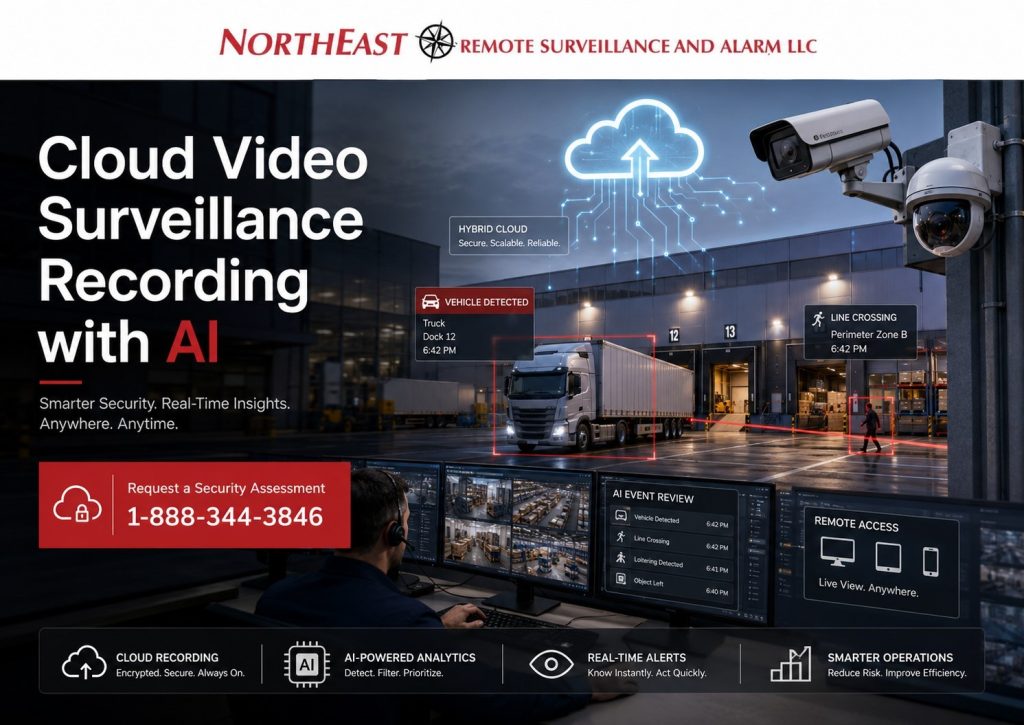
This resource focuses specifically on cloud and hybrid video recording design for warehouses, logistics facilities, manufacturing plants, office properties, industrial sites, contractor yards, and multi-site commercial organizations.
For broader camera system planning, start with Commercial and Industrial Video Surveillance Systems.
Cloud Video Surveillance Recording with AI for Commercial and Industrial Facilities
Cloud video surveillance is not just a storage decision. For commercial and industrial properties, cloud recording must be planned around bandwidth, cybersecurity, retention, user permissions, evidence access, remote viewing, AI search, monitoring workflows, and long-term system support.
A small office may be able to use a simpler cloud camera structure. A warehouse, manufacturing facility, logistics hub, industrial yard, or multi-building commercial property usually needs a more engineered approach. These environments often involve higher camera counts, constant motion, forklifts, dock activity, vehicle movement, after-hours risk, restricted areas, and greater documentation needs.
Northeast Remote Surveillance and Alarm, LLC designs cloud and hybrid video systems around real facility conditions. The goal is not just to put cameras online. The goal is to create a video environment that supports operations, investigations, remote management, cybersecurity, and long-term reliability.
What Cloud Video Surveillance with AI Recording Means
Cloud video surveillance recording allows camera footage, event clips, system health data, or management functions to be stored or accessed through secure cloud-connected infrastructure. Depending on the system design, video may record directly to the cloud, record locally with cloud access, or use a hybrid model that combines edge storage with cloud management.
Common cloud video models include:
- Camera-to-cloud recording
- Local edge storage with cloud access
- Cloud-managed video with local recording
- Hybrid cloud recording
- Long-term cloud archival storage
- Multi-site cloud video management
- AI-supported cloud search and event filtering
The right model depends on the facility’s camera count, motion level, bandwidth, retention expectations, cybersecurity requirements, and operational risk.
Cloud vs Hybrid Video Recording
Cloud recording can be useful when businesses need remote access, centralized management, simplified administration, and easier multi-site visibility. However, large commercial and industrial facilities should not assume that every camera should stream continuously to the cloud.
Hybrid video recording is often stronger for warehouses, industrial campuses, logistics facilities, and multi-building sites because it can preserve local recording while still giving managers cloud access and centralized control.
A hybrid design may allow:
- Local recording during internet outages
- Cloud access for authorized users
- AI event search or metadata review
- Reduced bandwidth strain
- Centralized management across multiple sites
- Longer retention options
- Better resilience for high-motion environments
Pure cloud recording may work well for smaller offices, lower camera counts, branch locations, or properties with strong bandwidth and simpler review needs. Larger sites usually require more careful architecture.
AI Features That Matter in Cloud Video Surveillance Recording
AI video analytics can make cloud surveillance more useful when the tools are tied to real facility risks. The strongest AI features are not the flashiest ones. They are the features that help users find important activity faster, reduce noise, and support better event review.
AI Search and Metadata Filtering
AI search can help users find people, vehicles, motion direction, color attributes where supported, line-crossing events, zone activity, and other indexed video events. This is valuable when a manager needs to review a loading dock incident, parking lot event, theft concern, access dispute, or after-hours activity without watching hours of footage.
For industrial and logistics environments, faster search can reduce investigation time and improve the usefulness of recorded video.
Real-Time Alerts for Operational Risk
AI-supported cloud systems may help identify activity around restricted zones, fence lines, loading docks, parking lots, yards, gates, and after-hours areas. Alerts may be useful for people detection, vehicle detection, loitering, line crossing, object movement, or activity outside approved schedules.
AI alerts should be planned carefully. Too many alerts create noise. Useful alerts are tied to specific cameras, schedules, areas, and response procedures.
For broader analytics planning, use AI Video Analytics to understand how detection rules, camera placement, and monitoring workflows should be designed.
Multi-Site Visibility
Cloud video systems can be especially useful for organizations that manage multiple commercial or industrial locations. A regional operator may need one place to review camera health, user access, video events, firmware status, alerts, and retention settings across several facilities.
Multi-site cloud management can help reduce fragmented administration, especially when locations include warehouses, offices, industrial yards, branch facilities, distribution buildings, and remote equipment sites.
Cloud Video Surveillance Recording with AI Network Design
Cloud video performance depends on network design. Cameras, switches, recorders, gateways, cloud services, remote users, and AI tools all depend on reliable power, cabling, bandwidth, segmentation, and documentation.
A weak network design can create dropped video, slow remote access, failed uploads, poor alert performance, incomplete exports, and unreliable monitoring.
For deeper infrastructure planning, use Commercial Security Infrastructure Planning to plan PoE switching, fiber, UPS backup, network segmentation, cabling pathways, recording equipment, and long-term system support.
VLAN Segmentation and Cybersecurity
Cloud-connected cameras should not be treated like ordinary office devices. Commercial surveillance networks should be planned with cybersecurity in mind, especially when cameras connect to cloud platforms, remote users, mobile apps, monitoring workflows, or enterprise networks.
A stronger design may include:
- Dedicated surveillance VLANs
- Separate management access where appropriate
- Firewall rules limiting unnecessary traffic
- Controlled outbound connections
- Strong passwords and multi-factor authentication
- Role-based user permissions
- Secure remote access policies
- Firmware and lifecycle management
- Documentation of device locations and network paths
Network segmentation helps reduce unnecessary exposure and makes the system easier to manage over time.
Uplink Bandwidth Planning
Cloud video recording depends heavily on upload bandwidth. Industrial environments can create more video traffic than expected because forklifts, trucks, people, shadows, headlights, weather, and constant movement may increase bitrate demand.
Bandwidth planning should account for:
- Camera resolution
- Frame rate
- Compression settings
- Scene complexity
- Motion frequency
- Number of cameras
- Recording mode
- Export requirements
- Remote viewing demand
- AI event clip uploads
- Management overhead
A facility with limited upstream bandwidth may not be a good fit for continuous camera-to-cloud recording across every camera. In that case, hybrid recording, motion-based upload, edge storage, lower frame rates, dedicated circuits, or ISP redundancy may be more appropriate.
Outage Behavior and Failover
A cloud video design should answer one important question: what happens when the internet fails?
For commercial and industrial facilities, recording gaps can create serious problems during incidents, theft events, weather events, labor disputes, property damage, access disputes, or after-hours activity. A properly designed system should define how cameras behave during outages.
Depending on the system, outage planning may include:
- Local edge recording
- Gateway buffering
- Secondary ISP failover
- LTE backup for critical cameras or gateways
- Camera health alerts
- Local access options
- Post-outage synchronization
Cloud video should improve resilience, not create a single point of failure.
Evidence Governance and Export Control
Cloud video is only useful if footage can be reviewed, exported, protected, and managed properly. Poor export control can create confusion, privacy concerns, chain-of-custody problems, or inconsistent evidence handling.
A stronger governance plan should define who can view video, who can export clips, who can delete footage, who can manage users, and who can access sensitive cameras.
A practical evidence workflow may include:
- Role-based access control
- Incident flagging or bookmarking
- Export request approval
- Watermarked exports where supported
- Audit logs for video access and export activity
- Standardized file naming
- Retention policy documentation
- Quarterly user access review
- Limited export authority
The goal is controlled access, not unlimited access.
Retention Policy Design
Retention should not be guessed. It should reflect the facility’s real risk, insurance expectations, investigation timeline, operational needs, contractual obligations, and storage capacity.
A warehouse with cargo disputes may need different retention than an office building. A manufacturing plant with safety incidents may need different retention than a small branch office. A logistics operator with multiple facilities may need standardized retention across all sites.
Retention planning should consider:
- Incident discovery window
- Insurance review needs
- Employment or workplace documentation timelines
- Contractual obligations
- Camera priority
- Local storage capacity
- Cloud storage cost
- Export procedures
- Legal hold procedures when needed
For broader evidence planning, connect cloud video retention to the facility’s written security and documentation procedures.
Platform Selection Should Follow the Facility
Cloud video platforms are not interchangeable. The best fit depends on the facility, not the trend.
Commercial and industrial buyers may evaluate platforms such as Brivo, Verkada, Avigilon Unity, Truvios, or other cloud and hybrid video options. NERSA evaluates these systems based on architecture, not brand preference.
Important selection factors include:
- Facility size
- Camera count
- Motion density
- Available upload bandwidth
- Retention requirements
- AI search needs
- Access control integration
- Multi-site management
- Cybersecurity expectations
- Export governance
- Local recording needs
- Monitoring workflow
- Long-term support model
The right question is not “Which cloud camera brand is best?” The better question is “Which architecture supports this facility’s risk, infrastructure, governance, and operating conditions?”
Cloud Video Surveillance Recording with AI for Warehouses and Logistics Facilities
Warehouses and logistics facilities often create high-motion video environments. Loading docks, trailer yards, shipping and receiving areas, employee entrances, forklift paths, truck courts, and exterior approaches may generate constant activity.
Cloud video planning for these facilities should account for motion density, uplink bandwidth, dock camera views, trailer yard visibility, retention needs, access permissions, and after-hours review.
Hybrid recording is often useful in these environments because it can preserve local recording while still giving management remote access and AI-supported search.
Cloud Video Surveillance Recording with AI for Manufacturing and Industrial Facilities
Manufacturing and industrial facilities may need cloud or hybrid video around production floors, machine areas, contractor entrances, restricted rooms, utility areas, exterior yards, loading zones, and after-hours exposure.
These sites may also have more complex network and cybersecurity requirements because surveillance devices may exist near business systems, production systems, industrial networks, or restricted operational areas.
Cloud video design should account for segmentation, user permissions, recording continuity, incident review, export controls, and whether local recording is needed for higher camera counts or longer retention windows.
Cloud Video Surveillance Recording with AI for Multi-Site Commercial Operators
Multi-site businesses often benefit from cloud management because it gives ownership, executives, operations teams, IT staff, and security supervisors a consistent way to review system health, user access, video events, and camera coverage across locations.
A strong multi-site design should standardize:
- User roles
- Naming conventions
- Retention policies
- Export workflows
- Camera health review
- Remote access permissions
- Alert schedules
- Monitoring procedures
- System documentation
Standardization helps reduce confusion as the business grows.
Cybersecurity and Privacy Considerations
Cloud-connected video systems live on networks and can involve remote access, cloud credentials, mobile apps, user permissions, stored footage, and exportable evidence. That means cybersecurity and privacy must be part of the design.
Important planning areas include:
- Strong identity controls
- Multi-factor authentication where supported
- Role-based access control
- Encryption in transit and at rest where supported
- Secure remote access
- Network segmentation
- Audit logging
- Device update management
- Written access policies
- Employee and visitor privacy expectations
- Camera placement review
- Export and retention governance
Cameras should not be placed in private areas where surveillance would be inappropriate. Cloud video should be governed like business-critical infrastructure, not treated as a casual app.
Audio, Two-Way Talk-Down, and Consent Review
Video and audio are not the same risk category. Cloud cameras, intercoms, microphones, and two-way talk-down features may create additional legal and policy concerns depending on the state, facility type, and how the system is configured.
Commercial and industrial facilities should not enable audio casually. Before using microphones, recorded audio, intercom capture, or talk-down recording, the business should review state consent laws, employee policies, signage, monitoring procedures, and legal requirements.
A safer governance model often includes:
- Audio disabled by default unless needed
- Written approval before activation
- Legal review before recording audio
- Clear employee and visitor notification where appropriate
- Limited user permissions
- Audit logging
- Device inventory showing which locations have audio enabled
- Annual review of audio settings
Two-way talk-down may be useful for exterior security applications such as yards, parking lots, gate areas, loading zones, and perimeter areas, but it should be planned and governed carefully.
Compliance-Aware Cloud Video Surveillance Recording with AI Planning
Cloud video surveillance does not make a facility compliant by itself. It can support incident documentation, safety review, access accountability, evidence handling, insurance review, and operational oversight when properly designed.
For commercial and industrial facilities, compliance-aware planning may involve:
- Workplace monitoring policies
- Camera placement review
- Retention documentation
- Export control
- Access logs
- Electrical and low-voltage installation awareness
- Cybersecurity controls
- Privacy expectations
- Life-safety coordination
- AHJ or inspection considerations where applicable
Security systems should never interfere with required egress, life-safety systems, fire alarm access, code-required clearances, or emergency procedures.
For broader compliance planning, use Security Compliance and Standards as the supporting resource.
Why NERSA Engineers Cloud Video Differently
Most cloud video problems do not happen because the cameras are online. They happen because the system was not engineered around the facility.
Common failure points include:
- Bandwidth was not calculated
- VLANs were not segmented
- Retention was not documented
- Export access was not controlled
- Audio features were enabled without review
- ISP failover was not considered
- User permissions were too broad
- Camera names and locations were not documented
- Cloud storage costs were not planned
- Multi-site governance was inconsistent
Northeast Remote Surveillance and Alarm, LLC designs cloud and hybrid video systems around property conditions, infrastructure, security risk, documentation needs, and long-term usability.
Request a Cloud Video Surveillance Assessment
If your facility is considering cloud video surveillance, hybrid recording, AI search, remote access, multi-site camera management, long-term retention, or cloud-connected monitoring, Northeast Remote Surveillance and Alarm, LLC can help evaluate the system architecture before equipment is selected.
Call 1-888-344-3846 or use the Request a Security Assessment page to begin a cloud video surveillance review.
Frequently Asked Questions about Cloud Video Surveillance Recording with AI
What is cloud video surveillance recording?
Cloud video surveillance recording uses cloud-connected infrastructure to store, manage, access, or review camera footage. Depending on the system, footage may record directly to the cloud, record locally with cloud access, or use a hybrid model that combines local recording with cloud management.
What is hybrid cloud video surveillance?
Hybrid cloud video surveillance combines local recording with cloud access or cloud management. This can help commercial and industrial facilities preserve local recording while still giving authorized users remote access, centralized administration, and AI-supported event review.
Is cloud video good for warehouses?
Cloud video can work well for warehouses when properly engineered. Many warehouse environments benefit from hybrid recording because loading docks, forklifts, truck courts, trailer yards, and constant movement can create significant bandwidth demand.
Does cloud video eliminate the need for onsite hardware?
Not always. Many commercial and industrial systems still require PoE switches, gateways, edge storage, local recorders, network equipment, UPS backup, or fiber infrastructure. Cloud video still depends on reliable physical infrastructure.
How does AI help cloud video surveillance?
AI can help users search video faster, identify people or vehicles, filter events, detect line crossing, review activity in defined zones, and reduce time spent watching irrelevant footage. AI works best when camera placement, lighting, schedules, and response procedures are planned correctly.
How much bandwidth does cloud video require?
Bandwidth depends on camera resolution, frame rate, compression, motion level, camera count, recording mode, remote viewing, export activity, and cloud architecture. High-motion industrial environments usually require more careful uplink planning than low-motion office environments.
What happens to cloud cameras if the internet goes down?
That depends on the system design. Some systems may stop uploading until the connection returns. Others may continue recording locally through edge storage, gateways, or hybrid recording. Outage behavior should be defined before the system is installed.
Is cloud video surveillance secure?
Cloud video can be secure when it is designed with strong identity controls, role-based permissions, encryption where supported, multi-factor authentication, secure remote access, network segmentation, and documented export procedures. Poorly configured cloud video can create unnecessary risk.
Should cloud cameras be on a separate VLAN?
In many commercial and industrial environments, yes. A dedicated surveillance VLAN can help separate camera traffic from corporate systems, warehouse management systems, financial platforms, guest networks, and other business-critical systems.
Can cloud video integrate with access control?
Yes. Cloud video can integrate with access control in some systems so users can review camera footage tied to door events, credential use, gate activity, visitor access, or restricted-area movement.
Can cloud video support remote monitoring?
Yes. Cloud and hybrid video systems can support remote monitoring, alert review, AI event filtering, live talk-down, and after-hours response planning when the cameras, analytics, schedules, and monitoring procedures are designed correctly.
How long should cloud surveillance footage be retained?
Retention depends on the facility type, risk level, investigation needs, insurance expectations, storage cost, contractual requirements, and management policy. Retention should be documented instead of guessed.
Should executives have video export permissions?
Not automatically. Export permissions should be limited to authorized users who need that access. Role-based permissions, audit logging, and export procedures help reduce evidence-handling problems.
Can cloud video be used for OSHA documentation?
Cloud video may support incident review, timeline reconstruction, and workplace documentation, but it does not replace OSHA safety programs, training, hazard controls, supervision, recordkeeping duties, or legal responsibilities.
Can cloud cameras record audio?
Some systems can record audio or support two-way talk-down, but audio creates additional legal and policy concerns. Facilities should review state consent laws, employee policies, signage, and legal requirements before enabling audio recording or talk-down recording.
What is the next step for cloud video surveillance planning?
The next step is a site-specific assessment. NERSA reviews the facility layout, camera count, bandwidth, network design, retention needs, AI goals, monitoring requirements, cybersecurity expectations, and multi-site management needs before recommending a cloud or hybrid video strategy.