
Video storage and retention planning for commercial surveillance helps businesses determine how long footage should be kept, how much storage is needed, and what recording design will support reliable incident review.

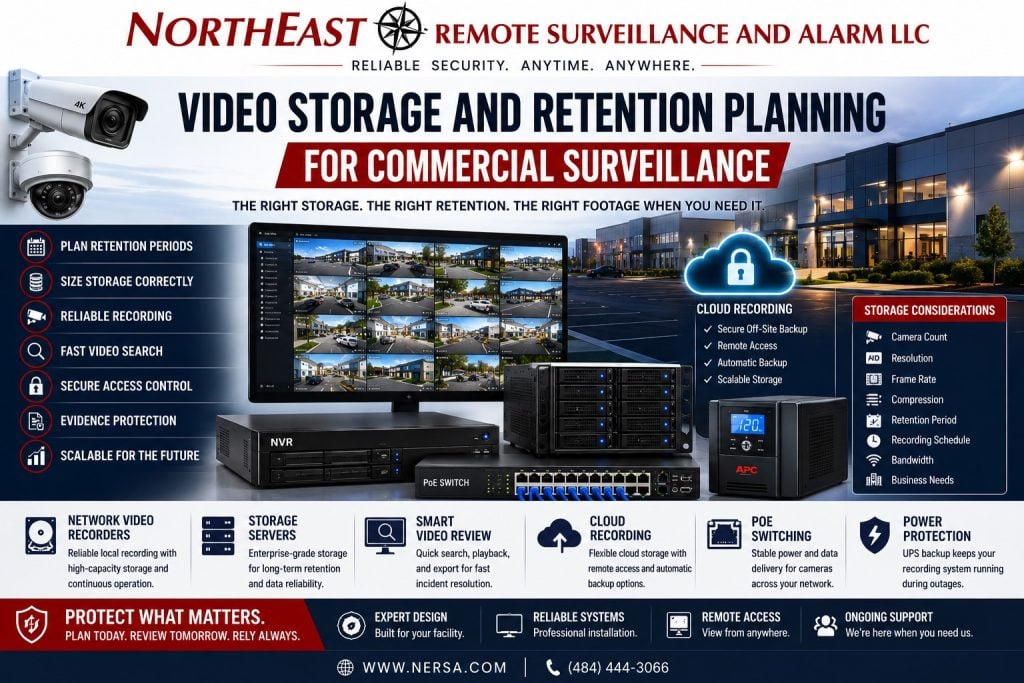
This guide covers storage capacity, retention periods, recording settings, video retrieval, and evidence availability for commercial and industrial camera systems. For broader camera-system planning, start with Commercial & Industrial Video Surveillance Systems.
Northeast Remote Surveillance and Alarm, LLC plans video storage and retention for business and professionally managed facilities. We serve warehouses, manufacturing plants, offices, healthcare facilities, municipal properties, and logistics sites. Our work also covers contractor yards, parking areas, and multi-tenant commercial buildings that need reliable video records.
Camera count is only one part of recording design. Decide how long footage must be stored, who can view it, and how staff will find and export a recording. The system should support those needs even when an incident is discovered days or weeks later.
Why Video Storage and Retention Planning Matters
Video surveillance is only useful if footage is available when the business needs it. Many incidents are not discovered immediately. A missing shipment, property damage, employee issue, parking lot incident, access dispute, customer complaint, vandalism event, or after-hours intrusion may not be reviewed until days or weeks after it happens.
Retention planning helps determine:
- how long footage should be kept
- how much storage is needed
- whether cameras record continuously or by event
- what resolution and frame rate should be used
- how storage affects playback quality
- whether local, cloud, or hybrid recording is appropriate
- who should be able to access footage
- how video should be exported
- how the system should support investigations
A system that overwrites footage too quickly may fail to support incident review even if the cameras are placed correctly.
What Video Storage and Retention Planning for Commercial Surveillance Means
Video retention is the amount of time recorded footage remains available before it is overwritten, archived, or deleted. In commercial surveillance, retention may vary based on the property type, risk level, operating schedule, camera count, storage design, and the types of incidents the business needs to review.
Some businesses may only need short retention for basic incident review. Others may need longer retention because incidents are discovered later, insurance claims take time, inventory audits happen periodically, or managers are not always on site.
Retention planning should be based on real operations, not a generic storage estimate.
Commercial Properties That Need Retention Planning
Video storage planning may be important for:
- warehouses
- logistics centers
- manufacturing plants
- office buildings
- healthcare facilities
- municipal buildings
- schools
- retail properties
- contractor yards
- fleet yards
- parking lots
- loading docks
- multi-tenant buildings
- gate-controlled properties
- multi-site organizations
Different facilities have different review needs. A warehouse may need footage for loading docks, shipping areas, trailer yards, and inventory movement. An office may need footage for entrances, parking lots, lobbies, and after-hours access. A contractor yard may need longer review windows for equipment movement, gate activity, and perimeter incidents.
Factors That Affect Video Storage Requirements
Video storage requirements can change significantly based on system design.
Two systems with the same number of cameras may need very different storage capacity depending on camera settings and recording behavior.
For a local application of these recording decisions, see video system design and recording in Easton.
Storage requirements may be affected by:
- number of cameras
- camera resolution
- frame rate
- compression format
- motion recording settings
- continuous recording settings
- audio recording where permitted
- analytics events
- scene activity
- lighting conditions
- retention period
- recording schedule
- cloud or local recording method
- redundancy requirements
A storage plan should be calculated around the actual system design rather than guessed after cameras are selected.
Camera Resolution and Storage Usage
Higher-resolution cameras can provide more detail, but they usually require more storage. A property using high-resolution cameras across parking lots, loading docks, gates, warehouse aisles, and entrances may need significantly more storage than a smaller system with lower-resolution interior cameras.
Resolution planning should consider the purpose of the camera. Some views need wide situational awareness. Other views need identification-level detail at doors, gates, register areas, shipping offices, or controlled entry points.
The goal is to balance useful detail with realistic storage, bandwidth, and review requirements.
Frame Rate and Recording Quality
Frame rate affects how smooth recorded video appears. Higher frame rates may be useful for vehicle movement, loading dock activity, fast-moving warehouse operations, or locations where detailed motion review matters. Lower frame rates may be acceptable for low-activity areas, storage rooms, utility rooms, or general overview views.
Frame rate planning should consider:
- activity level
- vehicle movement
- employee movement
- incident review needs
- storage capacity
- bandwidth
- camera location
- recording purpose
Using high frame rates everywhere can increase storage needs without improving useful review for every camera.
Motion Recording vs Continuous Recording
Commercial surveillance systems may use continuous recording, motion recording, event-based recording, or a combination of recording modes.
Continuous recording may be useful for high-risk areas, entrances, loading docks, parking lots, cash-handling areas, production zones, or locations where missed footage is unacceptable.
Motion recording may reduce storage usage in low-activity areas, but it must be configured carefully. Poor motion settings can miss activity, trigger too often, or create gaps in footage.
Event-based recording may be useful when integrated with analytics, access control, alarms, or monitoring workflows.
The correct recording method depends on the site, risk level, camera view, and how footage will be reviewed.
Local Video Storage
Local video storage may use network video recorders, servers, or on-site recording appliances. This approach can be useful for businesses that want local control, larger storage capacity, predictable retention, and direct access to recorded footage.
Local storage may be appropriate for:
- higher camera counts
- longer retention windows
- industrial facilities
- warehouses
- properties with limited internet bandwidth
- organizations with local IT control
- systems requiring higher-resolution recording
- facilities with local review staff
Local storage still requires proper infrastructure, UPS backup, service access, hard drive planning, health monitoring, and documentation.
Cloud Video Storage
Cloud video storage may be useful for businesses that want simplified remote access, easier multi-site management, cloud-managed user permissions, automatic updates, and reduced on-site recording hardware.
Cloud storage planning should consider:
- internet bandwidth
- upload capacity
- camera count
- retention cost
- remote access needs
- cybersecurity expectations
- user permissions
- cloud platform reliability
- event-based recording options
- long-term scalability
Cloud storage is not automatically better or worse than local storage. It must be matched to the property and business requirements.
Hybrid Video Storage
Hybrid systems may combine local recording with cloud management, cloud backup, event storage, or remote access. This can help businesses balance local control with easier access and management.
Hybrid storage may be useful for:
- multi-site businesses
- businesses with local recording needs
- users who need remote review
- sites with selected cloud backup
- event-based storage workflows
- higher-risk properties
- properties with mixed bandwidth conditions
For deeper comparison of recording architectures, use Cloud vs On-Prem vs Hybrid Video Surveillance as the supporting resource.
Video Storage and Retention Planning for Warehouses and Logistics Facilities
Warehouses and logistics facilities often need careful retention planning because incidents may involve inventory movement, freight staging, loading docks, shipping and receiving, employee entrances, trailer yards, and truck activity.
Retention planning may need to support:
- missing freight review
- loading dock incidents
- delivery verification
- trailer yard activity
- employee entrance review
- inventory shrinkage investigations
- after-hours activity
- vendor and driver movement
- parking lot incidents
- insurance documentation
These facilities often benefit from camera-by-camera retention planning instead of using the same settings across every camera view.
Video Storage and Retention Planning for Industrial and Manufacturing Facilities
Manufacturing and industrial facilities may need retention planning for production areas, machine zones, tool rooms, material storage, contractor entrances, exterior yards, and restricted areas.
Industrial retention planning may support:
- operational review
- safety documentation
- restricted-area review
- contractor access documentation
- production-area incident review
- equipment damage investigation
- material movement
- after-hours activity
- perimeter events
Industrial camera systems should make footage searchable, reviewable, and exportable. Storage alone is not enough if users cannot quickly find the relevant footage.
Retention Planning for Offices, Healthcare, and Public-Facing Buildings
Office buildings, healthcare facilities, municipal properties, schools, and public-facing commercial buildings often need camera retention for entrances, lobbies, reception areas, parking lots, shared corridors, exterior doors, and staff access points.
Retention planning should consider:
- visitor incidents
- parking lot activity
- staff safety
- after-hours access
- public entrance review
- delivery activity
- tenant or department needs
- privacy-sensitive areas
- user permission controls
Camera placement and retention should be planned responsibly, especially in healthcare, education, municipal, and other sensitive environments.
Storage Planning for Parking Lots and Exterior Cameras
Exterior cameras may use more storage because they often record wider scenes, changing lighting, weather movement, vehicles, people, shadows, and continuous activity.
Parking lot and exterior storage planning should consider:
- lighting changes
- vehicle movement
- weather
- trees and landscaping
- wide-area camera views
- higher resolutions
- night recording
- motion sensitivity
- license plate visibility needs
- after-hours activity
Exterior video is often critical for incident review, so storage planning should not underestimate these camera views.
Video Search, Export, and Evidence Review
Retention is not only about keeping footage. Businesses also need to retrieve and export footage when needed.
A commercial surveillance system should support:
- fast timeline search
- camera naming
- event search
- date and time review
- user permissions
- evidence export
- incident clips
- audit trails where available
- secure access
- reliable playback
- long-term service support
If users cannot find footage quickly, the system may not support real incident review even if the footage exists.
User Permissions and Recorded Video Access
Recorded video access should be controlled. Not every user should have the same permissions to view, export, delete, or manage footage.
Permission planning may include:
- owner access
- manager access
- facility team access
- IT access
- security team access
- monitoring operator access
- location-based permissions
- camera-group permissions
- export restrictions
- audit review where available
Good permission planning helps protect sensitive footage and reduces operational confusion.
Storage Health Monitoring
Video storage systems should be monitored for failures. Hard drives, recorders, cloud connections, network devices, and recording schedules can fail or become misconfigured.
Storage health planning may include:
- hard drive status monitoring
- recorder health alerts
- camera offline alerts
- storage capacity alerts
- cloud connection alerts
- recording failure notifications
- UPS backup monitoring
- firmware and software updates
- service documentation
A surveillance system should not silently stop recording without anyone knowing.
Infrastructure Needed for Video Storage
Video storage depends on the infrastructure behind the camera system. PoE switches, network cabling, fiber uplinks, wireless bridges, internet connections, UPS backup, equipment racks, network segmentation, and recording equipment all affect storage performance.
Infrastructure planning may involve:
- structured cabling
- PoE switching
- fiber backbone support
- network video recorders
- server racks
- cloud-managed recording devices
- wireless bridge links
- UPS backup
- secure network design
- bandwidth planning
- documentation
For broader infrastructure planning, use Commercial Security Infrastructure Planning as the supporting resource.
Bandwidth and Remote Viewing
Remote viewing and cloud storage depend on bandwidth. A business may have enough local recording capacity but still struggle with remote access if internet upload speed, routing, firewall configuration, or network design is weak.
Bandwidth planning should review:
- local recording traffic
- cloud upload needs
- remote viewing demand
- number of users
- camera resolution
- event-based uploads
- multi-site access
- monitoring requirements
- internet reliability
Bandwidth should be planned before choosing a recording platform.
Backup Power and Storage Continuity
Video storage can fail during a power outage if recorders, PoE switches, routers, modems, and network devices are not backed up. A camera may be installed correctly but still stop recording if the recorder or switch loses power.
Backup power planning may include:
- UPS backup for recorders
- UPS backup for PoE switches
- router and modem backup
- server backup
- remote cabinet backup
- alarm communication backup
- generator coordination where applicable
Retention planning should consider whether the system needs to keep recording during short power interruptions.
Retention Policies and Responsible Footage Management
Businesses should think through how long footage is kept, who can access it, and how it is handled after incidents. Retention periods should be based on operational needs, insurance considerations, internal policy, privacy expectations, and the types of incidents the business may need to review.
Responsible footage management may include:
- documented retention goals
- limited user access
- export controls
- incident review process
- secure storage
- camera naming standards
- privacy-aware placement
- deletion or overwrite policies
- management review
This resource is not legal advice. Businesses with regulated environments or specific compliance requirements should review those needs with qualified legal, compliance, or industry advisors.
Common Storage and Retention Mistakes
Common mistakes include:
- choosing cameras before planning storage
- assuming every camera needs the same retention
- using high resolution everywhere without storage planning
- ignoring frame rate and compression
- underestimating exterior cameras
- relying on motion recording without testing
- forgetting remote access bandwidth
- not backing up recorders or switches
- failing to monitor hard drive health
- giving too many users full access
- lacking footage export procedures
- failing to document retention goals
- ignoring future camera expansion
A professional video storage plan helps prevent these issues before the system is installed.
What to Review Before Selecting Storage
Before choosing a recorder, cloud plan, server, or hybrid recording design, a business should review:
- camera count
- camera locations
- resolution needs
- frame rate requirements
- retention goals
- local or cloud preference
- bandwidth
- remote access needs
- multi-site management
- user permissions
- monitoring needs
- incident review workflow
- infrastructure limitations
- backup power
- future expansion
Storage should be designed as part of the surveillance system, not added as an afterthought.
Frequently Asked Questions about Video Storage and Retention Planning for Commercial Surveillance
What is video storage and retention planning?
Video storage planning defines how footage is recorded, how long it is kept and how much storage is needed. It also defines how users will find or export footage for incident review.
How long should commercial surveillance footage be kept?
The right retention period depends on the property type, risk level, camera count, operating schedule, incident discovery timeline, insurance needs, internal policies, and available storage capacity.
What affects surveillance storage size?
Storage size is affected by camera count, resolution, frame rate, compression, recording schedule, motion settings, scene activity, retention period, and whether the system uses local, cloud, or hybrid recording.
Is local video storage better than cloud storage?
Neither is automatically better. Local storage may be useful for larger systems, higher camera counts, and longer retention needs. Cloud storage may be useful for remote access, multi-site management, and simplified administration. Some businesses use hybrid systems.
Can motion recording reduce storage needs?
Yes, motion recording can reduce storage usage, but it must be configured carefully. Poor motion settings can miss activity or create recording gaps.
Do exterior cameras need more storage?
Often, yes. Exterior cameras may record more activity because of vehicles, lighting changes, weather, shadows, trees, and after-hours movement.
Can video storage support remote monitoring?
Yes, but remote monitoring also depends on camera connectivity, bandwidth, network reliability, event configuration, and operator access. Storage alone does not create a monitoring-ready system.
What happens when surveillance storage fills up?
Most systems overwrite older footage once storage is full. That is why retention planning is important before the system is installed.
Should every camera have the same retention period?
Not always. Higher-risk cameras may need longer retention or different recording settings than lower-risk views.
Can NERSA help plan video storage and retention?
Yes. Northeast Remote Surveillance and Alarm, LLC supports video storage and retention planning for commercial and industrial surveillance systems, including local recording, cloud recording, hybrid designs, retention goals, bandwidth, infrastructure, and system review needs.
Request a Video Storage and Retention Assessment
Video storage and retention should be planned before cameras, recorders, cloud platforms, monitoring options, or remote access features are selected. A professional assessment helps identify camera count, retention goals, storage requirements, bandwidth needs, recording settings, user permissions, infrastructure limits, and long-term review requirements.
Use Request a Security Assessment to begin planning video storage and retention for a commercial or industrial surveillance system.
NERSA’s commercial video surveillance services connect storage and retention planning with camera selection, infrastructure, installation, monitoring options and ongoing support.
We serve commercial and industrial properties in the Lehigh Valley, Pennsylvania and selected Mid-Atlantic markets.
Compliance, Codes & Project Standards
NERSA plans commercial and industrial security work with applicable code, documentation, inspection and authority-having-jurisdiction requirements in mind. Requirements vary by system, property and jurisdiction. These resources support project planning; they do not establish legal compliance, certification or AHJ approval.
Related guidance: Regulatory compliance & inspection readiness · NERSA project standards · Documentation, testing & inspection readiness