Access Control Maintenance and Repair in Allentown, PA

Access control maintenance and repair in Allentown, PA helps commercial and industrial facilities correct reader failures, locking problems, communication faults, power issues, door-position errors, credential problems, and other conditions affecting existing controlled openings.

Northeast Remote Surveillance and Alarm, LLC evaluates the complete opening, including access control software, controllers, readers, credentials, locking hardware, request-to-exit devices, door-position contacts, power supplies, batteries, wiring, network communication, programming, and physical door operation.

This page focuses specifically on maintaining, troubleshooting, and repairing an existing access control system. For complete local planning involving new installations, additional doors, credentials, controllers, gates, upgrades, takeovers, and facility-specific applications, visit Commercial Access Control Systems in Allentown, PA.

Commercial and industrial systems only • Preventive maintenance • Access control troubleshooting • Existing-system repair and support

Request a Commercial Security Assessment

Call 1-888-344-3846

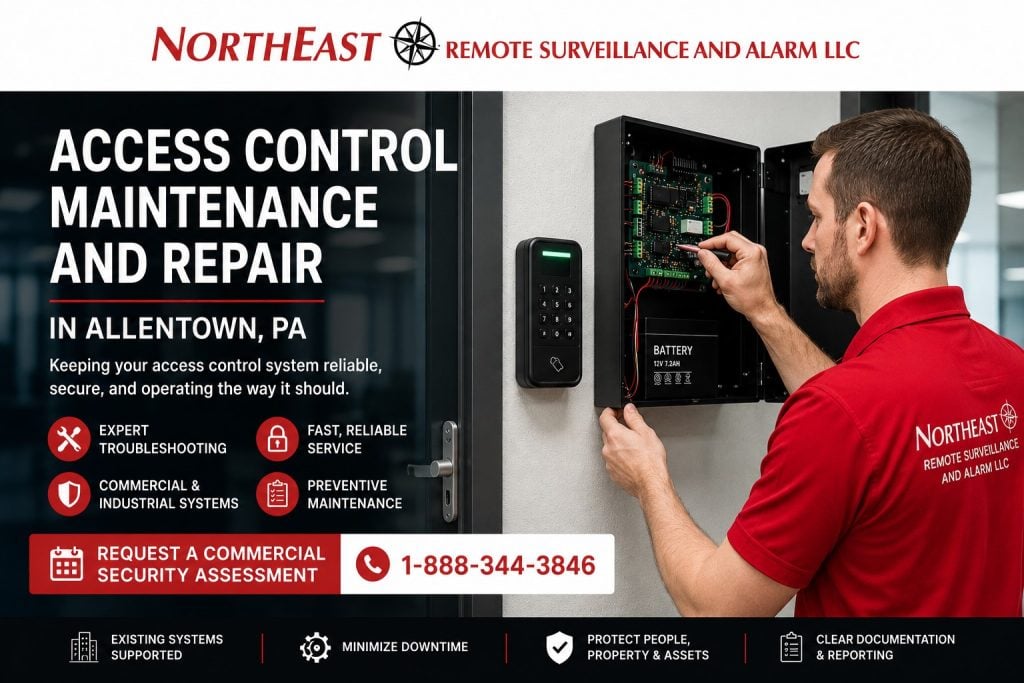
Access control maintenance and repair in Allentown, PA, with a NERSA technician in a red shirt servicing a commercial access control panel beside a card reader.

Commercial Access Control Service for Existing Systems

An access control system depends on more than the card reader mounted beside the door.

Reliable operation requires the credential, reader, controller, software, network, power supply, lock, request-to-exit device, door-position contact, wiring, door closer, latch, frame, and programming to work together.

A problem in any one of these areas may cause the opening to:

  • Reject valid credentials
  • Unlock intermittently
  • Remain unlocked
  • Fail to release
  • Report false forced-door events
  • Report repeated held-open alarms
  • Remain offline
  • Lose communication with the server
  • Fail after a power interruption
  • Operate differently from its assigned schedule
  • Prevent administrators from adding or removing users
  • Create incomplete or inaccurate activity records

NERSA approaches access control service as complete controlled-opening troubleshooting rather than automatically replacing the reader or blaming the software.

When an Access Control System Needs Service

Some system problems are obvious. Others appear gradually and may be mistaken for employee error, damaged credentials, unreliable doors, network problems, or normal system behavior.

An Allentown facility may need access control maintenance or repair when:

  • Cards, fobs, or mobile credentials stop working
  • The reader does not illuminate or respond
  • The reader beeps but the door does not unlock
  • The door unlocks but does not relock securely
  • The lock operates intermittently
  • The system reports the door as open when it is closed
  • The system reports forced-door events during normal use
  • Held-open alarms occur repeatedly
  • A request-to-exit device does not release the door correctly
  • A door remains unlocked outside its schedule
  • A door stays locked during an authorized schedule
  • The access control panel loses power
  • Backup batteries no longer support the system
  • A controller repeatedly goes offline
  • Software cannot communicate with field panels
  • Users cannot be added, changed, or removed
  • Activity reports contain missing or inaccurate events
  • One building or department cannot communicate with the central system
  • The system fails after a network, server, or electrical change
  • Physical keys are being used because electronic access is unreliable
  • Employees are propping doors because the controlled opening does not operate properly

Even a minor access control problem can create operational disruption, uncontrolled entry, inaccurate reporting, repeated service calls, or unsafe attempts to bypass the opening.

Preventive Access Control Maintenance

Preventive maintenance helps identify deteriorating equipment and physical door problems before they become complete failures.

A commercial access control maintenance visit may include evaluation of:

  • Reader operation
  • Credential response
  • Controller communication
  • Panel status
  • Power-supply voltage
  • Backup batteries
  • Fuse or output conditions
  • Door-position contacts
  • Request-to-exit devices
  • Electric strikes
  • Electrified locks
  • Electrified trim
  • Exit-device operation
  • Magnetic locks where appropriately applied
  • Door closers
  • Mechanical latching
  • Door alignment
  • Power-transfer hardware
  • Cable terminations
  • Equipment labeling
  • Enclosure condition
  • Network communication
  • Event reporting
  • Access schedules
  • User permissions
  • Software or firmware condition
  • Available system documentation

The maintenance scope should match the size, age, operating conditions, traffic volume, platform, and importance of the facility.

A lightly used office opening may not experience the same wear as an employee entrance at a warehouse operating across several shifts.

Reader Problems and Credential Failures

The reader is the most visible component of the system, but a failed credential transaction does not always mean the reader itself is defective.

Possible causes include:

  • Damaged cards or fobs
  • Incorrect credential enrollment
  • Inactive users
  • Expired credentials
  • Incorrect facility codes or formats
  • User permissions that exclude the door
  • Time schedules that deny access
  • Reader wiring problems
  • Low or unstable voltage
  • Controller communication faults
  • Reader configuration errors
  • Software database problems
  • Mobile credential licensing or connectivity issues
  • Environmental exposure
  • Physical reader damage
  • Incompatible replacement hardware

NERSA tests the transaction from the credential through the reader and controller rather than replacing equipment without confirming the actual cause.

The service process may compare multiple credentials, review access events, verify reader voltage, inspect wiring, confirm user permissions, evaluate the controller, and test the locking output.

Card, Fob, and Mobile Credential Troubleshooting

Credential problems may affect one user, one department, one reader, or the entire system.

Common conditions include:

  • One employee’s card no longer works
  • Newly issued credentials do not activate
  • Former employees remain active
  • A card works at some doors but not others
  • Credentials stop working during certain hours
  • Users have the wrong department permissions
  • Temporary credentials remain active beyond the approved period
  • Mobile credentials do not load or communicate
  • Duplicate user records create administrative confusion
  • Credential formats are inconsistent across buildings

A repair visit may correct programming or configuration issues when the platform is accessible and supportable.

Large-scale credential replacement, reader modernization, or migration to more secure credential technology belongs within Access Control System Upgrades in Allentown, PA.

Access Control Readers That Do Not Respond

A reader that appears completely inactive may have:

  • No incoming power
  • Damaged wiring
  • Loose terminations
  • Failed electronics
  • Water or moisture damage
  • Physical impact damage
  • A failed controller port
  • An overloaded power supply
  • Incorrect replacement wiring
  • A disconnected communication path
  • An upstream panel problem

The reader should be tested with the controller, power, wiring, and credential environment.

Installing a new reader without correcting the underlying power or wiring condition may cause the replacement device to fail or behave exactly like the original.

Door Does Not Unlock After Access Is Granted

The system may show an approved credential while the door remains locked.

Possible causes include:

  • Failed electric strike
  • Failed electrified lock
  • Failed electrified trim
  • Exit-device problems
  • Broken power-transfer wiring
  • Incorrect relay operation
  • Insufficient lock power
  • Voltage drop
  • Mechanical door pressure
  • Misaligned strike and latch
  • Damaged door hardware
  • Incorrect fail-safe or fail-secure configuration
  • Failed access control power supply
  • Programming or output-assignment errors
  • Fire alarm interface problems
  • Loose or damaged field wiring

The access control event may be correct while the physical opening fails to release.

NERSA evaluates both the electronic command and the actual locking hardware to determine where the sequence stops.

Door Unlocks but Does Not Relock

A door may release properly and then fail to return to a secure condition.

Common causes include:

  • Door closer problems
  • Door or frame misalignment
  • Latch binding
  • Damaged hinges
  • Weather pressure
  • Worn exit-device components
  • Improper strike alignment
  • Debris in the latch or strike
  • Door sweep or threshold interference
  • Lock output remaining energized
  • Incorrect unlock timing
  • Damaged electrified hardware
  • Propping or operational interference

A functioning access control system cannot secure a door that does not close and latch correctly.

The repair may require access control service, door adjustment, locksmith work, door-hardware repair, or coordination with the appropriate building professional.

Door-Position Contact Problems

Door-position contacts tell the access control system whether an opening is physically open or closed.

A failed, misaligned, damaged, or incorrectly programmed contact may cause:

  • False forced-door alarms
  • False held-open events
  • Doors appearing open when closed
  • Missing door-open events
  • Inaccurate activity reports
  • Incorrect alarm integration
  • Problems with interlocking or sequencing
  • Doors that will not reset properly

The service process may include physical alignment, wiring tests, input verification, programming review, event testing, and confirmation that the contact changes state correctly as the door opens and closes.

Forced-Door and Held-Open Alarms

A forced-door event generally indicates that the door opened without a recognized access transaction or authorized request-to-exit event.

A held-open event generally indicates that the door remained open longer than the programmed period.

Repeated alarms may result from:

  • Employees propping the door
  • Slow-moving material or equipment
  • Loading or delivery activity
  • Incorrect held-open timing
  • Faulty door-position contacts
  • Request-to-exit problems
  • Door-closer failure
  • Door alignment problems
  • Damaged wiring
  • Incorrect programming
  • Operational procedures that no longer match the system configuration

The repair should address the actual condition rather than simply disabling the alarm.

NERSA may review the door hardware, contact, request-to-exit device, event history, timing, user behavior, and operational requirements before recommending corrections.

Request-to-Exit Device Troubleshooting

Request-to-exit devices allow the system to recognize or release authorized egress.

Depending on the opening, the system may use:

  • Passive infrared request-to-exit sensors
  • Push-to-exit buttons
  • Exit-device switches
  • Lock-integrated request-to-exit contacts
  • Door-handle switches
  • Other listed or approved releasing methods

Problems may include:

  • The door does not release
  • The door releases unexpectedly
  • Normal egress creates forced-door events
  • The request-to-exit input remains active
  • The sensor detects movement outside the intended area
  • Exit-device operation is not reported
  • Wiring is damaged or disconnected
  • Programming does not match the opening

Request-to-exit operation must be evaluated together with required emergency egress and the physical door hardware.

Electric Strike and Electrified Lock Repair

Electric strikes, electrified locks, electrified trim, and exit-device hardware experience mechanical wear in addition to electrical stress.

Service conditions may include:

  • Strike does not release
  • Strike buzzes or chatters
  • Latch binds against the keeper
  • Lock receives power but does not operate
  • Electrified trim responds intermittently
  • Exit-device latch retraction fails
  • Hardware becomes excessively warm
  • Door pressure prevents release
  • Wiring through the door has failed
  • Power-transfer hardware is damaged
  • Hardware was installed with the wrong voltage
  • Existing hardware is not compatible with the opening

NERSA evaluates the access control side of the controlled opening and may coordinate specialized door or locksmith corrections when required.

For complete planning involving electric strikes, electrified trim, exit devices, request-to-exit devices, door contacts, power transfer, and access control power supplies, visit Access Control Door Hardware in Allentown, PA.

Magnetic Lock Service

Magnetic locks require careful evaluation because the locking arrangement depends on power, releasing devices, emergency operation, door condition, and applicable egress requirements.

Possible service conditions include:

  • Lock does not secure
  • Lock will not release
  • Door pulls away from the magnet
  • Armature plate is misaligned
  • Power is unstable
  • Request-to-exit devices do not operate correctly
  • Emergency release equipment is defective
  • Fire alarm release does not function as intended
  • Residual magnetism affects operation
  • Wiring or power supplies are failing

Repairs should preserve required life-safety and egress functions.

NERSA does not treat a magnetic lock as a standalone device. The complete releasing arrangement and applicable interfaces must be considered.

Access Control Power-Supply Problems

Power problems can create intermittent conditions that appear to be reader, controller, lock, network, or programming failures.

The access control power system may include:

  • Controller power
  • Reader power
  • Lock power
  • Auxiliary device power
  • Battery charging
  • Output distribution
  • Relays
  • Fire alarm interfaces
  • Surge protection
  • Enclosure tamper monitoring

Common power-related problems include:

  • Failed power supplies
  • Weak or expired batteries
  • Blown fuses
  • Tripped outputs
  • Overloaded circuits
  • Incorrect voltage
  • Excessive voltage drop
  • Loose terminals
  • Heat damage
  • Shorted lock wiring
  • Shared power causing instability
  • Loss of utility power
  • Failed charging circuits
  • Improper battery sizing

Replacing a fuse without identifying why it opened may result in repeated failures or equipment damage.

NERSA evaluates the connected load, output condition, voltage, wiring, battery state, and affected equipment before restoring normal operation.

Backup Battery Testing and Replacement

Access control batteries deteriorate over time and may appear normal until utility power is lost.

Weak batteries may cause:

  • Immediate system shutdown during an outage
  • Controller resets
  • Doors changing state unexpectedly
  • Communication loss
  • Incomplete event records
  • Locking-hardware failure
  • Battery trouble conditions
  • Excessive charging current
  • Swollen or leaking batteries

Battery maintenance may include:

  • Visual inspection
  • Age review
  • Voltage testing
  • Load evaluation
  • Charging-circuit verification
  • Terminal inspection
  • Capacity comparison
  • Replacement recommendations
  • Battery-date documentation

Battery capacity should be appropriate for the connected equipment, required operating duration, and system design.

Controller and Panel Communication Problems

Access control controllers may communicate with software through Ethernet, serial communication, proprietary networks, cloud connections, or other supported methods.

Communication problems may be caused by:

  • Network outages
  • Changed IP addresses
  • Switch-port problems
  • Firewall changes
  • Failed communication modules
  • Controller resets
  • Firmware conflicts
  • Damaged cabling
  • Loss of cloud connectivity
  • Server or service failure
  • Incorrect network configuration
  • Duplicate addressing
  • Power instability
  • Unsupported operating systems
  • Database or software problems

A controller may continue making local access decisions while appearing offline to the management software. This can create delayed events, incomplete reporting, inability to change users, and reduced administrative visibility.

NERSA coordinates with the customer’s authorized IT personnel when troubleshooting involves managed networks, firewalls, servers, switches, or cybersecurity policies.

Access Control Software Problems

Software issues may prevent administrators from managing users even when the field hardware continues operating.

Common conditions include:

  • Software will not open
  • Services do not start
  • Administrator accounts cannot log in
  • Panels appear offline
  • Events stop updating
  • User changes do not reach controllers
  • Reports cannot be generated
  • Database connections fail
  • Licensing expires
  • Software is incompatible with a new operating system
  • Server migration disrupts communication
  • Backups are unavailable
  • Workstations no longer meet platform requirements
  • Cloud accounts are inaccessible

Serviceability depends on the manufacturer, software version, licensing, account ownership, platform support, and availability of authorized administrative access.

When a business does not control the software account, administrator credentials, licensing, or provider-managed platform, the project may require an Access Control System Takeover in Allentown, PA before normal maintenance can begin.

Network Changes That Affect Access Control

Access control systems may stop communicating after changes involving:

  • Internet service
  • Routers
  • Firewalls
  • Network switches
  • Virtual LANs
  • Servers
  • Domain policies
  • IP addressing
  • Cybersecurity software
  • Remote-access tools
  • Cloud connectivity
  • Building-to-building links

Access control equipment should not be connected to undocumented networks or bypass established IT security procedures.

NERSA can identify the communication requirements and work with the organization’s authorized IT team to restore or stabilize supported connections.

Wiring and Connection Problems

Commercial access control systems may contain wiring for:

  • Readers
  • Locks
  • Door-position contacts
  • Request-to-exit devices
  • Controllers
  • Power supplies
  • Network communication
  • Fire alarm interfaces
  • Intercom or video integration
  • Auxiliary inputs and outputs

Wiring problems may include:

  • Loose terminations
  • Broken conductors
  • Damaged cable
  • Corrosion
  • Unprotected splices
  • Short circuits
  • Ground faults
  • Incorrect cable type
  • Excessive distance
  • Voltage drop
  • Door-loop damage
  • Failed power-transfer devices
  • Abandoned wiring
  • Poor labeling
  • Improperly shared conductors

Intermittent wiring problems can be difficult to diagnose because the opening may operate normally during part of the service visit.

Reviewing event history, movement of the door, field voltage, cable continuity, and physical pathways can help identify the actual failure.

Physical Door and Frame Conditions

Not every access control problem is electronic.

A door may become unreliable because of:

  • Loose hinges
  • Worn pivots
  • Frame movement
  • Building settlement
  • Damaged closers
  • Misaligned latches
  • Weather changes
  • Warped doors
  • Threshold interference
  • Damaged exit devices
  • High traffic
  • Forklift or equipment impact
  • Repeated slamming
  • Improper field modifications

A door that requires excessive force to close or latch can damage electrified hardware and produce repeated access control faults.

NERSA evaluates how the physical opening affects system operation and identifies when door, frame, closer, locksmith, or construction corrections are needed.

Access Control Maintenance for High-Traffic Doors

Employee entrances, warehouse personnel doors, shipping offices, production-area entrances, and shared commercial entrances may process hundreds or thousands of transactions over time.

High-traffic openings may experience:

  • Reader wear
  • Credential damage
  • Door-closer deterioration
  • Strike and latch wear
  • Exit-device wear
  • Loose hardware
  • Door-position misalignment
  • Request-to-exit failures
  • Power-transfer damage
  • Propping
  • Repeated held-open events

These openings may require more frequent inspection than low-use interior rooms.

Maintenance frequency should be based on actual usage and operational importance rather than applying the same schedule to every door.

Warehouse Access Control Maintenance

Allentown warehouses and distribution facilities may depend on access control for employee entrances, shipping offices, receiving offices, inventory areas, IT rooms, maintenance spaces, office-to-warehouse doors, and other restricted locations.

Warehouse conditions can include:

  • Multiple shifts
  • Temporary employees
  • Heavy door use
  • Loading activity
  • Dust and temperature changes
  • Long cable pathways
  • Forklift or equipment exposure
  • Networked buildings
  • High employee turnover
  • Doors repeatedly held open for material movement

Access control maintenance should account for the way the opening is actually used.

Repeated alarms or damaged hardware may be symptoms of an operational problem rather than an isolated equipment failure.

Manufacturing Access Control Maintenance

Manufacturing facilities may rely on access control at production entrances, tool rooms, maintenance areas, laboratories, electrical rooms, IT spaces, inventory areas, contractor entrances, and restricted process locations.

Maintenance planning may need to account for:

  • Shift changes
  • Production schedules
  • Contractor access
  • Equipment vibration
  • Dust or airborne material
  • Temperature conditions
  • Heavy-duty doors
  • Protected wiring
  • Controlled shutdown periods
  • Restricted work areas

Service should be coordinated to reduce unnecessary production disruption while preserving security and required egress.

Office and Multi-Tenant Access Control Repair

Office buildings and multi-tenant properties may have controlled lobby entrances, tenant suites, elevators, stairwells, records rooms, IT rooms, management spaces, and shared employee entrances.

Service conditions may involve:

  • Tenant permission problems
  • Shared-entry schedules
  • After-hours access
  • Cleaning personnel
  • Property-management credentials
  • Suite turnover
  • Visitor entry
  • Elevator permissions
  • Multiple administrators
  • Inconsistent credential removal

The repair process should identify whether the problem belongs to the physical opening, the shared building system, the tenant database, or the user’s assigned permissions.

Medical, Institutional, and Municipal Facilities

Medical, institutional, educational, and municipal facilities may require dependable access control for staff entrances, records, supplies, administrative spaces, equipment rooms, medication areas, restricted offices, and public-to-staff transition points.

Service work may need to consider:

  • Public operating hours
  • Staff-only spaces
  • Emergency procedures
  • Privacy-sensitive areas
  • Accessibility
  • Department permissions
  • Temporary personnel
  • Multiple administrators
  • Door-hardware and egress requirements

Maintenance should preserve the operational purpose of the opening rather than applying a generic configuration.

Scheduled Maintenance Versus Corrective Repair

Scheduled maintenance and corrective repair serve different purposes.

Scheduled Maintenance

Scheduled maintenance reviews system condition before a major failure occurs.

It may include:

  • Door testing
  • Reader testing
  • Lock testing
  • Battery evaluation
  • Panel inspection
  • Communication review
  • Contact and request-to-exit testing
  • Event verification
  • Hardware inspection
  • Documentation updates

Corrective Repair

Corrective repair addresses a known problem, such as:

  • Failed reader
  • Door not unlocking
  • Door not relocking
  • Communication loss
  • Power failure
  • False door alarms
  • Credential problems
  • Controller trouble
  • Software access failure
  • Damaged wiring

A corrective visit may identify broader maintenance needs that should be addressed separately.

Access Control Maintenance Versus System Upgrade

Maintenance and repair restore existing equipment or correct an operating problem.

An upgrade replaces or modernizes older readers, credentials, controllers, software, communication methods, power equipment, or door hardware.

Replacement may become the better option when:

  • Equipment is obsolete
  • Parts are no longer available
  • Software is unsupported
  • Failures are recurring
  • Licensing cannot be maintained
  • Credential technology no longer meets requirements
  • Controllers cannot support the facility
  • Existing wiring or power infrastructure is unreliable
  • Repair costs approach replacement value

The objective of maintenance is not to turn every service call into a replacement project. It is also not responsible to repeatedly repair equipment that has reached the end of its supportable life.

Maintenance Versus Access Control Expansion

Maintenance corrects problems with existing controlled doors.

Expansion adds new readers, controllers, openings, users, buildings, or system capacity.

If an Allentown facility wants to add employee entrances, restricted rooms, tenant doors, another building, or additional controlled openings, that project should be planned separately as an access control expansion.

Existing faults should be corrected before the system is expanded so communication, power, programming, and hardware problems are not carried into the new doors.

Maintenance Versus Provider Takeover

Maintenance assumes the organization has authorized access to a system that can be supported.

A takeover is required when the business is changing providers, inherited the system, lacks administrator access, does not control the software account, or cannot confirm ownership of licenses and cloud services.

The provider-transition and ownership issues should be resolved before long-term maintenance responsibilities are established.

Documentation During Access Control Service

Useful service documentation may include:

  • Door name
  • Door location
  • Reported problem
  • Equipment tested
  • Reader model
  • Controller assignment
  • Locking-hardware type
  • Power-supply information
  • Battery condition
  • Wiring condition
  • Network status
  • Programming changes
  • Parts replaced
  • Test results
  • Remaining deficiencies
  • Recommended follow-up work

Documentation helps distinguish a one-time failure from a recurring condition and supports future service.

It is especially important for facilities with many doors, several buildings, multiple shifts, or more than one administrator.

Access Control Service Process

Reported-Condition Review

NERSA begins by identifying the affected door, users, symptoms, timing, recent system changes, and operational impact.

System and Event Review

Available access events, controller status, software conditions, permission settings, and communication information are reviewed.

Physical Opening Inspection

The reader, door, frame, locking hardware, door-position contact, request-to-exit device, closer, power transfer, and related equipment are evaluated.

Electrical and Communication Testing

Power, batteries, wiring, controller inputs, relay outputs, network communication, and device status are tested as appropriate.

Corrective Recommendation

NERSA identifies the failed or improperly operating component and recommends repair, adjustment, replacement, programming correction, network coordination, or specialized door-hardware work.

Repair and Functional Testing

Approved repairs are completed and the opening is tested for credential response, unlocking, relocking, request-to-exit operation, door-position reporting, schedule operation, and abnormal events.

Documentation and Follow-Up

Completed work and remaining concerns are documented. Additional maintenance, upgrade, takeover, door repair, or expansion recommendations are separated from the immediate repair when appropriate.

Information That Helps Before a Service Visit

Providing clear information can help the service process begin more efficiently.

Useful details include:

  • Facility address
  • Affected door name
  • Access control manufacturer
  • Software platform
  • Reader type
  • Description of the problem
  • When the problem began
  • Whether every user is affected
  • Whether the opening works with a mechanical key
  • Recent network or electrical changes
  • Recent construction or door work
  • Available administrator access
  • Photos of the reader, door, panel, or error message
  • Existing service records
  • Whether the problem is constant or intermittent

The customer should not remove covers, bypass locks, alter life-safety wiring, or modify unfamiliar access control equipment merely to gather information.

Supporting Older Access Control Systems

Older systems may remain serviceable when:

  • Administrative access is available
  • Parts can still be obtained
  • The manufacturer still supports the platform
  • Software licensing remains valid
  • Controllers communicate reliably
  • Existing credential technology remains appropriate
  • Wiring and power are in acceptable condition
  • The system can be documented
  • Repair provides reasonable long-term value

Support may become limited when equipment is obsolete, proprietary accounts are unavailable, software cannot run on supported operating systems, or replacement parts are no longer manufactured.

NERSA evaluates the specific system rather than assuming that every older platform must be replaced or that every legacy component can continue indefinitely.

Service for Systems Installed by Another Company

NERSA may evaluate systems installed by another access control provider when:

  • The customer is authorized to control the system
  • Administrative access is available
  • Licensing permits support
  • The platform is serviceable
  • Documentation or field access is sufficient
  • Parts and technical information remain available
  • The system can be worked on responsibly

The initial visit may require additional assessment because the existing programming, wiring, labeling, accounts, and equipment history may be unknown.

If ownership, access, licensing, or provider control remains unresolved, the work may need to begin as a formal access control takeover rather than a standard repair visit.

Emergency and Priority Access Control Problems

Some access control problems have greater operational impact than others.

Priority conditions may include:

  • Main employee entrance unavailable
  • Critical restricted area unsecured
  • Door will not release for authorized entry
  • Door will not relock
  • Multiple controllers offline
  • System-wide power failure
  • Repeated uncontrolled unlocking
  • Access control failure affecting production or shipping
  • Failure involving required emergency release
  • Building-wide credential rejection

Service timing depends on the problem, customer agreement, system type, required parts, site access, and technician availability.

The facility should maintain authorized emergency procedures for critical openings rather than relying on unsafe field bypasses.

Why Allentown Businesses Choose NERSA

Northeast Remote Surveillance and Alarm, LLC focuses on commercial and industrial security systems rather than residential alarm packages or consumer smart-lock products.

NERSA evaluates the complete access control environment, including:

  • Software
  • Controllers
  • Readers
  • Credentials
  • Permissions
  • Networks
  • Power supplies
  • Batteries
  • Wiring
  • Electric strikes
  • Electrified locks
  • Exit devices
  • Request-to-exit devices
  • Door-position contacts
  • Door closers
  • Mechanical latching
  • Documentation
  • Future serviceability

The objective is to identify the actual cause of the problem, restore dependable operation when practical, and clearly separate immediate repairs from modernization, expansion, takeover, or replacement work.

Request Access Control Maintenance or Repair in Allentown, PA

If your Allentown business has a failed reader, unreliable controlled door, credential problem, communication fault, power issue, door-position error, lock failure, controller trouble, or another problem affecting an existing commercial access control system, Northeast Remote Surveillance and Alarm, LLC can evaluate the condition and recommend a practical repair.

Request a Commercial Security Assessment or call 1-888-344-3846 to discuss access control maintenance and repair in Allentown, PA.

Frequently Asked Questions About Access Control Maintenance and Repair in Allentown, PA

Does NERSA repair commercial access control systems in Allentown?

Yes. NERSA evaluates and repairs supported commercial and industrial access control systems, including readers, controllers, power supplies, credentials, door contacts, request-to-exit devices, locking hardware, wiring, communication, and programming conditions.

Can NERSA service a system installed by another company?

Possibly. The system must be authorized, accessible, properly licensed, supportable, and suitable for responsible service. Some inherited or provider-controlled systems require a takeover assessment first.

Why does my card reader beep but the door remain locked?

The credential may be accepted while the lock, relay, power supply, wiring, door hardware, or controller output fails to release the opening. The complete transaction and controlled opening should be tested.

Why does the system say the door is forced open?

The door may have opened without a valid credential or recognized request-to-exit event. False forced-door events can also result from a damaged contact, wiring issue, door alignment problem, request-to-exit failure, or incorrect programming.

Why does the door keep reporting held open?

The door may actually be propped or may not close correctly. Other causes include incorrect timing, a damaged closer, misaligned latch, faulty door-position contact, operational traffic, or programming that does not match the opening’s use.

Can an access control reader be replaced without replacing the entire system?

Often, yes. The replacement reader must be electrically, physically, and technologically compatible with the controller, credential format, wiring, and software platform.

Can existing access control wiring be repaired?

Yes, when the damaged location can be identified and a compliant, reliable repair is practical. Severely damaged, inaccessible, improperly installed, or incompatible wiring may need replacement.

How often should access control systems be inspected?

Inspection frequency depends on system age, door traffic, operating environment, facility risk, equipment condition, manufacturer guidance, and the importance of each opening. High-traffic doors may require more frequent review.

Do access control backup batteries need replacement?

Yes. Backup batteries deteriorate and should be tested periodically. Replacement timing depends on age, condition, charging performance, connected load, environmental conditions, and required standby capacity.

Can NERSA repair electric strikes and electrified locks?

NERSA can troubleshoot and service many access control locking conditions. Some mechanical door, frame, exit-device, or specialized locksmith repairs may require coordination with the appropriate door-hardware professional.

Can NERSA fix user and permission problems?

Yes, when authorized administrative access is available. NERSA can help correct user records, access levels, schedules, credential assignments, and door permissions based on instructions from the customer’s authorized management team.

Can access control software be repaired?

Some software, database, licensing, server, service, and communication problems can be corrected. Support depends on the platform, version, manufacturer, licensing, account ownership, operating system, and available backups.

Why does the access control panel keep going offline?

Possible causes include network changes, controller power problems, communication-module failures, IP conflicts, damaged cabling, firewall changes, cloud connectivity problems, software services, firmware issues, or unstable power.

Is repairing access control different from upgrading it?

Yes. Repair restores existing operation. An upgrade replaces or modernizes existing technology. A repair assessment may determine that replacement is more practical when equipment is obsolete, unsupported, unreliable, or repeatedly failing.

Should existing problems be repaired before adding more doors?

Yes. Communication, power, programming, hardware, software, and wiring faults should be corrected before the system is expanded.

Can access control doors be serviced while the business remains open?

Often, yes. The work should be coordinated around employees, tenants, production, deliveries, public entrances, shift changes, and temporary access requirements.

Does access control repair include the physical door?

The evaluation includes how the door, frame, closer, latch, exit device, and locking hardware affect system operation. Specialized door, frame, or locksmith repairs may be completed by or coordinated with the appropriate professional.

Can NERSA repair mobile credential problems?

Possibly. Mobile credential support depends on the platform, reader compatibility, licensing, user enrollment, mobile application, cloud service, network connectivity, and administrator access.

What is the first step in repairing an Allentown access control system?

The first step is identifying the affected opening, users, symptoms, recent changes, platform, controller, reader, locking hardware, power, communication, programming, and physical door condition
Access control maintenance and repair in Allentown, PA showing a commercial security technician troubleshooting a card reader, controller panel, electrified door hardware, power supply, and access control software for an existing business system.

Scroll to Top
1-888-344-3846