I-78 Commercial Video Surveillance Systems in the Lehigh Valley

Commercial video surveillance along the I-78 corridor should be designed around warehouse operations, freight movement, loading docks, truck courts, employee entrances, trailer storage, exterior yards, parking areas, and after-hours exposure—not around a generic camera package.

I-78-connected commercial properties often operate at a larger scale than a typical office or storefront. Distribution centers, fulfillment warehouses, manufacturing plants, transportation facilities, industrial parks, fleet properties, and multi-building logistics sites may require higher camera counts, longer recording retention, stronger network infrastructure, centralized administration, and dependable exterior coverage.

Northeast Remote Surveillance and Alarm, LLC designs, installs, upgrades, integrates, monitors, and supports commercial and industrial video surveillance systems for facilities connected to I-78 throughout the Lehigh Valley.

NERSA plans I-78 camera systems around:

  • Loading docks and shipping operations
  • Truck courts and trailer rows
  • Warehouse and distribution interiors
  • Employee and driver entrances
  • Parking areas and pedestrian approaches
  • Vehicle gates and delivery lanes
  • Exterior storage and equipment
  • Restricted rooms and inventory areas
  • Recording quality and retention
  • AI-supported search and analytics
  • Secure remote access
  • Remote video monitoring
  • Camera and recorder health
  • Fiber, wireless, and network infrastructure
  • Multi-site administration
  • Existing-system upgrades and takeovers

The objective is not to place cameras everywhere. The objective is to create useful, searchable, dependable video that helps authorized personnel understand what occurred during a shipment dispute, inventory issue, vehicle claim, access event, employee incident, alarm activation, or after-hours security concern.

Call 1-888-344-3846 to schedule an I-78 commercial video-surveillance assessment.

For broader I-78 planning involving access control, intrusion alarms, monitoring, gates, warehouse operations, and supporting infrastructure, visit I-78 Lehigh Valley Corridor Security Systems.

For regional camera-system planning across Allentown, Bethlehem, Easton, Route 22, Route 33, and I-78, continue to Lehigh Valley Commercial Video Surveillance Systems. NERSA’s regional page already identifies I-78 as a major warehouse, freight, distribution, manufacturing, and logistics corridor requiring scalable camera systems, dock coverage, yard visibility, remote monitoring, and expansion capacity. (Northeast Remote Surveillance)

For NERSA’s principal sitewide camera-system resource, visit Commercial and Industrial Video Surveillance Systems.

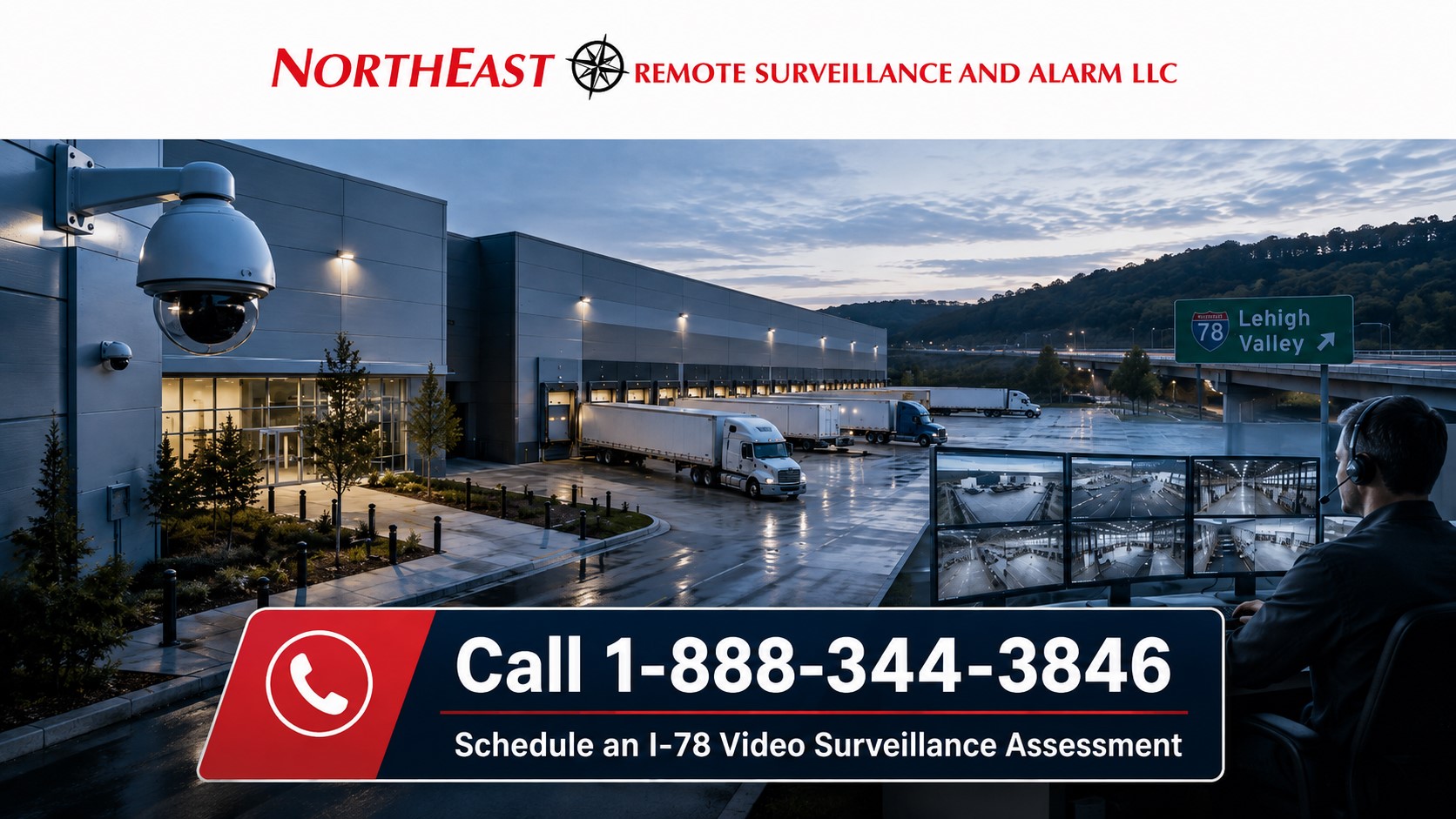
I-78 commercial video-surveillance system covering Lehigh Valley warehouses, loading docks, truck courts, trailer rows, employee entrances, parking areas, vehicle gates, and logistics facilities

Video Surveillance Built Around I-78 Operations

A camera system should reflect how the facility actually operates.

Before selecting cameras, recorders, storage, or analytics, the business should identify:

  • Where trucks enter and leave
  • Where drivers report
  • Which docks receive and ship freight
  • Where trailers are staged
  • Which entrances employees use
  • Where contractors and vendors enter
  • Which areas contain high-value inventory
  • Where materials are transferred
  • Which exterior areas are difficult to supervise
  • Which incidents require identification-level detail
  • How long recordings must remain available
  • Who requires remote access
  • Which locations need after-hours monitoring
  • Whether additional buildings or facilities may be added

A warehouse overview camera may show general movement but fail to capture enough detail to document a face, license plate, trailer number, dock position, pallet transfer, or doorway event.

Many I-78 facilities benefit from a layered camera strategy that combines:

  • Wide-area overview cameras
  • Focused entrance cameras
  • Dedicated loading-dock views
  • Shipping and receiving cameras
  • Warehouse aisle cameras
  • Truck-court coverage
  • Trailer-row cameras
  • Parking-area surveillance
  • Vehicle-gate cameras
  • License plate recognition
  • AI-supported perimeter detection
  • Remote-monitoring cameras

Every proposed camera should have a defined purpose.


I-78 Warehouses and Distribution Centers

Warehouse and distribution facilities connected to I-78 may include:

  • Large dock arrays
  • High-bay storage
  • Fulfillment operations
  • Shipping and receiving offices
  • Trailer staging areas
  • Truck courts
  • Employee parking
  • Driver entrances
  • Restricted inventory
  • Conveyor or automation areas
  • Exterior storage
  • Separate office and warehouse zones

Camera planning may help management:

  • Verify truck and trailer arrival
  • Review dock activity
  • Document freight transfers
  • Investigate inventory discrepancies
  • Review employee incidents
  • Examine vehicle-damage claims
  • Confirm activity at controlled doors
  • Review after-hours movement
  • Support alarm verification
  • Investigate unauthorized access

For broader warehouse protection involving cameras, controlled doors, intrusion alarms, gates, monitoring, and fire alarm coordination, visit Warehouse Security Systems in the Lehigh Valley. NERSA’s warehouse hub is designed around loading docks, trailer yards, employee entrances, shipping offices, restricted rooms, inventory areas, vehicle movement, and after-hours exposure. (Northeast Remote Surveillance)

For camera-specific warehouse planning, continue to Lehigh Valley Warehouse Video Surveillance Systems.


Loading Dock Camera Systems

Loading docks are among the most important camera locations at I-78 warehouses, manufacturing plants, and distribution properties.

A dock area may involve:

  • Drivers
  • Warehouse employees
  • Shipping personnel
  • Vendors
  • Dock doors
  • Overhead doors
  • Staged freight
  • Forklifts
  • Pallet movement
  • Trailer positioning
  • Adjacent personnel entrances
  • After-hours deliveries

Camera planning may need to document:

  • The truck approaching the property
  • The trailer entering the truck court
  • The vehicle positioning at the dock
  • Freight entering or leaving the building
  • Driver and employee interaction
  • Visible shipment condition
  • The sequence surrounding a damage claim
  • Access through nearby personnel doors

One camera rarely provides both the context and detail required for every dock event.

A stronger design may combine:

  • A truck-court overview
  • A dedicated exterior dock camera
  • An interior dock-door view
  • A shipping-office entrance camera
  • A focused freight-transfer view
  • A driver check-in camera

Planning should account for:

  • Dock numbering
  • Truck angles
  • Trailer positions
  • Lighting transitions
  • Nighttime conditions
  • Obstructions
  • Mounting height
  • Recording retention
  • Weather exposure
  • Required detail

For property-wide dock planning, visit Lehigh Valley Loading Dock Security Systems.


Shipping, Receiving, and Freight Documentation

Shipping and receiving areas often combine employees, drivers, paperwork, freight, returns, vendors, and outside carriers.

Cameras may help authorized personnel review:

  • Shipment arrival
  • Trailer positioning
  • Freight condition
  • Material transfers
  • Returns
  • Damaged-goods claims
  • Staging activity
  • Driver interaction
  • Access to shipping offices
  • Activity near exterior doors

The camera system should provide enough context to understand the sequence without relying only on a distant warehouse overview.

Clear camera naming can make investigations faster.

Useful names may include:

  • Dock 12 exterior
  • Dock 12 interior
  • East receiving office
  • Driver check-in
  • North staging area
  • Returns cage
  • West truck lane

Generic names such as “Camera 14” make footage harder to locate under time pressure.


Truck Courts and Trailer Storage

Truck courts and trailer-storage areas require different planning from conventional parking lots.

These areas may contain:

  • Moving tractor-trailers
  • Staged trailers
  • Yard tractors
  • Fleet vehicles
  • Driver parking
  • Outdoor equipment
  • Gate traffic
  • Fence lines
  • Fueling areas
  • Detached buildings
  • After-hours activity

A stronger truck-yard system may require:

  • Wide-area cameras
  • Dedicated gate views
  • Trailer-row cameras
  • Truck-lane coverage
  • Long-range exterior cameras
  • Wireless or fiber-connected remote cameras
  • License plate recognition
  • AI-supported perimeter detection
  • Remote video monitoring
  • Live audio talk-down

A camera mounted on the main building may provide a general overview but fail to produce useful detail at the far edge of a large yard.

Exterior planning should evaluate:

  • Distance
  • Lighting
  • Weather
  • Vibration
  • Mounting structures
  • Network communication
  • Power availability
  • Nighttime performance
  • Identification requirements

For monitored exterior response, visit Remote Video Monitoring and Live Talk-Down. NERSA’s live service page focuses on event verification, operator review, audio intervention, and approved escalation for loading docks, truck yards, trailer areas, parking lots, gates, equipment yards, and other properties with after-hours exposure. (Northeast Remote Surveillance)


Employee, Driver, and Contractor Entrances

I-78 facilities may have separate entrances for:

  • Office employees
  • Warehouse employees
  • Drivers
  • Contractors
  • Vendors
  • Temporary labor
  • Maintenance personnel
  • Visitors

Camera coverage may provide context for:

  • Access granted
  • Access denied
  • Forced doors
  • Held-open doors
  • After-hours entry
  • Contractor activity
  • Driver check-in
  • Employee arrival and departure
  • Reported incidents near the opening

Access records show what the access-control system recorded. They do not independently prove who physically entered or what occurred around the door.

Compatible video and access-control platforms may associate selected door events with nearby footage.

For complete controlled-door planning, visit Commercial and Industrial Access Control Systems.

For ongoing credential administration, controller-health awareness, door-status oversight, remote diagnostics, and lifecycle support, visit Managed Access Control Systems and System Health Monitoring.


Warehouse Aisles and Inventory Areas

Warehouse interiors can be difficult to cover because racks, shelving, stored materials, equipment, conveyors, and changing inventory may obstruct views.

Camera priorities may include:

  • High-value inventory
  • Secured cages
  • Tool rooms
  • Returns areas
  • Inventory adjustment points
  • Raw-material storage
  • Finished-goods storage
  • Narrow-aisle intersections
  • Equipment-charging areas
  • Restricted rooms
  • Office-to-warehouse transitions

A high-mounted overview may show movement but provide limited detail at a specific cage, shelf, doorway, or transfer point.

Camera planning should consider future layout changes. A view that is useful when installed may become blocked after:

  • Rack additions
  • Inventory growth
  • Equipment relocation
  • New signage
  • Conveyor changes
  • Temporary storage
  • Trailer staging

Critical camera views should be reviewed periodically against their intended purpose.


Parking Lot and Pedestrian Coverage

Employee and visitor parking areas may affect:

  • Workplace safety
  • Vehicle claims
  • Theft investigations
  • Employee arrival and departure
  • Visitor activity
  • After-hours awareness
  • General property documentation

Parking-lot planning should evaluate:

  • Vehicle paths
  • Pedestrian walkways
  • Employee entrances
  • Visitor entrances
  • Accessible parking
  • Side and rear lots
  • Lighting zones
  • Pole locations
  • Building-mounted views
  • Nighttime image quality

A wide overview may show that an incident occurred but fail to identify the person, vehicle, or direction of travel.

Some facilities benefit from:

  • Wide parking-lot overviews
  • Focused entrance views
  • Dedicated vehicle-lane cameras
  • Pedestrian-approach cameras
  • License plate recognition at selected entrances

License Plate Recognition on I-78 Properties

License plate recognition may help document vehicles entering or leaving selected lanes.

Potential applications include:

  • Truck entrances
  • Employee parking gates
  • Contractor entrances
  • Visitor lanes
  • Delivery approaches
  • Fleet facilities
  • Restricted vehicle areas

Reliable plate capture depends on:

  • Camera angle
  • Vehicle speed
  • Lane width
  • Mounting height
  • Lighting
  • Direction of travel
  • Plate size in the image
  • Dedicated capture settings

A standard overview camera should not be assumed to deliver reliable plate capture.

The facility should identify whether the objective is:

  • General vehicle documentation
  • Searchable plate records
  • Alerts for selected plates
  • Gate support
  • Delivery verification
  • Incident investigation

For broader LPR planning, visit License Plate Recognition Camera Systems.


AI-supported video can help authorized users find selected activity faster.

Depending on the platform and configuration, analytics may assist with:

  • People detection
  • Vehicle classification
  • Line crossing
  • Restricted-area activity
  • Loitering
  • Direction of travel
  • Perimeter events
  • After-hours movement
  • Object appearance or removal
  • Faster recorded-video search

AI should not replace good camera design.

Analytics perform best when:

  • The camera view is stable
  • Lighting is suitable
  • Subjects are large enough in the image
  • Detection zones are configured correctly
  • The network is reliable
  • Recording is functioning
  • The analytic matches the business objective

Poor positioning, glare, weak nighttime video, blocked views, weather, or incorrect settings may reduce analytic performance.

For NERSA’s broader analytics guidance, visit AI Video Surveillance Systems.


Remote Video Monitoring and Live Talk-Down

Some I-78 properties need more than passive recording.

Remote video monitoring may be appropriate for:

  • Truck courts
  • Trailer rows
  • Loading docks
  • Gate lanes
  • Exterior inventory
  • Equipment yards
  • Fence lines
  • Parking lots
  • Vacant sections
  • Repeated trespassing areas

A defined monitored-video program may include:

  • Analytic event generation
  • Operator review
  • Video verification
  • Live audio warnings
  • Customer notification
  • Escalation under approved procedures

Remote video monitoring is not the same as viewing cameras from a mobile application.

It requires:

  • Selected cameras
  • Defined schedules
  • Appropriate analytics
  • Monitoring procedures
  • Current response contacts
  • Written escalation instructions
  • Suitable speaker coverage when talk-down is used

For active after-hours deterrence, continue to Remote Video Monitoring and Live Talk-Down.


Recording and Video Retention

Video is useful only when it records properly and remains available long enough to support the business’s investigation timeline.

Actual retention depends on:

  • Number of cameras
  • Camera resolution
  • Frame rate
  • Compression
  • Scene activity
  • Recording schedules
  • Continuous or event-based recording
  • Storage capacity
  • Audio recording
  • Analytic metadata
  • Added cameras
  • Failed or degraded drives

A recorder originally designed to retain 30 days of video may no longer provide 30 days after:

  • More cameras are added
  • Resolution increases
  • Frame rates increase
  • Continuous recording replaces event recording
  • Audio or analytics are enabled
  • Storage devices begin to fail

Businesses should verify the oldest available footage instead of relying only on a configured estimate.

Retention planning should consider:

  • Freight disputes
  • Customer claims
  • Vehicle incidents
  • Internal investigations
  • Delayed incident reporting
  • Insurance expectations
  • Evidence export
  • Management procedures

Local, Cloud, and Hybrid Video Systems

I-78 properties may use on-premises, cloud-managed, or hybrid video architectures.

On-Premises Recording

On-premises systems may be appropriate for:

  • Large camera counts
  • Long retention periods
  • High recording bandwidth
  • Local storage control
  • Limited internet capacity
  • Specialized integrations

These systems still require:

  • Recorder or server maintenance
  • Hard-drive health review
  • Software support
  • Secure remote access
  • User administration
  • Cybersecurity
  • Backup planning
  • Lifecycle management

Cloud-Managed Video

Cloud-managed systems may provide:

  • Remote administration
  • Centralized user management
  • Multi-site viewing
  • Mobile access
  • Device-health information
  • Software coordination

The customer should understand:

  • Recurring subscription costs
  • Retention limitations
  • Internet requirements
  • Account ownership
  • Video export
  • Outage behavior
  • Local recording capabilities
  • Long-term platform support

Hybrid Video Surveillance

Hybrid systems can combine local recording with cloud-based:

  • Administration
  • Remote viewing
  • Health alerts
  • Event management
  • AI-supported search
  • Selected backup functions
  • Multi-site dashboards

The correct architecture depends on camera count, retention, bandwidth, cybersecurity, remote access, internal IT resources, subscriptions, and long-term operating cost.

For the detailed comparison, visit Cloud vs. On-Premises vs. Hybrid Video Surveillance.


Managed Camera and Recorder Health Monitoring

Camera systems can fail without creating an obvious operational interruption.

A camera may remain powered but stop recording. A recorder may appear online while a storage drive becomes degraded. A remote site may stop communicating while employees continue working normally.

Compatible health-monitoring services may help identify:

  • Offline cameras
  • Repeated camera disconnections
  • Recording interruptions
  • Recorder failures
  • Storage trouble
  • Degraded drives
  • Reduced retention
  • Network communication loss
  • Cloud gateway trouble
  • Licensing problems
  • Time synchronization issues
  • Sites that stop reporting

Health monitoring does not guarantee uninterrupted service and does not replace physical inspection.

It improves awareness of technical conditions that might otherwise remain hidden until footage is needed.

For camera-specific oversight, visit Managed Video Surveillance and Camera System Health Monitoring.

For broader technical monitoring across video surveillance, access control, alarm communication, networks, and power systems, visit Commercial Security System Health Monitoring.

For complete managed-security planning, continue to Managed Security Systems and System Health Monitoring.


Preventive Maintenance and Camera Inspection

Remote monitoring cannot identify every physical camera problem.

Scheduled preventive maintenance may include:

  • Cleaning lenses
  • Removing spiderwebs and insects
  • Verifying camera views
  • Checking focus
  • Inspecting mounts
  • Reviewing nighttime image quality
  • Inspecting enclosures
  • Testing recording
  • Confirming system time
  • Reviewing retention
  • Testing remote access
  • Reviewing user accounts
  • Inspecting recorder condition
  • Checking UPS and backup power
  • Updating documentation

Industrial and warehouse layouts change over time.

New racks, signs, stored materials, equipment, trailers, and temporary structures can block views that were useful when installed.

Critical cameras should be reviewed periodically to confirm they still support their intended purpose.


Network Infrastructure for I-78 Camera Systems

Many apparent camera failures are infrastructure problems.

Potential causes include:

  • Damaged cabling
  • Failed PoE ports
  • Insufficient bandwidth
  • Fiber-link failure
  • Wireless-bridge interruption
  • Power outages
  • Weak backup power
  • Incorrect addressing
  • VLAN or firewall changes
  • Inadequate equipment enclosures
  • Poor surge protection
  • Undocumented network changes

Large I-78 camera systems may require:

  • Cat6 or Cat6A cabling
  • Fiber-optic backbone
  • PoE switching
  • Wireless bridges
  • Equipment racks
  • UPS equipment
  • Backup batteries
  • Surge protection
  • VLANs
  • Network segmentation
  • Secure remote access
  • Cable labeling
  • Closeout documentation

The network and power architecture should be designed as part of the video-surveillance system.

For broader infrastructure planning, visit Commercial and Industrial Infrastructure and Cabling.


Integration With Access Control and Intrusion Alarms

Video may provide context for:

  • Access granted
  • Access denied
  • Forced doors
  • Held-open doors
  • Gate events
  • Intrusion alarms
  • Overhead-door activity
  • After-hours entry
  • Restricted-room access
  • Visitor or contractor releases

Compatible integration may allow authorized users to move from an alarm or access event directly to relevant video.

Integration should solve a legitimate operational problem. It should not create unnecessary complexity or interfere with required life-safety functions.

For broader coordination between cameras, doors, alarms, intercoms, gates, and monitoring workflows, visit Unified and Integrated Commercial Security Systems.


Multi-Site I-78 Video Management

Organizations with several warehouses, terminals, plants, or distribution properties may inherit:

  • Different camera manufacturers
  • Separate recorders
  • Inconsistent camera names
  • Different retention periods
  • Shared passwords
  • Unclear account ownership
  • Unsupported software
  • Multiple mobile applications
  • Missing documentation
  • Different service providers

A multi-site program may establish:

  • Central user administration
  • Location-specific permissions
  • Standard camera naming
  • Camera and recorder inventories
  • Retention standards
  • Health reporting
  • Service-ticket tracking
  • Preventive maintenance
  • Recurring-failure analysis
  • Platform-migration planning
  • Lifecycle priorities

Every location does not need to be replaced at once.

Supportable systems may remain in operation while the organization develops a phased standardization plan.

For complete multi-location oversight, visit Multi-Site Security System Management.


Existing-System Upgrades and Provider Takeovers

An I-78 facility may need modernization because of:

  • Poor image quality
  • Weak night performance
  • Offline cameras
  • Failed recorders
  • Limited storage
  • Short retention
  • Difficult video retrieval
  • Insecure remote access
  • Installer-owned accounts
  • Unsupported software
  • Incorrect camera positions
  • Weak network infrastructure
  • Limited expansion capacity

An assessment may determine what can be:

  • Retained
  • Repositioned
  • Reconfigured
  • Repaired
  • Expanded
  • Integrated
  • Migrated
  • Replaced in phases

A successful takeover should leave the customer with:

  • Customer-controlled accounts
  • Documented cameras
  • Clear camera names
  • Verified recording
  • Known retention
  • Secure user access
  • Supportable infrastructure
  • Defined service procedures
  • A future modernization plan

Existing equipment does not need to be replaced merely because another provider installed it.

It may remain when it is compatible, dependable, secure, accessible, serviceable, and appropriate for the final system.

For broader modernization planning, visit Commercial Security System Upgrades, Retrofits and Takeovers.


Small Facilities Through Enterprise I-78 Networks

A smaller I-78 warehouse may require:

  • Entrance cameras
  • Loading-dock coverage
  • Parking-lot visibility
  • Local recording
  • Secure remote access
  • Straightforward user permissions

A larger distribution center may require:

  • Dedicated dock cameras
  • Truck-court views
  • Trailer-row surveillance
  • Warehouse aisle cameras
  • LPR
  • Longer retention
  • Fiber infrastructure
  • AI-supported search
  • Remote monitoring
  • Managed system health

An enterprise network may require:

  • Centralized users
  • Regional permissions
  • Standard camera naming
  • Consistent retention
  • Multi-site dashboards
  • Health reporting
  • Service coordination
  • Documented platform standards
  • Lifecycle planning

The design should meet the current operational need without preventing future expansion.


The NERSA I-78 Video Surveillance Process

Facility and Operations Review

NERSA reviews:

  • Property layout
  • Warehouse and production activity
  • Employee movement
  • Driver procedures
  • Loading docks
  • Shipping and receiving
  • Truck courts
  • Trailer storage
  • Parking
  • Exterior approaches
  • Existing equipment
  • Known incidents

Camera-Purpose Planning

Each proposed camera receives a defined objective, such as:

  • General overview
  • Entrance identification
  • Dock documentation
  • Freight-transfer review
  • Inventory visibility
  • Vehicle documentation
  • Gate coverage
  • Parking-area awareness
  • Perimeter monitoring
  • Alarm verification

Recording and Retention Planning

NERSA may evaluate:

  • Camera count
  • Resolution
  • Frame rate
  • Compression
  • Recording mode
  • Storage capacity
  • Actual retention
  • Expansion requirements
  • Export needs

Infrastructure Review

Planning may include:

  • Cabling
  • Fiber
  • Wireless links
  • PoE switching
  • Bandwidth
  • Power
  • Backup power
  • Network security
  • Equipment locations

Installation and Configuration

Approved systems are configured around:

  • Camera views
  • Recording requirements
  • Camera naming
  • User permissions
  • Remote access
  • Analytics
  • Monitoring
  • Included integrations

Testing and Commissioning

Testing may include:

  • Live image verification
  • Recording checks
  • Playback
  • Search
  • Video export
  • Retention verification
  • Remote access
  • User permissions
  • Analytic events
  • Health-monitoring functions
  • Included integrations

Training and Documentation

Authorized users may receive instruction on:

  • Live viewing
  • Recorded-video search
  • Video export
  • Mobile access
  • User administration
  • Incident review
  • Requesting service

Documentation may identify:

  • Camera names
  • Camera locations
  • Recorder information
  • Storage
  • Expected retention
  • User roles
  • Network requirements
  • Primary accounts
  • Service information

Why I-78 Businesses Choose NERSA

Northeast Remote Surveillance and Alarm, LLC is headquartered in Bethlehem and focuses on commercial and industrial security systems.

NERSA plans I-78 video surveillance around:

  • Warehouse and logistics operations
  • Freight movement
  • Loading docks
  • Truck and trailer activity
  • Employee and driver entrances
  • Parking exposure
  • Restricted inventory
  • Recording and retention
  • Secure remote access
  • AI-supported search
  • Alarm verification
  • Remote monitoring
  • Camera health
  • Network infrastructure
  • Customer account ownership
  • Documentation
  • Long-term service

NERSA already supports regional camera and security planning across Allentown, Bethlehem, Easton, Route 22, Route 33, and I-78, with dedicated Lehigh Valley, warehouse, corridor, monitoring, and infrastructure resources. (Northeast Remote Surveillance)


Frequently Asked Questions About I-78 Video Surveillance

What is an I-78 commercial video-surveillance system?

It is a commercial camera, recording, storage, viewing, analytics, and management system designed for warehouses, distribution centers, manufacturing plants, logistics facilities, truck courts, and other properties connected to the I-78 corridor.

Which areas should I-78 facilities cover with cameras?

Common priorities include loading docks, shipping and receiving areas, employee entrances, truck courts, trailer rows, gates, parking areas, inventory rooms, warehouse aisles, exterior storage, and building approaches.

How many cameras does a warehouse need?

The number depends on property size, dock count, ceiling height, layout, storage, entrances, truck courts, parking, required detail, retention, and monitoring objectives. Camera purpose and placement matter more than a generic count.

Should every loading dock have a dedicated camera?

Not always, but many facilities benefit from dedicated views at high-priority docks. The correct design depends on spacing, truck angles, lighting, freight procedures, required detail, and available overview coverage.

Can cameras help document freight disputes?

Cameras may provide useful context around vehicle arrival, trailer positioning, shipment transfers, driver activity, and freight condition. Their usefulness depends on placement, image quality, recording, and retention.

Can standard cameras capture license plates?

Sometimes incidentally, but reliable plate capture usually requires a dedicated LPR design with the correct angle, distance, mounting position, lighting, and vehicle speed.

Can video connect with access control?

Compatible platforms may associate selected access events with nearby footage, helping authorized users review denied credentials, forced doors, held-open doors, and after-hours entry.

Can NERSA monitor camera and recorder health?

Compatible systems may provide health information for cameras, recorders, storage, cloud gateways, communication paths, licensing, and other supported conditions.

Is remote viewing the same as remote video monitoring?

No. Remote viewing allows authorized users to access cameras. Remote video monitoring is a separate service involving selected cameras, alert rules, monitoring personnel, and defined response procedures.

Should an I-78 facility use local or cloud recording?

The correct architecture depends on camera count, retention, bandwidth, cybersecurity, subscriptions, remote access, multi-site management, and internal IT resources.

Can an existing system be upgraded?

Possibly. NERSA can evaluate cameras, recorders, storage, cabling, switches, accounts, software, views, and network infrastructure to determine what may be retained, repaired, expanded, migrated, or replaced.

Can several I-78 locations be centrally managed?

Compatible systems may support central users, location-specific permissions, standard naming, health reporting, retention standards, multi-site viewing, and coordinated service.

Does NERSA install residential systems?

No. Northeast Remote Surveillance and Alarm, LLC focuses on commercial, industrial, warehouse, logistics, manufacturing, institutional, municipal, healthcare, educational, and multi-site properties.


Request an I-78 Commercial Video Surveillance Assessment

NERSA can evaluate your facility’s:

  • Existing cameras
  • Employee and driver entrances
  • Loading docks
  • Shipping and receiving areas
  • Warehouse aisles
  • Inventory rooms
  • Truck courts
  • Trailer rows
  • Parking lots
  • Vehicle gates
  • Exterior approaches
  • Lighting
  • Image-detail requirements
  • Recording
  • Storage
  • Retention
  • Remote access
  • User permissions
  • Account ownership
  • AI analytics
  • Network infrastructure
  • Remote monitoring
  • Camera-health capabilities
  • Future expansion

Call Northeast Remote Surveillance and Alarm at 1-888-344-3846 to schedule an I-78 commercial video-surveillance assessment.

For broader corridor planning, return to I-78 Lehigh Valley Corridor Security Systems.

For regional camera planning, continue to Lehigh Valley Commercial Video Surveillance Systems.


Scroll to Top
1-888-344-3846