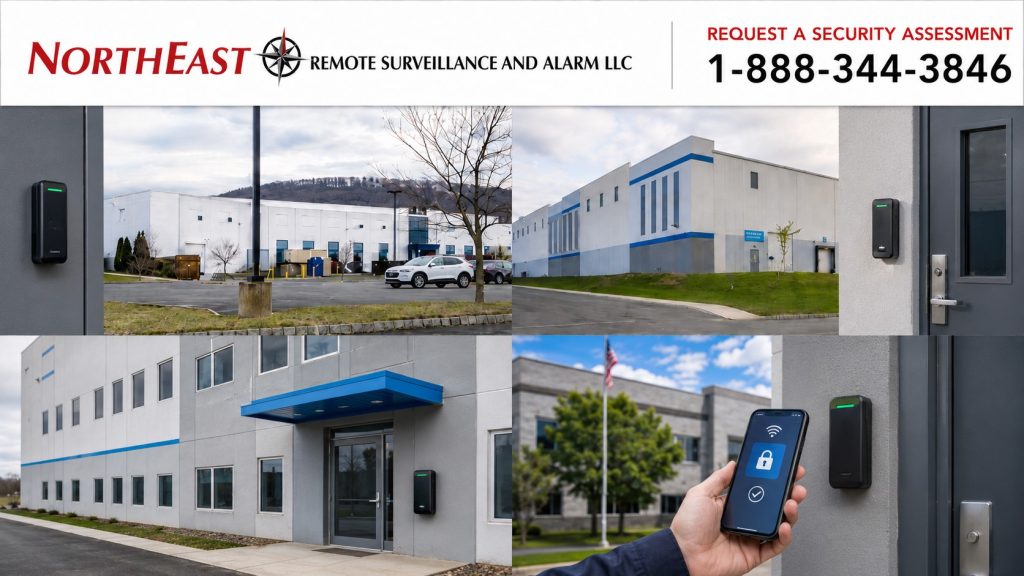
Warehouse Access Control Systems in Allentown, PA

Warehouse access control systems help Allentown distribution centers, logistics facilities, storage properties, manufacturing buildings, and mixed office-and-warehouse operations control employee entrances, restricted rooms, shipping offices, inventory areas, and other credentialed openings.

Northeast Remote Surveillance and Alarm, LLC designs, installs, upgrades, expands, and supports commercial warehouse access control systems throughout Allentown and the surrounding Lehigh Valley.

A properly planned system gives each employee, supervisor, temporary worker, contractor, or vendor access to the correct doors during the correct schedule without granting unnecessary facility-wide entry.

Commercial and Industrial Properties Only • New Installations • Existing-System Upgrades • Takeovers • Single-Site and Multi-Location Operations

Call 1-888-344-3846 to discuss access control for your Allentown warehouse.

For broader planning involving credentials, readers, controllers, management platforms, and other commercial applications, visit Commercial Access Control Systems in Allentown, PA.

Warehouse access control system in Allentown, PA securing employee entrances, shipping offices, inventory areas and restricted warehouse doors.

Warehouse Access Control Built Around Daily Operations

Warehouse access control is more than a reader mounted beside an employee entrance. The system must support the movement of employees, managers, temporary labor, drivers, vendors, maintenance personnel, and contractors without disrupting normal operations.

Allentown warehouse facilities may operate across several shifts, extended hours, weekends, seasonal peaks, and changing staffing levels. Properties serving the I-78 and Route 22 corridors may also experience high employee counts, frequent deliveries, temporary workers, and repeated after-hours activity.

A properly organized warehouse access control system can help management:

  • Reduce uncontrolled key distribution
  • Add and remove users without rekeying controlled doors
  • Separate access by department, role, shift, or building
  • Restrict inventory, tool, equipment, IT, and management areas
  • Issue temporary credentials with defined expiration dates
  • Manage contractors and vendors without granting broad access
  • Review granted and denied credential activity
  • Identify selected forced-door and held-open conditions
  • Coordinate employee onboarding and offboarding
  • Administer multiple doors, buildings, or warehouse locations
  • Create a consistent record of authorized entry

The system should make daily access easier to administer while preserving appropriate control over sensitive areas.

Warehouse Doors and Areas Commonly Placed Under Access Control

The most important controlled opening is not always the front entrance. Interior transition points, shipping offices, equipment rooms, and restricted storage areas may create a greater operational need.

Common warehouse access control applications include:

  • Main employee entrances
  • Rear and side employee doors
  • Office-to-warehouse transition doors
  • Warehouse-to-production transition doors
  • Shipping and receiving offices
  • Dispatch and transportation offices
  • Inventory cages
  • High-value storage rooms
  • Tool and equipment rooms
  • IT and network rooms
  • Records and document-storage rooms
  • Management and supervisor offices
  • Maintenance areas
  • Mechanical and electrical rooms
  • Quality-control spaces
  • Product-return areas
  • Contractor and service entrances
  • After-hours entrances
  • Doors separating departments or operational zones

Each opening should be evaluated around its users, traffic volume, operating schedule, physical condition, security purpose, and required emergency behavior.

A lightly used records room does not require the same hardware or credential workflow as a high-cycle employee entrance handling several shift changes each day.

Employee Entrances and Shift Changes

Employee entrances are often the busiest controlled openings in a warehouse. They may need to process repeated credential use during shift changes, meal periods, overtime, early arrivals, and staggered schedules.

Permissions may be organized around:

  • First, second, and third shifts
  • Weekday or weekend assignments
  • Department responsibilities
  • Supervisor or management roles
  • Approved overtime
  • Seasonal schedules
  • Holiday operations
  • Cleaning and maintenance periods
  • Emergency or on-call responsibilities
  • Temporary work assignments

A general warehouse employee may require access to one exterior entrance and an assigned operational area. Shipping personnel may need the employee entrance, shipping office, and selected warehouse doors. Maintenance personnel may need approved access to mechanical spaces. A supervisor may require broader access without receiving complete administrative authority over the system.

High-Volume Employee Entrances

Heavy shift traffic can reveal door and system problems that are not visible during a quiet installation test.

Employee entrances should be evaluated for:

  • Reader location and accessibility
  • Credential-processing speed
  • Door width and traffic flow
  • Exit-device condition
  • Door closer operation
  • Secure closing and relatching
  • Door-position monitoring
  • Weather exposure
  • Exterior lighting
  • Accessible-entry requirements
  • Employee congestion
  • Repeated door-held-open conditions

A controlled entrance should release promptly for authorized users, allow normal passage, close consistently, and return to a secure condition without requiring employees to pull, push, or manipulate the door.

Temporary Labor and Seasonal Staffing

Warehouses often experience faster staffing changes than conventional office properties. Seasonal employees, staffing-agency personnel, project crews, and temporary assignments can create credential-management problems when responsibilities are unclear.

A stronger temporary-worker process should identify:

  • Who approves the worker
  • Who verifies the person receiving the credential
  • Which doors the credential can operate
  • Which shift or schedule applies
  • Which restricted areas remain excluded
  • The activation date
  • The expiration date
  • Who reports a lost credential
  • Who authorizes an extension
  • Who confirms deactivation when the assignment ends

Where the selected platform supports automatic expiration, temporary access can end at a specified date and time unless an authorized administrator extends it.

Temporary credentials should not remain active indefinitely because no one requested their removal. Naming conventions should also make temporary workers easy to identify during user reviews.

A system filled with unidentified card numbers, duplicate employee records, former workers, and indefinite temporary credentials becomes difficult to manage regardless of the equipment installed.

Employee Onboarding, Transfers, and Offboarding

Electronic access control provides its greatest value when it is supported by a consistent administrative process.

During onboarding, the organization should determine:

  • Employee name or identification
  • Department and position
  • Assigned warehouse or building
  • Approved employee entrance
  • Shift schedule
  • Interior areas required for the role
  • Start date
  • Credential type
  • Expiration or review requirements
  • Manager authorizing access

Employee transfers should also trigger a permission review. Moving someone to another department should not automatically preserve access from the previous assignment.

During offboarding, an authorized administrator should deactivate the credential promptly. The process should address:

  • Voluntary departures
  • Employee terminations
  • Transfers to another location
  • Leaves of absence
  • Expired contractor assignments
  • Staffing-agency changes
  • Lost or unreturned credentials
  • Changes in job responsibility

The access control system can make removal faster, but responsibility for requesting and completing the change must be clearly assigned.

Role-Based Warehouse Permissions

Warehouse access is easier to administer when permissions are organized around actual responsibilities rather than assigned randomly one door at a time.

Potential access groups may include:

  • General warehouse employees
  • Shipping and receiving personnel
  • Inventory-control staff
  • Dispatch personnel
  • Supervisors
  • Operations management
  • Office employees
  • Maintenance personnel
  • IT personnel
  • Quality-control staff
  • Cleaning personnel
  • Temporary workers
  • Staffing-agency employees
  • Contractors
  • Approved vendors
  • Corporate or regional management

Access groups can simplify administration, but they should be reviewed before being copied to new employees. Giving one person the same permissions as another merely because they work in the same building may create unnecessary access.

Sensitive areas may require narrower permissions, more limited schedules, management approval, or stronger credential requirements.

Shipping, Receiving, and Dispatch Areas

Shipping and receiving operations combine employee activity, delivery schedules, driver contact, computer systems, paperwork, inventory movement, and access between public and restricted portions of the facility.

Access control may be appropriate at:

  • Shipping-office entrances
  • Dispatch offices
  • Driver waiting areas
  • Warehouse-side office doors
  • Records and document rooms
  • Key-control areas
  • High-value shipment areas
  • Interior doors leading from receiving areas into the warehouse
  • After-hours shipping entrances

Drivers and couriers should not automatically receive unrestricted employee access. Where entry is necessary, access can be limited to the appropriate door, time, and duration.

Visitor communication, driver check-in, reception procedures, and door release should be coordinated so delivery personnel are not directed through employee-only areas or left waiting at an unsecured entrance.

Inventory, Tools, Equipment, and Restricted Rooms

Some of the most important controlled openings are located inside the warehouse.

Restricted access may be appropriate for:

  • Inventory cages
  • High-value storage
  • Tool cribs
  • Equipment rooms
  • IT and network rooms
  • Records rooms
  • Maintenance shops
  • Management offices
  • Mechanical and electrical rooms
  • Quality-control spaces
  • Product-return areas
  • Damaged-goods areas
  • Secure staging locations
  • Regulated or controlled product areas

Permissions should reflect the purpose of the room. An inventory cage may be limited to inventory personnel and approved supervisors. An IT room may be limited to authorized technical staff. A maintenance area may use separate schedules for employees and outside service contractors.

Electronic access can create a more useful activity record than an unmanaged mechanical key, but that record is only valuable when credentials are assigned to identifiable people and reviewed when necessary.

Contractor, Vendor, and Service Access

Warehouse properties routinely receive people who are not part of the normal employee population.

These users may include:

  • Equipment-service technicians
  • Electrical contractors
  • Fire alarm and sprinkler contractors
  • Network and telecommunications providers
  • Cleaning companies
  • Pest-control vendors
  • Building-maintenance personnel
  • Construction crews
  • Delivery personnel
  • Temporary project workers
  • Corporate visitors

Access can be restricted by door, site, schedule, project, start date, or expiration date.

A contractor servicing warehouse equipment may need one service entrance and a defined route. A cleaning company may need selected doors during evening hours. A telecommunications technician may need one exterior entrance and the network room during a limited service window.

Vendor credentials should not become permanent shared cards with unclear custody. The organization should know:

  • Who approved access
  • Who received the credential
  • Which doors were assigned
  • When access begins
  • When access expires
  • Who is responsible for reporting a lost credential
  • Whether the credential was returned or deactivated

Credential and Reader Options

Warehouse access control systems may support:

  • Smart cards
  • Keycards
  • Key fobs
  • Mobile credentials
  • Individual PINs
  • Card-plus-PIN authentication
  • Supported biometric credentials for selected applications
  • Multi-technology readers during phased upgrades

The credential strategy should account for:

  • Number of users
  • Employee turnover
  • Temporary labor
  • Existing badges
  • Credential replacement
  • Reader compatibility
  • Mobile-device policies
  • Multiple warehouse locations
  • Administrative workload
  • Security requirements
  • Future expansion

Cards and fobs remain practical for many warehouse environments. Mobile credentials may be useful for selected managers, regional employees, or multi-site administrators. Shared PINs should be avoided where individual accountability is required.

Sensitive areas may justify stronger authentication than a general employee entrance. The selected method should balance security, speed, employee usability, environmental conditions, and long-term administration.

Access Schedules and Automatic Expiration

Access schedules determine when an otherwise valid credential can operate a particular door.

Warehouse schedules may include:

  • Normal shift hours
  • Early-arrival periods
  • Grace periods around shift changes
  • Approved overtime
  • Weekend operations
  • Holiday restrictions
  • Cleaning schedules
  • Maintenance windows
  • Delivery periods
  • Temporary projects
  • Emergency on-call access
  • Seasonal operating schedules

Schedules should be reviewed when staffing, operating hours, tenants, production needs, or management responsibilities change.

Automatic door-unlock schedules should also be used carefully. A door that remains unlocked during operating hours creates a different condition from a door that remains credential-controlled throughout the day. The decision should reflect staffing, visitor flow, door location, and the operational purpose of the opening.

Door Events, Alerts, and Activity Records

Depending on the selected equipment and programming, the system may record or report:

  • Access granted
  • Access denied
  • Door opened
  • Door closed
  • Door forced open
  • Door held open beyond an allowed period
  • Credential used outside an approved schedule
  • Repeated denied attempts
  • Authorized request to exit
  • Controller communication trouble
  • Selected power or equipment conditions

A credential event shows that someone requested access. Door-position monitoring helps show whether the opening actually opened, closed, or remained unsecured.

Warehouse management should determine:

  • Which events require immediate attention
  • Who receives alerts
  • Who investigates repeated held-open conditions
  • Who reviews activity after an incident
  • Who can view or export records
  • How administrator permissions are controlled
  • How long activity should remain available
  • How incorrect door names or user records are corrected

Producing an alert that no one understands or reviews does not improve building control.

Forced and Held-Open Door Conditions

A forced-door event may occur when an opening is used without a valid credential or recognized exit sequence.

A held-open event may occur when a door remains open longer than the programmed period.

Repeated events may result from:

  • Employees propping the door
  • Deliveries passing through an employee entrance
  • Slow-moving carts
  • Excessively short door timing
  • Door closer problems
  • Latch or strike misalignment
  • Weather conditions
  • Building air pressure
  • Poorly positioned request-to-exit devices
  • Incorrect event programming

The cause should be investigated rather than simply extending the timer until the alert disappears.

Access Control Does Not Eliminate Tailgating

Access control determines whether a presented credential is authorized. It does not automatically prevent another person from following the authorized user through the same opening.

Facilities concerned about tailgating may need to consider:

  • Employee training
  • Visitor procedures
  • Reception or security staffing
  • Door-position monitoring
  • Video review at critical entrances
  • Turnstiles or controlled vestibules
  • Anti-passback features where operationally appropriate
  • Clear reporting procedures
  • Better traffic flow during shift changes

The appropriate approach depends on the entrance, employee volume, facility layout, and level of control required.

High-Cycle Warehouse Doors and Physical Reliability

A reader and controller cannot compensate for a door that fails to release, close, latch, or report correctly.

Warehouse openings may experience:

  • Heavy daily traffic
  • Shift-change congestion
  • Rough handling
  • Exterior temperature changes
  • Dust and debris
  • Cart or equipment impact
  • Damaged exit devices
  • Worn hinges
  • Weak closers
  • Frame movement
  • Weather stripping
  • Threshold interference
  • Repeated propping
  • Exposed or damaged wiring

The opening should be evaluated for locking operation, request-to-exit equipment, door-position monitoring, power, wiring, closing performance, and required emergency behavior.

For complete opening-level planning involving readers, controllers, electric locking hardware, request-to-exit operation, door monitoring, power, wiring, and secure relatching, visit Commercial Door Access Control Systems in Allentown, PA.

Detailed hardware should be selected around the actual door and frame rather than treated as a standard component that fits every warehouse opening.

Loading Dock and Warehouse Personnel Doors

Personnel doors near loading docks may require access control because they provide entry from exterior dock areas into shipping offices, employee areas, or the warehouse.

Potential applications include:

  • Exterior personnel doors beside dock bays
  • Shipping-office entrances
  • Driver waiting-room doors
  • Warehouse-to-dock transition doors
  • After-hours shipping entrances
  • Doors leading from dock areas into office spaces
  • Restricted dock-management rooms

Overhead loading dock doors serve a different purpose from pedestrian entrances. Their operators, safety devices, control stations, interlocks, and operating procedures require opening-specific evaluation.

The access control system should distinguish between managing pedestrian entry and controlling industrial loading dock equipment.

Cloud-Managed and On-Premise Systems

Warehouse access control may be managed through a cloud-based platform, an on-premise system, or an approved hybrid arrangement.

Cloud-managed systems may support:

  • Remote user administration
  • Centralized multi-site management
  • Faster credential changes
  • Mobile administration
  • Central event review
  • Easier management of smaller satellite locations

On-premise systems may be appropriate when an organization requires:

  • Local system management
  • Existing server infrastructure
  • Specific internal IT policies
  • Integration with an established enterprise platform
  • Local data-management requirements
  • Continued use of compatible existing equipment

The decision should account for:

  • Internet dependency
  • Offline door operation
  • Licensing
  • Cybersecurity responsibilities
  • Software support
  • Administrator access
  • Credential technology
  • Event retention
  • System expansion
  • Long-term ownership and support

The best platform is one the organization can operate, secure, maintain, and expand.

Multi-Building and Multi-Location Warehouses

Organizations with several warehouses may need centralized credential management while preserving location-specific authority.

A multi-location design may include:

  • One credential used across approved facilities
  • Location-specific access groups
  • Corporate and local administrators
  • Central employee offboarding
  • Consistent door naming
  • Standardized reader technology
  • Site-specific schedules
  • Regional event review
  • Temporary access limited to one building
  • Scalable licensing
  • Documented administrator responsibilities

A regional administrator may require visibility across several locations, while a local manager should only control the doors and users assigned to one facility.

The administrative structure should be established before expansion so each additional warehouse does not become a separate and disconnected system.

Access Control as Part of Warehouse Security

Access control manages authorized entry and movement through selected doors. A complete warehouse property may also require video surveillance, intrusion detection, after-hours monitoring, loading dock coverage, yard visibility, perimeter protection, or gate control.

Where supported by the selected systems, access events may be associated with video so authorized personnel can review activity around a controlled entrance. Intrusion alarms may also protect selected doors and areas when the warehouse is closed or lightly staffed.

For broader planning involving warehouse cameras, alarms, access control, loading docks, yards, and after-hours protection, visit Warehouse Security Systems in Allentown, PA.

Each system should perform its own function reliably while coordinating with other security systems where the connection provides a practical operational benefit.

New Warehouse Access Control Installations

A new system may be appropriate when a warehouse:

  • Relies heavily on mechanical keys
  • Cannot quickly remove former users
  • Is adding employee entrances
  • Needs to restrict interior areas
  • Is opening a new location
  • Is expanding into adjacent space
  • Has outgrown a small standalone system
  • Needs centralized multi-site administration
  • Requires better temporary-worker control
  • Needs recorded door activity

Planning should begin with the building layout, user groups, shifts, restricted areas, door conditions, network availability, administrative responsibilities, and expected future growth.

Warehouse Access Control Upgrades and Takeovers

An existing warehouse system does not always require complete replacement.

An upgrade or takeover may include reviewing:

  • Existing controllers
  • Credential readers
  • Cards and fobs
  • Mobile-credential capability
  • User records
  • Permission groups
  • Schedules
  • Door names
  • Event history
  • Electric locking hardware
  • Door-position contacts
  • Request-to-exit devices
  • Power supplies
  • Backup batteries
  • Wiring
  • Network communication
  • Software versions
  • Licensing
  • Remote administration
  • Documentation
  • Manufacturer support status

Compatible and supportable equipment may be retained when it operates correctly and fits the future plan.

Unsupported controllers, insecure credential technologies, unreliable doors, undocumented wiring, confused user databases, or systems that cannot expand may require phased or complete replacement.

The objective is to improve reliability, administration, and control—not to replace functioning equipment without a practical reason.

NERSA’s Warehouse Access Control Process

Warehouse Operations Review

NERSA reviews the facility layout, operating hours, employee shifts, staffing model, restricted areas, vendor activity, current key or credential procedures, and known door problems.

Controlled-Opening Survey

Each proposed opening is reviewed for its purpose, users, traffic, door condition, existing hardware, closing performance, wiring pathways, power requirements, monitoring needs, and required exit operation.

User and Permission Planning

Employee groups, supervisors, temporary workers, contractors, vendors, administrators, schedules, expiration rules, and restricted areas are organized into a manageable permission structure.

Platform and Credential Selection

Controllers, software, readers, credentials, licensing, event retention, remote administration, IT requirements, and future expansion are evaluated around the warehouse’s operation.

Installation and Programming

Approved equipment is installed and programmed around the facility’s doors, users, schedules, access groups, event conditions, and administrative responsibilities.

Functional Testing

Testing may include:

  • Valid credential entry
  • Invalid credential denial
  • Schedule restrictions
  • Lock release
  • Door opening and closing
  • Secure relatching
  • Request-to-exit operation
  • Door-position reporting
  • Forced-door events
  • Held-open events
  • Power-loss behavior
  • Backup-power operation
  • Controller communication
  • Repeated high-traffic cycles

Administrative Turnover

Authorized personnel receive instruction on adding and removing users, changing schedules, replacing credentials, managing temporary access, reviewing activity, and responding to included system conditions.

Door names, controller assignments, permission groups, schedules, equipment locations, and relevant system information are documented for future administration and service.

Why Allentown Warehouse Operators Choose NERSA

Northeast Remote Surveillance and Alarm, LLC has focused on commercial and industrial security systems since 2008.

NERSA evaluates warehouse access control around:

  • Actual employee and visitor movement
  • Multiple shifts
  • Staffing changes
  • Temporary labor
  • Restricted operational areas
  • Credentials and readers
  • Controllers and software
  • Door condition and locking operation
  • Request-to-exit equipment
  • Door-position monitoring
  • Power and wiring
  • Network communication
  • Administrator responsibility
  • Documentation
  • Future expansion

NERSA supports:

  • Smaller single-building warehouses
  • Distribution centers
  • Logistics facilities
  • Manufacturing properties
  • Mixed office-and-warehouse buildings
  • Multi-tenant industrial properties
  • Multi-building operations
  • Enterprise and multi-location organizations
  • New installations
  • Existing-system expansions
  • Phased upgrades
  • Hardware corrections
  • System takeovers

The objective is a reliable and manageable access control system that supports the way the warehouse operates every day.

Request a Warehouse Access Control Assessment in Allentown, PA

Northeast Remote Surveillance and Alarm, LLC can evaluate employee entrances, office-to-warehouse doors, shipping offices, inventory areas, equipment rooms, IT spaces, contractor entrances, temporary-worker procedures, existing controllers, credential technology, door conditions, and multi-location administration requirements.

Call 1-888-344-3846 to discuss your Allentown warehouse access control project.

Frequently Asked Questions About Warehouse Access Control Systems in Allentown, PA

What is a warehouse access control system?

A warehouse access control system uses credentials, readers, controllers, software, permissions, schedules, locking hardware, and door monitoring to manage entry through selected warehouse doors and restricted areas.

Which warehouse doors are commonly placed under access control?

Common openings include employee entrances, office-to-warehouse transition doors, shipping offices, inventory cages, IT rooms, tool rooms, management offices, maintenance spaces, contractor entrances, and restricted interior rooms.

Can warehouse access be assigned by employee shift?

Yes. Credentials can be limited to approved doors and schedules based on shift, department, role, location, or after-hours responsibility.

Can access control manage temporary and seasonal workers?

Yes. Temporary users can receive access limited by door, shift, assignment, start date, and expiration date. The warehouse should maintain a consistent process for approving, issuing, extending, and removing temporary credentials.

What happens when a warehouse employee leaves?

An authorized administrator can deactivate the employee’s credential without rekeying every controlled door. Offboarding responsibility should be clearly assigned so access is removed promptly.

Can contractors and vendors receive temporary access?

Yes. Access can be limited to selected doors, schedules, locations, projects, and expiration dates. Contractor credentials should not become unidentified permanent cards.

Should delivery drivers receive employee credentials?

Usually, drivers should receive only the access required for the approved delivery or check-in process. They should not automatically receive unrestricted access to employee entrances or warehouse operating areas.

Can different warehouse departments receive different permissions?

Yes. Shipping, inventory, maintenance, management, office, IT, temporary labor, and general warehouse personnel can receive different doors and schedules based on their responsibilities.

Can the system show who entered a warehouse door?

The system can record the credential, door, date, time, and access result when credentials are assigned to identifiable users and the equipment is properly configured.

Can the system report a door that is propped open?

A properly installed door-position contact can help report when a door remains open beyond its programmed period. The facility should assign responsibility for reviewing and responding to the condition.

Does a valid credential event prove the door closed afterward?

No. A credential event shows that access was requested and granted. Door-position monitoring helps determine whether the opening subsequently opened and closed.

What credentials can be used in a warehouse?

Depending on the platform, warehouses may use smart cards, keycards, key fobs, mobile credentials, individual PINs, card-plus-PIN authentication, or supported biometric credentials for selected applications.

Is cloud-managed or on-premise access control better for a warehouse?

The correct choice depends on the number of locations, existing infrastructure, IT requirements, internet resilience, licensing, credential administration, event retention, integration needs, and long-term support plan.

Can warehouse access control work with video surveillance?

Where supported by the selected systems, access events may be associated with camera views to help authorized personnel review activity around a controlled opening.

Can an existing warehouse access control system be upgraded?

Yes. Existing controllers, readers, credentials, software, permissions, schedules, door hardware, power, wiring, licensing, and support status can be evaluated to determine what should be retained, corrected, expanded, or replaced.

Can one access control system manage several warehouses?

Many commercial platforms can support centralized multi-location administration with location-specific doors, schedules, user groups, and administrator permissions.

Will controlled warehouse doors still allow emergency exit?

Controlled openings must be planned to preserve required exit and emergency operation. Locking hardware, request-to-exit equipment, fire alarm interfaces, and release behavior should be selected around the specific opening.

Is access control practical for a small warehouse?

Yes. A smaller warehouse may begin with one employee entrance and one or two restricted areas while using a platform that permits reasonable future expansion.

Who installs warehouse access control systems in Allentown, PA?

Northeast Remote Surveillance and Alarm, LLC designs, installs, upgrades, expands, and supports commercial warehouse access control systems for Allentown warehouses, distribution centers, logistics facilities, industrial properties, and multi-location organizations.

Scroll to Top
1-888-344-3846