
Commercial visitor-entry planning coordinates intercoms, call stations, credentials, and door release so guests can request authorized access through an understandable entrance process.

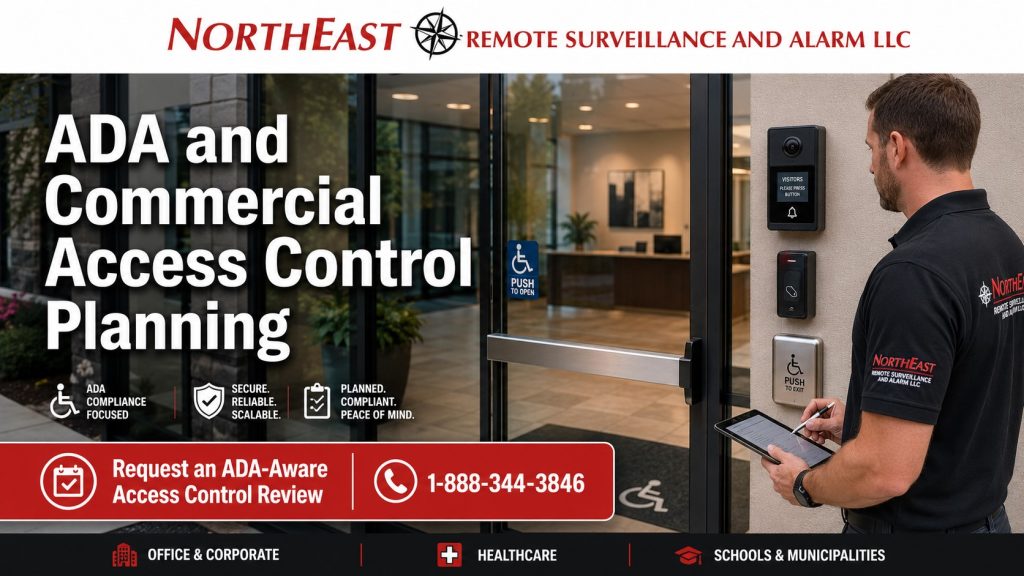
Visitors interact with controlled entrances differently from employees who use the same door every day.
A visitor needs to find the correct entrance, locate the call station and contact staff. Clear feedback should explain when the door unlocks and how to enter.
Northeast Remote Surveillance and Alarm, LLC (NERSA) designs and integrates commercial visitor-entry equipment with electronic access-control systems so intercoms, call buttons, remote release and controlled doors operate as a clear entry process.
NERSA supports scalable applications ranging from a single visitor entrance for a small business through multi-door commercial properties, campuses and enterprise environments.
For broader accessibility planning involving readers, doors, gates, automatic operators and controlled openings, visit ADA Compliance for Electronic Access Control Systems.
Visitor Entry at a Controlled Commercial Entrance
Visitors often arrive without knowing how the building’s access-control system works.
The entrance should make it reasonably clear:
- Which door visitors should use
- Where to request entry
- How to contact staff
- Which intercom or call button serves the entrance
- What happens after authorization
- Which door has been released
- Whether another action is required before entering
An intercom can work technically yet remain difficult to use. Awkward placement, unclear signs or poor coordination with door release can confuse visitors.
The objective is to create a clear and manageable visitor-entry sequence while maintaining controlled access to the property.
Intercom and Call Station Placement
Place the visitor intercom where arriving users can identify and approach it.
Planning may consider:
- Relationship to the controlled entrance
- Visibility
- Approach to the device
- Call-button location
- Audio communication
- Camera positioning where applicable
- Lighting
- Weather exposure
- Nearby obstructions
- Relationship to the door being released
Choose the intercom location around the visitor’s approach, then plan the cabling path.
A device hidden around a corner, obstructed by site features or positioned away from the entrance it controls can make visitor entry unnecessarily confusing.
Make it clear which nearby entrance the device controls.
Remote Door Release
Many commercial visitor entrances allow reception personnel, security staff or another authorized user to release the door remotely.
The visitor should not be left uncertain about:
- Whether access was approved
- Whether the door has unlocked
- Which opening was released
- How long the release remains available
- Whether another action is required
Coordinate remote release with the visitor’s entry sequence.
The sequence may include:
- Visitor approaches the designated entrance.
- Visitor locates and activates the intercom or call station.
- Authorized personnel communicate with the visitor.
- Authorized staff approve entry.
- Staff release the appropriate controlled opening.
- The visitor proceeds through the door.
- The opening returns to its normal secured condition.
The exact process depends on the property and equipment, but it should remain understandable.
Video Intercoms at Controlled Entrances
Some visitor-entry systems combine audio communication with video.
Video can help authorized staff identify the visitor and the entrance they are using.
A video intercom installation may need to consider:
- Camera view
- Device height and position
- Lighting
- Entrance identification
- Audio quality
- Weather exposure
- Relationship to the controlled door
- Remote-release function
Plan wider camera coverage separately from the visitor-entry intercom.
The camera function is considered only as part of the visitor-entry and access-control interaction at the controlled entrance.
For broader intercom and communication system planning, visit Commercial Intercom and Paging Systems.
Credentialed Visitors and Temporary Users
Not every visitor-entry process relies entirely on an intercom.
Some organizations issue temporary credentials to:
- Contractors
- Vendors
- Temporary employees
- Service providers
- Approved guests
- Short-term occupants
Give visitors who use temporary credentials clear instructions about:
- Which entrance to use
- Which credential device to approach
- Which doors are authorized
- When access is valid
- What to do if the credential does not work
Temporary access should remain limited to the doors, schedules and periods approved by the organization.
For complete access-control system planning, visit Commercial & Industrial Access Control Systems.
Accessible Visitor Interaction
A visitor-entry system should not create unnecessary barriers for people approaching or using the entrance.
Intercoms, call buttons and credential devices should be considered in relation to:
- The approach to the entrance
- Available clear space
- Nearby obstructions
- Visibility
- Device usability
- Relationship to the controlled door
- Intended accessible route
The security technology should support the intended movement through the entrance rather than requiring an awkward or confusing sequence.
Broader accessibility and compliance determinations remain with the appropriate qualified design professional, consultant, authority or governing requirement where applicable.
Evaluate visitor-entry security technology and user interaction together.
Automatic Operators at Visitor Entrances
Some visitor entrances also use an automatic door operator.
Coordinate the visitor-entry system with the automatic opening sequence. Remote release must work with the locking hardware and door operator.
Coordinate automatic-door operation with the entrance hardware and access-control design.
For the technical sequence involving credential authorization, lock release, operator activation, closing and relatching, visit Automatic Door Operators & Access Control Integration.
Entrance Identification and Instructions
Clear identification can make controlled visitor entry easier to understand.
Depending on the property, useful information may include:
- Visitor Entrance
- Use Intercom for Entry
- Call for Assistance
- After-Hours Entry Instructions
- Designated Reception Entrance
Signage should support a well-designed visitor-entry process rather than compensate for poorly positioned security equipment.
The entrance itself should remain logical.
Exterior Visitor Entrances
Exterior visitor-entry equipment faces changing weather and lighting conditions.
Planning may consider:
- Rain and moisture exposure
- Snow accumulation
- Ice
- Lighting
- Seasonal visibility
- Device durability
- Approach to the entrance
- Weather protection
An intercom or call station that becomes obstructed or difficult to identify under normal seasonal conditions can reduce the usability of the controlled entrance.
Select and position exterior equipment for the actual environment.
Small Business Through Enterprise Visitor Entry
Visitor-entry requirements can scale considerably.
A small office may need one intercom-controlled front entrance.
A multi-tenant property may have several shared visitor entrances.
A healthcare, municipal or educational property may manage public-facing and staff entrances differently.
A commercial campus or enterprise environment may require consistent visitor-entry procedures across multiple buildings.
The scale changes, but the principle remains the same:
Visitors should have a clear way to request authorized entry without weakening control of the property.
NERSA supports single-entrance small-business applications through multi-door, multi-building, campus and enterprise environments.
Frequently Asked Questions
Can an intercom be integrated with commercial access control?
Yes. Compatible intercom and access-control systems let authorized staff speak with a visitor and release the appropriate entrance.
Can reception remotely unlock a visitor entrance?
Yes. Supported systems can allow authorized personnel to remotely release a controlled door after completing the property’s visitor-entry process.
Can a video intercom be used at an access-controlled entrance?
Yes. Compatible video intercoms can provide communication and visual verification as part of the visitor-entry process.
Should the intercom be located next to the controlled door?
Position it so visitors can identify the entrance it serves and use it as part of the entry sequence.
Can contractors receive temporary access instead of using an intercom every time?
Depending on the system and customer policy, approved contractors or temporary users may receive credentials with limited doors and schedules.
Does an accessible intercom establish complete ADA compliance?
No. An intercom is one part of the entrance; broader accessibility requirements must be reviewed for the complete entrance design.
How does visitor entry connect to automatic-door system design?
Coordinate the intercom’s release command with the controlled door and operator sequence.
Review the automatic-door integration guide for that planning.
Request a Visitor Entry & Intercom Assessment
If your commercial property needs a clearer way for visitors, vendors, contractors or other authorized users to request entry at a controlled entrance, NERSA can evaluate the intercom, call station, remote-release process, credential devices and relationship to the controlled door.
Whether the requirement involves one visitor entrance for a small business or coordinated entry across a multi-building enterprise environment, the visitor-entry process should remain clear, manageable and secure.
Request a Security Assessment.
Small Business – Enterprise Scalable Solutions
Commercial & Industrial Systems Only • Visitor Entry • Intercom Integration • Remote Door Release