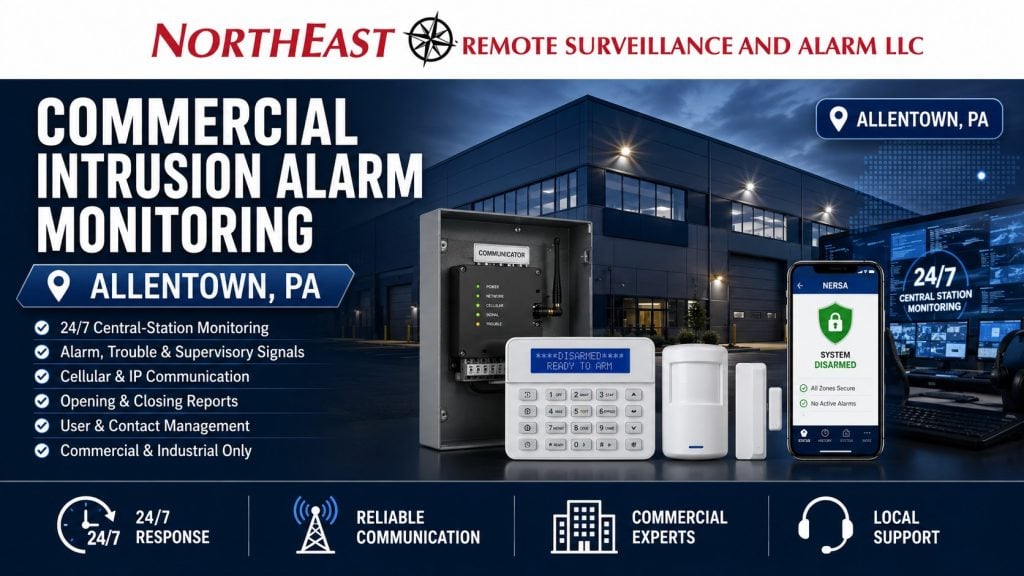
Commercial intrusion alarm monitoring in Allentown, PA gives businesses a defined response process when an alarm system detects unauthorized entry, interior movement, panic activation, communication failure, or another programmed security condition.
Northeast Remote Surveillance and Alarm, LLC provides professionally monitored intrusion-alarm solutions for Allentown offices, warehouses, manufacturers, distribution centers, medical properties, retail businesses, industrial facilities, institutional buildings, and multi-site commercial organizations.
Monitoring should involve more than connecting an alarm panel to a central station. The system, communication path, zone descriptions, authorized contact list, opening and closing schedule, verification procedures, and response instructions must work together so alarm events produce clear and useful action.
This page focuses specifically on ongoing commercial intrusion-alarm monitoring and signal-response procedures. For broader planning involving intrusion detection, alarm panels, keypads, partitions, panic devices, and complete system design, begin with Commercial Intrusion Alarm Systems in Allentown, PA.

What Commercial Intrusion Alarm Monitoring Does
A professionally monitored intrusion-alarm system transmits programmed events from the protected property to a central monitoring station.
Depending on the system, monitoring account, and response plan, transmitted events may include:
- Burglary alarms
- Perimeter door alarms
- Window or glass-break alarms
- Interior motion alarms
- Overhead-door alarms
- Panic or duress activations
- Alarm-system trouble conditions
- Communication failures
- Low-battery conditions
- AC power loss
- Opening and closing events
- Late-to-close exceptions
- Early-opening activity
- Failure-to-arm events
- Partition status changes
- System test signals
Monitoring personnel process the signal according to the instructions established for the account. Those instructions may require contacting designated employees, verifying the event, notifying property management, requesting law-enforcement response, or following a property-specific escalation procedure.
The value of monitoring depends heavily on the accuracy of the information connected to the account.
Monitoring Is More Than an Alarm Notification
A mobile notification can alert an employee that something happened. Professional monitoring provides a structured response process when the employee is unavailable, asleep, traveling, working in another area, or unable to respond.
A properly established monitoring arrangement can help answer several important questions:
- What type of alarm occurred?
- Which building or partition generated the signal?
- Which door, room, or area was affected?
- Who should be contacted first?
- Who has authority to cancel an alarm?
- Should law enforcement be requested?
- Is video verification available?
- Are there site-specific access instructions?
- What happens if the primary contact does not answer?
- How should panic or duress events be handled?
- Which events require immediate action?
- Which events should be documented for management review?
Without clear procedures, monitoring can become little more than a generic call list. Commercial properties need response instructions designed around the facility, risk level, staffing pattern, and operating schedule.
Alarm Communication Paths
The alarm panel must have a reliable way to transmit events to the monitoring station.
Commercial intrusion-alarm systems may use:
- Cellular communication
- Internet or IP communication
- Dual-path cellular and internet communication
- Supervised alarm communication
- Legacy telephone communication where still supported
- Compatible commercial radio or network communication methods
The appropriate communication method depends on the installed panel, available infrastructure, building construction, signal conditions, monitoring requirements, and desired level of redundancy.
Cellular Alarm Communication
Cellular communication allows a compatible alarm communicator to transmit events without depending entirely on a traditional analog telephone line.
It can be useful for properties that:
- No longer maintain analog phone service
- Have converted to VoIP
- Need an independent alarm communication path
- Want to reduce dependence on building telephone wiring
- Require supervised commercial alarm reporting
Cellular signal quality should be evaluated at the communicator location. Metal buildings, concrete construction, below-grade equipment rooms, large warehouses, and certain industrial environments may require different equipment placement or additional communication planning.
Internet and IP Alarm Communication
IP communication can provide fast event transmission through the property’s network connection.
Network-based alarm communication should account for:
- Router and firewall configuration
- Internet-service reliability
- Network equipment power backup
- Static or dynamic addressing requirements
- Port and protocol requirements
- IT department coordination
- Equipment replacement procedures
- Network maintenance windows
An alarm system should not lose its reporting path because a router was replaced without accounting for the security equipment connected to it.
Dual-Path Alarm Communication
Dual-path communication uses two supported reporting methods, commonly cellular and IP.
A dual-path design can provide additional resilience if one communication method becomes unavailable. The exact supervision and failover behavior depend on the alarm platform, communicator, monitoring receiver, and account programming.
Communication redundancy should be selected according to actual business risk rather than added only as a marketing feature.
What Happens When an Alarm Signal Is Received?
The exact response depends on the signal and the business’s monitoring instructions.
A typical intrusion-alarm event may involve:
- The alarm panel detects an activated zone.
- The system transmits the event to the central station.
- Monitoring personnel identify the account, partition, and alarm description.
- The event is processed according to the account instructions.
- Authorized contacts may be called or notified.
- Available verification information may be reviewed.
- Law enforcement may be requested when required by the response procedure.
- The event is documented in the monitoring history.
Not every event should be handled identically.
A panic activation, rear warehouse-door alarm, missed closing, communication trouble, and low-battery condition require different levels of urgency and different response procedures.
Accurate Alarm Zone Descriptions
Zone descriptions are one of the most important parts of a monitored commercial alarm system.
A description such as “Zone 9” provides little useful information during an incident. A description such as “North Shipping Office Exterior Door” gives monitoring personnel and business contacts a clearer understanding of what occurred.
Useful zone descriptions may include:
- Main Employee Entrance
- South Warehouse Exit
- Rear Shipping Door
- Dock Door 7
- First-Floor Records Room
- Tool Crib Motion
- Second-Floor Executive Office
- East Electrical Room
- Detached Storage Building
- Retail Stockroom Door
- Pharmacy Storage Panic
- Server Room Interior Motion
Descriptions should be reviewed whenever the building layout changes, departments move, entrances are renamed, warehouse doors are renumbered, or new detection devices are added.
Poor descriptions can delay investigation and create confusion for employees, property managers, monitoring personnel, and responding authorities.
Authorized Contact and Call-List Management
A commercial alarm monitoring account should have an accurate and intentional contact list.
The contact list may include:
- Business owners
- Facility managers
- Security personnel
- Operations managers
- Warehouse supervisors
- Property managers
- Regional managers
- Designated after-hours employees
- Corporate security contacts
- Approved emergency contacts
The business should determine:
- Who should be called first
- Who has authority to cancel alarms
- Who can request changes to the account
- Who should receive trouble notifications
- Who should be contacted after hours
- Whether separate contacts are needed for different buildings
- Whether different partitions require different call lists
- How unanswered calls should be escalated
Former employees should be removed promptly. Phone numbers, responsibilities, and escalation order should be reviewed periodically.
An outdated call list can result in monitoring personnel contacting someone who no longer works for the business while the employees responsible for the property receive no notification.
Alarm Verification Procedures
Alarm verification can help monitoring personnel and business contacts evaluate whether an event may represent actual unauthorized activity.
Verification methods may include:
- Contacting authorized employees
- Confirming whether someone is legitimately on site
- Reviewing multiple alarm activations
- Evaluating the order in which zones activated
- Using compatible video-verification tools
- Reviewing access-control activity
- Checking opening and closing schedules
- Following enhanced call-verification procedures
- Applying site-specific response instructions
A single motion alarm may be handled differently from a sequence involving an exterior door followed by several interior detectors.
Verification procedures should be designed carefully. They should improve decision-making without causing unnecessary delay during a genuine emergency.
Opening and Closing Supervision
Commercial intrusion-alarm monitoring can include opening and closing reporting for businesses that need greater oversight of when the property is armed or disarmed.
Opening and closing events can identify:
- Which user disarmed the system
- What time the business opened
- What time the system was armed
- Whether the property closed late
- Whether someone entered unusually early
- Whether the system was never armed
- Whether weekend or holiday activity occurred
- Which partition was opened or closed
- Whether repeated schedule exceptions are occurring
Opening and closing supervision can be useful for:
- Retail businesses
- Offices
- Warehouses
- Manufacturing facilities
- Medical properties
- Multi-tenant buildings
- Multi-location companies
- Properties using cleaning contractors
- Facilities with multiple shifts
- Buildings with different departmental schedules
The schedule must reflect actual operations. A warehouse with changing shipping schedules should not be managed under the same rules as a professional office with consistent weekday hours.
Failure-to-Arm and Late-to-Close Reporting
A monitored alarm system can identify when a property or partition remains disarmed beyond its expected closing time.
This may help management address situations such as:
- An employee forgot to arm the system
- A cleaning crew left without securing the building
- A department remained open unexpectedly
- A warehouse section was never armed
- A manager believed another employee was responsible
- A keypad or arming procedure caused confusion
- A scheduling change was not communicated
- A door or zone prevented the system from arming
Failure-to-arm reporting does not physically secure the building. It creates an opportunity for an authorized person to respond before the property remains unprotected for the entire night.
Individual User Codes and Monitoring Reports
Commercial properties should generally use individual user codes instead of one shared code.
Individual codes can help identify:
- Who opened the building
- Who armed the system
- Who accessed a particular partition
- When a contractor or cleaner entered
- Which manager responded to an alarm
- Whether a former employee’s code remains active
- Whether unusual activity is tied to a specific user
User permissions may also be limited by:
- Partition
- Department
- Schedule
- Job responsibility
- Temporary access period
- Management level
The monitoring and alarm platform may provide reports showing opening, closing, alarm, trouble, and user activity.
These records can support internal accountability, incident review, management oversight, and multi-site administration.
Monitoring Multiple Alarm Partitions
Large commercial properties often need different areas to be armed and monitored independently.
Partitions may include:
- Office areas
- Warehouse areas
- Manufacturing floors
- Shipping and receiving
- Retail and stockroom sections
- Tenant suites
- Tool cribs
- Controlled storage
- Server rooms
- Maintenance departments
- Detached buildings
- High-value inventory rooms
Each partition can have its own operating schedule, users, alarm descriptions, and response procedures.
For example, the warehouse may remain active during a late shift while the front office and executive areas are already armed. Partitioning allows the protected areas to remain monitored without forcing the entire property into one operating status.
Partition names should be clear and consistent between the alarm panel, mobile application, monitoring account, and system documentation.
Panic and Duress Signal Monitoring
Commercial intrusion systems may include panic or duress devices for employees who need a direct way to request assistance.
Panic devices may be installed at:
- Reception desks
- Customer-service counters
- Medical offices
- Cash-handling areas
- Shipping offices
- Security stations
- Executive offices
- Interview rooms
- Isolated employee areas
Panic and duress signals require carefully defined procedures.
The monitoring account should identify:
- What type of panic signal is being transmitted
- Whether the alarm is silent or audible
- Whether verification calls are appropriate
- Which responders should be contacted
- Whether law enforcement should be requested immediately
- Which employees are authorized to cancel the event
- What site information should be provided
Employees should understand how and when the device is intended to be used.
This page addresses monitoring of panic signals when they are part of a commercial intrusion-alarm account. It does not replace a dedicated panic and duress system design page.
Alarm Trouble and Communication Supervision
Monitoring can also identify selected system conditions that do not represent an intrusion but still require attention.
Possible trouble signals include:
- Communication failure
- Low system battery
- AC power failure
- Wireless-device low battery
- Missing wireless device
- Expansion-module trouble
- Bell or siren circuit trouble
- Panel tamper
- Communicator trouble
- System test failure
Trouble signals should not be ignored indefinitely. A system may appear normal to employees while a communication path, backup battery, or detection device is no longer functioning properly.
The business should understand which trouble events are monitored, who receives notification, and how quickly service should be requested.
Scheduled Alarm Communication Testing
Commercial alarm systems should transmit scheduled test signals when supported and appropriately programmed.
A test signal can help confirm that the alarm panel and communicator are still reaching the monitoring station.
The testing interval may depend on:
- Alarm equipment
- Communication technology
- Monitoring arrangement
- Property risk
- System programming
- Manufacturer capabilities
- Business requirements
A successful scheduled test does not prove that every door contact, motion detector, keypad, user code, siren, battery, and alarm zone works correctly.
Periodic physical system testing and maintenance remain necessary.
Reducing False and Avoidable Alarm Dispatches
Professional monitoring works best when the alarm system and user procedures are maintained properly.
False or avoidable alarms may be caused by:
- Employees entering without disarming
- Shared alarm codes
- Untrained users
- Cleaning crews working outside expected schedules
- Unsecured doors
- Misaligned contacts
- Damaged overhead-door devices
- Poorly positioned motion detectors
- Weak wireless batteries
- Incorrect entry and exit delays
- Outdated call lists
- Improper zone descriptions
- Building renovations
- Animals, insects, or environmental conditions
- Employees remaining inside an armed partition
- Failure to update monitoring procedures
Reducing unnecessary alarms may require a combination of equipment service, programming changes, employee training, schedule adjustments, contact-list cleanup, and clearer closing procedures.
Repeated alarms from the same zone should be investigated rather than continually dismissed.
Monitoring for Warehouses and Distribution Centers
Allentown warehouses and distribution facilities may have large buildings, multiple loading docks, employee entrances, irregular shipping schedules, cleaning crews, late shifts, contractors, and detached storage areas.
A warehouse monitoring plan may account for:
- Overhead-door alarms
- Loading-dock entrances
- Shipping-office doors
- Warehouse motion zones
- Inventory cages
- High-value storage
- Roof hatches
- Detached buildings
- Office-to-warehouse transitions
- Weekend shipping activity
- Separate office and warehouse partitions
- Early-opening and late-closing exceptions
- Multiple site contacts
- Yard or gate-related alarm events
Monitoring instructions should identify the exact building, partition, and opening involved.
A generic “warehouse alarm” description may be insufficient for a large facility with numerous docks and departments.
Monitoring for Manufacturing Facilities
Manufacturing facilities often operate under schedules that do not fit a standard daytime opening and closing structure.
Monitoring plans may need to accommodate:
- Multiple production shifts
- Maintenance employees
- Sanitation crews
- Overnight contractors
- Shipping and receiving schedules
- Tool cribs
- Parts storage
- Engineering areas
- Finished-goods storage
- Restricted production-support rooms
- Detached utility buildings
- Periodic shutdowns
- Holiday production
Alarm partitions and schedules should be designed around actual production activity.
A system that produces constant schedule exceptions may eventually be ignored. The monitoring arrangement should provide meaningful oversight without treating normal manufacturing activity as an emergency.
Monitoring for Offices and Professional Properties
Office properties may need monitoring for:
- Main entrances
- Rear employee doors
- Accessible windows
- Reception areas
- Server rooms
- Records rooms
- Executive areas
- Storage rooms
- Multi-tenant suites
- After-hours cleaning activity
Opening and closing reports can help management identify unusual access, missed arming, and activity outside established office hours.
Multi-tenant properties may require separate partitions and different contact lists for each suite or responsible party.
Monitoring for Medical and Healthcare Properties
Medical offices and other healthcare properties may require carefully managed alarm procedures for administrative areas, medication storage, records, IT equipment, rear entrances, and employee safety devices.
Monitoring plans may account for:
- Early staff arrivals
- Late patient appointments
- Cleaning services
- On-call employees
- Restricted storage
- Panic or duress devices
- Separate administrative areas
- Weekend activity
- Multiple authorized managers
Security monitoring should be planned so it supports the facility’s operating schedule without creating unnecessary interference with patient care or staff access.
Monitoring for Retail and Customer-Facing Businesses
Retail businesses may need intrusion monitoring after closing while maintaining a clear opening and closing process for employees.
The system may monitor:
- Storefront entrances
- Rear delivery doors
- Accessible glass
- Stockrooms
- Manager offices
- Cash offices
- High-value merchandise areas
- Interior sales-floor motion
- Attached storage areas
- Panic devices
Opening and closing supervision can help identify missed arming, unusual access, and repeated schedule exceptions.
Employees responsible for closing should have clear instructions for bypassed zones, doors that will not secure, monitoring calls, and accidental alarm activation.
Monitoring Multi-Site Commercial Organizations
Businesses with multiple Allentown or regional locations may benefit from standardized monitoring procedures.
A multi-site monitoring structure may include:
- Consistent site naming
- Standard zone-description formats
- Centralized contact management
- Regional escalation procedures
- Standard opening and closing reports
- Individual site schedules
- Corporate security contacts
- Site-level manager contacts
- Standard user-management procedures
- Consistent alarm-event reporting
- Coordinated service documentation
Standardization makes it easier for corporate personnel to understand events across different locations.
However, each property still requires site-specific information. A standard procedure should not erase important differences between a small office, warehouse, manufacturing plant, and customer-facing location.
Changing Commercial Alarm Monitoring Providers
A business may consider changing monitoring providers because of poor service, outdated account information, limited reporting, communication problems, ownership changes, or a need for stronger local support.
Before changing providers, the existing system should be evaluated for:
- Panel compatibility
- Programming access
- Communicator compatibility
- Installer-lock conditions
- Equipment ownership
- Existing monitoring agreement
- Account documentation
- Zone descriptions
- User codes
- Communication-path condition
- Required equipment changes
- Testing and commissioning needs
A monitoring change may be straightforward when the system is compatible and accessible. Other properties may require reprogramming, a new communicator, panel upgrades, device testing, or broader system modernization.
For projects involving equipment evaluation, provider conversion, panel modernization, or inherited alarm systems, use Commercial Alarm System Upgrades and Takeovers in Allentown, PA.
Mobile Applications and Remote Alarm Management
Compatible commercial alarm platforms may provide mobile or browser-based tools for authorized users.
Available functions may include:
- Arm and disarm control
- Partition status
- Alarm notifications
- User management
- Event history
- Opening and closing activity
- Trouble notifications
- Remote system status
- Permission management
Remote access can improve convenience, but it does not replace professional monitoring.
A mobile application depends on the authorized user seeing the notification, having a working device, maintaining internet access, and being available to respond. Professional monitoring provides an additional response layer based on the established account instructions.
Remote permissions should be limited to authorized personnel and removed promptly when responsibilities change.
Intrusion Alarm Monitoring Is Not Remote Video Monitoring
Intrusion-alarm monitoring and remote video monitoring are different services.
Intrusion-alarm monitoring processes signals generated by programmed alarm devices, such as:
- Door contacts
- Motion detectors
- Glass-break detectors
- Panic devices
- Alarm panels
- Communication supervision
Remote video monitoring uses cameras, video analytics, live operators, or event-based video review to evaluate visible activity.
The two services may support each other, but they should not be presented as the same thing.
This page is focused only on monitored commercial intrusion-alarm signals and the procedures connected to those signals.
Intrusion Monitoring Is Separate From Fire-Alarm Monitoring
Commercial fire-alarm monitoring is a separate life-safety function with different equipment, codes, testing requirements, signal classifications, documentation, and response procedures.
Fire-alarm, sprinkler supervisory, waterflow, smoke-detection, and life-safety signals should not be treated as ordinary burglary-alarm events.
This page does not replace fire-alarm monitoring, fire communicator, fire inspection, or NFPA-related planning resources.
Monitoring Account Review and Maintenance
Commercial monitoring information should be reviewed periodically and whenever major operational changes occur.
The business should update the monitoring account after:
- Employee turnover
- Management changes
- Phone-number changes
- Building renovations
- Department relocations
- Door renumbering
- Warehouse expansion
- New partitions
- Operating-hour changes
- New cleaning contractors
- Property ownership changes
- New tenants
- Added panic devices
- Communication upgrades
- Changes to law-enforcement response procedures
The alarm system may still transmit successfully while the information attached to the signal is no longer accurate.
Monitoring account maintenance is part of maintaining the security system.
Small Commercial Properties Through Enterprise Facilities
NERSA supports monitored intrusion-alarm systems for commercial properties of different sizes.
A smaller business may require:
- One alarm panel
- Several protected doors
- Interior motion detection
- Individual user codes
- Cellular communication
- Basic opening and closing reporting
- A defined central-station call list
A large commercial or industrial property may require:
- Numerous alarm zones
- Multiple buildings
- Multiple partitions
- Several communication paths
- Department-specific contacts
- Hundreds of users
- Opening and closing supervision
- Panic and duress procedures
- Corporate escalation rules
- Multi-site reporting
- Standardized account documentation
- Phased system administration
The monitoring plan should match the property’s real operating structure rather than forcing every business into the same call list and response template.
What This Page Does Not Cover
This page is limited to ongoing commercial intrusion-alarm monitoring, signal communication, account management, and response procedures.
It does not replace pages dedicated to:
- New commercial intrusion-alarm installations
- Alarm panel upgrades
- Existing-system takeovers
- Communicator-only replacement
- POTS-line replacement
- Stand-alone panic and duress planning
- Remote video monitoring
- Live video talk-down
- Fire-alarm monitoring
- Access-control monitoring
- General security-system integration
- Residential alarm monitoring
Keeping these intents separate helps businesses reach the correct service page and prevents unrelated services from being grouped into one generic alarm resource.
Request Commercial Intrusion Alarm Monitoring in Allentown, PA
If your Allentown office, warehouse, manufacturing facility, distribution center, medical property, retail business, industrial building, institutional facility, or multi-site organization needs professionally monitored intrusion protection, Northeast Remote Surveillance and Alarm, LLC can evaluate the existing alarm system, communication path, monitoring account, zone descriptions, user structure, schedules, and response procedures.
The objective is to create a dependable monitoring arrangement that gives the business clear information and a defined response process when an alarm or system condition occurs.
For broader citywide planning across intrusion alarms, video surveillance, access control, monitoring, fire-alarm coordination, intercoms, and commercial security infrastructure, use Commercial Security Systems in Allentown, PA.
Call Northeast Remote Surveillance and Alarm, LLC at 1-888-344-3846 to request a commercial intrusion-alarm monitoring assessment in Allentown, PA.
Frequently Asked Questions About Commercial Intrusion Alarm Monitoring in Allentown, PA
What is commercial intrusion-alarm monitoring?
Commercial intrusion-alarm monitoring connects a business alarm system to a central monitoring station that processes transmitted alarm, panic, trouble, opening, closing, and communication events according to established response instructions.
Is professional monitoring available 24 hours a day?
Commercial central-station monitoring is generally designed to receive supported alarm signals around the clock. The exact services, event types, and response procedures depend on the monitoring account and installed equipment.
Does professional monitoring mean someone watches our cameras continuously?
No. Intrusion-alarm monitoring processes alarm-system signals. Continuous or event-based camera observation is a separate remote video-monitoring service.
Can the alarm system use cellular communication?
Yes. Compatible commercial alarm systems may use cellular communication, IP communication, or dual-path cellular and IP communication.
Can an alarm system be monitored without a traditional phone line?
Often, yes. Many commercial alarm systems can use compatible cellular or internet-based communication. The existing panel and communicator should be evaluated before removing the current telephone service.
What information does the monitoring station receive?
The monitoring station may receive the business account, building, partition, event type, zone description, user information, and other programmed event details supported by the alarm system.
Can the monitoring station identify which door caused the alarm?
Yes, when the system is properly programmed and the zone description accurately identifies the protected opening.
Can different departments have different monitoring procedures?
Yes. Different partitions, buildings, or departments may have separate schedules, contacts, and response instructions when the system and monitoring account support that structure.
Can monitoring report who armed or disarmed the system?
Yes. Individual user codes and compatible reporting can identify which user opened or closed a partition and when the event occurred.
Can the system notify us when an employee forgets to arm the building?
Yes. Failure-to-arm or late-to-close reporting may identify when a property or partition remains disarmed after its expected closing time.
Can panic and duress devices be professionally monitored?
Yes. Compatible panic and duress signals can be monitored under procedures established for the business and the specific type of activation.
Does monitoring eliminate false alarms?
No. Monitoring processes signals generated by the system. Reducing false alarms requires dependable equipment, proper programming, accurate schedules, employee training, maintained doors, and current response procedures.
Can NERSA take over an existing monitored alarm account?
NERSA can evaluate the alarm panel, communicator, programming access, equipment condition, monitoring agreement, and account information to determine the correct conversion or upgrade path.
Can the existing alarm equipment remain in place?
Possibly. Existing equipment may remain when it is compatible, supportable, dependable, accessible, and successfully tested.
Is intrusion-alarm monitoring the same as fire-alarm monitoring?
No. Fire-alarm monitoring is a separate life-safety service with different equipment, signals, codes, testing requirements, and response procedures.
Can NERSA monitor both small businesses and large enterprise facilities?
Yes. NERSA supports monitored commercial alarm systems for small offices and retail businesses as well as warehouses, manufacturing facilities, multi-building properties, industrial operations, and enterprise organizations requiring multiple partitions, users, sites, and escalation procedures.
How often should the monitoring contact list be reviewed?
The contact list should be reviewed periodically and whenever employees, managers, phone numbers, operating schedules, tenants, buildings, or response responsibilities change.
Is residential alarm monitoring included?
No. Northeast Remote Surveillance and Alarm, LLC focuses on commercial, industrial, institutional, municipal, healthcare, warehouse, manufacturing, and multi-site security systems.