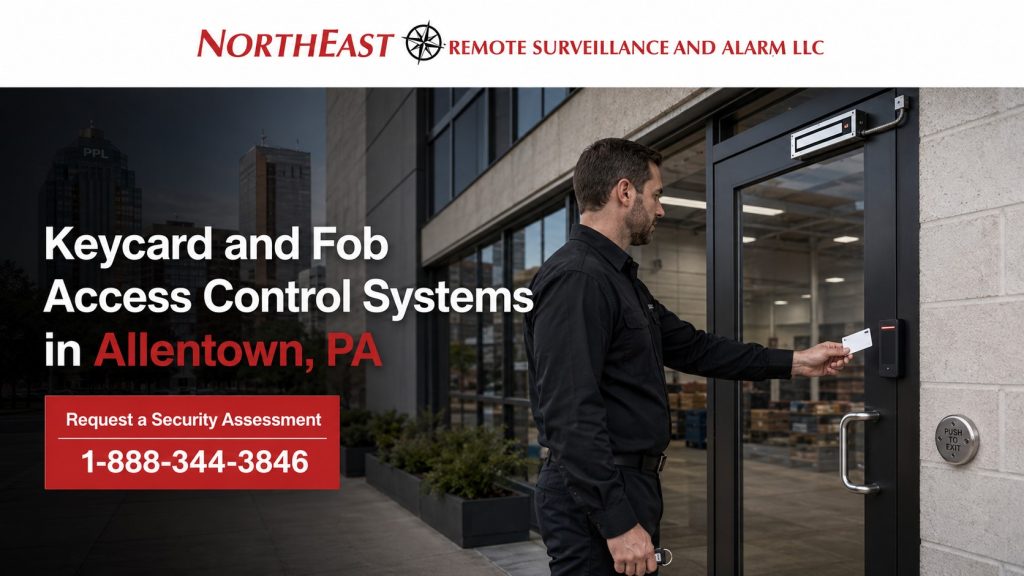
Commercial keycard and fob access control systems allow Allentown businesses to issue individual credentials, control which doors each person can use, limit access by schedule, deactivate lost or unreturned credentials, and maintain a clearer record of building entry.
Northeast Remote Surveillance and Alarm, LLC designs, installs, upgrades, expands, and supports card- and fob-based access control for offices, warehouses, manufacturing facilities, medical properties, municipal buildings, multi-tenant properties, institutional facilities, and other commercial and industrial sites throughout Allentown and the surrounding Lehigh Valley.
The correct system should be built around more than the shape of the credential. Credential technology, reader compatibility, user records, security level, issuance procedures, expiration rules, employee turnover, future mobile access, and long-term system administration all affect the result.
For broader planning involving commercial access-control platforms, controlled doors, permissions, management software, upgrades, and facility applications, visit Commercial Access Control Systems in Allentown, PA.
Commercial and Industrial Properties Only • Cards and Key Fobs • Secure Credential Upgrades • New Systems, Migrations and Takeovers • Single-Door Through Enterprise
Request a Commercial Security Assessment or call 1-888-344-3846 to discuss credential-based access control for your Allentown facility.

Replace Uncontrolled Keys With Managed Credentials
Mechanical keys may be practical for a limited number of openings, but they become difficult to control when a property has changing employees, multiple departments, contractors, cleaning personnel, tenants, restricted rooms, several work shifts, or more than one building.
Once a mechanical key has been copied, lost, or left with a former user, management may not know who still possesses it. Restoring control can require rekeying locks, distributing replacement keys, and coordinating access across several doors.
A commercial card-and-fob system provides a more manageable process. Authorized administrators can:
- Issue an individual credential to each approved user
- Assign the credential to selected doors
- Restrict it to approved days and times
- Create access groups by department or responsibility
- Establish automatic activation and expiration dates
- Deactivate a lost or unreturned credential
- Remove a former employee without rekeying every controlled door
- Review granted and denied credential activity
- Standardize access across several buildings or locations
- Maintain a more organized cardholder database
Electronic credentials do not eliminate the need for sound administrative procedures, but they give the organization a faster and more accountable way to manage personnel changes.
What a Commercial Card or Fob Actually Does
A keycard or fob carries an electronic credential that can be presented to a compatible reader. The access-control system associates that credential with a user record, assigned permissions, approved schedules, and selected doors.
When a credential is presented, the system may evaluate:
- Whether the credential is active
- Whether the user is authorized for that door
- Whether the presentation occurred during an approved schedule
- Whether the credential has expired
- Whether an access rule restricts the transaction
- Whether entry should be granted or denied
- What event information should be recorded
The card or fob is only one part of the access-control process. Credential technology, reader capability, controller compatibility, software configuration, user administration, and the physical controlled opening must work together.
This page concentrates on the credential itself and the procedures used to issue, secure, manage, replace, and migrate physical credentials.
Keycards Versus Key Fobs
Keycards and key fobs can use the same underlying credential technology. The physical shape does not determine whether the credential is secure.
The decision between a card and a fob is usually based on how the credential will be carried, identified, issued, and used.
When Keycards Are Practical
Keycards may be a good fit when an organization wants to:
- Combine access with an employee identification badge
- Print the user’s name, photograph, department, or company information
- Use badge holders, clips, lanyards, or wallet storage
- Identify employees visually
- Issue credentials through an established badge-printing process
- Standardize credentials across a larger workforce
- Support photo identification at staffed entrances
Cards are commonly used in offices, healthcare properties, institutional environments, manufacturing facilities, warehouses, municipal buildings, and multi-location organizations.
When Key Fobs Are Practical
Key fobs may be a good fit when users prefer a compact credential carried on a key ring.
Fobs may be practical for:
- Smaller commercial properties
- Maintenance teams
- Contractors
- Service personnel
- Employees who do not wear visible identification badges
- Users who need a compact and durable form factor
- Properties with a limited credential population
A fob should still be assigned to an identifiable user. A box of shared or unlabeled fobs can create the same accountability problems as uncontrolled mechanical keys.
Credential Shape Does Not Determine Security
A card is not automatically more secure than a fob, and a fob is not automatically more secure than a card.
Security depends on factors such as:
- Credential technology
- Authentication method
- Encryption support
- Credential-key management
- Reader configuration
- Reader-to-controller communication
- System administration
- Lost-credential procedures
- Whether older credential technologies remain active
- Whether credentials are shared or individually assigned
The credential technology should be identified before large quantities of cards or fobs are purchased.
Legacy Proximity Credentials Versus Secure Smart Credentials
Many existing commercial systems use legacy proximity cards or fobs. These systems may continue to operate reliably, but some older credential technologies provide less protection against unauthorized copying than modern smart-credential platforms.
Legacy Proximity Credentials
Many older proximity credentials operate at 125 kHz and present a fixed identifier to a compatible reader.
Depending on the technology and system configuration, potential concerns may include:
- Limited protection against credential copying
- Reliance on an exposed credential number
- Older reader communication
- Unclear credential ownership
- Large numbers of unidentified credentials
- Credentials remaining active after users leave
- Difficulty transitioning to stronger authentication
- Unsupported or aging reader hardware
An older credential should not be considered secure solely because it still opens the door.
Modern Smart Credentials
Modern smart-card and smart-fob technologies may support stronger authentication and protected credential data when the selected platform, reader, keys, and configuration support those functions.
Potential advantages may include:
- Stronger credential authentication
- Better protection against casual copying
- Support for organization-controlled credential keys
- Greater flexibility during platform upgrades
- Compatibility with cards, fobs, and other approved form factors
- Support for phased migration through appropriate readers
- A stronger foundation for long-term credential standardization
A secure-capable credential can still be weakened by poor key management, default configuration, shared credentials, insecure reader communication, or failure to disable the older credential technology after migration.
Frequency alone does not determine security. The complete credential implementation must be reviewed.
Credential Copying, Cloning, and Sharing Risks
A copied credential can create a serious accountability problem because some systems may see the duplicate and the original as the same credential identifier.
The access log may show that a particular credential was used, but it may not reveal which physical copy was presented.
Credential-control procedures should address:
- Shared employee cards
- Unlabeled spare fobs
- Credentials left in vehicles or unlocked desks
- Employees lending credentials to coworkers
- Contractors retaining access after work is complete
- Former employees failing to return credentials
- Lost credentials not being reported
- Large quantities of pre-enrolled credentials
- Credentials purchased from unverified sources
- Legacy technologies that may be easier to duplicate
- Duplicate user records
- Generic names such as “Employee Card” or “Vendor Fob”
A physical credential should be treated as an assigned security asset rather than an interchangeable key.
Where individual accountability is required, every credential should be assigned to a specific person, role, or approved temporary purpose.
Credential Security and Reader Communication Are Different
Credential security and reader-to-controller communication are related, but they are not the same thing.
The first layer concerns the interaction between the card or fob and the reader. This includes the credential technology, authentication method, cryptographic protection, and key management.
The second layer concerns how the reader communicates credential information to the access-control controller.
An organization can install a modern-looking reader while still using an older credential technology or legacy reader communication. Each layer should be identified during an upgrade.
Reader and Credential Compatibility
A credential must be compatible with the reader, and the reader must be compatible with the access-control platform.
Compatibility planning may include:
- Credential technology
- Card or fob frequency
- Credential application
- Reader model and supported technologies
- Card-number format
- Facility-code or site-code requirements
- Controller compatibility
- Reader-to-controller communication
- Existing cabling
- Software licensing
- Enrollment method
- Badge-printing requirements
- Mobile-credential support
- Future migration plans
Two credentials that look identical may not use the same technology. Likewise, two readers with similar housings may support very different credential types.
Before existing credentials are reused, NERSA can evaluate whether they are technically compatible, administratively manageable, and appropriate for the intended security level.
Wiegand and OSDP Reader Communication
Wiegand is a widely used legacy method for transmitting credential information from a reader to an access-control controller. It remains present in many installed commercial systems.
OSDP, or Open Supervised Device Protocol, can support bidirectional reader communication, reader supervision, and encrypted Secure Channel communication when the reader, controller, wiring, and configuration support it.
A reader upgrade should consider more than whether the new reader powers on and reads the existing card. Planning should evaluate:
- Existing communication method
- Reader and controller support
- Available wiring
- Secure Channel capability
- Supervision requirements
- Legacy credential compatibility
- Future smart-card or mobile-credential plans
- Documentation of configuration and security keys
For a deeper comparison, visit Wiegand vs. OSDP.
Multi-Technology Readers and Phased Credential Migrations
A business may not be able to replace every credential and reader on the same day.
Where supported by the selected platform, multi-technology readers may allow an organization to operate approved legacy credentials and newer credentials during a controlled transition.
A phased migration may include:
- Inventorying current cards, fobs, readers, controllers, and software
- Identifying the existing credential technology
- Selecting the future credential standard
- Installing compatible multi-technology readers where appropriate
- Issuing new credentials by building, department, or employee group
- Testing new credentials before broader rollout
- Establishing a cutover date
- Disabling the older credential technology after migration
- Removing obsolete credentials from the active database
- Documenting the final reader and credential configuration
A multi-technology reader should be used as a migration tool—not necessarily as a permanent reason to leave a weaker credential technology active indefinitely.
Credential Issuance and Activation
A commercial credential program should define who may request, approve, issue, activate, replace, and deactivate cards or fobs.
Before a credential is issued, the organization should determine:
- User’s correct name or identification
- Employer, tenant, or contractor relationship
- Department or position
- Assigned building or location
- Approved doors
- Approved schedule
- Start date
- Expiration date, when applicable
- Manager or administrator approving access
- Credential type
- Whether photo identification is required
- Whether the user received credential-use instructions
New credentials should not automatically inherit unrestricted access merely because another person in the same building has broad permissions.
Cardholder Database Organization
The access-control database should remain understandable as employees, departments, locations, and administrators change.
Good database practices may include:
- Consistent first and last names
- Employee or identification numbers where appropriate
- Clear company or tenant names
- Defined department fields
- Standard access-group names
- Accurate door names
- Start and expiration dates
- Notes for temporary or contractor access
- Individual administrator accounts
- Removal of duplicate user records
- Periodic review of inactive credentials
- Documented responsibility for approving access changes
A system containing thousands of unidentified credential numbers is difficult to audit, migrate, or manage.
Database cleanup may be an important part of an existing-system takeover.
Lost, Stolen, and Unreturned Credentials
A lost card or fob should be reported and deactivated promptly.
The response process should identify:
- Who receives the report
- Who has authority to disable the credential
- Whether a temporary replacement is needed
- Whether the user’s access should be reviewed
- How the replacement credential will be identified
- Whether the missing credential was used after the reported loss
- Whether the original credential should remain permanently disabled
- Whether repeated losses require additional review
A replacement should normally receive a new credential record or number rather than reactivating an uncertain credential.
If a legacy credential has been copied, disabling the original identifier may also disable unauthorized copies that use the same identifier. That is useful, but it does not correct the underlying weakness of a credential technology that can be duplicated.
Employee Onboarding, Transfers, and Offboarding
The value of electronic access control depends on consistent personnel procedures.
Employee Onboarding
New employees should receive only the doors and schedules required for their assigned responsibilities.
The onboarding process may include:
- Identity verification
- Manager approval
- Department assignment
- Building assignment
- Credential issuance
- Access-group selection
- Start-date activation
- User instruction
- Acknowledgment of credential responsibilities
Employee Transfers
A transfer to another department, shift, building, or position should trigger a permission review.
Access from the previous assignment should not remain active automatically when it is no longer needed.
Employee Offboarding
When an employee leaves, an authorized administrator should deactivate access promptly.
The process should address:
- Voluntary departures
- Terminations
- Transfers to another facility
- Extended leave
- Lost or unreturned credentials
- Company property recovery
- Removal from access groups
- Removal of mobile credentials where applicable
- Review of administrator privileges
- Documentation of deactivation
Electronic access control makes deactivation faster, but the system cannot remove a user when no one communicates the change.
Temporary Employees, Contractors, Vendors, and Tenants
Temporary users should receive limited access based on their actual assignment.
Permissions may be limited by:
- Specific building
- Specific doors
- Approved work schedule
- Start date
- Expiration date
- Project duration
- Tenant space
- Contractor responsibility
- After-hours authorization
- Approved escort or visitor procedure
Automatic expiration can help prevent temporary access from remaining active after the assignment ends.
Shared vendor cards should be avoided where individual accountability is important. When a shared credential is operationally necessary, its custody, purpose, schedule, and return process should be documented.
Door, Schedule, Department, and Location Permissions
Cards and fobs can be assigned according to the organization’s operational structure.
Permission groups may be created for:
- General employees
- Office personnel
- Warehouse employees
- Shipping and receiving
- Manufacturing personnel
- Supervisors
- Management
- Information-technology staff
- Maintenance teams
- Cleaning personnel
- Contractors
- Vendors
- Tenants
- Regional administrators
- Temporary projects
- After-hours personnel
Schedules may control:
- Normal business hours
- Work shifts
- Nights and weekends
- Holiday periods
- Cleaning schedules
- Maintenance windows
- Delivery hours
- Temporary assignments
- Emergency or on-call responsibilities
The objective is to provide sufficient access for each person’s responsibilities without granting unnecessary entry throughout the property.
Cards and Fobs Versus Mobile Credentials
Physical credentials remain practical for many commercial environments.
Cards or fobs may be preferred when:
- The organization issues visible employee identification
- Employees cannot use personal phones for work access
- Temporary workers need company-controlled credentials
- Users do not consistently carry compatible smartphones
- The property wants a straightforward physical credential process
- The workforce includes people without approved mobile-device access
- The organization requires a credential that can be physically collected
Mobile credentials may be useful when:
- Managers move between several locations
- The organization wants to reduce physical card issuance
- Approved employees already carry managed smartphones
- Remote credential issuance is operationally useful
- The platform supports secure mobile provisioning
- A phased physical-to-mobile transition is planned
Many commercial systems can support a mixed credential environment where cards or fobs remain standard for some users and mobile credentials are issued to selected personnel.
For smartphone-based planning, visit Mobile Credential Access Control Systems in Allentown, PA.
Existing-System Upgrades and Credential Migrations
An existing card-and-fob system does not always require complete replacement.
A takeover or upgrade may include reviewing:
- Current credential technology
- Active and inactive credentials
- Reader models
- Reader communication
- Controllers
- Software versions
- Licensing
- User database quality
- Access groups
- Door names
- Administrator accounts
- Credential-enrollment tools
- Badge printers
- Mobile-credential capability
- Documentation
- Manufacturer support status
- Ownership of system accounts and credential keys
Compatible equipment may be retained when it is supportable, appropriately secure, and consistent with the future plan.
Replacement or migration may be appropriate when the system relies on:
- Unsupported readers or controllers
- Insecure legacy credentials
- Unidentified cards or fobs
- Shared administrator accounts
- Poorly organized cardholder records
- Credentials that cannot be managed across locations
- A platform that cannot support future expansion
- A credential technology the organization intends to retire
- Licensing or software that can no longer be supported
- Unknown ownership of critical accounts or security keys
The goal is to improve credential control without replacing functioning infrastructure unnecessarily.
Multi-Building and Multi-Location Credential Management
Organizations with several facilities may need one credential strategy across multiple locations.
A multi-location plan may include:
- One approved credential used at several facilities
- Site-specific permissions
- Central employee onboarding
- Coordinated offboarding
- Regional and local administrators
- Standard credential technology
- Consistent reader selection
- Consistent access-group naming
- Location-specific schedules
- Central credential inventory
- Controlled temporary access
- Documented ownership of platform accounts and security keys
A regional administrator may need visibility across several buildings, while a local manager should only control users and doors assigned to one facility.
Credential standardization should be planned before each location purchases a different card, fob, reader, or platform.
NERSA’s Credential Planning and Deployment Process
Existing Credential Inventory
NERSA reviews the cards, fobs, readers, controllers, user records, credential formats, software, and administrative procedures currently in use.
Security and Compatibility Review
The credential technology, reader capability, controller support, communication method, account ownership, and migration requirements are evaluated.
Credential Strategy
Cards, fobs, mobile credentials, multi-technology readers, access groups, schedules, expiration rules, and future expansion are planned around the organization’s operation.
Database and Permission Planning
User naming, departments, locations, access groups, administrator roles, temporary-user procedures, onboarding, and offboarding responsibilities are organized.
Installation and Programming
Approved readers, credentials, controllers, and related equipment are installed or configured according to the project scope.
Credential Enrollment and Migration
New credentials are enrolled, assigned, tested, and distributed according to the approved transition plan. Existing credentials are retained or retired based on compatibility and security requirements.
Functional Testing
Testing may include:
- Valid credential acceptance
- Invalid credential denial
- Door-specific permissions
- Schedule restrictions
- Expiration conditions
- Lost-credential deactivation
- Temporary-user access
- Reader communication
- Multi-technology operation
- Selected migration conditions
- Administrative reporting
Administrative Turnover
Authorized personnel receive instruction on issuing credentials, removing users, replacing lost cards or fobs, changing permissions, managing expiration dates, reviewing activity, and maintaining the cardholder database.
Why Allentown Businesses Choose NERSA
Northeast Remote Surveillance and Alarm, LLC has focused on commercial and industrial security systems since 2008.
NERSA evaluates card-and-fob access control around:
- Credential technology
- Reader compatibility
- Credential security
- Reader communication
- User permissions
- Access schedules
- Temporary-user requirements
- Employee turnover
- Database organization
- Lost-credential procedures
- Credential migration
- Mobile-credential planning
- Multi-location administration
- Documentation
- Future expansion
NERSA supports:
- Single-door small businesses
- Multi-door commercial properties
- Offices
- Warehouses and distribution centers
- Manufacturing facilities
- Medical properties
- Municipal buildings
- Institutional facilities
- Multi-tenant properties
- Enterprise campuses
- Multi-building and multi-location organizations
- New installations
- Existing-system takeovers
- Reader upgrades
- Credential migrations
- Phased modernization projects
The objective is a secure, manageable, and supportable credential program—not simply a box of cards and a reader beside the door.
Request a Keycard and Fob Access Control Assessment in Allentown, PA
Northeast Remote Surveillance and Alarm, LLC can evaluate your existing credentials, readers, user database, access groups, schedules, credential-security concerns, lost-card procedures, temporary-user requirements, migration options, and future mobile-access plans.
Request a Commercial Security Assessment or call 1-888-344-3846 to discuss your Allentown commercial property.
Frequently Asked Questions About Keycard and Fob Access Control in Allentown, PA
What is the difference between a keycard and a key fob?
A keycard is a flat physical credential that may be carried in a badge holder, wallet, clip, or lanyard. A key fob is a smaller credential commonly carried on a key ring. Either form factor may use legacy proximity technology or a more secure smart-credential technology.
Is a key fob more secure than a keycard?
Not automatically. The physical shape does not determine security. Credential technology, authentication, key management, reader configuration, system administration, and lost-credential procedures are more important.
Can older proximity cards and fobs be copied?
Some legacy credential technologies may offer limited protection against unauthorized duplication. The actual risk depends on the credential technology and system configuration. Existing credentials and readers should be identified before an upgrade plan is developed.
What is a smart access-control credential?
A smart credential is a card, fob, or other supported form factor that may use protected electronic applications and stronger authentication than many legacy fixed-identifier proximity credentials. Capabilities depend on the selected platform and configuration.
Can cards and fobs be used on the same system?
Often, yes, when both form factors use a credential technology supported by the installed readers and access-control platform.
Can existing cards or fobs be reused?
Possibly. Their technology, format, reader compatibility, security level, condition, ownership, and suitability for the future system should be evaluated before reuse.
Can different employees use different doors?
Yes. Credentials can be assigned by employee, department, position, shift, building, restricted area, management role, tenant, contractor assignment, or approved schedule.
Can a credential expire automatically?
Many commercial systems support activation and expiration dates. This can be useful for temporary workers, contractors, vendors, tenants, and short-term assignments.
What happens when a card or fob is lost?
An authorized administrator can deactivate the missing credential so it no longer operates approved doors. A replacement credential can then be enrolled and assigned.
Should employees share cards or fobs?
Shared credentials reduce accountability because several people may appear in the activity record as the same credential holder. Individual credentials are preferable where the organization needs user-specific records.
Can a physical card system be upgraded to mobile credentials?
Many commercial platforms can support cards, fobs, mobile credentials, or a mixed environment. Compatibility depends on the installed readers, controllers, software, licensing, and selected credential technologies.
What is a multi-technology reader?
A multi-technology reader can support more than one approved credential technology. It may be useful during a phased migration from an older credential to a newer card, fob, or mobile credential.
Does installing a new reader automatically make the credentials secure?
No. Reader appearance alone does not determine credential security. The credential technology, authentication method, security keys, reader communication, controller support, and configuration must be reviewed.
Can one credential work at several business locations?
Many commercial systems can support one credential across approved locations while maintaining site-specific doors, schedules, and permissions.
Can NERSA clean up an existing cardholder database?
Database review may be included as part of an approved takeover or upgrade scope. The process may identify inactive users, duplicate records, unclear credential names, outdated access groups, and administrator-account concerns.
Can a small business use commercial card or fob access control?
Yes. A smaller business may begin with one controlled entrance and a limited credential population while selecting a platform that supports practical future expansion.
Does NERSA support enterprise and multi-site credential systems?
Yes. NERSA supports commercial systems ranging from a single controlled door to multi-building and multi-location organizations requiring centralized credential administration and location-specific permissions.
Who installs commercial keycard and fob access control systems in Allentown, PA?
Northeast Remote Surveillance and Alarm, LLC designs, installs, upgrades, migrates, expands, and supports commercial keycard and fob access control systems for Allentown offices, warehouses, industrial facilities, medical properties, municipal buildings, institutional sites, multi-tenant properties, and enterprise organizations.
T