
Loading dock security cameras for Allentown warehouses monitor dock doors, trailers, staged freight, receiving activity, exterior access, and after-hours movement.

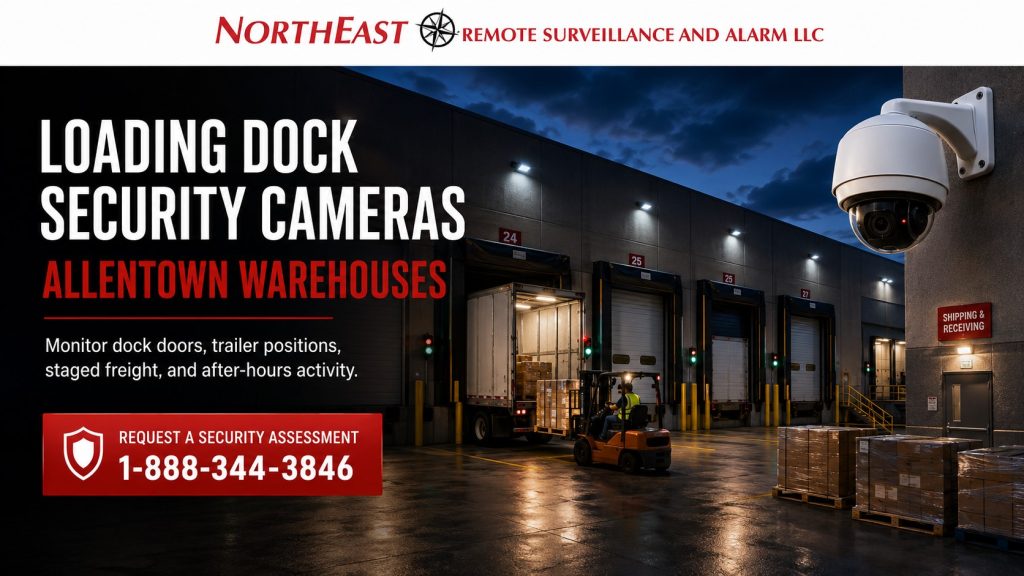
Cameras are one part of protecting a dock; Loading Dock Security Systems in Allentown, PA also helps you plan access, detection, and response around the loading area.
Define the Evidence Each Dock View Must Capture
Start with the event the warehouse needs to document: a trailer arriving, a freight handoff, a damaged pallet, or entry through a dock door. An overview establishes location and movement; a closer view may be needed for identifying detail. Check those requirements with trailers parked and normal loading activity in progress.
Why Loading Dock Cameras Matter for Allentown Warehouses
Facilities with early deliveries, late pickups, and shift changes need a reliable record of which trailer occupied each dock and when freight moved. Define the questions operators need footage to answer before choosing camera locations or retention settings. Use dock numbers consistently in camera names and shipping records.
Where Loading Dock Cameras Should Be Placed
Choose dock-camera locations for usable views, not just convenient mounting points. Cameras need clear angles around trailers, overhead doors, dock shelters, building corners, and seasonal shadows. The design must account for lighting glare.
Common camera locations include dock-door lines, trailer staging areas, exterior approaches, ramps, and receiving doors. Cameras can cover pedestrian doors, forklift paths, outside storage, shipping lanes, and nearby employee or vendor entrances.
For broader camera coverage outside the dock area, use warehouse video surveillance systems in Allentown to plan interior aisles, warehouse entrances, storage areas, parking lots, and exterior building coverage.
Dock Door and Trailer Position Visibility
A strong loading dock camera layout should make trailer positions easy to document. Cameras should show the trailer assigned to each dock door and the truck’s arrival or departure. Footage should document activity around every staged trailer.
Large loading areas may need separate views of lanes, dock numbers and trailer doors. Include pedestrian routes between dock positions. Check camera height, lens, distance and lighting so recorded footage shows the detail needed after an incident.
Poorly planned cameras can show that “something happened” without clearly showing the vehicle, person, door, product movement, or timeline. The goal is usable evidence, not just visible video.
Shipping and Receiving Documentation
Loading dock cameras are especially valuable when tied to shipping and receiving activity. They help verify delivery timing, product movement, and vendor activity. Teams can resolve shipment disputes and document staged, moved, damaged, or missing freight.
Review Shipping and Receiving Area Security in Allentown for product-movement and receiving workflows.
That service supports vendor accountability and shipment documentation.
Plan camera coverage so managers can review activity by dock door, time, delivery lane, or receiving zone. They can find relevant footage without searching unrelated video.
Night, Weather, and Lighting Conditions
Loading docks often need camera coverage in difficult conditions. Rain, snow, fog, trailer shadows, reflective pavement, headlights, wall-pack lighting, dock lights, and low-light conditions can all reduce image quality.
Camera planning should consider:
- Low-light performance
- Wide dynamic range for headlights and wall lights
- Weather-rated exterior housings
- Infrared or supplemental lighting where appropriate
- Mounting locations protected from impact and obstruction
- Lens selection for dock-door and trailer-distance views
- Recording retention based on operating and claim-review needs
However, a loading-dock camera that looks clear during the day may not provide usable video at night. Nighttime testing and realistic placement matter.
After-Hours Activity and Remote Monitoring
Warehouses with exterior dock exposure may benefit from event-based monitoring. Teams can pair cameras with analytics, schedules, and alert rules. They can review after-hours movement near docks, trailers, gates, or staged freight more quickly.
Review Remote Video Monitoring for Allentown Warehouses when dock areas need live review or escalation.
Monitoring can support trailer yards, exterior doors, talk-down capability, and verified response.
Remote monitoring helps warehouses address repeated trespassing, theft attempts, and unauthorized vehicles. It can cover exterior dock areas without overnight staff.
Camera System Infrastructure for Loading Docks
Dock cameras need reliable cable routes, network links and power. Long runs may need fiber, while outdoor connections need weather protection. Plan backup power, surge protection and recording storage as part of the installation. Define how the camera network will be separated from other traffic.
Plan the system around the building layout. High ceilings, long dock walls, metal siding, and multiple electrical rooms can affect cabling. Detached yards and exterior cameras can influence the network design.
A clean installation simplifies future service and reduces downtime. It also lets the system expand with new dock doors, yard areas, gates, or monitoring needs.
Compliance and Safety Awareness
Loading-dock cameras do not replace fire alarms or workplace safety procedures. However, they can support operational review and incident documentation. Camera placement should avoid interfering with egress paths, fire exits, emergency equipment, dock safety equipment, and required building access.
Warehouses may use cameras near controlled doors, dock offices, employee entrances, or emergency exits. The plan must coordinate video, access control, intrusion alarms, and fire systems during normal operations and emergencies.
Loading-dock camera design should account for workplace activity, life-safety coordination, and Pennsylvania commercial building requirements.
Loading Dock Camera Design Checklist
A loading dock camera plan should review:
- Dock door count and dock numbering
- Trailer staging and truck approach lanes
- Shipping and receiving workflows
- Staged freight locations
- Pedestrian and forklift movement
- Exterior man doors near dock areas
- Lighting conditions during day and night
- Camera angles blocked by parked trailers
- Weather exposure and mounting height
- Network pathways and PoE switch locations
- Recording retention requirements
- Remote viewing and monitoring needs
- Incident review procedures for managers
Use the checklist to define acceptance tests for each required view and record any coverage limits.
Frequently Asked Questions
Do Allentown warehouses need separate cameras for each dock door?
Not always. Strategically placed cameras can view several dock doors. However, some layouts need a focused view at each dock position. For that reason, the right design depends on dock spacing, traffic, lighting, building shape, and the detail the warehouse needs.
Should loading dock cameras connect to remote monitoring?
Remote monitoring helps when a warehouse faces recurring after-hours activity, theft risk, trailer-yard exposure, or unstaffed dock areas. Cameras with analytics and monitoring rules can help identify events that need review instead of relying only on passive recording.
What makes a loading dock camera system reliable?
A reliable loading-dock camera system needs proper placement, lighting review, and exterior-rated equipment. Clean cabling, stable PoE switching, storage, and backup power help preserve useful dock views.
Request Loading Dock Camera Planning in Allentown
Bring a dock layout, operating schedule, and examples of the incidents you need to review to the assessment. Include any existing camera list and recording-retention requirements.
For project-specific recommendations, request a security assessment.
Compliance, Codes & Project Standards
NERSA plans commercial and industrial security work with applicable code, documentation, inspection and authority-having-jurisdiction requirements in mind. Requirements vary by system, property and jurisdiction. These resources support project planning; they do not establish legal compliance, certification or AHJ approval.
Related guidance: Regulatory compliance & inspection readiness · Video surveillance compliance · NERSA project standards