
Office and commercial building video surveillance systems help property owners, facility managers, tenants, and security teams improve visibility around entrances, lobbies, hallways, parking areas, exterior approaches, shared spaces, and after-hours activity.

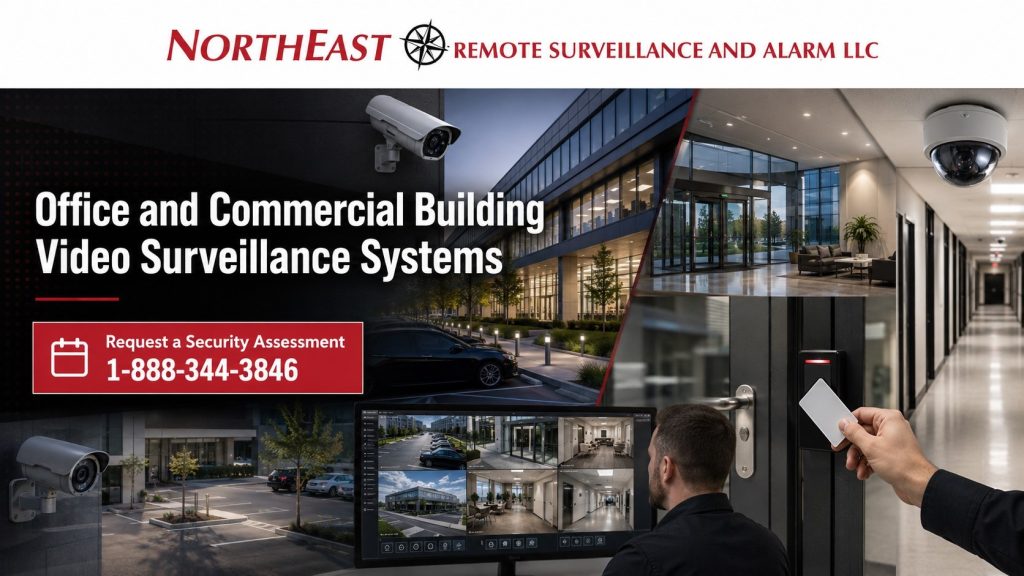
This guide covers camera planning for office buildings, professional buildings, multi-tenant commercial properties, business parks, medical office buildings, and commercial campuses.
For broader camera system planning, start with Commercial Video Surveillance Systems.
Video Surveillance for Office and Commercial Buildings
Office and commercial buildings create different camera requirements than warehouses, manufacturing plants, or retail spaces. These properties often involve employees, visitors, tenants, vendors, delivery drivers, cleaning crews, maintenance personnel, and after-hours access across shared areas.
Plan office cameras around people and daily use. Review entrances, visitor routes, tenant access, parking and areas that need incident records. Decide how management will find and review footage before choosing the camera count.
Northeast Remote Surveillance and Alarm, LLC plans office cameras around entrances, lobbies, elevators and corridors. We also review parking, rear doors, shared areas, tenant spaces and controlled openings. Coverage should work during business hours and after closing.
Where Office Buildings Need Camera Coverage
Office camera placement should be based on the building layout and movement patterns. A small professional office, multi-tenant building, office campus, medical office property, and commercial business park may all require different camera designs.
Common camera coverage areas include:
- Main entrances and vestibules
- Reception and lobby areas
- Visitor entry points
- Hallways and shared corridors
- Elevator lobbies and stairwell approaches
- Parking lots and pedestrian walkways
- Side and rear doors
- Delivery and vendor entrances
- Tenant entrances and common areas
- Building exterior approaches
- Dumpster and service areas
- After-hours access points
The goal is to create usable video where incidents, access activity, visitor movement, and after-hours concerns are most likely to occur.
Entrance, Lobby, and Visitor Area Cameras
Entrances and lobbies are some of the most important camera locations in an office building. These areas help document who entered, when they arrived, which direction they moved, and whether an incident occurred near the front of the building.
Camera placement should account for glass glare, lighting changes, door swing, reception desk position, visitor seating, and the difference between overview coverage and identification coverage. A camera that shows the lobby may not be enough to identify a person at the doorway, and a camera aimed only at the door may not show the larger visitor interaction.
For office buildings with controlled entry, visitor management, or credentialed access, camera coverage should support the access-control workflow without turning the page into an access-control design.
For broader door and credential planning, use Commercial Access Control Systems.
Hallways, Shared Spaces, and Tenant Areas
Multi-tenant office buildings often require camera coverage in shared spaces such as hallways, common entrances, elevator lobbies, stairwell approaches, reception areas, and building corridors. These cameras can help property managers review incidents, document movement, support tenant concerns, and understand what happened in common areas.
Camera placement should avoid unnecessary views into private offices, restrooms, break rooms, or sensitive tenant spaces. The strongest design focuses on movement paths, shared areas, entrances, and security-relevant activity.
Tenant areas should be planned carefully. Some tenants may require their own internal camera coverage, while the property owner may only need cameras in shared building areas.
Parking Lot and Exterior Building Surveillance
Parking areas are often a major concern for office and commercial buildings. Employees, visitors, tenants, contractors, and vendors may all move between vehicles and the building throughout the day and after hours.
Parking lot cameras can help document vehicle movement, pedestrian activity, exterior incidents, unauthorized after-hours presence, vandalism, property damage, and activity near side or rear building approaches.
Exterior building cameras may also cover sidewalks, rear doors, delivery areas, dumpsters, utility areas, and service entrances. Camera design should account for lighting, distance, weather, pole placement, building-mounted views, blind spots, and whether the system needs general overview footage or more detailed identification views.
After-Hours Office Building Surveillance
Many office buildings remain exposed after regular business hours. Cleaning crews, late employees, maintenance vendors, tenants, delivery drivers, and unauthorized visitors may all create activity after the building is closed or lightly staffed.
After-hours surveillance planning should focus on entrances, parking areas, rear approaches, access-controlled doors, lobby areas, and areas where activity is not expected. Cameras can support incident review, alarm verification, and management awareness when no one is on site.
For properties that need active event review or after-hours response support, use Remote Video Monitoring and Live Talk-Down to plan monitored camera coverage, alert review, and live response procedures.
Camera System Design for Multi-Tenant Buildings
Multi-tenant commercial buildings require careful user-permission planning. A property manager may need access to exterior cameras, lobby cameras, and shared spaces, while tenants may only need access to cameras that support their leased area.
A strong system should define who can view live video, search recorded footage, export clips, receive alerts, and manage system settings. Without clean permissions, a surveillance system can create confusion, privacy concerns, or poor incident-review workflows.
The system should also be documented clearly so future service, tenant changes, building expansion, and camera additions are easier to manage.
Recording, Retention, and Video Review
Office and commercial building surveillance systems must record usable video, not just store footage. Management should be able to search incidents, review activity by time and camera, export clips when needed, and retain footage long enough to support real property needs.
Retention planning depends on camera count, resolution, frame rate, storage method, risk level, incident history, tenant expectations, and whether the building uses cloud, on-premise, or hybrid recording.
For commercial buildings with multiple systems, camera footage becomes more useful when it can support access events, alarm events, visitor entry, intercom calls, and management review.
For broader coordination, use Commercial and Industrial Security System Integration to plan how cameras, access control, alarms, intercoms, and reporting should work together.
Compliance-Aware Office Surveillance Planning
Office and commercial building video surveillance should be planned with attention to privacy expectations, shared spaces, tenant access, emergency egress, fire/life-safety conditions, access-controlled doors, documentation, and long-term system support.
Cameras should focus on operational and security-relevant areas such as entrances, lobbies, corridors, parking areas, exterior approaches, shared spaces, and controlled access points. They should not be placed in private areas where surveillance would be inappropriate.
Video surveillance does not make a building compliant by itself. It can, however, support incident documentation, access review, property management records, and after-hours awareness when designed properly.
Office and Commercial Building Video Surveillance Systems NERSA Supports
Northeast Remote Surveillance and Alarm, LLC designs video surveillance systems for commercial office environments that need dependable visibility, clean recording, and long-term support.
Common properties include:
- Office buildings
- Professional office suites
- Multi-tenant commercial buildings
- Medical office buildings
- Business parks
- Corporate offices
- Administrative facilities
- Commercial campuses
- Mixed-use commercial properties
- Property management portfolios
- Buildings with shared entrances and corridors
- Offices with parking lot exposure
- Facilities with after-hours access
The camera system should be built around the building’s actual movement, tenant layout, exterior exposure, and management workflow.
Request an Office Building Video Surveillance Assessment
NERSA can assess camera coverage at your office or commercial building. We review entrances, lobbies, hallways, parking lots, tenant areas, and exterior approaches, including the views needed to investigate after-hours access.
Call 1-888-344-3846 or use the Request a Security Assessment page to begin a commercial video surveillance review.
Frequently Asked Questions about Office and Commercial Building Video Surveillance Systems
What is an office building video surveillance system?
An office building video surveillance system is a camera system designed to document entrances, lobbies, shared corridors, parking lots, exterior approaches, visitor areas, tenant access points, and after-hours activity in commercial office environments.
Where should cameras be placed in an office building?
Common camera locations include main entrances, lobby areas, visitor entry points, hallways, elevator lobbies, stairwell approaches, parking lots, side doors, rear doors, delivery areas, service entrances, and exterior building approaches.
Do multi-tenant office buildings need different camera planning?
Yes. Multi-tenant buildings need careful planning around shared spaces, tenant privacy, access permissions, lobby coverage, parking areas, visitor movement, and who can view or export footage. Property managers and tenants may need different access levels.
Can office surveillance cameras integrate with access control?
Yes. Cameras can support access-control events by showing what happened at a door when a credential, badge, mobile credential, keypad, or intercom was used. This helps review tailgating, held-door events, visitor access, and after-hours activity.
Should Office and Commercial Building Video Surveillance Systems cover parking lots?
Many office buildings benefit from parking lot camera coverage. Parking areas can involve employee movement, visitor activity, vehicle incidents, vandalism, property damage, after-hours activity, and exterior approach concerns.
Can office cameras support after-hours monitoring?
Yes. Cameras can support after-hours review, event verification, remote monitoring, and live response planning when coverage is designed around entrances, parking lots, rear doors, lobbies, and exterior approaches.
How long should office building video be retained?
Retention depends on the building’s risk level, incident history, tenant expectations, camera count, storage capacity, and management needs. Some buildings only need short-term review, while others may require longer retention for investigations or property management documentation.
Should Office and Commercial Building Video Surveillance Systems be installed inside tenant spaces?
Tenant-space camera planning should be handled carefully. Property owners usually focus on shared areas, lobbies, corridors, entrances, and exterior spaces. Individual tenant camera coverage may depend on lease terms, tenant needs, privacy expectations, and building policy.
Can office video surveillance help with visitor management?
Yes. Cameras can help document visitor arrival, lobby movement, reception activity, intercom calls, access events, and after-hours entry requests. They are strongest when coordinated with visitor procedures and access-control planning.
What is the next step for planning an office building camera system?
The next step is a site-specific review of entrances, lobbies, hallways, tenant areas, parking lots, exterior approaches, existing cameras, recording needs, user permissions, and after-hours risks before recommending a system design.
Compliance, Codes & Project Standards
NERSA plans commercial and industrial security work with applicable code, documentation, inspection and authority-having-jurisdiction requirements in mind. Requirements vary by system, property and jurisdiction. These resources support project planning; they do not establish legal compliance, certification or AHJ approval.
Related guidance: Regulatory compliance & inspection readiness · Video surveillance compliance · NERSA project standards