
NERSA upgrades commercial access control and electrified door hardware in Reading and Berks County.

Reading Access Control Upgrade Assessment
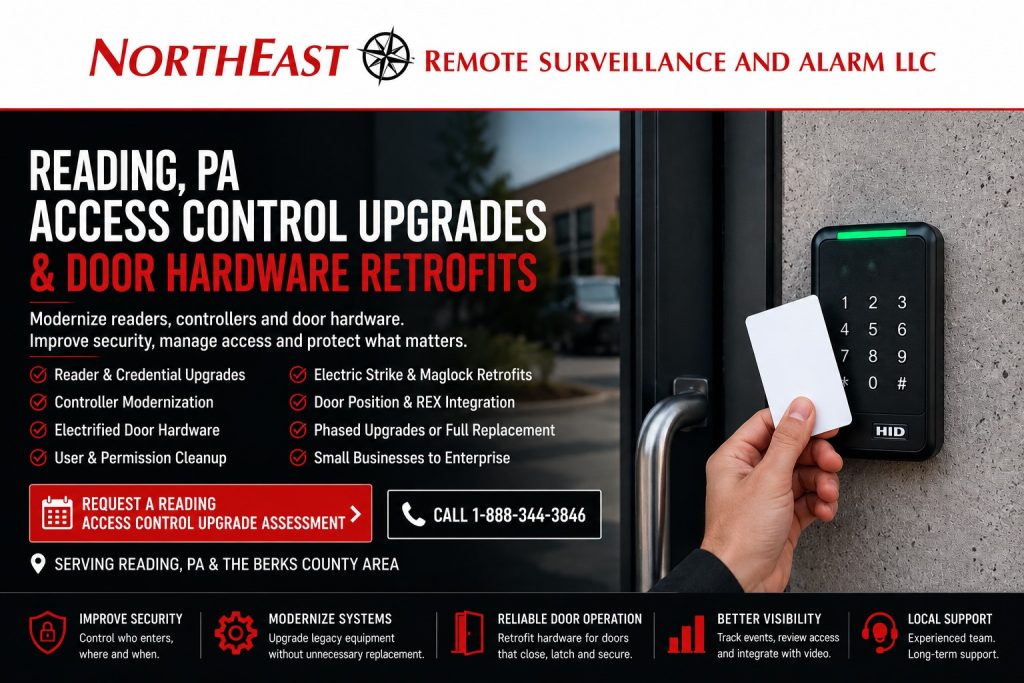
Start with an assessment of existing doors, readers, controllers and credentials. The proposed scope identifies what can stay, what needs repair or replacement, and how to phase the work around your operations.
Upgrade existing commercial access control, readers, credentials, controllers and electrified door hardware for business properties throughout Reading, Pennsylvania.
This focused access-control resource is part of NERSA’s Reading Commercial Security System Upgrades, Retrofits and Takeovers guide, which organizes existing-system modernization for commercial and industrial properties throughout Reading and the surrounding Berks County market.
An existing access-control system does not necessarily need to be completely removed because it is old, inherited, poorly documented or no longer easy to manage. Readers, controllers, credentials, door-position switches, power supplies, cabling, electric strikes, electrified trim and other components may remain useful when their condition, compatibility and operation support continued service.
NERSA reviews the complete controlled opening to decide what can be retained, repaired, upgraded, or replaced. The assessment covers the platform, users, credentials, readers, controllers, wiring, power, locking hardware, and door condition. It also addresses request-to-exit equipment, emergency behavior, and documentation.
The objective is not simply to install a newer reader beside the door. The objective is to create a dependable controlled opening that closes, latches, secures, releases and records activity according to the organization’s actual operating requirements.
Commercial and industrial systems only • Existing access-control upgrades • Door-hardware retrofits • Reader and credential migration • Controller upgrades • User cleanup • Phased modernization • Small businesses through enterprise organizations
Project availability may depend on property location, customer IT policies, installed equipment, administrator access, network ownership, software licensing, manufacturer support, internet service, firewall coordination, cybersecurity requirements, documentation, project scope and long-term support needs.
Understand the Complete Door Opening Before Replacing Equipment
An access-controlled opening is a combination of electronic, electrical and mechanical components.
The system may include:
- Door and frame
- Existing lock
- Electric strike
- Electrified trim
- Mortise lock
- Exit device or panic hardware
- Magnetic lock
- Reader
- Credential
- Access-control controller
- Door-position switch
- Request-to-exit device
- Power supply
- Backup battery
- Fire alarm interface
- Network connection
- Access schedule
- User permissions
- Event history
A card reader can recognize a credential correctly while the door still fails to secure because the lock does not align with the strike. A controller may send the proper release command while the door remains difficult to open because the hardware, closer or frame requires correction.
Replacing the electronic access-control platform without evaluating the physical opening can leave the customer with a modern system attached to a door that still does not operate dependably.
A proper review should determine:
- Which doors are currently controlled
- Which doors should remain controlled
- What lock and exit hardware is installed
- Whether each door closes and latches consistently
- Whether readers and controllers remain supported
- Whether authorized administrator access is available
- Which credentials and users remain active
- Whether former users still have access
- Whether schedules and permissions match current operations
- Whether door-position and request-to-exit devices report correctly
- Whether power supplies and batteries are adequate
- Whether the system records useful event information
- Whether the opening’s emergency operation is understood
- What may be retained, corrected, upgraded or replaced
When a Reading Business Should Consider an Access-Control Upgrade
The System Was Inherited
A new owner, tenant, facility manager or property-management team may inherit an access-control system without receiving:
- Administrator credentials
- User lists
- Active card records
- Controller information
- Software licensing
- Cloud-account ownership
- Door schedules
- Wiring documentation
- Service history
- Lock-hardware information
An inherited system should be documented before new users, doors or integrations are added.
Former Employees or Contractors May Still Have Access
Old cards, fobs, PINs, mobile credentials and administrator accounts can remain active when employee and contractor offboarding is not coordinated with the access-control system.
An upgrade project may include:
- Reviewing active users
- Removing former personnel
- Replacing shared credentials
- Creating individual accounts
- Correcting access levels
- Updating schedules
- Reviewing mobile applications
- Changing administrator access
- Documenting customer account ownership
Controlled Doors Do Not Close or Secure Reliably
A reader may grant and deny access correctly while the physical opening continues to create problems.
Common conditions include:
- Door does not close completely
- Latch does not align with strike
- Exit device does not retract properly
- Electric strike binds
- Electrified trim operates inconsistently
- Door remains unlocked after release
- Door-position switch reports incorrectly
- Closer allows the door to remain open
- Frame movement affects alignment
- Weather or building pressure affects operation
The physical opening should be corrected before the access-control system is expected to provide dependable security.
Readers or Credentials Are Outdated
Older reader and credential technologies may remain functional while limiting future options.
An upgrade may involve:
- Replacing legacy readers
- Moving from proximity cards to smart credentials
- Adding mobile credentials
- Replacing shared PINs
- Improving credential accountability
- Preparing for OSDP reader communication
- Standardizing credentials across several properties
- Disabling lost or obsolete credentials
Credential migration should include a controlled issuance and retirement plan rather than leaving old technology active indefinitely.
The Controller or Software Is No Longer Supported
An older access-control platform may become difficult to operate or expand because of:
- Unsupported controllers
- Obsolete software
- Expired licensing
- Incompatible operating systems
- Unavailable replacement boards
- Provider-controlled administrator access
- Unsupported mobile applications
- Limited user capacity
- Limited door capacity
- Insecure remote access
- No practical multi-site management
Controller modernization may allow some existing readers, locks, cabling and power equipment to remain when compatibility and condition support reuse.
Access Permissions Have Become Disorganized
Businesses frequently accumulate credentials and access levels over time.
The system may contain:
- Duplicate users
- Shared credentials
- Unnamed cards
- Former employees
- Obsolete departments
- Unnecessary all-door access
- Incorrect schedules
- Permanent contractor access
- Expired temporary credentials
- Administrators with excessive permissions
An access-control upgrade should include user and permission cleanup rather than transferring every old record into the new platform without review.
The Business Added Doors, Buildings or Locations
The original system may not have been designed to support:
- Additional employee entrances
- New restricted rooms
- Warehouse-to-office doors
- Tool rooms
- Server rooms
- Tenant suites
- Vehicle gates
- Additional buildings
- Multiple business locations
- Centralized administration
Expansion should consider controller capacity, power, cabling, software licenses, network architecture and administrative responsibilities before new openings are added.
Access-Control Upgrade, Door Retrofit or Complete Replacement?
Access-Control System Upgrade
An access-control upgrade improves the platform’s capability, reliability, security or manageability.
The project may involve:
- New readers
- New credentials
- Controller replacement
- Software modernization
- Cloud migration
- User cleanup
- Schedule correction
- Mobile access
- Better reporting
- Video integration
- Multi-site administration
- More secure remote access
The existing physical door hardware may remain when it continues to operate correctly and is compatible with the proposed system.
Door-Hardware Retrofit
A door-hardware retrofit adapts the existing commercial opening for electronic access control.
The work may involve:
- Electric strike installation or replacement
- Electrified trim
- Electrified mortise hardware
- Exit-device interface
- Door-position monitoring
- Request-to-exit equipment
- Power transfer
- Cabling pathways
- Power supplies
- Release relays
- Reader installation
- Controller connection
The retrofit should preserve appropriate exit operation and should be planned around the complete door and frame.
Phased Access-Control Modernization
A phased project upgrades selected doors or system components over time.
The first phase may prioritize:
- Main employee entrances
- Unsupported controllers
- Critical restricted rooms
- Failing door hardware
- Shared credentials
- Server rooms
- Tool or inventory areas
- Visitor entrances
- Vehicle gates
Lower-priority openings may remain on the existing platform temporarily when a practical migration path exists.
Complete Access-Control Replacement
Complete replacement may be appropriate when the installed system is:
- Unsupported
- Proprietary
- Repeatedly failing
- Locked to an unavailable provider
- Missing administrator access
- Unable to support required users or doors
- Dependent on obsolete software
- Using unreliable wiring or power
- Incompatible with modern credentials
- More expensive to maintain than replace
The recommendation should be based on documented system conditions rather than age alone.
Reader and Credential Upgrades
The reader and credential determine how a user presents an access request.
Potential upgrade options may include:
- Cards
- Key fobs
- Smart credentials
- Mobile credentials
- Individual PINs
- Card-plus-PIN workflows
- Multi-technology readers
- OSDP-capable readers
- Long-range vehicle credentials
- Temporary credentials
Credential planning should establish:
- Who receives each credential
- Who approves access
- Which doors the user may enter
- What schedule applies
- When access expires
- How lost credentials are disabled
- How former employees are removed
- Who administers the database
- Who owns cloud and mobile accounts
One credential should be assigned to one identifiable user whenever practical.
Shared credentials and permanent common codes reduce accountability and make selective revocation more difficult.
Reader-to-Controller Communication
Reader upgrades should include review of how credential information reaches the controller.
Existing systems may use:
- Legacy Wiegand communication
- OSDP communication
- OSDP Secure Channel
- Proprietary reader communication
- Network-connected readers
Modernizing the reader while retaining older communication may improve credential options without protecting every part of the reader-to-controller path.
The project should document:
- Reader protocol
- Controller compatibility
- Reader supervision
- Secure Channel availability
- Key-management responsibility
- Cable requirements
- Replacement-reader procedures
- Commissioning and testing
The selected design should match the customer’s security objectives, existing infrastructure and long-term support requirements.
Access-Control Controller Upgrades
The controller makes the local door-access decision and communicates events to the host platform.
A controller review may examine:
- Manufacturer and model
- Door capacity
- Reader compatibility
- Credential support
- Local decision capability
- Network communication
- Cloud or server connectivity
- Input and output capacity
- Battery backup
- Software licensing
- Firmware support
- Event storage
- Expansion capacity
- Integration support
A controller upgrade may improve the system while retaining suitable readers, locks and cabling.
Controller migration should also define what happens to:
- Existing cardholders
- Access levels
- Door schedules
- Holiday schedules
- Event history
- Administrator accounts
- Mobile credentials
- Integrations
- Multi-site users
Electric Strike Retrofits
An electric strike replaces or modifies the receiving portion of the lock at the frame so an authorized release can permit entry.
Electric-strike planning should consider:
- Existing lock type
- Door and frame material
- Latch alignment
- Fire-rating conditions where applicable
- Fail-secure or fail-safe operation
- Power requirements
- Frame preparation
- Door movement
- Exterior exposure
- Traffic volume
- Request-to-exit operation
An electric strike should not be selected only because it fits approximately within the existing frame.
The lock, latch, frame, door closer and intended emergency behavior should be reviewed as one opening.
Electrified Trim and Exit-Device Retrofits
Electrified trim can provide controlled entry while preserving the exit device’s normal interior operation.
A retrofit may be appropriate at:
- Employee entrances
- Warehouse entrances
- Manufacturing entrances
- School or institutional doors
- Municipal buildings
- Multi-tenant common doors
- Shipping-office entrances
- Restricted commercial areas
Planning may include:
- Existing exit-device manufacturer
- Trim compatibility
- Power-transfer method
- Wiring
- Power supply
- Request-to-exit monitoring
- Door-position monitoring
- Mechanical key override
- Access-control controller
- Emergency operation
Existing panic or exit hardware should be evaluated before electrification is recommended.
Mixing incompatible hardware or attempting to adapt a failing exit device can produce unreliable operation.
Electrified Mortise and Cylindrical Locks
Some commercial doors may use electrified locksets rather than electric strikes or electrified exit-device trim.
The selection may depend on:
- Door construction
- Frame construction
- Existing lock preparation
- Traffic volume
- Security requirements
- Required monitoring
- Available wiring pathways
- Power-transfer options
- Architectural conditions
- Long-term serviceability
A retrofit should avoid unnecessary modification when suitable hardware and pathways already exist, but existing equipment should not be retained solely because replacing it is inconvenient.
Magnetic-Lock Retrofits
Magnetic locks can provide substantial holding force, but they require careful planning around release methods, power, emergency behavior and the complete opening.
A maglock retrofit may involve:
- Lock and armature condition
- Mounting
- Dedicated power supply
- Request-to-exit device
- Emergency release
- Door-position monitoring
- Access-control relay
- Fire alarm interface
- Backup-power behavior
- Signage or operating instructions where applicable
A magnetic lock should not be added as a shortcut around unsuitable door hardware.
The property, opening and applicable requirements should be reviewed before the release architecture is changed.
Door-Position Monitoring
A door-position switch tells the system whether the opening is physically open or closed.
Door-position monitoring can support:
- Door-held-open events
- Forced-door events
- Alarm integration
- Event reporting
- Video association
- Remote notifications
- After-hours review
Incorrect placement or alignment can generate repeated false events.
A door-position switch cannot confirm that the latch or lock actually secured unless the selected hardware and monitoring design provide that information. It reports the position condition it was designed to detect.
Request-to-Exit Devices
Request-to-exit equipment allows the access-control system to recognize authorized departure or release the lock where the selected opening requires it.
Common devices may include:
- Motion request-to-exit sensors
- Push buttons
- Exit-device switches
- Lockset request-to-exit monitoring
- Touch-sensitive devices
- Gate exit loops
The selected method should match the door, lock, traffic pattern and emergency operation.
A poorly positioned motion sensor may activate unintentionally, while an unreliable exit-device switch may create inaccurate event records.
Power Supplies and Backup Batteries
Controlled openings depend on stable and properly sized power.
A power review may examine:
- Lock voltage
- Lock current
- Inrush requirements
- Number of powered openings
- Controller power
- Reader power
- Battery capacity
- Wire distance
- Voltage drop
- Fire alarm interfaces
- Auxiliary devices
- Expansion capacity
- Enclosure condition
A power supply that operates one door adequately may be undersized after additional locks, readers or modules are added.
Batteries should be evaluated for condition and expected backup requirements rather than assumed to remain serviceable because they are present.
Door Hardware and Physical Alignment
Electronic access control cannot overcome every mechanical door problem.
The opening may require attention when:
- Door drags against the frame
- Latch misses the strike
- Closer does not pull the door shut
- Hinges are worn
- Exit device binds
- Weather stripping creates resistance
- Building pressure prevents closing
- Door is damaged
- Frame has moved
- Lock hardware is loose
- Threshold affects operation
Mechanical correction may require coordination with an appropriate door or hardware professional when the condition falls outside the electronic-security scope.
The access-control project should identify that dependency before final commissioning.
Access-Control Software and User Administration
Modernization should make the system easier to administer.
A supported platform may provide:
- Individual user records
- Credential assignment
- Door groups
- Access levels
- Schedules
- Holiday calendars
- Temporary access
- Audit history
- Mobile administration
- Multi-site management
- Alarm and video integration
- System-health information
- Role-based administrator permissions
The customer should know:
- Who owns the primary account
- Who can add users
- Who can change permissions
- Who can unlock doors remotely
- Who can review event history
- Who controls mobile credentials
- How former administrators are removed
- How account recovery works
- What licensing or subscriptions apply
Cloud and Mobile Access-Control Upgrades
A cloud-managed platform may improve remote administration and multi-site control.
Potential capabilities may include:
- Centralized user management
- Remote credential issuance
- Mobile credentials
- Browser-based administration
- Multi-location permissions
- System-health notifications
- Remote unlock
- Audit reporting
- Software updates
- Integration management
The customer should understand:
- Who owns the cloud tenant
- What subscriptions apply
- Which functions require internet service
- What local door functions continue during an outage
- How users are removed
- How mobile devices are replaced
- Whether hardware can migrate to another platform
- What happens when service expires
Cloud connectivity should not result in provider-only account ownership or undocumented administrator access.
Video and Access-Control Integration
Supported integration may associate access events with nearby cameras.
Authorized users may be able to review:
- Access granted
- Access denied
- Forced door
- Held-open door
- Credential activity
- Remote unlock
- Visitor entry
- Gate access
Video can provide context showing who actually passed through the opening and what occurred immediately before or afterward.
Integration should improve incident review without making basic door operation unnecessarily dependent on the camera platform.
Access-Control Upgrades for Reading Facilities
Warehouses and Distribution Centers
Warehouse upgrades may focus on:
- Employee entrances
- Shipping offices
- Warehouse-to-office doors
- Tool rooms
- Restricted inventory
- Overhead-door offices
- Vehicle gates
- Multiple shifts
- Temporary workers
- Contractor access
Permissions should reflect actual operating schedules and responsibilities.
Manufacturing Facilities
Manufacturing access control may include:
- Employee shift entrances
- Contractor entrances
- Tool rooms
- Maintenance spaces
- Production-support areas
- Material storage
- Server rooms
- Restricted laboratories
- Shipping and receiving
- Exterior gates
Upgrade work may require phased installation to avoid unnecessary interruption to production.
Offices and Multi-Tenant Buildings
Office and multi-tenant properties may require:
- Common exterior entrances
- Tenant-suite doors
- Visitor entry
- Elevator or floor permissions
- Parking access
- Separate tenant administration
- Common-area event records
- Tenant-turnover procedures
One tenant should not automatically receive administrative access to another tenant’s credentials or events.
Healthcare, Educational and Institutional Properties
These properties may require careful planning around:
- Staff permissions
- Visitor entrances
- Restricted rooms
- Occupied areas
- Emergency procedures
- Accessibility
- Life-safety coordination
- After-hours access
- Duress or emergency workflows
The system should support the organization’s approved operating procedures without interfering with required emergency operation.
What Existing Components May Be Retained?
Existing components may remain when they are:
- Customer-owned
- Operational
- Supported
- Compatible
- Securely manageable
- Properly installed
- Suitable for the intended opening
- Appropriate for future service
Potentially reusable equipment may include:
- Door and frame
- Exit device
- Electrified trim
- Electric strike
- Reader
- Controller
- Cabling
- Power supply
- Door-position switch
- Request-to-exit equipment
- Enclosures
- Network switches
Reuse should be based on inspection and testing.
When Components Should Be Replaced
Replacement may be appropriate when equipment is:
- Unsupported
- Damaged
- Repeatedly failing
- Incompatible
- Improperly installed
- Insecure
- Locked to a previous provider
- Missing required licensing
- Unable to support modern credentials
- Unable to support required users or doors
- Dependent on unreliable power or wiring
- More costly to maintain than replace
The upgrade proposal should explain why each major component is being retained or replaced.
The NERSA Reading Access-Control Upgrade Process
1. Define the Operational Problem
The process begins with what the organization needs to improve.
That may include:
- Unreliable door operation
- Former users
- Shared credentials
- Unsupported controllers
- Outdated readers
- Missing audit information
- Poor visitor entry
- Additional doors
- Multi-site administration
- Inherited equipment
2. Inspect the Existing Openings and System
NERSA reviews available readers, controllers, software, credentials, wiring, power supplies, locks, exit devices, door condition, users and documentation.
3. Classify Major Components
Each component may be classified for:
- Retention
- Adjustment
- Repair
- Reconfiguration
- Upgrade
- Integration
- Phased replacement
- Immediate replacement
4. Develop the Upgrade and Door-Hardware Plan
The scope should identify:
- Doors included
- Hardware changes
- Reader changes
- Controller changes
- Credential migration
- Cabling
- Power
- Software
- User cleanup
- Emergency operation
- Project sequencing
- Future expansion
For deeper technical planning of the complete opening, review Access Control Door Hardware Retrofits.
5. Install, Configure and Test
Testing may include:
- Credential response
- Door release
- Door closing and latching
- Door-position reporting
- Request-to-exit operation
- Forced-door events
- Held-open events
- User permissions
- Schedules
- Power behavior
- Remote administration
- Event history
- Video associations
6. Train and Document
Authorized personnel should understand how to:
- Add and remove users
- Issue credentials
- Change access rights
- Review events
- Respond to door alarms
- Manage temporary access
- Report lost credentials
- Request service
Door names, controller locations, account ownership, user responsibilities and operating procedures should be documented appropriately.
Upgrade and Retrofit Limitations
A project may be limited by:
- Damaged doors or frames
- Unsupported exit hardware
- Missing administrator access
- Proprietary controllers
- Expired software
- Non-transferable subscriptions
- Provider-owned equipment
- Inadequate cabling
- Missing pathways
- Insufficient power
- Unknown fire alarm interfaces
- Customer IT restrictions
- Unsupported reader formats
- Unavailable replacement parts
- Hidden building conditions
- Mechanical problems outside the approved scope
- Lack of a practical support path
These conditions should be identified before the customer depends on the proposed retrofit.
Why Reading Businesses Use NERSA for Access-Control Retrofits
A dependable access-control upgrade requires more than replacing a card reader.
It requires an understanding of credentials, controllers, software, wiring, locks, exit devices, power supplies, door movement, emergency operation, user administration and long-term service.
Northeast Remote Surveillance and Alarm, LLC focuses on commercial, industrial, institutional, municipal, healthcare, educational, warehouse, manufacturing, logistics and multi-site environments.
NERSA evaluates the controlled opening as one operating system rather than treating the reader, lock and door as unrelated components.
The objective is to provide a practical path from an unreliable, unsupported or poorly administered access-control system to a dependable environment that is easier to use, manage and expand.
Request a Reading Access Control Upgrade Assessment
A Reading access-control assessment can help determine whether the appropriate path is adjustment, user cleanup, credential migration, reader replacement, controller modernization, door-hardware retrofit, phased expansion or complete replacement.
The review may include:
- Existing controlled doors
- Door and frame condition
- Readers
- Credentials
- Controllers
- Software
- Administrator access
- User permissions
- Access schedules
- Electric strikes
- Electrified trim
- Mortise locks
- Exit devices
- Magnetic locks
- Door-position switches
- Request-to-exit devices
- Power supplies
- Backup batteries
- Cabling
- Networks
- Cloud services
- Video integration
- Documentation
- Future expansion
Frequently Asked Questions About Reading Access-Control Upgrades
What is an access-control retrofit?
An access-control retrofit adapts electronic access technology and electrified hardware to an existing commercial door, frame and building infrastructure.
Can NERSA upgrade an access-control system installed by another company?
NERSA can evaluate qualifying readers, controllers, credentials, software, hardware, wiring, account ownership and administrator access to determine whether a supportable upgrade is possible.
Does every existing access-control system need to be replaced?
No. Existing components may remain when they are customer-owned, operational, supported, compatible, properly installed and appropriate for the proposed design.
Can existing readers be reused?
Possibly. Reader reuse depends on credential compatibility, communication protocol, manufacturer support, condition and the proposed controller platform.
Can existing cards and fobs remain active during an upgrade?
Possibly. A phased credential migration may temporarily support existing and new credentials, but the older technology should have a defined retirement plan.
Can a Wiegand reader be upgraded to OSDP?
Sometimes. The reader, controller, cable arrangement and software must support the proposed communication method.
Can NERSA replace an electric strike?
Qualifying electric strikes may be replaced after the lock, latch, frame, door condition, power and intended operation are evaluated.
Can electrified trim be added to existing panic hardware?
Possibly. The existing exit device, trim, door, wiring, power and manufacturer compatibility must be reviewed first.
Can an existing mechanical lock be converted to electronic access?
Many commercial openings can be retrofitted, but the appropriate method depends on the door, frame, lock preparation, exit hardware, traffic and required operation.
Can magnetic locks be added to existing doors?
Qualifying openings may support magnetic locks, but release methods, emergency behavior, power, door operation and applicable requirements must be evaluated.
Why does the door not lock even though the reader works?
The problem may involve strike alignment, lock hardware, door closer, hinges, frame condition, power, wiring, programming or another component of the opening.
Can access-control users and permissions be cleaned up?
Yes. An upgrade may include reviewing users, credentials, schedules, departments, access levels and administrator rights.
Can mobile credentials be added?
Possibly. The readers, controller, software, licensing, cloud platform and mobile-account administration must support them.
Can access control integrate with cameras?
Supported systems may associate access-granted, denied, forced-door and held-open events with nearby cameras.
Can several Reading-area properties use one access-control platform?
Yes, when the selected system, licensing, networks and user permissions support centralized multi-site administration.
Can an access-control upgrade be completed in phases?
Yes, when the existing system and proposed architecture support controlled migration without leaving openings in an unreliable state.
How much does a commercial access-control upgrade cost?
Cost depends on the number and condition of doors, existing controllers, reader and credential requirements, hardware, cabling, power, software, licensing, integrations and building conditions.
Does NERSA perform ordinary single-family home locksmith work?
No. This guide covers commercial and industrial electronic access control and related door-hardware retrofits rather than single-family home locksmith services.
For broader door and entry planning, explore Commercial Access Control Systems in Reading.
For staged implementation, review Phased Door Access Retrofits in Reading for pilot openings, credential migration, testing, and cutover planning.
How does a Reading business begin an access-control upgrade?
For the broader service overview, see the Greater Reading commercial security guide.
This page focuses on access-control upgrades and door-hardware retrofits.
Begin with a Reading Access Control Upgrade Assessment so the doors, hardware, readers, controllers, users, power, wiring and project requirements can be evaluated before equipment is recommended.
Compliance, Codes & Project Standards
NERSA plans commercial and industrial security work with applicable code, documentation, inspection and authority-having-jurisdiction requirements in mind. Requirements vary by system, property and jurisdiction. These resources support project planning; they do not establish legal compliance, certification or AHJ approval.
Related guidance: Regulatory compliance & inspection readiness · Access control & door hardware standards · NFPA 101 & egress planning · ADA access-control planning