Commercial Employee Entrance Security Systems in Reading, PA

Commercial employee entrances are high-traffic control points where workforce access, building security, shift changes, after-hours entry, parking-area movement, door hardware, video surveillance, and company procedures come together.

Northeast Remote Surveillance and Alarm, LLC designs, installs, integrates, upgrades, and supports commercial employee entrance security systems in Reading, PA for warehouses, manufacturing plants, distribution centers, office buildings, healthcare properties, institutional facilities, commercial campuses, public works buildings, industrial properties, and multi-site organizations.

A properly designed employee entrance can combine credentialed access control, door-position monitoring, video surveillance, intercom communication, intrusion alarm integration, emergency notification, and centralized system administration. The system is planned around the entrance, workforce, schedules, door construction, parking layout, existing technology, and the organization’s operating procedures.

For broader regional security planning, visit our commercial and industrial security systems in Reading and Berks County page.

Call 1-888-344-3846 to schedule an employee entrance security assessment in Reading, PA.

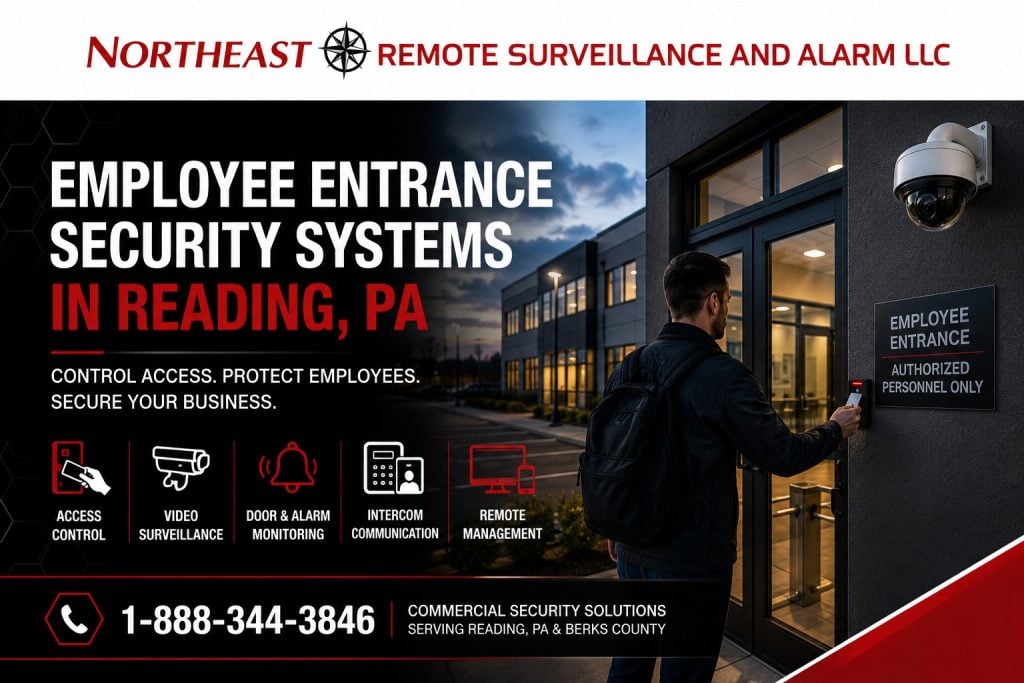
NERSA employee entrance security systems in Reading, PA, featuring access control, video surveillance, door and alarm monitoring, intercom communication, and remote management at a commercial facility.

Employee Entrances Are Operational Security Points

An employee entrance is more than a door with a card reader.

It may be used by hundreds of employees during a shift change, a smaller overnight crew, temporary workers, contractors, maintenance personnel, supervisors, delivery employees, and authorized visitors. The same opening may also serve as an emergency exit, an accessible entrance, or a connection between the employee parking area and the workplace.

Security planning should account for:

  • The number of employees using the entrance
  • Shift-change volume
  • Normal and after-hours schedules
  • Employee parking and walking routes
  • Temporary and contract workers
  • Lost, expired, or shared credentials
  • Tailgating and door holding
  • Door-propped-open conditions
  • Forced-door events
  • Video identification requirements
  • Weather exposure
  • Accessibility
  • Emergency egress
  • Fire alarm and life-safety coordination
  • Existing door and locking hardware
  • Network and power availability
  • Multi-building credential administration

The objective is to provide reliable access for authorized employees while reducing uncontrolled entry and giving designated personnel useful information when an incident occurs.

Common Employee Entrance Security Problems

Many workforce entrances develop security weaknesses over time.

A mechanical key may have been copied repeatedly. Former employees may still possess keys or active credentials. The door may be propped open during breaks or shift changes. A reader may unlock the door while the closer, latch, strike, or panic hardware fails to secure it afterward.

Other common conditions include:

  • Employees sharing credentials
  • Contractors using permanent employee cards
  • Doors remaining unlocked beyond their intended schedule
  • Door alarms generating so many false events that they are ignored
  • Cameras mounted too high for useful identification
  • Bright exterior light obscuring faces
  • Poor nighttime parking-area visibility
  • Unlabeled access-control records
  • Inaccurate system time
  • Unsupported controllers or software
  • Unavailable administrator passwords
  • No documented process for disabling credentials
  • Entrance intercom calls going unanswered
  • Weak separation between employee and visitor access
  • Multiple buildings using unrelated credential systems

A complete assessment identifies whether the problem is caused by the software, credential policy, door hardware, camera position, network, cabling, employee procedure, or a combination of conditions.

Employee Access Control Systems

Electronic access control helps a business manage which employees may use a particular entrance and when their credentials remain valid.

Permissions can be assigned according to the employee’s location, department, role, shift, or approved schedule. A warehouse employee may have access to the workforce entrance and designated operational areas, while an administrator may have additional access to offices, records rooms, or information technology spaces.

An employee access-control system may support:

  • Card and key-fob credentials
  • Mobile credentials
  • Keypad entry
  • Multi-factor entry where appropriate
  • Department-based permissions
  • Shift-based schedules
  • Holiday schedules
  • Temporary credentials
  • Contractor access
  • Automatic credential expiration
  • Door-held-open alerts
  • Door-forced-open alerts
  • Access-denied event reporting
  • Centralized user administration
  • Multi-building credential management
  • Remote administration where approved

For a broader explanation of controlled doors, credentials, controllers, readers, and system management, visit our commercial and industrial access control systems page.

Selecting the Right Employee Credential

There is no single credential type that is ideal for every organization.

Cards and Key Fobs

Cards and fobs provide familiar, straightforward credential management. They can be issued, replaced, disabled, and assigned to specific employee groups.

The credential technology should be selected with attention to security, availability, long-term support, reader compatibility, and the risk of unauthorized copying.

Mobile Credentials

Mobile credentials allow an approved smartphone to function as an access credential. They can reduce the need to distribute physical cards, but the organization must consider employee device policies, phone replacement, battery condition, Bluetooth or near-field communication performance, and support procedures.

Keypad Credentials

Keypads may be useful for selected applications, but shared codes provide less individual accountability than individually assigned credentials. Codes should not be widely shared or left unchanged after staffing changes.

Biometric Readers

Biometric technology may be considered where the organization requires a stronger association between the credential and the individual.

Before deploying biometrics, the employer should evaluate privacy policies, data handling, enrollment procedures, employee communication, system accessibility, legal requirements, and the operational consequences of a failed biometric read.

Technology should be selected around the organization’s actual risk and workflow rather than because a particular credential method appears more advanced.

The Entire Door Opening Must Be Evaluated

An access-control system cannot compensate for a door that does not close, latch, align, or operate correctly.

Each employee entrance should be evaluated as a complete opening, including:

  • Door and frame condition
  • Hinges
  • Door closer
  • Latch and lock
  • Electric strike or electrified lock
  • Panic or exit hardware
  • Door-position contact
  • Request-to-exit device
  • Reader location
  • Power supply
  • Battery backup
  • Accessible operation
  • Weather exposure
  • Emergency release requirements
  • Fire alarm interaction where applicable

For example, a card reader may correctly authorize an employee while a damaged closer allows the door to remain partially open. The software may then show a valid access event even though the opening never became secure.

Electromagnetic locks, electric strikes, electrified panic devices, and other locking methods have different operating and life-safety considerations. The hardware should be selected only after the door, required egress, accessibility, power, fire alarm operation, and intended workflow have been reviewed.

Video Surveillance at Employee Entrances

Video surveillance can help designated personnel understand what happened before, during, and after an employee entrance event.

The camera should be positioned for a defined purpose. A wide overview camera may show general activity but fail to provide a useful image of the person presenting a credential. A camera mounted directly above a door may primarily record the top of an individual’s head.

Employee entrance camera planning may consider:

  • Facial identification at the approach
  • Credential-reader activity
  • Door opening and closing
  • Tailgating
  • Door propping
  • Deliveries and contractor activity
  • Parking-area approaches
  • Shift-change congestion
  • After-hours entry
  • Property removal
  • Incident investigation
  • Exterior lighting
  • Backlighting from doors and windows
  • Nighttime image performance
  • Video retention
  • User permissions
  • Secure video export

The camera view should include the entrance activity without unnecessarily recording private areas, computer screens, employee break activities, or spaces unrelated to the security purpose.

Linking Access Events With Video

When compatible platforms are used, an access-control event can be associated with a nearby camera.

Instead of searching through hours of video, an authorized administrator may be able to review the footage connected with:

  • A credentialed entry
  • An access-denied event
  • A forced-door alarm
  • A held-open condition
  • An after-hours entry
  • Activity involving a disabled credential
  • Repeated entry attempts

Video association does not prove that the credential holder was necessarily the person using the credential. The footage provides additional context that can help an authorized reviewer understand the event.

Camera time, access-control time, recorder time, and other connected systems should remain synchronized so records can be compared accurately.

Tailgating and Piggybacking

Tailgating occurs when an unauthorized or unverified person follows an authorized employee through a controlled entrance without separately presenting a credential.

Employee courtesy can unintentionally weaken the security process when workers routinely hold a controlled door for others. A card reader alone cannot determine whether one person or several people entered after a single credential was accepted.

Tailgating controls may include:

  • Employee awareness and written procedures
  • Clear credential-use expectations
  • Properly adjusted door closers
  • Door-position monitoring
  • Entrance camera coverage
  • Security vestibules
  • Turnstiles
  • Optical detection
  • Reception or guard oversight
  • Separate contractor and visitor procedures

Video analytics may help identify unusual entrance activity, but analytics should not be treated as an infallible replacement for physical design, employee training, or response procedures.

The appropriate level of control depends on the facility, workforce, entrance volume, operating risk, and the consequences of unauthorized entry.

Door-Propped-Open Detection

Employees may prop open a door for convenience, ventilation, smoke breaks, deliveries, or coworkers arriving during a shift change.

A door contact can report that an opening remains open beyond an approved time. The system may then generate a local notification, software event, email, text message, monitoring signal, or other approved response.

A useful held-open alert requires more than enabling a setting.

The organization should determine:

  • How long the door may remain open
  • Whether the delay changes during shift changes
  • Who receives the notification
  • What the recipient should do
  • Whether video should automatically display
  • Whether the event requires monitoring
  • How repeat conditions are investigated
  • How defective hardware is distinguished from employee behavior

If the alert threshold is too short, normal traffic may generate constant alarms. If it is too long, the door may remain unsecured for a significant period before anyone is notified.

Shift-Change Security

Employee entrances may experience their heaviest use within a short period before and after each shift.

A system designed for ordinary daytime traffic may create delays when dozens or hundreds of employees arrive at once. Employees may begin holding doors open, bypassing readers, or creating unsafe queues if the entrance cannot handle the required flow.

Shift-change planning should evaluate:

  • Expected employees per minute
  • Number of controlled openings
  • Reader response time
  • Door opening and closing speed
  • Interior and exterior queue space
  • Weather protection
  • Accessible entry
  • Supervisor access
  • Temporary worker processing
  • Break-period movement
  • Emergency evacuation capacity
  • Turnstile throughput where used
  • Parking-area traffic
  • Credential troubleshooting procedures

Security should not create unnecessary congestion. The entrance must provide the required level of control while supporting the workforce volume and the building’s safe operation.

Turnstiles and Controlled Employee Entry

Turnstiles can provide stronger individual entry control than a conventional door in suitable commercial and industrial environments.

Potential applications include:

  • Manufacturing plants
  • Distribution centers
  • Large warehouses
  • Industrial campuses
  • Transportation facilities
  • Utility properties
  • Controlled production areas
  • High-volume workforce entrances

Turnstile planning should consider:

  • Required throughput
  • Full-height or waist-height construction
  • Indoor or outdoor use
  • Credential readers
  • Entry and exit control
  • Accessible entry
  • Emergency release
  • Fire alarm interaction
  • Visitor and contractor procedures
  • Employee belongings
  • Nearby conventional doors
  • Guard or reception operation
  • Camera coverage
  • Power and network requirements

A turnstile is not automatically the correct solution for every employee entrance. The building, occupancy, workforce flow, accessibility, emergency operation, and project approval requirements must be reviewed before equipment is selected.

Preventing Credential Sharing

A credential identifies the card, fob, mobile device, code, or biometric presented to the system. It does not automatically guarantee that the credential is being used by the person to whom it was issued.

Credential-sharing controls may include:

  • Individually assigned credentials
  • Employee photographs in the access database
  • Video associated with entry events
  • Anti-passback where operationally appropriate
  • Turnstiles or controlled vestibules
  • Regular access-list review
  • Automatic temporary-card expiration
  • Prompt reporting of missing credentials
  • Written credential policies

Anti-passback can prevent or flag repeated use of a credential without a corresponding exit event. However, it can also create operational problems when an employee forgets to present a credential on exit, uses another door, or follows an emergency procedure.

It should be configured only after the entrance workflow has been tested and the organization has established a method for resolving legitimate exceptions.

Temporary Employees and Contractors

Warehouses, manufacturers, logistics facilities, institutions, and commercial campuses may rely on temporary staff, subcontractors, maintenance providers, cleaning services, and seasonal workers.

These users should not automatically receive permanent credentials with unrestricted access.

A temporary access process may include:

  • Sponsor or supervisor approval
  • Limited building permissions
  • Restricted schedules
  • Automatic expiration
  • Clearly identified credential types
  • Contractor company information
  • Required escort designation
  • Credential return procedures
  • Immediate deactivation when work ends
  • Periodic review of active temporary users

Access should be limited to the doors, times, and areas necessary for the approved work.

Visitor and delivery personnel who do not require routine independent entry should follow a separate visitor-entry procedure rather than receiving employee-level permissions.

After-Hours Employee Entry

Facilities operating overnight, on weekends, or with small maintenance crews require additional planning.

An after-hours employee may be entering from a distant parking area when few other people are present. The exterior door, lighting, intercom, camera, alarm status, and internal route may all affect the usefulness of the security design.

After-hours planning may include:

  • Well-positioned exterior cameras
  • Parking-area and walkway visibility
  • Reliable exterior lighting
  • Credential schedules
  • Intercom assistance
  • Duress devices in approved locations
  • Intrusion alarm partitions
  • Remote video review
  • Central-station monitoring
  • Door-held-open notifications
  • Supervisor exception reporting
  • Emergency contact procedures

Electronic security supports the organization’s after-hours procedures but does not replace workforce policies, employee training, adequate lighting, communication, or emergency planning.

Employee Parking Areas and Building Approaches

Employee entrance security begins before the worker reaches the reader.

Parking lots, pedestrian paths, stairways, exterior break areas, and building approaches may affect how safely and reliably employees reach the controlled door.

Exterior planning may evaluate:

  • Parking-area overview cameras
  • Pedestrian approach views
  • Building-mounted lighting
  • Landscaping that obstructs visibility
  • Delivery and vehicle conflicts
  • Remote employee lots
  • Exterior intercom stations
  • Weather-resistant readers
  • Snow and ice exposure
  • Accessible routes
  • Emergency communication
  • Network or fiber pathways
  • Surge protection

A camera at the entrance may document the final few feet of an event while missing the activity that occurred along the approach. Camera placement should reflect the property layout and the incident types the organization needs to investigate.

Separating Employees, Visitors, and Deliveries

Employee entrances often become security weaknesses when they are also used informally by visitors, delivery drivers, job applicants, contractors, and vendors.

Whenever practical, each user group should have a defined entry procedure.

Employees may use assigned credentials. Visitors may report to a reception entrance. Delivery personnel may use a service intercom. Contractors may receive scheduled temporary credentials or be escorted.

Separating these workflows can help the business:

  • Keep the employee entrance from becoming an uncontrolled visitor door
  • Direct visitors to trained personnel
  • Prevent delivery traffic from entering workforce areas
  • Reduce pressure on employees to admit unknown individuals
  • Preserve more useful access records
  • Restrict temporary users to approved areas
  • Improve camera positioning for each entrance purpose

The system should match the organization’s staffing and procedures. Installing an intercom provides little value when no one is assigned to answer calls or verify the person requesting entry.

Intrusion Alarm Coordination

Employee access control and intrusion detection may operate together in compatible systems.

The design can help distinguish authorized employee activity from an unexpected opening. A door forced open without a valid credential may generate an access-control event, an intrusion alarm, associated video, or a monitoring response according to the approved configuration.

Potential coordination includes:

  • After-hours access events
  • Forced-door alarms
  • Door-held-open events
  • Alarm partition status
  • Video verification
  • Authorized opening reports
  • Exception notifications
  • Remote administrator review

Automatic alarm disarming based on credential use should be configured carefully. Not every employee authorized to enter a building should necessarily be permitted to disarm every alarm area.

Permissions should follow the employee’s responsibility, schedule, and approved operational role.

Multi-Building Employee Access

Organizations with multiple facilities may benefit from centralized credential administration.

A single employee credential may be assigned different permissions for the main office, warehouse, production building, maintenance property, or regional branch. A manager may require access to several locations, while another employee may be limited to one entrance during one shift.

Centralized systems may support:

  • One employee record
  • Location-specific permissions
  • Consistent credential formats
  • Department access groups
  • Automatic expiration
  • Central deactivation
  • Multi-site reporting
  • Standard door naming
  • Role-based administration
  • Shared incident-review procedures

Centralized management should not mean that every administrator can view or change every location. User permissions can be divided according to responsibility.

Employee Credential Lifecycle Management

Credential management begins when an employee is enrolled and continues until access is no longer required.

A documented process should address:

  1. Who approves access
  2. Which doors and schedules are assigned
  3. How the employee’s identity is verified
  4. How the credential is issued
  5. What happens when it is lost
  6. How temporary replacement credentials are handled
  7. When permissions are reviewed
  8. How department transfers are processed
  9. How access is removed after separation
  10. How inactive credentials are audited

Technology cannot correct an incomplete credential process. An advanced access-control system may still contain hundreds of unnecessary active users when no one is responsible for reviewing the database.

NERSA can configure the technical system and train approved administrators. The organization should assign internal responsibility for employee authorization and credential decisions.

Access Records and Employee Timekeeping

Access-control records show credential activity at a controlled opening. They do not automatically prove an employee’s exact working time.

An employee may enter before beginning work, leave through a different door, follow another person without presenting a credential, hold the door for coworkers, or access the building for a non-work reason.

Organizations considering access records for attendance, investigations, discipline, or payroll-related decisions should establish written policies and obtain appropriate human-resources and legal review.

A dedicated time-and-attendance system may be more suitable when the primary objective is payroll or workforce-hour documentation. The access-control system should first be designed to perform its security function reliably.

Employee Privacy and Authorized Use

Employee entrance systems may collect access events, video, photographs, credential information, and administrator activity.

The organization should define:

  • Who may view live cameras
  • Who may review recorded video
  • Who may export footage
  • Who may access door-event reports
  • How long records are retained
  • How footage and reports are secured
  • When investigations may be conducted
  • How employees are informed of applicable policies
  • Whether biometric information is collected
  • How former employee records are handled
  • How administrator activity is reviewed

NERSA can configure user roles, retention settings, and system permissions according to the approved project requirements. The employer remains responsible for its workplace, labor, privacy, records, and human-resources policies.

Security Network and Account Protection

Modern access-control panels, readers, cameras, intercoms, and management platforms may operate through an IP network or cloud-connected service.

Employee entrance technology should be coordinated with the organization’s information technology requirements.

Planning may include:

  • Security network segmentation
  • Managed network switches
  • Controlled remote access
  • Strong administrator passwords
  • Multi-factor authentication where supported
  • Role-based system permissions
  • Firmware and software maintenance
  • Accurate time synchronization
  • Device and network documentation
  • Backup procedures
  • Removal of unused accounts
  • Ownership of software licenses
  • Protection of credential databases

The client should retain its administrator credentials, final documentation, licensing information, and approved-user records.

Existing Employee Entrance System Upgrades

An employee entrance may not require complete replacement.

NERSA can evaluate existing equipment to determine which components can remain and which should be upgraded.

The assessment may include:

  • Card readers
  • Keypad readers
  • Credential technology
  • Access-control panels
  • Door contacts
  • Request-to-exit devices
  • Electric strikes
  • Electrified panic hardware
  • Magnetic locks
  • Power supplies
  • Battery backup
  • Cameras
  • Intercoms
  • Network switches
  • Cabling
  • Software
  • Licensing
  • Administrator access
  • Manufacturer support status
  • Available expansion capacity

An older reader may still function while using a credential technology that no longer meets the organization’s requirements. A newer camera may be reusable even though the recorder is failing. A supported controller may remain while the door hardware needs immediate correction.

The recommendation should separate reusable equipment from unsupported, unreliable, insecure, or poorly installed components.

Phased Employee Entrance Improvements

A business can modernize employee entrances in phases when an immediate complete replacement is not practical.

A phased project may begin with:

  1. The primary employee entrance
  2. Failing locks or door hardware
  3. Credential replacement
  4. Door-position monitoring
  5. Clear entrance camera coverage
  6. Temporary worker procedures
  7. Parking-area and approach cameras
  8. Additional buildings
  9. Centralized administration
  10. Long-term maintenance and lifecycle planning

The first phase should create a foundation that can support later expansion. Equipment should be selected with future doors, users, locations, software licensing, and system integration in mind.

Employee Entrance Security Assessment

NERSA begins with the facility and its operations rather than a predetermined package.

The assessment process may include:

  1. Reviewing the business’s concerns and objectives
  2. Identifying employee, contractor, visitor, and delivery workflows
  3. Reviewing shift schedules and entrance volume
  4. Inspecting doors, frames, closers, locks, and exit hardware
  5. Reviewing parking areas and employee approaches
  6. Evaluating existing access control, cameras, alarms, and intercoms
  7. Reviewing credential enrollment and termination procedures
  8. Coordinating with facilities, management, human resources, and information technology
  9. Separating immediate deficiencies from future improvements
  10. Developing a practical installation, testing, training, and documentation plan

The result is an employee entrance security design built around the actual facility instead of a generic reader-and-camera package.

Facilities We Support in Reading and Berks County

NERSA provides commercial employee entrance security systems for:

  • Warehouses
  • Distribution centers
  • Manufacturing plants
  • Food-processing facilities
  • Cold-storage buildings
  • Office properties
  • Medical and healthcare offices
  • Institutional facilities
  • Municipal and authority buildings
  • Contractor and service-company properties
  • Industrial parks
  • Commercial campuses
  • Fleet and transportation facilities
  • Multi-tenant commercial buildings
  • Multi-site organizations

NERSA does not provide residential security installation for individual homes.

Why Reading Businesses Choose NERSA

Northeast Remote Surveillance and Alarm, LLC has provided commercial security and low-voltage services since 2008.

Our capabilities include:

  • Commercial access control
  • Employee entrance cameras
  • Intrusion detection
  • Intercom communication
  • Door-position monitoring
  • Electrified door-hardware coordination
  • Turnstile access integration
  • Parking-area surveillance
  • Remote monitoring
  • Unified security platforms
  • Structured cabling and fiber
  • Existing-system upgrades
  • Multi-building administration
  • System training and documentation
  • Long-term commercial support

NERSA supports smaller businesses with one controlled employee entrance as well as warehouses, manufacturing plants, institutional facilities, and enterprise organizations with multiple entrances, departments, shifts, and buildings.

Reading and Berks County Service Area

NERSA provides commercial employee entrance security services throughout Reading and nearby Berks County communities, including West Reading, Wyomissing, Shillington, Sinking Spring, Muhlenberg Township, Exeter Township, Fleetwood, Kutztown, Hamburg, Birdsboro, and surrounding commercial areas.

Project availability depends on the property, scope, equipment, schedule, existing infrastructure, and required service response.

Frequently Asked Questions About Employee Entrance Security Systems

What equipment can be included at a commercial employee entrance?

An employee entrance may include an access-control reader, electric locking hardware, door-position contact, request-to-exit device, camera, intercom, alarm integration, power supply, battery backup, and management software. The required components depend on the door and operating workflow.

Can NERSA secure only one employee entrance?

Yes. A project can begin with one primary employee entrance and expand to additional doors, buildings, parking areas, or restricted spaces later.

Can the system alert us when an employee door is propped open?

Yes. A monitored door contact can generate a held-open event after an approved delay. The notification and response should be configured around normal traffic and shift changes.

Can employee credentials be limited to specific shifts?

Yes. Credentials can be assigned schedules, doors, buildings, departments, and expiration dates according to the selected system’s capabilities.

What happens when an employee loses a card or key fob?

An authorized administrator can disable the missing credential and issue a replacement. The lost credential should be reported promptly so it does not remain active.

Can temporary workers receive credentials that expire automatically?

Yes. Temporary credentials can be configured with defined permissions, schedules, and expiration dates. The organization should still maintain an internal approval and return process.

Can cameras be connected with employee access-control events?

Compatible systems can associate door events with nearby video, helping authorized personnel review granted access, denied access, forced-door alarms, and held-open conditions.

Can NERSA install turnstiles at a workforce entrance?

Yes. NERSA can design access-control integration for suitable turnstile applications. Throughput, emergency operation, accessible entry, fire alarm interaction, physical layout, and project approval requirements must be evaluated first.

Can mobile phones be used as employee credentials?

Yes, when the selected access-control platform and reader support mobile credentials. The organization should establish policies for phone replacement, lost devices, employee enrollment, and technical support.

Can the system prevent employees from sharing credentials?

Technology can help discourage or identify credential sharing through individual credentials, video association, anti-passback, turnstiles, or biometric verification where appropriate. No single feature can eliminate every instance without supporting procedures and employee cooperation.

Can access-control records be used as a time clock?

Access events may provide supporting information, but they do not automatically establish exact working time. Businesses needing payroll or attendance records should evaluate a dedicated time-and-attendance process and obtain appropriate policy guidance.

Will electronic access control interfere with emergency exit?

It should not when the door and system are properly designed. Controlled entrances must be coordinated with required egress, accessibility, fire alarm operation, door hardware, and applicable project approvals.

Can NERSA take over an employee access system installed by another contractor?

Often, yes. NERSA must first evaluate the panels, readers, credentials, software, licensing, passwords, door hardware, cabling, manufacturer support, and overall system condition.

Do you support smaller businesses and enterprise facilities?

Yes. NERSA can secure one employee door for a smaller commercial property or develop a multi-building system for a warehouse, manufacturing facility, institution, commercial campus, or enterprise organization.

Schedule an Employee Entrance Security Assessment in Reading, PA

A dependable employee entrance should provide controlled workforce access, useful event records, clear video, properly operating door hardware, manageable credentials, and a practical response when something unusual occurs.

Northeast Remote Surveillance and Alarm, LLC can evaluate your employee doors, parking approaches, credentials, access schedules, cameras, alarms, intercoms, hardware, network, and existing system before recommending a solution.

Request a commercial employee entrance security assessment or call 1-888-344-3846.

Scroll to Top
1-888-344-3846