
Plan Scranton office video surveillance around shared entrances, visitor movement, parking, and each tenant’s responsibilities.

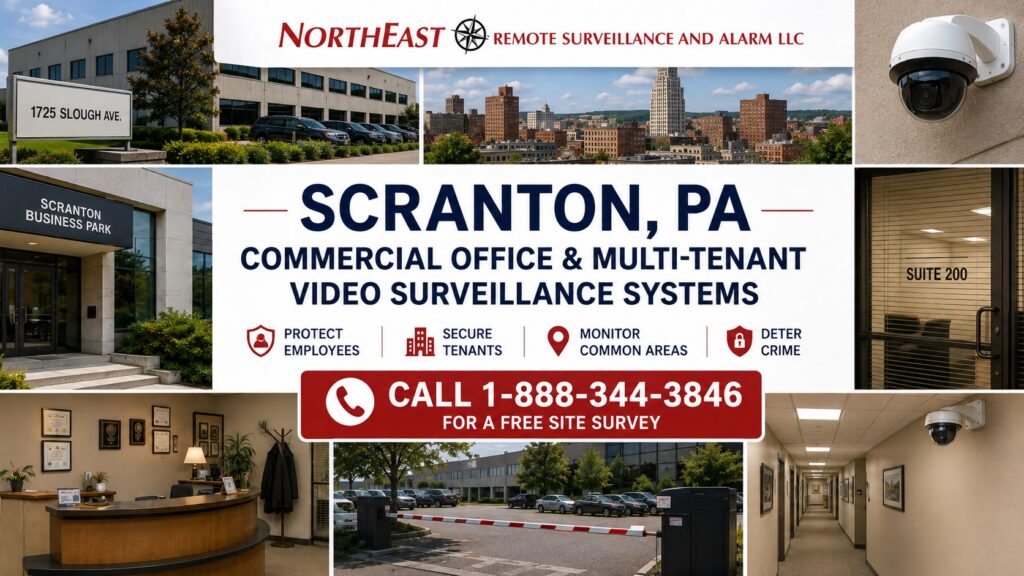
For the broader system plan and related facility applications, visit the Scranton commercial video surveillance guide.
Northeast Remote Surveillance and Alarm, LLC (NERSA) designs, installs, upgrades, integrates, and supports commercial office and multi-tenant video surveillance systems throughout Scranton, Lackawanna County, and the surrounding Northeastern Pennsylvania market.
These properties can include:
- Professional office buildings
- Multi-tenant commercial properties
- Medical office buildings
- Business centers
- Corporate offices
- Mixed commercial buildings
- Property-management portfolios
- Multi-building office campuses
- Administrative facilities
- Commercial condominiums
The goal is to help owners, managers, security staff and approved tenants understand events around the property. The design should keep shared building security distinct from each tenant’s operations.
For broader Scranton video-surveillance planning, visit:
Commercial Video Surveillance Systems in Scranton, PA →
Explore this guide: Video Surveillance for Office Buildings · Multi-Tenant Building Surveillance · Main Entrance Video Surveillance · Lobby Video Surveillance · Design Office Surveillance Around Operational Questions
Video Surveillance for Office Buildings
Office surveillance should begin with the way employees, visitors, vendors, contractors, and deliveries move through the property.
High-value surveillance areas often include:
- Main entrances
- Employee entrances
- Lobby areas
- Reception areas
- Elevator lobbies
- Stairwell approaches
- Exterior doors
- Service entrances
- Parking areas
- Delivery points
- Building approaches
Each camera should have a defined purpose.
Some cameras provide broad situational awareness.
Others need enough detail to help identify a person entering or leaving a controlled area.
Trying to accomplish both objectives with a single excessively wide view often reduces the usefulness of the recorded footage.
Multi-Tenant Building Surveillance
Multi-tenant properties introduce additional security considerations because several businesses may share the same:
- Lobby
- Corridors
- Parking areas
- Exterior entrances
- Elevators
- Stairwells
- Loading areas
- Service entrances
The building surveillance system should primarily protect the shared property and common areas.
Individual tenant-suite security may require separate cameras or access-control permissions depending on the property structure and customer requirements.
A well-designed system can help property management maintain consistent coverage of common areas while allowing appropriate administrative separation between building-level and tenant-specific security.
Main Entrance Video Surveillance
Main entrances are among the highest-value camera locations in an office environment because pedestrians naturally move through a predictable location.
Properly positioned entrance cameras can help document:
- Employees
- Visitors
- Contractors
- Delivery personnel
- After-hours activity
- Entry and exit events
An entrance camera should be positioned for the required level of detail rather than mounted simply where installation is easiest.
Lobby Video Surveillance
Lobby cameras provide broader situational awareness after a person enters the building.
Potential coverage can include:
- Reception areas
- Waiting areas
- Elevator approaches
- Visitor movement
- Main corridors
- Building entrances
Lobby surveillance should complement entrance cameras.
The entrance camera can provide a stronger identification view while the lobby camera documents movement within the shared area.
Employee Entrance Surveillance
Many commercial buildings maintain separate employee entrances.
These locations can be particularly useful for video surveillance because they may also be controlled by access-control systems.
Coverage can help document:
- Employee arrival
- Employee departure
- After-hours entry
- Contractor activity
- Door events
Where compatible systems are used, authorized personnel may be able to associate video with access-control events.
For controlled-entry planning:
Commercial Access Control Systems in Scranton, PA →
Visitor Entry and Reception Areas
Visitor entrances often require more than a camera.
Depending on the facility, security planning may combine:
- Video surveillance
- Reception procedures
- Video intercom
- Visitor entry
- Access control
- Remote door release
Video can provide visual context, while access-control and visitor-entry systems manage whether a person is permitted to enter selected areas.
The systems should work together without duplicating roles.
Elevator Lobby and Common-Area Surveillance
Common areas can be important investigative locations in multi-tenant properties.
Potential coverage may include:
- Elevator lobbies
- Main corridors
- Shared waiting areas
- Building entrances
- Shared vestibules
Camera placement should focus on circulation areas rather than attempting to monitor every portion of a tenant-controlled space from the building system.
Stairwell Entrance Surveillance
Stairwell approaches may be important because they connect floors and can provide alternate paths through a property.
Video surveillance may be appropriate at:
- Stairwell entry doors
- Shared corridor approaches
- Emergency-exit approaches
Camera placement should be coordinated with the property’s access-control and life-safety design.
Parking Lot Video Surveillance
Parking areas can represent one of the largest exterior security concerns for office and multi-tenant properties.
Potential objectives include:
- Vehicle activity
- Employee safety
- Visitor movement
- Property incidents
- After-hours activity
- Building approaches
Parking-lot surveillance should combine broad situational awareness with targeted views where greater identification detail is required.
For dedicated parking design:
Commercial Video Surveillance Planning in Scranton, PA →
Parking Garage and Structured Parking Surveillance
Where an office property includes structured parking, surveillance may need to address:
- Vehicle entrances
- Pedestrian exits
- Elevator lobbies
- Stairwell approaches
- Individual parking levels
- Payment or access points
Garage conditions can be challenging because of:
- Changing lighting
- Headlights
- Concrete columns
- Low ceilings
- Blind corners
Camera layout should follow traffic and pedestrian flow rather than simply providing one wide image of each level.
Exterior Building Surveillance
Office security often extends beyond the lobby.
Exterior cameras may cover:
- Main approaches
- Side entrances
- Rear entrances
- Delivery locations
- Parking lots
- Mechanical areas
- Building perimeter
Exterior camera selection should account for nighttime lighting, weather, viewing distance, and available mounting positions.
Delivery and Service Entrance Surveillance
Commercial buildings may receive:
- Couriers
- Vendors
- Maintenance personnel
- Cleaning contractors
- Food deliveries
- Equipment deliveries
Service entrances can therefore create a different traffic pattern from the main lobby.
Dedicated cameras can provide better documentation of activity around these less-visible entrances.
Loading and Service Areas
Some office properties and larger multi-tenant buildings include loading areas used for deliveries, furniture moves, contractors, or building maintenance.
Video surveillance can help document:
- Delivery vehicles
- Loading activity
- Contractor activity
- Building access
- After-hours use
These locations may also benefit from access-control integration.
AI Video Analytics for Office Properties
AI-enabled surveillance can help authorized users search and review large amounts of video more efficiently.
Depending on the selected platform, analytics may support:
- Person detection
- Vehicle detection
- Line crossing
- Loitering
- Direction of travel
- Forensic search
- Event filtering
AI can be especially useful around:
- Parking lots
- Exterior entrances
- After-hours areas
- Building perimeter
Analytics should support the surveillance objective rather than create unnecessary alerts.
For deeper analytics planning:
AI Video Surveillance Systems in Scranton, PA →
Video Surveillance and Access Control Integration
Office properties are strong candidates for coordinated video and access control because many important camera locations are also controlled openings.
Potential integration points include:
- Main employee entrances
- After-hours entrances
- Parking entrances
- Tenant-suite doors
- Restricted areas
- Building service entrances
Video can provide additional context around events such as:
- Credential use
- Forced doors
- Held-open doors
- Denied access
- After-hours entry
For broader access-control planning:
Commercial Access Control Systems in Scranton, PA →
Multi-Tenant Access Control and Video
Multi-tenant buildings may require permissions to be separated among:
- Building management
- Individual tenants
- Maintenance personnel
- Contractors
- Security personnel
The exact administrative structure depends on the platforms selected and the ownership arrangement.
Video and access control should be configured so that authorized users receive appropriate access without unnecessarily exposing unrelated tenant information.
Video Intercom and Controlled Visitor Entry
Video intercom can help office properties manage visitors at controlled entrances where a staffed receptionist is not always available.
Potential capabilities can include:
- Two-way communication
- Live video
- Remote door release
- Access-control integration
- Call routing
Define whether intercom video is available only during a call or is recorded, who may retrieve it, and how it relates to the building’s surveillance records.
After-Hours Office Surveillance
Office buildings can present different risks outside normal working hours.
Potential surveillance priorities include:
- Main entrances
- Employee entrances
- Parking lots
- Service entrances
- Building perimeter
- Common areas
AI analytics or event-based monitoring may be appropriate for selected exterior locations where activity after hours is unusual.
Remote Video Monitoring
Some office and commercial properties may benefit from remote video monitoring around selected exterior areas.
Potential monitored locations include:
- Parking lots
- Rear entrances
- Loading areas
- Perimeter areas
A monitored workflow can include:
Detection → Video Review → Verification → Defined Response
Remote monitoring should be limited to appropriate security applications and designed around clear response procedures.
Office Parking License Plate and Vehicle Capture
Office properties with controlled vehicle entrances may require vehicle identification at:
- Employee parking entrances
- Parking garages
- Restricted lots
- Gated campuses
License plate or vehicle-capture systems should use a dedicated camera design where dependable plate information is required.
For vehicle-specific planning:
License Plate Recognition & Vehicle Capture Systems in Scranton, PA →
Video Recording and Retention
Commercial office surveillance storage should be planned according to:
- Camera count
- Resolution
- Frame rate
- Compression
- Recording method
- Scene activity
- Required retention
The system should be sized before installation so the organization understands the expected recording duration.
Cloud, On-Premise, and Hybrid Video Surveillance
Office properties can use several surveillance architectures.
On-Premise
Video is primarily recorded and managed through local hardware.
Cloud-Managed
Cloud-based management may simplify remote administration and multi-location access depending on the platform.
Hybrid
Hybrid systems can combine local recording with cloud-based administration or other services.
The correct architecture depends on:
- Property size
- Number of tenants
- Camera count
- Bandwidth
- IT requirements
- Remote-access needs
- Retention
- Multi-site management
Multi-Building Office Campuses
Corporate and administrative campuses may include several buildings and parking areas.
A coordinated surveillance system can support:
- Centralized viewing
- Standard naming
- Shared administration
- Property-wide investigation
- Common retention policies
- Future expansion
Network architecture, fiber, and distributed switches may become important when buildings are separated by significant distance.
Multi-Site Commercial Offices
Organizations managing offices at several locations may benefit from centralized surveillance administration.
Potential features can include:
- Common users
- Remote viewing
- Site-specific permissions
- Centralized investigation
- System-health monitoring
A multi-site design can help avoid separate, unrelated surveillance systems at every property.
Network Infrastructure for Office Surveillance
Modern IP surveillance depends on a stable network.
Office systems may require:
- PoE switches
- Managed network switches
- VLANs
- Fiber
- UPS backup
- Secure remote access
- Appropriate bandwidth
Camera planning should be coordinated with the customer’s IT environment when appropriate.
Upgrading Existing Office Camera Systems
Many office and multi-tenant buildings already contain surveillance cameras, but older systems may provide poor coverage or difficult administration.
Common issues include:
- Aging analog cameras
- Low-resolution IP cameras
- Unsupported recorders
- Insufficient storage
- Poor nighttime exterior images
- Weak remote access
- Inconsistent camera naming
- Blind spots
- Poor entrance coverage
An upgrade may involve:
- Camera replacement
- Camera repositioning
- NVR replacement
- VMS migration
- Storage expansion
- AI analytics
- Network improvements
- New parking coverage
- Access-control integration
Existing equipment should be evaluated before replacing components that remain suitable.
Common Office Surveillance Mistakes
Using One Lobby Camera for the Entire Entrance
The lobby overview may not provide sufficient identification detail at the door.
Ignoring Employee Entrances
Secondary entrances may receive significant daily traffic.
Covering Parking Lots Only From the Roof
Excessive height can reduce useful vehicle and facial detail.
Ignoring Service Entrances
Contractors and deliveries often use different doors from employees and visitors.
Giving Every User the Same System Access
Multi-tenant systems may require carefully separated permissions.
Installing Cameras Without Defining Ownership
Property management and tenants should understand which system controls shared areas and which controls tenant-specific areas.
Design Office Surveillance Around Operational Questions
Instead of asking only:
“How many cameras do we need?”
Ask:
- Can we identify someone entering the building?
- Can we follow a person through the lobby?
- Can we review activity near an employee entrance?
- Can we investigate a parking incident?
- Can we document service or delivery activity?
- Can tenants and building management have appropriate separate permissions?
- Can access-control events be reviewed with video?
- Can the system expand when another tenant or building is added?
The answers determine the surveillance architecture.
Office and Multi-Tenant Video Surveillance Installation in Scranton, PA
NERSA supports commercial office and multi-tenant surveillance projects throughout Scranton and surrounding Lackawanna County markets.
Applications may include:
- Office buildings
- Corporate offices
- Professional buildings
- Business centers
- Multi-tenant properties
- Medical office properties
- Multi-building commercial campuses
- Administrative facilities
Services may include:
- Site assessments
- Camera-system design
- IP camera installation
- Lobby cameras
- Entrance cameras
- Parking-lot surveillance
- Exterior surveillance
- AI analytics
- NVR installation
- VMS deployment
- Storage planning
- Access-control integration
- Network infrastructure
- Existing-system upgrades
- Multi-site management
Commercial Office and Multi-Tenant Surveillance FAQs
What cameras are best for office buildings?
Office buildings often use a combination of entrance cameras, lobby cameras, parking-lot cameras, exterior cameras, and targeted common-area coverage depending on the property.
Should an office lobby have a separate entrance camera?
Often, yes. A lobby overview and an identification-focused entrance camera perform different surveillance functions.
Can cameras integrate with office access control?
Depending on the systems involved, video can be associated with selected access events such as credential activity, forced doors, or held-open doors.
Can multi-tenant buildings separate camera permissions?
Many commercial surveillance platforms support role-based permissions that can help separate administrative access where the system architecture and ownership requirements call for it.
Can office cameras monitor parking lots?
Yes. Parking-lot surveillance can document vehicle and pedestrian activity, although dedicated entrance or identification views may be required for greater detail.
Can office surveillance use AI analytics?
Yes. Supported systems may provide person detection, vehicle detection, event filtering, line crossing, and forensic-search capabilities.
Can existing office cameras be upgraded?
Often. Existing cameras, cabling, switches, recorders, and network infrastructure can be evaluated before replacement decisions are made.
Can office cameras work across multiple buildings?
Yes. Proper network architecture can support centralized surveillance across multi-building commercial campuses.
Can commercial office systems use cloud-managed surveillance?
Yes, depending on the platform, bandwidth, IT requirements, retention needs, and security policies.
Can NERSA support multi-site commercial offices?
Systems can be designed for centralized administration across multiple locations when the selected architecture supports it.
Build the Scranton Office Surveillance System Around the Property
Commercial office and multi-tenant surveillance should provide a clear security path from the parking area and building approach through the entrance, lobby, common areas, controlled doors, service areas, and after-hours exterior environment.
NERSA can design the system around the way employees, tenants, visitors, contractors, deliveries, and property-management personnel actually use the building.
Continue with the primary Scranton video-surveillance resource:
Commercial Video Surveillance Systems in Scranton, PA →
For controlled building entry:
Commercial Access Control Systems in Scranton, PA →
For commercial parking areas:
Parking Lot Video Surveillance Systems in Scranton, PA →
For intelligent analytics:
AI Video Surveillance Systems in Scranton, PA →
Northeast Remote Surveillance and Alarm, LLC
Commercial & Industrial Security Systems
Call 1-888-344-3846
Plan Your Next Security Improvement
Tell NERSA about your commercial facility, existing systems, and project priorities. We can help you plan an installation, evaluate an upgrade, or coordinate security across multiple locations.
Compliance, Codes & Project Standards
NERSA plans commercial and industrial security work with applicable code, documentation, inspection and authority-having-jurisdiction requirements in mind. Requirements vary by system, property and jurisdiction. These resources support project planning; they do not establish legal compliance, certification or AHJ approval.
Related guidance: Regulatory compliance & inspection readiness · Video surveillance compliance · NERSA project standards