
Commercial video surveillance installation in Scranton, PA should be planned around the entrances, work areas, loading activity, parking, and vehicle movements your team may need to review later.

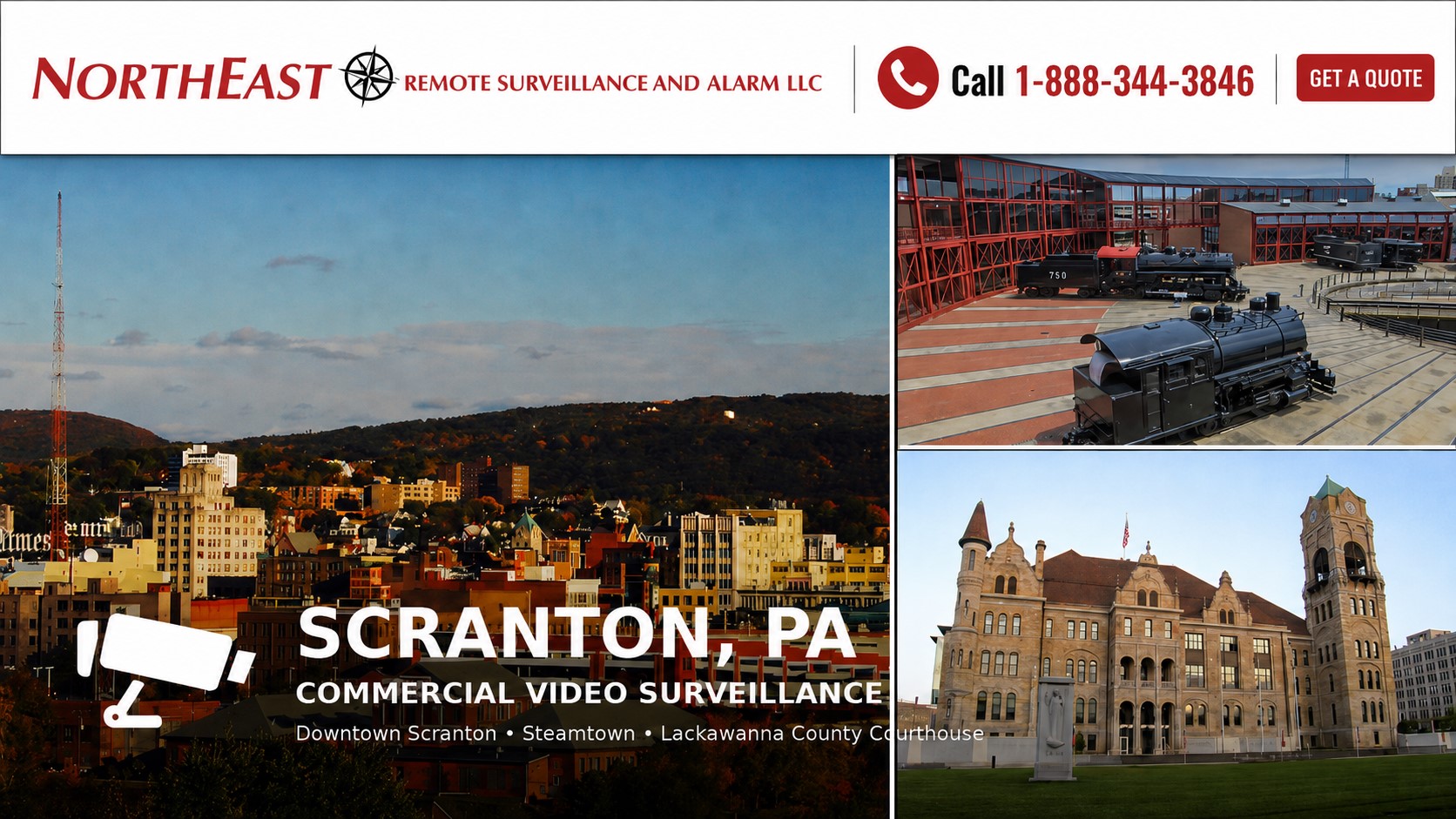
NERSA also provides commercial security camera installation in Scranton, PA for warehouses, manufacturing facilities, offices, yards, and other nonresidential properties.
Coordinate camera requirements with doors, alarms and property operations through the Scranton commercial security overview.
Plan Commercial Security Camera Installation in Scranton
A useful Scranton camera plan begins with a specific question: do you need to understand movement across a site, recognize activity at an entrance, review a loading transaction, or capture a vehicle at a controlled approach? Those tasks call for different views. A wide overview can explain context while a dedicated camera supplies detail at a doorway, lane, or work area.
List the locations where an incident would need to be reconstructed, then follow the route between them. Check indoor and outdoor transitions, changes in lighting, obstructions, and operating hours. A design that looks clear in a daytime live view still needs assessment under the conditions in which the evidence will matter.
Match Camera Coverage to Your Facility
Use the warehouse, manufacturing, office, or contractor yard guide to establish the working environment and the people who will use the system. Then open the loading dock or vehicle capture guide for a particular area. This keeps a specialized camera feature tied to an operational requirement instead of making it the starting point for the entire project.
The analytics guide addresses which events software can help identify and how alerts should be reviewed. The remote monitoring guide addresses the separate question of who receives an event and what they do next. Neither capability should be assumed from the presence of a camera alone. For an existing installation, the upgrades guide helps frame which parts can remain and which limitations need correction.
Include recording and handover in the scope
Define the required review period, who may view or export recordings, and the process for retrieving an incident. Confirm available power, network capacity, and recording compatibility before expanding an existing system. At handover, check live views, recorded playback, time alignment, user permissions, and a representative export. Keep a camera location list and an agreed process for reporting faults so the system remains usable after installation.
Explore this guide: Plan Commercial Security Camera Installation in Scranton · Match Camera Coverage to Your Facility · Include recording and handover in the scope · Plan Warehouse Coverage from Receiving to Dispatch
Plan Warehouse Coverage from Receiving to Dispatch
Start with the sequence of a shipment rather than a camera count. Identify the vehicle approach, assigned dock, transfer point, staging location and movement into storage. Ask which part of that sequence a manager would need to reconstruct after a shortage, damage report or disputed handoff. The answer helps define where detailed views matter and where an overview is enough.
Separate the view of the freight from the view of the surrounding activity. A wide camera may show which dock was occupied while another view records the transfer area. Consider how trailers, forklifts, pallets and open doors can obstruct the scene. Review the view under typical operating conditions, not only when the dock is empty and the floor is clear.
Use consistent location names in the camera plan and the warehouse’s operating records.
A camera called Receiving Door Three is easier to use when dispatch and supervisors use the same name.
Confirm that authorized staff can search the relevant time period and follow movement between views.
For a project that also includes controlled doors, intrusion alarms or after-hours response, review warehouse security systems and installation planning alongside the camera scope.
Match Industrial Views to a Defined Task
Manufacturing properties may need views of entrances, material movement, shipping, equipment areas or restricted spaces. Identify the purpose of each proposed camera with the site team. Avoid treating all production space as one uniform scene. Lighting, vibration, obstructions and the position of moving equipment can change what a camera can reliably record.
A camera system does not replace the facility’s operating or safety procedures. Define the intended uses of recordings and who is authorized to review them. Where the customer wants to investigate a recurring operational issue, agree the scene and level of detail needed before choosing equipment. Keep claims about what the system can establish tied to the actual view and test results.
Schedule installation around the parts of the plant that remain active. Confirm access to mounting locations, cable pathways and equipment rooms. Ask the site contact which areas need an escort or a separate work window. A phased installation should leave clear records of which views are complete, which are temporary and which still need acceptance testing.
Treat Exterior and Vehicle Views as Separate Decisions
An exterior overview may show vehicle movement across a yard, but a useful plate view generally needs its own planning. Identify the approach, stopping position, direction of travel and conditions in which a plate would be visible. The vehicle-capture guide linked below addresses that narrower task. Do not promise identification from a distant overview without verifying the result.
Check exterior scenes after dark and under the lighting conditions that matter to the customer. Headlights, bright entrances, shadows and reflections may affect different views in different ways. Consider whether normal parking or trailer staging will block the scene. Where practical, agree a representative recorded test rather than accepting only a daytime live image.
For contractor yards and stored equipment, document which boundaries and entrances are within the project.
A property can have more than one route of access even when it has a main gate.
Identify who maintains lighting and clears vegetation or other obstructions.
Include those responsibilities in the operating plan so coverage does not quietly change after installation.
For short-term coverage while a site or project changes, see temporary and mobile surveillance in Scranton.
Define Recording and Evidence Retrieval
Agree the required recording period based on the business’s review needs and applicable customer policies. Determine how soon incidents are usually reported and how authorized staff preserve material for review. Storage requirements depend on the selected cameras, recording settings and activity. Confirm the proposed design rather than assuming a recorder’s advertised capacity establishes the final retention period.
Test recorded playback at the intended detail level. A live view can look acceptable while recorded settings differ from expectations. Retrieve footage from representative cameras and create an export using the customer’s normal workflow. Confirm that the exported file is usable by the intended reviewer and that the time and location can be understood.
Assign responsibility for reviewing faults and reporting missing recordings. A system may appear operational to a casual user while one camera or storage function has stopped working. Discuss available health indications and the service scope, including who receives a notification and what action follows. Distinguish equipment-health checks from monitoring a security event.
Choose Analytics and Monitoring for Specific Events
Analytics should start with an event the customer needs to identify, such as activity in a defined area during a selected period. Confirm whether the proposed camera, software and scene support that task. Specify who reviews an alert and what they do with it. An alert that repeatedly reaches an unattended inbox does not create a complete response procedure.
Evaluate representative conditions during setup. Normal traffic, lighting changes and moving objects can affect the usefulness of an event rule. Agree what is being tested and how exceptions are recorded. Adjust the design or expectations when the scene cannot support the desired result. Avoid broad claims that software will detect every incident or eliminate the need for human review.
Remote video monitoring adds a separate service workflow. Define which events are presented for review, the hours covered, the contact list and the approved response. Confirm the role of any included live communication. The Scranton monitoring guide below explains that service in more detail; it should be selected because it fits the property’s needs, not assumed to be included with every camera.
Review Infrastructure and Existing Equipment
Survey available power, network capacity and cable pathways before extending coverage. A distant building or exterior area may require additional infrastructure. Identify work assigned to the customer’s IT provider, electrical contractor or other trades. Confirm the responsibilities before installation so a missing connection does not leave otherwise completed cameras unavailable.
For an existing system, inventory cameras, recording equipment, licenses, cabling and authorized account access. Evaluate condition and compatibility separately. Some components may remain useful while other parts limit the required result. The upgrade guide below helps frame repair, selective replacement and migration without assuming every existing device must be discarded.
Discuss who owns the system accounts and who may change settings, view recordings or export evidence. Use customer-approved roles and keep administrator access limited to the appropriate people. Include account handover and support contacts in the project records. A technically functioning installation is harder to maintain if the customer cannot manage its authorized users.
Coordinate Cameras with Doors and Site Procedures
Cameras can provide context around employee doors, visitor releases and freight entrances when the systems and views support the intended workflow.
The Scranton access-control guide explains controlled openings and credentials.
Define the event association and test it with recorded footage before calling an integration complete.
Bring dispatch, facility management and IT into the planning decisions that affect their work. Agree who answers visitor calls, who reviews incidents and who approves changes to access or recording settings. These responsibilities help the system fit the business. Technology works best when the people using it understand both its purpose and its limits.
Accept the Finished System with Real Tasks
Choose a short set of representative tasks before installation ends: find a delivery, review an entrance event, export a recording and identify a failed view. Have an authorized customer user perform those tasks with the final camera names and permissions. Record unresolved issues and assign responsibility for closing them.
Retain the camera schedule, equipment information, configuration records and support procedure. Review coverage when shelving, machinery, docks or parking arrangements change. The same cameras may no longer provide the intended evidence after the property changes. A documented review process helps the customer preserve useful coverage over time.
Compare Proposals by the Result They Deliver
Ask each proposal to identify the views, recording arrangements, infrastructure and services included. Separate one-time installation from recurring software, storage or monitoring costs. A lower camera count may still meet the required evidence tasks, while a larger count may leave a critical approach unclear. Compare the proposed views and acceptance tests rather than using device quantity as the only measure.
For a project completed in stages, describe the outcome of the first stage and the dependencies for later work. Confirm whether future cameras require additional recording capacity, licenses, network equipment or cabling. Keep a simple list of assumptions and exclusions so the customer can see which responsibilities belong to NERSA, the property team and other providers.
Review the service arrangements alongside the equipment proposal. Identify how faults are reported, how authorized changes are requested and which support activities are included. Ask for a clear handover package and training for the people who will use the system. These practical details help distinguish a complete, maintainable installation from a collection of devices that still needs substantial setup.
Focused Scranton Video Surveillance Guides
Choose the guide matching your facility, capture task, monitoring response, or existing-system limitation.
- Scranton, PA AI Video Surveillance Systems — Review event detection and video analytics for defined surveillance tasks.
- Scranton, PA License Plate Recognition & Vehicle Capture Systems — Plan focused camera views for vehicle approaches and license-plate capture.
- Scranton, PA Warehouse Video Surveillance Systems — Review video coverage for warehouse activity and freight movement.
- Scranton, PA Loading Dock Video Surveillance Systems — Plan camera views for shipping, receiving, and loading-dock activity.
- Scranton, PA Contractor Yard Video Surveillance Systems — Review exterior surveillance for contractor yards and stored equipment.
- Scranton, PA Manufacturing Facility Video Surveillance Systems — Plan video coverage around manufacturing operations.
- Scranton, PA Commercial Office and Multi-Tenant Video Surveillance Systems — Review video coverage for office entrances and shared commercial areas.
- Remote Video Monitoring in Scranton, PA — Review operator-assisted monitoring of selected video events.
- Video Surveillance Upgrades and Takeovers in Scranton, PA — Plan improvements to an existing commercial camera system.
Related Planning
Use the Scranton security overview and parking-camera guide when connecting the camera project to wider property and exterior needs.
- Commercial security systems in Scranton — Coordinate camera coverage with the property’s overall security plan.
- parking lot security cameras — Review exterior views for vehicles, pedestrians and incident documentation.
Scranton Project Experience: Village Park Apartments
NERSA has serviced Village Park Apartments in Scranton since 2008.
Cameras cover every property entrance, roads, areas around apartment units, play areas, the community center and maintenance buildings.
Services also include access control and intrusion alarms.
Read the Village Park Apartments security case study.
NERSA is listed with the Greater Scranton Chamber of Commerce; commercial property managers can review the Chamber’s security and surveillance member directory as a source of local business background.
A directory listing is not a technical endorsement.
Request a Scranton Video Surveillance Assessment
Request a security assessment to discuss the camera views and recording needs at your Scranton property.
Compliance, Codes & Project Standards
NERSA plans commercial and industrial security work with applicable code, documentation, inspection and authority-having-jurisdiction requirements in mind. Requirements vary by system, property and jurisdiction. These resources support project planning; they do not establish legal compliance, certification or AHJ approval.
Related guidance: Regulatory compliance & inspection readiness · Video surveillance compliance · NERSA project standards