
Plan Scranton video surveillance upgrades around what still works, what needs attention, and how your team will use the finished system.

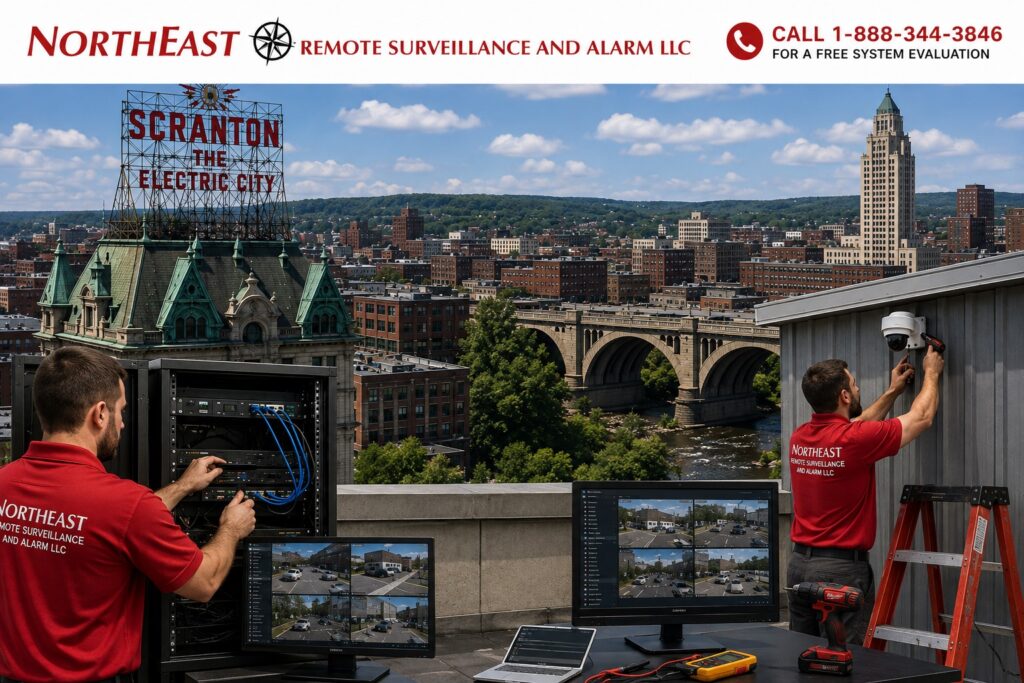
Coordinate the project through the Scranton video-surveillance guide, which connects camera views, recording and the operating tasks the system must support.
Northeast Remote Surveillance and Alarm, LLC upgrades and takes over commercial video surveillance systems in Scranton, Pennsylvania. We help warehouses, manufacturers, offices, healthcare properties, municipal facilities, schools, parking areas, and multi-site businesses regain control, improve coverage, and build a practical path forward.
Start With a Complete System Assessment
A takeover should begin with evidence. We inventory cameras, recorders, licenses, storage, switches, cabling, fiber, network paths, remote access, user accounts, passwords, and documentation. We also review image quality, nighttime performance, retention, blind spots, camera names, time settings, and export procedures.
This separates functioning assets from hidden liabilities and prevents an automatic “replace everything” recommendation. It also gives owners a clear scope, priority list, and budget basis before disruptive work begins.
Reuse Compatible Equipment
Existing cameras, cabling, mounts, fiber, cabinets, and network hardware may remain valuable. We test condition, compatibility, cybersecurity support, and expected service life before deciding what can stay. Equipment that is proprietary, unsupported, unreliable, or poorly matched to the site can be prioritized for replacement.
Correct Coverage and Image Quality
Higher resolution alone does not fix a poor camera view. An upgrade may involve repositioning cameras, changing lens selection, improving lighting, refining exposure, adding focused views, or replacing only the cameras that cannot meet the objective.
- Entrances, exits, and transaction points
- Loading docks and warehouse aisles
- Parking lots, gates, and perimeter areas
- Production zones and restricted rooms
Each view should answer a clear operational or security question.
Modernize Recording and Storage
An aging NVR or server can limit retention, remote access, camera support, exports, and analytics. We calculate storage around camera count, resolution, frame rate, compression, motion, recording schedule, and required retention. Recorder or VMS migration is planned so users understand what footage remains available and how new video will be managed.
Strengthen Networks and Cybersecurity
Camera reliability depends on switches, PoE capacity, uplinks, bandwidth, UPS backup, addressing, and secure remote connectivity. A takeover may include stronger passwords, named administrator accounts, permission cleanup, supported firmware, network segmentation, and removal of access held by a former installer.
We coordinate surveillance changes with the customer’s IT requirements instead of treating cameras as unmanaged network devices.
Use a Phased Upgrade Plan
Facilities do not always need one disruptive replacement project. Phase one can restore ownership, repair critical outages, and document the system. Phase two can address weak coverage, recording, storage, and networking. Later phases can add analytics, remote monitoring, or additional sites as priorities and budgets allow.
See our broader commercial video surveillance services for related design and installation options.
Leave the System Serviceable
Clear camera names, switch and port records, IP information, account ownership, license details, retention settings, and equipment locations make future support faster. We test live view, recording, playback, export, alerts, remote access, and user permissions before handoff, then train the approved administrators.
Explore this guide: Start With a Complete System Assessment · Reuse Compatible Equipment · Correct Coverage and Image Quality · Modernize Recording and Storage · Frequently Asked Questions
Plan the Transition Around Evidence and Daily Work
Before changing recording equipment, identify any footage the customer needs to retain and the approved process for preserving it. Confirm which recordings remain available in the old system and which functions move to the new one. Do not assume a new recorder automatically imports every historical recording or setting. Explain the transition to authorized users before their usual review workflow changes.
Schedule work with the warehouse or plant contact. Identify views that are especially important during receiving, dispatch or a shift change, and agree the installation sequence. If a view will be temporarily unavailable, document the work window and the customer’s approved temporary procedure. Keep completed phases distinguishable from equipment that still needs configuration or testing.
Verify the Improvement with a Representative Incident Review
Choose a practical example such as following a delivery from arrival to a dock or reviewing an employee entrance. Retrieve the recorded views, confirm time alignment and create an export with an authorized customer account. Compare the result with the original limitation. A replacement should demonstrate the intended improvement rather than merely produce a different live image.
Record any remaining constraints, such as an obstructed view or a connection waiting on other work. Assign responsibility for the next action and keep the item open until the relevant test is complete. Supply the final camera list, equipment records and support contacts so later service begins from an accurate description of the installation.
For a combined project, the Scranton access-control upgrade guide covers existing doors and credential systems.
The local maintenance and support guide explains how to report faults and keep records current after the upgrade.
Keep those scopes coordinated without assuming a camera migration includes every connected security service.
Frequently Asked Questions
Can NERSA take over a system installed by another company?
Yes. Access, licensing, compatibility, condition, and account ownership must first be verified.
Does every camera need to be replaced?
No. Compatible cameras that provide reliable, useful images can often remain while weak parts are upgraded.
Can analog and IP cameras be used during a migration?
Often, depending on the recorder, encoders, cabling, and migration design. We confirm compatibility before promising reuse.
Can retention or nighttime performance be improved?
Yes. Storage, recording settings, cameras, lenses, lighting, placement, and network performance may all influence the result.
Commercial Video Surveillance Systems in Scranton, PA
Request a Scranton System Review
Use our security assessment form to document an inherited system, plan a phased upgrade, or correct ongoing failures.
NERSA supports business and facility video surveillance in Scranton and surrounding Northeast Pennsylvania markets.
Compliance, Codes & Project Standards
NERSA plans commercial and industrial security work with applicable code, documentation, inspection and authority-having-jurisdiction requirements in mind. Requirements vary by system, property and jurisdiction. These resources support project planning; they do not establish legal compliance, certification or AHJ approval.
Related guidance: Regulatory compliance & inspection readiness · Video surveillance compliance · NERSA project standards