
Security system architecture determines where data lives, how users connect, and which functions continue during an outage.

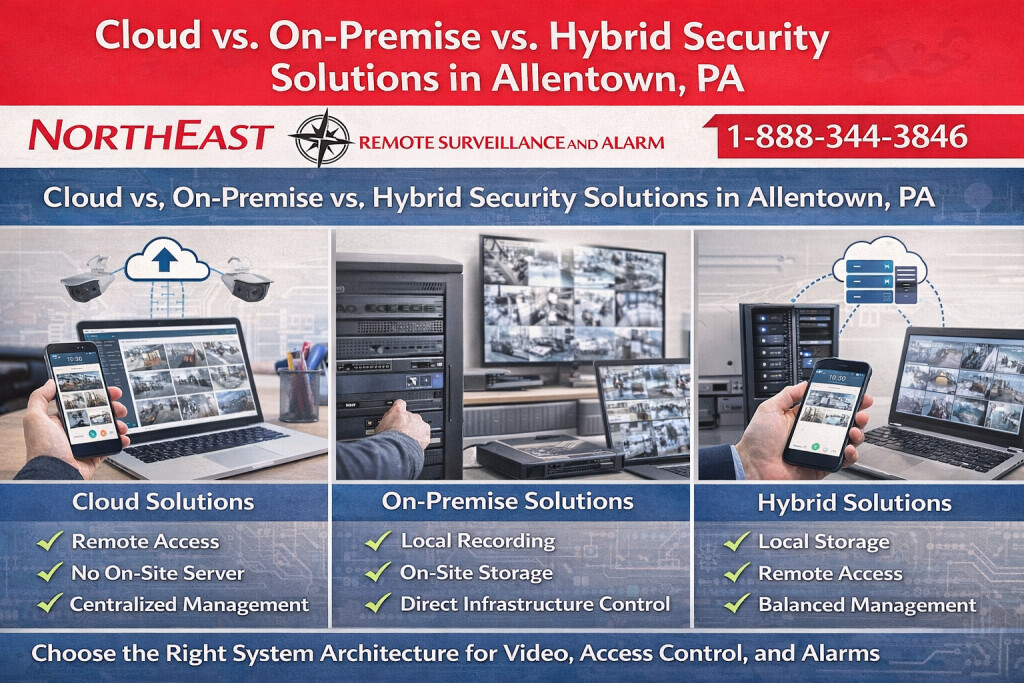
List what the site must still be able to do during a loss of internet service, including door operation, local recording or event review where applicable. Ask vendors to demonstrate their proposed behavior and identify where accounts, logs and backups are managed.
Place this decision within the wider integration plan using Allentown unified security systems.
Choose Security System Architecture Around Daily Work
Northeast Remote Surveillance and Alarm, LLC helps businesses compare cloud, on-premise, and hybrid systems before selecting equipment.
Start with the tasks your team must complete: review a recording, update access permissions, receive an alert, or manage several locations.
Next, identify who performs each task and from which devices. A receptionist, local manager, and central security team may need different permissions. Record those roles before comparing platforms so convenient access does not become unrestricted access.
Separate the location of the data from the management interface. A cloud-managed system may still record video locally. Likewise, a local system may offer secure remote access. Confirm the exact arrangement for the proposed equipment and service.
Cloud Security: Central Administration and Remote Access
Cloud services can give approved users a central interface for supported cameras, doors, events, and settings. This may simplify administration across locations. However, each platform has different requirements for internet access, storage, licenses, and local equipment.
Ask which functions require the cloud connection. Determine whether the site records locally, uploads continuously, or sends selected events. Then compare the required upload capacity with the connection available during normal business hours.
Also review subscription terms, user permissions, export options, and the process for changing service providers. The customer should know who controls the account and how to recover administrative access when staff responsibilities change.
On-Premise Security: Local Equipment and Responsibility
An on-premise system keeps selected servers, recording, or management functions at the property. Local recording can suit a site with substantial video traffic or limited internet capacity. The actual design still needs enough storage, network capacity, and backup power.
Local equipment also creates local responsibilities. Name the people who maintain servers, apply supported updates, replace storage, and monitor faults. A recorder inside the building still needs controlled accounts and a tested recovery plan.
Remote access can remain available when the platform and network support it. Agree on the approved connection method with the customer’s technology team. Avoid assuming that a local system is isolated from internet-related risks simply because the recorder sits on site.
Hybrid Security: Combine Functions Deliberately
A hybrid design combines local operation with selected cloud services. For example, compatible equipment may record locally while approved staff use cloud tools to review events. Access controllers may retain supported door functions while administrators manage credentials through an online interface.
Define the boundary for each function. Identify which settings, recordings, credentials, and event records remain local and which depend on a hosted service. Confirm how changes synchronize after a lost connection returns.
Hybrid does not automatically provide a backup for every function. Test the proposed arrangement against the outages your property needs to handle. Document any limits in remote viewing, new credential changes, alert delivery, or recording access.
Compare Outage Behavior Before Choosing a Platform
Review internet loss, local network failure, power loss, and an unavailable management service separately. They affect different parts of a system. Ask what continues, what stops, who receives a fault notice, and how normal operation resumes.
For video, check local recording and the ability to retrieve footage after service returns. For access control, confirm the supported controller behavior and how staff manage an urgent change. The complete door must retain its required entry and exit functions.
Alarm reporting needs its own approved communication plan. A general cloud-management connection does not establish a suitable alarm-reporting path. Coordinate that requirement with the responsible project team and monitoring provider.
Plan Storage, Ownership, and Ongoing Costs
First, set retention targets around actual business needs, incident-review times, and applicable organizational policies. Camera count, image settings, activity, and recording schedules affect capacity. Verify the proposed storage instead of relying on a general estimate of recording days.
Next, compare the full operating cost over the same period for each option. Include equipment, installation, subscriptions, licenses, connectivity, maintenance, storage replacement, and support. Note which charges change when you add cameras, doors, users, or locations.
Document account ownership, administrator approval, provider access, exports, backups, and service-transfer procedures. Keep these records with the customer’s system documentation. They help the organization retain control when people or service arrangements change.
Choose the Right Starting Point for Each System
Use the relevant service guide to apply the architecture decision to the equipment and workflows at your Allentown property.
Verify the Architecture With Your Team
Bring platform names, equipment models, a location list, network details, and the tasks that currently cause difficulty. Include the staff who approve accounts, maintain connections, manage users, and review recordings.
Before handover, test representative user roles, playback, exports, credential changes, alerts, and agreed outage scenarios. Record what worked and any accepted limits. Confirm that the designated staff can perform routine tasks without broad administrator access.
For supported platforms and technology options, explore Security Technologies & Platforms.
For coordinated camera, door, and alarm workflows, review Allentown unified security systems.
Frequently Asked Questions
Is cloud security always the best architecture for a business?
Choose the architecture around the tasks your team needs to perform, where data resides, who administers it, and how required functions behave during outages. Cloud, on-premise, and hybrid designs assign responsibilities differently. Compare those details before selecting a platform.
What should be verified before accepting a cloud or hybrid security system?
Verify the intended user tasks, permissions, recording or storage needs, outage behavior, ownership, and ongoing costs with your team. Document which functions remain local and which depend on external services. Remote convenience should not create unrestricted access or unclear support responsibilities.
Request a Security Architecture Assessment
NERSA can review your current equipment, operating responsibilities, connection limits, and growth plans to define a practical deployment approach.
Request a security assessment to compare cloud, on-premise, and hybrid options for your property.
Enterprise planning resources
For the wider enterprise framework, see Enterprise Video Security.
Compliance, Codes & Project Standards
NERSA plans commercial and industrial security work with applicable code, documentation, inspection and authority-having-jurisdiction requirements in mind. Requirements vary by system, property and jurisdiction. These resources support project planning; they do not establish legal compliance, certification or AHJ approval.
Related guidance: Regulatory compliance & inspection readiness · NERSA project standards · Documentation, testing & inspection readiness