
Anthracite property management security brings shared entrances, visitor entry and common-area cameras into one manageable plan.

Plan security for your managed property
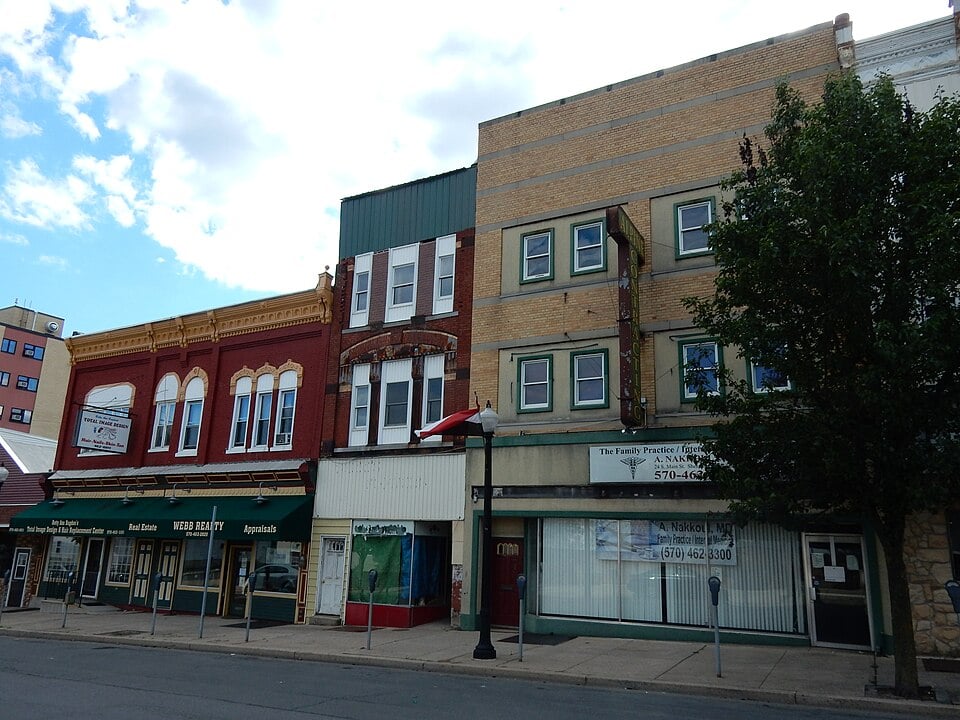

NERSA works with the needs of a single managed building, growing local portfolios and larger commercial or multifamily properties.
Back to Anthracite Region Commercial Security Systems
Start with responsibility for shared spaces
A managed apartment building, mixed-use property or commercial building needs a clear boundary between owner-managed systems and tenant responsibilities. Identify who controls the exterior doors, common corridors, parking, service rooms and shared loading areas. Then establish who approves credentials, reviews recordings and receives fault notifications.
This guide covers managed properties in Pottsville, Schuylkill Haven, Tamaqua, Frackville, Shenandoah, Mahanoy City and Ashland. The scope is building management and shared systems. Individual units and tenant-specific equipment require separate decisions about authorization, responsibility and access.
Make daily entry predictable
List the people who use each entrance: occupants, staff, visitors, deliveries, cleaners and maintenance contractors. Some need regular access; others need someone to answer and authorize entry. Design the procedure before choosing readers or intercom hardware.
Review door condition and existing hardware with the entry system.
A credential reader does not correct a door that fails to close or latch.
The tenant access and visitor entry guide explains the door-by-door review, turnover workflow and acceptance checks.
For system options, see commercial access control installation.
Use cameras for defined common-area purposes
Identify the event each view should help explain, such as an arrival at the main entrance, movement through a shared lobby or a delivery at a service entrance. Check interior and exterior lighting and the effect of glass, headlights and changing daylight. Avoid assuming an overview will capture every detail needed later.
Set authorized viewing roles, recording retention and an export procedure with the property team.
Camera placement should respect private spaces and the property’s policies.
Review building video surveillance for equipment and recording considerations, then document the selected views for this building.
Plan installations around occupied buildings
Work in an occupied property should have an agreed access schedule, named site contact and communication plan for affected tenants. Identify when corridors, ceilings or entrance hardware will be worked on and how access will be maintained during each phase. Coordinate related door and building work before the final installation sequence.
Existing cable routes and equipment may be reusable, but availability alone does not establish suitability.
Confirm ownership, condition, compatibility and account access.
Our retrofits and takeovers guide provides the broader process for improving an inherited system.
Keep a portfolio manageable
For several buildings, agree on consistent naming and approval procedures while preserving each property’s actual needs. A manager should know which building a notification refers to and who can act on it. Limit user permissions to the tasks and sites for which that person is responsible.
Track user changes, system administrators and support contacts when management changes.
Review multi-site security planning for shared administration, and enterprise integration when a larger portfolio needs coordinated systems.
Consider the connection beyond the main building
Parking areas, garages and detached service buildings may require additional cable routes, network connections or power.
Start with the regional infrastructure and connectivity guide.
A wireless link or solar/cellular camera should follow a site assessment; neither should be assumed suitable simply because running cable looks difficult.
What belongs in the handover?
- A door and camera list with clear locations and responsibilities.
- An approved procedure for adding, changing and removing occupants and contractors.
- Administrator ownership, viewing permissions and recording-export instructions.
- A support contact and the agreed procedure for entry or system faults.
Ask the authorized property staff to demonstrate routine tasks before accepting the work. Good documentation makes the next tenant change or maintenance visit easier.
When taking responsibility for inherited equipment or changing service providers, review the regional upgrades, retrofits and takeovers guide.
It connects equipment assessment, ownership, transition planning and phased handover.
Plan security for your managed property
Tell us the building address, occupancy, shared entrances and management responsibilities. Include the current visitor-entry process and any access or camera problems tenants have reported.
Plan security for your managed property or call 1-888-344-3846.