
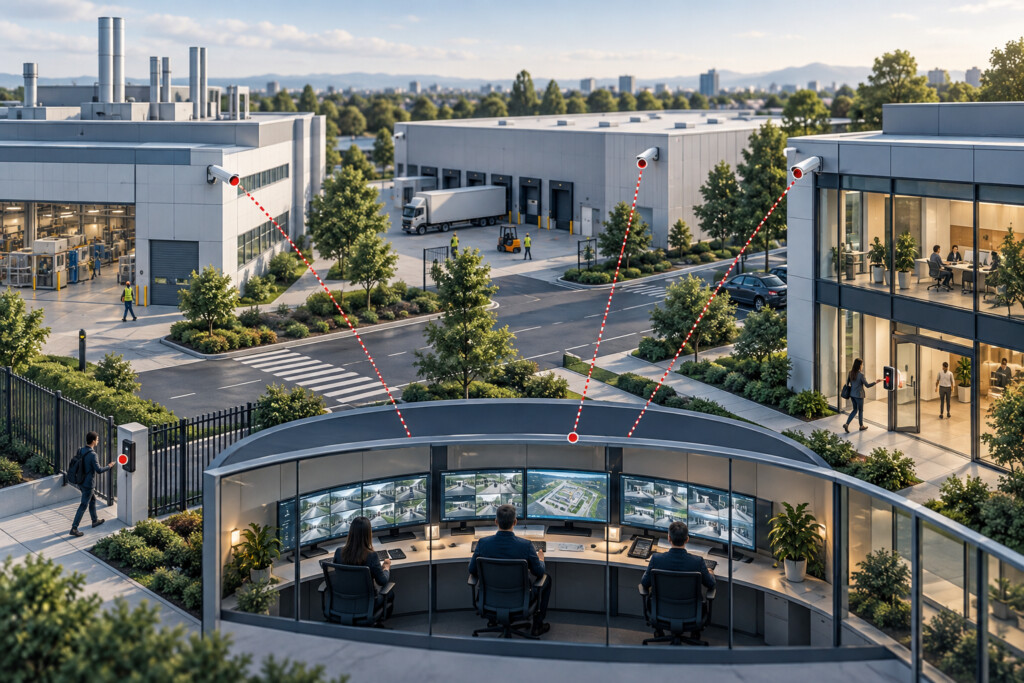


Enterprise security systems integration connects video, access control, alarms, and supporting infrastructure so people can manage security across buildings and locations. Northeast Remote Surveillance and Alarm, LLC helps commercial and industrial organizations plan supported integrations, clear responsibilities, reliable local operation, and a practical path for upgrades and growth.
Request an enterprise assessment 1-888-344-3846
NERSA supports small businesses, growing companies, and enterprise operations. This guide focuses on coordinating connected systems and shared responsibilities. For a focused business installation, start with Small Business Security Systems; for individual technologies, explore Commercial & Industrial Security Services.
What makes a security environment an enterprise system?
An enterprise system may serve one large campus or many locations. The challenge is to coordinate equipment and responsibilities across teams and buildings. Record the regions, sites, buildings, and work areas the system must cover. Use shared standards while allowing for each site’s needs.
Recognize the signs of an enterprise planning gap
Look for signs that systems are becoming hard to manage. Staff may need several apps to review one event. A former employee may still control the main account. Branches may use different access rules. Also check camera names, vendor support, outage tests, and who handles recording failures. Use these findings to set priorities.
Connect workflows before selecting technology
Describe what an operator must do when an event occurs. For a door alarm, they may need a camera view, location, response steps, and an incident record. Check each connection against the exact devices, software, licenses, and supported actions. Assign an owner on each side and test what happens if the connection fails.
Establish organization-wide ownership
Assign responsibilities before creating accounts. Decide who approves access, maintains device records, owns subscriptions, receives fault alerts, and accepts completed work. A site manager may control local users without changing company-wide rules. Give each exception an owner, a reason, and a review date.
Choose cloud, on-premises, and hybrid functions deliberately
Choose where each function will run: system management, recording, user identity, and event processing. Cloud tools can help teams manage many sites. Local devices may keep some functions working if the internet fails. On-site servers still need storage, updates, and recovery plans. For a hybrid system, define the local and cloud roles, fees, and data recovery process. Confirm the design with IT and the supported product setup.
Make resilience and system health measurable
List what must keep working if power, a network link, a server, or a recorder fails. Define how the fault is detected, who gets the alert, and who checks recovery. Doors, recording, remote viewing, and event delivery may respond differently. Test each required function and record any limits.
Keep useful systems and plan the transition
An upgrade may retain useful cameras, controllers, and cable. First check their condition, support status, compatibility, account access, and ongoing cost. Test the planned approach at a typical site. Schedule changes around daily operations and define how to restore the old setup if a change fails.
What your enterprise security plan should deliver
The plan should set out workflows, account ownership, supported connections, outage needs, rollout priorities, and acceptance checks. Give unresolved questions an owner and a next step. This helps purchasing, IT, facilities, and security teams compare proposals on the same basis.
Move from assessment to an accepted operating environment
Begin with a site review and an agreed design brief. Test key connections at a typical site before rolling out more locations. At handover, provide agreed administrator access, settings, device lists, drawings, training, test records, and support contacts. Review access rights, fault reporting, and future upgrades as the business changes.
Enterprise security integration FAQs
Can the enterprise layer work with several manufacturers?
Potentially. Check the exact devices, software versions, licenses, event types, and supported functions. A link that displays video may not pass every alert or door command. Choose platforms around the required tasks and assign responsibility for each connection.
Does every facility need identical equipment?
No. Sites can share naming rules, records, access policies, and acceptance checks while using different equipment. A small branch and a factory may need different recording and network designs. Shared rules should still make approvals, site names, and support duties clear.
Can modernization happen while facilities remain occupied?
A phased upgrade may be possible. It depends on the existing system, proposed work, and site schedule. Agree on temporary procedures, tests, and a way to restore the old setup before each change. Coordinate work on controlled doors and critical operations with the responsible team.
What does NERSA need to scope the work?
Start with the locations, existing systems, account owners, known faults, and growth plans. Include available drawings and approximate door and camera counts. NERSA can then identify missing information and define the scope for design, installation, integration, and support.
Explore the enterprise security collection
- Enterprise Security System Modernization — Modernizing an enterprise security environment is a transition program across equipment, people, data, and operating procedures.
- Physical Security Network and Infrastructure for Enterprise Systems — Enterprise security infrastructure connects local equipment to shared management, identity, time, storage, and support services.
- Enterprise Security Operations — Enterprise security operations define how people use a shared security environment across locations.
- Enterprise Security by Industry — Enterprise standards must work across facilities with different operating conditions.
- Enterprise Security Planning and Procurement — Enterprise security procurement works best when proposals answer the same operating requirements.
- Enterprise Access Control Systems — Enterprise access control connects people, permissions, buildings, and administrative authority.
- Enterprise Video Security — Architecture, permissions, recording, resilience, and investigation across large and multi-site video environments.
- Managed Enterprise Security — Ongoing system health, administration, service coordination, and lifecycle support.
- Enterprise Security Platforms — Established platform guidance for compatibility, ownership, and long-term fit.
- Unified and Integrated Security Systems — Plan supported connections between security technologies around defined operator workflows.
- Multi-Site Enterprise Security — Coordinate shared standards and local responsibilities across facilities.
Find a specific planning task
Scope and budget
Start with a common brief, compare proposals, and plan ongoing costs.
- Document the requirements that govern an enterprise design with Enterprise Security Basis of Design.
- Make bid requirements and acceptance evidence comparable with Enterprise Security RFP Requirements and Acceptance Matrix.
- Assess integrator responsibilities and evidence against the project scope with Enterprise Security Integrator and Bid Evaluation.
- Organize longer-term improvements and dependencies with Five-Year Enterprise Security Roadmap.
- Compare acquisition, support, and replacement obligations with Enterprise Security Total Cost of Ownership Planning.
Networks and secure support
Work with IT to define connections, naming rules, and support access.
- Keep device identities and addressing consistent across sites with Enterprise Security IP Address and Device Naming Planning.
- Plan remote connections and operation during outages with Enterprise Remote-Site Connectivity and Local Continuity.
- Plan certificate ownership, renewal, and expiry handling with Enterprise Security Certificate Lifecycle Management.
- Set boundaries for vendor access, approval, and supervision with Enterprise Physical Security Vendor Remote-Access Governance.
- Coordinate physical-security connections with business and production networks using Enterprise Physical Security IT and OT Coordination.
Door access administration
Define who can grant access, how credentials change, and what happens during an outage.
- Define corporate and local administrator permissions with Enterprise Physical Access Roles and Delegated Administration.
- Plan supported devices, enrollment, and credential removal with Enterprise Mobile Credential Deployment.
- Define credential issue, changes, and retirement with Enterprise Credential Lifecycle Management.
- Review passage rules, exceptions, and occupancy assumptions with Enterprise Anti-Passback and Occupancy Planning.
- Plan door-system operation during component or communication failures with Enterprise Access Control Continuity and Redundancy.
- Define which access events must be retained and reviewed with Enterprise Access Control Audit Trails and Reporting.
- Coordinate identity records and access-system changes with Enterprise Access Control and Identity Directory Integration.
Upgrade existing systems
Check what can remain in service and plan each transition.
- Plan retained hardware, credentials, and transition responsibilities with Enterprise Legacy Access Control Migration.
- Assess retained systems and the transition to hosted or hybrid services with Enterprise Cloud and Hybrid Security Migration Planning.
Facility-specific standards
Adapt shared standards to the way each property operates.
- Coordinate freight movement and controlled areas across logistics facilities with Enterprise Warehouse and Distribution Security Standards.
- Coordinate controlled areas and operating responsibilities across manufacturing sites with Enterprise Manufacturing Campus Security Standards.
- Coordinate shared security responsibilities across medical facilities with Enterprise Healthcare Campus Security Governance.
- Coordinate security standards across education buildings with Enterprise Education and Campus Security Standards.
Incident communications
Assign responsibility for urgent messages and escalation.
- Define critical-message paths and responsibilities with Enterprise Emergency and Critical Communications Planning.
Let’s talk about your next step
Tell us what you want to improve and which locations are involved. We can help you work through the questions, check what your systems support, and define a practical project scope.
Plan your enterprise assessment
Compliance, Codes & Project Standards
NERSA plans commercial and industrial security work with applicable code, documentation, inspection and authority-having-jurisdiction requirements in mind. Requirements vary by system, property and jurisdiction. These resources support project planning; they do not establish legal compliance, certification or AHJ approval.
Related guidance: Regulatory compliance & inspection readiness · NERSA project standards · Documentation, testing & inspection readiness