
Anthracite security infrastructure connects cameras, doors and alarms to the power and networks they need.

Assess your security infrastructure and connectivity
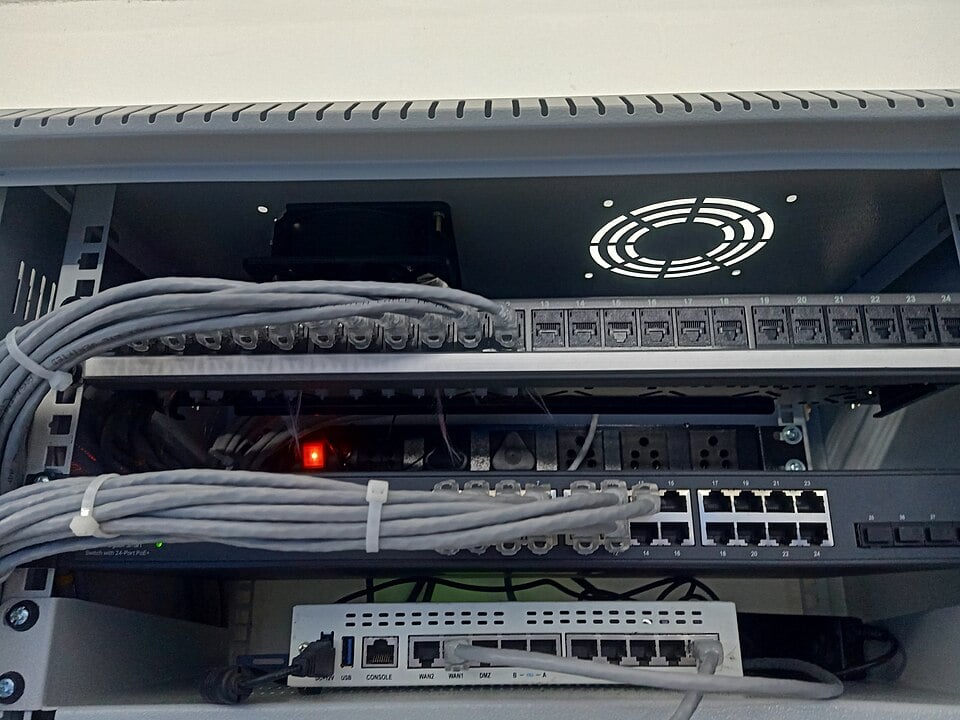

NERSA plans cabling, fiber, wireless links and suitable remote-camera options for small businesses, commercial properties, industrial facilities and managed portfolios.
Back to Anthracite Region Commercial Security Systems
Find the weak connection before adding devices
A camera that drops offline or an entrance with unreliable communications may have a supporting infrastructure problem. Begin by tracing the equipment’s power, cabling and network path. Document the fault and when it happens so the assessment can distinguish a device issue from an overloaded, damaged or unsuitable connection.
For properties across Pottsville, Schuylkill Haven, Tamaqua, Frackville, Shenandoah, Mahanoy City and Ashland, the right approach depends on the building and the route. One storefront may need a short cable repair; a warehouse or managed campus may need coordination across switches, fiber links, detached buildings and outdoor equipment.
Copper cabling and local power
Review available pathways, cable condition, terminations, distance and the power requirements of connected equipment. Where power is supplied through a network cable, confirm that the switch and overall power budget suit the devices. Include equipment cabinets, labels, protection and service access in the scope.
Reuse should be based on assessment and appropriate testing, not on the appearance of the cable alone.
The infrastructure and cabling service guide provides the broader framework for connecting security systems.
Fiber and connections between buildings
Where a project spans buildings or longer routes, compare the available wired pathways with the operational need. A fiber connection carries data; equipment at the far end still needs a power plan. Document route ownership, installation responsibilities and how the finished connection will be tested and maintained.
For an occupied building or active production site, agree on accessible work areas and timing before committing to a route. Include spare capacity where there is a realistic expansion need, rather than installing infrastructure without an identified purpose.
Wireless bridges for suitable paths
A point-to-point wireless bridge can connect a suitable remote location to the property’s existing network. It needs a usable radio path, appropriate mounting and power at each end. Check obstructions, available capacity and the site’s network arrangements during the assessment.
This is different from giving a camera its own cellular connection.
Use the wireless bridge guide for the service overview, and our wireless, solar and cellular camera planning guide to compare choices for a particular remote area.
Solar and cellular options for remote cameras
Solar supplies energy; cellular supplies a network connection. They solve different constraints and may be combined when the site supports both. Review exposure to sunlight, seasonal energy needs, battery capacity, mobile signal, recording arrangements, data usage and maintenance access.
These options can be considered for suitable gates, outdoor storage and other locations where conventional connections are impractical.
They are not a universal replacement for dependable building power or a wired network.
See solar and cellular video surveillance for the wider service scope.
Coordinate with the people who manage the network
Name the owner of each account and the person responsible for switch settings, remote access and ongoing support. Agree on appropriate network separation, permissions and maintenance procedures with IT. Avoid leaving security devices attached to an undocumented connection that nobody accepts responsibility for.
Document what should happen when power or internet service fails and what the chosen design can actually maintain. Recording, live viewing and notifications may have different dependencies. The proposal and handover should describe those limits clearly.
Make the infrastructure scope reviewable
- Inventory the existing routes, equipment and known faults.
- Compare practical connection and power options for each area.
- Separate essential work from optional expansion.
- Agree on testing, labels, drawings, account ownership and staff handover.
Return to manufacturing and warehouse security when the work supports production and freight, or property management security for shared buildings.
A larger campus can use enterprise integration planning to define how the connections support coordinated operations.
When an infrastructure project involves inherited security equipment, coordinate it with the regional upgrades, retrofits and takeovers guide.
It connects equipment assessment, ownership, transition planning and phased handover.
Assess your security infrastructure and connectivity
Tell us which buildings or outdoor areas need service, what power and internet are available, and whether existing drawings or cable records can be reviewed. Include future expansion that could affect the route.
Assess your security infrastructure and connectivity or call 1-888-344-3846.