Commercial Mobile Credential Access Control Systems in Allentown, PA

Commercial mobile credential access control systems allow Allentown businesses to issue smartphone-based access, assign doors and schedules by user, suspend or revoke access when responsibilities change, and reduce dependence on physical cards, fobs, and mechanical keys.

Northeast Remote Surveillance and Alarm, LLC designs, installs, upgrades, migrates, expands, and supports mobile credential access control for offices, warehouses, manufacturing facilities, medical properties, municipal buildings, institutional facilities, multi-tenant properties, and other commercial and industrial sites throughout Allentown and the surrounding Lehigh Valley.

The correct solution depends on more than whether a phone can unlock a door. Reader compatibility, smartphone support, credential enrollment, device security, administrator protection, temporary-user procedures, backup entry, licensing, system connectivity, and long-term credential management must all be considered.

For broader planning involving access-control platforms, controlled doors, credentials, permissions, upgrades, and commercial applications, visit Commercial Access Control Systems in Allentown, PA.

Commercial and Industrial Properties Only • Smartphone Credentials • New Systems and Existing-System Migrations • Single Door Through Multi-Site Enterprise

Call 1-888-344-3846 to discuss mobile credential access control for your Allentown facility.

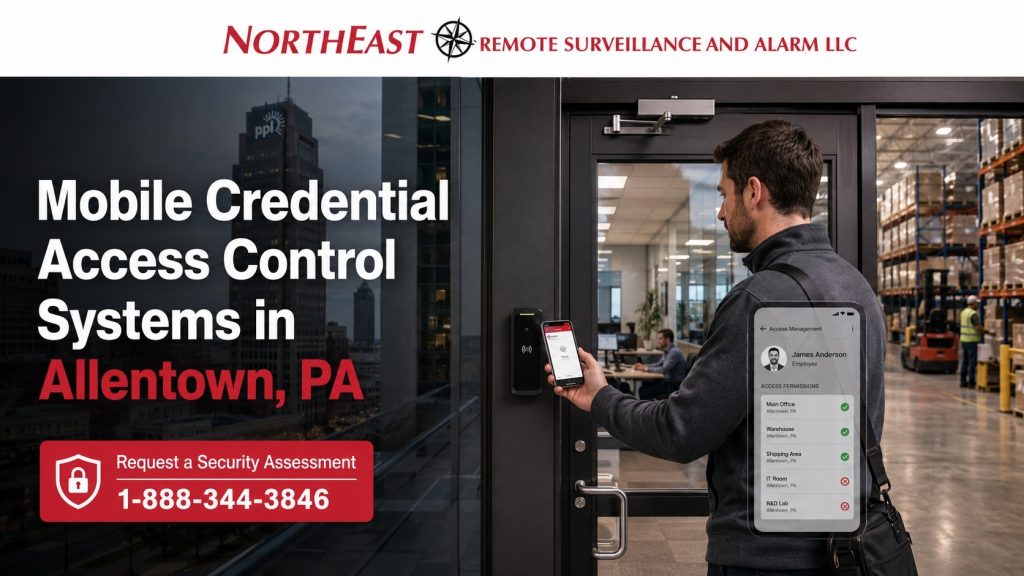
Commercial mobile credential access control readers at Allentown warehouse and industrial building entrances with smartphone-based employee access.

Replace or Supplement Physical Credentials With Smartphone Access

Physical cards and fobs remain appropriate for many commercial users, but they also require issuance, inventory, replacement, collection, and disposal. Mobile credentials can reduce that administrative burden for employees, managers, contractors, tenants, and other approved users who already carry compatible smartphones.

Depending on the selected platform, mobile access may help an organization:

  • Send credential invitations without distributing a physical card
  • Assign approved doors and schedules by user
  • Activate credentials for a future start date
  • Establish automatic expiration dates
  • Suspend or revoke access remotely
  • Reduce replacement-card handling
  • Provide selected managers with multi-location access
  • Support temporary contractors and vendors
  • Maintain individual credential records
  • Review granted and denied access activity
  • Combine mobile credentials with existing cards or fobs
  • Migrate users in phases instead of replacing every credential at once

Mobile access should improve administration without creating unnecessary dependence on one phone, one administrator, or one communication path.

How Smartphone Credentials Work at Commercial Doors

A mobile credential is an electronic access credential assigned to an approved user and provisioned to a compatible smartphone.

A typical process may include:

  1. An authorized administrator approves the user.
  2. The system sends an enrollment invitation or provisioning request.
  3. The user installs the required application or adds a supported digital credential.
  4. The credential is associated with the user’s account or device.
  5. Doors, schedules, locations, and expiration conditions are assigned.
  6. The user presents the smartphone at a compatible reader.
  7. The reader and access-control system evaluate the credential.
  8. Access is granted or denied according to the programmed permissions.
  9. The transaction is recorded according to the system configuration.

The specific process varies by manufacturer and platform. Some credentials operate through a dedicated mobile application. Others may use a supported digital wallet or another manufacturer-controlled credential environment.

The credential should be tested at the actual doors the user is expected to operate before deployment is considered complete.

Bluetooth and NFC Mobile Access

Commercial mobile credentials commonly communicate with compatible readers through Bluetooth Low Energy, NFC, or another manufacturer-supported method.

Bluetooth Mobile Credentials

Bluetooth-based credentials may allow the phone to communicate with the reader from a configurable distance.

Depending on the platform and reader, the user experience may involve:

  • Opening an application
  • Tapping a button
  • Presenting the phone near the reader
  • Using a touch or motion gesture
  • Allowing the credential to operate while the application runs in the background
  • Using a manufacturer-defined proximity mode

Bluetooth range should be configured carefully. A setting that is too short may make entry inconvenient. A range that is unnecessarily long may allow the phone to communicate with the reader before the user intends to enter.

Reader location, nearby doors, interior walls, adjacent entrances, vehicle traffic, and pedestrian movement can affect the appropriate operating range.

NFC Mobile Credentials

NFC-based credentials generally require the phone to be presented close to the reader.

This can create a familiar tap-style experience and may reduce unintended activation from a greater distance. However, support depends on the phone, operating system, credential platform, reader, application, and digital-wallet environment.

NFC availability should be confirmed for the organization’s approved devices before the credential strategy is selected.

Bluetooth and NFC Are Not Interchangeable

A reader that supports Bluetooth does not necessarily support every NFC credential. A phone that supports NFC does not automatically support every commercial access-control application.

Compatibility should be confirmed across:

  • Smartphone models
  • Mobile operating systems
  • Reader models
  • Reader firmware
  • Mobile applications
  • Digital-wallet support
  • Access-control controllers
  • Management software
  • Credential subscriptions
  • Manufacturer licensing

The decision should be based on the actual workforce and platform—not only on a reader specification sheet.

App-Based Credentials and Supported Digital Wallets

Mobile access may be delivered through a dedicated application, a supported digital-wallet credential, or another manufacturer-specific method.

Dedicated Mobile Applications

An application-based credential may provide:

  • Credential enrollment
  • Door presentation
  • Background Bluetooth communication
  • User notifications
  • Access to several assigned locations
  • Credential suspension or removal
  • Additional platform-specific functions

Application deployment requires planning around supported phones, operating-system versions, app-store availability, user accounts, password recovery, and employee instructions.

Digital-Wallet Credentials

Supported digital-wallet credentials may provide a familiar user experience and reduce the need to open a separate application at the door.

Availability and operation vary by platform. The organization should confirm:

  • Supported phone manufacturers
  • Supported operating systems
  • Reader compatibility
  • Wallet enrollment requirements
  • Device-lock requirements
  • Replacement-device procedures
  • Geographic or account limitations
  • Licensing and recurring costs
  • Whether the selected credential meets the organization’s security requirements

A digital-wallet logo or capability statement should not be treated as proof that every employee phone will be compatible.

Does a Mobile Credential Need Internet or Cellular Service at the Door?

The answer depends on the selected platform.

Many mobile credentials communicate locally between the phone and reader through Bluetooth, NFC, or another supported technology. In those systems, a live cellular connection may not be required for every door presentation.

However, connectivity may still be required for:

  • Initial credential enrollment
  • Application login
  • Credential downloads
  • Credential updates
  • Invitation acceptance
  • Account recovery
  • Remote issuance
  • Remote revocation
  • Administrative changes
  • Synchronization with a cloud-managed platform
  • Software and security updates

The access-control controller may also be designed to make local door decisions during a temporary internet interruption, but that behavior must be confirmed for the selected system.

NERSA evaluates how doors, readers, controllers, management software, mobile applications, and communication paths are expected to operate during normal service and network interruptions.

Reader, Controller, and Phone Compatibility

A smartphone credential must be supported by the reader, and the reader must operate correctly with the controller and management platform.

Compatibility planning may include:

  • Bluetooth or NFC capability
  • Supported mobile operating systems
  • Minimum operating-system versions
  • Reader model and firmware
  • Controller compatibility
  • Existing reader wiring
  • Reader-to-controller communication
  • Mobile application availability
  • Digital-wallet support
  • Credential licensing
  • User-account requirements
  • Existing card and fob support
  • Multi-technology reader options
  • Future migration plans

A modern-looking reader may not support mobile credentials. An older reader may support only legacy cards or fobs. A reader advertised as mobile-ready may still require additional licensing, firmware, account setup, or platform configuration.

Existing readers should be identified before the organization purchases mobile credential subscriptions or announces a deployment to employees.

The Mobile Credential Lifecycle

Mobile access should be managed as a complete lifecycle rather than a one-time invitation.

Approval

An authorized manager or administrator confirms that the user should receive access and identifies the correct role, location, doors, and schedule.

Identity Verification

The organization verifies that the invitation is being sent to the intended employee, tenant, contractor, vendor, or other authorized person.

Invitation and Enrollment

The user receives an approved enrollment invitation and follows the required process to install the application or provision the supported credential.

Activation

The credential is activated on the approved start date and assigned to the correct doors, schedules, buildings, and access groups.

Testing

The user confirms that the credential operates at the intended entrances. Problems with phone settings, permissions, reader communication, or enrollment should be corrected before the user depends on the credential.

Routine Administration

Permissions may be updated when the user changes shifts, departments, buildings, responsibilities, or authorized access periods.

Suspension or Revocation

Access is suspended or removed when the device is lost, employment ends, a contract expires, a tenant leaves, or the credential is no longer required.

Replacement

When the user receives a new phone, the old credential should be removed or invalidated according to the platform’s procedures before or during enrollment of the replacement device.

Record Review

Administrators should periodically review active users, expired credentials, temporary assignments, administrator accounts, and devices that are no longer in service.

Issuing Mobile Credentials to Employees

The organization should establish who may request, approve, issue, modify, and revoke mobile access.

Before issuing a credential, the administrator should confirm:

  • User’s name or employee identification
  • Department or position
  • Assigned building
  • Approved doors
  • Work schedule
  • Start date
  • Expiration date, when applicable
  • Phone ownership
  • Supported device type
  • Manager approving access
  • Backup-entry method
  • Whether mobile access is optional or required
  • Whether the user has received operating instructions

New employees should not automatically inherit broad access merely because another person in the same department has broader permissions.

Employee Transfers and Offboarding

A transfer to another department, shift, building, or position should trigger a permission review.

Access associated with the previous assignment should be removed when it is no longer required.

Employee offboarding should address:

  • Mobile credential revocation
  • Removal of the old device
  • Suspension of application access
  • Removal from access groups
  • Removal of administrator privileges
  • Deactivation of physical cards or fobs
  • Review of multi-location access
  • Recovery of company-owned phones where applicable
  • Documentation of the completed change

Mobile credentials can make revocation faster, but they do not replace the need for a clear communication process among management, human resources, security administrators, and information-technology personnel.

Lost or Stolen Smartphones

A lost or stolen phone should trigger an established response.

The process may include:

  1. Reporting the device to the correct administrator
  2. Suspending or revoking the mobile credential
  3. Removing the device from the user’s active credential record
  4. Reviewing recent access activity when appropriate
  5. Confirming whether the user had administrator privileges
  6. Disabling related physical credentials if they were also lost
  7. Issuing an approved temporary credential
  8. Enrolling the replacement phone
  9. Testing the new credential
  10. Confirming that the previous device no longer has access

A phone screen lock, biometric control, or account password may reduce unauthorized use, but the missing credential should still be addressed promptly.

The organization should not assume that remotely wiping a phone automatically removes the mobile credential from every connected security platform.

Replacement Phones and Changed Devices

Employees frequently replace phones because of damage, upgrades, carrier changes, battery problems, or company-device replacement.

The credential process should define:

  • Whether the user may transfer the credential
  • Whether the administrator must issue a new invitation
  • Whether the old credential remains active
  • Whether one credential may be associated with more than one phone
  • Whether additional licensing is required
  • How the new phone is verified
  • How access is tested
  • How the previous device is removed from the system

A credential should not remain active on an old or unaccounted-for phone simply because a replacement credential is working.

Dead Batteries and Unavailable Phones

A mobile credential should not be the only entry method unless the organization has evaluated what happens when the phone is unavailable.

Potential conditions include:

  • Dead phone battery
  • Damaged phone
  • Forgotten phone
  • Disabled Bluetooth
  • Disabled NFC
  • Removed application permissions
  • Failed operating-system update
  • Application logout
  • Lost internet connection during enrollment
  • Replacement phone not yet provisioned
  • Mobile service outage
  • Unsupported operating-system version

Backup entry may involve:

  • A physical card or fob
  • An individual PIN
  • A staffed entrance
  • An approved temporary credential
  • A management-issued spare
  • Another documented access procedure

The correct backup method depends on the facility, staffing, operating hours, risk level, and selected platform.

For planning involving physical credentials and mixed deployments, visit Commercial Keycard and Fob Access Control Systems in Allentown, PA.

Employee-Owned and Company-Owned Smartphones

Mobile credential planning should distinguish between employee-owned phones and company-owned devices.

Employee-Owned Phones

A bring-your-own-device approach may reduce the need to issue hardware, but it creates policy questions involving:

  • Approved phone models
  • Minimum operating-system versions
  • Required screen locks
  • Application installation
  • Bluetooth or NFC permissions
  • Data and battery use
  • Privacy expectations
  • Technical support
  • Lost-device reporting
  • Replacement-device enrollment
  • Employees who decline or cannot use a personal phone
  • Removal of access after employment ends

The business should not assume every employee will have a compatible personal smartphone or agree to use it for building access.

Company-Owned Phones

Company-owned devices may provide greater control over operating systems, application deployment, device security, mobile-device management, and replacement procedures.

However, the organization must still establish:

  • Who receives a company phone
  • Who administers the device
  • What happens when the device is shared
  • How credentials are assigned
  • How lost devices are reported
  • How access is removed
  • Whether the device may be used at multiple facilities

Shared company phones should not be assigned to one named employee when several unidentified users will present the same credential.

Mobile Credential Security

Mobile credentials can support strong commercial access control when the credential platform, device, readers, controllers, administrator accounts, and operational procedures are configured correctly.

Security planning may include:

  • Device screen-lock requirements
  • Device biometrics where supported
  • Application account protection
  • Credential encryption
  • Device-bound credentials
  • Tokenized or protected credential data
  • Secure invitation delivery
  • Invitation expiration
  • Administrator multi-factor authentication
  • Individual administrator accounts
  • Single sign-on where supported
  • Role-based administrative permissions
  • Prompt credential revocation
  • Audit records for issuance and removal
  • Secure reader communication
  • Protection of platform ownership and security keys
  • Regular review of active users and devices

No credential should be described as impossible to copy, compromise, misuse, or share. Security depends on the entire implementation and the behavior of users and administrators.

Protecting Administrator Accounts

An attacker or unauthorized employee with access to the administration platform may be able to issue, modify, or revoke credentials.

Administrator protection should include:

  • Individual accounts
  • Strong authentication
  • Multi-factor authentication where available
  • Limited permissions
  • Removal of former administrators
  • Controlled password recovery
  • Review of administrator activity
  • Documented account ownership
  • Secure storage of recovery information
  • Coordination with the organization’s IT policies

Shared administrator credentials weaken accountability and should be avoided.

Privacy and Employee Communication

A commercial access-control system typically records access activity such as the user, door, time, and result of a credential presentation. Mobile-application permissions and additional device information vary by platform.

Before deployment, the organization should understand and communicate:

  • What information the system records
  • Whether location services are required
  • Whether the application operates in the background
  • What phone permissions are requested
  • Who can review access activity
  • How long activity is retained
  • Whether the credential is tied to a personal or company account
  • What happens when employment ends
  • How users report a lost phone
  • Whether a physical credential alternative is available

Mobile access should not be presented to employees as continuous location tracking unless the selected platform actually performs that function. At the same time, the organization should not promise that no device or application data is processed without reviewing the selected platform’s documentation and configuration.

Temporary Employees, Contractors, Vendors, and Tenants

Mobile credentials can be useful for temporary users because access may be issued without distributing a permanent physical credential.

Permissions may be limited by:

  • Specific building
  • Specific doors
  • Work schedule
  • Start date
  • Expiration date
  • Project assignment
  • Tenant space
  • Contractor responsibility
  • Cleaning schedule
  • Approved after-hours period

A temporary credential process should identify:

  • Who approves access
  • How the user’s identity is verified
  • Which phone or account receives the invitation
  • When the credential becomes active
  • When it expires
  • Who approves an extension
  • Who removes the credential
  • What backup method is available
  • How the user reports a lost or replaced phone

Temporary access should not remain active indefinitely because no one reviewed the expiration date.

Mixed Mobile, Card, Fob, and PIN Environments

Mobile credentials do not have to replace every existing credential.

A mixed strategy may use:

  • Mobile credentials for managers
  • Mobile credentials for multi-site personnel
  • Cards for employees wearing identification badges
  • Fobs for maintenance or service personnel
  • Temporary cards for short-term workers
  • Individual PINs for selected applications
  • Physical backup credentials
  • Mobile and physical credentials during a phased migration

A mixed environment can be practical when it is intentionally designed. It becomes difficult to manage when every department selects a different credential without a common standard.

The system should maintain clear user records regardless of whether the person uses a phone, card, fob, or another supported credential.

Mobile Credentials and Cloud Management Are Different

A mobile credential identifies an authorized user at the door.

Cloud management describes how administrators manage doors, users, schedules, credentials, alerts, reports, and multiple locations.

A mobile credential system may operate through:

  • A cloud-managed platform
  • An on-premise access-control platform
  • A hybrid architecture
  • A manufacturer-hosted mobile service connected to an existing system
  • Another approved network-connected environment

The organization should evaluate:

  • Remote administration requirements
  • Internet dependency
  • Offline door operation
  • Credential synchronization
  • Licensing
  • Subscription costs
  • Data ownership
  • Event retention
  • Administrator security
  • Cybersecurity policies
  • Software support
  • Multi-location requirements
  • Existing controller compatibility

Selecting a mobile credential does not automatically require replacing an otherwise supportable on-premise access-control system.

Licensing, Subscription, and Long-Term Ownership

Mobile credentials may involve costs beyond the reader and controller.

Depending on the platform, the organization may need to consider:

  • Per-user credential fees
  • Per-device licensing
  • Annual subscriptions
  • Cloud-management fees
  • Reader or controller licenses
  • Mobile-application services
  • Digital-wallet credential fees
  • Replacement-device enrollment
  • Multi-site licensing
  • Integration or identity-provider licensing
  • Software support
  • Future price changes
  • Credential renewal requirements

The initial installation price should not be evaluated without understanding the long-term credential and platform costs.

The organization should also confirm who owns:

  • The access-control account
  • The mobile credential tenant
  • Administrator credentials
  • Security keys
  • User records
  • Licensing agreements
  • Recovery information
  • System documentation

Existing-Reader Upgrades and Phased Migration

An existing card or fob system may be able to support mobile credentials through reader replacement, licensing, firmware changes, platform upgrades, or a planned migration.

An assessment may include:

  • Current card and fob technology
  • Reader models
  • Reader communication
  • Controller compatibility
  • Existing cabling
  • Software version
  • Licensing
  • Mobile-credential availability
  • User database condition
  • Administrator ownership
  • Existing access groups
  • Multi-location requirements
  • Future credential strategy

A phased migration may involve:

  1. Inventorying current equipment and credentials
  2. Selecting the future mobile credential platform
  3. Installing compatible multi-technology readers where appropriate
  4. Testing a limited group of employees
  5. Establishing mobile-use and backup-entry procedures
  6. Enrolling users by department or location
  7. Retaining selected cards or fobs during transition
  8. Correcting incompatible readers or controllers
  9. Reviewing credential activity
  10. Retiring obsolete credentials when the migration is complete

The objective is to preserve compatible infrastructure where practical without leaving the organization permanently dependent on unsupported or insecure technology.

Complete Door Operation Still Matters

A smartphone credential may authorize entry, but it does not physically lock, release, close, or monitor the door.

The controlled opening still depends on properly selected readers, controllers, locking hardware, request-to-exit equipment, door-position monitoring, power, wiring, programming, and reliable door operation.

For complete opening-level planning, visit Commercial Door Access Control Systems in Allentown, PA.

Mobile-credential deployment should not be used to hide or postpone existing problems such as doors that do not close, unreliable locking hardware, damaged readers, unsupported controllers, or undocumented wiring.

Multi-Building and Multi-Location Mobile Access

Organizations with several facilities may use mobile credentials to provide approved users with access across multiple locations.

A multi-site design may include:

  • One user identity across approved buildings
  • Site-specific doors and schedules
  • Corporate and local administrators
  • Central employee offboarding
  • Regional management access
  • Temporary access limited to one site
  • Consistent reader technology
  • Standardized credential policies
  • Common door naming
  • Central activity review
  • Scalable licensing
  • Documented administrator responsibilities

A regional administrator may need visibility across several properties, while a local manager should only control the users and doors assigned to one facility.

The administrative structure should be established before expansion so each building does not become a separate and disconnected mobile-access system.

Commercial Applications in Allentown

Mobile credentials may be appropriate for:

  • Office employee entrances
  • Executive and management areas
  • Warehouse supervisor entrances
  • Shipping and receiving offices
  • Manufacturing management doors
  • IT and telecommunications rooms
  • Medical staff entrances
  • Municipal facilities
  • Institutional properties
  • Tenant suites
  • Shared commercial-building entrances
  • Maintenance and contractor doors
  • Multi-building campuses
  • Regional and multi-location operations

The credential method should be selected around the people using the opening—not simply because smartphone access is available.

NERSA’s Mobile Credential Planning and Deployment Process

Operational Review

NERSA reviews the facility, users, departments, schedules, temporary-access requirements, existing credentials, administrative responsibilities, and backup-entry needs.

Compatibility Assessment

Existing readers, controllers, software, licensing, cabling, phone requirements, mobile applications, and credential options are evaluated.

Mobile Credential Strategy

The organization determines which users should receive mobile credentials, which users should retain physical credentials, and how temporary, replacement, and backup access will be handled.

Security and Policy Planning

Device requirements, enrollment procedures, administrator protection, lost-phone response, employee offboarding, privacy communication, and account ownership are addressed.

Pilot Deployment

Where appropriate, a limited group of users can test the credential, phone compatibility, reader operation, enrollment process, and administrative workflow before a broader rollout.

Reader and System Installation

Approved readers, controllers, software, licensing, and related system components are installed or configured according to the project scope.

User Enrollment

Invitations are issued, credentials are activated, doors and schedules are assigned, and enrollment is confirmed.

Functional Testing

Testing may include:

  • Invitation delivery
  • Credential enrollment
  • Bluetooth or NFC operation
  • Valid credential acceptance
  • Invalid credential denial
  • Door-specific permissions
  • Schedule restrictions
  • Credential suspension
  • Credential revocation
  • Replacement-device enrollment
  • Backup-entry procedures
  • Reader communication
  • Offline operating conditions supported by the platform
  • Multi-location permissions

Administrative Turnover

Authorized personnel receive instruction on issuing credentials, changing permissions, suspending users, replacing devices, reviewing activity, managing temporary access, and protecting administrator accounts.

Relevant user procedures, reader locations, licensing information, administrator responsibilities, and system settings are documented according to the project scope.

Why Allentown Businesses Choose NERSA

Northeast Remote Surveillance and Alarm, LLC has focused on commercial and industrial security systems since 2008.

NERSA evaluates mobile credential access control around:

  • Smartphone and operating-system compatibility
  • Mobile credential technology
  • Reader and controller support
  • Enrollment and invitation procedures
  • User permissions
  • Access schedules
  • Lost-phone response
  • Replacement-device procedures
  • Backup entry
  • Employee-owned and company-owned phones
  • Administrator security
  • Privacy considerations
  • Licensing
  • Existing-system migration
  • Multi-location administration
  • Documentation
  • Future expansion

NERSA supports:

  • Single-door small businesses
  • Multi-door commercial properties
  • Offices
  • Warehouses and distribution centers
  • Manufacturing facilities
  • Medical properties
  • Municipal and institutional buildings
  • Multi-tenant properties
  • Enterprise campuses
  • Multi-building and multi-location organizations
  • New installations
  • Existing-system takeovers
  • Reader upgrades
  • Card-to-mobile migrations
  • Mixed credential environments
  • Phased modernization projects

The objective is not simply to make a phone unlock a door. The objective is a secure, manageable, supportable mobile credential program that employees can use and authorized administrators can control.

Request a Mobile Credential Access Control Assessment in Allentown, PA

Northeast Remote Surveillance and Alarm, LLC can evaluate your existing readers, controllers, credential technology, smartphone requirements, employee workflows, temporary-user procedures, administrator security, licensing, backup-entry needs, and migration options.

Request a Commercial Security Assessment or call 1-888-344-3846 to discuss mobile credential access control for your Allentown facility.

Frequently Asked Questions About Mobile Credential Access Control in Allentown, PA

What is a commercial mobile credential?

A commercial mobile credential is an electronic access credential provisioned to a compatible smartphone. An approved user presents the phone at a compatible reader, and the access-control system evaluates the assigned doors, schedules, and permissions.

Do mobile credentials require a special application?

Some systems use a dedicated mobile application. Others may support a digital-wallet credential or another manufacturer-specific method. Requirements depend on the selected platform and phone.

What is the difference between Bluetooth and NFC access?

Bluetooth may allow communication from a configurable distance and can support several user-interaction methods. NFC generally requires the phone to be presented close to the reader. Support and behavior vary by reader, phone, operating system, and credential platform.

Does the phone need cellular service at the door?

Not always. Many mobile credentials communicate locally with the reader. However, enrollment, account login, credential updates, revocation, or synchronization may require internet connectivity. Operation should be confirmed for the selected platform.

Does Bluetooth need to remain enabled?

Bluetooth-based credentials generally require Bluetooth to be enabled. NFC-based systems have different requirements. The selected application and reader determine the necessary phone settings.

What happens if the phone battery dies?

The user may need a physical card, fob, PIN, staffed entrance, temporary credential, or another approved backup procedure. Organizations should establish backup entry before relying on mobile credentials.

What happens if an employee loses a phone?

An authorized administrator should suspend or revoke the mobile credential, remove the missing device from the active system, and issue an approved replacement or temporary credential.

Can a credential be moved to a replacement phone?

Often, but the process varies. Some platforms require a new invitation or administrator approval. The old device should be removed so access does not remain active on an unaccounted-for phone.

Can employees use personal smartphones?

Possibly. The organization should establish a bring-your-own-device policy covering compatible phones, application installation, device security, lost-phone reporting, privacy, technical support, and an alternative for employees who cannot use a personal phone.

Are mobile credentials secure?

They can support strong security when the phone, credential platform, readers, controllers, administrator accounts, and operating procedures are configured correctly. Security depends on the complete implementation rather than the phone alone.

Do mobile credentials continuously track employees?

Access-control systems commonly record door-access activity, but mobile-application permissions and other device data vary by platform. The organization should review the selected system and clearly communicate what information is collected.

Can contractors and vendors receive temporary mobile access?

Yes, when supported by the platform. Access may be limited by door, location, schedule, start date, expiration date, or project assignment.

Can mobile credentials and keycards be used together?

Many commercial systems can support a mixed environment using mobile credentials, cards, fobs, PINs, or other approved methods. Compatibility depends on the readers, controllers, software, and licensing.

Do existing readers support mobile credentials?

Some do, while others require replacement, firmware changes, licensing, or platform upgrades. Existing reader models and controllers should be identified before mobile credentials are purchased.

Is cloud-based access control required?

Not necessarily. Mobile credentials may operate through cloud-managed, on-premise, hybrid, or manufacturer-hosted environments. The correct architecture depends on the existing system and administrative requirements.

Can one mobile credential work at several locations?

Many commercial platforms can provide one user with access to approved doors across multiple buildings or locations while maintaining site-specific permissions and schedules.

Can mobile access control be used at warehouse entrances?

Yes. Mobile credentials may be used at warehouse employee entrances, supervisor doors, shipping offices, maintenance areas, restricted rooms, and other compatible controlled openings.

Can a small business use mobile credential access control?

Yes. A smaller business may begin with one controlled entrance and a limited user population while selecting a platform that supports practical future expansion.

Does NERSA support enterprise and multi-site mobile access?

Yes. NERSA supports commercial projects ranging from a single controlled door to multi-building and multi-location organizations requiring centralized administration and location-specific permissions.

Who installs commercial mobile credential access control in Allentown, PA?

Northeast Remote Surveillance and Alarm, LLC designs, installs, upgrades, migrates, expands, and supports commercial mobile credential access control for Allentown offices, warehouses, industrial facilities, medical properties, municipal buildings, institutional sites, multi-tenant properties, and enterprise organizations.

Scroll to Top
1-888-344-3846