
Connect access control and intrusion alarms so door activity and alarm status can be reviewed together.

request a commercial security assessment
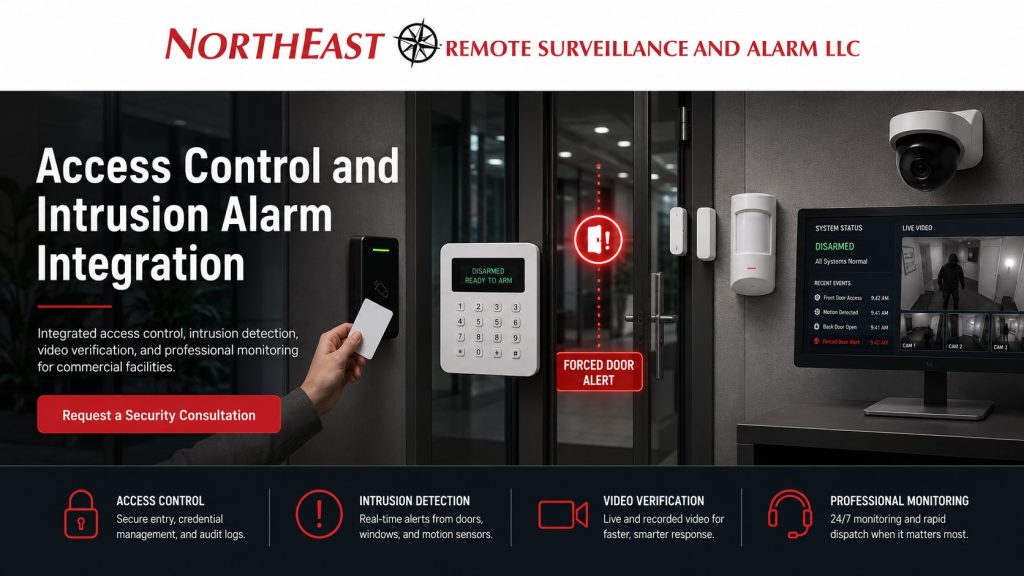
This helps staff assess forced doors, doors left open, denied access, and events after closing.
Northeast Remote Surveillance and Alarm, LLC (NERSA) plans connected systems around your daily work.
We align door permissions, alarm areas, staff schedules, and response steps.
Each system should retain the independent functions required by the design.
For a platform-specific review of supported routines and schedules, see Alarm.com business automation planning.
For planning that also involves video surveillance, intercoms, monitoring and other connected technologies, visit Unified Security Systems.
From small business to enterprise: Connect one entrance, several warehouse alarm areas, or multiple buildings.
Set permissions around each department, shift, and area.
Where supported building controls are part of the project, review Alarm.com commercial energy-management planning.
How Access Control and Intrusion Alarms Work Together
Access control decides who can enter a door and when. Intrusion alarms detect events such as an opened door or movement while an area is armed. Connecting the systems helps staff review these events together.
Integration allows selected information or commands to pass between the systems. Depending on platform compatibility and the approved design, this may include:
- Credential and user activity
- Door position and lock status
- Alarm status and partitions
- Access and work schedules
- Forced-door and held-open events
- Arming or disarming permissions
- Event notifications and monitoring procedures
The objective is not to make both systems perform the same job. It is to provide useful context when door activity and alarm activity occur together.
Permissions, Schedules and Alarm Partitions
Businesses often split alarm coverage into areas that can be armed on their own. Offices, warehouses, restricted rooms, and tenant spaces may each have separate rules. Door access also depends on the user, door, work hours, and role.
Plan door access and alarm areas together. A warehouse may stay open while its offices are armed. Cleaners may use only certain doors at set times. Maintenance staff may enter an equipment room but not the offices. Managers may need broad door access without permission to disarm every area.
A valid card or code does not override every alarm rule. Entry during a normal shift may be expected; entry at 2:00 a.m. may need a different response. Check the user’s schedule, the door and area used, and whether that alarm area is armed.
Clear rules help approved users avoid entering an armed area by mistake. This matters when shifts, contractors, cleaners, tenants, or departments keep different hours.
Forced Doors, Held-Open Doors and Denied Credentials
Door events have different meanings and should not all produce the same response.
A forced-door event means a controlled door opened without a recognized access event. Possible causes include forced entry, someone following another person through, a bypassed door, or a lock that did not latch.
A door-held-open event means a valid entry left the door open longer than allowed. Deliveries, busy staff traffic, a faulty closer, or a propped door can cause this alert.
A denied credential event means a card, fob, phone credential, or code was not accepted. Check for an expired credential, a disabled user, the wrong door, or a schedule limit. One denial may be a mistake. Repeated attempts at a restricted door after hours may need review.
Shared door and alarm records help staff assess an event. They can check for a work issue, a hardware fault, or a possible security incident. A forced outside door while the building is armed may need a different response from a door held open during business hours.
After-Hours Entry and False-Alarm Reduction
After-hours entry is a common reason to connect door access and alarms. Staff, managers, cleaners, contractors, and delivery teams may need to enter when the building is closed. Set clear access and alarm rules for each group.
A properly designed workflow can consider:
- Whether the user is approved for after-hours access
- Which entrance and areas the person may use
- Which alarm partitions should remain armed
- Whether the user has disarming authority
- Which events should generate a notification
- What response procedure should follow an exception
Some systems let an approved card or code control a specific alarm area. Use that feature with care. Door access should not give every user permission to disarm alarms. Disarming one work area should not automatically disarm the whole site.
Some false alarms come from work routines rather than faulty equipment. A staff member may use the right door but enter an armed area. Cleaners may have door access without alarm permission. A contractor may move beyond the area they may use. Align doors, hours, alarm areas, and user rights to reduce these events.
Compatibility, Independent Operation and Testing
Check that the access and alarm systems support the connection you need. They may share information through approved software, cloud services, or relay inputs and outputs. Confirm each planned function before relying on it.
Plan for a lost connection between the two systems. Check which access and alarm functions can still work on their own under the approved design. Confirm the intended door state and how alarms will detect and report events. Avoid making both systems depend on a single connection.
Testing must evaluate complete operating workflows, not just individual devices. Depending on the project, acceptance testing may include:
- Valid and denied credential activity
- Forced-door and held-open conditions
- Entry into an armed partition
- Approved after-hours access
- Arming and disarming permissions
- Alarm restoration and monitoring transmission
- Notifications and integration-failure behavior
Testing should confirm that each event produces the response approved by the facility.
NERSA can also evaluate existing equipment to determine whether practical integration is possible or selected upgrades are needed.
For broader reader, controller, credential and door-hardware planning, visit Commercial & Industrial Access Control Systems.
When Integration Is the Right Fit
Consider integration when separate systems cause repeated problems. Signs include false alarms from approved users, unclear after-hours rules, forced doors, or doors left open. It may also help where several alarm areas have different rules or staff cannot tell whether an alarm followed a valid entry.
Start by checking what you can keep. Review system compatibility, door hardware, alarm settings, the network, and monitoring needs. Then decide which events to connect and which functions should stay independent.
Why Choose Northeast Remote Surveillance and Alarm
NERSA designs, installs, upgrades and supports commercial and industrial security systems across Pennsylvania and select Mid-Atlantic markets. We plan integration around real employee movement, operating schedules, restricted areas and response responsibilities rather than enabling features simply because the equipment supports them.
The result should be clear event records and predictable operation. Staff should understand how to use the system. The design should also support growth from one building to several sites.
Frequently Asked Questions
What is access control and intrusion alarm integration?
It coordinates selected user, door, schedule, partition and alarm information so a commercial property has better context when access and intrusion events occur together.
Can an access credential disarm an intrusion alarm?
Some compatible systems allow authorized credentials to interact with specific alarm partitions. Whether that function should be enabled depends on the platform, the user’s authority and the facility’s operating procedures.
Does every employee with door access need alarm authority?
No. Door permissions and intrusion-alarm authority are separate security decisions. A person may be permitted to enter a door without receiving permission to disarm every protected area.
Can integration reduce false alarms?
Yes. Coordinating user schedules, alarm partitions, entry doors and disarming procedures can reduce false alarms caused by legitimate users entering areas that remain armed.
Must both systems come from the same manufacturer?
Not always. Integration capabilities vary considerably, so compatibility and failure behavior should be verified before a project depends on a particular software feature, shared-user function or relay interface.
Request an Access Control and Intrusion Alarm Integration Assessment
If separate access control and intrusion alarm systems are creating false alarms, after-hours confusion, forced-door concerns or incomplete event information, NERSA can review the installed equipment, operational requirements and practical integration options.
Call 1-888-344-3846 or request a commercial security assessment.
We can review your doors, alarm areas, user permissions, schedules, and response steps.
Compliance, Codes & Project Standards
NERSA plans commercial and industrial security work with applicable code, documentation, inspection and authority-having-jurisdiction requirements in mind. Requirements vary by system, property and jurisdiction. These resources support project planning; they do not establish legal compliance, certification or AHJ approval.
Related guidance: Regulatory compliance & inspection readiness · Access control & door hardware standards · NFPA 101 & egress planning · ADA access-control planning