
Alarm.com business automation planning connects daily routines with clear rules for supported security, access and energy functions.

Request a commercial security assessment
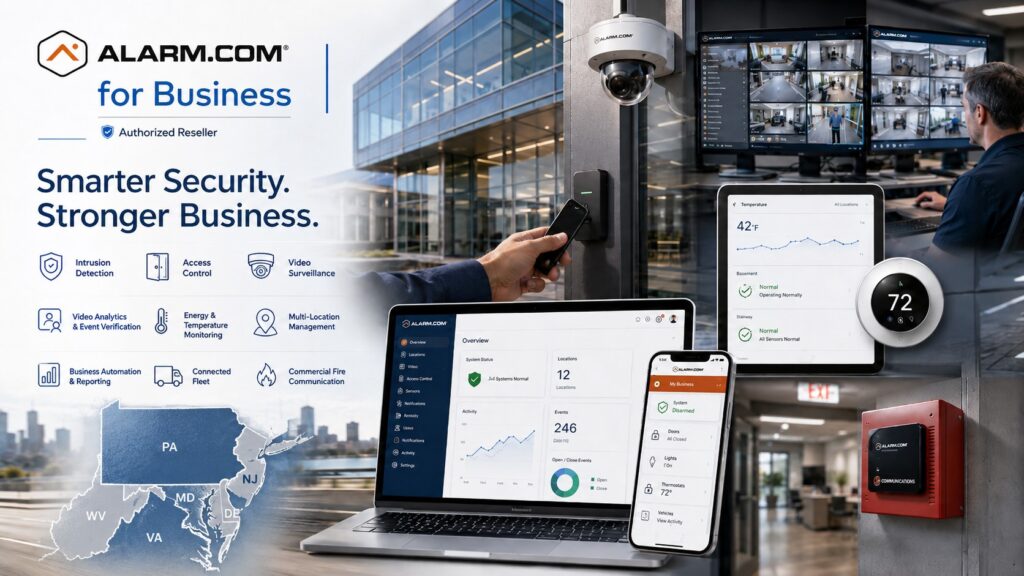
Explore Alarm.com for Business Security Systems for the wider platform, then use this guide to define the requirements for this part of your project.
Start with a business routine
Choose a routine that currently creates extra work or inconsistent results. Examples include closing a branch, preparing for the morning shift or adjusting the schedule for a holiday. Describe what staff do today, which systems they touch and where mistakes occur. A useful automation starts with that specific problem.
In its commercial platform overview, Alarm.com describes automation rules and schedules across supported business services.
Availability depends on the equipment, service package and configuration.
Have the provider demonstrate the intended workflow before making it part of the operating plan.
Write the rule in plain language
For each proposed rule, record the trigger, the permitted action, the operating hours and the person responsible for it. State which building and devices the rule affects. Also describe the exceptions. A rule that makes sense on an ordinary weekday may need different handling during stocktaking, cleaning, overtime or a special event.
For example, a closing routine might involve staff checking the building and arming the intrusion system. A compatible energy rule may then adjust the thermostat. The schedule should still account for people who remain in another part of the property. Discuss that boundary explicitly instead of assuming that one event describes the entire building.
Coordinate arming and employee access
Review the relationship between working hours, controlled doors and the alarm plan. Identify who is allowed to arrive early or stay late. A change to an employee’s access schedule can affect the assumptions behind a closing routine, so the person managing permissions should understand the related rules.
Use Alarm.com intrusion detection planning for alarm areas and response responsibilities.
Use Alarm.com access control planning for credentials, doors and permitted schedules.
Confirm the exact supported connection between those functions with the provider; do not assume every panel or door supports the same behavior.
Give holidays and temporary changes an owner
Assign a person to approve schedule exceptions and record when each exception ends. An overtime arrangement should not quietly become the permanent setting. Keep a short change record that identifies the affected location, the reason for the adjustment and the expected return to normal operation.
Walk through less frequent situations during design: a cleaner arriving after closing, a delivery on a holiday, a branch opening earlier for one week or maintenance in a normally empty area. These examples often reveal missing responsibilities before the system is live. Staff should know whom to contact when an exception falls outside their authority.
Connect temperature settings to actual occupancy
Temperature rules should reflect the spaces people use and the work taking place there. An office, warehouse and server room may have different requirements. Keep comfort scheduling separate from the response needed for temperature-sensitive assets. Review the proposed settings with the people responsible for the equipment and the space.
The commercial energy-management guide covers thermostat schedules and local adjustment limits.
The temperature-monitoring guide covers thresholds, notifications and response planning.
Combining those discussions does not make the functions interchangeable.
Test normal operation and exceptions
Write an acceptance checklist before enabling a rule. Include the ordinary trigger, the expected result and a way to confirm that result. Test with authorized staff at the affected location. Use agreed test arrangements so the exercise does not create an unexpected alarm response or disrupt an occupied entrance.
- Confirm which account can create, change or disable the rule.
- Demonstrate the intended weekday routine.
- Check an approved exception and its expiry.
- Review available records to understand what happened.
- Confirm the supported behavior when a device or connection is unavailable.
- Document the manual fallback and the person responsible for using it.
If the result differs from the written expectation, revise the rule or its scope and repeat the check. Keep a record of the final settings and accepted limits. Staff should not have to guess whether a missing action means a configuration issue, an unavailable device or an exception someone forgot to document.
Manage several locations consistently
Use common names and approval responsibilities across sites, while keeping each building’s hours and operating needs visible. Start with one representative location and review the outcome before applying the same approach elsewhere. A rule that works at a staffed office may be unsuitable for a shared building or a site with overnight work.
For organizational roles and location groups, review multi-location management.
For reviewing the resulting activity, use business insights and reporting.
Give each report or notification an owner who knows what action, if any, it requires.
Automation questions
Can every connected device trigger every action?
No assumption should be made from a shared brand alone. Ask the provider to confirm the proposed combination, account services and supported actions. Write the demonstrated behavior into the project scope.
Should every routine become an automation?
No. Prioritize repeatable tasks with clear inputs, predictable results and manageable exceptions. Keep a staff decision where the situation requires judgment or information the system does not have.
What belongs in the handover?
Include the rule list, schedules, exception process, authorized administrators, testing record and service contact. Review the instructions with the staff who open, close and manage the facility.
Discuss your project with NERSA
Bring your existing equipment details, operating requirements and the questions your team needs to resolve.
Request a commercial security assessment or call 1-888-344-3846 to discuss the scope.
Compliance, Codes & Project Standards
NERSA plans commercial and industrial security work with applicable code, documentation, inspection and authority-having-jurisdiction requirements in mind. Requirements vary by system, property and jurisdiction. These resources support project planning; they do not establish legal compliance, certification or AHJ approval.
Related guidance: Regulatory compliance & inspection readiness · NERSA project standards · Documentation, testing & inspection readiness