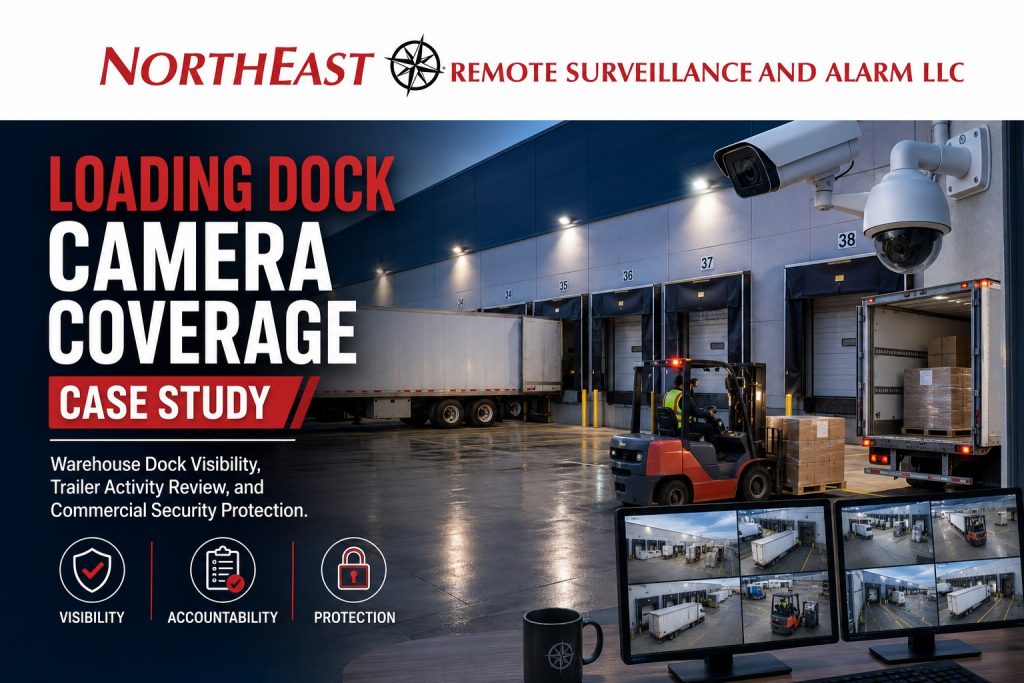
Loading dock camera coverage is one of the most important parts of a warehouse, distribution center, logistics facility, or industrial security plan because docks are where freight, vehicles, employees, vendors, drivers, forklifts, and staged inventory all meet. This anonymous case study shows how Northeast Remote Surveillance and Alarm, LLC approaches dock camera design when a commercial property needs better visibility around trailer activity, shipping and receiving, after-hours dock exposure, and incident review. For the full case-study library, visit Commercial and Industrial Security Case Studies.
Call 1-888-344-3846 to request a loading dock camera coverage assessment.
Case Study Overview
This case study is based on a common warehouse and distribution center security challenge: the facility had camera coverage, but the loading dock views were not strong enough for management to confidently review dock activity, trailer movement, driver interaction, product staging, or after-hours activity.
The property needed more than general building surveillance. It needed camera coverage designed around how the dock actually operated.
The goal was to improve visibility around:
- Dock doors
- Trailer positions
- Shipping and receiving lanes
- Forklift movement
- Pallet staging
- Driver interaction
- Dock-side personnel doors
- Exterior approaches
- Trailer backing areas
- After-hours activity
- Product movement and incident review
This page focuses only on the loading dock camera coverage case study. For broader dock security planning, visit Loading Dock Surveillance Cameras. For broader warehouse protection, visit Lehigh Valley Warehouse Security Systems.
Property Type
The property was an anonymous warehouse and distribution-style facility with active loading dock operations, recurring truck traffic, interior freight handling, employee movement, shipping and receiving activity, and exterior dock exposure.
The site included:
- Multiple dock doors
- Trailer loading and unloading zones
- Interior warehouse staging areas
- Shipping and receiving workflow
- Employee movement near dock areas
- Forklift activity
- Exterior approach points
- After-hours dock exposure
- Existing camera coverage that needed improvement
The business did not need a generic camera package. It needed a camera layout designed around dock activity and useful video review.
The Security Challenge
The main challenge was not the complete absence of cameras. The challenge was that the existing camera coverage did not provide the right views when management needed to review a dock-related event.
Common problems included:
- Camera views were too wide to show useful dock detail
- Dock doors were visible, but trailer activity was not clear
- Forklift movement was difficult to follow
- Staged freight areas were not documented well
- Exterior trailer backing areas had limited visibility
- After-hours dock activity was harder to verify
- Shipping and receiving disputes were difficult to review
- The system did not clearly connect interior dock activity with exterior trailer movement
This is a common issue in warehouse security. A facility may have cameras, but if the camera views are not planned around the actual movement of freight, people, and vehicles, the footage may not answer the questions that matter after an incident.
For broader video system planning, visit Commercial Video Surveillance Systems.
Why Loading Dock Coverage Matters
Loading docks are one of the most active and exposed areas of a commercial or industrial property.
A dock may involve:
- Trailer arrivals
- Trailer departures
- Pallet movement
- Forklift traffic
- Drivers checking in
- Employees loading freight
- Employees receiving freight
- Product staging
- Open overhead doors
- Shipping documentation
- Receiving documentation
- Damage claims
- Shortage claims
- After-hours access
- Exterior vehicle movement
When something happens at the dock, management often needs to know what happened, when it happened, who was present, which trailer was involved, whether product moved, and whether the event can be documented.
A camera system that only shows a general overview of the warehouse is usually not enough.
Site Conditions Reviewed
Before recommending camera placement, Northeast Remote Surveillance and Alarm, LLC reviewed the way the dock area functioned.
The review focused on:
- Where trailers backed into the building
- Which dock doors were most active
- Where pallets were staged
- Where forklifts traveled
- Where drivers entered or waited
- Where shipping and receiving staff worked
- Where dock-side personnel doors were located
- Where exterior approaches created blind spots
- How lighting affected camera views
- Whether night footage would be useful
- Where cameras could be mounted without interfering with operations
- How footage needed to be reviewed by management
- Whether remote access was needed
- Whether future monitoring could be added
The design started with the operation, not the equipment list.
Camera Coverage Strategy
The recommended camera layout focused on usable dock visibility rather than simply increasing camera count.
The system design considered several camera-view categories.
Interior Dock Overview Cameras
Interior overview cameras were used to help management understand general movement across the dock area.
These views can help show:
- Overall dock activity
- Forklift traffic
- Pallet movement
- Employee movement
- Shipping and receiving workflow
- Staging area activity
- General event context
Overview cameras are useful, but they should not be the only dock cameras. They help show what was happening generally, but they may not provide enough detail for every incident.
Dock Door Detail Cameras
Dock door detail cameras were positioned to improve review around specific dock openings.
These views can help document:
- Which dock door was used
- Whether a trailer was positioned at the dock
- When an overhead door opened or closed
- Whether freight moved through the opening
- Whether activity happened after hours
- Whether dock activity matched normal operations
This type of camera view is important because many dock-related incidents depend on identifying the specific opening involved.
Trailer and Exterior Approach Cameras
Exterior dock cameras were used to improve visibility around trailer movement and vehicle approaches.
These views can help document:
- Trailer backing
- Trailer positioning
- Truck arrival
- Truck departure
- Exterior dock apron activity
- Driver movement outside the building
- Vehicle approach patterns
- After-hours exterior activity
Exterior dock coverage is often where weak camera systems fail. If the camera only shows the inside of the building, management may not be able to see the vehicle side of the event.
Freight Staging and Shipping Area Cameras
Freight staging areas were reviewed because product often sits between receiving, shipping, storage, and outbound loading.
Camera coverage in these areas can help document:
- Pallet staging
- Product movement
- Shipment handling
- Damage concerns
- Employee activity
- Forklift movement
- Claims review
- Workflow review
For many warehouses, the question is not just whether someone entered the building. The question is what happened to the freight while it was staged, moved, or transferred.
Dock-Side Personnel Door Cameras
Many docks have nearby employee doors, driver entrances, shipping office doors, or dock-side man doors.
These doors can create security gaps if they are not documented.
Camera coverage around dock-side personnel doors can help show:
- Employee entry
- Driver access
- Vendor movement
- Door activity
- After-hours entry
- Activity before or after a dock event
If the facility also needs controlled entry, dock-side doors may be candidates for access control planning. For access control planning, visit Commercial and Industrial Access Control Systems.
Why Camera Placement Was More Important Than Camera Count
This case study shows why camera placement matters more than simply adding more devices.
A weak dock camera layout may have many cameras but still miss the key areas. A stronger layout uses the right camera views for the right purpose.
For loading docks, that often means combining:
- Wide overview views
- Specific dock door views
- Exterior trailer views
- Freight staging views
- Personnel door views
- After-hours approach views
Each camera should answer a specific question.
A good dock camera plan should help management understand:
- Which door was involved?
- Was a trailer present?
- Was freight moved?
- Who was in the area?
- Was the activity authorized?
- Did the event happen inside, outside, or both?
- Can the footage be found quickly?
- Is the video useful enough for review?
That is the difference between basic surveillance and operational camera coverage.
Recording and Review Requirements
The camera system was planned around incident review, not just live viewing.
Warehouse managers often need to review footage after a claim, shortage, damage issue, delivery dispute, safety incident, employee concern, or after-hours event.
The system needed to support:
- Recorded video review
- Remote access for authorized users
- Searchable event history
- Camera naming that made sense to management
- Clear dock-area camera labels
- Usable export capability
- Appropriate retention planning
- Reliable night and low-light performance
- Long-term serviceability
A camera system is only valuable if the right footage can be found when it matters.
Remote Viewing Considerations
Authorized remote viewing was considered because warehouse owners, managers, and operations teams may not always be standing at the dock when something happens.
Remote viewing can help management:
- Check dock activity
- Confirm trailer presence
- Review shipping or receiving issues
- Verify after-hours activity
- Support multi-site oversight
- Assist with incident review
- Share information internally when needed
Remote access must be managed carefully with strong user permissions, secure credentials, and clear policies for who can view or export video.
After-Hours Dock Exposure
The loading dock did not stop being a risk area when the building was closed.
After-hours dock exposure can include:
- Unauthorized vehicles near dock doors
- Loitering near trailer areas
- Doors left unsecured
- Trailer movement outside normal hours
- Exterior activity near overhead doors
- Employee or vendor access outside normal schedules
- Suspicious movement around the rear of the building
If a property has repeated after-hours issues, camera coverage may be paired with remote video monitoring or live talk-down.
For active exterior response planning, visit Remote Video Monitoring and Live Talk-Down.
Integration With Access Control and Alarms
This case study focused on loading dock camera coverage, but camera systems often work best when they support other security layers.
Depending on the facility, loading dock cameras may support:
- Access control events
- Door-held-open alerts
- Door-forced-open events
- Overhead door alarm activity
- Intrusion alarm verification
- Employee entrance review
- After-hours alarm response
- Shipping office access review
If a dock door, man door, or shipping office entrance is protected by access control or an intrusion alarm, the camera system can provide visual context around that event.
For alarm planning, visit Commercial and Industrial Alarm Installation.
Operational Result
The improved dock camera coverage gave the facility a more practical video review layout for dock activity.
The system supported:
- Better visibility around loading dock doors
- Better review of trailer activity
- Better documentation of freight movement
- Better exterior dock awareness
- Better incident investigation
- Better support for shipping and receiving review
- Better after-hours dock visibility
- Better management confidence when reviewing events
No sensitive customer information, exact camera map, passwords, alarm zones, or security weaknesses are published in this case study.
The value of the project was not just the cameras. The value was the design logic behind the coverage.
What This Case Study Does Not Cover
This page is focused specifically on loading dock camera coverage.
It is not the main warehouse security page. It is not the main commercial video surveillance page. It is not the main access control page. It is not the main alarm page. It is not a full remote monitoring page. It is not a general commercial security service page.
For broader warehouse protection, visit Lehigh Valley Warehouse Security Systems.
For broader camera planning, visit Commercial Video Surveillance Systems.
For monitored video and live talk-down, visit Remote Video Monitoring and Live Talk-Down.
For the full case-study hub, visit Commercial and Industrial Security Case Studies.
Lessons From This Loading Dock Camera Coverage Case Study
This case study highlights several important lessons for warehouses and industrial facilities.
Dock Cameras Must Be Designed Around Freight Movement
The strongest dock camera systems are designed around how freight moves through the property, not where cameras are easiest to mount.
Interior and Exterior Views Both Matter
A dock event may begin outside with a truck or trailer and continue inside with freight movement. Both sides of the opening may need coverage.
Overview Cameras Are Not Enough
Overview cameras provide useful context, but detailed dock door, trailer, and staging-area views are often needed for real incident review.
Footage Must Be Easy to Find
Camera naming, recording layout, remote access, and export capability matter because footage must be usable during an investigation.
Loading Dock Security Is Operational Security
Dock cameras support more than theft prevention. They can help with claims, safety review, workflow visibility, employee accountability, and after-hours awareness.
Recommended Loading Dock Camera Assessment
A loading dock camera assessment should review the dock area before equipment is selected.
Northeast Remote Surveillance and Alarm, LLC may review:
- Dock door count
- Trailer backing areas
- Truck approach paths
- Interior staging zones
- Shipping and receiving workflow
- Forklift movement
- Driver movement
- Dock-side personnel doors
- Lighting conditions
- Mounting locations
- Existing camera views
- Existing network infrastructure
- Recording and retention needs
- Remote access requirements
- After-hours exposure
- Access control or alarm integration needs
- Future expansion
The goal is to design camera coverage that helps the business actually review dock activity.
Frequently Asked Questions About Loading Dock Camera Coverage
What is loading dock camera coverage?
Loading dock camera coverage is a camera layout designed to document activity around dock doors, trailers, freight movement, forklift traffic, shipping and receiving areas, driver activity, and after-hours dock exposure.
Why do loading docks need dedicated cameras?
Loading docks need dedicated cameras because they are high-activity areas where freight, vehicles, employees, drivers, and staged inventory all move through the same space. General building cameras may not provide enough detail for dock incidents.
What should loading dock cameras show?
Loading dock cameras should show dock doors, trailer positions, loading and unloading activity, forklift movement, staged freight, employee movement, driver interaction, exterior approaches, and after-hours dock activity.
Should cameras be placed inside or outside the loading dock?
Most loading dock camera systems need both interior and exterior views. Interior views help document freight movement and warehouse activity. Exterior views help document trailers, trucks, dock aprons, and vehicle approaches.
Can loading dock cameras help with freight disputes?
Yes. Dock cameras can help management review trailer arrivals, loading activity, unloading activity, staged product, forklift movement, and product handling when a freight dispute, damage claim, or shortage concern arises.
Can dock cameras help with after-hours activity?
Yes. Dock cameras can help review after-hours activity around overhead doors, trailer areas, exterior approaches, and dock-side personnel doors. Some sites may also benefit from remote video monitoring or live talk-down.
Are loading dock cameras the same as warehouse cameras?
No. Warehouse cameras may cover aisles, storage areas, entrances, and general operations. Loading dock cameras focus specifically on dock doors, trailer activity, staging zones, shipping and receiving, and freight movement.
Can loading dock cameras integrate with access control?
Yes. Dock cameras can support access control by showing activity around dock-side man doors, shipping offices, receiving offices, employee entrances, and other controlled openings.
Can loading dock cameras support alarm verification?
Yes. Dock cameras can help verify alarm events around overhead doors, exterior dock doors, man doors, shipping offices, and after-hours dock activity.
What is the biggest mistake in loading dock camera design?
The biggest mistake is using general overview cameras without enough specific dock door, trailer, staging, and exterior approach coverage. The camera view must be useful when management needs to review a real event.
How many cameras does a loading dock need?
Camera count depends on dock count, trailer layout, building size, lighting, freight movement, staging areas, exterior exposure, and the level of detail needed for review. A site assessment should determine the right layout.
Can existing cameras be reused?
Sometimes. Existing cameras may be reused if they provide clear views, proper angles, usable recording quality, reliable night performance, and support the review process. If existing views are too wide, blocked, outdated, or poorly positioned, upgrades may be needed.
Does NERSA publish exact customer camera layouts?
No. Northeast Remote Surveillance and Alarm, LLC does not publish sensitive customer layouts, camera maps, passwords, alarm zones, or security weaknesses in public case studies.
Does NERSA install residential cameras?
No. Northeast Remote Surveillance and Alarm, LLC focuses on commercial, industrial, warehouse, logistics, manufacturing, institutional, municipal, healthcare, and enterprise security systems.
How do I request a loading dock camera assessment?
Call 1-888-344-3846 or request a security assessment. Northeast Remote Surveillance and Alarm, LLC can review your dock layout, trailer flow, camera views, lighting, recording needs, and security goals.
Request a Loading Dock Camera Coverage Assessment
Loading dock camera coverage should be designed around real dock activity, not generic camera placement. The right layout can help your business improve dock visibility, trailer activity review, freight documentation, after-hours awareness, and incident investigation.
If your warehouse, distribution center, logistics property, manufacturing-connected warehouse, cold storage facility, or industrial building needs better loading dock camera coverage, Northeast Remote Surveillance and Alarm, LLC can evaluate the site and recommend a practical camera layout.
Call 1-888-344-3846 or request a security assessment.