
Medical office security systems should protect patients, staff, visitors, reception areas, records rooms, restricted supply areas, employee entrances, parking areas, equipment, and after-hours access while respecting the privacy-sensitive nature of the healthcare environment.

Request a Medical Office Security Assessment
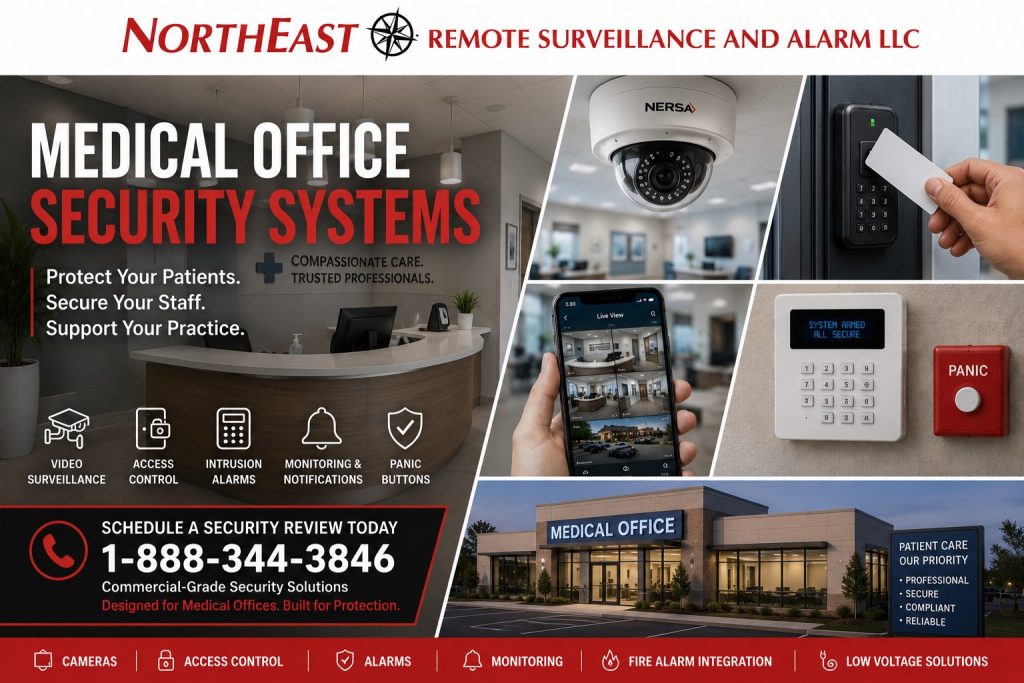
Northeast Remote Surveillance and Alarm, LLC designs, installs, integrates, monitors, upgrades, takes over and supports commercial security for qualifying healthcare practices. These include medical, outpatient, therapy, chiropractic and wellness offices. We also serve healthcare-related small businesses, shared medical suites and practices with multiple locations.
Medical offices have a different security profile from standard offices, retail stores, restaurants, and warehouses because they combine public patient access, staff-only areas, sensitive records, controlled storage, healthcare workflows, parking, and privacy-sensitive spaces.
For broader small-business security planning, visit Small Business Security Systems.
Applying This Guide to Dental Practices
Dental offices, orthodontic practices, oral-surgery offices, and pediatric dental practices share the patient-entry, staff-access, and after-hours planning needs covered here. Begin with reception, employee entrances, business offices, supply storage, equipment areas, and the route between public space and the clinical work area. Keep the practice’s privacy-sensitive treatment spaces outside ordinary security-camera planning.
Identify who may access stored supplies, equipment, business records, and network systems. Document delivery routines and the process for a staff member arriving when reception is closed. Where several practices share a building, separate common-entrance and parking responsibilities from permissions within the individual practice.
A dental assessment should also identify valuable equipment locations, service-provider access, and any inherited alarm or camera accounts. The practice team should approve camera placement and authorized viewing. Use the access, alarm, intercom, parking, upgrade, and multi-location resources in this guide for the corresponding system decisions, then check representative staff and visitor routines at handover.
Commercial Security Planning for Medical Offices
A medical office security system should be designed around the way patients, staff, visitors, vendors, and deliveries move through the practice.
Planning may consider:
- Main entrances
- Patient entrances
- Employee entrances
- Reception areas
- Waiting areas
- Staff-only doors
- Records rooms
- Supply rooms
- IT rooms
- Manager offices
- Rear entrances
- Shared tenant doors
- Parking areas
- Delivery areas
- After-hours access
The objective is not to install the greatest possible number of cameras, alarm devices, or controlled doors.
The objective is to provide useful visibility, appropriate visitor control, dependable after-hours protection, restricted-area security, staff-safety options, and a system that supports the practice without interfering with patient care.
Medical Office Security Risks
Medical practices may need to address:
- Unauthorized entry
- Patient or visitor incidents
- Staff-safety concerns
- After-hours break-ins
- Lost or uncontrolled keys
- Records-room exposure
- Supply-room access
- IT-room access
- Equipment theft
- Delivery and vendor access
- Parking-lot incidents
- Workplace disputes
- False alarms
- Limited management visibility
A properly planned system should help management understand who entered, what occurred, when activity happened, and whether the practice remains protected outside normal business hours.
Privacy-Aware Video Surveillance
Medical office cameras should be positioned around areas where useful security evidence matters while respecting the privacy-sensitive nature of the environment.
Common camera locations may include:
- Main entrances
- Reception areas
- Waiting areas where appropriate
- Hallways
- Shared common areas
- Employee entrances
- Records-room entrances
- Supply-room entrances
- IT-room entrances
- Rear doors
- Delivery areas
- Parking areas
- Building approaches
Camera placement should avoid exam rooms, treatment rooms, bathrooms, changing areas, and other private spaces.
For broader small-business camera planning, visit Small Business Security Camera Systems.
Staff and Restricted-Area Access
Medical offices often contain spaces that should not be accessible to every visitor or employee.
These may include:
- Records rooms
- Staff-only doors
- Supply rooms
- Medication or controlled storage where applicable
- IT rooms
- Billing offices
- Manager offices
- Rear employee entrances
- Shared tenant entrances
Access control can help reduce key-management problems and provide individually managed permissions for selected doors.
For employee credentials, restricted areas, schedules, and commercial door management, visit Small Business Access Control Systems.
Intrusion and After-Hours Protection
Medical offices may be lightly staffed or completely vacant outside normal business hours.
A commercial intrusion system may protect:
- Front entrances
- Rear doors
- Windows
- Interior movement areas
- Records rooms
- Supply rooms
- Private offices
- Restricted areas
The system should be easy for authorized users to operate and dependable when the property is closed or lightly staffed.
For broader commercial after-hours protection, visit Small Business Alarm Systems.
Reception and Patient Entry
Reception areas are often where public access and staff-only space meet.
Security planning may need to consider:
- Visitor flow
- Patient entry
- Front-door control
- Reception visibility
- Interior staff doors
- Remote entry approval
- Delivery handling
- After-hours arrivals
The goal is to keep the practice accessible for approved patients and visitors while reducing uncontrolled movement into restricted areas.
For controlled stock and restricted medication areas, review Lehigh Valley pharmacy and medication-room security.
For broader visitor-entry and intercom planning, visit Commercial & Industrial Intercom Systems.
Staff Safety and Panic Considerations
Some medical offices may benefit from panic or duress protection where employees work alone, manage difficult situations, handle sensitive interactions, or need a discreet way to request help.
Potential locations may include:
- Reception desks
- Intake counters
- Billing areas
- Manager offices
- Staff workspaces
- Consultation rooms where appropriate
Panic protection should be paired with clear procedures and appropriate monitoring instructions.
Parking and Exterior Security
Medical office security extends beyond the building interior.
Exterior planning may need to consider:
- Patient parking
- Employee parking
- Visitor parking
- Rear entrances
- Side approaches
- Delivery areas
- Walkways
- Building approaches
- After-hours activity
For dedicated parking-area camera planning, visit Small Business Parking Lot Security Cameras.
Multi-Tenant Medical Office Properties
Medical practices are often located in shared office buildings, professional centers, or multi-tenant complexes.
Planning may need to establish:
- Who controls common entrances
- Which doors belong to each practice
- Who administers credentials
- Who may view common-area cameras
- How visitor entry is handled
- Which alarm areas belong to each tenant
- How after-hours permissions are managed
- Who owns administrator accounts
One tenant should not automatically receive access to another tenant’s private cameras, credentials, alarm areas, or administrative functions.
Existing Medical Office Security Systems
Many medical offices inherit cameras, alarms, access-control equipment, intercoms, cabling, administrator accounts, or monitoring arrangements from a previous tenant, owner, installer, or property manager.
Existing systems should be evaluated before complete replacement is recommended.
Potential concerns may include:
- Poor camera placement
- Shared passwords
- Former employees retaining credentials
- Old alarm communicators
- Weak visitor-entry procedures
- Inadequate parking coverage
- Unknown administrator ownership
- Poor documentation
- Unsupported equipment
- Unreliable network infrastructure
- Limited expansion capability
The correct project may involve repair, reconfiguration, selective replacement, provider takeover, or phased modernization.
Medical Office Security Supporting Resources
For selected exterior-camera events requiring professional review and documented response procedures, visit Remote Video Monitoring and Live Talk-Down.
For broader commercial fire-alarm and life-safety planning, visit Commercial and Industrial Security Services and continue to the appropriate fire-alarm resource.
For aging, inherited, unreliable, or poorly documented medical-office security systems, visit Commercial Security System Upgrades, Retrofits & Takeovers.
For practices operating several locations that need consistent cameras, alarms, access control, permissions, and monitoring, visit Multi-Location Small Business Security Systems.
For structured cabling, PoE, fiber, network equipment, and supporting infrastructure, visit Commercial & Industrial Infrastructure and Cabling.
Why Medical Offices Choose Northeast Remote Surveillance and Alarm
Northeast Remote Surveillance and Alarm, LLC focuses on commercial and industrial security systems rather than residential-style alarm packages.
NERSA evaluates medical offices around:
- Patient and visitor flow
- Staff movement
- Reception areas
- Restricted spaces
- Records
- Supply areas
- IT infrastructure
- Parking
- After-hours access
- Existing equipment
- Monitoring
- Administrator ownership
- Future growth
The objective is to provide a medical-office security system that remains professional, privacy-aware, manageable, supportable, and appropriate for the practice.
Frequently Asked Questions About Medical Office Security Systems
What should a medical office security system include?
The exact system depends on the property, but common components may include video surveillance, intrusion alarms, controlled staff access, visitor-entry communication, parking coverage, panic protection, and secure remote viewing.
Where should medical-office cameras be installed?
Common locations include main entrances, reception areas, waiting areas where appropriate, hallways, shared areas, employee entrances, records-room entrances, supply-room entrances, rear doors, parking areas, and building approaches.
Where should cameras not be installed?
Cameras should not be placed in exam rooms, treatment rooms, bathrooms, changing areas, or other private spaces where recording would be inappropriate.
Do medical offices need access control?
Many do. Access control can be useful for employee entrances, records rooms, supply rooms, IT rooms, manager offices, shared tenant entrances, and other restricted areas.
Can medical-office alarms be professionally monitored?
Yes. Compatible commercial alarm systems can transmit approved events for professional monitoring.
Are panic buttons useful in medical offices?
They can be, particularly where employees work alone, interact with the public, manage disputes, or require a discreet way to request help.
Can medical-office owners and managers view cameras remotely?
Yes. Compatible commercial systems can provide secure remote viewing for approved users.
Can an existing medical-office security system be upgraded?
Yes. Existing cameras, alarms, access control, intercoms, cabling, monitoring, and administrator ownership can be evaluated to determine what should be retained, corrected, upgraded, or replaced.
Can one security structure support several medical-office locations?
Yes. Multi-location practices can use consistent standards for cameras, alarms, access control, monitoring, user permissions, and documentation while accounting for differences between individual locations.
Request a Medical Office Security Assessment
NERSA can assess security needs at your medical office. The review can cover camera views, visitor entry, staff access, after-hours alarms, parking, and panic alerts. We also evaluate existing equipment to identify practical upgrades.
Request a Medical Office Security Assessment.
Compliance, Codes & Project Standards
NERSA plans commercial and industrial security work with applicable code, documentation, inspection and authority-having-jurisdiction requirements in mind. Requirements vary by system, property and jurisdiction. These resources support project planning; they do not establish legal compliance, certification or AHJ approval.
Related guidance: Regulatory compliance & inspection readiness · Healthcare security compliance · NERSA project standards