
Video verification alarm upgrades help commercial buildings connect alarm activity with camera review so authorized users or monitoring personnel can better understand what happened during an alarm event.

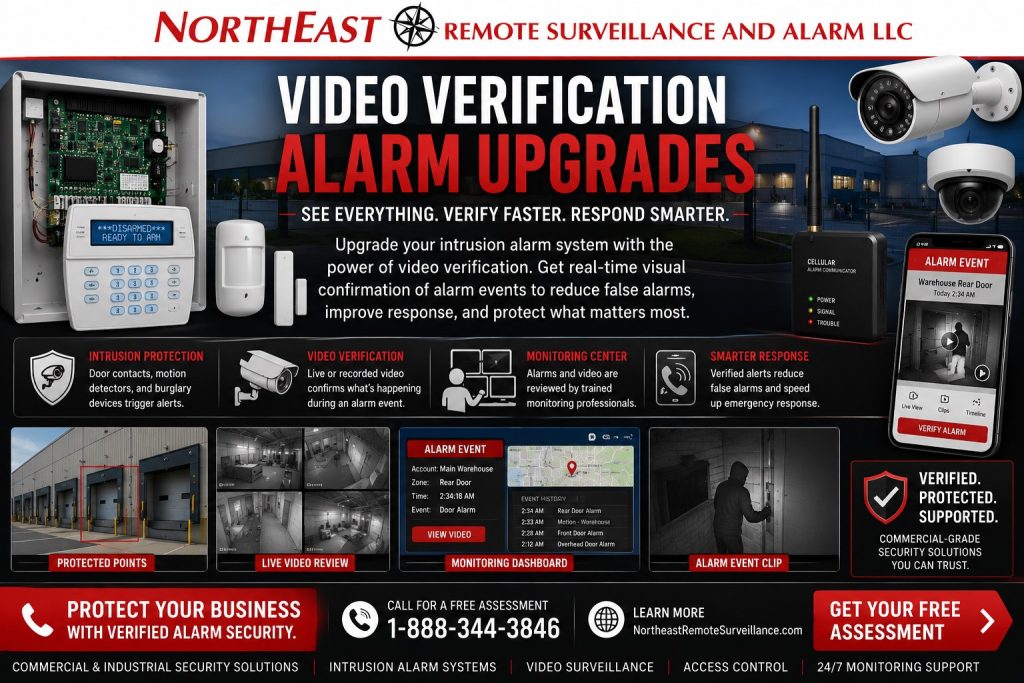
Northeast Remote Surveillance and Alarm, LLC helps commercial and industrial facilities upgrade intrusion alarm systems with video verification support, camera placement, alarm communicator review, monitoring account cleanup, user permissions, signal testing, and long-term service planning.
For related guidance, see our Commercial Security System Upgrades, Retrofits & Takeovers service for businesses that need stronger alarm review instead of blind alarm signals.
Commercial Video Verification Alarm Upgrades
A traditional intrusion alarm can tell you that a door, motion detector, or protected zone triggered. It does not always show what caused the event.
Plan the upgrade around specific alarm zones and the camera views available to review them. Confirm which users or monitoring personnel will receive the event, what information they can access and which response instructions apply. Compatibility and service arrangements need review before an existing alarm is connected to a new workflow.
Was it an actual break-in? Was it an employee mistake? Was a door left open? Was a vendor on site? Was there activity near the loading dock? Was the motion caused by a real person, an environmental issue, or a system problem?
Video verification helps add context.
By pairing alarm events with the right camera views, a business can improve alarm review, reduce uncertainty, support faster decision-making, and create better documentation after an incident.
For related alarm planning, see Commercial Burglar Alarm and Intrusion Detection Systems.
When a Business Needs Video Verification Alarm Upgrades
A commercial facility should consider a video verification alarm upgrade when the existing alarm system creates too much uncertainty during alarm events.
Common signs include:
- Alarm signals are received, but no one knows what caused them.
- False alarms are becoming a problem.
- After-hours activity is difficult to verify.
- The business has cameras, but they are not placed near alarm points.
- Door contacts and motion detectors do not match useful camera views.
- The alarm system still uses outdated communication.
- Monitoring account information or contact lists are outdated.
- Managers cannot quickly review video after an alarm.
- Warehouse, office, yard, or loading dock alarms need better context.
- Alarm zones are poorly named or hard to understand.
- Cameras and intrusion alarms were installed separately and never coordinated.
- The business wants a stronger alarm response workflow.
If an alarm activates and the business cannot quickly determine what happened, the alarm system should be reviewed.
What Video Verification Means
Video verification means alarm events are supported by camera review.
Depending on the system design, this may involve video clips, live camera review, event-triggered camera views, alarm-to-camera mapping, mobile app review, or monitoring center review where supported.
The exact workflow depends on the alarm panel, camera system, monitoring provider, communication path, account configuration, and user permissions.
A strong video verification upgrade should answer practical questions:
- Which alarm zone triggered?
- Which camera should be reviewed?
- What happened before, during, and after the event?
- Did a person, vehicle, or door activity cause the alarm?
- Is the alarm likely valid?
- Who should be contacted?
- Can video be exported or documented?
- Does the monitoring account have the right instructions?
Video verification should make the alarm system more useful, not more complicated.
Existing Alarm System Review
Every video verification alarm upgrade should begin with a review of the existing intrusion alarm system.
NERSA evaluates:
- Alarm panel condition
- Keypad locations
- User codes
- Door contacts
- Overhead door contacts
- Motion detectors
- Glassbreak detectors where applicable
- Alarm zones
- Partitions or areas
- Sirens
- Alarm communicator
- Monitoring path
- Cellular or IP communication status
- Trouble conditions
- Zone descriptions
- Monitoring account information
- Contact lists
- Opening and closing procedures where applicable
- Camera coverage near alarm points
- Remote viewing access
- Documentation condition
- Future upgrade needs
This review determines whether the existing alarm system can support video verification or whether a retrofit, communicator upgrade, camera upgrade, or panel replacement is needed.
Camera Coverage Review
Video verification depends on useful camera coverage.
A camera must be aimed at the right area to support the alarm event. A general overview camera may not be enough. A camera that misses the door, points away from the motion area, or performs poorly at night may not help verify anything.
NERSA reviews camera coverage around:
- Main entrances
- Rear doors
- Employee entrances
- Overhead doors
- Loading docks
- Warehouse aisles
- Office corridors
- Reception areas
- High-value storage rooms
- IT rooms
- Yard areas
- Gate areas
- Parking lots
- Exterior approaches
- Perimeter zones
- After-hours activity areas
For related video planning, see Commercial Video Surveillance Systems.
Alarm Zone to Camera Mapping
One of the most important parts of video verification is mapping alarm zones to camera views.
If the rear door contact triggers, the system should point users toward the rear door camera. If a warehouse motion detector triggers, the correct warehouse aisle or dock camera should be easy to find. If an overhead door alarm activates, the nearby dock or truck court camera should support review.
Alarm-to-camera mapping may include:
- Zone name cleanup
- Camera name cleanup
- Alarm event review workflow
- Matching doors to camera views
- Matching motion areas to camera views
- Matching exterior alarms to perimeter cameras
- Matching gate events to vehicle cameras
- Matching after-hours alarms to remote review permissions
- Training managers on which cameras to review
This step turns disconnected equipment into a usable alarm review system.
Alarm Communicator Review
Video verification is stronger when the alarm communication path is reliable.
If the alarm panel cannot report consistently, video verification will not solve the core monitoring problem. NERSA reviews the alarm communicator to determine whether the system is still using old phone-line communication, an outdated cellular module, weak IP communication, or an unsupported path.
Communicator review may include:
- Existing communicator type
- Cellular signal strength
- IP/network availability
- Alarm panel compatibility
- Monitoring path
- Signal testing
- Trouble conditions
- Account programming
- Backup battery condition
- Documentation
For older phone-line systems, see Legacy Phone Line Security System Upgrades.
Monitoring Account Review
Video verification requires a clean monitoring workflow.
The monitoring account should have accurate contact information, zone descriptions, call list order, response instructions, and signal records. If the monitoring account is outdated, even a good alarm system can create confusion.
Monitoring review may include:
- Site name
- Site address
- Account information
- Emergency contacts
- Call list order
- Authorized users
- Zone descriptions
- Alarm response instructions
- Video verification instructions where supported
- Signal test history
- Opening and closing reports where applicable
- Monitoring center receipt confirmation
For broader monitoring planning, see Security System Monitoring Upgrades.
Signal Testing and Verification
A video verification alarm upgrade should include alarm signal testing.
The system should be tested to confirm that alarm events report properly and that the correct zones are being received. The video review workflow should also be checked so authorized users know which cameras support each alarm area.
Testing may include:
- Alarm signal testing
- Trouble signal testing
- Restoral signal testing
- Communication path testing
- Zone description confirmation
- Monitoring center receipt confirmation
- Video review confirmation
- Camera view confirmation
- User notification review where supported
- Documentation of test results
A verified alarm upgrade should never depend on assumptions.
Door Contacts and Video Verification
Door contacts are high-value alarm points for video verification.
When a door contact triggers, video may show whether someone entered, left the door open or made a delivery. A useful camera view can help staff distinguish an employee mistake from a break-in.
Useful door verification points include:
- Main entrance doors
- Rear doors
- Employee entrances
- Warehouse man doors
- Loading dock doors
- Overhead doors
- Office suite doors
- Staff-only doors
- IT room doors
- Storage room doors
- Restricted-area doors
A door alarm becomes more useful when the corresponding camera view is easy to review.
Motion Detectors and Video Verification
Motion alarms can create uncertainty if the business cannot see the protected area.
A motion detector may trigger because of actual activity, environmental movement, HVAC issues, unsecured materials, animals, employee error, or equipment placement problems. Video review helps determine what happened.
Motion verification planning may include:
- Reviewing motion detector locations
- Reviewing camera coverage of motion areas
- Reducing blind spots
- Reviewing after-hours traffic patterns
- Evaluating false alarm history
- Reviewing warehouse racking and obstructions
- Improving camera lighting or low-light performance
- Matching motion zones with camera names
The goal is to reduce guesswork after an alarm.
Overhead Door and Loading Dock Verification
Overhead doors and loading docks are common alarm points in warehouses, logistics properties, industrial buildings, and commercial facilities.
Video verification can help review:
- Dock door openings
- After-hours truck activity
- Trailer movement
- Unauthorized entry
- Freight handling concerns
- Vendor activity
- Door-left-open events
- Forced-door activity
- Property damage
- Loading area disputes
For related warehouse planning, see Customer case studies.
Video Verification for After-Hours Activity
After-hours activity is one of the biggest reasons businesses upgrade alarm systems.
A traditional alarm may trigger after hours, but the business may not know whether the alarm is valid until someone arrives on site. Video verification can help authorized users review the event sooner.
After-hours video verification can support:
- Break-in review
- Rear door activity
- Warehouse motion events
- Yard activity
- Gate activity
- Employee entry mistakes
- Vendor or cleaning crew activity
- Loading dock events
- Parking lot incidents
- Exterior approach review
This gives the business stronger information during the most vulnerable hours.
Video Verification and False Alarm Reduction
Video verification can help reduce uncertainty around false alarms.
It does not eliminate the need for proper alarm design, user training, sensor placement, or system maintenance. But it can help determine whether an alarm appears to be valid or caused by a non-emergency condition.
False alarm reduction may include:
- Better user training
- Corrected user codes
- Better motion placement
- Door contact repair
- Zone description cleanup
- Camera coverage around alarm points
- Monitoring contact review
- Better opening and closing procedures
- Communicator testing
- Documentation
Video is one layer of a stronger alarm management process.
Remote Viewing and User Permissions
Video verification depends on the right people having the right access.
Not every employee should be able to view cameras, export clips, or manage alarm settings. NERSA helps organize remote viewing and alarm permissions around approved roles.
Permission planning may include:
- Owner access
- Manager access
- Site supervisor access
- Monitoring user access where supported
- Mobile app access
- Video playback permissions
- Clip export permissions
- Alarm user codes
- Access control users
- Former employee removal
- Vendor access limits
- Administrative roles
The system should be useful without being overexposed.
Video Verification and Access Control
Video verification can also support access control activity.
If a controlled door is used after hours, or if a door is forced open, video review can help show what happened at the opening.
Useful review events include:
- Credential use
- Denied access attempts
- Forced-door events
- Held-open doors
- Vendor entry
- Employee entry
- After-hours access
- Visitor entry
- Multi-tenant door activity
For related access control planning, see Commercial & Industrial Access Control Systems.
Before and After
| Before Video Verification Upgrade | After Video Verification Upgrade |
|---|---|
| Alarm events had limited context | Alarm events can be reviewed with camera support |
| Zone names were unclear | Alarm zones and camera names are better organized |
| Cameras were not matched to alarm points | Camera views support doors, motions, docks, and high-risk areas |
| Monitoring instructions may be outdated | Monitoring account information reviewed |
| Alarm communication was uncertain | Communicator and signal reporting reviewed |
| After-hours alarms required more guesswork | Authorized users can review video around alarm events |
| False alarms were harder to evaluate | Video review supports better alarm decision-making |
| Documentation was incomplete | Alarm, camera, and monitoring documentation improved |
Video Verification Upgrade vs. New Alarm Installation
A video verification upgrade does not always require a completely new alarm system.
The existing alarm panel, door contacts, motion detectors, cameras, wiring, and monitoring path may be partly usable. NERSA reviews what is already in place before recommending replacement.
A video verification upgrade may include:
- Reusing serviceable alarm devices
- Adding or replacing cameras
- Upgrading the communicator
- Cleaning up alarm zones
- Improving monitoring account information
- Updating user codes
- Adding remote video review
- Testing signals
- Documenting the system
Full replacement may be needed if the existing panel, cameras, wiring, or monitoring platform cannot support the building’s needs.
Commercial Facilities That Benefit From Video Verification Alarm Upgrades
Video verification alarm upgrades are useful for:
- Warehouses
- Distribution centers
- Manufacturing facilities
- Office buildings
- Healthcare offices
- Schools and education facilities
- Retail stores
- Contractor shops
- Auto repair shops
- Laundromats
- Industrial parks
- Multi-tenant buildings
- Logistics facilities
- Truck yards
- Professional offices
- Municipal and institutional properties
Each system should be designed around the building’s alarm points, camera views, after-hours activity, monitoring needs, and user permissions.
Related Planning
Video verification adds context to alarm events. It does not eliminate every false alarm or guarantee a police response.
Why Businesses Choose NERSA for Video Verification Alarm Upgrades
Northeast Remote Surveillance and Alarm, LLC focuses on commercial, industrial, institutional, and business and facility security systems.
Video verification alarm upgrades require more than adding a camera. They require alarm system review, zone cleanup, communicator testing, camera placement, monitoring account review, user permission planning, remote access configuration, and documentation.
NERSA designs video verification upgrades around how the building actually operates.
When to Request a Video Verification Alarm Upgrade
A business should request a video verification alarm upgrade review if:
- Alarm events are difficult to verify.
- False alarms are creating problems.
- Cameras are not matched to alarm points.
- After-hours activity needs better review.
- Door contacts or motion detectors trigger without enough context.
- The monitoring account is outdated.
- The communicator is old or unreliable.
- The system still uses phone-line communication.
- Managers need better remote review.
- Alarm zones and camera names are unclear.
- The business wants stronger alarm documentation and support.
Video Verification Alarm Upgrade Checklist
Before upgrading to video verification, evaluate:
- Alarm panel
- Keypads
- Alarm zones
- Door contacts
- Motion detectors
- Overhead door contacts
- Alarm communicator
- Monitoring path
- Monitoring account information
- Emergency contact list
- Signal testing history
- Camera locations
- Camera image quality
- Night performance
- Remote viewing access
- User permissions
- Zone names
- Camera names
- After-hours procedures
- False alarm history
- Documentation
- Future upgrade needs
Request a Video Verification Alarm Upgrade Review
NERSA can assess how cameras could support alarm verification at your commercial property. We review monitoring paths, after-hours alarm documentation, and the equipment needed for authorized personnel to evaluate an event.
Frequently Asked Questions About Video Verification Alarm Upgrades
What is a video verification alarm upgrade?
A video verification alarm upgrade connects commercial intrusion alarm events with camera review so authorized users or monitoring personnel can better understand what happened during an alarm event.
Does video verification replace an intrusion alarm?
No. Video verification supports the intrusion alarm. Door contacts, motion detectors, alarm panels, communicators, monitoring accounts, and user procedures still matter.
Can existing cameras be used for video verification?
Sometimes. Existing cameras may be usable if they cover the right alarm areas, provide clear video, work at night, and can be reviewed by authorized users. If camera coverage is weak, upgrades may be needed.
Can existing alarm sensors be used?
Sometimes. Existing door contacts, motion detectors, keypads, and alarm panels may be reused if they are serviceable, compatible, and properly documented. NERSA reviews the existing system before recommending replacement.
Can video verification reduce false alarms?
Video verification can help evaluate alarm events and reduce uncertainty, but it does not replace proper alarm design, user training, sensor placement, maintenance, or monitoring procedures.
Does video verification work after hours?
Yes. After-hours review is one of the main benefits. Cameras can help authorized users review doors, warehouse areas, loading docks, yards, parking lots, and other alarm points after the building is closed.
Can video verification work with monitoring?
Yes, depending on the alarm system, camera platform, monitoring provider, account setup, and user permissions. NERSA reviews the workflow before recommending a solution.
Can video verification work with access control?
Yes. Cameras near controlled doors can help review credential use, denied access, forced-door events, held-open doors, vendor access, and after-hours entry.
Is this the same as fire alarm video verification?
No. This resource is about commercial intrusion alarm and burglar alarm video verification. Fire alarm systems and fire alarm communicator upgrades are separate life-safety services.
How do we start a video verification alarm upgrade?
Call 1-888-344-3846 or use Request a Security Assessment.
NERSA can review your alarm panel, sensors, cameras, monitoring path, user permissions, and documentation before recommending the right upgrade path.
Compliance, Codes & Project Standards
NERSA plans commercial and industrial security work with applicable code, documentation, inspection and authority-having-jurisdiction requirements in mind. Requirements vary by system, property and jurisdiction. These resources support project planning; they do not establish legal compliance, certification or AHJ approval.
Related guidance: Regulatory compliance & inspection readiness · NERSA project standards · Documentation, testing & inspection readiness