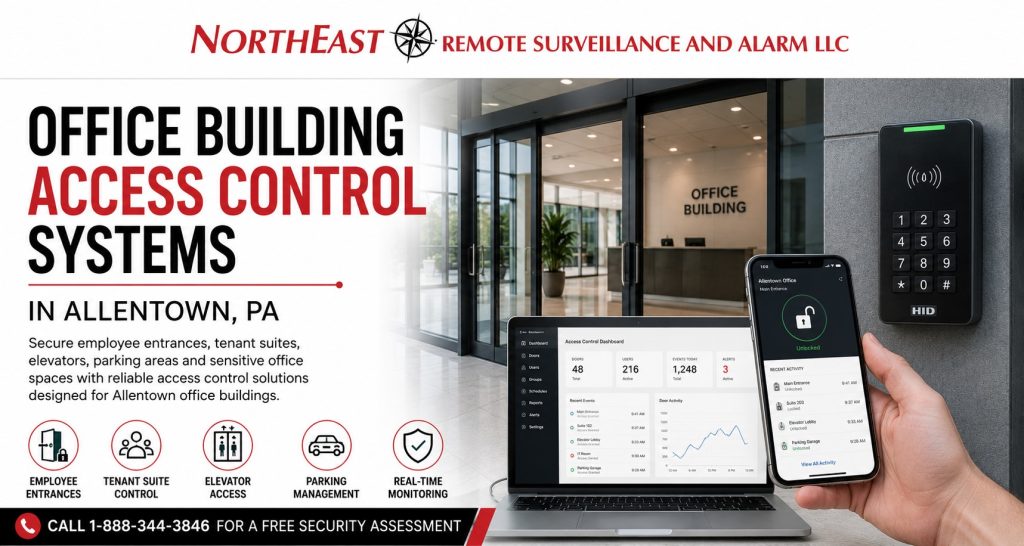
Office building access control systems in Allentown, PA help businesses and property managers control employee entrances, tenant suites, restricted rooms, visitor access, elevators, parking areas, and after-hours building activity. Northeast Remote Surveillance and Alarm, LLC designs commercial office access control around the building layout, occupant structure, operating schedule, door hardware, network environment, administrative responsibilities, and future expansion plans. For complete planning involving readers, credentials, controllers, controlled doors, gates, and access-management platforms, visit Commercial Access Control Systems in Allentown, PA.

Commercial Office Access Control Installation in Allentown
An office building may contain public areas, employee-only entrances, tenant-controlled suites, shared amenities, sensitive interior rooms, service entrances, parking facilities, and after-hours access points.
These areas should not all operate under the same access rules.
A properly designed office access-control system can help management determine:
- Who may enter the building
- Which doors each person may use
- Which tenant suite or department a credential can access
- What days and times the credential remains active
- Whether the user may access parking or elevators
- When temporary contractor access expires
- Who can administer users and permissions
- How door activity is recorded
- What happens during an internet or power interruption
- How occupants exit during normal and emergency conditions
The objective is not simply to replace keys with electronic credentials. The objective is to create a clear, manageable access structure that supports security, tenant operations, employee movement, visitor entry, and long-term building management.
Office Access Control for Allentown Commercial Properties
Allentown office properties range from smaller professional buildings to downtown multi-tenant offices, corporate facilities, medical offices, mixed-use properties, administrative buildings, and larger commercial campuses.
NERSA supports office and professional properties throughout Allentown, including locations near:
- Downtown Allentown
- Hamilton Street and Hamilton Boulevard
- Tilghman Street
- Union Boulevard
- Airport Road
- Lehigh Street
- Cedar Crest Boulevard
- Route 22
- I-78
- West End Allentown
- Surrounding Lehigh Valley business corridors
A downtown multi-tenant building may need controlled lobby entry, tenant-specific permissions, elevator-floor restrictions, visitor processing, and after-hours reporting.
A corporate office near a regional business corridor may need employee credentials, executive-area restrictions, server-room access, controlled parking, mobile administration, and standardized access across several locations.
NERSA designs the system around the property’s actual users, doors, operating hours, management responsibilities, and security risks.
Employee Entrance Access Control
Employee entrances are often the foundation of an office access-control system.
Instead of distributing keys or relying on one shared code, each approved employee can receive an individual credential associated with that person’s identity and access permissions.
Credential options may include:
- Access cards
- Key fobs
- Mobile credentials
- Keypad PINs
- Encrypted smart credentials
- Card-and-PIN authentication
- Temporary credentials
- Visitor credentials
The system can limit an employee to selected doors and approved schedules.
A standard office employee may receive access to the employee entrance and assigned office area during normal business hours. A manager may receive extended access. A building engineer may need access to mechanical and utility spaces. Cleaning personnel may receive evening access that expires automatically when the service agreement ends.
Individual credentials provide greater control than mechanical keys because management can deactivate one person without rekeying every controlled opening.
After-Hours Office Building Access
Office buildings often remain active before the public lobby opens and after normal business hours.
After-hours users may include:
- Executives
- Managers
- Shift employees
- Cleaning companies
- IT personnel
- Building engineers
- Maintenance contractors
- Security personnel
- Weekend staff
- Emergency service providers
Access-control schedules can allow these users to enter only through approved doors and only during authorized periods.
The system may also record after-hours activity, identify rejected access attempts, and generate alerts when selected doors are forced open or held open.
After-hours access should be designed carefully. Granting unrestricted 24-hour permissions to every employee can weaken accountability and expose areas that do not need to remain accessible outside normal operations.
Multi-Tenant Office Building Access Control
Multi-tenant office buildings require a clear separation between property-management authority and tenant-level control.
Property management may need administrative responsibility for:
- Main building entrances
- Shared lobbies
- Common corridors
- Elevators
- Parking facilities
- Mechanical rooms
- Utility spaces
- Loading entrances
- Shared conference areas
- Building-management offices
- Fitness or amenity spaces
Individual tenants may need control over:
- Tenant suite entrances
- Internal office doors
- Records rooms
- Server rooms
- Executive areas
- Department spaces
- Storage rooms
A properly structured system can allow the building owner or property manager to maintain control over common areas while giving each tenant limited authority over its own users and doors.
One tenant should not be able to view another tenant’s credentials, personnel, events, schedules, or administrative settings.
The administrative structure should be established before the system is commissioned so ownership, management, tenants, and service providers understand who controls each part of the system.
Tenant Move-In and Move-Out Management
Tenant turnover can create significant key-control and security problems.
When a tenant leaves, management may need to:
- Disable employee credentials
- Remove tenant administrators
- Change suite access schedules
- Remove elevator-floor permissions
- Cancel parking access
- Recover mobile credentials
- Review active cards and key fobs
- Preserve required event information
- Confirm that former users cannot reenter
- Prepare the suite for the next occupant
Electronic access control can make this process more manageable than collecting physical keys and replacing cylinders throughout the property.
When a new tenant moves in, management can create new users, access groups, schedules, administrator permissions, suite rules, and parking assignments without changing access for unrelated tenants.
Lobby and Visitor Entry Management
Office buildings must often provide convenient visitor access without leaving employee and tenant areas unprotected.
Visitors may include:
- Clients
- Delivery personnel
- Interview candidates
- Contractors
- Vendors
- Temporary workers
- Service technicians
- Tenant guests
- After-hours visitors
Visitor entry may be coordinated with:
- Reception personnel
- Video intercoms
- Remote door release
- Temporary credentials
- Visitor-management software
- QR or mobile visitor passes
- Lobby cameras
- Tenant notification
- Elevator permissions
- Scheduled access periods
A visitor admitted through the lobby should not automatically gain access to employee corridors, server rooms, records areas, private offices, unrelated tenant suites, or restricted floors.
The process should define who approves the visitor, which entrance opens, where the person may travel, how long access remains active, and whether an escort is required.
Controlled Tenant Suite Entrances
Tenant suite entrances may need different access rules from the main building entrance.
A suite may remain credential-controlled even while the building lobby is open to the public. Employees can enter with approved credentials while visitors are routed through reception or an intercom process.
Suite-level access control may help tenants:
- Control employee entry
- Remove former workers quickly
- Restrict after-hours access
- Review suite door activity
- Protect confidential areas
- Manage temporary contractors
- Separate public and employee movement
- Maintain individual tenant administration
The opening must still be evaluated for door construction, locking hardware, egress, fire rating, traffic level, accessibility, and emergency operation.
Elevator and Floor Access Control
Elevator access control can help restrict users to approved floors or require credential authorization before selected elevator buttons become active.
This may be appropriate for:
- Multi-tenant office buildings
- Executive floors
- Medical offices
- Restricted administrative departments
- Mixed-use properties
- After-hours building access
- Corporate headquarters
- Parking-to-office elevator routes
Elevator access may be assigned by tenant, department, credential group, schedule, or security responsibility.
Elevator integration requires coordination among property management, the access-control provider, the elevator contractor, and other responsible parties. The system must also account for fire-service operation, emergency procedures, power loss, and required elevator behavior.
Access-control personnel should not make unauthorized modifications to elevator equipment.
Parking Garage and Employee Parking Access
Office access control may extend beyond building doors to parking garages, gated lots, controlled parking levels, and pedestrian entrances.
Parking access may use:
- Access cards
- Key fobs
- Mobile credentials
- Vehicle tags
- Long-range credentials
- Gate readers
- Intercom stations
- License plate recognition
- Visitor entry systems
Parking permissions can be managed separately from building permissions.
An employee may be approved for a general parking entrance and employee door while remaining restricted from executive parking, tenant-reserved areas, loading zones, or other controlled sections.
Parking and gate systems should be designed around traffic flow, emergency access, safety devices, communication reliability, credential security, and the property’s operating procedures.
Restricted Interior Office Areas
Office access control is not limited to exterior entrances.
Electronic access control may be used to protect:
- Human resources offices
- Accounting departments
- Executive suites
- Records rooms
- Legal files
- Server rooms
- Telecommunications closets
- Cash-handling areas
- Medication storage
- Research spaces
- Supply rooms
- Building-control rooms
- Sensitive client areas
- Confidential document storage
Interior permissions can be based on job role, department, management level, schedule, or security responsibility.
An employee who is authorized to enter the building does not automatically need access to every internal room.
Restricted areas should be controlled without interfering with required egress, emergency response, accessibility, or normal business operations.
Server Room and IT Closet Access Control
Server rooms and telecommunications spaces support critical office operations and should not remain accessible to general employees or unapproved contractors.
Access may be limited to:
- Authorized IT personnel
- Approved managers
- Building engineers
- Selected service providers
- Temporary technicians
- Emergency personnel
Door activity can help establish who entered and when. Video surveillance may also be positioned outside the room to support incident review.
Server-room access planning should account for:
- Network ownership
- Backup power
- Environmental monitoring
- Fire protection
- Door hardware
- Emergency access
- Contractor procedures
- Remote support
- Administrator permissions
Critical access-control equipment should not be installed in a way that creates an avoidable single point of failure or prevents authorized personnel from reaching essential systems during an outage.
Mobile Credentials for Office Employees
Mobile credentials can allow an approved smartphone to function as an office access credential.
They may help organizations:
- Issue credentials remotely
- Reduce physical card handling
- Support traveling managers
- Manage access across multiple offices
- Remove access without recovering a card
- Provide selected temporary access
- Reduce replacement-card administration
Mobile access is not automatically the correct choice for every office or every employee.
Some businesses prefer physical credentials because of internal policies, personal-device restrictions, credential costs, employee preferences, cybersecurity requirements, or existing reader compatibility.
A mixed credential strategy may use mobile access for executives and managers, cards or fobs for general employees, and temporary credentials for contractors and visitors.
For deeper planning involving remote administration, account ownership, offline operation, licensing, and mobile credential management, visit Cloud-Based Access Control Systems in Allentown, PA.
Door Activity and Access-Control Reporting
An office access-control system can maintain a record of credential, administrator, and door activity.
Depending on the selected platform, event history may include:
- Accepted credentials
- Rejected credentials
- Access attempts outside approved schedules
- Forced-door events
- Held-door events
- Remote unlock commands
- User activation and deactivation
- Schedule changes
- Administrator activity
- Controller communication problems
- Door status changes
These records may support:
- Employee investigations
- Tenant disputes
- Contractor verification
- After-hours incident review
- Property-management oversight
- Human resources procedures
- Security audits
- Operational troubleshooting
An access record does not always show the full event.
A valid credential may have opened the door, but another person may have followed through without presenting a credential. The door may also have been propped open after the authorized user entered.
Access-control reporting becomes more useful when it is coordinated with door-position monitoring, properly positioned video surveillance, and clear incident-response procedures.
Forced-Door and Held-Door Monitoring
A controlled office door should not only unlock when an authorized credential is presented. The system should also help determine whether the opening returned to a secure condition.
A door position switch can report whether the door is open or closed. A request-to-exit device helps distinguish normal exiting from unauthorized door activity.
Alerts may be configured for:
- Doors opened without a valid access event
- Doors remaining open longer than permitted
- Exterior entrances being propped open
- Repeated rejected credentials
- After-hours access to selected rooms
- Controller communication failures
- Restricted-area access events
Alerts should be based on meaningful conditions.
Weak door closers, worn latches, misaligned frames, automatic operators, delivery activity, and unrealistic alert timers can produce repeated nuisance notifications.
NERSA evaluates both system programming and physical door operation so alerts remain useful to building management.
Office Door Hardware Coordination
The management platform cannot correct a door that fails to close, latch, unlock, release, or report status properly.
Office access-control openings may require:
- Electric strikes
- Electrified trim
- Electrified locksets
- Exit-device coordination
- Door position contacts
- Request-to-exit devices
- Power-transfer hinges
- Electrified door loops
- Access-control power supplies
- Backup batteries
- Automatic operator interfaces
- Fire alarm release interfaces
Hardware selection depends on:
- Door and frame construction
- Existing lock type
- Exit device or panic hardware
- Fire rating
- Required egress function
- Traffic volume
- Accessibility
- Exterior exposure
- Automatic door operation
- Existing wiring
- Door condition
Glass entrances, aluminum storefront doors, wood office doors, hollow-metal stair doors, and fire-rated openings may each require a different access-control approach.
For detailed opening and hardware planning, visit Access Control Door Hardware in Allentown, PA.
Egress, Accessibility, and Life-Safety Coordination
Access control regulates entry into a protected space. It must not prevent occupants from exiting as required.
Office building planning may need to address:
- Free egress
- Panic hardware
- Fire-exit hardware
- Fire alarm interfaces
- Emergency release
- Request-to-exit operation
- Accessible door use
- Automatic door operators
- Stairwell doors
- Fire-rated openings
- Emergency responder access
- Inspection documentation
- Authority-having-jurisdiction coordination
The correct design depends on the opening, occupancy, door hardware, building use, and required system function.
A reader and electronic lock should not be selected without understanding how the complete opening must behave during normal entry, normal exit, power loss, fire alarm activation, emergency operation, and system maintenance.
Integration with Video Surveillance and Intrusion Alarms
Office access control can be coordinated with other commercial security systems.
Compatible integrations may include:
- Video surveillance
- Intrusion alarms
- Video intercoms
- Visitor-management platforms
- Parking access
- Elevator control
- Remote monitoring
- Emergency notifications
- Building-management systems
- Human resources workflows
Video integration may help authorized users review footage associated with a door event.
Intrusion integration may support opening and closing procedures, after-hours access, or identification of credential activity while a protected area is armed.
Integration should be based on clear operational goals. Systems should not be connected without defining administrator permissions, network requirements, event ownership, failure behavior, reporting responsibilities, and long-term support.
For broader coordination among access control, video surveillance, intrusion detection, and centralized management, visit Unified Security Systems in Allentown, PA.
Office Access-Control Cybersecurity
Modern office access control may connect to cloud platforms, business networks, mobile devices, visitor systems, identity platforms, and third-party integrations.
Security planning should address:
- Individual administrator accounts
- Multifactor authentication when supported
- Strong password policies
- Role-based administrator permissions
- Prompt employee offboarding
- Credential revocation
- Secure mobile-device practices
- Network segmentation
- Firmware and software management
- Remote service access
- Audit-log review
- Data retention
- Account recovery
- Integration permissions
- Customer ownership of the system account
The system should not depend on one shared administrator password or one former employee’s personal email address.
Property owners and businesses should understand who owns the account, who can add administrators, who can export activity, how access is recovered, and how control is transferred when personnel or service relationships change.
Upgrading an Existing Office Access-Control System
Many office properties already have access-control equipment that is aging, unsupported, difficult to manage, or poorly documented.
Common reasons for an upgrade include:
- Obsolete software
- Failed local servers
- Unsupported controllers
- Proprietary credentials
- Insecure reader technology
- Weak remote administration
- Missing event history
- Poor tenant separation
- Unclear user records
- Frequent door problems
- No mobile credential option
- Limited integration
- Unreliable backup power
- Missing documentation
An upgrade does not always require replacing every installed component.
Depending on compatibility and condition, selected door wiring, reader wiring, door contacts, request-to-exit devices, electric strikes, electrified hardware, power supplies, enclosures, and network pathways may be reusable.
Controllers, credentials, readers, software, locking hardware, or power equipment may need replacement when they are incompatible, damaged, unsupported, insecure, or unsuitable for the opening.
NERSA evaluates the existing system before determining what can remain, what should be corrected, and what must be replaced.
Phased Office Building Access-Control Upgrades
An office property may need to complete its access-control project in phases to manage disruption, tenant scheduling, and capital spending.
A phased project may begin with:
- Main employee entrances
- Tenant suite doors
- Server and records rooms
- Executive or management areas
- Service entrances
- Elevators
- Parking facilities
- Additional buildings
- Video, alarm, or visitor-system integration
The first phase should establish a platform, credential standard, controller architecture, administrative structure, and network plan that support later expansion.
Installing an isolated system at one entrance without considering the rest of the property can create unnecessary replacement costs when additional doors are added.
What NERSA Evaluates Before Designing the System
Northeast Remote Surveillance and Alarm, LLC begins with the property and its operating requirements rather than beginning with a reader or software subscription.
An office access-control assessment may review:
- Building ownership and tenant responsibilities
- Public, employee, tenant, and contractor entrances
- Operating hours and after-hours activity
- User groups and access schedules
- Existing doors, frames, locks, and exit devices
- Elevators and parking facilities
- Visitor and reception workflows
- Server rooms and restricted interior areas
- Existing credentials and controllers
- Network and internet availability
- Backup power and communication resilience
- Cloud, on-premise, or hybrid requirements
- Cybersecurity and administrator-account practices
- Video, alarm, intercom, and visitor integrations
- Egress, accessibility, and life-safety requirements
- Documentation, training, service, and expansion plans
This process helps prevent the business from selecting a system that appears convenient during a product demonstration but does not fit the building, tenants, doors, workforce, or management structure.
Why Choose NERSA for Office Access Control in Allentown?
Northeast Remote Surveillance and Alarm, LLC has focused on commercial and industrial security systems since 2008.
NERSA evaluates the complete office access-control environment, including the management platform, credentials, readers, controllers, door hardware, tenant structure, visitor workflow, network, cybersecurity, backup power, integrations, administrative ownership, and future expansion requirements.
Allentown businesses and property managers choose NERSA when they need:
- Commercial security experience
- Local Lehigh Valley knowledge
- Multi-tenant access planning
- Employee and visitor entry control
- Cloud, on-premise, and hybrid options
- Door hardware coordination
- Access-control upgrades and takeovers
- Elevator and parking coordination
- Video, alarm, and intercom integration
- Cybersecurity-aware administration
- Scalable multi-site architecture
- Clear documentation and customer handoff
- Long-term service and expansion support
The correct system is not determined only by the reader mounted beside the door.
Long-term reliability depends on whether the credentials, controller, software, network, lock, closer, request-to-exit device, door contact, administrator permissions, backup power, training, and service plan were designed to operate together.
Request an Office Building Access-Control Assessment in Allentown, PA
If your Allentown office property needs controlled employee entrances, tenant suite access, mobile credentials, visitor entry, elevator restrictions, parking access, remote administration, interior room protection, or an upgrade from an older access-control system, Northeast Remote Surveillance and Alarm, LLC can help.
NERSA can evaluate the building, users, tenants, credentials, doors, hardware, network environment, administrative responsibilities, integration requirements, life-safety considerations, and future expansion plans before recommending the appropriate system architecture.
Call 1-888-344-3846 or request a commercial security assessment for an office building in Allentown, Pennsylvania.
Frequently Asked Questions About Office Building Access Control Systems in Allentown, PA
What is an office building access-control system?
An office building access-control system manages who may enter selected doors, tenant suites, floors, parking areas, and restricted rooms. It may use cards, key fobs, mobile credentials, keypads, readers, controllers, locking hardware, schedules, and management software.
Can one system manage multiple office tenants?
Yes. A properly structured platform can separate tenants so each organization manages only its own users and suite doors while property management retains authority over common entrances, elevators, parking areas, and shared spaces.
Can employees use mobile credentials?
Yes. Many commercial systems support mobile credentials that allow an approved smartphone to function as an access credential. Cards and key fobs may also be used.
Can former employee access be removed immediately?
Yes. An authorized administrator can normally deactivate the employee’s credential without rekeying every controlled door.
Can the main entrance unlock automatically during business hours?
Yes. Access-controlled doors can follow approved schedules when the opening, locking hardware, building operation, and life-safety requirements support scheduled unlocking.
Can access control restrict elevator floors?
Yes. Compatible systems can limit users to approved elevator floors. The installation must be coordinated with the elevator contractor and applicable building procedures.
Can office access control manage a parking garage?
Yes. The system may manage vehicle gates, garage entrances, pedestrian doors, employee parking areas, and tenant-specific parking permissions using compatible credentials and equipment.
Can contractors receive temporary office access?
Yes. Contractors, cleaners, vendors, and service providers can receive access limited to selected doors, days, and hours. Their credentials may be configured to expire automatically.
Can access control integrate with office security cameras?
Yes. Compatible systems can associate access events with video footage, helping authorized users review what occurred around a door event.
What happens if the internet goes down?
Many commercial access-control systems store approved credentials and schedules locally at the controller, allowing routine door access to continue during a temporary internet interruption. Exact offline behavior depends on the selected platform and configuration.
Can an older office access-control system be upgraded?
Often, yes. Existing wiring, contacts, request-to-exit devices, electric locks, power supplies, and other components may be reusable when they are compatible and in suitable condition.
Does office access control require recurring licensing?
Cloud-managed platforms commonly require recurring licensing. Costs may be based on doors, controllers, users, locations, mobile credentials, integrations, or enabled features.
Can access control work with fire alarm and emergency systems?
Yes, when properly designed. Certain locking arrangements may require fire alarm interfaces, emergency release, request-to-exit devices, or other life-safety coordination.
Can NERSA support both smaller offices and large corporate properties?
Yes. NERSA designs access control for small professional offices, growing businesses, multi-tenant buildings, medical offices, corporate headquarters, multi-site organizations, enterprise operations, industrial campuses, and large commercial environments. The design is scaled around the building, users, tenants, doors, schedules, locations, administrators, and future growth requirements.
Does NERSA install residential access control?
No. Northeast Remote Surveillance and Alarm, LLC focuses on commercial, industrial, office, warehouse, manufacturing, healthcare, institutional, municipal, multi-site, and enterprise security systems.
Who installs office building access-control systems in Allentown, PA?
Northeast Remote Surveillance and Alarm, LLC designs and installs office building access-control systems for commercial properties in Allentown, Pennsylvania. Call 1-888-344-3846 to request an assessment.