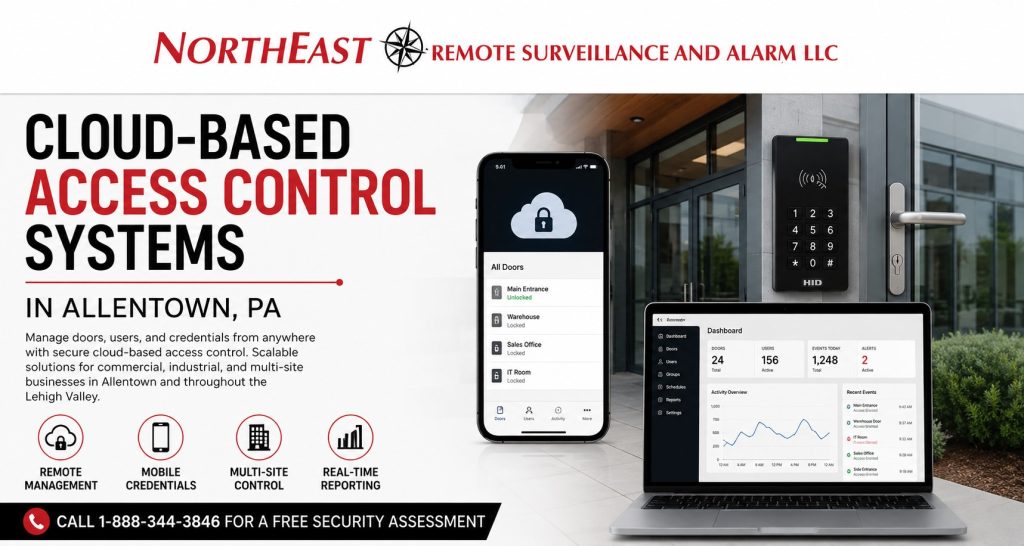
Cloud-Based Access Control Systems in Allentown, PA

Cloud-based access control systems in Allentown, PA give commercial and industrial businesses a more efficient way to manage users, credentials, doors, schedules, permissions, alerts, and access activity from an authorized online platform. Northeast Remote Surveillance and Alarm, LLC designs cloud-managed access control around the facility, operating workflow, door conditions, user population, network environment, cybersecurity requirements, and long-term growth plans of each organization. For broader planning involving readers, controllers, credentials, electrified hardware, controlled openings, and complete building access, visit Commercial Access Control Systems in Allentown, PA.

Commercial Cloud Access Control for Allentown Businesses

Cloud-based access control moves day-to-day system administration away from a single locally installed computer or isolated server and into a secure platform that authorized personnel can access from approved devices.

Depending on the selected platform, permissions, licensing, and system architecture, authorized administrators may be able to:

  • Add, suspend, or remove users remotely
  • Issue cards, key fobs, PINs, or mobile credentials
  • Assign access by door, department, building, role, or schedule
  • Create temporary access for vendors and contractors
  • Review accepted and rejected credential activity
  • Receive forced-door and held-door alerts
  • Manage multiple locations from one platform
  • Review controller and communication status
  • Export access activity for investigations or management review
  • Give local and regional managers different administrative permissions
  • Standardize access policies across multiple facilities

Cloud management can make access control easier to operate, but the cloud dashboard is only one part of the system. Reliable access control still depends on properly selected controllers, readers, credentials, door contacts, request-to-exit devices, electrified locking hardware, power supplies, backup power, network connections, system programming, and administrative procedures.

NERSA evaluates the complete access-control environment instead of treating cloud software as a substitute for proper commercial system design.

Why Allentown Businesses Are Moving Beyond Keys and Shared Codes

Traditional keys can be copied, lost, shared, or retained by former employees. Shared keypad codes can spread throughout an organization until management no longer knows who has the code or when it is being used.

The problem becomes more serious when a business has several departments, changing shifts, temporary employees, vendors, contractors, cleaning personnel, multiple buildings, or a high rate of employee turnover.

Cloud-based access control gives the business a structured way to manage entry without rekeying the entire property every time staffing changes.

An administrator can deactivate a lost credential, remove a former employee, adjust access schedules, add a new location, or limit a contractor to specific doors and approved times. Each user can receive permissions based on actual responsibilities instead of receiving unrestricted access to the entire property.

The objective is not simply to replace keys with cards or smartphones. The objective is to create a manageable access structure that strengthens security, supports daily operations, and remains usable as the business changes.

Built for Allentown’s Commercial and Industrial Environment

Allentown includes downtown office buildings, healthcare properties, warehouses, distribution operations, manufacturing facilities, retail businesses, institutional buildings, multi-tenant properties, service companies, and industrial sites connected to Route 22, I-78, Airport Road, and surrounding Lehigh Valley commercial corridors.

These properties do not all require the same access-control design.

A multi-tenant office building may need separate administrative control for each tenant. A distribution facility may need shift-based employee access, temporary labor credentials, dock-office restrictions, and after-hours reporting. A manufacturing facility may need access groups for production employees, maintenance personnel, supervisors, contractors, and restricted technical areas.

NERSA designs cloud-based access control around how the Allentown facility actually operates rather than applying the same credential package to every property.

How Cloud-Based Access Control Works

A cloud-based access control system normally combines locally installed access-control equipment with a remotely hosted management platform.

The physical equipment at the facility may include:

  • Access control panels and intelligent controllers
  • Card, fob, keypad, or mobile credential readers
  • Door position switches
  • Request-to-exit devices
  • Electric strikes
  • Electrified trim
  • Electrified locksets
  • Exit-device-compatible hardware
  • Power supplies and backup batteries
  • Network connections
  • Gate, elevator, intercom, alarm, or video interfaces where applicable

The cloud platform provides the administrative layer used to manage users, credentials, schedules, permissions, alerts, reports, locations, and system health.

The local controller performs the physical access decision. It determines whether the presented credential is valid for that door, user, schedule, and location before signaling the appropriate locking hardware.

A properly designed system accounts for both layers. The cloud platform must be secure and manageable, while the local controller, reader, wiring, power, and door hardware must continue performing reliably at the facility.

Local Door Operation During an Internet Outage

A commercial business should understand exactly what happens when its internet connection or cloud communication path is interrupted.

Many professionally designed cloud access-control systems can store credentials, schedules, and door permissions locally at the controller. This can allow authorized credentials to continue operating during a temporary internet outage even though remote administration and live cloud reporting may be temporarily unavailable.

The exact behavior varies by platform and configuration. System planning should determine:

  • Whether approved credentials continue working
  • Whether stored schedules remain active
  • How much event activity can be stored locally
  • Whether stored events upload when communication returns
  • Which remote functions become unavailable
  • How administrators are notified of communication loss
  • Whether remote door release remains available
  • How long backup power supports the controllers and locking equipment
  • Whether a secondary internet or cellular connection is appropriate
  • What procedures apply during an extended outage

Cloud-based access control should not create unnecessary dependence on a constant internet connection for routine door operation. Offline behavior should be reviewed before the platform is selected and documented before the system is placed into service.

Centralized User and Credential Management

One of the strongest advantages of cloud access control is centralized management of users and credentials.

Authorized administrators can organize users according to:

  • Department
  • Job role
  • Shift
  • Building
  • Location
  • Door group
  • Tenant
  • Contractor status
  • Vendor status
  • Management level
  • Temporary assignment
  • Security responsibility

A warehouse employee may need the employee entrance, warehouse floor, break area, and shipping office during a specific shift. An office employee may only require access to the main employee entrance and administrative suite. A maintenance contractor may need temporary access to a mechanical room during a defined service period.

Those users should not automatically receive the same permissions.

A well-structured cloud system allows access to follow the person’s actual job responsibilities. When responsibilities change, permissions can be updated without replacing locks or distributing additional keys.

Role-Based Permissions and Access Schedules

Cloud access control can allow businesses to assign permissions according to role, time, door, location, and responsibility.

Schedules may be created for:

  • First-, second-, and third-shift employees
  • Weekend personnel
  • Cleaning companies
  • Temporary labor
  • Delivery personnel
  • Maintenance contractors
  • Service vendors
  • Property managers
  • Executive personnel
  • Emergency or supervisory users

A credential can be configured to work only at authorized doors and during approved periods. Temporary access may be assigned with a defined activation date, expiration date, or recurring service window.

This helps prevent a vendor credential from remaining active indefinitely or an employee credential from opening areas unrelated to that employee’s work.

The access structure should remain understandable. Too many overlapping access groups, duplicate user records, vague schedule names, and inherited permissions can make even a modern cloud platform difficult to administer.

NERSA organizes access groups around real business roles so the system remains manageable after installation.

Mobile Credentials for Commercial Access Control

Many cloud-based platforms support mobile credentials that allow an approved smartphone to function as an access credential.

Mobile credentials may help businesses:

  • Issue access without distributing a physical card
  • Deliver credentials to approved users remotely
  • Reduce replacement-card handling
  • Support managers who travel between locations
  • Provide temporary access to selected users
  • Maintain modern credential-security options
  • Simplify credential administration for some organizations

Mobile credentials are not automatically the best choice for every user.

Warehouses, production facilities, high-turnover businesses, union environments, employees without company smartphones, or operations that restrict personal phone use may still be better served by cards, key fobs, or a mixed credential strategy.

Some businesses use cards or fobs for general employees, mobile credentials for managers, and temporary credentials for vendors or contractors.

The proper credential method should be based on the workforce, facility rules, administrative workload, security expectations, reader compatibility, mobile-device policies, and long-term cost.

Temporary Vendor and Contractor Access

Vendors and contractors often need legitimate access without receiving the same permissions as employees.

Cloud-based access control can support limited access for:

  • Cleaning companies
  • HVAC contractors
  • Electricians
  • IT service providers
  • Equipment technicians
  • Fire alarm contractors
  • Delivery personnel
  • Property-management vendors
  • Construction personnel
  • Temporary staffing agencies

Temporary access can be limited to approved doors, buildings, days, and hours. Credentials may also be configured to expire automatically after the approved work period.

This provides cleaner control than distributing mechanical keys or using a shared code that remains active long after the work has been completed.

Contractor access should be reviewed regularly. Expired vendors, completed projects, and discontinued service providers should not remain active in the system indefinitely.

Door Activity, Audit Trails, and Access Reporting

Cloud access control can maintain a searchable record of system activity.

Depending on the platform, event history may include:

  • Accepted credentials
  • Rejected credentials
  • Access attempts outside permitted schedules
  • Forced-door events
  • Held-door events
  • Remote unlock commands
  • Credential activation and deactivation
  • User-permission changes
  • Schedule changes
  • Administrator activity
  • Controller communication problems
  • Door status changes

These records can support incident review, employee accountability, vendor verification, administrative oversight, and system troubleshooting.

An access record does not always tell the entire story. A valid credential may have opened the door, but management may still need to know who used it, whether another person followed through the opening, whether the door closed properly, and what occurred after entry.

That is why access events become more useful when coordinated with properly positioned video surveillance and clearly defined incident-review procedures.

Forced-Door and Held-Door Alerts

A controlled door should do more than unlock when an approved credential is presented. The system should also help determine whether the opening returned to a secure condition.

A door position switch can report whether the door is open or closed. A request-to-exit device helps the system distinguish normal exiting from a door being opened without authorization.

Configured alerts may notify authorized users when:

  • A door is opened without a valid access event
  • A door remains open longer than permitted
  • A protected entrance is propped open
  • A controller loses communication
  • A selected door is accessed outside normal hours
  • Repeated rejected credentials occur
  • An important restricted area is opened

Alerts should be configured around meaningful business conditions. Poor door alignment, weak closers, unrealistic alert timers, or damaged hardware can create repeated nuisance notifications that users eventually ignore.

Cloud alerts are most effective when the physical opening closes, latches, and reports status correctly.

Centralized Access Control for Multiple Locations

Cloud access control can be especially valuable for companies operating multiple offices, warehouses, service facilities, industrial buildings, retail locations, or commercial properties.

A centralized platform may allow management to:

  • Use one credential across approved locations
  • Restrict employees to specific buildings
  • Apply company-wide access policies
  • Maintain location-specific schedules
  • Remove a former employee from every facility
  • Review activity by building or door
  • Assign local, regional, and corporate administrators
  • Standardize credential and reader technology
  • Add future locations more efficiently
  • Maintain cleaner access-control documentation

Centralized management does not mean every administrator should have unrestricted control over every location. Local managers, regional managers, human resources, security personnel, information technology staff, and ownership may each require different levels of authority.

Businesses planning access control across several properties should also review Allentown Multi-Site Business Security Systems.

Cloud Access Control and Integrated Security Systems

Access control becomes more useful when it works with the other systems protecting the property.

Depending on platform compatibility and project requirements, access control may be coordinated with:

  • Commercial video surveillance
  • Intrusion alarms
  • Visitor entry systems
  • Video intercoms
  • Gate access
  • Elevator control
  • Emergency lockdown procedures
  • Identity-management platforms
  • Human-resources workflows
  • Building-management systems
  • Remote monitoring and event notification

Video integration can help authorized users review footage associated with a door event. Alarm integration can support more coordinated opening, closing, and after-hours workflows. Visitor systems can help separate temporary guests from regular employees.

Integration should be planned carefully. Connecting systems without defining user permissions, event ownership, network requirements, support responsibilities, and failure behavior can create more complexity instead of better security.

For broader coordination among access control, video surveillance, intrusion alarms, monitoring, and reporting, visit Unified Security Systems in Allentown, PA.

Cybersecurity for Cloud-Based Access Control

Cloud access control becomes part of the organization’s broader technology and cybersecurity environment.

A stronger deployment should address:

  • Individual administrator accounts
  • Multifactor authentication where supported
  • Strong password requirements
  • Role-based administrative permissions
  • Prompt employee offboarding
  • Credential-revocation procedures
  • Secure mobile-device practices
  • Network segmentation where appropriate
  • Controller and reader communication
  • Firmware and software management
  • Vendor and service-provider access
  • Audit-log review
  • Data retention and export
  • Recovery of administrative access
  • Integration permissions
  • Ownership of the cloud account

The system should not depend on one employee’s personal email address, one shared administrator login, or undocumented credentials known only to the original installer.

The business should know who owns the cloud account, who can add administrators, who can export activity, how administrative access is recovered, and what happens when the primary system manager leaves the organization.

Cybersecurity is not only a platform feature. It also depends on how accounts, devices, networks, permissions, credentials, and internal procedures are managed.

Cloud Account Ownership and Administrative Control

Account ownership should be established before the system is commissioned.

The customer should understand:

  • Which organization owns the primary cloud account
  • Which email domain is connected to the account
  • Who holds top-level administrative authority
  • Whether the customer can create additional administrators
  • Whether activity records can be exported
  • Whether credentials can be transferred to another administrator
  • What happens if the service relationship changes
  • How account recovery is handled
  • Which functions depend on an active subscription
  • Whether the hardware remains usable if licensing changes

A business should not discover after installation that it cannot access its own user records, retrieve event history, change administrators, or move the system to another qualified service provider.

NERSA includes administrative structure, customer handoff, and long-term system control as part of cloud access-control planning.

Physical Door Hardware Still Determines Reliability

A cloud platform cannot correct a door that does not close, latch, unlock, release, or report status properly.

The management software may be functioning correctly while the physical opening continues creating problems because of:

  • A misaligned door or frame
  • A weak or damaged closer
  • An incorrectly selected electric strike
  • Worn panic hardware
  • Improper request-to-exit operation
  • Missing door position monitoring
  • Inadequate power
  • Poor wiring
  • Incorrect release behavior
  • An unsuitable locking method

The physical opening must be evaluated before hardware is selected.

For opening-specific planning involving electric strikes, electrified trim, exit devices, request-to-exit equipment, door contacts, power supplies, and commercial locking hardware, visit Access Control Door Hardware in Allentown, PA.

Egress, Accessibility, and Life-Safety Coordination

Access control manages entry into a protected area. It must not prevent occupants from exiting as required.

Controlled openings may involve:

  • Free-egress requirements
  • Panic or fire-exit hardware
  • Fire alarm interfaces
  • Emergency-release functions
  • Request-to-exit devices
  • Accessible door operation
  • Automatic door operators
  • Fire-rated doors and frames
  • Stairwell-door considerations
  • Inspection and documentation requirements
  • Coordination with building owners, contractors, design professionals, or authorities having jurisdiction

The correct design depends on the opening, occupancy, building use, hardware, system function, and applicable requirements.

Cloud technology does not change these physical and life-safety responsibilities. The door must remain secure during normal operation while preserving required emergency behavior.

Cloud, On-Premise, or Hybrid Access Control

Cloud access control is not automatically the correct architecture for every organization.

A cloud-managed system may be appropriate when the business prioritizes:

  • Remote administration
  • Centralized user management
  • Multi-site visibility
  • Mobile credentials
  • Easier software administration
  • Scalable location management
  • Remote reporting
  • Reduced dependence on a locally maintained server

An on-premise system may be preferred when the facility requires greater local control, operates within a restricted network, follows internal policies limiting cloud-managed systems, or depends on specialized integrations.

A hybrid architecture may combine local processing and resilience with selected remote-management capabilities.

NERSA evaluates the facility, network, administrative structure, cybersecurity requirements, integration needs, licensing expectations, and future growth before recommending a cloud, on-premise, or hybrid system.

The goal is to select the correct architecture—not to force every customer into the same subscription platform.

Upgrading an Existing Access Control System to the Cloud

An Allentown business may already have readers, door wiring, electric locks, credentials, controllers, or locally installed access-control software that no longer meets its needs.

Common reasons for considering a cloud upgrade include:

  • Outdated or unsupported software
  • A failed or aging local server
  • Limited remote administration
  • Weak credential security
  • Poor multi-site management
  • Confusing user records
  • Missing event history
  • Aging controllers
  • Unsupported readers
  • No mobile credential capability
  • Difficulty removing users quickly
  • Limited integration options
  • No reliable administrative backup

Moving to cloud management does not always require replacing every component.

Depending on compatibility and condition, an upgrade may reuse selected door wiring, reader wiring, door contacts, request-to-exit devices, electric strikes, electrified hardware, power supplies, enclosures, and network pathways.

Controllers, readers, credentials, software, or power equipment may need replacement when they are proprietary, unsupported, damaged, undocumented, insecure, or incompatible with the selected platform.

A proper takeover assessment determines what can remain, what should be corrected, and what must be replaced.

Phased Cloud Access Control Migration

Some businesses cannot convert every door or location at once.

A phased migration may begin with:

  1. Main employee entrances
  2. High-risk exterior doors
  3. IT rooms and sensitive interior spaces
  4. Management or records areas
  5. Warehouse and production entrances
  6. Additional buildings or locations
  7. Gates, intercoms, video, or other integrations

Phased upgrades can help an organization control capital spending while establishing a clear system standard for future expansion.

The first phase should be designed so later doors and locations can be added without rebuilding the original system.

That means selecting the controller architecture, credentials, readers, administrative structure, licensing model, and network approach with the long-term plan in mind.

Cloud Access Control Licensing and Long-Term Cost

Most cloud-based access-control platforms involve recurring licensing or subscription costs.

Licensing may be calculated by:

  • Door
  • Controller
  • Reader
  • User
  • Mobile credential
  • Location
  • Integration
  • Feature level
  • Data-retention period
  • Subscription term

Before selecting a platform, the business should understand:

  • Initial equipment cost
  • Installation cost
  • Software licensing
  • Mobile credential fees
  • Support terms
  • Warranty coverage
  • Integration licensing
  • Data-retention limits
  • Export capabilities
  • Upgrade policies
  • Renewal pricing
  • Cancellation terms
  • Ownership of installed hardware
  • What happens if the subscription expires
  • The cost of adding future doors or locations

A system with a low initial equipment price may carry higher long-term licensing, credential, support, or expansion costs.

The platform should be evaluated over its expected operating life rather than only by the first-year price.

What NERSA Evaluates Before Recommending a Cloud Platform

Northeast Remote Surveillance and Alarm, LLC begins with the facility and its operating requirements instead of beginning with a software subscription.

A cloud access-control assessment may review:

  1. Buildings and locations being managed
  2. Employee, tenant, contractor, and visitor workflows
  3. Controlled doors, gates, elevators, and restricted areas
  4. Existing locks, frames, exit devices, and door conditions
  5. Current credentials and user groups
  6. Access schedules and administrative responsibilities
  7. Network and internet availability
  8. Controller and reader architecture
  9. Backup power and communication resilience
  10. Cybersecurity and administrator-account practices
  11. Video, alarm, intercom, and visitor-system integration
  12. Egress and life-safety considerations
  13. Existing equipment that may be reused
  14. Licensing and long-term operating cost
  15. Documentation, training, service, and future expansion

This process helps prevent a business from selecting a platform that looks convenient during a demonstration but does not fit its doors, workforce, network, management structure, or long-term budget.

Why Allentown Businesses Choose NERSA

Northeast Remote Surveillance and Alarm, LLC has focused on commercial and industrial security systems since 2008.

NERSA does not approach cloud access control as a simple subscription, reader, or locksmith transaction. We evaluate the management platform, local controllers, credentials, network, cybersecurity, door hardware, user permissions, operating schedules, integrations, backup power, and long-term service requirements as parts of one commercial system.

Allentown businesses choose NERSA when they need:

  • Commercial and industrial security experience
  • Local Lehigh Valley operating knowledge
  • Cloud, on-premise, and hybrid planning
  • Door-level hardware evaluation
  • Multi-site access-control standardization
  • Access-control upgrades and takeovers
  • Video, alarm, intercom, and gate integration
  • Network and low-voltage coordination
  • Compliance-aware door planning
  • Scalable system architecture
  • Clear customer administration and handoff
  • Long-term service and expansion support

The correct system is not determined only by the logo on the reader. Long-term performance depends on whether the platform, controller, credentials, door hardware, network, permissions, training, and service plan were designed to work together.

Request a Cloud Access Control Assessment in Allentown, PA

If your Allentown facility needs remote credential management, mobile access, centralized door administration, multi-site control, access reporting, temporary contractor permissions, stronger cybersecurity, or a structured upgrade from an older access-control system, Northeast Remote Surveillance and Alarm, LLC can help.

NERSA can evaluate the existing doors, hardware, controllers, credentials, network environment, user permissions, licensing requirements, administrative workflow, integration goals, and future expansion plans before recommending a cloud, on-premise, or hybrid access-control system.

Call 1-888-344-3846 or request a commercial security assessment to begin planning a cloud-based access control system for your Allentown commercial or industrial property.

Frequently Asked Questions About Cloud-Based Access Control Systems in Allentown, PA

What is a cloud-based access control system?

A cloud-based access control system uses a remotely hosted management platform to administer users, credentials, doors, schedules, permissions, alerts, and access activity. Controllers, readers, locking hardware, and other physical equipment remain installed at the protected facility.

Does cloud access control require an internet connection?

An internet connection is normally required for cloud communication, remote administration, and live reporting. Depending on the platform and controller design, locally stored credentials and schedules may continue operating during a temporary internet interruption.

Will controlled doors stop working if the internet goes down?

Not necessarily. Many commercial cloud access-control systems store approved credentials, schedules, and permissions locally at the controller. The exact offline behavior varies by platform and should be confirmed before the system is selected.

Can cloud access control manage more than one location?

Yes. A properly selected platform can manage users, credentials, schedules, doors, reports, and administrative permissions across multiple business locations.

Can one credential work at several buildings?

Yes. A user can be authorized for selected doors at selected locations while remaining restricted from buildings or areas unrelated to that person’s responsibilities.

Can cloud access control use mobile credentials?

Yes. Many cloud platforms support mobile credentials that allow an approved smartphone to function as an access credential. Cards, key fobs, keypads, and other credential methods may also be used.

Can employee access be removed remotely?

Yes. An authorized administrator can normally deactivate a former employee’s credential through the management platform without rekeying the building.

Can contractors and vendors receive temporary access?

Yes. Contractors, vendors, cleaning companies, and temporary users can receive limited access that applies only to approved doors, locations, days, and times. Credentials may also be configured to expire automatically.

Is cloud-based access control secure?

Cloud access control can provide strong security when the platform, controllers, credentials, administrator accounts, network, permissions, passwords, multifactor authentication, firmware, and operating procedures are properly managed.

Does cloud access control have recurring fees?

Most cloud access-control platforms require recurring software or service licensing. Fees may be based on doors, controllers, users, mobile credentials, locations, integrations, or enabled features.

Can an existing access control system be upgraded to the cloud?

Sometimes. Existing wiring, door contacts, locks, electric strikes, request-to-exit devices, power supplies, and other components may be reusable when they are compatible and in suitable condition. Controllers, readers, credentials, or software may need replacement.

Is cloud access control better than an on-premise system?

It depends on the organization. Cloud systems are often useful for remote administration and multi-site management, while on-premise systems may be preferred for specialized local-control, network-policy, or integration requirements. Some facilities benefit from a hybrid approach.

Can cloud access control integrate with security cameras and alarms?

Yes, when compatible platforms are selected and properly configured. Access events may be associated with video footage, while alarm integration may support more coordinated opening, closing, and after-hours security workflows.

Who should own the cloud access-control account?

The customer should have clearly documented ownership or administrative authority appropriate to the project. Account ownership, administrator permissions, data access, recovery procedures, licensing responsibilities, and customer handoff should be established before commissioning.

Can cloud access control support small businesses and enterprise facilities?

Yes. NERSA designs scalable cloud access control for small commercial businesses, growing companies, offices, warehouses, healthcare properties, manufacturing facilities, multi-site organizations, enterprise operations, industrial campuses, and large commercial environments. The system should be scaled around the users, doors, locations, administrators, schedules, security requirements, and future growth plans of the organization.

Does NERSA install residential cloud access control?

No. Northeast Remote Surveillance and Alarm, LLC focuses on commercial, industrial, warehouse, manufacturing, healthcare, institutional, municipal, multi-site, and enterprise access-control systems.

Who installs cloud-based access control systems in Allentown, PA?

Northeast Remote Surveillance and Alarm, LLC designs and installs cloud-based access control systems for commercial and industrial facilities in Allentown, Pennsylvania. Call 1-888-344-3846 to request an assessment.

Scroll to Top
1-888-344-3846