Visitor Entry and Intercom Access Control in Allentown, PA

Visitor entry and intercom access control systems in Allentown, PA help commercial and industrial organizations verify guests, communicate with delivery personnel, control exterior entrances, release approved doors, and maintain stronger separation between public and restricted areas. Northeast Remote Surveillance and Alarm, LLC designs visitor-entry systems around the building layout, reception workflow, door hardware, tenant structure, security staffing, operating hours, network environment, and emergency procedures of each property. For broader planning involving credentials, readers, controllers, locking hardware, gates, and employee access, visit Commercial Access Control Systems in Allentown, PA.

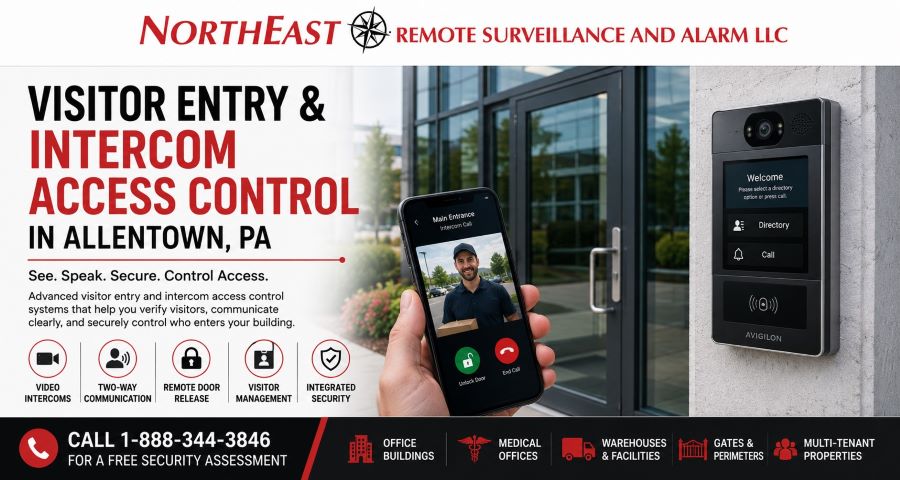
Visitor entry and intercom access control system in Allentown, PA with video intercom, credential reader, remote door release and commercial entrance management.

Commercial Visitor Entry Systems in Allentown

Commercial properties must allow customers, vendors, contractors, drivers, service technicians, interview candidates, tenants, and other approved visitors to enter without leaving the entire building open to unrestricted traffic.

A properly designed visitor-entry system can help authorized personnel:

  • See or speak with a visitor before entry
  • Confirm the visitor’s purpose
  • Contact the correct employee or tenant
  • Release an approved door remotely
  • Route the visitor to the correct entrance
  • Issue temporary credentials
  • Restrict access to selected doors and schedules
  • Record visitor-related door activity
  • Review video associated with an entry event
  • Control after-hours visitor access
  • Manage unattended entrances
  • Reduce dependence on shared door codes
  • Support entry across multiple buildings

The objective is not simply to install an intercom beside a door.

The system must coordinate communication, identity verification, door release, locking hardware, video, network connectivity, user permissions, visitor procedures, and physical building security.

NERSA evaluates the entire entry process so the visitor can be handled efficiently without weakening the security of the property.

Visitor Entry Systems for Allentown Commercial Properties

Allentown contains downtown offices, multi-tenant commercial buildings, warehouses, manufacturing facilities, medical offices, schools, government properties, distribution centers, service businesses, industrial sites, and commercial campuses throughout the city and surrounding Lehigh Valley corridors.

Visitor-entry requirements may differ significantly among properties near:

  • Downtown Allentown
  • Hamilton Street and Hamilton Boulevard
  • Tilghman Street
  • Union Boulevard
  • Airport Road
  • Lehigh Street
  • Cedar Crest Boulevard
  • Route 22
  • I-78
  • West End Allentown
  • Surrounding Lehigh Valley industrial and business corridors

A downtown office building may need a lobby video intercom, tenant directory, mobile answering, elevator-floor coordination, and separate after-hours procedures.

A warehouse may need an intercom at a driver entrance, loading gate, employee door, or remote shipping office.

A medical office may need controlled visitor entry that protects staff-only clinical areas.

A manufacturing facility may require gate communication, contractor verification, delivery access, and restricted movement beyond the reception point.

NERSA designs the system around the people arriving, the entrance they use, the person responsible for answering, and the areas the visitor should or should not be able to reach.

Video Intercom Entry Systems

A commercial video intercom allows authorized personnel to see and communicate with a person before releasing an entrance.

A typical video intercom system may include:

  • An exterior call station
  • Camera and microphone
  • Speaker
  • Call button
  • Directory or tenant selection
  • Interior answering station
  • Desktop application
  • Mobile application
  • Remote door-release control
  • Access-control integration
  • Door position monitoring
  • Event recording
  • Network or cloud connectivity

Video can provide information that audio alone cannot.

The person answering may be able to see whether the visitor is wearing a company uniform, carrying a delivery, standing with additional people, attempting to conceal identity, or approaching the wrong entrance.

The camera position, lighting, mounting height, viewing angle, weather exposure, background noise, and network quality all affect system performance.

A video intercom should be installed where it clearly captures the person requesting entry rather than only showing the top of a head, a bright background, or a vehicle positioned too far from the camera.

Audio Intercom Systems

Audio-only intercoms may still be appropriate for selected commercial applications where visual verification is not required or where the system supplements other security controls.

Audio intercom applications may include:

  • Employee service entrances
  • Warehouse receiving doors
  • Loading dock offices
  • Interior restricted doors
  • Parking gates
  • Maintenance entrances
  • Industrial process areas
  • Reception-to-door communication

The system should provide understandable two-way communication in the actual environment.

Warehouses, manufacturing facilities, roadways, loading docks, mechanical spaces, and exterior gates may have high background noise. A system that sounds clear in an office demonstration may perform poorly beside trucks, machinery, ventilation equipment, or traffic.

Speaker volume, microphone sensitivity, echo control, call-station placement, and environmental protection should be evaluated before equipment is selected.

Remote Door Release

A visitor-entry system may allow an authorized employee, receptionist, tenant, security officer, or manager to release a door remotely after verifying the visitor.

Door release may be performed through:

  • An interior desk station
  • A wall-mounted answering station
  • A computer application
  • A mobile application
  • A telephone interface
  • A security workstation
  • A property-management platform
  • An approved cloud dashboard

Remote release should operate only the intended entrance.

The system should not unlock unrelated doors, bypass required monitoring, or leave the opening unsecured longer than necessary.

A properly configured release sequence may:

  1. Confirm the visitor through audio or video
  2. Release the selected lock
  3. Allow the visitor to open the door
  4. Monitor whether the door opened
  5. Confirm whether the door closed
  6. Return the opening to its normal secure state
  7. Record the associated event where supported

The physical door must still close and latch properly. Remote release cannot correct a damaged closer, misaligned strike, worn latch, dragging door, or unsuitable lock.

Reception Desk Visitor Entry

Reception personnel often serve as the first security checkpoint in an office, medical facility, school, municipal building, or commercial property.

A reception-based visitor-entry system may allow employees to:

  • View the exterior entrance
  • Speak with the visitor
  • Confirm the appointment
  • Contact the intended employee or tenant
  • Release the entrance
  • Issue temporary access
  • Direct the visitor to the correct area
  • Maintain a record of entry activity

The system should support the receptionist rather than create a confusing set of unrelated controls.

The answering station, intercom interface, door-release button, visitor-management platform, security camera view, and access-control software should be organized so employees can respond quickly and consistently.

Reception personnel should also understand what to do when:

  • The visitor has no appointment
  • The intended employee cannot be reached
  • The visitor refuses to identify themselves
  • A delivery arrives at the wrong entrance
  • Multiple people attempt to enter together
  • The intercom connection fails
  • The door does not return to a secure condition
  • An after-hours visitor requests access
  • A service technician asks for restricted-area entry

Technology should support a defined visitor procedure rather than replace one.

Visitor Entry for Multi-Tenant Office Buildings

Multi-tenant office buildings often require more than a single call button.

A visitor-entry system may need to support:

  • A tenant directory
  • Individual tenant call routing
  • Mobile or desk answering
  • Lobby door release
  • After-hours entry
  • Tenant-specific schedules
  • Elevator-floor access
  • Temporary visitor credentials
  • Property-management oversight
  • Separate tenant administration

Visitors should be able to contact the correct tenant without gaining access to unrelated offices or restricted building areas.

Property management may control the main entrance and common areas while each tenant manages its own visitors and employees.

One tenant should not be able to view another tenant’s user information, visitor activity, call history, or administrative settings.

The system should establish clear responsibilities for:

  • Adding and removing tenants
  • Updating the directory
  • Assigning answering users
  • Managing after-hours calls
  • Controlling common doors
  • Removing former tenant access
  • Handling emergency entry
  • Maintaining the hardware and network

For broader office access planning, visit Office Building Access Control Systems in Allentown, PA.

Visitor Entry for Medical Offices

Medical offices must balance convenient patient entry with protection of staff-only clinical, administrative, medication, records, laboratory, and technology areas.

Visitor-entry systems may be used at:

  • Main patient entrances
  • After-hours entrances
  • Staff entrances
  • Behavioral health offices
  • Specialty practices
  • Delivery entrances
  • Restricted clinical transitions
  • Multi-tenant medical suites

A video intercom can help reception personnel verify a visitor before releasing an entrance, particularly when the lobby is closed, staffing is limited, or the entrance is not directly visible from the desk.

The system may also help manage:

  • Laboratory couriers
  • Medical-supply deliveries
  • IT contractors
  • Equipment technicians
  • Cleaning personnel
  • Maintenance vendors
  • After-hours clinicians
  • Patient caregivers

The entry process should support patient privacy, accessibility, clinical workflow, staff safety, and emergency procedures.

For more detailed healthcare-specific planning, visit Medical Office Access Control Systems in Allentown, PA.

Warehouse and Distribution Center Visitor Entry

Warehouses and distribution facilities frequently receive drivers, carriers, vendors, contractors, service technicians, applicants, temporary workers, and delivery personnel through several entrances.

Potential intercom locations include:

  • Truck gates
  • Driver check-in entrances
  • Shipping offices
  • Receiving doors
  • Employee entrances
  • Pedestrian gates
  • Guard stations
  • Remote warehouse doors
  • Contractor entrances
  • Trailer-yard access points

A driver may need to contact shipping personnel without entering the employee area or walking through an active loading zone.

A contractor may need to reach the maintenance department without receiving unrestricted access to the warehouse.

A video intercom can help personnel verify the individual, identify the company or vehicle, provide instructions, and release the appropriate gate or entrance.

The call-routing process should account for shift changes, lunch periods, after-hours deliveries, staffing levels, and the physical distance between the answering employee and the entrance.

Manufacturing and Industrial Visitor Entry

Manufacturing and industrial facilities may need controlled visitor entry for:

  • Contractors
  • Vendors
  • Equipment technicians
  • Delivery drivers
  • Inspectors
  • Temporary labor
  • Job applicants
  • Corporate visitors
  • Emergency service providers

The visitor should not be able to move directly from the exterior entrance into production, utility, engineering, storage, or process areas without authorization.

A controlled reception vestibule, gate intercom, security desk, or remote-entry station can establish a defined point for verification.

Industrial entry planning may need to account for:

  • High background noise
  • Outdoor exposure
  • Personal protective equipment
  • Limited visibility
  • Large vehicle traffic
  • Multiple shifts
  • Restricted production areas
  • Safety orientation requirements
  • Contractor escort procedures
  • Emergency operations

The intercom must be selected and positioned for the real environment, not only for appearance.

Gate Intercom and Vehicle Entry

Commercial gate intercoms allow drivers and visitors to request entry before a vehicle gate is opened.

Gate systems may include:

  • Video call stations
  • Audio intercoms
  • Long-range credential readers
  • Keypads
  • Vehicle tags
  • License plate recognition
  • Mobile credentials
  • Telephone entry
  • Gate operators
  • Safety loops
  • Photo eyes
  • Traffic controls
  • Remote management

A gate intercom must be positioned where the driver can reach it safely without leaving the vehicle or interfering with traffic flow.

The installation should consider:

  • Vehicle type
  • Passenger-car and truck height
  • Lane width
  • Turning radius
  • Visitor queuing
  • Weather protection
  • Lighting
  • Vandal resistance
  • Network connectivity
  • Power
  • Gate safety devices
  • Emergency access
  • Communication reliability

Opening a commercial vehicle gate involves more than sending an unlock command. The gate operator, safety devices, access-control system, intercom, and traffic procedures must work together.

Delivery and Service Entrance Intercoms

Many commercial properties receive deliveries through side or rear entrances that are not continuously staffed.

A delivery intercom can allow personnel to communicate with:

  • Parcel carriers
  • Food or supply vendors
  • Equipment delivery companies
  • Maintenance contractors
  • Service technicians
  • Freight drivers
  • Cleaning personnel

The answering employee may direct the visitor to another entrance, remotely release the service door, contact the receiving department, or deny entry when the delivery cannot be verified.

Delivery doors are often held open, propped open, or repeatedly used during active receiving periods.

Door position monitoring and held-door alerts can help management determine whether the opening returned to a secure condition after the delivery.

The intercom should not become a substitute for proper receiving procedures. The organization should define who may authorize entry, what deliveries are expected, where they should be routed, and whether the visitor requires an escort.

Temporary Visitor Credentials

Some visitors require more than a one-time door release.

A contractor, consultant, temporary employee, auditor, vendor, or visiting executive may need access to selected areas for a defined period.

Temporary credentials may include:

  • Access cards
  • Key fobs
  • Mobile credentials
  • PINs
  • QR credentials
  • Time-limited digital passes
  • Visitor badges connected to access permissions

Temporary access can be limited by:

  • Door
  • Building
  • Floor
  • Department
  • Date
  • Time
  • Visit purpose
  • Host
  • Contractor role

Credentials may be configured to expire automatically.

Automatic expiration helps prevent temporary access from remaining active long after a project, visit, or service agreement ends.

The business should still review active visitor and contractor credentials regularly. Technology should support a formal process for issuing, tracking, recovering, and removing temporary access.

Mobile and Remote Intercom Answering

Modern commercial intercom systems may allow authorized personnel to answer visitor calls from a smartphone, tablet, computer, or remote security workstation.

Remote answering can be useful when:

  • The reception desk is unattended
  • The manager moves throughout the building
  • The property has several entrances
  • A company operates multiple locations
  • A tenant needs to answer after hours
  • A security team monitors several buildings
  • The entrance is far from occupied offices
  • The facility has limited front-desk staffing

Remote access should be protected through secure accounts, strong passwords, appropriate permissions, and multifactor authentication where supported.

Not every employee should be able to release every entrance.

The system should identify:

  • Who may answer calls
  • Who may release doors
  • Which entrances each user controls
  • What happens when the first user does not answer
  • How calls are escalated
  • Whether calls are recorded
  • How former employees are removed
  • How lost mobile devices are handled
  • What happens when internet service is unavailable

Remote convenience should not come at the expense of administrative control.

Call Routing and Escalation

A commercial intercom should route calls to the people who are actually responsible for the entrance.

Call routing may be based on:

  • Entrance
  • Tenant
  • Department
  • Time of day
  • Day of the week
  • Business hours
  • After-hours schedules
  • On-call responsibility
  • Facility location
  • Visitor type

A main lobby call may go to reception during business hours and to a security officer after hours.

A loading-gate call may go to shipping personnel during the day and an on-call manager overnight.

A tenant directory may route calls directly to the selected tenant while property management retains emergency or administrative control.

Escalation can prevent a visitor from being stranded when the first assigned person does not answer.

The system may route the call to a secondary employee, security desk, mobile group, or designated answering service.

Call routing should be tested under real operating conditions, including lunch periods, shift changes, weekends, holidays, and staff absences.

Visitor Entry and Door Monitoring

The intercom provides communication. Door monitoring helps determine what happened after access was granted.

A controlled entrance may use:

  • Door position switches
  • Request-to-exit devices
  • Lock-status monitoring
  • Forced-door alerts
  • Held-door alerts
  • Controller communication monitoring
  • Video event association
  • Access activity reporting

A visitor may be approved and the door may be released, but the opening could remain propped open afterward.

Another person may follow the approved visitor into the building.

The door may fail to latch because of a weak closer, frame misalignment, damaged strike, weather pressure, or obstruction.

Door monitoring helps identify these conditions and provides more useful information than the intercom call alone.

Video Verification and Recorded Entry Events

Video surveillance can strengthen visitor-entry review when it is positioned and integrated properly.

Video may help authorized personnel determine:

  • Who approached the entrance
  • Whether additional people were present
  • Whether the visitor entered after release
  • Whether another person followed through the door
  • Whether a package was left
  • Whether the door closed
  • What occurred immediately before or after entry
  • Whether the visitor went toward the intended area

Compatible systems may associate access or intercom events with video clips.

This can reduce the time required to locate footage during an investigation.

Camera placement should support the entry purpose without creating unnecessary privacy concerns or obstructing the visitor’s face with poor angles, reflections, backlighting, or architectural features.

Integration with Commercial Access Control

Visitor intercoms become more useful when coordinated with the property’s access-control system.

Integration may support:

  • Remote door release
  • Temporary credentials
  • Door position monitoring
  • User and administrator permissions
  • Scheduled access
  • Event reporting
  • Tenant-level control
  • Mobile administration
  • Gate access
  • Elevator permissions
  • Multi-location management

The intercom and access-control system should not be treated as unrelated installations.

The release command must operate the correct controller and lock. The door contact should report through the proper system. Administrative permissions should reflect the user’s responsibility. Event records should be understandable to the customer.

For cloud-managed visitor entry, mobile administration, account ownership, offline operation, and multi-site control, visit Cloud-Based Access Control Systems in Allentown, PA.

Integration with Video Surveillance and Intrusion Detection

Visitor entry can also be coordinated with video surveillance and intrusion detection.

Compatible integration may allow authorized personnel to:

  • View the entrance camera during a call
  • Review recorded footage tied to an entry event
  • Confirm after-hours visitor activity
  • Identify access while an area is armed
  • Verify a forced-door alarm
  • Review a delivery or contractor visit
  • Monitor unattended entrances
  • Coordinate incident response

Integration should serve a defined operational purpose.

Connecting several systems without clarifying permissions, network requirements, event ownership, failure behavior, and support responsibility can create unnecessary complexity.

For broader planning across access control, video surveillance, intrusion alarms, intercoms, monitoring, and reporting, visit Unified Security Systems in Allentown, PA.

Intercom and Access-Control Door Hardware

A video intercom cannot reliably secure an entrance if the physical door does not close, latch, release, or report its condition correctly.

A visitor-entry opening may require:

  • Electric strikes
  • Electrified trim
  • Electrified locksets
  • Magnetic locks
  • Exit-device coordination
  • Door position contacts
  • Request-to-exit devices
  • Power-transfer hardware
  • Access-control power supplies
  • Backup batteries
  • Automatic door interfaces
  • Reception release controls
  • Fire alarm interfaces

Hardware selection depends on:

  • Door and frame construction
  • Existing locking hardware
  • Exit devices
  • Fire rating
  • Required egress
  • Traffic level
  • Accessibility
  • Automatic door operation
  • Exterior exposure
  • Weather conditions
  • Existing wiring
  • Door condition

An aluminum storefront entrance, glass lobby door, hollow-metal service door, warehouse personnel door, vehicle gate, and fire-rated corridor opening may each require a different approach.

For detailed opening-specific planning, visit Access Control Door Hardware in Allentown, PA.

Accessibility and Visitor Entry

Visitor-entry systems should be positioned and configured so approved users can operate them effectively.

Planning may need to address:

  • Call-button mounting height
  • Reach range
  • Visual indicators
  • Audible communication
  • Hearing-assistance requirements
  • Automatic door operators
  • Door opening force
  • Entry timing
  • Wheelchair approach
  • Clear floor space
  • Pedestal location
  • Gate-lane accessibility
  • Accessible visitor routes

An intercom placed too high, too far from the door, behind an obstruction, or in an unsafe vehicle lane may be difficult or impossible for some visitors to use.

Automatic operator integration may be required at selected entrances.

The design should support convenient visitor use while preserving the required security and egress functions of the opening.

Egress and Life-Safety Coordination

Visitor entry controls admission into the building. They must not interfere with required exiting or emergency operation.

Planning may need to address:

  • Free egress
  • Panic or fire-exit hardware
  • Fire alarm interfaces
  • Emergency release
  • Request-to-exit devices
  • Automatic door operators
  • Fire-rated openings
  • Stairwell doors
  • Emergency responder access
  • Power-loss operation
  • Inspection documentation
  • Authority-having-jurisdiction coordination

The correct arrangement depends on the building, occupancy, door, hardware, visitor process, and system function.

The complete opening must be evaluated for normal entry, normal exit, remote release, power loss, fire alarm activation, emergency conditions, and maintenance.

A convenient remote-unlock feature should never override required life-safety operation.

Network and Communication Reliability

Modern intercom systems may depend on Ethernet, PoE, Wi-Fi, internet service, cellular communication, cloud platforms, or combinations of these technologies.

System design should consider:

  • Network ownership
  • Available switch capacity
  • PoE requirements
  • Cable distance
  • Fiber pathways
  • Wireless coverage
  • Internet reliability
  • Firewall rules
  • Remote access
  • Voice and video bandwidth
  • Communication redundancy
  • Surge protection
  • Outdoor cabling
  • Network segmentation
  • Technical support responsibilities

A visitor-entry system should not be installed on an undocumented network without identifying who controls the switches, firewall, internet account, and administrator credentials.

The business should also understand which functions continue during a network or internet interruption.

Local door operation, interior answering, remote mobile access, cloud reporting, call routing, and event storage may behave differently depending on the platform and architecture.

Backup Power and Outage Planning

Visitor-entry systems may include intercom stations, controllers, network switches, power supplies, electric locks, gate operators, interior answering stations, and internet equipment.

Backup planning should determine:

  • Which components require battery backup
  • How long the system should remain operational
  • Whether the lock remains secure during power loss
  • Whether approved users can still exit
  • Whether intercom communication continues
  • Whether local door release remains available
  • Whether remote mobile answering continues
  • How the system reports power failure
  • Whether network equipment is protected
  • How emergency entry is handled

The correct power-loss behavior depends on the opening, locking method, life-safety requirements, operational risk, and customer procedures.

A system should not be assumed to remain fully operational merely because one controller or power supply contains a battery.

Visitor Entry Cybersecurity

Cloud-connected intercoms and access-control platforms become part of the organization’s technology environment.

Security planning should address:

  • Individual administrator accounts
  • Multifactor authentication where supported
  • Strong password requirements
  • Role-based permissions
  • Prompt employee offboarding
  • Secure mobile-device practices
  • Network segmentation
  • Firmware and software management
  • Remote service access
  • Audit-log review
  • Data retention
  • Video and audio privacy
  • Account recovery
  • Customer ownership
  • Integration permissions

The system should not depend on one shared password or one employee’s personal email account.

The customer should understand:

  • Who owns the platform account
  • Who may create administrators
  • Who may answer calls
  • Who may release doors
  • Who may view recordings
  • How former employees are removed
  • How data is exported
  • What happens if licensing expires
  • How administrative control is recovered
  • How service-provider access is managed

Remote entry control requires strong administrative discipline because an authorized user may be able to release a physical entrance from outside the building.

Upgrading an Existing Intercom or Telephone Entry System

Many Allentown commercial properties have older intercom, buzzer, telephone-entry, or door-release systems that are difficult to hear, no longer supported, disconnected from access control, or dependent on obsolete wiring.

Common upgrade reasons include:

  • Poor audio quality
  • No video verification
  • Failed call buttons
  • Obsolete telephone lines
  • Unsupported control equipment
  • Limited tenant directories
  • No mobile answering
  • Unreliable door release
  • Missing door monitoring
  • No event history
  • Weak remote administration
  • Inadequate gate communication
  • Damaged exterior stations
  • No integration with access control

An upgrade does not always require replacing every cable, lock, or door component.

Depending on condition and compatibility, selected wiring, electric locks, door contacts, request-to-exit devices, power supplies, enclosures, and network pathways may be reusable.

NERSA evaluates the existing system before determining what can remain, what should be corrected, and what must be replaced.

Phased Visitor Entry Upgrades

A commercial property may need to upgrade visitor entry in phases.

A phased project may begin with:

  1. The main public entrance
  2. Reception-controlled doors
  3. Delivery and service entrances
  4. Employee entrances
  5. Tenant suite entry
  6. Parking or vehicle gates
  7. Elevator access
  8. Additional buildings
  9. Mobile and remote administration
  10. Video, alarm, and visitor-management integration

The first phase should establish an architecture that supports later expansion.

Installing an isolated intercom with no consideration for access control, networking, tenant growth, additional doors, or future remote management can create unnecessary replacement costs.

The platform, call routing, controllers, network, account structure, licensing, and door hardware should be selected with the long-term plan in mind.

Multi-Site Visitor Entry Management

Businesses operating several offices, warehouses, medical facilities, or commercial properties may benefit from centralized visitor-entry management.

A multi-site platform may allow authorized personnel to:

  • Answer calls from several locations
  • Route calls by building or department
  • Release selected entrances remotely
  • Manage tenant or department directories
  • Review visitor-entry activity
  • Assign local and regional administrators
  • Standardize intercom equipment
  • Add future sites
  • Manage temporary access
  • Maintain clearer documentation

Centralized management should not give every administrator unrestricted control over every entrance.

Local managers, property managers, regional staff, security personnel, and ownership may require different permissions.

The administrative structure should match the organization’s real operating responsibilities.

What NERSA Evaluates Before Designing the System

Northeast Remote Surveillance and Alarm, LLC begins with the visitor process and the physical entrance rather than starting with a call station or software subscription.

A visitor-entry assessment may review:

  1. Public, employee, delivery, contractor, and vehicle entrances
  2. The types of visitors arriving at each entrance
  3. Who is responsible for answering calls
  4. Reception, tenant, shipping, security, and after-hours workflows
  5. Existing doors, frames, locks, gates, and exit devices
  6. Door-release and gate-control requirements
  7. Video and audio conditions
  8. Network, internet, PoE, fiber, and cellular availability
  9. Mobile and remote answering requirements
  10. Tenant and administrator permissions
  11. Temporary credential needs
  12. Access-control, video, alarm, and elevator integration
  13. Accessibility, egress, and life-safety requirements
  14. Backup power and communication resilience
  15. Existing equipment that may be reused
  16. Documentation, training, service, and future expansion

This process helps prevent the business from selecting an intercom that looks impressive during a demonstration but does not fit its entrance, staffing, visitor volume, network, door hardware, or operating procedures.

Why Choose NERSA for Visitor Entry and Intercom Access Control?

Northeast Remote Surveillance and Alarm, LLC has focused on commercial and industrial security systems since 2008.

NERSA evaluates the complete visitor-entry environment, including:

  • Audio and video communication
  • Call routing
  • Mobile and desk answering
  • Remote door release
  • Access-control integration
  • Temporary credentials
  • Door and gate hardware
  • Video surveillance
  • Network infrastructure
  • Cybersecurity
  • Backup power
  • Tenant administration
  • Accessibility
  • Egress and life-safety operation
  • Long-term service and expansion

Allentown businesses choose NERSA when they need:

  • Commercial and industrial security experience
  • Local Lehigh Valley knowledge
  • Video and audio intercom design
  • Office, warehouse, healthcare, and industrial entry planning
  • Multi-tenant visitor management
  • Gate and delivery-entrance communication
  • Cloud, on-premise, and hybrid system options
  • Door hardware coordination
  • Access-control upgrades and takeovers
  • Video, alarm, and mobile integration
  • Cybersecurity-aware administration
  • Scalable multi-location architecture
  • Clear documentation and customer handoff
  • Long-term service and expansion support

The correct visitor-entry system is not determined only by the intercom mounted beside the door.

Long-term performance depends on whether the call station, camera, microphone, network, controller, lock, closer, door contact, answering process, administrator permissions, backup power, training, and service plan were designed to operate together.

Request a Visitor Entry and Intercom Assessment in Allentown, PA

If your Allentown property needs video intercoms, visitor verification, reception-controlled entry, mobile answering, remote door release, delivery communication, gate intercoms, temporary visitor credentials, multi-tenant entry management, or an upgrade from an older telephone-entry system, Northeast Remote Surveillance and Alarm, LLC can help.

NERSA can evaluate the entrances, users, visitors, doors, gates, locking hardware, network environment, answering workflow, administrative responsibilities, integration requirements, accessibility, life-safety considerations, and future expansion plans before recommending the appropriate system.

Call 1-888-344-3846 or request a commercial security assessment for a visitor entry and intercom access-control system in Allentown, Pennsylvania.

Frequently Asked Questions About Visitor Entry and Intercom Access Control in Allentown, PA

What is a commercial visitor-entry system?

A commercial visitor-entry system allows a guest, delivery driver, contractor, or other visitor to request entry through an intercom, video call station, telephone-entry unit, or visitor-management platform. Authorized personnel can verify the visitor and release the appropriate door or gate.

What is the difference between an intercom and access control?

An intercom provides communication between the visitor and an authorized user. Access control manages the door, credential permissions, schedules, locking hardware, and entry records. The two systems can be integrated so an approved user can release the controlled entrance after verification.

Can an employee answer the intercom from a mobile phone?

Yes. Many modern commercial systems allow approved users to answer visitor calls and release selected entrances through a mobile application. Permissions and cybersecurity controls should limit which users can operate each door.

Can several employees receive the same visitor call?

Yes. Calls may be routed to a group, department, reception desk, tenant, security team, or escalation list depending on the selected platform and configuration.

Can a visitor contact a specific tenant?

Yes. Multi-tenant systems may include a directory that allows the visitor to select the appropriate tenant. The call can then be routed to the tenant’s desk station, mobile application, telephone, or other approved device.

Can the intercom release an electric strike or access-controlled door?

Yes. A properly integrated intercom can signal the access-control system or appropriate release hardware to unlock the selected entrance for an approved visitor.

Can visitor entry work at a vehicle gate?

Yes. Commercial gate intercoms can support audio or video communication, remote gate opening, directories, credentials, vehicle access, and integration with gate operators and safety equipment.

Can a visitor receive a temporary credential?

Yes. Approved visitors, contractors, vendors, and temporary employees may receive cards, fobs, mobile credentials, PINs, QR passes, or other time-limited credentials depending on the selected system.

Can the system record visitor calls?

Some platforms can record video, audio, call activity, snapshots, or entry events. Recording features, storage, privacy requirements, notices, and retention policies should be reviewed before activation.

Can the system show whether the door closed after entry?

Yes, when the entrance includes a properly installed and programmed door position switch. The access-control system can monitor whether the door returned to a closed condition and may generate a held-door alert.

What happens if the internet goes down?

The answer depends on the system architecture. Local intercom communication or door operation may continue on some systems, while mobile answering, cloud routing, or remote access may be unavailable. Offline behavior should be verified during system design.

Can an older telephone-entry system be upgraded?

Often, yes. Existing locks, door contacts, wiring, power supplies, enclosures, or pathways may be reusable when they are compatible and in suitable condition. Obsolete call stations, telephone interfaces, controllers, or damaged components may require replacement.

Can visitor entry integrate with security cameras?

Yes. Compatible systems can display live entrance video and associate visitor or access events with recorded footage, helping authorized users review what occurred at the entrance.

Can intercom access control work with automatic doors?

Yes, when the equipment, opening, automatic operator, access control, accessibility requirements, and life-safety functions are properly coordinated.

Can NERSA serve small businesses and large multi-site facilities?

Yes. NERSA designs visitor-entry and intercom access control for small commercial offices, growing businesses, medical practices, multi-tenant buildings, warehouses, manufacturing facilities, commercial campuses, multi-site organizations, enterprise operations, and large industrial environments. The design is scaled around the entrances, users, visitors, locations, administrators, operating schedules, and future growth requirements.

Does NERSA install residential intercom systems?

No. Northeast Remote Surveillance and Alarm, LLC focuses on commercial, industrial, office, warehouse, manufacturing, healthcare, institutional, municipal, multi-site, and enterprise security systems.

Who installs visitor-entry and intercom access-control systems in Allentown, PA?

Northeast Remote Surveillance and Alarm, LLC designs and installs commercial visitor-entry, video intercom, gate intercom, remote door-release, and access-control systems in Allentown, Pennsylvania. Call 1-888-344-3846 to request an assessment.

Scroll to Top
1-888-344-3846