Commercial Access Control Upgrades and Retrofits in Allentown, PA

Commercial access control upgrades and retrofits help Allentown businesses modernize older card readers, keypads, credentials, controllers, software, electric locking hardware, wiring, user permissions, and controlled doors without automatically replacing every usable part of the existing system.

Northeast Remote Surveillance and Alarm, LLC evaluates, upgrades, retrofits, expands, takes over, and supports access control systems for commercial, industrial, institutional, municipal, healthcare, warehouse, manufacturing, office, retail, and multi-location properties throughout Allentown and the Lehigh Valley.

An upgrade may involve one unreliable employee entrance, a group of outdated readers, an unsupported controller, poorly organized user permissions, an inherited system, or a phased modernization across several doors or buildings.

Businesses planning an entirely new system should begin with Commercial Access Control Installation in Allentown, PA.

Request a Commercial Access Control Assessment or call 1-888-344-3846.

Commercial and industrial systems only • Upgrades • Retrofits • Takeovers • Expansions • One door through enterprise

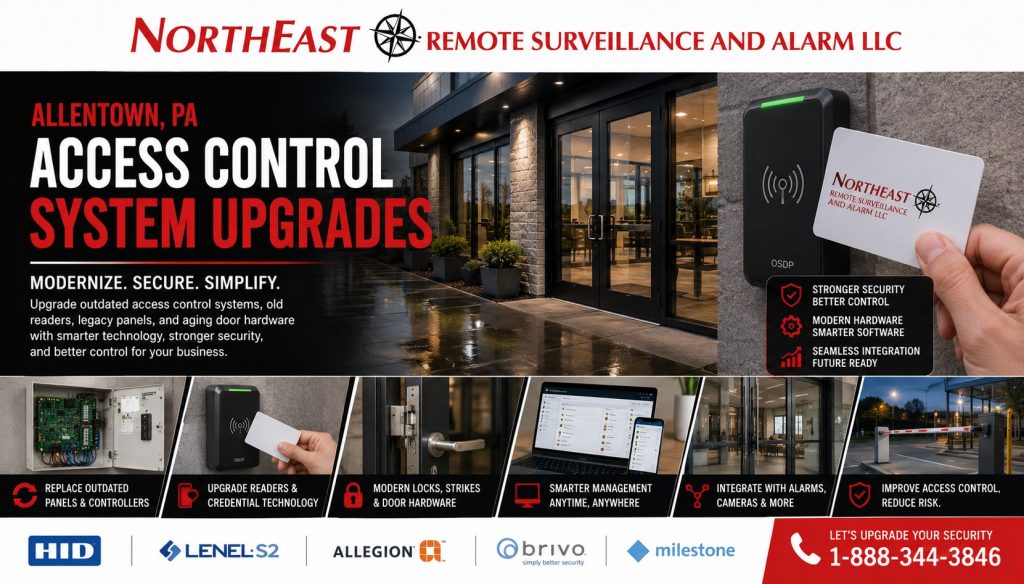
Commercial access control upgrade and retrofit in Allentown, PA with card reader, electrified door hardware and access control panel.

Access Control Upgrade Planning in Allentown

Many commercial properties already have some form of electronic access control, but the installed system may no longer match the building, doors, users, operating schedules, security requirements, or administrative responsibilities of the organization.

Common conditions include:

  • Outdated or unreliable readers
  • Shared cards, fobs, or PINs
  • Former employees with active credentials
  • Unsupported access-control panels
  • Obsolete management software
  • Missing administrator passwords
  • Unclear cloud-account ownership
  • Difficult user and schedule management
  • Poor access-event reporting
  • Unreliable electric strikes or electrified locks
  • Doors that do not close or relatch consistently
  • Missing door-position monitoring
  • Overloaded or poorly documented power supplies
  • Damaged or unidentified cabling
  • Limited capacity for additional doors
  • Incomplete system documentation
  • Dependence on an installer who controls the account

A properly planned upgrade should determine what remains useful, what needs correction, what should be modernized, and what must be replaced.

The objective is not to install new equipment merely because it is newer. The objective is to create dependable controlled openings, manageable permissions, secure credentials, clear system ownership, useful records, and a supportable long-term direction.

Should the Existing System Be Upgraded or Replaced?

Not every older access-control system requires complete replacement. Some properties can retain substantial portions of their infrastructure while replacing only the components that limit reliability, administration, security, or expansion.

When an Access Control Upgrade May Be Appropriate

An upgrade may make sense when:

  • Existing cabling remains usable
  • Some readers or locks remain compatible
  • Controllers still have expansion capacity
  • The current platform remains supported
  • Door hardware can be repaired or retrofitted
  • The organization needs modern credentials
  • User permissions require cleanup
  • Selected doors need better monitoring
  • Remote administration is needed
  • Additional openings must be added
  • Several locations need standardized administration
  • The business wants to modernize in phases

An upgrade may involve reader replacement, new credentials, software migration, controller updates, power-supply correction, door-position monitoring, electrified-hardware improvements, user cleanup, or additional doors.

When Full Replacement May Be Better

Replacement may provide a better long-term result when:

  • Controllers are obsolete or unsupported
  • Software is no longer maintained
  • The system is locked to another provider
  • Administrative or cloud accounts cannot be transferred
  • Readers do not support the required credentials
  • Wiring is damaged, undocumented, or unreliable
  • Door hardware repeatedly fails
  • Power supplies are overloaded or improperly installed
  • Event history cannot be trusted
  • The system cannot support required expansion
  • Licensing ownership is unclear
  • The installed design is inconsistent across the property
  • Continued repairs would preserve an unreliable system

The least expensive immediate option is not always the best value. Access control depends on the reader, credential, controller, software, locking hardware, physical door, power, wiring, network communication, and administration working together.

Reader, Keypad, Card, and Fob Upgrades

Older readers may still unlock a door but no longer support the credential security, reporting, administration, or expansion required by the business.

Reader and credential improvements may include:

  • Replacing worn or unreliable readers
  • Migrating from older credential technology
  • Standardizing reader types across several doors
  • Adding individual cards or key fobs
  • Eliminating shared PINs
  • Adding keypads where appropriate
  • Supporting a credential-plus-PIN procedure
  • Introducing supported mobile credentials
  • Replacing lost, duplicated, or unassigned credentials
  • Removing former employees
  • Establishing temporary vendor or contractor access
  • Creating department- or role-based permissions
  • Standardizing credentials across multiple buildings

Credential changes should be planned as an administrative process, not simply an equipment swap.

The organization should determine who may issue credentials, approve access, deactivate users, establish schedules, manage contractors, review inactive credentials, export event records, and control administrator accounts.

A new credential format provides limited value when outdated users, shared accounts, excessive permissions, and undocumented access groups remain unchanged.

Controller, Software, and Account Upgrades

The access-control controller and management platform determine how doors, users, schedules, permissions, events, and system administration are handled.

An outdated controller or software platform can make simple tasks unnecessarily difficult and may prevent additional doors, modern credentials, remote administration, reliable reporting, or consistent multi-location management.

Controller and software modernization may support:

  • Cleaner user administration
  • Better permission groups
  • More consistent door naming
  • Remote management where appropriate
  • Cloud-managed administration
  • Improved event review
  • Multi-door expansion
  • Multi-building management
  • Multi-location standardization
  • Mobile-credential support
  • Stronger administrator controls
  • Improved account ownership
  • Reduced dependence on obsolete computers
  • Better software and licensing documentation
  • A clearer path for future expansion

Before changing platforms, the business should understand:

  • Who owns the customer account
  • Who controls administrator access
  • Whether licensing can be transferred
  • Which functions continue during an internet outage
  • How credentials are stored and processed
  • Whether event records can be exported
  • How data is retained
  • What recurring fees apply
  • Whether existing controllers and readers remain compatible
  • How the system can be migrated in the future

The customer should not discover after an upgrade that the service provider controls the only administrative account or that the system cannot be transferred.

Door Hardware and Controlled-Opening Retrofits

Access control is not simply a reader mounted next to a door. The complete opening must close, latch, lock, release, report its condition, and permit required egress.

A commercial-door retrofit may involve:

  • Electric strikes
  • Electrified locksets
  • Electrified trim
  • Exit-device-compatible hardware
  • Door-position contacts
  • Request-to-exit devices
  • Power-transfer hardware
  • Door loops
  • Lock power supplies
  • Battery backup
  • Door closers
  • Latch and strike alignment
  • Key override
  • Emergency-release devices
  • Fire alarm interfaces where required
  • Automatic-door coordination
  • Accessible operation

Before hardware is selected, the opening should be reviewed for:

  • Door and frame construction
  • Existing lock and latch
  • Exit-device type
  • Fire rating
  • Door closer condition
  • Hinge or pivot condition
  • Traffic volume
  • Interior or exterior exposure
  • Power-transfer requirements
  • Cabling pathways
  • Emergency egress
  • Accessibility
  • Required release operation
  • Door-position monitoring
  • Expected maintenance

A damaged frame, worn hinge, weak closer, misaligned latch, unsuitable strike, or unreliable exit device can cause repeated access-control failures even when the electronic equipment is functioning correctly.

For opening-specific planning, review Access Control Door Hardware in Allentown, PA.

Final requirements should be coordinated with the building owner, applicable project documents, adopted requirements, and the authority having jurisdiction.

Commercial Doors and Areas That May Need Retrofitting

The goal is not to add electronic access to every door. The goal is to improve the openings and areas that have a legitimate operational or security requirement.

Employee and Staff Entrances

Employee entrances are common upgrade priorities because they often serve many users, shifts, departments, and after-hours personnel.

A retrofit may improve credential accountability, employee offboarding, schedule-based access, door-position monitoring, after-hours reporting, and the reliability of the locking hardware.

Offices and Restricted Rooms

Access control can separate public areas from employee-only, manager-only, technical, financial, records, inventory, or administrative areas.

Possible applications include:

  • Stock rooms
  • Records rooms
  • Cash offices
  • Server and telecommunications rooms
  • Medical supply rooms
  • Tool rooms
  • Manager offices
  • Utility rooms
  • Mechanical and electrical rooms
  • Inventory cages
  • Staff-only corridors

Permissions should follow actual roles and responsibilities rather than providing every credential with unrestricted building access.

Warehouses and Industrial Areas

Warehouse and industrial retrofits may address employee entrances, office-to-warehouse doors, shipping offices, inventory rooms, maintenance areas, tool rooms, exterior personnel doors, restricted production areas, and contractor entrances.

Planning may need to account for multiple shifts, temporary employees, vendors, drivers, maintenance personnel, dust, moisture, vibration, temperature, door traffic, and exterior exposure.

Multi-Tenant and After-Hours Entrances

Multi-tenant properties should clearly define which doors are controlled by property management, which openings belong to individual tenants, who issues credentials, who reviews events, and who owns the software and equipment.

After-hours access should also define which users may enter, which doors they may use, which schedules apply, and how access activity coordinates with building procedures.

Existing-System Takeovers

A business may inherit an access-control system after purchasing or leasing a property, changing service providers, losing contact with the original installer, or discovering that the current provider controls the administrative account.

A takeover assessment may review:

  • Equipment manufacturers and models
  • Controller condition
  • Reader and credential compatibility
  • Software availability
  • Cloud-account ownership
  • Administrator passwords
  • Licensing
  • User databases
  • Access groups
  • Door schedules
  • Event history
  • Locking hardware
  • Door contacts
  • Request-to-exit devices
  • Cabling
  • Network communication
  • Power supplies
  • Battery condition
  • Existing integrations
  • Documentation
  • Available backups
  • Expansion capacity

Not every installed system can be taken over without limitations. Equipment may be proprietary, obsolete, unsupported, locked to another account, incorrectly installed, missing licensing, or unsuitable for future requirements.

NERSA can evaluate whether the system can be supported, transferred, reprogrammed, corrected, expanded, upgraded, or replaced.

Can Existing Access Control Equipment Be Reused?

Readers, controllers, locks, contacts, cabling, power supplies, credentials, and other components may sometimes remain useful.

Reuse should depend on evidence rather than an automatic decision to preserve or discard existing equipment.

The assessment may consider:

  • Manufacturer support
  • Equipment age and condition
  • Reader communication
  • Credential technology
  • Software availability
  • Licensing
  • Account ownership
  • Controller capacity
  • Locking-hardware condition
  • Door and frame condition
  • Cabling condition
  • Power and battery capacity
  • Network design
  • Cybersecurity
  • Documentation
  • Compatibility with proposed equipment
  • Future expansion requirements
  • Long-term serviceability

Existing cabling may be reusable when it is properly installed, identified, undamaged, compatible, and reliable.

Existing locking hardware may remain appropriate when the door closes, latches, releases, and permits required egress correctly.

Controllers or readers may remain useful when they are supported, secure, compatible, properly licensed, and capable of meeting the organization’s expected requirements.

The correct objective is neither replacement of everything nor reuse at any cost. It is a dependable and supportable system with clear ownership and a practical path forward.

When an Upgrade Involves Other Security Systems

An access-control upgrade may also affect video surveillance, intrusion alarms, intercoms, vehicle gates, fire alarm interfaces, monitoring procedures, networks, switches, cabling, or backup power.

Examples include:

  • Associating selected door events with nearby cameras
  • Coordinating authorized after-hours entry with alarm procedures
  • Adding visitor communication at a controlled entrance
  • Integrating remote release at a gate or lobby
  • Correcting network or communication problems
  • Replacing inadequate power supplies
  • Coordinating approved emergency-release functions
  • Standardizing administration across several systems

Access control should remain the central reason for the project. Broader integration should be included only when it solves a defined operational need.

Projects involving coordinated modernization of cameras, alarms, intercoms, gates, monitoring, or network infrastructure can be reviewed through Allentown Commercial Security Systems Integration Upgrades.

Phased Access Control Modernization

Not every business needs to upgrade every controlled opening at the same time.

A phased plan can address the most important operational and security problems first while establishing a consistent direction for later work.

The first phase may prioritize:

  • Unreliable employee entrances
  • Unsupported controllers
  • Former-user credential cleanup
  • Doors that do not close or relatch
  • High-value storage areas
  • Server or telecommunications rooms
  • Warehouse personnel entrances
  • Reader or credential migration
  • Power-supply correction
  • Door-position monitoring
  • Account and licensing ownership
  • Locations with repeated service problems

Later phases may add additional doors, buildings, credentials, integrations, or centralized administration.

Phasing works best when the long-term platform, credential strategy, controller capacity, door naming, permission structure, power, cabling, licensing, and expansion requirements are established before the first phase begins.

That approach reduces the risk of purchasing equipment twice or creating inconsistent systems across the property.

The NERSA Access Control Upgrade Process

1. Existing-System Review

NERSA reviews the readers, credentials, controllers, software, licensing, accounts, door hardware, locks, frames, wiring, power supplies, network communication, user records, schedules, event reporting, and documentation associated with the existing system.

2. Door-by-Door Evaluation

Each proposed opening is evaluated for physical condition, locking hardware, latch alignment, closer operation, request-to-exit devices, door contacts, power transfer, cabling, emergency egress, accessibility, and expected use.

3. User and Administrative Review

The assessment considers employees, managers, tenants, temporary workers, vendors, contractors, schedules, permission groups, credential issuance, employee offboarding, and administrator ownership.

4. Reuse and Replacement Decisions

Existing components are classified according to condition, compatibility, supportability, security, licensing, ownership, and expected service life.

5. Upgrade Design

The recommended plan identifies the readers, credentials, controllers, software, locking hardware, power, cabling, communication, permissions, documentation, and approved integrations required for the project.

6. Installation and Programming

The selected equipment is installed and configured around the approved scope, the physical openings, and the actual operating requirements of the business.

7. Testing and Commissioning

Controlled openings should be tested for:

  • Valid and invalid credentials
  • Access schedules
  • Permission groups
  • Locking and release
  • Door closing and relatching
  • Door-position reporting
  • Request-to-exit operation
  • Forced-door events
  • Held-open conditions
  • Power and battery operation
  • Controller communication
  • Applicable integrations
  • Approved emergency-release functions

8. Documentation and Training

Authorized customer representatives receive applicable system information and instruction for managing users, credentials, schedules, events, and administrative functions included in the project.

Why Allentown Businesses Choose NERSA

Northeast Remote Surveillance and Alarm, LLC focuses on commercial and industrial security rather than residential alarm packages.

NERSA approaches access-control upgrades as complete controlled-opening projects rather than simple reader replacements.

Planning may address:

  • Physical doors and frames
  • Electrified locking hardware
  • Existing equipment and wiring
  • Credentials and readers
  • Controllers and software
  • Account and licensing ownership
  • User permissions
  • Employee offboarding
  • Power and battery backup
  • Network communication
  • Emergency egress
  • Accessibility
  • Documentation
  • Testing
  • Continuing service
  • Future doors, buildings, and locations

Projects may range from one malfunctioning entrance to multi-door, multi-building, and multi-location modernization.

The objective is to provide dependable doors, manageable permissions, appropriate credentials, clear ownership, useful records, complete documentation, and an access-control system the organization can maintain and expand over time.

Request an Allentown Access Control Upgrade Assessment

An access-control upgrade should begin with the existing system rather than a predetermined equipment list.

NERSA can evaluate:

  • Readers and credentials
  • Controllers and software
  • Cloud or administrator accounts
  • Licensing
  • User permissions and schedules
  • Electric strikes and electrified locks
  • Exit-device hardware
  • Door contacts and request-to-exit devices
  • Power supplies and batteries
  • Wiring and network communication
  • Existing equipment that may be reused
  • Additional doors or buildings
  • System takeovers
  • Phased modernization
  • Video, alarm, intercom, or gate coordination where required

Request a Commercial Access Control Assessment or call 1-888-344-3846.

Commercial and industrial systems only • Upgrades • Retrofits • Takeovers • Expansions • One door through enterprise


Frequently Asked Questions About Access Control Upgrades in Allentown, PA

What is a commercial access control upgrade?

A commercial access-control upgrade modernizes selected parts of an existing system, such as readers, credentials, controllers, software, locking hardware, wiring, power supplies, permissions, schedules, or door monitoring.

The objective is to improve reliability, administration, accountability, and future support without replacing usable equipment unnecessarily.

Can an older access control system be upgraded instead of replaced?

Sometimes. The decision depends on the condition, compatibility, manufacturer support, software availability, licensing, account ownership, credential technology, controller capacity, wiring, power, door hardware, documentation, and future requirements of the system.

Can access control be added to existing commercial doors?

Yes, in many cases. Existing openings may be retrofitted with readers, keypads, electric strikes, electrified trim, request-to-exit devices, door-position contacts, power-transfer hardware, and suitable power supplies.

The door, frame, lock, exit device, closer, fire rating, egress requirements, accessibility, and cabling pathway should be reviewed first.

Can existing readers, controllers, locks, or cabling be reused?

Sometimes. Reuse depends on equipment condition, compatibility, manufacturer support, licensing, credential security, wiring condition, power capacity, door operation, network design, documentation, and long-term serviceability.

Can NERSA replace outdated card readers and credentials?

NERSA can evaluate existing readers, cards, fobs, keypads, mobile credentials, controllers, software, wiring, and user records to determine the most practical migration strategy.

The project may involve replacing selected readers, issuing new credentials, cleaning up users, standardizing permissions, or modernizing the supporting controller and software.

Can NERSA take over a system installed by another provider?

NERSA can inspect an inherited system to determine whether its equipment, accounts, licensing, software, controllers, readers, credentials, programming, door hardware, wiring, and documentation can be transferred, supported, corrected, upgraded, expanded, or replaced.

Can an access control upgrade be completed in phases?

Yes. A phased project can prioritize the most important doors, unsupported equipment, unreliable hardware, account problems, or user-management issues first.

The long-term platform, credential strategy, controller capacity, licensing, door naming, permission structure, and expansion plan should be established before the first phase begins.

Can upgraded access control work with cameras and alarms?

Compatible systems may coordinate selected access events with video surveillance, intrusion alarms, intercoms, gates, and monitoring procedures.

Integration should address a defined operational requirement and should not be added merely to make the project more complex.

Does an access control retrofit need to account for emergency egress?

Yes. Controlled openings must be planned around required door operation, exit hardware, fire-rated construction, accessibility, emergency egress, locking arrangements, fire alarm interfaces, approved release functions, and applicable authority requirements.

How does an Allentown access control upgrade begin?

Begin with a property-specific assessment of the existing equipment, doors, credentials, accounts, software, wiring, power, permissions, and future requirements.

Call 1-888-344-3846 or request an assessment.

Scroll to Top
1-888-344-3846