
Commercial low-voltage infrastructure connects business networks, security devices and communications for small businesses, growing companies and enterprise operations.

Build the connections your business depends on
Plan cabling, fiber, network rooms and security together. Start with what works today, identify the weak points, and leave a clear path for growth.
Plan your infrastructure assessment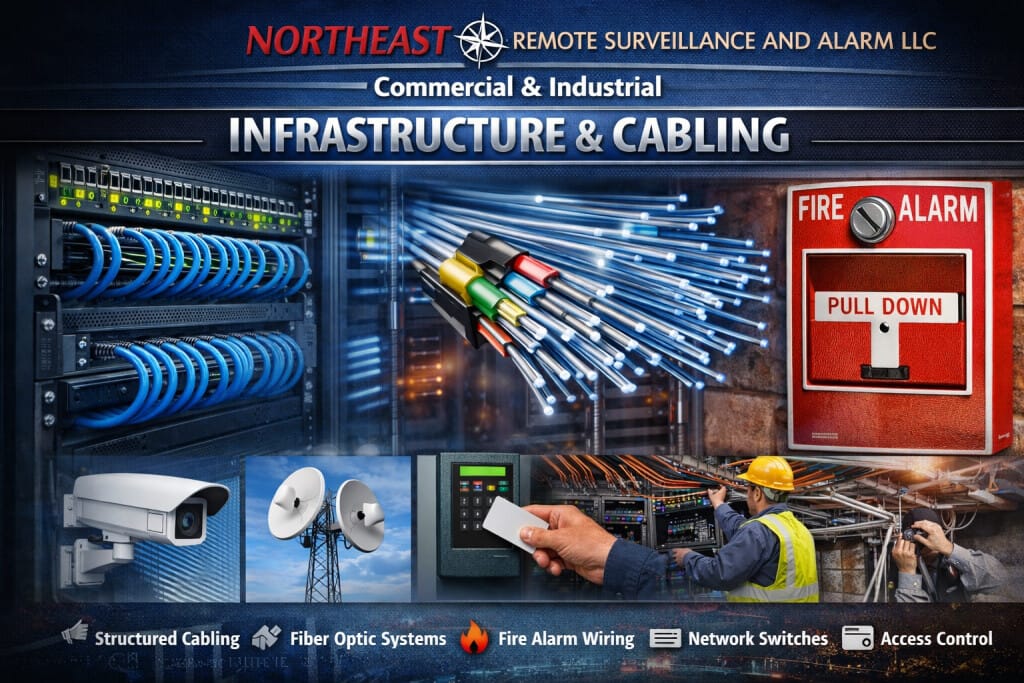
For test methods and handover reports, read Fluke Versiv copper and fiber certification. When a backbone has a fault, use fiber testing, fusion splicing, and repair to define diagnosis, restoration, and retesting.
To plan coverage in the working building, use commercial wireless planning and site surveys to coordinate client requirements, cabling, power, and validation.
NERSA plans and installs cabling, fiber, racks, switching, and supporting connections around the needs of commercial and industrial facilities. This infrastructure supports business connectivity as well as cameras, controlled doors, alarms, intercoms, and communications. Explore the full range of commercial and industrial security systems when defining the equipment that the network must support.
For a single location, pair this guide with Small Business Security Systems. For shared systems and responsibilities across buildings, use Enterprise Security Systems Integration.
Start with the decision closest to yours: choose a service, plan the budget, or define the handover.
Choose the Infrastructure Guidance You Need
Structured cabling and network cabling explains outlet planning, copper links, racks, labeling, and acceptance requirements for a serviceable cable installation.
Fiber infrastructure covers backbone routes, remote equipment locations, compatible optics, and continuity between building areas.
Security network design and remote access explains how IT teams can separate business, security, and management traffic while allowing necessary connections.
Infrastructure project planning brings device inventories, power, storage, responsibilities, and handover requirements into a coordinated scope.
Security-device wiring addresses the different connection needs of cameras, door equipment, intrusion devices, and intercoms.
PoE switch planning helps compare device demand, switch power budgets, uplink capacity, and backup power.
Wireless bridges for remote locations explains when a radio link can connect yards, gates, or outbuildings and when a wired route is the better choice.
Infrastructure Built Around Commercial Systems
Modern commercial security systems depend on more than the visible devices installed throughout a property.
Cameras, access-control panels, intercoms, alarm equipment, switches, servers, communicators, wireless links, and connected platforms all rely on the physical and network infrastructure behind them.
That foundation may include:
- Structured cabling
- Fiber optics
- Cable pathways
- Conduit
- Equipment racks
- Patch panels
- PoE switching
- Network cabinets
- Wireless links
- Power supplies
- UPS backup
- Surge protection
- Outdoor-rated infrastructure
- System labeling
- Documentation
Weak infrastructure can create repeated problems even when the connected security equipment is functioning correctly.
The objective is to build a dependable foundation that remains organized, serviceable, and capable of supporting future expansion.
Structured Cabling and Pathways
Commercial cabling should be installed as permanent infrastructure rather than temporary wiring.
Planning should consider:
- Cable type
- Distance
- Pathway
- Support
- Environmental exposure
- Equipment location
- Termination
- Labeling
- Testing
- Separation from unsuitable electrical conditions
- Future access
Good cabling makes connected systems easier to troubleshoot, repair, expand, and eventually replace.
Poorly supported, unlabeled, damaged, or undocumented cable can turn routine service into a much larger project.
Fiber-Optic Infrastructure
Fiber may be appropriate when copper distance is excessive, several buildings need to be connected, high bandwidth is required, or electrical conditions make fiber a better backbone.
Commercial fiber can support:
- Detached buildings
- Warehouses
- Industrial campuses
- Remote equipment rooms
- Vehicle gates
- Parking structures
- High camera counts
- Building-to-building networks
- Remote IDFs
- Long-distance security infrastructure
Fiber design should consider pathway, fiber type, termination, testing, protection, labeling, spare capacity, and future expansion.
Equipment Rooms, MDFs, and IDFs
Network closets and equipment rooms should provide an organized location for the systems serving the property.
A commercial equipment area may contain:
- Network racks
- Patch panels
- Managed switches
- Video equipment
- Access-control equipment
- Communication devices
- UPS systems
- Fiber termination
- Cable management
- Lockable cabinets
- Environmental monitoring
The rack should make equipment easier to understand and service rather than becoming a collection of undocumented devices and loose cabling.
Network and PoE Planning
Connected security devices depend on network capacity and dependable power.
A network switch can have available ports while lacking sufficient PoE capacity, uplink bandwidth, backup power, or network performance for additional devices.
Infrastructure planning should consider:
- Available switch ports
- PoE budget
- Network bandwidth
- Uplink capacity
- Network segmentation
- Remote connectivity
- Device addressing
- Cybersecurity requirements
- Equipment location
- Backup power
- Expansion capacity
Security devices should be incorporated into the network intentionally rather than attached wherever an open port is available.
Power and Backup Infrastructure
Commercial security and network equipment depend on reliable power.
Depending on the system, planning may involve:
- Dedicated power supplies
- UPS-backed network racks
- Access-control power
- Recorder and server power
- Switch power budgeting
- Surge protection
- Battery backup
- Generator coordination
- Environmental considerations
Power requirements should be evaluated as part of infrastructure design rather than after equipment has already been installed.
Industrial and Commercial Environments
Infrastructure should match the environment in which it operates.
Manufacturing plants, warehouses, loading facilities, exterior sites, and industrial properties may introduce:
- Dust
- Vibration
- Moisture
- Temperature changes
- Electrical interference
- Machinery
- High ceilings
- Long cable distances
- Exterior pathways
- Vehicle or forklift activity
These conditions may require different cable, pathways, enclosures, switching, protection, mounting, and service strategies than a conventional office property.
Testing, Labeling, and Documentation
Commercial infrastructure should be testable and understandable after installation.
Documentation may include:
- Cable identifiers
- Patch-panel schedules
- Rack layouts
- Fiber records
- Cable test results
- Device locations
- Equipment records
- Pathway information
- Network documentation
- As-built information
Clear documentation reduces the time required to identify problems and helps future technicians understand what infrastructure is available for expansion.
Existing Infrastructure and Modernization
Existing cabling and equipment should be evaluated before replacement.
Depending on condition and requirements, a property may be able to retain:
- Existing Category cabling
- Fiber
- Conduit
- Pathways
- Equipment racks
- Cabinets
- Patch panels
- Selected switches
- Wireless infrastructure
- Power equipment
Infrastructure should only remain in service when it is dependable, appropriately installed, supportable, documented, and suitable for the connected systems.
For broader modernization planning, visit Commercial Security System Upgrades, Retrofits & Takeovers.
Infrastructure Supporting Commercial Security Systems
For device wiring, termination, and installation planning, use Low-Voltage Cabling for Commercial Security Systems.
To coordinate compatible cameras, doors, alarms, and intercoms, explore Unified Commercial Security Systems.
Camera placement and recording requirements determine much of the network load. Review Commercial and Industrial Video Surveillance Systems.
Door controllers, readers, locking hardware, and power need a coordinated scope. See Commercial & Industrial Access Control Installation.
Intercom planning also depends on cabling, PoE, and secure network connections. Read Commercial & Industrial Intercom Systems.
Infrastructure for Warehouses and Industrial Properties
Warehouses, manufacturing facilities, logistics properties, industrial parks, and multi-building sites may require more complex infrastructure than conventional offices because of building size, cable distance, outdoor devices, loading areas, gates, high camera counts, and separated structures.
The completed infrastructure should support current systems while preserving practical pathways, rack space, fiber capacity, switching capacity, and power for future growth.
Why Businesses Choose Northeast Remote Surveillance and Alarm
Northeast Remote Surveillance and Alarm, LLC focuses on commercial and industrial security systems and the infrastructure required to support them.
NERSA evaluates infrastructure around:
- Building layout
- Connected systems
- Cable distances
- Equipment locations
- Network requirements
- PoE capacity
- Power
- Environmental conditions
- Fiber requirements
- Serviceability
- Documentation
- Future expansion
The starting point is your facility, its existing connections and the systems your team needs to use.
NERSA plans a reliable, organized, documented, and scalable infrastructure backbone that supports the systems the facility depends on.
Plan One Project Across IT, Facilities, and Security
A camera installer, an IT provider, and a cabling contractor may each complete their own work while leaving an important connection unfinished. Avoid that gap by naming the owner of each interface before work starts. For example, identify who supplies the switch, approves its configuration, provides the cabinet power, and proves that the connected camera records correctly.
IT should approve network addressing, permitted traffic, internet access, account ownership, and ongoing management. Facilities should confirm pathways, equipment-room access, work hours, and coordination with other trades. Security and operations should define the events, doors, views, and response tasks that the system must support. One project contact should track decisions that affect more than one team.
Put these responsibilities into the proposal. A cable drop, a configured network port, and a working security device are different deliverables. State whether each is included. Also name the person who accepts the completed result and the evidence they will receive. This makes competing proposals easier to compare and reduces assumptions during installation.
Connect Communications and Security Without Assuming Compatibility
Shared infrastructure can serve several systems, but a shared cable route or network does not make those systems interoperable. Start with the intended workflow. A visitor call might need to reach a staffed desk, show the correct camera view, and permit an authorized door release. Each step depends on compatible equipment, permissions, configuration, and a tested response.
Use the commercial intercom guide to define visitor calls, gate communication, and door-release responsibilities. The business phone and cloud communications guide covers voice readiness, number migration, and continuity planning. For coordinated event handling across compatible platforms, review unified security integration.
Paging, intercoms, and ordinary business voice also need clear coverage and operating requirements. Do not assume a routine paging system meets an emergency communication requirement. The project scope should identify the intended use and any separate design, approval, or inspection responsibilities. Keep required life-safety interfaces under the appropriate qualified project team.
What Shapes an Infrastructure Project Budget?
Start with the finished scope, then compare costs. Outlet counts alone do not describe a project. Cable routes, ceiling access, occupied work areas, fiber termination, cabinet work and the tests required at handover all affect installation effort.
Separate the proposal into cabling and pathways; racks, switches and backup power; configuration and system connections; testing and documentation; and ongoing licenses or support. Ask which work depends on your IT provider, electrician, landlord or other trades. Identify exclusions and the process for approving changes before work begins.
For early budgeting, share your location, approximate device or outlet count, existing equipment, planned additions and work window. A floor plan helps if you have one. NERSA can discuss the next step and which site conditions need checking before the scope is settled.
Compare Proposals by the Finished Result
A price per cable drop can hide important differences. Ask each bidder to identify the route assumptions, cable and termination components, connected devices, cabinet work, testing, labeling, configuration, and documentation. Check whether access equipment, work outside normal hours, abandoned-cable work, wall repairs, or electrical work are included or excluded.
Define the test evidence before award. A working link light does not establish the same result as an agreed installed-link test report. Ask what testing method will be used, what constitutes a pass, how a failed connection will be corrected, and how each result will match the final cable label. Keep application testing separate: recording video, placing a call, or opening a door proves another part of the system.
Compare ongoing costs as well as installation costs. Cloud subscriptions, internet service, licenses, supported firmware, replacement batteries, and service arrangements may affect the operating budget. Ask who owns the administrative accounts and how the site can obtain its drawings, configuration records, and data exports if its support arrangements change.
Phase Upgrades Around the Working Facility
For an occupied office, begin with the rooms that are changing and check spare outlet, rack, and switch capacity. In a warehouse, map the affected aisles, docks, high-level routes, and safe work windows. Across a campus, review each remote cabinet and its power source as well as the link between buildings. A backbone upgrade can improve capacity while leaving a weak remote power supply unresolved.
Use a pilot area to confirm the proposed installation and handover method before repeating it across the site. Record the existing configuration and agree on a rollback point before moving active connections. After the change, test the affected business and security functions with the teams that use them. Keep unresolved items on a named owner’s list until they are corrected and retested.
Reserve capacity should follow a stated growth plan. Record planned devices, expected cabinet expansion, additional building areas, and the likely timing. Spare switch ports are useful only when power, uplink capacity, pathways, and equipment space also support the additions. Review these assumptions when the facility changes rather than relying on an old drawing indefinitely.
Frequently Asked Questions About Commercial & Industrial Infrastructure and Cabling
What is commercial low-voltage infrastructure?
Commercial low-voltage infrastructure includes cabling, fiber, pathways, racks, switching, wireless links, power, and supporting equipment used by cameras, access control, alarms, intercoms, monitoring systems, and other connected devices.
When is fiber used instead of copper cabling?
Fiber is commonly considered when distance, bandwidth, electrical conditions, building separation, or future expansion make copper impractical.
What is the difference between an MDF and an IDF?
An MDF is the primary network or cabling distribution location, while an IDF serves another floor, building section, or remote portion of the property.
Why is PoE capacity important?
A switch may have open network ports but insufficient available power for additional cameras, intercoms, or other PoE devices.
Can existing cabling be reused?
Sometimes. Existing cabling should be evaluated for condition, type, distance, termination quality, pathway, compatibility, and long-term reliability.
Do industrial properties require different cabling?
Often, yes. Industrial environments may require additional protection against vibration, electrical interference, moisture, temperature, physical damage, and long cable distances.
Why is infrastructure documentation important?
Documentation helps facility staff and technicians understand what is installed, where cables terminate, what equipment is connected, and how the system can be serviced or expanded.
Can infrastructure support several security systems?
Yes. Properly planned infrastructure can support video surveillance, access control, intrusion alarms, intercoms, monitoring, and other connected commercial systems while maintaining appropriate separation and network design.
Specify the Evidence You Want at Handover
Agree on deliverables in the proposal: labels that match the drawings, cable and fiber test records for the specified scope, equipment and port schedules, authorized management access, and a list of open exceptions. Ask for a redacted example of the proposed report format before award; an example shows the format, while your own installed links need their own results.
Request a walkthrough with the people who will run the site. Confirm that they can identify a connection, locate its record, report a fault and reach the responsible support contact. Include application checks, such as viewing a recording or completing a visitor call, alongside infrastructure testing.
Request a Commercial Infrastructure Assessment
If your facility has aging cabling, poorly documented pathways, unreliable network connections, limited PoE capacity, no fiber backbone, disorganized equipment racks, weak wireless links, or upcoming expansion requirements, Northeast Remote Surveillance and Alarm, LLC can evaluate the infrastructure and recommend an appropriate path forward. In the request form, describe the site, recurring faults, equipment you want to retain, planned additions and preferred timing. Share the details you know; the rest can be discussed during follow-up.
Request a Commercial Infrastructure Assessment.
Use this guide to size and plan PoE switching for video surveillance.
- PoE Switching for Video Surveillance — Check switch capacity and power budgets for connected cameras.
Related Customer Case Study
See the project scope in Mama’s Pizza: Small Business, Multi-Location Security Case Study. Explore more actual customer projects in the NERSA Case Studies collection.
Related Case Study: Shady Brook Farm
Review a project where point-to-point and point-to-multipoint wireless bridges connected video surveillance alongside supporting server upgrades.
Related Case Study: Rolling Hills Apartments
See how wireless infrastructure forms part of the security scope at Rolling Hills Apartments, alongside alarm systems and access control for a 232-unit community.