
Small business security camera systems should provide useful video evidence, dependable recording, secure remote viewing, practical administration, and coverage designed around the actual operation of the business.

Request a Small Business Security Camera Assessment
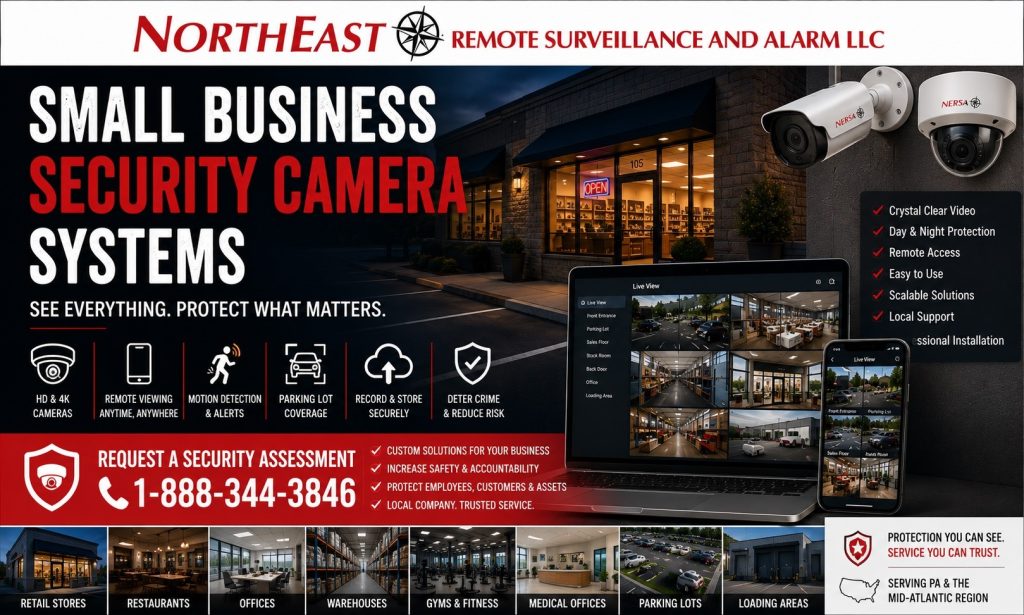
Northeast Remote Surveillance and Alarm, LLC designs, installs, upgrades, integrates, takes over, and supports commercial-grade camera systems. We serve qualifying retailers, restaurants, offices, medical practices, salons, gyms, and automotive businesses. Our work also covers contractor shops, laundromats, nonprofits, small warehouses, multi-tenant properties, and growing multi-location organizations.
A properly designed small-business camera system should begin with what the business needs to see, document, investigate, and manage—not with a predetermined camera count or consumer-style equipment package.
For broader small-business security planning involving cameras, access control, intrusion alarms, monitoring, intercoms, parking security, and scalable system growth, visit Small Business Security Systems.
Commercial-Grade Camera Systems for Small Businesses
A small-business camera system should do more than display a live image.
The system should provide useful recorded video when an incident, dispute, loss, delivery issue, vehicle event, employee concern, or after-hours problem needs to be reviewed.
Depending on the property, cameras may be used around:
- Customer entrances
- Employee entrances
- Reception areas
- Registers
- Customer-service counters
- Stockrooms
- Inventory areas
- Offices
- Hallways
- Rear doors
- Side doors
- Loading areas
- Parking lots
- Vehicle approaches
- Exterior storefronts
- Delivery areas
- After-hours activity zones
The goal is not to place cameras everywhere.
The goal is to establish useful views at the doors, transaction points, movement paths, storage areas, and exterior locations that matter most to the business.
Camera Placement and Useful Evidence
Camera placement can have a greater effect on useful evidence than camera quantity.
A wide camera may provide excellent general awareness while still being unsuitable for identifying a person at an entrance or documenting a transaction.
Camera planning should consider:
- Required image detail
- Viewing distance
- Mounting height
- Camera angle
- Lens selection
- Lighting
- Backlighting
- Vehicle headlights
- Weather
- Obstructions
- Customer and employee movement
- Nighttime conditions
- Recording requirements
- Service access
The required result should be established before equipment is selected.
Indoor Camera Planning
Indoor cameras may support security around entrances, registers, reception areas, customer spaces, stockrooms, office approaches, employee-only areas, corridors, and other important interior locations.
Camera placement should provide useful visibility without creating unnecessary coverage of areas where recording would be inappropriate.
The business should understand why each important interior camera exists and what information it is expected to provide.
Outdoor Camera Planning
Exterior cameras may support entrances, rear doors, side approaches, parking areas, loading locations, delivery areas, drive lanes, exterior equipment, and other after-hours exposure.
Outdoor cameras should be planned around realistic conditions including:
- Weather
- Lighting
- Viewing distance
- Mounting height
- Glare
- Vehicle headlights
- Landscaping
- Building features
- Power
- Cabling
- Network availability
An attractive daytime image does not automatically mean the same camera will provide useful video at night.
Recording and Video Retention
Recording retention should reflect how quickly the business normally discovers and investigates incidents.
A vehicle claim may be reported several days later. An inventory discrepancy may not be identified until the next count. An employee or customer concern may not reach management immediately.
Retention may be affected by:
- Camera quantity
- Resolution
- Recording method
- Frame rate
- Compression
- Scene activity
- Storage capacity
- Cloud-platform limitations
- Future expansion
The system should provide enough recorded history to support realistic business needs while remaining practical to search and manage.
Remote Viewing and User Permissions
Remote viewing can allow authorized owners and managers to review live or recorded cameras from approved devices.
Remote access should be managed as a business function rather than through one shared password.
System administration should address:
- Individual users
- Role-based permissions
- Removal of former employees
- Administrator ownership
- Strong authentication
- Multifactor authentication where supported
- Mobile access
- Evidence-export permissions
- Account recovery
- Remote service access
Not every employee should automatically have access to every camera or administrative function.
Local, Cloud-Managed, and Hybrid Camera Systems
Small businesses may use local recording, cloud-managed video, or a combination of both.
The correct architecture depends on:
- Required retention
- Internet reliability
- Number of cameras
- Number of locations
- Remote-access needs
- IT resources
- Licensing
- Recurring costs
- Administrator ownership
- Expansion plans
The business should understand where recordings are stored, what subscriptions remain required, who controls the administrator account, and what happens during an internet interruption.
Existing Small Business Camera Systems
An older or inherited camera system does not automatically require complete replacement.
Existing cameras, cabling, recorders, network equipment, switches, racks, and other infrastructure may sometimes remain useful when they are compatible, dependable, secure, supportable, and appropriate for the completed system.
Common existing-system concerns may include:
- Poor image quality
- Weak nighttime video
- Cameras mounted too high
- Missing coverage
- Short retention
- Failed recording
- Unreliable remote access
- Unknown administrator accounts
- Former users retaining access
- Unsupported equipment
- Inadequate network capacity
- Poor labeling
- No practical expansion path
The correct project may involve repair, repositioning, selective replacement, recorder modernization, infrastructure improvements, or phased migration.
Small Business Camera Resources
For customer and employee parking, building approaches, vehicle activity, and exterior after-hours visibility, visit Small Business Parking Lot Security Cameras.
For employee credentials, controlled entrances, restricted areas, schedules, and door-event accountability, visit Small Business Access Control Systems.
For after-hours perimeter protection, interior detection, alarm communication, individual users, and professional response, visit Small Business Alarm Systems.
For selected exterior-camera events requiring professional review and documented response procedures, visit Remote Video Monitoring and Live Talk-Down.
For businesses operating more than one property that need standardized cameras, permissions, recording, and administration, visit Multi-Location Small Business Security Systems.
For commercial video-surveillance planning beyond the small-business environment, visit Commercial Security Camera Installation.
Small Business Camera Systems by Business Type
For customer entrances, sales areas, registers, inventory, employee spaces, and after-hours retail security, visit Retail Store Security Systems.
For customer entrances, registers, dining areas, delivery doors, employee access, parking, and after-hours restaurant security, visit Restaurant Security Systems.
For reception areas, visitor entrances, employee access, parking, records, and after-hours office security, visit Office Security Systems.
For patient entrances, reception, staff areas, controlled storage, parking, and privacy-aware healthcare security, visit Medical Office Security Systems.
For service bays, customer vehicles, keys, tools, parts storage, parking, and overnight automotive activity, visit Auto Repair Shop Security Systems.
For offices, workshops, vehicles, tools, trailers, exterior yards, gates, and after-hours contractor security, visit Contractor Shop Security Systems.
For extended-hour or lightly staffed properties requiring entrance, customer-area, payment, parking, and remote security coverage, visit Laundromat Security Systems.
For member entry, common areas, parking, after-hours access, and fitness-facility security, visit Gym and Fitness Studio Security Systems.
For smaller warehouse and flex-commercial properties requiring loading-area cameras, employee entrances, inventory visibility, parking, and expandable infrastructure, visit Small Warehouse Security Systems.
Why Small Businesses Choose Northeast Remote Surveillance and Alarm
Northeast Remote Surveillance and Alarm, LLC focuses on commercial and industrial security systems rather than consumer camera packages.
NERSA has supported business and professionally managed properties since 2008 and designs camera systems around the property, operating conditions, required evidence, recording needs, network infrastructure, user administration, and future growth.
A properly planned small-business camera system should provide:
- Useful camera views
- Dependable recording
- Practical retention
- Secure remote access
- Controlled user permissions
- Reliable supporting infrastructure
- Clear administrator ownership
- Expansion capability
- Long-term serviceability
The objective is not to install the largest possible number of cameras.
The objective is to provide clear, useful video that authorized personnel can locate, review, preserve, and use when an incident needs to be understood.
Frequently Asked Questions About Small Business Security Camera Systems
What types of small businesses use commercial security cameras?
Retailers, restaurants, offices, healthcare practices, contractors, automotive businesses, salons, gyms, laundromats, nonprofits, small warehouses, multi-tenant properties, and other commercial businesses may use professionally designed camera systems.
Where should small-business security cameras be installed?
Common locations include entrances, registers, reception areas, customer areas, stockrooms, employee entrances, rear doors, parking areas, delivery locations, and other areas where useful security evidence is required.
Can owners and managers view cameras remotely?
Yes. Compatible commercial platforms can provide secure remote access for approved users with appropriate permissions.
How long should camera footage be retained?
Retention depends on the camera count, image quality, recording method, storage capacity, business requirements, and how long incidents normally take to be discovered.
Can cameras record continuously?
Yes. Depending on the system and business requirements, cameras may use continuous recording, event-based recording, schedules, or a combination.
Can existing cameras and cabling be reused?
Sometimes. Existing equipment should be evaluated for condition, compatibility, security, supportability, and suitability for the completed system.
Can camera systems work with access control and alarms?
Yes. Compatible systems may provide video context around controlled-door events, intrusion alarms, and other defined security activity when integration serves a practical purpose.
Can a small-business camera system expand later?
Yes. Proper planning can allow additional cameras, storage, users, analytics, controlled doors, or additional business locations to be added over time.
Request a Small Business Security Camera Assessment
Tell us what your business needs to see and record. NERSA can assess camera coverage, recording reliability, retention, secure remote viewing, and parking-area visibility. We can recommend an upgrade or a camera system that supports your plans for growth.
Request a Small Business Security Camera Assessment.
Compliance, Codes & Project Standards
NERSA plans commercial and industrial security work with applicable code, documentation, inspection and authority-having-jurisdiction requirements in mind. Requirements vary by system, property and jurisdiction. These resources support project planning; they do not establish legal compliance, certification or AHJ approval.
Related guidance: Regulatory compliance & inspection readiness · Video surveillance compliance · NERSA project standards