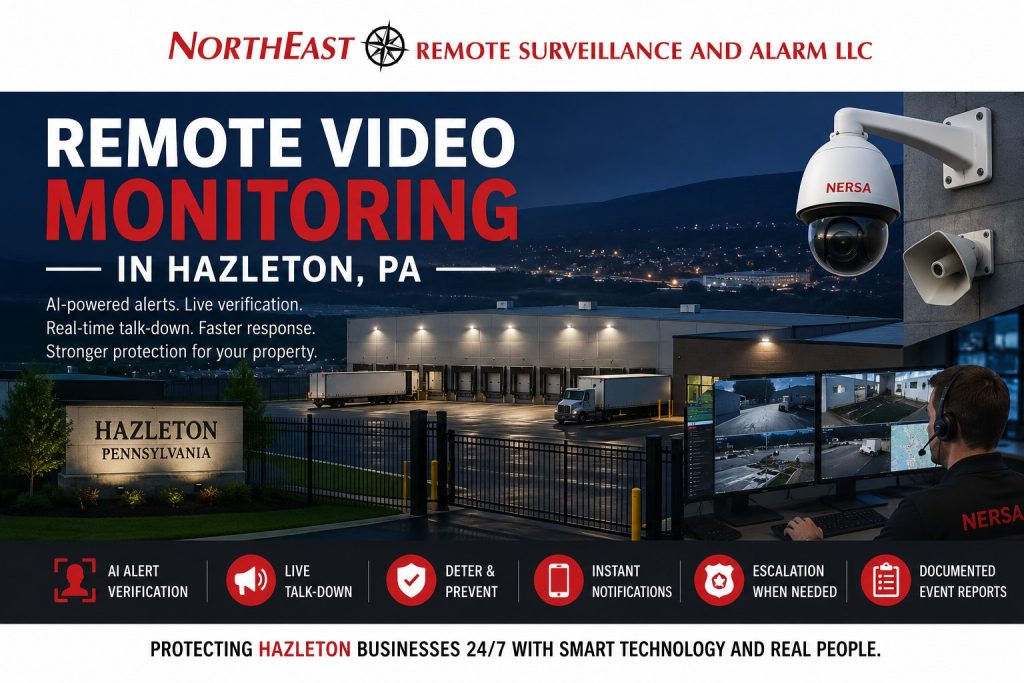
Remote video monitoring in Hazleton, PA helps commercial and industrial properties move beyond passive camera recording by adding event detection, operator verification, live audio intervention, and a documented response process.
Northeast Remote Surveillance and Alarm, LLC designs, installs, upgrades, integrates, and supports monitored video systems for Hazleton warehouses, distribution centers, manufacturing facilities, industrial parks, truck yards, contractor properties, equipment yards, parking areas, office buildings, healthcare properties, and multi-site commercial organizations.
A properly designed system can use cameras, video analytics, event rules, remote operators, speakers, lighting, recording, and site-specific escalation procedures to identify meaningful after-hours activity and support a faster, better-informed response.
This page focuses specifically on monitored video, event verification, and live intervention. For broader camera design, recording, retention, remote viewing, AI search, and general property coverage, begin with Commercial Video Surveillance Systems in Hazleton, PA.

Moving Beyond Passive Video Recording
A conventional video-surveillance system records activity for later review. That recording can be valuable after theft, vandalism, trespassing, property damage, employee incidents, unauthorized vehicle activity, or another event.
The limitation is that someone may not know the incident occurred until hours or days later.
Remote video monitoring adds an active response layer. Instead of relying entirely on employees to notice mobile alerts or review footage after a loss, the system can be configured to identify defined activity and route the event through a monitoring workflow.
Depending on the property and selected platform, that workflow may include:
- AI-supported person and vehicle detection
- Virtual lines and protected zones
- Scheduled after-hours monitoring
- Event-based operator review
- Live camera verification
- Recorded event clips
- Two-way or one-way speaker warnings
- Responsible-party notification
- Security or management escalation
- Law-enforcement notification under approved procedures
- Documented event reports
- Video bookmarks and incident exports
- Camera and recorder health supervision
The objective is not to react to every movement. The objective is to identify activity that matters, verify what is happening, and follow a response process designed around the property.
What Is Remote Video Monitoring?
Remote video monitoring uses security cameras, analytics, alert rules, communications, and trained monitoring personnel to evaluate defined activity at a commercial property.
A monitored event may begin when the system detects:
- A person entering a restricted yard
- A vehicle crossing a virtual boundary
- Movement near a loading dock after closing
- Loitering near an employee entrance
- Activity around parked trailers
- A person approaching exterior equipment
- Movement inside a fenced storage area
- A vehicle entering through a closed gate
- Repeated activity near rear doors
- Someone crossing a protected perimeter
- After-hours activity in a parking lot
- Activity at a remote or lightly staffed building
When an event is generated, available video can be reviewed according to the monitoring plan. The response may involve documenting the event, issuing an audio warning, contacting an authorized person, escalating the incident, or taking another preapproved action.
Remote video monitoring in Hazleton, PA should be designed around the property’s actual operating hours, legitimate after-hours activity, vehicle patterns, employees, contractors, deliveries, lighting, camera views, and risk areas.
Remote Monitoring Versus Self-Monitoring
Many camera systems can send a mobile notification directly to the owner, manager, or employee.
That is self-monitoring.
Self-monitoring may be appropriate for lower-risk properties where an authorized person is consistently available to:
- Receive the alert
- Open the application
- Review the camera
- Determine whether the activity matters
- Decide who should be contacted
- Respond at any hour
- Document what occurred
The challenge is that alerts may arrive while the responsible person is sleeping, driving, working, traveling, in a meeting, or unable to review video.
Professional remote monitoring creates a defined event-review process that does not depend entirely on one employee noticing every notification.
A business may still receive alerts and maintain mobile access, but the primary response can be managed according to established monitoring instructions.
How a Monitored Video Event Works
The exact process depends on the equipment, analytics, monitoring platform, schedule, and response plan, but a typical event may follow this sequence:
- A camera or analytic rule detects defined activity.
- The system creates an alert and associates it with the affected camera.
- Video from immediately before and during the event becomes available.
- Monitoring personnel evaluate the visible activity.
- The event is classified according to the site instructions.
- An audio warning may be issued when appropriate.
- Authorized contacts may be notified.
- The event may be escalated under the approved procedure.
- Video and event information may be retained for review.
- An incident report may be generated when supported.
A good monitoring plan defines these steps before the system goes live.
The monitoring operator should not have to guess whether a delivery driver, employee, cleaning crew, truck operator, maintenance contractor, or other person is authorized to be on the property.
Remote Video Monitoring Site Assessment
A reliable system begins with a property assessment.
NERSA may review:
- Buildings and property boundaries
- Exterior doors and overhead doors
- Loading docks
- Truck courts
- Trailer parking
- Vehicle gates
- Fence lines
- Parking lots
- Exterior storage
- Equipment and material yards
- Employee entrances
- Shipping and receiving areas
- Service roads
- Remote buildings
- Existing cameras
- Camera image quality
- Lighting conditions
- Network infrastructure
- Internet reliability
- Recorder capacity
- Audio requirements
- Existing intrusion alarms
- Current operating schedules
- Authorized after-hours activity
- Escalation contacts
- Known theft or trespassing concerns
The assessment should identify what the business wants monitoring personnel to detect and what response should occur after the activity is verified.
A generic equipment package cannot answer those questions.
AI Video Analytics and Event Filtering
Basic video motion detection can generate alerts from rain, snow, insects, shadows, headlights, trees, changing light, and other routine conditions.
Modern video analytics may help classify activity more accurately.
Depending on the platform, analytics may support:
- Person detection
- Vehicle detection
- Directional movement
- Virtual line crossing
- Entry into a protected zone
- Loitering
- Dwell-time rules
- Activity during selected schedules
- Object appearance or removal
- Vehicle presence
- Repeated perimeter activity
- Camera tampering
- Scene-change detection
Analytics should be configured around the camera view and the property.
A vehicle rule may be useful at a closed gate but inappropriate on an active public roadway visible in the background. A person alert may be valuable inside a fenced equipment yard but generate constant events at a sidewalk next to the property.
The objective is to reduce irrelevant activity without filtering out the events the business needs to know about.
Human Event Verification
Analytics help identify potential activity. Human review adds context.
An operator may be able to determine whether the event shows:
- A person walking directly toward stored equipment
- An employee crossing an approved area
- A truck arriving under a scheduled delivery
- Someone looking into parked vehicles
- A person attempting to open doors
- Several individuals entering a restricted yard
- A vehicle turning around without entering
- An animal crossing the camera view
- A maintenance contractor working under authorization
- Someone remaining near a protected area after a warning
Video verification does not guarantee that every incident can be identified correctly. Camera angle, lighting, distance, weather, obstructions, image quality, clothing, and activity outside the field of view can affect what is visible.
Monitoring procedures should account for those limitations.
Live Talk-Down and Audio Warnings
Live talk-down allows an operator to issue an audible warning through a speaker at the property after suspicious or unauthorized activity is verified.
A warning may advise the person that:
- The property is monitored
- The site is closed
- The person is in a restricted area
- Video is being recorded
- The person must leave
- Security personnel have been notified
- Further response may be requested
The wording and escalation process should be established before monitoring begins.
Live talk-down may help deter:
- Trespassing
- Loitering
- Vandalism
- Equipment theft
- Vehicle break-ins
- Illegal dumping
- Unauthorized yard access
- After-hours door activity
- People approaching stored materials
- Suspicious activity around trailers
Talk-down is not physical intervention and should not be represented as a complete replacement for guards, patrols, gates, locks, fencing, lighting, intrusion alarms, or emergency response.
For broader planning involving monitored cameras, operator response, speaker warnings, and service-wide deployment, use Remote Video Monitoring and Live Talk-Down.
Response and Escalation Procedures
Remote video monitoring is only as useful as the response procedure attached to it.
The monitoring plan should define:
- Monitoring hours
- Protected areas
- Authorized activity
- Employee and contractor schedules
- Delivery schedules
- Events that require review
- Events that require talk-down
- Events that require a management call
- Who should be contacted first
- How unanswered calls are escalated
- Whether on-site security is available
- Whether law enforcement may be requested
- Which events should be documented
- How video should be preserved
- How accidental or expected activity is reported
Different events may require different responses.
A person cutting through an open parking area may be handled differently from someone climbing a fence, entering a trailer yard, attempting to open vehicles, or forcing an exterior door.
The business should understand that remote monitoring cannot guarantee prevention, apprehension, dispatch priority, response time, or a particular emergency outcome.
Camera Placement for Monitored Video
A camera installed for general overview may not provide the detail needed for remote verification.
Monitored camera placement should consider:
- Expected direction of travel
- Distance to the protected area
- Face and clothing visibility
- Vehicle approach paths
- Gate and fence alignment
- Exterior-door views
- Speaker coverage
- Lighting
- Headlight glare
- Seasonal sun position
- Rain, fog, and snow
- Warehouse and building obstructions
- Trailer placement
- Stored materials
- Moving equipment
- Public roads and neighboring properties
An operator needs enough context to understand what is happening.
A camera aimed too widely may show activity without useful detail. A camera aimed too narrowly may miss the person’s approach, vehicle, direction of travel, or surrounding conditions.
Properties may need a combination of overview and identification views.
Nighttime Lighting and Image Quality
Many remote monitoring events occur after normal business hours, when lighting conditions are most difficult.
A daytime camera image does not prove that the same camera will provide useful video at night.
Nighttime planning should account for:
- Available exterior lighting
- Dark property boundaries
- Bright wall-mounted lights
- Vehicle headlights
- Reflections from wet pavement
- Infrared range
- Fog and precipitation
- Shadows near buildings
- Backlighting at doors
- Large differences between bright and dark areas
- Moving trailers or stored materials
- Camera exposure settings
- Color versus monochrome nighttime video
Additional lighting may improve verification more effectively than installing a higher-resolution camera into a poorly illuminated scene.
Lighting should be positioned to support the camera without creating glare, overexposure, or large blind areas.
Speakers and Audio Coverage
Speaker selection and placement affect whether a warning can be heard and understood.
Planning should review:
- Size of the monitored area
- Outdoor noise
- Truck and machinery activity
- Distance from the speaker
- Direction of coverage
- Building surfaces
- Weather exposure
- Mounting height
- Power availability
- Network or audio connectivity
- Nearby occupied properties
- Local operating restrictions
- Desired warning volume
A speaker covering a small employee entrance may not be suitable for a large truck court or equipment yard.
Audio use should be limited to legitimate security objectives and managed according to the property’s policies and applicable requirements.
Network and Communication Requirements
Monitored video depends on reliable communications.
The system may require:
- Stable internet service
- Sufficient upload bandwidth
- Proper camera addressing
- Recorder connectivity
- Cloud or monitoring-platform access
- Network switches
- PoE capacity
- Fiber between buildings
- Wireless bridges
- Cellular backup where supported
- Equipment power backup
- Firewall coordination
- IT department involvement
- Remote diagnostic access
A camera may continue recording locally during an internet outage while remote monitoring becomes temporarily unavailable.
The system design should establish:
- What happens if internet service fails
- Whether cameras continue recording
- Whether an alternate communication path exists
- How outages are reported
- Who receives health notifications
- How network equipment is backed up
- What happens when a router or firewall is replaced
- Who is responsible for network support
The monitoring platform should not be treated as separate from the infrastructure required to keep it operating.
Camera and Recorder Health Monitoring
A camera system can appear normal while one or more important views are unavailable.
Depending on the platform and service arrangement, health supervision may identify:
- Camera offline conditions
- Recorder communication failures
- Storage problems
- Video loss
- Network interruption
- Camera tampering
- Scene changes
- Power failures
- Server problems
- Analytic failures
- Speaker communication problems
Health alerts should have a defined response.
The business should know who is contacted, how quickly the issue should be reviewed, and whether an alternate camera can temporarily cover the area.
Health supervision does not replace preventive maintenance, camera cleaning, recorder inspection, battery replacement, network service, or physical testing.
Loading Dock and Truck-Court Monitoring
Loading docks and truck courts are important monitored areas for Hazleton warehouses, logistics facilities, manufacturers, and distribution properties.
These areas may contain:
- Numerous overhead doors
- Parked trailers
- Staged freight
- Driver entrances
- Shipping offices
- Dock equipment
- Exterior personnel doors
- Temporary contractors
- Unscheduled vehicles
- Activity outside normal shifts
Remote video monitoring may help identify:
- People approaching dock doors
- Activity between parked trailers
- Vehicles arriving outside approved hours
- People attempting to access trailers
- Unauthorized movement near staged products
- Repeated loitering around shipping areas
- Exterior doors being tested
- Suspicious vehicle behavior
- Illegal dumping
- Activity during facility shutdowns
Camera names and monitoring instructions should clearly identify individual dock areas, building sides, trailer rows, and vehicle approaches.
Trailer Yard and Fleet Monitoring
Truck yards, trailer lots, fleet properties, and logistics sites often have large exterior areas that remain exposed when the main building is closed.
Monitoring may cover:
- Trailer rows
- Tractor parking
- Fleet vehicles
- Fuel areas
- Yard entrances
- Pedestrian gates
- Fence lines
- Dispatch offices
- Driver waiting areas
- Staged loads
- Refrigerated trailers
- Remote corners
- Service roads
Analytics should be planned around legitimate truck movement and authorized drivers.
A vehicle entering at 3:00 a.m. may be normal at one distribution center and highly unusual at another. Monitoring schedules and authorization lists must match the operation.
Contractor Yards and Exterior Storage
Contractor yards and equipment properties may contain vehicles, machines, tools, cable, building materials, metals, fuel, and other assets that remain outdoors.
Remote video monitoring in Hazleton, PA can support after-hours oversight around:
- Fenced storage areas
- Equipment rows
- Work trucks
- Trailers
- Material stacks
- Fuel tanks
- Tool containers
- Gates
- Side and rear approaches
- Detached buildings
- Temporary storage zones
Camera views should be reviewed as materials and equipment move.
A camera that provided a clear view during installation may later be blocked by a trailer, storage container, machinery, or seasonal material.
Parking Lot Monitoring
Commercial parking lots may experience after-hours vehicle activity, loitering, vandalism, dumping, unauthorized parking, and activity near employee vehicles.
Monitored parking coverage may include:
- Vehicle entrances
- Employee parking
- Visitor parking
- Rear parking areas
- Pedestrian routes
- Building entrances
- Isolated corners
- Loading areas
- Exterior gathering points
- Accessible parking
- Delivery lanes
The monitoring objective should be defined carefully. A camera viewing an active public street or neighboring business may generate constant irrelevant activity if the analytics are not restricted to the property.
Gate and Perimeter Monitoring
Gates and fence lines create clear locations for analytic rules and event verification.
Monitoring may help identify:
- A person climbing or crossing a fence
- A vehicle entering through an open gate
- Activity near a closed gate
- Someone approaching gate equipment
- Tailgating behind an authorized vehicle
- Repeated loitering near the entrance
- Damage to the gate or fence
- Unauthorized pedestrian access
- Activity near remote perimeter sections
Remote monitoring does not physically prevent access. Gates, fencing, locks, access control, intrusion detection, and lighting still need to be designed and maintained properly.
Warehouse and Distribution Facility Monitoring
Hazleton-area warehouses and distribution centers may operate across multiple shifts, use temporary labor, receive unscheduled trucks, maintain large trailer inventories, and include extensive exterior areas.
A monitored warehouse system may cover:
- Loading docks
- Truck courts
- Trailer parking
- Shipping-office entrances
- Employee doors
- Exterior storage
- Yard gates
- Roof-access areas
- Remote building sides
- Parking lots
- Office-to-warehouse transitions
- High-value inventory approaches
Monitoring schedules should account for:
- Shift changes
- Weekend operations
- Holiday activity
- Cleaning crews
- Maintenance contractors
- Late deliveries
- Early arrivals
- Temporary shutdowns
- Inventory periods
- Construction work
Poor schedule information can cause legitimate activity to be treated as suspicious and important alerts to be dismissed as routine.
Manufacturing and Industrial Monitoring
Manufacturing properties may require monitored video around:
- Raw materials
- Finished goods
- Exterior equipment
- Shipping areas
- Employee entrances
- Maintenance buildings
- Utility areas
- Production-support spaces
- Tool storage
- Restricted yards
- Contractor entrances
- Remote parking
Machinery, steam, exhaust, moving shadows, heat sources, outdoor process equipment, and changing material locations may affect analytics.
The system should be tested under real operating conditions rather than only during a quiet daytime walkthrough.
Office, Healthcare, and Institutional Properties
Remote video monitoring can also support properties that are not primarily industrial.
Applications may include:
- Rear employee entrances
- Parking areas
- Public entrances
- Delivery doors
- Exterior walkways
- Service areas
- Restricted exterior spaces
- After-hours loading areas
- Detached support buildings
These properties may have greater privacy concerns and more public activity than a closed industrial yard.
Camera placement, monitoring hours, audio use, access permissions, and response procedures should be limited to legitimate security needs.
Existing Camera System Assessments
A property may already have cameras but still lack effective remote monitoring.
NERSA can evaluate whether existing equipment provides:
- Useful camera views
- Adequate nighttime visibility
- Reliable recording
- Sufficient resolution
- Stable network access
- Correct timestamps
- Supported analytics
- Remote event access
- Monitoring-platform compatibility
- Audio integration
- Adequate storage
- Dependable system health
Existing cameras may be reused when they are compatible, dependable, properly positioned, and capable of supporting the intended monitoring workflow.
Other properties may need:
- Camera repositioning
- Additional cameras
- Better lighting
- Recorder upgrades
- Analytic licensing
- Network improvements
- New speakers
- Camera replacement
- Time synchronization
- Improved naming and documentation
- Revised recording settings
The objective is not to replace usable equipment unnecessarily. It is also not to build a monitoring service around weak views or unsupported hardware.
Integration With Intrusion Alarms and Access Control
Remote video monitoring can be coordinated with other commercial security systems.
Examples may include:
- Video associated with an intrusion alarm
- Camera views connected to exterior-door activity
- Video review of an access-control event
- Gate video associated with a credential
- Alarm verification around a loading dock
- Camera call-up after a forced-door event
- Monitoring of a door held open
- Video associated with a panic event
- Event bookmarks tied to system activity
Each system still serves a different purpose.
Video surveillance provides visibility and recording. Intrusion alarms detect protected security conditions. Access control manages authorized entry. Remote monitoring adds event review and response.
Integration should improve the workflow rather than combine unrelated events into an unmanageable stream of notifications.
Privacy, Permissions, and Operational Policies
Commercial monitored video should be implemented with controlled access and documented responsibilities.
The business should determine:
- Who can view live video
- Who can review recorded events
- Who can export footage
- Who can change analytic rules
- Who can modify monitoring instructions
- Who receives incident notifications
- How former users are removed
- Whether shared accounts are prohibited
- How mobile access is protected
- How video evidence is retained
- How audio is used
- Who approves schedule changes
Camera and audio use should support legitimate property-security objectives.
Businesses should review employment, privacy, audio, signage, retention, and other legal or policy questions with appropriate professional guidance when needed.
Small Commercial Sites Through Enterprise Operations
Remote video monitoring in Hazleton, PA can be scaled for different property sizes.
A smaller commercial property may need:
- Several exterior cameras
- One or two protected zones
- After-hours monitoring
- A single speaker
- A short responsible-party list
- Mobile event access
- Basic event reports
A large industrial or logistics operation may require:
- Numerous monitored cameras
- Multiple buildings
- Several gates
- Multiple trailer rows
- Department-specific schedules
- Numerous analytic rules
- Multiple speakers
- On-site security coordination
- Corporate escalation procedures
- Centralized multi-site management
- Redundant network infrastructure
- Standardized event reporting
- Phased system deployment
NERSA supports smaller commercial properties as well as warehouses, distribution campuses, manufacturing sites, industrial parks, multi-building facilities, and enterprise organizations.
Greater Hazleton Monitoring Coverage
NERSA evaluates remote video monitoring projects throughout Hazleton and surrounding commercial and industrial markets, including West Hazleton, Hazle Township, Drums, McAdoo, Humboldt Industrial Park, Valmont Industrial Park, CAN DO Corporate Center, and properties connected to the I-80, I-81, Route 309, Route 924, and Greater Hazleton logistics corridors.
Project availability depends on the facility, system requirements, property conditions, monitoring objectives, communications, existing equipment, installation scope, and long-term support requirements.
For complete planning across video surveillance, access control, intrusion alarms, fire alarm systems, monitoring, intercoms, infrastructure, and commercial security integration, use Commercial and Industrial Security Systems in Hazleton, PA.
What This Page Does Not Cover
This page is limited to remote video monitoring, analytic-triggered event review, live talk-down, and monitored video response for commercial and industrial properties.
It does not replace pages dedicated to:
- General commercial camera installation
- Video recording and retention
- Self-monitored camera systems
- Video-verified intrusion alarms
- Conventional intrusion-alarm monitoring
- Stand-alone burglar alarms
- Access-control systems
- Fire-alarm monitoring
- General intercom systems
- Security-guard services
- Residential video monitoring
Maintaining these boundaries gives this page one clear intent and prevents it from competing with the broader Hazleton video-surveillance and security-system hubs.
Request Remote Video Monitoring in Hazleton, PA
If your Hazleton warehouse, distribution center, manufacturing plant, contractor yard, truck yard, parking area, office property, industrial building, or multi-site organization needs more than passive camera recording, Northeast Remote Surveillance and Alarm, LLC can evaluate the property and develop a monitored video strategy.
The assessment can determine:
- Which areas should be monitored
- Whether existing cameras can be used
- Which analytics are appropriate
- Where speakers may be beneficial
- What lighting improvements are needed
- How monitoring schedules should work
- Which activity is authorized
- How events should be escalated
- What communication and network upgrades are required
- Whether the project should be implemented in phases
Call Northeast Remote Surveillance and Alarm, LLC at 1-888-344-3846 to request a remote video monitoring assessment in Hazleton, PA.
Frequently Asked Questions About Remote Video Monitoring in Hazleton, PA
What is remote video monitoring?
Remote video monitoring uses security cameras, analytics, event rules, and monitoring personnel to review defined activity and follow an approved response procedure.
How is remote monitoring different from ordinary camera recording?
Ordinary cameras primarily record footage for later review. Remote monitoring adds alert detection, event verification, escalation, and possible live audio intervention.
Is remote video monitoring the same as watching cameras continuously?
Not necessarily. Many systems are event-based and route defined alerts for review. Monitoring may be scheduled after hours, during selected periods, or continuously depending on the property and service plan.
What is live talk-down?
Live talk-down allows a monitoring operator to issue an audible warning through a speaker after suspicious or unauthorized activity is verified.
Can live talk-down prevent every incident?
No. Talk-down may help deter some activity, but it cannot physically intervene or guarantee that theft, vandalism, trespassing, or property damage will be prevented.
Does remote monitoring require AI analytics?
Not always, but analytics can help identify people, vehicles, line crossing, loitering, and activity within selected zones while reducing irrelevant motion alerts.
Can NERSA use our existing cameras?
Possibly. Existing cameras may be reused when they provide useful views, dependable recording, sufficient nighttime image quality, stable connectivity, and compatibility with the monitoring workflow.
What areas are commonly monitored?
Common areas include loading docks, truck courts, gates, fence lines, trailer yards, parking lots, exterior storage, employee entrances, rear doors, equipment yards, and remote building approaches.
Can remote monitoring cover a warehouse loading dock?
Yes. Cameras and alert rules can be designed around overhead doors, personnel doors, dock approaches, parked trailers, shipping areas, and after-hours dock activity.
Can remote monitoring cover a contractor yard?
Yes. Contractor yards may use monitored cameras around gates, vehicles, trailers, equipment, tools, material storage, fuel areas, fences, and detached buildings.
Can a monitoring operator contact police?
Monitoring personnel may follow approved escalation procedures, which can include requesting law-enforcement response when the event, account instructions, verification information, and applicable procedures support it. Response is not guaranteed.
Can employees still view the cameras remotely?
Yes. Compatible systems may provide authorized mobile or browser-based access in addition to professional monitoring.
What happens if the internet goes down?
The result depends on the system design. Cameras may continue recording locally while remote monitoring is temporarily unavailable. Supported systems may provide health alerts or alternate communication options.
Can the system monitor only after closing?
Yes. Monitoring schedules can be designed around business hours, shifts, deliveries, weekends, holidays, and other approved operating periods.
How does the system handle legitimate after-hours employees?
Authorized schedules, contact lists, employee procedures, access-control information, and site instructions can help monitoring personnel distinguish expected activity from suspicious activity.
Can cameras be connected to an intrusion alarm?
Compatible systems may coordinate camera video with door contacts, motion alarms, forced-door events, panic activations, or other security conditions.
Does remote video monitoring replace an intrusion alarm?
No. Remote video monitoring and intrusion alarms perform different functions. Many properties benefit from using both as coordinated security layers.
Does remote video monitoring replace security guards?
No. Monitored video can provide verification and audio intervention, but it cannot perform physical patrols, control a person, inspect hidden areas, or provide on-site intervention.
Is nighttime lighting important?
Yes. Lighting, glare, infrared performance, shadows, weather, distance, and camera placement directly affect whether monitoring personnel can evaluate nighttime activity.
Can NERSA support small and enterprise properties?
Yes. NERSA supports smaller commercial properties with a limited number of monitored cameras as well as warehouses, industrial campuses, multi-building properties, logistics operations, and enterprise organizations requiring centralized monitoring and multi-site administration.
Does NERSA provide residential remote video monitoring?
No. Northeast Remote Surveillance and Alarm, LLC focuses on commercial, industrial, institutional, municipal, healthcare, warehouse, logistics, manufacturing, and multi-site security systems.