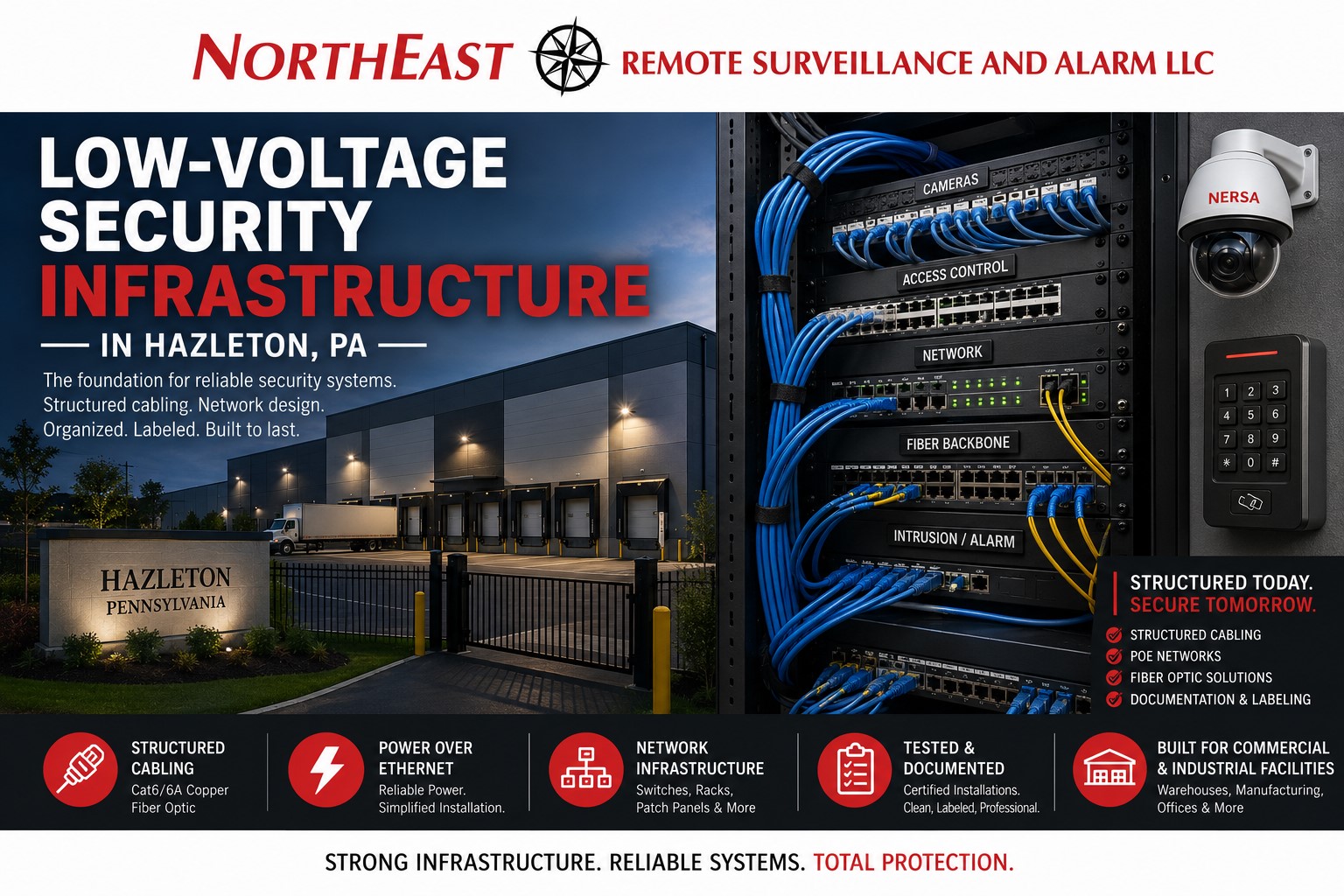
Commercial low-voltage security infrastructure in Hazleton, PA provides the cabling, pathways, network connections, equipment locations, power planning, labeling, and documentation required to support dependable video surveillance, access control, intrusion alarms, intercoms, monitored security systems, and future system expansion.
Northeast Remote Surveillance and Alarm, LLC designs, installs, upgrades, organizes, and documents low-voltage security infrastructure for Hazleton warehouses, distribution centers, manufacturing facilities, industrial properties, commercial buildings, contractor yards, healthcare facilities, offices, institutional properties, and multi-building organizations.
The strength of a commercial security system depends on more than the devices visible on walls and ceilings. Cameras, card readers, alarm contacts, controllers, intercom stations, network switches, recorders, communicators, and monitoring equipment must be connected through infrastructure designed around the property, transmission distances, environmental conditions, network requirements, power demands, and long-term service needs.
This page focuses specifically on the physical and network infrastructure supporting commercial security systems. For complete planning across video surveillance, access control, intrusion alarms, fire-alarm coordination, monitoring, intercoms, and integrated property protection, begin with Commercial and Industrial Security Systems in Hazleton, PA.

Security Systems Depend on the Infrastructure Behind Them
A camera may provide excellent image quality when it is connected through suitable cable, receives stable power, communicates across a properly designed network, and records to dependable equipment.
The same camera may become unreliable when it is connected through:
- Excessive cable distance
- Damaged or low-quality cable
- Improper outdoor cabling
- Unprotected connections
- Undersized PoE switches
- Overloaded network equipment
- Poorly installed wireless links
- Inadequate surge protection
- Disorganized equipment rooms
- Unlabeled patch panels
- Unsupported network architecture
- Unreliable power
- Incomplete documentation
- Improvised cable splices
- Pathways shared improperly with other building systems
- Infrastructure that cannot support future expansion
Commercial low-voltage security infrastructure should be treated as part of the system design—not as a collection of cables added after cameras, readers, and controllers have already been selected.
What Commercial Low-Voltage Security Infrastructure Includes
The exact scope depends on the property and the systems being supported.
A commercial security infrastructure project may include:
- Category-rated copper cabling
- Fiber-optic cabling
- Camera cabling
- Access-control cabling
- Intrusion-alarm wiring
- Intercom and speaker cabling
- Network switches
- Power-over-Ethernet infrastructure
- Patch panels
- Equipment racks
- Wall-mounted cabinets
- Security control enclosures
- Junction boxes
- Cable tray
- J-hooks and support systems
- Conduit coordination
- Innerduct
- Outdoor-rated pathways
- Building-to-building connections
- Wireless network bridges
- Surge-protection planning
- Uninterruptible power supplies
- Equipment grounding and bonding coordination
- Cable identification
- Port labeling
- Device schedules
- Test documentation
- As-built records
- Spare pathways and expansion capacity
The objective is to create an organized foundation that supports the immediate project while remaining serviceable and expandable.
Low-Voltage Infrastructure Site Assessment
A proper infrastructure design begins with a walkthrough and review of the property.
The assessment may examine:
- Building size
- Construction materials
- Ceiling types
- Ceiling heights
- Equipment-room locations
- Existing pathways
- Existing cabling
- Network rooms
- Electrical rooms
- Exterior buildings
- Loading docks
- Gates
- Fence lines
- Parking areas
- Warehouse racking
- Production equipment
- Outdoor storage
- Environmental conditions
- Available network switches
- Internet service
- Fiber availability
- Existing recorders and servers
- Power availability
- Backup-power requirements
- Future building plans
- Required security devices
- Areas where installation must remain concealed
- Areas where surface-mounted pathways are acceptable
- Access limitations during normal operations
An infrastructure assessment should identify both what exists and whether it is suitable for continued use.
Existing cable should not be accepted solely because it is already installed. Its type, condition, routing, distance, termination, testing results, documentation, and compatibility with the intended equipment must be reviewed.
Security Cabling for IP Video Surveillance
Modern commercial camera systems commonly use network cabling to carry data and, when supported, electrical power between cameras and network equipment.
Camera infrastructure must account for:
- Camera quantity
- Camera resolution
- Frame rate
- Video compression
- Network bandwidth
- PoE requirements
- Cable distance
- Outdoor exposure
- Building transitions
- Recorder location
- Switch capacity
- Uplink capacity
- Future camera additions
- Available equipment-room space
- Backup-power requirements
Cameras installed at loading docks, parking lots, exterior walls, warehouses, entrances, and remote buildings may require different cabling and pathway strategies.
A camera located inside a finished office may be connected through concealed ceiling pathways. A camera mounted on an exterior pole, gate, detached building, or remote warehouse wall may require outdoor-rated cable, conduit, fiber, surge protection, or a wireless bridge.
For complete camera planning involving image quality, recording, retention, AI analytics, remote viewing, and property coverage, use Commercial Video Surveillance Systems in Hazleton, PA.
Power-over-Ethernet Design
Power over Ethernet allows compatible devices to receive network communication and electrical power through one cable.
PoE may support:
- Fixed security cameras
- Pan-tilt-zoom cameras
- Multi-sensor cameras
- Intercom stations
- IP speakers
- Access-control devices
- Network bridges
- Security appliances
- Other compatible low-voltage equipment
PoE design requires more than counting the available ports on a switch.
The design should consider:
- Power required by each device
- Total switch power budget
- PoE standard supported
- Camera heaters and infrared illuminators
- PTZ camera power requirements
- Multi-sensor camera consumption
- Speaker and intercom demand
- Future device additions
- Uplink bandwidth
- Switch cooling
- Rack space
- Backup-power capacity
- Redundancy requirements
- Network-management capabilities
A switch may have enough physical ports but insufficient power capacity to operate every connected device under full load.
Equipment should be selected around the complete device schedule rather than the minimum power being consumed during initial installation.
Cable Distance and Network Limitations
Copper Ethernet cabling has practical transmission limitations. Large Hazleton warehouses, manufacturing plants, distribution centers, yards, and multi-building properties may exceed the distance appropriate for a direct copper connection.
Long-distance conditions may require:
- Additional network closets
- Intermediate switches
- Fiber-optic cabling
- Media converters
- Fiber-capable switches
- Outdoor-rated network enclosures
- Point-to-point wireless bridges
- A different recorder or network architecture
Unplanned intermediate switches placed above ceilings, inside uncontrolled spaces, or on convenient electrical outlets can make future troubleshooting difficult.
Every active network component should have:
- An intentional location
- Suitable environmental protection
- Reliable power
- Appropriate network capacity
- Service access
- Clear labeling
- Documentation
- Backup power where required
Fiber-Optic Security Backbones
Fiber-optic cabling can provide dependable high-bandwidth connections across long distances and between buildings.
Fiber may be appropriate for:
- Large warehouses
- Manufacturing campuses
- Industrial properties
- Detached offices
- Guard shacks
- Remote loading areas
- Gatehouses
- Trailer yards
- Multiple network closets
- Building additions
- Separate wings
- High-camera-count systems
- Long-distance access-control networks
Fiber can also reduce exposure associated with electrical differences between buildings and can support higher network capacity than long copper runs.
A fiber design should define:
- Fiber type
- Strand count
- Termination method
- Connector type
- Pathway
- Splice locations
- Patch panels
- Transceivers
- Switch compatibility
- Spare strands
- Testing requirements
- Building-entry protection
- Equipment-room organization
- Future expansion
Installing only the minimum number of strands may save little during the original project while creating substantial cost when another system or building connection is added later.
Building-to-Building Security Connections
Commercial and industrial properties often require security devices in buildings that are separated from the main equipment room.
Possible locations include:
- Detached warehouses
- Maintenance buildings
- Storage structures
- Shipping offices
- Guard shacks
- Remote utility buildings
- Gatehouses
- Fleet buildings
- Exterior equipment shelters
Connections between buildings may use:
- Underground fiber
- Aerial fiber where appropriate
- Conduit
- Innerduct
- Point-to-point wireless bridges
- Managed network connections
- Cellular communication for selected applications
- A combination of wired and wireless infrastructure
The correct method depends on distance, line of sight, trenching conditions, pathway availability, bandwidth, environmental exposure, system importance, and future expansion.
Direct copper connections between buildings should not be assumed to be the correct solution without evaluating distance and electrical exposure.
Wireless Bridges for Remote Security Equipment
A point-to-point wireless bridge can connect cameras or other IP equipment across an area where trenching or new cable installation is impractical.
Wireless bridges may be useful for:
- Detached buildings
- Parking lots
- Gatehouses
- Guard shacks
- Trailer yards
- Exterior storage areas
- Temporary facilities
- Remote poles
- Building additions
- Properties separated by pavement or active yards
Wireless performance depends on:
- Clear line of sight
- Distance
- Mounting height
- Obstructions
- Weather
- Frequency use
- Interference
- Bandwidth
- Antenna alignment
- Network configuration
- Power availability
- Physical mounting
- Future construction
- Seasonal vegetation
A wireless bridge should not be treated like a consumer Wi-Fi extender.
Commercial security links require intentional mounting, alignment, configuration, monitoring, documentation, and protection against movement or environmental damage.
Access-Control Infrastructure
Access-control systems require infrastructure between the control equipment and the devices installed at each opening.
A controlled door may involve wiring for:
- Card readers
- Mobile-credential readers
- Door-position switches
- Request-to-exit devices
- Electric strikes
- Electrified locks
- Magnetic locks
- Power-transfer devices
- Door loops
- Lock power supplies
- Interface relays
- Local alarms
- Intercom stations
- Automatic operators
- Gate-control equipment
The cable requirements vary according to the reader, locking hardware, controller, distance, power demand, fire-alarm interface, door function, and system architecture.
Access-control cabling should be coordinated with the door and hardware plan. Pulling generic cable before the locking device, reader technology, request-to-exit method, and controller location are determined can create avoidable rework.
For complete door-security planning involving credentials, readers, locks, controllers, user permissions, schedules, reporting, and commercial entry management, use Commercial Access Control Systems in Hazleton, PA.
Intrusion-Alarm Infrastructure
Commercial intrusion systems may require wiring or supervised wireless infrastructure for:
- Door contacts
- Window contacts
- Overhead-door contacts
- Motion detectors
- Glass-break detectors
- Panic buttons
- Duress devices
- Keypads
- Sirens
- Expansion modules
- Cellular or IP communicators
- Power supplies
- Wireless receivers
- Repeaters
- Environmental devices
- Restricted-area protection
Existing alarm cable may be reusable when it is accessible, correctly installed, properly identified, electrically dependable, and compatible with the intended equipment.
An infrastructure upgrade may be necessary when the existing system contains:
- Unlabeled conductors
- Improvised splices
- Unsupported cable
- Abandoned zones
- Missing supervision
- Damaged wiring
- Cable routed through unsuitable conditions
- Overloaded auxiliary power
- Inaccessible expansion modules
- Undocumented wireless receivers
- Communicators connected through unreliable networks
Infrastructure improvements should support accurate zone identification and future service.
Intercom, Paging, and IP Speaker Infrastructure
Commercial intercoms and speaker systems may use dedicated low-voltage wiring, network cabling, fiber, audio cabling, or a combination of technologies.
Applications may include:
- Visitor-entry intercoms
- Gate intercoms
- Door stations
- Video intercoms
- Warehouse paging
- IP speakers
- Remote video monitoring speakers
- Loading-dock communication
- Guard-station communication
- Office-to-entrance intercoms
The infrastructure must account for:
- Audio quality
- Video bandwidth
- Speaker power
- Network connectivity
- Door-release functions
- Outdoor exposure
- Distance
- Noise levels
- Mounting locations
- Accessibility
- Integration with access control
- Monitoring-platform requirements
A speaker intended for a reception entrance has different infrastructure and performance requirements from a talk-down speaker covering a truck court or contractor yard.
Cable Pathways and Support
Low-voltage cable should be supported and routed intentionally.
Pathway methods may include:
- Cable tray
- J-hooks
- Basket tray
- Conduit
- Surface raceway
- Innerduct
- Sleeves
- Penetrations
- Outdoor conduit
- Underground pathways
- Equipment-room ladder rack
- Pole pathways
- Protected building entrances
Cables should not be left unsupported above ceilings, laid across ceiling tiles, wrapped around unrelated pipes, or routed where normal building service can damage them.
Pathway planning should consider:
- Cable quantity
- Bend radius
- Future additions
- Separation from interference sources
- Fire-rated assemblies
- Accessible service routes
- Environmental conditions
- Structural limitations
- Building-operation requirements
- Coordination with other trades
Penetrations through rated assemblies should be coordinated and properly restored using appropriate methods for the wall or floor assembly.
Equipment Racks and Security Cabinets
Commercial security equipment should be installed in organized, serviceable locations.
Equipment may be housed in:
- Floor-standing racks
- Wall-mounted network cabinets
- Security control enclosures
- Lockable cabinets
- Environmental enclosures
- Recorder cabinets
- Dedicated security rooms
- Shared telecommunications rooms
Rack and cabinet planning should account for:
- Equipment dimensions
- Ventilation
- Heat
- Power
- UPS capacity
- Cable entry
- Patch panels
- Fiber enclosures
- Switches
- Recorders
- Servers
- Access-control panels
- Alarm equipment
- Future expansion
- Service clearance
- Physical security
Stacking equipment on shelves, placing network switches above ceiling tiles, or installing recorders in publicly accessible offices can increase service difficulty and the risk of accidental disconnection or tampering.
The installation should separate and identify components clearly enough that qualified personnel can service one system without disrupting another.
Equipment-Room Organization
A commercial security equipment room may support cameras, access control, intrusion alarms, intercoms, monitoring equipment, fiber backbones, network switches, and recording servers.
Organization may include:
- Dedicated patch panels
- Labeled switch ports
- Vertical and horizontal cable management
- Fiber enclosures
- Controlled service loops
- Device schedules
- Rack elevation records
- Power identification
- UPS identification
- Network diagrams
- Controller labels
- Recorder labels
- Building and floor naming
- Secure administrative access
A well-organized room reduces the chance that a technician, employee, IT provider, or contractor disconnects the wrong cable.
It also helps future expansion remain orderly rather than turning the rack into a collection of undocumented additions.
Backup Power and System Availability
Low-voltage security systems often depend on several powered components.
These may include:
- Network switches
- Fiber transceivers
- Recorders
- Servers
- Access-control panels
- Lock power supplies
- Alarm panels
- Communicators
- Wireless bridges
- Intercom controllers
- Monitoring gateways
Backup-power planning should identify which components must continue operating during an outage and for how long.
A camera may have PoE power from a backed-up switch, but the monitoring connection can still fail if the router or fiber equipment loses power.
A complete review should consider:
- Security devices
- Network switches
- Routers
- Firewalls
- Internet equipment
- Wireless bridges
- Fiber converters
- Recorders
- Controllers
- Communication equipment
- Cooling requirements
UPS equipment should be sized around actual connected load, expected runtime, battery condition, and future expansion.
Surge Protection and Exterior Equipment
Exterior security devices can be exposed to electrical surges, induced voltage, weather, and differences between building systems.
Protection planning may be appropriate for:
- Exterior cameras
- Gate equipment
- Pole-mounted devices
- Building-to-building links
- Outdoor intercoms
- Wireless bridges
- Long exterior cable runs
- Equipment installed near large electrical systems
- Remote network enclosures
Surge protection does not make equipment immune to lightning or electrical events.
The protection strategy should be coordinated with pathway, cable type, grounding, bonding, electrical service, and equipment manufacturer requirements. Line-voltage and grounding work should be coordinated with qualified electrical professionals where required.
Environmental Protection
Commercial low-voltage security infrastructure may be installed in conditions far more demanding than a finished office.
Hazleton-area industrial properties may include:
- Unheated warehouses
- Refrigerated environments
- Loading docks
- Dusty production spaces
- Wash-down areas
- Outdoor yards
- Rooftops
- Equipment rooms
- High-humidity areas
- Areas with vibration
- Chemical exposure
- Extreme seasonal temperatures
Infrastructure planning should account for:
- Cable rating
- Enclosure rating
- Temperature range
- Moisture
- Condensation
- Corrosion
- Dust
- Insects
- Mechanical damage
- UV exposure
- Equipment ventilation
- Drainage
- Cable-entry sealing
- Service access
Indoor cable and ordinary junction boxes should not be assumed to be suitable for exposed outdoor or industrial conditions.
Network Segmentation and IT Coordination
Modern security systems may share parts of the business network while remaining logically separated from ordinary user devices.
Network planning may include:
- Dedicated security VLANs
- Managed switches
- IP addressing
- DHCP reservations
- Static addresses where appropriate
- Firewall rules
- Remote-access controls
- Device naming
- Port documentation
- Bandwidth planning
- Quality-of-service considerations
- User permissions
- Password management
- Firmware coordination
- Multi-factor authentication where supported
- Logging
- Internet failover
- IT support responsibilities
Security devices should not be connected to the network without identifying who will administer them and how network changes will be coordinated.
Replacing a switch, router, firewall, or internet provider without accounting for cameras, recorders, access-control panels, communicators, and monitoring services can interrupt system operation.
NERSA coordinates physical security requirements with the customer’s internal IT department or technology provider when the project requires network access.
Cable Labeling and Device Identification
Every permanent cable should be labeled according to a consistent system.
Labels may identify:
- Building
- Floor
- Room
- Device type
- Device number
- Camera number
- Door number
- Panel
- Rack
- Patch-panel port
- Switch port
- Destination
- Fiber strand
- Pathway
- Service loop
A cable marked only “camera” is not useful in a building with dozens or hundreds of cameras.
A structured label such as “WH1-CAM-DOCK12” or another customer-approved naming format can help identify the building, system, device, and location.
The naming convention should remain consistent across:
- Field devices
- Cables
- Patch panels
- Network switches
- Recorder software
- Access-control software
- Alarm programming
- Drawings
- Device schedules
- Monitoring accounts
Testing and Certification
Infrastructure should be tested before the connected security devices are accepted as complete.
Testing may include:
- Copper cable continuity
- Cable certification where specified
- Pair and termination testing
- Fiber loss testing
- Fiber continuity
- Optical power testing
- Network link testing
- PoE verification
- Switch-port verification
- Wireless bridge performance
- Camera bandwidth
- Recorder communication
- Access-control communication
- Alarm circuit testing
- Backup-power testing
- Device-to-server communication
- Monitoring connectivity
A device appearing online during installation does not prove that the complete cable route and network path will remain dependable.
Test results should be retained when the project scope calls for formal documentation.
As-Built Documentation
Security infrastructure documentation may include:
- Device schedules
- Cable schedules
- Floor-plan markups
- Camera locations
- Door numbers
- Panel locations
- Rack elevations
- Patch-panel assignments
- Switch-port assignments
- Fiber routes
- Strand assignments
- Wireless bridge locations
- Network diagrams
- IP-address records
- Equipment lists
- Power-supply locations
- UPS locations
- Pathway notes
- Test results
- Photographs
- Expansion recommendations
Documentation should reflect the final installed condition—not only the original proposal or design drawing.
Changes made during construction should be recorded before technicians leave the site and ceiling access is closed.
New Construction Security Prewiring
New construction and major renovation projects provide an opportunity to plan low-voltage security infrastructure before walls and ceilings are completed.
Preconstruction coordination may involve:
- Reviewing architectural drawings
- Establishing device locations
- Planning equipment rooms
- Coordinating cable pathways
- Reserving rack space
- Identifying power requirements
- Planning fiber backbones
- Providing spare pathways
- Coordinating door hardware
- Coordinating gate equipment
- Planning exterior camera poles
- Establishing network closets
- Labeling cable before walls close
- Testing cable before finish work
- Updating as-built documents
Early security involvement can reduce:
- Missed door wiring
- Inaccessible cable routes
- Insufficient conduit
- Poor camera locations
- Missing gate communication
- Undersized equipment rooms
- Inadequate power
- Unplanned surface raceway
- Duplicate cabling
- Finished-wall modifications
Security infrastructure should be coordinated with architects, general contractors, electricians, door-hardware providers, IT personnel, fire-alarm contractors, and other relevant trades.
Retrofitting Occupied Commercial Buildings
Existing buildings may require new security infrastructure without interrupting daily operations.
A retrofit plan may account for:
- Business hours
- Production schedules
- Shipping activity
- Employee access
- Patient or customer areas
- Dust and debris
- Ceiling access
- Noise
- Restricted rooms
- Active machinery
- Temporary device outages
- Network change windows
- Lift access
- After-hours installation
- Phased migration
Pathways may be concealed where practical or installed in organized surface-mounted raceway where building construction prevents concealed cabling.
A phased project can allow old and new infrastructure to operate in parallel while cameras, access-control doors, alarm zones, or network equipment are migrated.
Warehouse and Distribution Infrastructure
Warehouses and distribution centers often require more extensive infrastructure than standard office buildings.
Challenges may include:
- High ceilings
- Long cable distances
- Numerous loading docks
- Overhead doors
- Metal construction
- Large camera counts
- Multiple network closets
- Trailer yards
- Remote gates
- Warehouse racking
- Active lift equipment
- Changing storage layouts
- Harsh dock conditions
- Multiple operating shifts
A warehouse infrastructure design may use:
- Fiber backbones
- Managed PoE switches
- Industrial enclosures
- Dedicated network closets
- Long-range wireless bridges
- Outdoor-rated pathways
- Structured rack systems
- Separate building connections
- Expansion capacity for additional docks and cameras
Infrastructure locations should remain accessible after warehouse racking and stored inventory are installed.
Manufacturing and Industrial Infrastructure
Manufacturing facilities may introduce:
- Machinery
- Vibration
- Dust
- Heat
- Moisture
- Welding activity
- Motors and drives
- Electrical interference
- Restricted areas
- Production shutdown windows
- Changing equipment layouts
- High-bay spaces
Cable routes should be selected to reduce exposure to damage and interference while remaining accessible for service.
Industrial projects may require coordination around:
- Production lines
- Control systems
- Electrical distribution
- Overhead cranes
- Process equipment
- Safety zones
- Wash-down procedures
- Hazardous or restricted locations
- Planned shutdowns
- Expansion projects
Security cabling should not be attached casually to process piping, electrical conduits, sprinkler piping, structural supports, or operating equipment.
Multi-Building and Enterprise Infrastructure
Larger organizations may require common infrastructure standards across multiple buildings or locations.
Standardization may cover:
- Cable types
- Fiber types
- Rack layouts
- Patch-panel naming
- Door numbering
- Camera numbering
- Switch models
- VLAN structure
- IP addressing
- Recorder architecture
- Controller locations
- Documentation formats
- Spare capacity
- Testing standards
- Equipment labeling
A standardized design can make multi-site support more consistent while still accounting for the physical differences of each property.
Enterprise infrastructure may also require:
- Centralized recording
- Distributed recording
- Redundant servers
- Multiple network closets
- High-capacity fiber
- Corporate network coordination
- Centralized access-control management
- Unified monitoring
- Phased migration
- Disaster-recovery planning
Planning for Expansion
Security systems often expand after installation.
Businesses may add:
- More cameras
- Additional controlled doors
- New buildings
- Additional loading docks
- New gates
- Additional alarm zones
- New intercom stations
- More storage areas
- Expanded parking
- New manufacturing sections
- Tenant spaces
- Remote video monitoring
- Higher-resolution cameras
Infrastructure should allow reasonable growth through:
- Spare rack space
- Spare switch ports
- Available PoE capacity
- Spare fiber strands
- Larger pathways
- Additional patch-panel capacity
- Reserved IP addressing
- Modular controllers
- Documented cable routes
- Accessible equipment locations
Installing infrastructure with no expansion capacity can turn a modest future addition into a major redesign.
Upgrading Legacy Security Infrastructure
Older buildings may contain security cabling installed across many years by different contractors.
Common legacy conditions include:
- Analog camera cable
- Unlabeled coax
- Unsupported category cable
- Abandoned alarm wire
- Multiple undocumented power supplies
- Daisy-chained network switches
- Improvised cable splices
- Inaccessible junction boxes
- Equipment in several unrelated rooms
- Failed wireless links
- Old telephone communication
- Mixed camera platforms
- Unmanaged PoE switches
- Incomplete drawings
- Unknown fiber strands
- Obsolete recorders
An infrastructure upgrade should begin by identifying what remains active.
The project may involve:
- Tracing and labeling cables
- Removing abandoned equipment where appropriate
- Consolidating racks
- Installing patch panels
- Replacing unsupported switches
- Migrating analog cameras
- Adding fiber
- Improving backup power
- Relocating equipment
- Correcting outdoor connections
- Creating documentation
- Adding capacity for future systems
Useful infrastructure may be retained when it is dependable and compatible. Existing cable should not be reused when it creates an unacceptable weak point in the upgraded system.
Low-Voltage Infrastructure Is Not General IT Cabling
This page is focused on infrastructure supporting physical security and related low-voltage systems.
NERSA’s security infrastructure work may involve networks, switches, fiber, and structured cabling, but the primary purpose is to support:
- Video surveillance
- Access control
- Intrusion alarms
- Intercoms
- Security speakers
- Remote monitoring
- Security communications
- Integrated commercial protection
It does not serve as a general page for ordinary office computers, printers, telephone systems, audiovisual systems, public Wi-Fi, or unrelated information-technology cabling.
Security and IT infrastructure may share pathways or equipment rooms, but responsibilities should be clearly defined.
Low-Voltage Security Infrastructure Is Separate From Line-Voltage Electrical Work
Low-voltage systems may require electrical power at equipment rooms, gates, outdoor enclosures, network closets, camera poles, power supplies, and other locations.
Line-voltage circuits, electrical panels, receptacles, grounding systems, and other electrical work may require coordination with a qualified electrical contractor.
Infrastructure planning should identify these requirements early enough that electrical power is available where security equipment will be installed.
This page does not replace electrical engineering, electrical contracting, building-power design, or code-compliance services outside the commercial security scope.
Commercial-Only Infrastructure
NERSA’s Hazleton low-voltage security infrastructure services are intended for non-residential properties, including:
- Warehouses
- Distribution centers
- Manufacturing plants
- Industrial facilities
- Office buildings
- Healthcare properties
- Commercial retail properties
- Institutional buildings
- Municipal facilities
- Contractor yards
- Fleet properties
- Truck terminals
- Multi-tenant buildings
- Multi-building campuses
- Enterprise organizations
A small commercial property may need several structured cable runs, a compact PoE switch, an alarm enclosure, and clear labeling.
A large industrial property may require multiple equipment rooms, fiber backbones, hundreds of network ports, remote buildings, redundant communication, organized racks, UPS systems, and standardized documentation.
The infrastructure should be scaled to the property without creating unnecessary complexity or limiting future growth.
Greater Hazleton Infrastructure Coverage
NERSA evaluates commercial low-voltage security infrastructure projects throughout Hazleton and surrounding industrial markets, including West Hazleton, Hazle Township, Drums, McAdoo, Humboldt Industrial Park, Valmont Industrial Park, CAN DO Corporate Center, and properties connected to the I-80, I-81, Route 309, Route 924, and Greater Hazleton logistics corridors.
Project scope depends on the property, existing pathways, building construction, required systems, equipment locations, network conditions, environmental exposure, operating schedule, and long-term support requirements.
What This Page Does Not Cover
This page is limited to the infrastructure supporting commercial security systems.
It does not replace pages dedicated to:
- Complete video-surveillance system design
- Access-control system design
- Intrusion-alarm installation
- Fire-alarm systems
- Remote video monitoring
- Security-camera recording and retention
- General IT networks
- Office computer cabling
- Telephone systems
- Audio-video installations
- Line-voltage electrical work
- Residential low-voltage wiring
Maintaining these boundaries gives this Hazleton page one clear search and customer intent while allowing the individual security-system pages to remain focused on their respective technologies.
Request a Low-Voltage Security Infrastructure Assessment in Hazleton, PA
If your Hazleton warehouse, manufacturing facility, distribution center, office property, healthcare facility, contractor yard, industrial building, multi-building campus, or commercial organization needs new, expanded, reorganized, or documented security infrastructure, Northeast Remote Surveillance and Alarm, LLC can evaluate the property and develop a practical installation plan.
The assessment can determine:
- Which existing cabling can remain
- Which cable should be replaced
- Where equipment rooms should be located
- Whether copper, fiber, or wireless links are appropriate
- How PoE capacity should be calculated
- Which pathways are required
- How buildings should be connected
- What environmental protection is needed
- How equipment should be organized
- What backup power is appropriate
- How cables and ports should be labeled
- Which documentation should be produced
- How future expansion can be supported
- Whether the project should be completed in phases
Call Northeast Remote Surveillance and Alarm, LLC at 1-888-344-3846 to request a commercial low-voltage security infrastructure assessment in Hazleton, PA.
Frequently Asked Questions About Commercial Low-Voltage Security Infrastructure in Hazleton, PA
What is low-voltage security infrastructure?
Low-voltage security infrastructure includes the cabling, fiber, pathways, network switches, PoE equipment, racks, enclosures, power supplies, labeling, and documentation supporting commercial security systems.
What security systems use low-voltage infrastructure?
Video surveillance, access control, intrusion alarms, intercoms, security speakers, remote monitoring systems, gate controls, and integrated security platforms may all depend on low-voltage infrastructure.
Can existing security cabling be reused?
Possibly. Existing cable may be reused when its type, condition, distance, routing, termination, testing results, and compatibility are suitable for the intended system.
Should old cable always be reused to reduce cost?
No. Reusing unsuitable or damaged cable can create reliability problems and increase future service costs. Existing cable should be tested and evaluated before it is incorporated into an upgraded system.
When is fiber better than copper cabling?
Fiber may be appropriate for long distances, building-to-building connections, large camera systems, high-bandwidth backbones, multiple network closets, and locations where direct copper connections are not suitable.
Can fiber connect security systems between separate buildings?
Yes. Fiber is commonly used to connect network switches, cameras, access-control equipment, recorders, and other IP-based security infrastructure across multiple buildings.
Can a wireless bridge replace trenching?
A commercial point-to-point wireless bridge may provide a practical connection when trenching is difficult, provided the link has suitable line of sight, bandwidth, mounting, power, environmental protection, and network configuration.
What is a PoE power budget?
A PoE power budget is the total amount of electrical power a network switch can supply to connected devices. The switch must support the combined demand of the cameras, intercoms, speakers, or other powered equipment.
Can a PoE switch have enough ports but not enough power?
Yes. A switch may provide sufficient physical ports while lacking the total PoE capacity needed to power every connected device.
Do higher-powered cameras require different infrastructure?
They may. PTZ cameras, multi-sensor cameras, heaters, infrared illuminators, speakers, and other devices may require higher PoE levels, different injectors, local power, or larger backup-power systems.
Do outdoor cameras need special cabling?
Outdoor and exposed installations may require appropriately rated cable, conduit, sealed connections, surge protection, environmental enclosures, and building-entry protection.
Can security cables be installed above a suspended ceiling?
They may be routed above accessible ceilings when the cable, support method, pathway, separation, and penetrations are appropriate for the building and installation conditions.
Should low-voltage cables be laid directly on ceiling tiles?
No. Security cabling should be supported through suitable pathways or cable-support systems rather than resting on ceiling tiles.
Why is cable labeling important?
Cable labeling helps technicians identify devices, patch-panel positions, switch ports, buildings, rooms, and destinations during service, expansion, troubleshooting, and system upgrades.
What documentation should be provided?
Documentation may include cable schedules, device lists, floor-plan markups, rack layouts, port assignments, fiber records, test results, network diagrams, and as-built records depending on the project scope.
Can NERSA organize an existing security rack?
Yes. Existing equipment may be evaluated, labeled, reorganized, consolidated, patched, documented, or migrated when the condition and project requirements support that work.
Can low-voltage infrastructure be installed during construction?
Yes. New construction and renovation projects provide an opportunity to install pathways, cabling, fiber, equipment racks, and spare capacity before walls and ceilings are completed.
Can infrastructure be installed in an occupied warehouse?
Yes. Work may be phased around production, shipping, employees, customers, restricted areas, lift access, network outages, and other operating requirements.
Does NERSA install infrastructure for both small and enterprise systems?
Yes. NERSA supports small commercial properties with limited cabling and equipment as well as warehouses, manufacturing plants, industrial campuses, and enterprise organizations requiring fiber backbones, multiple racks, remote buildings, extensive PoE capacity, and standardized documentation.
Is this the same as general office network cabling?
No. This page focuses on infrastructure supporting physical security systems rather than general office computers, printers, telephone systems, or unrelated IT devices.
Is low-voltage security work the same as line-voltage electrical work?
No. Security infrastructure may require coordination with electrical work, but line-voltage circuits, receptacles, electrical panels, and related power work are separate disciplines and may require qualified electrical professionals.
Does NERSA provide residential low-voltage wiring?
No. Northeast Remote Surveillance and Alarm, LLC focuses on commercial, industrial, institutional, municipal, healthcare, warehouse, logistics, manufacturing, and multi-site security systems.