
Northeast Remote Surveillance and Alarm, LLC designs and installs small business security systems in Philadelphia and Greater Philadelphia.

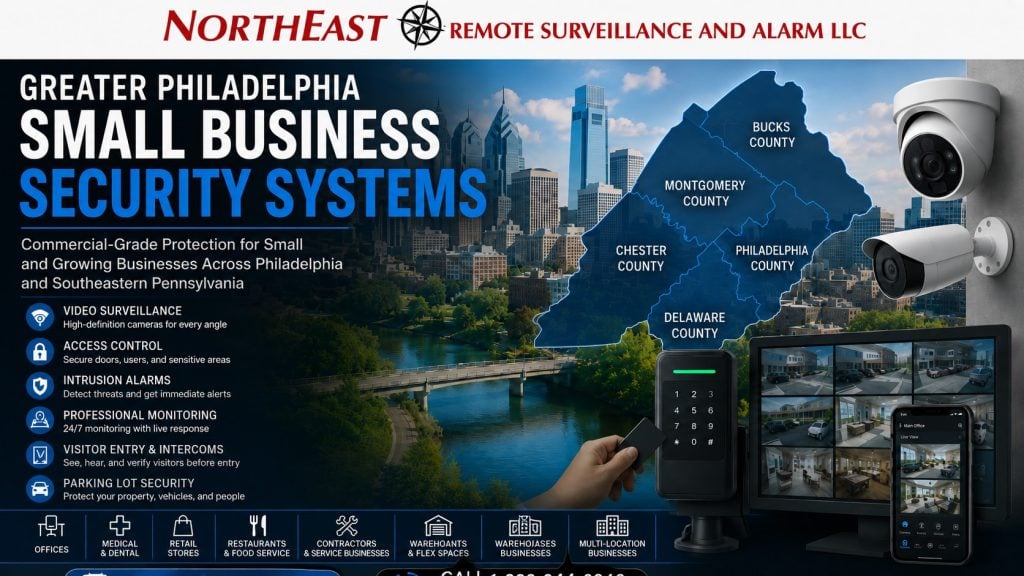
We serve offices, retail businesses, professional practices, multi-tenant properties, light industrial sites and growing companies. Systems can include commercial-grade video surveillance, access control, intrusion alarms, intercoms and monitoring.
Taking over a location or working around a limited budget?
Our Philadelphia retrofit and upgrade guide explains equipment reuse, inherited accounts and phased improvements.
NERSA supports qualifying business and professionally managed properties throughout Philadelphia and the surrounding counties, including the Main Line and nearby Southeastern Pennsylvania markets.
For larger properties and broader regional planning, visit Greater Philadelphia commercial and industrial security installation.
Commercial Protection Without Unnecessary Complexity
Northeast Remote Surveillance and Alarm, LLC designs, installs, monitors, upgrades, and supports commercial-grade security systems for small businesses in Philadelphia, Montgomery County, Bucks County, Chester County, Delaware County, the Main Line, and nearby Southeastern Pennsylvania communities.
We start with your property, operating hours, employees, visitors, exterior exposure, existing equipment, and growth plans. The result may be one focused system or several coordinated technologies—not a preset residential package or an oversized enterprise platform.
Choose the Protection Your Business Needs
- Video surveillance for entrances, customer areas, workspaces, cash handling, parking, deliveries, and incident review
- Access control for individual credentials, schedules, employee changes, and restricted rooms
- Commercial intrusion alarms for doors, windows, interior areas, panic devices, and after-hours protection
- Remote video monitoring for selected exterior events that benefit from operator review and defined escalation
- Intercoms for controlled visitor, delivery, or staff entry
- Security infrastructure for reliable cabling, networks, PoE switching, equipment protection, and future expansion
Security by Business Type
Different businesses have different priorities.
Use the closest guide below for a faster starting point:
- Professional offices, medical offices, and dental practices
- Retail stores and restaurants
- Contractor shops and auto repair facilities
- Laundromats, salons and spas, and gyms and fitness studios
- Churches and nonprofits can use the dedicated guide to plan security around staff, visitors, shared spaces, and scheduled activities.
- Small warehouses and light-industrial properties can review security planning for receiving, stored materials, employee entry, and after-hours activity.
Plan Around the Way the Property Operates
A useful design starts with daily operations. Who needs access, and when is the business staffed? Where do customers and vendors enter? Which areas hold valuable property or records? Decide what staff need to review after an event, then match camera views to that detail. Keep door permissions, alarm schedules, user codes, notifications and retention clear for the people who manage them.
Exterior conditions matter too.
Parking areas, rear entrances, delivery zones, shared corridors, and service alleys may need different coverage from the interior.
See small-business parking lot security cameras for focused guidance.
Reuse and Improve Existing Systems
Existing cameras, alarms, readers, cabling and network equipment do not automatically need replacement.
We can check equipment ownership, condition, compatibility and coverage.
We also review accounts, communications and documentation.
From there, we recommend what to retain, repair, expand, migrate or replace.
Learn more about security system upgrades, retrofits, and takeovers.
Support One Location or Several
A growing business may need consistent users, notifications, retention, and service standards across several properties.
When the platform and network support it, authorized managers can use centralized tools without giving every person the same permissions.
See multi-location small-business security systems.
Greater Philadelphia Service Area
Taking Over a Shop, Office or Other Existing Space
A new lease or business purchase can leave you with cameras, an alarm keypad or controlled doors that nobody on the current team fully understands. Start by identifying which equipment belongs to the business and which belongs to the landlord or a service provider. Ask for available drawings, device names, account information and service records through the appropriate authorized channels.
Describe the system’s actual condition rather than assuming that installed equipment is usable. Can an authorized person retrieve a recording? Does the door close and latch correctly? Are alarm areas named clearly enough for staff to understand an event? A practical assessment separates useful existing infrastructure from problems that require correction.
Do not send passwords or alarm codes in a general website inquiry. Explain that access is unavailable, if that is the problem, and agree on a secure handoff or authorized recovery process during the assessment. Unknown account ownership can affect the scope and timing of a takeover.
Choose the First Improvement by the Problem It Solves
A small business does not need to buy every security feature at once. Write down the operational problem, the affected location and what a satisfactory result would look like. A rear entrance that fails to secure, a recording that cannot show useful detail and a former employee’s active permission require different corrections.
When Video Is the Priority
Identify the view you need and the conditions under which it matters. An entrance view, a delivery handoff and an overview of a parking area serve different purposes. Discuss nighttime lighting, the distance to the subject, recording reliability and how authorized staff retrieve footage. The camera count matters less than whether the agreed views answer the business’s question.
When Staff Entry Is the Priority
Start with the opening and the people who need it. Review the lock, closer, latch, frame and approved exit operation alongside the reader or keypad. Decide who can add users, when permissions apply and how access is removed. A system should simplify those tasks for the responsible manager, not create a second unmanaged list of users.
When After-Hours Protection Is the Priority
Review the areas to be protected, the opening and closing routine, communications and the people who receive event notifications.
Changes to staffing or operating hours may require a review of procedures as well as equipment.
If the business is inheriting an intrusion alarm, the Philadelphia commercial alarm takeover guide explains the transition questions to resolve.
Compare Proposals Beyond the Equipment List
Ask each proposal to identify the problem being solved and the functions included. Separate new equipment from reused items, cable and power work, configuration, testing, training and documentation. Two similar-looking camera or door packages may cover different installation work or leave different responsibilities with the customer.
Understand ongoing costs before selecting a platform. Ask which software, recording, monitoring, connectivity and support charges continue after installation. Confirm who owns the account and what information the business receives at handoff. These questions help an owner compare the whole project rather than only the initial hardware price.
Keep optional improvements separate from corrections needed for the agreed scope to work. A phased proposal should explain the outcome of the first stage, the limitations that remain and how future work connects to it. Avoid paying for capacity or features simply because they are available; connect the choice to a plausible business need.
Coordinate Work With Your Landlord and Daily Operations
For a leased property, identify who can approve changes to entrances, shared areas and cable routes. A suite-level project may need access to a building equipment room or coordination with another tenant. Resolve those dependencies before treating a preferred installation date as confirmed.
Describe busy periods, deliveries and times when customers or staff must continue using an entrance. Agree on the work sequence and the person who can make decisions on site. If a system function will be temporarily unavailable, the property team needs an approved interim procedure and a clear point at which the completed work is checked.
Make the Finished System Easy for a Small Team to Run
Choose who will be responsible for daily administration and who can act as a backup. Give each person the access appropriate to that role. Where supported, named accounts make it easier to change a person’s permissions without distributing a shared administrator login to the entire staff.
Training should cover the tasks people actually perform: finding a recording, managing an approved user, following the alarm routine and requesting help. Ask for clear names for cameras, doors and alarm areas. A system is easier to support when a manager can identify the affected location without guessing which unnamed device is involved.
Before handoff, have an authorized person demonstrate the important tasks using the installed system. Record any unfinished item and the person responsible for it. Keep the relevant documentation available to the business so personnel changes do not erase the knowledge needed to operate the system.
Prepare for Growth Without Replacing Everything
Tell the assessment team about likely changes, such as another entrance, an expanded staff, a new tenant space or a second location. Review whether the proposed platform and infrastructure can support that change and which additional work would be needed. A useful expansion path is specific enough to guide a later decision without treating every possible future feature as an immediate purchase.
When a second location becomes real, review permissions and responsibilities again. A manager may need access across both sites while an employee needs only one. Consistent naming and documented administration help the business grow while keeping each property’s operating requirements clear.
Frequently Asked Questions
Does a small business need every type of security system?
No. The design should address the business’s actual risks and operating needs. A focused camera, alarm, or access-control project may be the right starting point.
Can NERSA upgrade equipment installed by another provider?
Often. We first assess equipment condition, compatibility, administrator access, communications, cabling, and documentation.
Can leased or multi-tenant properties be secured?
Yes, subject to the property layout, lease terms, landlord requirements, shared entrances, and available infrastructure.
Can improvements be completed in phases?
Yes. Critical doors, camera gaps, alarm areas, account ownership, or communications can be addressed first while preserving a practical expansion path.
Request a Small-Business Security Assessment
Tell us how your business operates, what is not working, and what you need to protect.
Request a security assessment for a new system, upgrade, takeover, or multi-location plan.
Compliance, Codes & Project Standards
NERSA plans commercial and industrial security work with applicable code, documentation, inspection and authority-having-jurisdiction requirements in mind. Requirements vary by system, property and jurisdiction. These resources support project planning; they do not establish legal compliance, certification or AHJ approval.
Related guidance: Regulatory compliance & inspection readiness · NERSA project standards · Documentation, testing & inspection readiness