
An independent commercial security platform directory for Pennsylvania and Mid-Atlantic project planning.

request a general NERSA security assessment
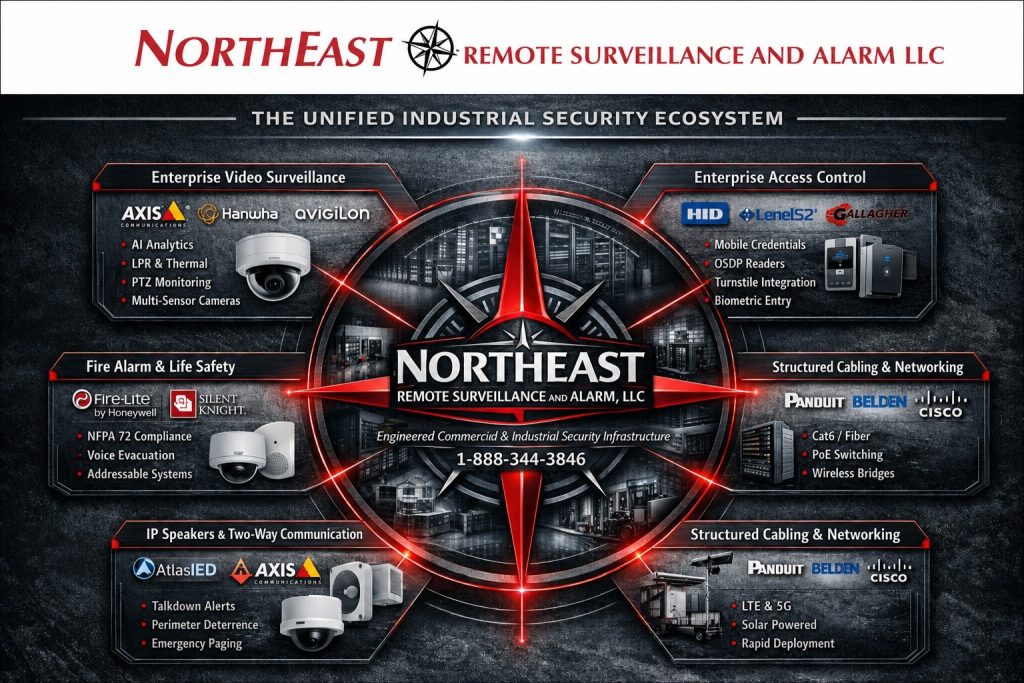
Compare manufacturers, software platforms, and system architectures. Browse video surveillance, access control, intrusion detection, unified management, and fire-alarm resources, then compare compatibility, licensing, ownership, and service requirements.
Independent editorial coverage: Inclusion does not imply any manufacturer relationship, dealer status, certification, authorization, endorsement, or brand-specific service capability for NERSA. This is a directory, not a partner roster or a product sales catalog. Trademarks belong to their respective owners.
Security Knowledge Center → Platform Directory.
Start with browse by security requirement, review the manufacturer entries, or explore detailed platform resources.
Commercial Security Manufacturer & Platform Guide
Use this guide to build a practical shortlist for a U.S. commercial or industrial property. These are selected platform resources, not a market-share ranking or a claim that one brand is best for every site. Listing a manufacturer does not represent or imply any partnership, authorization, certification, endorsement, commercial connection, or brand-specific supply or service capability on the part of NERSA. Manufacturer links are independent reference sources. All trademarks belong to their respective owners.
Browse by Security Requirement
Video and unified systems: Axis, Milestone, Avigilon, Genetec, Verkada, Eagle Eye Networks, and Hanwha Vision WAVE.
Access control: Brivo, LenelS2, HID Mercury, Gallagher, Software House, ICT, and the supported access products in the unified platforms above.
Intrusion and connected business systems: Alarm.com and DMP.
Fire alarm: Honeywell NOTIFIER and Siemens.
Intercom and visitor entry: Aiphone IX.
Regional buyer resources: PA and Mid-Atlantic planning, facility scenarios, proposal checklist, and infrastructure planning.
How to read the architecture labels: Open hardware support, open standards, and an open API describe different capabilities. Proprietary software can support all three. None guarantees free licensing, identical features across manufacturers, unrestricted programming access, or cost-free migration. The summaries below are planning classifications based on linked manufacturer documentation; verify the proposed model, version, edition, and contract.
Axis Communications — network video and connected devices
Architecture and ownership: Open standards and APIs; vendor-specific features remain.
Axis documents ONVIF support and the VAPIX API.
Verify the exact product/profile and functions exposed to your chosen recorder; an open interface does not make the device firmware or every analytic feature interchangeable.
Axis offers network cameras and IP-based security devices, including access control and audio. Evaluate it when camera selection, scene coverage, and compatibility with the chosen video-management system are central to the project. Confirm the exact camera model, firmware, recording platform, analytics requirements, retention target, and available network power before specifying equipment.
Axis product information · Plan commercial video surveillance
Milestone XProtect — open-platform video management
Architecture and ownership: Open-platform integration; proprietary commercial software.
XProtect supports an open-platform approach, but the VMS remains a licensed vendor product.
Check supported devices, editions, integrations, and export options; open architecture is not open-source software.
XProtect is video-management software with an open-platform approach. It is a candidate for organizations comparing supported cameras and integrations while retaining a dedicated video-management environment. Ask which edition and device licenses the design requires, who maintains the servers, how storage is sized, and whether the proposed failover and integrations are supported in that specific configuration.
Milestone XProtect information · Review video system planning
Avigilon Unity and Alta — distinguish the deployment models
Architecture and ownership: Vendor platforms with supported third-party integrations.
Unity Video supports third-party cameras, and Alta provides integration options.
Verify video and access separately: support in one product does not establish controller, credential, or license portability in another.
Avigilon Unity emphasizes an on-premise security environment; Alta is cloud-native. Do not treat the two as interchangeable products or assume every feature transfers between them. Compare the proposed video and access products, internet dependencies, local operating behavior, existing-device support, licensing, and administrator responsibilities. A demonstration should use the workflows and product editions intended for your facility.
Avigilon Alta information · Plan coordinated security systems
Genetec Security Center — unified security operations
Architecture and ownership: Open architecture; proprietary commercial management platform.
Security Center supports hardware choice and integrations within a supported ecosystem.
Confirm device and integration support, required licenses, and edition-specific capabilities rather than assuming every third-party product will work.
Security Center brings video, access control, automatic license plate recognition, communications, and other security functions into a unified environment. Consider the operational fit when staff need to investigate events across several systems or locations. Define operator roles, integrations, supported devices, deployment model, training, and service responsibilities before selecting licenses. Security Center SaaS is a distinct cloud-native offering that should be evaluated against the same requirements.
Genetec Security Center information · Review enterprise security integration
Verkada Command — cloud-managed physical security
Architecture and ownership: Proprietary cloud platform with APIs and selected third-party camera support.
Command is vendor-managed, but it is not accurate to call it integration-free or universally closed: APIs and Command Connector support defined third-party use cases.
Confirm the compatible-camera list, connector requirements, feature differences, and licensing.
Command provides cloud-based management for Verkada physical-security products. Compare the functions required at each location rather than assuming a single bundle fits every property. Ask for a written schedule of device and software costs, renewal terms, recording and export requirements, administrative permissions, and supported integrations. Document customer account ownership and expected behavior if connectivity or subscriptions change.
Verkada Command information · Read the independent Verkada overview
Brivo — cloud-based access administration
Architecture and ownership: Proprietary cloud service with an open API and supported hardware options.
Brivo documents APIs and Mercury hardware options.
Confirm which hardware, integrations, and API capabilities your edition includes, and what is required to migrate the installed equipment or change providers.
Brivo provides cloud-based access control with browser and mobile administration. Evaluate it against the doors, user groups, locations, and access-management tasks your organization needs to support. Confirm compatible controllers and readers, credential choices, subscription scope, supported integrations, and how the proposed doors operate during network outages. Include facilities and IT staff in the review.
Brivo access-control information · Plan commercial access control
LenelS2 OnGuard and NetBox — identify the actual platform
Architecture and ownership: Proprietary software with supported open-architecture integrations.
LenelS2 documents third-party integrations and Mercury hardware support.
Evaluate OnGuard and NetBox separately; controller model, firmware, licensing, and configuration can affect reuse and migration.
OnGuard and NetBox are separate LenelS2 product ecosystems. For a takeover or expansion, begin with the installed software version, controller inventory, licenses, credentials, and support arrangements. Do not assume shared branding guarantees a simple conversion between platforms. Obtain a supported migration plan and confirm access to qualified service, software updates, configuration records, and required licensing before committing to a change.
LenelS2 product training and resources · Review system upgrades and takeovers
Alarm.com for Business — connected commercial management
Architecture and ownership: Proprietary service platform with a supported device ecosystem.
Multiple device types can participate in Alarm.com for Business, but that is not a promise of universal hardware compatibility or unrestricted migration.
Confirm the proposed devices, service provider, account transfer requirements, and feature availability.
Alarm.com for Business supports connected commercial security, with options spanning intrusion, video, access, and business automation. Begin with the required functions and locations, then confirm the supported devices and service plan. Clarify which alerts are customer notifications and which receive professional monitoring, who responds to each event, how users are managed, and what recurring services are included.
Alarm.com for Business information · Read the independent Alarm.com overview
DMP — commercial alarm and access requirements
Architecture and ownership: Manufacturer-specific panel ecosystem; verify integration scope.
Treat panel programming, expansion hardware, communications, and remote services as model-specific.
The commercial product overview does not establish unrestricted cross-brand hardware interchangeability; require a documented compatibility and service plan.
DMP offers commercial security systems spanning intrusion and access-control functions. Evaluate the specific panel and connected equipment against required zones, doors, communications, users, and monitoring arrangements. For an existing installation, document its model, firmware, programming access, communication paths, and provider responsibilities. Verify compatibility and available support before proposing a takeover or expansion.
DMP commercial security overview · Plan commercial intrusion protection
Honeywell NOTIFIER — fire alarm and life-safety planning
Architecture and ownership: Manufacturer-specific life-safety ecosystem and authorized service channel.
NOTIFIER identifies authorized Engineered System Distributors.
Verify the exact panel, approved compatible devices, programming tools, and qualified service access.
Do not describe a fire-alarm system as universally open simply because it can interface with another building system.
NOTIFIER provides fire detection and alarm systems for individual sites and multiple buildings. Fire-alarm selection requires a project-specific life-safety review, not simply a comparison with camera or intrusion platforms. Identify the installed panel, compatible devices, system documentation, required programming access, monitoring arrangement, and qualified service resources. Coordinate proposed changes with the responsible design professionals and authority having jurisdiction.
NOTIFIER product information · Review fire alarm and life-safety services
Eagle Eye Networks — cloud video management
Architecture and ownership: Proprietary cloud service with an open API and supported third-party cameras.
Eagle Eye Cloud VMS offers cloud-managed video with local and cloud recording options. For a multi-site property portfolio, compare retention, upload capacity, local viewing, subscription editions, and camera support. Require the proposal to identify bridge or recording equipment and explain what remains available during an internet outage.
Official manufacturer documentation · Return to directory categories
Hanwha Vision Wisenet WAVE — video-management software
Architecture and ownership: Commercial vendor software; confirm supported devices and integrations for the proposed release.
Wisenet WAVE is a video-management platform. Use the manufacturer’s current manual to evaluate operator workflows, server responsibilities, recording, and administration. Compare camera firmware and analytics support explicitly; the presence of an AI feature on a camera does not establish that every event or search function transfers to a VMS.
Official manufacturer documentation · Return to directory categories
HID Mercury — access-control infrastructure
Architecture and ownership: Open-architecture controller family; not a standalone universal management system.
Mercury controllers underpin multiple access-control software ecosystems. Separate the controller decision from the management-software, credential, and reader decisions. For a takeover, obtain the exact board model, firmware, existing software association, and a written reuse plan. An open hardware family is not a guarantee of plug-and-play migration or unrestricted programming access.
Official manufacturer documentation · Return to directory categories
Gallagher Command Centre — integrated security management
Architecture and ownership: Vendor-controlled management software with documented third-party integrations.
Command Centre connects access, video, alarms, and other operational systems through supported integrations. For campuses and complex facilities, define which events operators must see and what actions they may take. Confirm integration versions, licenses, ownership of configuration, and the responsible support organization before treating connected products as a single operational system.
Official manufacturer documentation · Return to directory categories
Software House C•CURE — access and event management
Architecture and ownership: Proprietary software and controller ecosystem with qualified integrations.
Distinguish C•CURE 9000, C•CURE IQ, deployment options, and iSTAR controller requirements in the proposal. Software House documents integrations with video and other systems. Evaluate the actual release, server or cloud responsibilities, supported readers, upgrade path, and recurring support costs. A broad integration catalog does not replace testing the exact project configuration.
Official manufacturer documentation · Return to directory categories
ICT Protege GX — access-control integration planning
Architecture and ownership: Vendor-specific platform with documented integrations; verify each interface separately.
ICT documents Protege GX integration with intercom systems and selected lock technologies. For a door-entry project, describe the required call, video, identity, and door-release workflow before selecting components. Confirm controller and software versions, supported intercom models, licensing, and outage behavior; do not assume an integration covers every feature of either product.
Official manufacturer documentation · Return to directory categories
Aiphone IX — IP intercom and visitor entry
Architecture and ownership: Manufacturer platform with defined standards-based integration capabilities.
The IX Series documentation describes support for ONVIF Profile S cameras. Treat that as a specific video integration capability, not proof that all intercom, calling, recording, and door-control functions are universally interchangeable. For a reception desk or loading entrance, evaluate call routing, staff response, audio intelligibility, visitor visibility, and door-release permissions.
Official manufacturer documentation · Return to directory categories
Siemens Desigo Fire Safety and Cerberus PRO — life-safety systems
Architecture and ownership: Manufacturer-specific life-safety families with documented compatible devices.
Siemens documentation identifies compatible panels, detectors, and required versions. Compare the installed family and approved components before planning an expansion. Obtain the responsible design professional’s review, appropriate service access, current system records, and acceptance requirements. An interface to another building system does not make fire-alarm components universally interchangeable.
Official manufacturer documentation · Return to directory categories
Explore Detailed Platform Resources
Alarm.com for Business resource center: continue to access control, commercial video, intrusion detection, and multi-location management.
Verkada resource center: explore Command administration and commercial video planning.
Cross-platform planning: compare cloud, on-premise, and hybrid architecture, then review video redundancy and failover validation when continuity matters.
Bring These Details to a Platform Assessment
Prepare your camera and door counts, current equipment models, number of locations, recording-retention target, user roles, network constraints, and budget range. Request a written comparison of initial costs, renewals, monitoring, support, outage behavior, data export, and future migration. Do not send passwords or sensitive security configurations through a public enquiry form.
For additional options already covered on this site, review Ajax commercial security systems.
Reader and credential choices, controllers, networking, and professional monitoring should be assessed as supporting parts of the complete design—not assumed compatible because two products share a brand or an integration label.
Open Architecture, Proprietary Platforms, and Integration
Open architecture generally describes supported choice among hardware or integration components. Proprietary software remains controlled and licensed by its vendor. A product can have both characteristics. An open API exposes documented integration functions; it does not necessarily provide unrestricted hardware reuse, software access, or account transfer.
Assess openness separately for cameras, access controllers, readers, credentials, management software, monitoring, and data export. A camera may work with a different recorder while analytics do not transfer. A controller may belong to a broadly supported family while its firmware or licensing still affects migration. Ask for a written, model-specific compatibility statement.
Ownership and Exit-Planning Checklist
Before selecting a system, identify the customer account owner, administrator rights, license renewal responsibility, update process, recording export formats, configuration handover, and support route. Document which functions require an active subscription, internet connection, proprietary hardware, or a licensed integration.
Compare initial equipment and labor with recurring software, storage, credentials, monitoring, support, and eventual migration costs. Request a demonstration of the proposed configuration during normal operation and relevant outage conditions. Written answers are more useful than a broad “open” or “closed” label.
Pennsylvania and Mid-Atlantic Platform Planning
This directory is written for commercial property owners, facilities teams, IT departments, and project planners in Pennsylvania and the wider Mid-Atlantic. Its regional planning scope includes New Jersey, Delaware, Maryland, Washington, DC, Virginia, West Virginia, and New York. Inclusion of a location is not a claim of a local office, manufacturer relationship, or service availability.
For Philadelphia and suburban portfolios, Lehigh Valley logistics facilities, northeastern Pennsylvania properties, central Pennsylvania campuses, and Pittsburgh-area industrial sites, begin with the building and operating requirements—not a brand name. Apply the same comparison method across state lines while checking each project’s local approval and service requirements.
Match the Platform to the Facility
Warehouses and distribution: define loading-dock views, vehicle and pedestrian separation, yard coverage, door schedules, and the evidence operators need after an incident. Test the intended camera scene under realistic lighting; resolution alone does not establish useful identification.
Manufacturing and industrial campuses: document environmental exposure, network segmentation, fiber links between buildings, equipment-room power, and the boundary between security and operational systems. Identify who supports each interface and how maintenance can occur without unnecessary disruption.
Offices and multi-tenant properties: compare tenant separation, visitor entry, elevator permissions, credential revocation, and landlord versus tenant administration. Document account and data ownership before onboarding additional organizations.
Schools, healthcare, and public-facing facilities: involve the responsible operations, IT, privacy, and life-safety stakeholders. Define roles and incident workflows, and obtain qualified review of any proposed locking, emergency communication, or fire-alarm changes. A directory entry is not a compliance determination.
Multi-location businesses: compare delegated administration, consistent schedules, location-specific permissions, central reporting, and the ability to export records. Price the full portfolio and expected growth rather than a single demonstration site.
A Practical Request-for-Proposal Checklist
Ask each bidder to answer the same questions in writing. Record the proposed manufacturer, product family, version, model, license edition, and integration in a single equipment schedule. Mark an unanswered requirement as unverified rather than assuming a product supports it.
Compatibility: Which existing devices can remain, which functions will be lost, and what official compatibility record supports that answer? Ownership: Who controls the customer account, administrator access, configuration backups, and recordings? Costs: What are the initial, annual, renewal, storage, monitoring, and exit costs?
Continuity: What happens during an internet, server, power, or subscription interruption? Security: How are updates, individual accounts, remote access, and offboarding managed? Acceptance: What documented tests prove recording, event handling, credential changes, exports, and recovery operate as specified?
Regional delivery: Identify the actual servicing organization, response area, escalation route, applicable project approvals, and responsibilities of each trade. Verify these independently; manufacturer inclusion here does not establish that NERSA sells, installs, programs, or services that brand.
Infrastructure Is Part of the Platform Decision
A camera or access platform depends on the physical and network design around it. Include copper and fiber pathways, compatible optics, PoE demand, switch capacity, backup power, protected equipment locations, remote-access controls, and usable documentation in the scope. Review inter-building links and network ownership before sizing storage or selecting a cloud deployment.
At handover, request labeled drawings, an equipment and license inventory, approved configuration backups, an update and support plan, and staff training. Store sensitive configuration records securely rather than publishing them in a public directory or enquiry form.
Directory Questions
Is this a list of NERSA partners? No. The entries are independent informational coverage. They make no claim of a connection between NERSA and the manufacturers.
Are these ranked by U.S. market share? No. This is a selected commercial-security reference directory, not an independently verified popularity ranking or an exhaustive list of available suppliers.
Does an open platform mean open-source? No. Hardware interoperability and published APIs do not establish an open-source software license.
Can existing equipment always be reused? No. Check exact models, firmware, supported functions, licenses, service access, and any required replacement or conversion work.
Do manufacturer links confirm an affiliation? No. They are citations to product documentation. Manufacturer information should be checked again against the version and configuration proposed for a project.
Directory Scope and Source Notes
This directory focuses on commercial and industrial platform selection. It does not replace manufacturer compatibility documentation, a project specification, professional life-safety review, or a written service agreement. Architecture summaries are editorial planning classifications; the linked manufacturer documentation is the reference for product-specific claims. Reviewed September 19, 2026.
Related Security Planning Resources
For manufacturer-neutral planning, visit commercial and industrial security services, enterprise security integration, or existing-system upgrade planning.
To discuss facility requirements rather than a manufacturer affiliation, request a general NERSA security assessment.
Any proposed work and supported equipment must be established separately in a written project scope.
Compliance, Codes & Project Standards
NERSA plans commercial and industrial security work with applicable code, documentation, inspection and authority-having-jurisdiction requirements in mind. Requirements vary by system, property and jurisdiction. These resources support project planning; they do not establish legal compliance, certification or AHJ approval.
Related guidance: Regulatory compliance & inspection readiness · NERSA project standards · Documentation, testing & inspection readiness