Assessment, Modernization, Provider Takeovers, Phased Replacement, and New Installation Planning for Existing Commercial Security Systems
Commercial security projects do not all begin at the same point.
Some facilities need a completely new security system. Others already have cameras, recorders, access control, intrusion alarms, monitoring equipment, fire alarm components, door hardware, cabling, fiber, network infrastructure, or power equipment that may still provide value.
Northeast Remote Surveillance and Alarm, LLC evaluates existing commercial and industrial security systems to determine whether the correct path is:
- Repair
- Reconfiguration
- Expansion
- Upgrade
- Retrofit
- Provider takeover
- Monitoring takeover
- Phased replacement
- Complete replacement
- New installation
This is NERSA’s primary sitewide planning hub for organizations deciding what to do with an inherited, aging, unsupported, poorly documented, disconnected, unreliable, or underperforming commercial security system.
Use this page to understand the available project paths, then continue to the assessment, retrofit, takeover, system-specific, facility-type, or geographic resource that matches the property.
For NERSA’s complete security-system structure, begin with Commercial and Industrial Security Services.
Request a Commercial Security System Assessment or call 1-888-344-3846 to discuss an upgrade, retrofit, takeover, expansion, replacement, or new installation.
Commercial and industrial systems only • Existing-system assessments • New installations • Upgrades • Takeovers • Phased modernization • Small business through enterprise
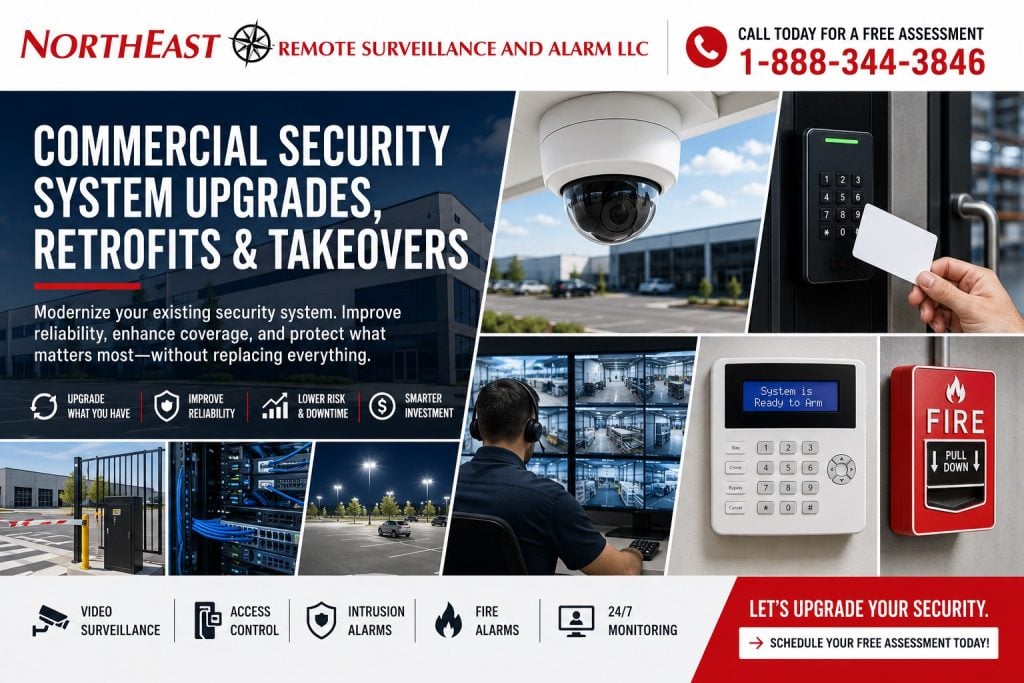
Choose the Correct Security-System Project Path
The right project path depends on:
- The condition of the installed equipment
- The facility’s current operation
- Administrator and programming access
- Equipment ownership
- Platform compatibility
- Manufacturer support
- Cybersecurity
- Cabling and network quality
- Door and hardware conditions
- Monitoring communication
- Documentation
- Required expansion
- Long-term serviceability
The terms upgrade, retrofit, takeover, replacement, and new installation are related, but they do not mean the same thing.
New Commercial Security Installation
A new installation begins with a new system design rather than depending on an existing platform.
A new commercial security installation may be appropriate when:
- The property has no existing system
- A new building or tenant space is being constructed
- Existing equipment has reached the end of its useful life
- The current platform is proprietary or inaccessible
- Administrator credentials cannot be recovered
- Cabling and infrastructure cannot support the required system
- The building layout or operation has changed substantially
- Installed equipment is unreliable or unsupported
- A consistent multi-site standard is being introduced
- Complete replacement provides better long-term value than repeated repairs
A new installation should be planned around the property, users, workflows, doors, restricted areas, parking, loading docks, vehicle movement, exterior exposure, monitoring requirements, fire and life-safety conditions, network environment, documentation, and future expansion.
This hub does not replace NERSA’s primary video surveillance, access control, intrusion alarm, fire alarm, monitoring, intercom, gate, or infrastructure pages.
New installations should continue through the appropriate system authority beneath Commercial and Industrial Security Services.
Commercial Security System Upgrade
An upgrade improves a defined component or capability within an existing security system.
An upgrade may include:
- Replacing outdated cameras
- Improving camera resolution
- Improving nighttime image quality
- Adding focused identification views
- Replacing a recorder
- Increasing video retention
- Migrating analog video to IP
- Adding cameras
- Updating access-control readers
- Replacing access-control controllers
- Adding mobile credentials
- Replacing an intrusion alarm panel
- Adding alarm partitions
- Correcting alarm-zone descriptions
- Replacing a cellular or IP communicator
- Improving remote viewing
- Improving administrator permissions
- Correcting PoE or network capacity
- Replacing failing power supplies
- Adding backup power
- Adding video verification
- Adding remote monitoring
- Expanding into another building
An upgrade does not necessarily replace the entire system.
It addresses specific weaknesses, limitations, failures, or operational requirements while preserving components that remain dependable, compatible, secure, supportable, and useful.
Commercial Security System Retrofit
A retrofit modernizes an existing system while reusing serviceable equipment, cabling, pathways, hardware, or infrastructure where appropriate.
A retrofit may combine existing and new components within one coordinated design.
For example:
- Existing network cabling may remain while cameras and recording equipment are replaced
- Existing access-control wiring may remain while controllers, readers, software, and door hardware are modernized
- Existing conduit and fiber may support a new video platform
- Existing intrusion-alarm wiring may remain while the panel, communicator, keypads, and programming are replaced
- Existing electric locking hardware may remain if it is compatible, code-appropriate, and serviceable
Retrofits can reduce unnecessary demolition and replacement, but reuse should never be assumed simply because equipment is already installed.
Existing components should be evaluated for:
- Physical condition
- Compatibility
- Manufacturer support
- Cybersecurity
- Ownership
- Administrator access
- System capacity
- Environmental suitability
- Installation quality
- Code-sensitive conditions
- Documentation
- Expected remaining life
- Long-term serviceability
For focused retrofit planning, visit Commercial Security System Retrofits.
Commercial Security System Takeover
A takeover occurs when NERSA evaluates and assumes support for an existing commercial security system where practical and properly authorized.
A takeover may be requested when:
- The existing provider is unresponsive
- The original installer is no longer available
- The system was inherited from a former owner or tenant
- Ownership or property management has changed
- Administrator credentials are unclear
- Former employees may still have system access
- Monitoring information is incomplete
- Camera names are confusing
- Alarm zones are poorly documented
- Access permissions are disorganized
- Documentation is missing
- Several systems need to be organized
- The business needs stronger local support
- A long-term upgrade plan is required
A takeover does not guarantee that every installed component can remain in service.
Proprietary, locked, unsupported, damaged, inaccessible, insecure, misapplied, undocumented, or unreliable equipment may require correction or replacement.
For focused takeover planning, visit Commercial Security System Takeovers.
Begin With a Commercial Security System Inspection and Assessment
The most important first step is determining what is actually installed and whether it performs properly.
A security system may appear operational while having serious weaknesses.
Examples include:
- Cameras display video but fail to capture useful identification
- The recorder operates but has inadequate retention
- Remote viewing uses unmanaged shared credentials
- Access-controlled doors unlock without properly reporting position
- Former employees remain active in the credential database
- Alarm devices no longer match the building layout
- Alarm signals are mislabeled
- Monitoring signals fail to report correctly
- Communicators depend on obsolete transmission methods
- Door hardware is damaged or unsuitable
- Cabling is damaged, unsupported, or poorly terminated
- PoE switches lack adequate capacity
- Wireless links are unstable
- Backup batteries are beyond service life
- Device names are unclear
- Drawings and documentation are missing
- The system cannot expand with the property
A professional assessment separates assumptions from verified system conditions.
NERSA may review:
- Cameras and camera views
- DVRs, NVRs, servers, and cloud platforms
- Recording schedules and retention
- Remote-access accounts
- Video export
- Access-control panels and readers
- Credentials, users, schedules, and permissions
- Controlled doors
- Locking hardware
- Door contacts
- Request-to-exit devices
- Intrusion alarm panels
- Keypads and partitions
- Door, motion, glass-break, and overhead-door detection
- Panic and duress devices
- Alarm communicators
- Monitoring paths
- Monitoring account information
- Fire alarm interfaces where applicable
- Network switches and PoE capacity
- Structured cabling
- Fiber
- Wireless building links
- Power supplies
- Backup batteries
- UPS equipment
- Equipment cabinets and racks
- Device naming and labeling
- Available drawings
- Existing documentation
- Known service problems
- Future expansion requirements
Start with Commercial Security System Inspection and Assessment before replacing usable equipment or investing in disconnected repairs.
Existing Security Equipment That May Be Reusable
An older security system does not automatically need to be removed.
Depending on condition, compatibility, ownership, installation quality, and supportability, a project may be able to reuse:
- Camera cabling
- Network cabling
- Fiber-optic backbones
- Conduit and cable pathways
- Equipment racks
- Network switches
- Selected IP cameras
- Camera mounts
- Access-control wiring
- Readers
- Credentials
- Door controllers
- Electric strikes
- Electrified locks
- Magnetic locks where appropriate
- Door contacts
- Request-to-exit devices
- Intrusion alarm wiring
- Alarm sensors
- Sirens and notification devices
- Power supplies
- UPS equipment
- Existing software platforms
- Approved monitoring communication equipment
Reuse should create long-term value.
It should not preserve unreliable equipment solely to reduce the initial project price.
A component may be physically functional but still inappropriate because it is:
- Unsupported
- Insecure
- Proprietary
- Locked to another provider
- Poorly documented
- Incorrectly installed
- Incompatible with future expansion
- Difficult to service
- Environmentally unsuitable
- Near the end of its useful life
When Complete Security-System Replacement Is the Better Decision
Complete replacement may be justified when retaining the current system would create continuing reliability, administration, cybersecurity, compatibility, or ownership problems.
Replacement may be recommended when:
- Equipment is obsolete or unsupported
- Administrator access cannot be recovered
- The platform is locked to a previous provider
- Devices fail repeatedly
- Manufacturer support has ended
- Recording equipment cannot provide required retention
- Camera image quality cannot satisfy the intended purpose
- Remote-access methods are insecure
- Access-control capacity is exhausted
- Alarm coverage no longer matches the property
- Existing cabling fails testing
- The installation is poorly documented
- Replacement components are unavailable
- Several disconnected platforms create excessive administration
- Required integrations are unavailable
- A standardized multi-site platform is needed
- Continued repair costs exceed the system’s remaining value
The correct decision should consider both immediate project cost and long-term ownership.
For a focused comparison, visit Upgrade Versus Replace a Commercial Security System.
Video Surveillance Upgrades and Camera-System Modernization
Commercial video systems often require modernization even when the cameras technically still display an image.
Common video upgrade conditions include:
- Blurry or low-resolution images
- Weak nighttime performance
- Missing entrance-identification views
- Parking-lot blind spots
- Inadequate loading-dock coverage
- Poor vehicle documentation
- Short recording retention
- Slow playback
- Difficult video search
- Unreliable clip export
- Failed or intermittent cameras
- Unsupported DVR or NVR equipment
- Shared remote-viewing accounts
- Poor camera naming
- Insecure remote access
- Insufficient network capacity
- No practical expansion path
A video surveillance upgrade may involve:
- Replacing selected cameras
- Adding focused camera views
- Improving parking or perimeter coverage
- Modernizing the recorder
- Increasing storage
- Increasing retention
- Correcting network conditions
- Improving remote access
- Organizing users
- Adding AI-supported search
- Adding event notifications
- Migrating to cloud-managed video
- Migrating to an on-premise platform
- Creating a hybrid video system
- Standardizing several locations
For complete system planning, visit Commercial Video Surveillance Systems.
Access-Control Upgrades, Retrofits, and Takeovers
Access-control systems frequently outlast the business structure for which they were originally programmed.
Employees leave. Departments change. Contractors come and go. Doors are added. Schedules expand. Credentials accumulate. Managers change, but old permissions remain.
An access-control upgrade may address:
- Unsupported controllers
- Outdated readers
- Weak credential technology
- Former employees with active credentials
- Confusing access levels
- Shared administrator accounts
- Missing door-position monitoring
- Poor request-to-exit operation
- Damaged electric strikes
- Failing electrified locks
- Inadequate power supplies
- Limited controller capacity
- Unreliable software
- Missing audit records
- Poor multi-building administration
- No mobile-credential support
- Incomplete documentation
- Inconsistent door naming
- Poorly managed temporary users
The complete door opening must be evaluated.
A new reader cannot correct:
- A damaged frame
- A failing door closer
- An unsuitable locking device
- An improper egress arrangement
- A fire-rated opening problem
- A damaged strike
- An inadequate power supply
- A missing door contact
- Poor request-to-exit operation
Access-control upgrades must remain coordinated with accessibility, emergency egress, fire alarm operation, door ratings, locking hardware, power, and authority-having-jurisdiction requirements.
For complete access-control planning, visit Commercial Access Control Systems.
Intrusion Alarm Upgrades and Monitoring Takeovers
A commercial intrusion alarm should match the property as it operates today.
Building layouts, tenants, office locations, warehouse racking, employee schedules, doors, overhead openings, restricted areas, and after-hours activity may all change after the original installation.
An intrusion alarm upgrade or takeover may include:
- Replacing an outdated panel
- Reorganizing alarm partitions
- Adding or replacing door contacts
- Protecting overhead doors
- Updating motion detection
- Replacing keypads
- Cleaning up user codes
- Removing former users
- Correcting zone descriptions
- Adding panic or duress devices
- Replacing an outdated communicator
- Moving away from legacy telephone service
- Adding cellular communication
- Adding dual-path communication
- Correcting monitoring contacts
- Testing alarm, trouble, and supervisory signals
- Adding video verification
- Improving opening-and-closing reporting
- Documenting arming procedures
- Updating monitoring instructions
The business should know:
- Which signals are transmitted
- Where signals are received
- What each point represents
- Who receives notifications
- Who the monitoring center contacts
- What response instructions are attached to the account
Monitoring changes and takeover work must be performed with proper authorization from the account owner or responsible property representative.
For complete intrusion-alarm planning, visit Commercial Intrusion Alarm Systems.
For monitoring procedures, visit Commercial Security Monitoring.
Fire Alarm Upgrades and Existing-System Evaluations
Fire alarm and life-safety systems require separate treatment because they are regulated systems subject to:
- Approved design
- Equipment listings
- Compatibility requirements
- Adopted codes
- Permitting
- Inspection
- Testing
- Documentation
- Monitoring requirements
- Authority-having-jurisdiction oversight
Fire alarm work may involve:
- Panel replacement
- Communicator upgrades
- Telephone-line replacement
- Cellular communication
- Dual-path communication
- Notification-appliance expansion
- Sprinkler waterflow supervision
- Valve-tamper supervision
- Trouble reporting
- Supervisory reporting
- Elevator interfaces
- HVAC shutdown
- Controlled-door release
- Documentation recovery
- Inspection-related corrections
- Monitoring-account review
A commercial security takeover does not automatically include or authorize a fire alarm takeover.
Fire alarm equipment, programming, documentation, permits, monitoring, testing, inspection history, and code conditions must be reviewed separately.
Existing fire alarm components should only be reused when they are listed, compatible, supportable, correctly installed, and acceptable for the intended application.
For broader fire and life-safety planning, use the appropriate fire alarm resource beneath Commercial and Industrial Security Services.
Cabling, Network, Fiber, and Power Infrastructure
Many apparent security-device problems are actually infrastructure problems.
Camera outages, failed recordings, unstable remote access, access-control trouble, communication failures, and recurring service issues may result from:
- Damaged cabling
- Improper terminations
- Overloaded PoE switches
- Weak wireless links
- Inadequate internet service
- Unprotected network equipment
- Poor rack organization
- Missing UPS backup
- Failing power supplies
- Inadequate battery capacity
- Excessive cable distance
- Unlabeled pathways
- Unsupported network design
- Environmental exposure
- No capacity for expansion
An upgrade should review the foundation supporting the equipment, not merely replace visible devices.
A new camera installed on unreliable cable remains unreliable.
A new access-control panel connected to failing door hardware remains an operational problem.
A new recorder connected to an overloaded network may not deliver the expected performance.
Infrastructure planning may include:
- Category cabling
- Fiber-optic cabling
- PoE switching
- Wireless building links
- Equipment racks
- Lockable enclosures
- UPS systems
- Surge protection
- Cellular communication
- Network segmentation
- Cable testing
- Labeling
- Documentation
- Expansion capacity
For broader infrastructure planning, visit Commercial Low-Voltage Cabling and Infrastructure.
Documentation and Customer Control
A completed upgrade, retrofit, or takeover should leave the customer with greater control over the security system.
Depending on project scope, documentation may address:
- Camera names and locations
- Recording equipment
- Video-retention settings
- Remote-access users
- Controlled-door schedules
- Credential groups
- Access levels
- Alarm zones
- Alarm partitions
- Keypad locations
- Monitoring account information
- Responsible-party contacts
- Network equipment
- Power supplies
- Communicators
- Equipment locations
- Administrator roles
- Service notes
- Known limitations
- Recommended future phases
Documentation helps ownership, facility personnel, information-technology staff, managers, monitoring personnel, and service technicians understand the system without repeatedly rediscovering how it was installed.
Customer control also requires:
- Removal of unnecessary users
- Removal of former employees
- Protection of administrator accounts
- Individual user accounts
- Defined vendor access
- Secure remote connections
- Clear ownership of credentials
- Clear responsibility for future system changes
Phased Commercial Security Improvements
Not every facility can or should complete every improvement at once.
A phased plan may prioritize:
- Failed equipment
- Immediate security gaps
- Alarm communication problems
- Monitoring problems
- Uncontrolled doors
- Former-user access
- Entrance camera blind spots
- Parking-lot blind spots
- Loading-dock blind spots
- Perimeter exposure
- Unsupported recording platforms
- Unsupported management platforms
- Door-hardware corrections
- Access-control corrections
- Cabling weaknesses
- Network weaknesses
- Power problems
- Documentation cleanup
- Administrator cleanup
- System integration
- Centralized management
- Additional buildings
- Future locations
Each phase should support the final system architecture.
Equipment selected for an early phase should not create another isolated platform that must be removed during a later phase.
Multi-Building and Multi-Site Security Modernization
Organizations with several facilities may inherit different:
- Camera platforms
- Recorders
- Access-control systems
- Credential types
- Intrusion alarm panels
- Monitoring providers
- Network standards
- Administrator practices
- Equipment naming conventions
- Documentation formats
Multi-building and multi-site modernization may include:
- Standard camera naming
- Common video-retention policies
- Centralized video access
- Centralized user administration
- Consistent credential standards
- Role-based access permissions
- Location-specific permissions
- Location-specific alarm partitions
- Standard alarm-zone descriptions
- Central event reporting
- Coordinated monitoring instructions
- Defined administrator roles
- Shared equipment standards
- Consistent documentation
- Phased platform migration
- Centralized service planning
- System-health reporting
Standardization does not require every location to use an identical physical design.
A storefront, warehouse, manufacturing plant, office, school, healthcare property, and multi-building campus should each be designed around its actual operation.
The objective is consistent administration and support without forcing unlike facilities into the same device layout.
For broader multi-location planning, visit Multi-Site Commercial Security Systems.
Small Commercial Properties Through Enterprise Operations
NERSA supports qualifying projects across a wide range of commercial sizes.
Smaller Commercial Properties
A smaller business may need:
- A new camera system
- An alarm-panel takeover
- Better remote viewing
- A communicator replacement
- One controlled entrance
- Several additional cameras
- User cleanup
- Credential cleanup
- Monitoring corrections
- A practical phased upgrade
Smaller businesses should not be forced into unnecessary enterprise complexity.
For small commercial properties, visit Small Business Security Systems.
Larger and Enterprise Facilities
A larger facility or enterprise organization may need:
- Centralized video management
- Multiple access-control panels
- Hundreds or thousands of users
- Several alarm partitions
- Multi-building fiber
- Enterprise permissions
- Redundant communication
- Standardized documentation
- Regional administrator roles
- Multi-site system migration
- System-health reporting
- Phased replacement across several properties
Larger organizations should not be limited by platforms that cannot support their operational, administrative, cybersecurity, and expansion requirements.
Find the Correct NERSA Upgrade Resource
This hub owns the broad upgrade, retrofit, takeover, and replacement-decision category.
Use the narrower resource that matches the customer’s primary need.
Inspection and Assessment
Use Commercial Security System Inspection and Assessment when ownership needs to determine what is installed, what works, what remains usable, and what should happen next.
Commercial Security System Retrofits
Use Commercial Security System Retrofits for focused planning around modernizing existing equipment while retaining appropriate wiring, pathways, hardware, or infrastructure.
Commercial Security System Takeovers
Use Commercial Security System Takeovers when the business needs a new provider to evaluate, organize, support, monitor, repair, or modernize an existing system.
Upgrade Versus Replacement
Use Upgrade Versus Replace a Commercial Security System when the primary question is whether continued investment in the existing platform provides reasonable long-term value.
Video Surveillance Upgrades
Use Commercial Video Surveillance Systems when the primary project involves cameras, recording, retention, remote access, cloud migration, AI search, parking coverage, loading docks, or exterior video.
Access-Control Upgrades
Use Commercial Access Control Systems when the project involves readers, credentials, controllers, permissions, controlled doors, mobile access, door hardware, or multi-building administration.
Intrusion Alarm Upgrades
Use Commercial Intrusion Alarm Systems when the project involves alarm panels, partitions, detection devices, communicators, user codes, panic devices, or after-hours protection.
Monitoring Changes
Use Commercial Security Monitoring for alarm communication, monitoring contacts, signal routing, response procedures, verification, and ongoing account administration.
Low-Voltage Infrastructure Upgrades
Use Commercial Low-Voltage Cabling and Infrastructure when cabling, fiber, PoE, wireless links, racks, power, pathways, or network capacity are central to the project.
Geographic Upgrade, Retrofit, and Takeover Resources
This page is the sitewide service hub.
Use the appropriate regional or city resource when the property is tied to a specific NERSA market.
Lehigh Valley
Use Lehigh Valley Commercial and Industrial Security Systems for projects involving Bethlehem, Allentown, Easton, Route 22, Route 33, I-78, industrial parks, or several Lehigh Valley facilities.
Bethlehem
Use Commercial and Industrial Security Systems in Bethlehem, PA for a property physically located in Bethlehem.
Bethlehem properties requiring an upgrade or takeover should use this master upgrade hub for project-path guidance and the Bethlehem hub for local facility and service routing.
Allentown
Use Allentown Commercial Security Systems for a property physically located in Allentown.
The Allentown city cluster should route local upgrade searches through its dedicated upgrades-and-retrofits sub-hub where that page is live.
Easton
Use Commercial and Industrial Security Systems in Easton, PA for a property physically located in Easton.
The Easton cluster should route local modernization projects through its dedicated commercial security system upgrades and retrofits sub-hub.
Northeastern Pennsylvania
Use Northeastern Pennsylvania Logistics Hub Security Directory when the project involves Scranton, Wilkes-Barre, Hazleton, the Wyoming Valley, the I-81 corridor, or connected logistics markets.
Greater Philadelphia
Use Greater Philadelphia Commercial and Industrial Security Installation for projects involving Philadelphia, King of Prussia, Montgomery County, Bucks County, Chester County, Delaware County, and surrounding Southeastern Pennsylvania markets.
Central Pennsylvania
Use the Harrisburg and Central Pennsylvania commercial-security hub for projects involving Harrisburg, Cumberland County, Dauphin County, York, Lancaster, or surrounding Central Pennsylvania markets.
Only add a clickable link after confirming the final live URL.
Pennsylvania
Use Commercial and Industrial Security Systems in Pennsylvania for organizations managing facilities across several Pennsylvania markets.
Pennsylvania and the Mid-Atlantic
Use Commercial and Industrial Security Systems in Pennsylvania and the Mid-Atlantic for Pennsylvania and selected New Jersey, Delaware, Maryland, and multi-state planning.
Related NERSA Hubs
Commercial and Industrial Security Services
Use Commercial and Industrial Security Services to search by system type.
Industries Served
Use Industries We Serve to search by facility type, including manufacturing, warehouses, offices, healthcare, schools, municipal properties, retail businesses, contractor operations, and multi-site organizations.
Service Areas
Use NERSA Service Areas to locate the appropriate city, regional, Pennsylvania, or Mid-Atlantic resource.
Regulatory and Compliance
Use Regulatory and Compliance when the project involves controlled-door egress, accessibility, fire alarm coordination, fire-rated openings, wiring, inspection-sensitive conditions, documentation, or authority-having-jurisdiction requirements.
Project Delivery Standards
Use NERSA Project Delivery Standards for planning, communication, coordination, installation, testing, training, documentation, turnover, and preparation for long-term service.
Why Businesses Choose NERSA
Northeast Remote Surveillance and Alarm, LLC focuses on commercial, industrial, institutional, municipal, healthcare, logistics, educational, retail, contractor, warehouse, manufacturing, and multi-site security environments rather than residential alarm packages.
Businesses choose NERSA when they need a provider that can evaluate the complete system, including:
- Cameras and recording
- Access control
- Intrusion detection
- Monitoring communication
- Fire alarm coordination
- Commercial door hardware
- Network infrastructure
- Low-voltage cabling
- Fiber
- Power and backup
- User permissions
- Documentation
- System integration
- Long-term expansion
The objective is not to replace every installed device.
The objective is also not to preserve every old component.
The objective is to create a dependable, manageable, documented, supportable, secure, and scalable commercial security system based on the facility’s current operation and future requirements.
Request a Commercial Security System Assessment
An inherited, aging, unsupported, poorly documented, or underperforming system should be evaluated before ownership commits to scattered repairs or complete replacement.
NERSA can assess:
- Cameras
- Recorders
- Video platforms
- Access-control systems
- Intrusion alarms
- Monitoring paths
- Fire alarm interfaces
- Commercial door hardware
- Users and credentials
- Cabling
- Fiber
- Network equipment
- Power supplies
- Backup power
- System documentation
- Known service problems
- Expansion requirements
The assessment can help determine whether the correct path is:
- Repair
- Reconfiguration
- Expansion
- Upgrade
- Retrofit
- Takeover
- Monitoring change
- Phased replacement
- Complete replacement
- New installation
Request a Commercial Security System Assessment or call 1-888-344-3846.
Commercial and industrial systems only • New installations • Upgrades • Retrofits • Takeovers • Monitoring • Phased replacement • Small business through enterprise
Frequently Asked Questions About Commercial Security System Upgrades and Takeovers
What is the difference between an upgrade and a retrofit?
An upgrade improves specific equipment or capabilities within an existing security system.
A retrofit modernizes an existing system while reusing serviceable components, cabling, pathways, hardware, or infrastructure where appropriate.
What is a commercial security system takeover?
A takeover is the authorized process of evaluating and assuming support for an existing commercial security system.
It may include equipment review, monitoring changes, administrator cleanup, documentation, repairs, reprogramming, system expansion, or recommended upgrades.
Is a takeover the same as a retrofit?
No.
A takeover concerns responsibility and support for the system. A retrofit concerns modifying and modernizing the equipment or infrastructure.
Many projects include both.
Does an older commercial security system need to be completely replaced?
Not always.
Cameras, wiring, door hardware, sensors, controllers, power supplies, racks, switches, and infrastructure may be reusable when they remain compatible, dependable, secure, supportable, properly installed, and suitable for the facility.
When is a new installation better than an upgrade?
A new installation may be better when the existing system is unsupported, proprietary, inaccessible, unreliable, insecure, poorly installed, incapable of expansion, or too expensive to continue repairing.
Can NERSA inspect a security system installed by another provider?
Yes.
NERSA can evaluate qualifying commercial security systems installed by another provider to determine what is installed, what remains usable, what requires correction, and what can be supported long term.
Can existing security camera wiring be reused?
Sometimes.
Existing wiring should be tested for condition, cable type, distance, termination quality, compatibility, bandwidth, environmental exposure, and long-term reliability before reuse.
Can NERSA take over an existing intrusion alarm and monitoring account?
NERSA can evaluate qualifying commercial intrusion alarms, communicators, monitoring paths, account information, user codes, zones, partitions, contacts, and reporting.
Any takeover must be properly authorized. Some equipment may require reprogramming or replacement.
Can NERSA take over an existing access-control system?
NERSA can evaluate the controllers, readers, credentials, administrator access, schedules, permissions, locking hardware, request-to-exit devices, power supplies, software, and documentation to determine whether the platform can be supported.
Are fire alarm takeovers handled like ordinary security-system takeovers?
No.
Fire alarm systems are regulated life-safety systems. Equipment compatibility, programming, monitoring, inspection status, documentation, approved design, permitting, testing, and authority-having-jurisdiction requirements must be reviewed separately.
Can upgrades be completed in phases?
Yes.
A phased plan can address urgent failures and security gaps first while preserving a coordinated long-term architecture for future equipment, integrations, buildings, and locations.
Can existing equipment from several manufacturers be integrated?
Sometimes.
Compatibility depends on the equipment, software, communication protocols, manufacturer support, licensing, cybersecurity, ownership, administrator access, and project requirements.
Can NERSA support both small businesses and enterprise facilities?
Yes.
NERSA supports qualifying projects ranging from smaller commercial properties requiring a practical camera, alarm, communicator, or controlled-entry upgrade to multi-building and multi-site organizations requiring centralized administration, scalable infrastructure, standardized platforms, and phased migration.
Will NERSA replace every component during an upgrade?
Not automatically.
NERSA evaluates what can be retained, what requires correction, and what should be replaced. Reuse must provide dependable long-term value rather than merely lowering the initial project price.
How should a business begin an upgrade, retrofit, or takeover?
Begin with a commercial security system inspection and assessment.
NERSA can review the equipment, users, monitoring, doors, infrastructure, documentation, known problems, operating requirements, and future plans before recommending the correct project path.
Request a Commercial Security System Assessment or call 1-888-344-3846.Commercial security projects do not all begin at the same point. Some facilities need a completely new system. Others already have cameras, access control, intrusion alarms, monitoring equipment, door hardware, cabling, network infrastructure, or fire alarm components that may still provide value.
Northeast Remote Surveillance and Alarm, LLC evaluates existing commercial and industrial security systems to determine whether the correct path is repair, expansion, upgrade, retrofit, provider takeover, phased replacement, or a complete new installation.
This is NERSA’s primary sitewide planning hub for organizations deciding what to do with an existing, inherited, aging, unsupported, poorly documented, or underperforming security system. For the complete service structure covering video surveillance, access control, intrusion alarms, fire alarm systems, monitoring, intercoms, unified security, and infrastructure, begin with Commercial and Industrial Security Services.
Request a Commercial Security System Assessment or call 1-888-344-3846 to discuss an upgrade, retrofit, takeover, expansion, replacement, or new installation.